How to use subtasks and dependencies

Subtasks break one task into smaller steps you can tick off. Dependencies say that one task cannot start until another is done, so a slipped date shows you what else moves. You set both in the task panel, and dependencies can also be drawn on the project Timeline.
Both are part of Projects on every plan. You need edit access to a project to change its dates; people with view access see the message “You can view this plan. Ask a project lead to change dates.”
Steps
- Open the task
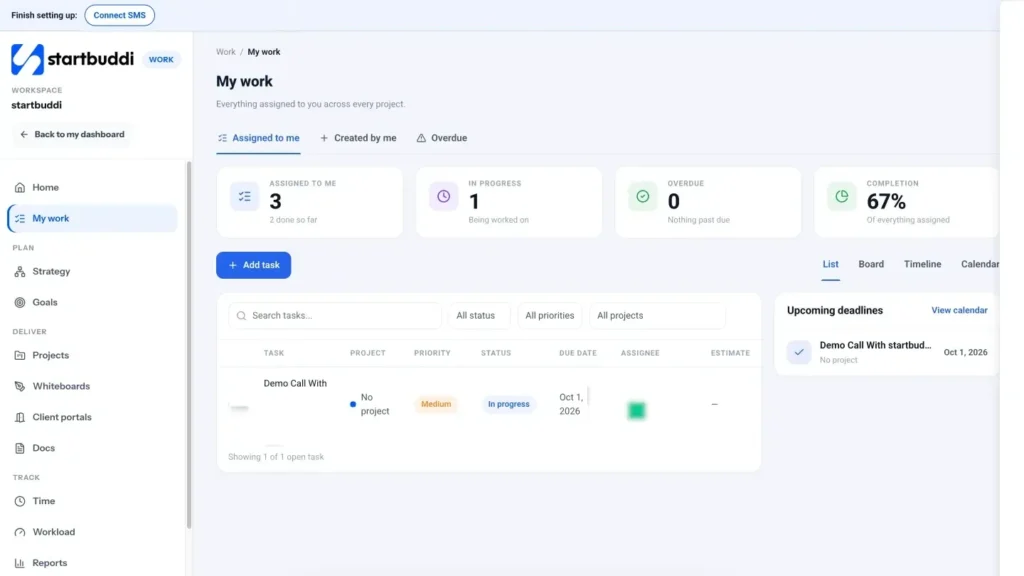
Go to Work, open a project, then its Tasks tab (or use My work). Click the task to open its panel.
- Add subtasks
In the Subtasks section, type in the + Add subtask box and press Enter. Repeat for each step. Tick a subtask when it is done; the heading shows how many are finished, for example "Subtasks (2/5)". Use subtasks for the small steps one person does in a row, such as "draft", "check" and "send". If a step belongs to someone else or needs its own date, make it a separate task instead.
- Or make a new task a child of another
When you create a task with Add task, the New task window has a Parent task field. Leave it empty to make a top-level task, or pick a task to put the new one under it. This is handy when a subtask needs its own assignee, due date or priority.
- Add a dependency
In the Dependencies section, open the This task is blocked by… list and pick the task that has to finish first, then click +. The small ±d box is an optional lag in work days: 2 means wait two work days after the other task, and a negative number lets this task start early.
- Check both directions
The panel lists Blocked by (what this task waits for) and Blocking (what waits for this task). Use the cross next to a link to remove it. Keep chains short: link only the tasks that truly cannot start early, or every small delay will ripple through the plan.
- Link tasks on the Timeline instead
Open the project's Timeline tab. Drag the dot at the end of a bar onto another task to make it wait for this one. When you move a task that others depend on, startbuddi asks "Move the tasks that depend on this one?". Choose Only this task or Move all. Tick Critical path to highlight the chain that decides your finish date. Use the Day, Week and Month buttons to zoom, and Today to scroll back to the current date.
Troubleshooting
The task I want is not in the "blocked by" list.
You can only link tasks from the same project, and a task that is already linked is left out. Move the task into the same project first if you need the link.
I get "This would create a circular dependency".
The other task already waits for this one, so linking them the other way would make each wait for the other. Remove one of the links first.
My task does not show on the Timeline.
The Timeline only draws tasks with dates. Give the task a due date (and ideally a start) in its panel. On a phone, the Timeline shows as a dated list.
Tiwalade Joanna Okedara-Kalu is the founder, CEO and CTO of startbuddi, the business system that brings clients, bookings, invoices, projects, marketing and the Chip AI assistant into one place. Tiwalade builds software around how service businesses really work day to day, and writes about client management, getting paid on time and why small businesses outgrow the tools they start with.
Founded startbuddi and leads its product and engineering