How to run performance reviews

A performance review in startbuddi has three parts: the team member writes a self review, their manager writes a manager review with a rating from 1 to 5, and the manager marks it complete. You start one review per person and give it a cycle name, such as “H1 2026”, so you can compare cycles later.
Performance reviews are part of People on every plan. Owners, HR admins and managers can start reviews. The team member needs to be in your workspace to write their own self review, so a team of more than one needs a plan with more seats. For the questions to ask, try the free performance review template.
Keep reviews short and regular. Twice a year works for most small teams, with quick feedback in between so nothing in a review comes as a surprise.
Before the first cycle, tell the team what the rating scale means. For example: 3 is “doing the job well”, 4 is “going beyond it” and 5 is rare. Agreeing this up front makes ratings fairer and the conversation easier.
Steps
- Check reporting lines first
The reviewer is the person's manager. Before you start, make sure each person has Reports to set on their profile (People, then Team, then Edit profile). If nobody is set, the review goes to whoever started it.
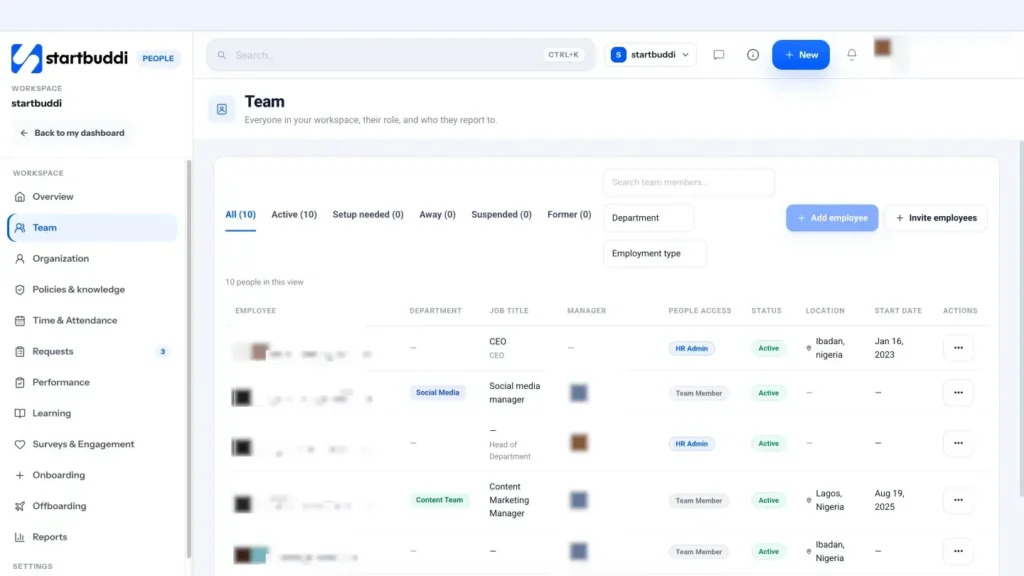
- Open Performance
Go to People and click Performance. The tabs are Overview, Reviews and Feedback, with cards for Reviews due, In progress, Completed and Overdue.
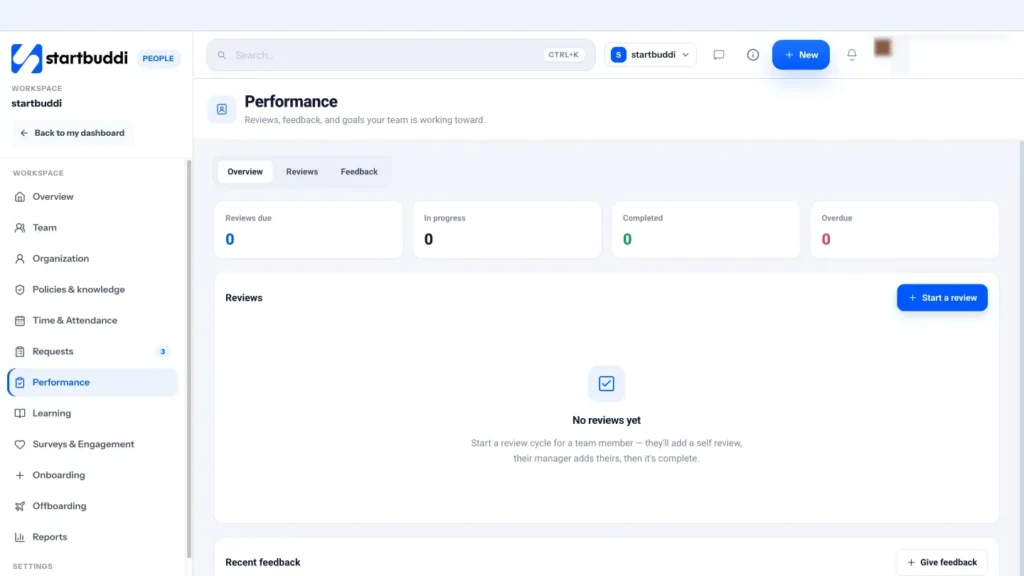
- Start a review
Click Start a review. Pick the Team member, type the Cycle (for example "H1 2026") and set a Due date. Click Start review. Repeat for each person in the cycle, using the same cycle name every time. Give people at least two weeks before the due date so the self review is not rushed.
- Team member writes the self review
The team member opens the review from My Performance and answers "How do you think this cycle went?" under Self review. They can Save draft and come back, then click Submit self review.
- Manager writes the manager review
The manager opens the same review, writes the Manager review, picks a Rating (1–5) and clicks Submit manager review. Then they click Mark complete. Completed reviews count towards the "Reviews completed" figure on the People overview.
- Keep feedback going between reviews
On the Feedback tab, click Give feedback, choose who it is About, write what is working and what could be better, and click Send feedback. Chip HR can also draft a balanced review summary from reviews, feedback and goals when you ask, for example "Prepare a performance review summary for my overdue reviews". A person always decides the rating.
Troubleshooting
I do not see Start a review.
Only owners, HR admins and managers can start reviews. Team members see My Performance with their own reviews instead.
The review went to the wrong reviewer.
The reviewer is the person's manager at the moment the review is started. Fix Reports to on their profile, then start a new review for the right person.
Can I launch a whole cycle at once?
Not yet. Start a review for each person and use the same cycle name. The Reviews tab shows the cycle next to each review.
Chinedu Kalu is the co-founder and chief operating officer of startbuddi, responsible for how the company runs day to day. Chinedu writes about the operational side of a small business: registering and running the company, money, hiring and the routines that keep a team on track.
Co-founded startbuddi and runs its operations