
CRM Tools for Small Business: The Complete Client Management Guide
CRM tools for small business explained by job: contacts, inbox, pipeline, bookings, invoices and follow-ups, when you need each, plus a setup checklist.

The CRM tools a small business needs are a short list of jobs, not a brand: one contact list, one inbox for client messages, a simple pipeline for enquiries and quotes, bookings or forms that feed the list, quotes and invoices on the client record, and follow-up reminders. Start with the first three and add the rest as clients grow.
Key takeaways
- A CRM is the system that holds every client, every conversation and every deal in one place. For a small business it is less about software features and more about never losing an enquiry.
- Think in jobs, not products: capture, conversation, pipeline, booking, billing, delivery and follow-up. Pick tools for the jobs you have today.
- Most service businesses outgrow WhatsApp and a spreadsheet at around 30 to 50 active clients, or as soon as a second person answers enquiries.
- The biggest gains come from habits a tool supports: reply the same day, put every quote in a pipeline, and log every client in one list.
- Client data is personal data. In Nigeria, the UK and many other places, people can ask what you hold about them, so keep it tidy and keep only what you need.
Who this guide is for
- Owners of service businesses with 1 to 10 people: cleaners, consultants, salons, agencies, photographers, tutors, trades and event planners.
- Anyone running clients from WhatsApp, a notebook and a spreadsheet who suspects enquiries are slipping through.
- Teams choosing their first CRM, or their second after the first one never got used.
If you want a ranked list of vendors, our roundup of the best CRM software compares them on price and fit. This guide is about what the tools do, when you need each one, and how to run client management so the tools actually help.
What client management means for a small business
Client management is everything that happens between “Hi, how much do you charge?” and the client recommending you to a friend. For a small business, it usually breaks down into eight stages:
| Stage | What happens | What gets lost without a system |
|---|---|---|
| Enquiry | Someone messages, calls, fills in a form or books | Messages in five apps, some never answered |
| Qualify | You check need, budget and timing | Time spent quoting people who were never going to buy |
| Quote | You send a price and scope | Quotes nobody follows up |
| Onboard | Contract, deposit, welcome, kick-off | A slow, messy start that sours the relationship |
| Deliver | The work itself, with updates | Clients chasing you for news |
| Bill | Invoices and payments | Late payments nobody notices |
| Retain | Repeat work and check-ins | Clients drifting away quietly |
| Refer | Reviews and introductions | Happy clients never asked |
A client management system is whatever you use to keep those stages visible. It can be a notebook for the first ten clients. It stops working when you can’t answer three questions in under a minute: who is waiting for a reply, which quotes are still open, and who owes you money.
Which CRM tools for small business do you actually need?
Software vendors bundle features differently, so compare tools by the job each one does. Here are the seven jobs, in the order most small businesses need them.
| # | Tool (job) | What it does | You need it when |
|---|---|---|---|
| 1 | Contact list | One record per person and company: details, notes, history | From your first paying client |
| 2 | Client inbox | Email, WhatsApp, Instagram and website chat in one place, shared with the team | Enquiries arrive on more than one channel, or two people reply |
| 3 | Pipeline | Enquiries and quotes as cards moving through stages | You send more than about five quotes a month |
| 4 | Bookings and forms | Let clients book, or send you structured details, straight into the contact list | You spend time on back-and-forth to set dates |
| 5 | Quotes, contracts and invoices | Paperwork and payments attached to the client record | You chase payments or lose track of who has paid |
| 6 | Projects and client portal | Tasks for delivery, and a place clients can see progress | Jobs take more than a day or involve several people |
| 7 | Follow-ups and reports | Reminders, automated messages and simple numbers | You have more clients than you can remember |
1. The contact list
This is the heart of every CRM. Each client gets one record with their name, phone number (with the country code), email, company, where they came from and a short note on what they need. Everything else, messages, quotes and invoices, attaches to that record.
A good contact list lets you import from a spreadsheet, avoid duplicates and filter by things that matter to you, such as “Lekki clients” or “quoted, not booked”. Our guide to organising your customers covers what to track and how to clean a messy list before you import it.
2. The client inbox
For many small businesses in Nigeria, Kenya and Ghana, WhatsApp is where most enquiries start. In the UK or Canada it may be email and Instagram. Either way, the problem is the same: messages are spread across apps and phones, and nobody can see who has answered what.
A shared inbox puts every channel in one list. You can assign a conversation to a colleague, leave an internal note and see the client’s history next to the chat. If you’re still running everything from one WhatsApp phone, our post on managing clients on WhatsApp shows how far labels and quick replies will take you first.
3. The pipeline
A sales pipeline is a board of open opportunities, each sitting in a deal stage such as Enquiry, Quote sent, Negotiating, Won and Lost. It turns “I think I sent her a price last week” into a card you can see. Five or six stages are enough for most service businesses.
4. Bookings and forms
Every enquiry form and booking page should create or update a contact, not land in an email folder. If your business sells appointments (salons, clinics, tutors, consultants), a booking page with your services, times and an optional deposit removes most of the back-and-forth. A form with the right questions does the same for project work; our free client intake form template lists what to ask.
5. Quotes, contracts and invoices
When quotes and invoices sit on the client record, you can see in one place what you promised, what was signed and what is unpaid. This is the job most standalone CRMs skip, and the one service businesses miss most.
6. Projects and a client portal
Once work takes more than a day, you need tasks with owners and dates. A client portal is a private page where the client sees progress, approves work and pays, instead of asking for updates on WhatsApp.
7. Follow-ups and reports
Follow-up reminders and simple automations (send the welcome email when a deal is won, remind me when a quote has been quiet for five days) are where a CRM starts saving time rather than recording it. Reports should answer plain questions: where do enquiries come from, how many quotes do we win, and who owes us.
Which CRM tools you need at each stage of growth
Buying everything on day one is the most common way small businesses end up paying for software nobody uses. Match the tools to where you are.
| Stage | Typical business | Tools to use | What to skip for now |
|---|---|---|---|
| Starting out | Solo, under 30 active clients | Contact list, one inbox, a five-stage pipeline | Automations, reports, portals |
| Getting busy | Solo or two people, 30 to 100 clients | Add bookings or forms, quotes and invoices on the record, follow-up reminders | Complex automations, custom fields you won’t fill |
| Small team | 3 to 10 people | Shared inbox with assignment, projects, client portal, simple reports | Enterprise add-ons, forecasting you won’t read |
Two signals tell you it’s time to move up a stage: an enquiry goes unanswered because each person thought the other had replied, or you find out a client paid late only when you check the bank. Our comparison of a CRM vs a spreadsheet goes through the other warning signs.
A worked example: what a missing system costs
These figures are illustrative, not industry averages. Use your own.
Ngozi runs an event planning business in Lagos with two assistants. Enquiries come in on WhatsApp, Instagram and email. Her average event is worth ₦450,000.
| Before (phones and a notebook) | After (one inbox and a pipeline) | |
|---|---|---|
| Enquiries a month | 40 | 40 |
| Answered within a day | 30 | 40 |
| Quotes sent | 18 | 24 |
| Quotes followed up | 9 | 24 |
| Events won | 6 | 8 |
| Revenue from new events | ₦2,700,000 | ₦3,600,000 |
The “after” column keeps her win rate on quotes the same, one in three (6 of 18 before, 8 of 24 after). The only changes are that every enquiry gets a same-day reply and every quote gets a follow-up. That’s 2 more events a month, or ₦900,000 more revenue, before any marketing spend.
The same sum works anywhere. A two-person plumbing business in Toronto that answers 10 more enquiries a month and wins a third of them at CA$600 a job adds roughly CA$2,000 a month.
What to record about every client
More fields don’t make a better CRM. These are the fields almost every service business needs; add others only when you know what you’ll do with them.
| Field | Why it matters | Example |
|---|---|---|
| Full name | Find and greet them properly | Amaka Eze |
| Phone with country code | WhatsApp and calls work from the record | +234 803 000 0000 |
| Quotes, invoices and receipts | amaka@example.com | |
| Company (if any) | Group contacts who buy together | Eze Interiors |
| Source | Know which channels bring clients | |
| Stage or status | See where they are at a glance | Quote sent |
| Next action and date | The follow-up that never gets forgotten | Call Thursday |
| Notes | What they care about, in a sentence | Wants delivery before Easter |
| Consent to marketing | Only message people who agreed | Yes, by form, 2 Oct |
Contents: the chapters of this guide
| # | Chapter | What it covers |
|---|---|---|
| 1 | Client Onboarding Process: The First 48 Hours That Keep Clients | An hour-by-hour plan from “yes” to kick-off |
| 2 | Customer Service Checklist Template: Standards for Small Teams | Response times, tone and handovers your team can follow |
Chapter 1 publishes on 20 October 2026 and chapter 2 on 26 October 2026, and each link works from the day its chapter goes live. The sections below summarise both, then cover setting up a CRM, free versus paid plans and choosing an app.
Chapter 1: The client onboarding process
The first 48 hours after a client says yes decide how the rest of the relationship feels. A client who gets a clear welcome, a signed agreement and a date for the kick-off within two days relaxes. A client who waits a week for an invoice and hears nothing about next steps starts to wonder whether they chose the right business.
The chapter sets out the client onboarding process as a timeline rather than a to-do list:
- Hour 0 to 2. Thank them, confirm what they bought in one sentence, and say what happens next and when.
- Hour 2 to 24. Send the agreement and the deposit request together, and create the client record and project.
- Hour 24 to 48. Once the deposit lands, send the welcome pack, collect what you need from them (logins, files, measurements, access), and book the kick-off.
It covers the decisions that trip people up: whether work can start before the deposit clears (usually no), who on the team owns the client from now on, and which channel you will use for updates so the client isn’t messaging three people. It also explains how to adapt the process for different businesses, because a cleaning client needs a key-holding arrangement and a property walk-through, while a consultancy client needs a scope document and a stakeholder list.
The chapter includes two worked examples, one for a design studio in Accra and one for a cleaning company in Manchester, and the mistakes that make onboarding drag: asking for information you already have, sending ten separate messages instead of one welcome pack, and letting the person who sold the job disappear once it’s won.
If you need a printable list to tick through, our free client onboarding checklist is the short version of this chapter.
Full chapter: Client Onboarding Process: The First 48 Hours That Keep Clients.
Chapter 2: Customer service standards for small teams
Customer service in a small business is mostly about consistency. One person replies in five minutes with a friendly voice note; another replies the next day with “noted”. Clients notice, and they remember the slow reply.
Customer service standards are a short written agreement inside your team about how you treat clients. The chapter covers what to put in them:
- Response times by channel. For example, website chat within 5 minutes during opening hours, WhatsApp and Instagram within 2 hours, email within one working day.
- Tone. How you greet people, how you apologise, and what you never say.
- Ownership. Who answers new enquiries, who handles complaints, and how a conversation is handed over so the client doesn’t repeat themselves.
- Out of hours. What clients see when nobody is working, and when they’ll hear back.
- Escalation. When a problem goes to the owner, and how quickly.
It includes a one-page standards template you can copy and fill in, and a checklist for a weekly 15-minute review: how many conversations went past the target time, which complaints came in, and what you’ll change.
Standards only work if you can see whether you’re meeting them. A shared inbox where every conversation has an owner and an open or closed status, sorted oldest first, shows what is still waiting without a spreadsheet. In startbuddi, website chats also carry a “Visitor waiting for a reply” badge.
The chapter also covers complaints, because a well-handled complaint often keeps a client longer than a job that went smoothly. The method is simple: reply fast, acknowledge the problem in their words, say what you’ll do and by when, then do it and confirm. For more on the service side of client management, our guide to customer service for small business goes further.
Full chapter: Customer Service Checklist Template: Standards for Small Teams.
How to set up a CRM in one afternoon
Most CRMs fail in the first week, not because the software is wrong but because the setup never finishes. Half the contacts are imported, the stages don’t match how you sell, and nobody connects the inbox. Two weeks later everyone is back on WhatsApp.
Here is a four-hour plan for getting a small business CRM working on a single afternoon:
- Hour 1: the list. Export contacts from your phone, WhatsApp Business, spreadsheets and email. Merge them into one file with consistent columns and phone numbers in international format. Import it.
- Hour 2: the pipeline. Create five or six stages that match what clients do, such as Enquiry, Quote sent, Deposit paid, In progress and Complete. Add every open quote as a card.
- Hour 3: the channels. Connect the inbox to your email and WhatsApp, and point your website form or booking page at the CRM.
- Hour 4: the habits. Set up two or three follow-up reminders, invite the team and agree the rules: every new enquiry gets a contact and every quote gets a card.
Do it in that order so you aren’t redoing work, and leave custom fields, automations and reports until month two.
The first fortnight after setup is when old habits creep back. A daily five-minute check of the pipeline and a weekly look at unanswered conversations keep the system alive until it becomes the normal way of working.
Free CRM vs paid CRM
Free CRM plans are good enough for many small businesses, and some never need to pay. The question is what a free plan leaves out and whether that gap costs you more than the subscription.
These are the limits that matter most to a small business on common free plans:
- Contact limits. Free plans often cap contacts in the hundreds or low thousands.
- Users. Many free plans allow one or two users, which breaks as soon as you hire.
- Channels. WhatsApp, SMS and shared inbox features are often paid.
- Automation. Follow-up sequences and workflows are usually on paid plans.
- Payments and invoices. Few free CRMs include invoicing at all.
Then run a simple test: add up the hours a month you spend on work a paid plan would do for you (copying details between apps, chasing quotes, sending reminders), multiply by what an hour of your time is worth, and compare that with the price. If the first number is bigger, paying is the cheaper option.
The test works in the other direction too. Plenty of businesses pay for plans with features they never set up, and the right move for them is to drop down a tier, not add another tool.
Remember the cost people forget: switching. Moving a few hundred contacts by CSV takes an afternoon, but moving years of message history and deal notes rarely comes across cleanly, so choose a free plan from a vendor you could grow with. For startbuddi’s plans, see pricing; a free plan is available.
How to choose a CRM app for your small business
The best CRM for your business is the one your team opens every day. Feature lists don’t tell you that; a short trial with your real clients does.
A shortlisting method in three steps:
- Write down your three biggest client problems. For example, “enquiries on WhatsApp get missed”, “we don’t follow up quotes” and “invoices are late”. These are your must-haves.
- Check the deal-breakers. Does it handle your main channel (WhatsApp, email, Instagram)? Does it take payments in your currency? Does it work well on a phone for staff who are out on jobs? Can you import your current list?
- Shortlist two or three tools and run a two-week trial with real enquiries, not demo data.
Score each tool from 1 to 5 on the things small businesses care about: time to set up, daily ease of use, channels, invoicing and payments, price for your team size, and support. Before you commit, ask each vendor how you export contacts, deals and message history, so you’re never locked in.
Test what matters for your kind of business. Appointment businesses should test the booking flow from the client’s side, on a phone. Project businesses should test quotes and the client portal. Sales-led businesses should test the pipeline and reminders.
For the ranked shortlists themselves, see our best CRM software and best client management software roundups, and our post on how to choose a CRM for a shorter overview.
Keeping clients after the first job
Winning a client costs time and money; keeping one mostly costs attention. Customer retention for a service business comes down to a few habits, and a CRM makes each one easier:
- A check-in after delivery. Ask how it went within a week, while the work is fresh.
- A reason to come back. A seasonal service, a maintenance visit, a refresher session or a review meeting, booked before the client leaves.
- A note of what they care about. A birthday, the name of their business partner, the fact that they hate phone calls. It goes on the contact record, so whoever talks to them next knows.
- A list of clients who’ve gone quiet. Anyone who bought in the last year and hasn’t been in touch for three months gets a personal message.
Our guide to customer retention strategies covers this in depth, and our post on building a client follow-up system shows how to set the reminders up.
Client data, privacy and the law
Your client list is personal data, and the rules apply to small businesses as well as large ones.
- Nigeria. The Nigeria Data Protection Act 2023 is enforced by the Nigeria Data Protection Commission. People have rights to be informed, to access their data, to correct it and to have it deleted, and you need a lawful basis, such as consent, to process it (checked on 1 October 2026).
- United Kingdom. GOV.UK’s data protection page says personal data must be “adequate, relevant and limited to only what is necessary” and “kept for no longer than is necessary”, and people can ask to see the data you hold (checked on 1 October 2026).
In practice, that means four habits. Collect only the fields you use. Record marketing consent separately from the fact that someone is a client. Delete or anonymise old leads you’ll never contact again. And keep the list in one secure place with proper logins, rather than on staff phones and personal spreadsheets. This is a summary, not legal advice; check the rules where you operate.
Mistakes that make client management fail
- Buying the tool before agreeing the habits. Software can’t make anyone log a quote. Agree the rules first: every enquiry becomes a contact, every quote becomes a card.
- Too many stages and fields. If updating a record takes more than ten seconds, people stop doing it.
- Leaving WhatsApp outside the system. If most clients message you there and the CRM can’t see it, the CRM will always be out of date.
- One person holds every client in their head. When they’re ill or leave, the clients go with them.
- Never cleaning the list. Duplicates and dead leads make searches useless and marketing expensive.
- Tracking but never acting. A report that shows 12 unanswered quotes is only useful if someone calls them this week.
The client management setup checklist
Copy this list into your notes or your project tool and work through it over a week.
Day 1: the list
- Choose one place for client records and tell the team.
- Export contacts from phones, WhatsApp Business, email and spreadsheets.
- Clean the file: one row per person, phone numbers with country codes, no duplicates.
- Import, then spot-check ten records.
Day 2: the pipeline
- Write five or six stages based on what the client does.
- Add every open quote and enquiry as a card with a value and a next action.
- Mark anything silent for 60 days as lost, with a reason.
Day 3: the channels
- Connect your main channels (WhatsApp, email, Instagram, website chat) to one inbox.
- Point your enquiry form or booking page at the contact list.
- Agree who answers new enquiries and how fast.
Day 4: the money
- Put your quote and invoice templates in the same system as the client records.
- Connect a way to take payments online.
- Check who owes you money today.
Day 5: the habits
- Set follow-up reminders for open quotes.
- Write the welcome message new clients get (start from our client onboarding checklist).
- Book a 15-minute weekly review: unanswered messages, open quotes, unpaid invoices.
Tools you’ll need
You can run the first 20 clients on WhatsApp and a spreadsheet. After that, one connected system saves the most time. These are the startbuddi modules that cover each job in this guide. A free plan is available; see pricing for what each plan includes.
| Job | startbuddi module |
|---|---|
| Contact list | Customers (contacts and companies) |
| Client inbox | Inbox inside Customers |
| Pipeline | Pipeline and deals |
| Bookings and forms | Bookings, and Forms |
| Quotes, contracts and invoices | Money Manager and Documents |
| Projects and client portal | Work, with client portals |
| Follow-ups and reports | Automations, Customers reports and Chip |
Customers. One record per client with their messages, deals, invoices, bookings and form answers. Import a CSV of up to 10,000 contacts at a time.
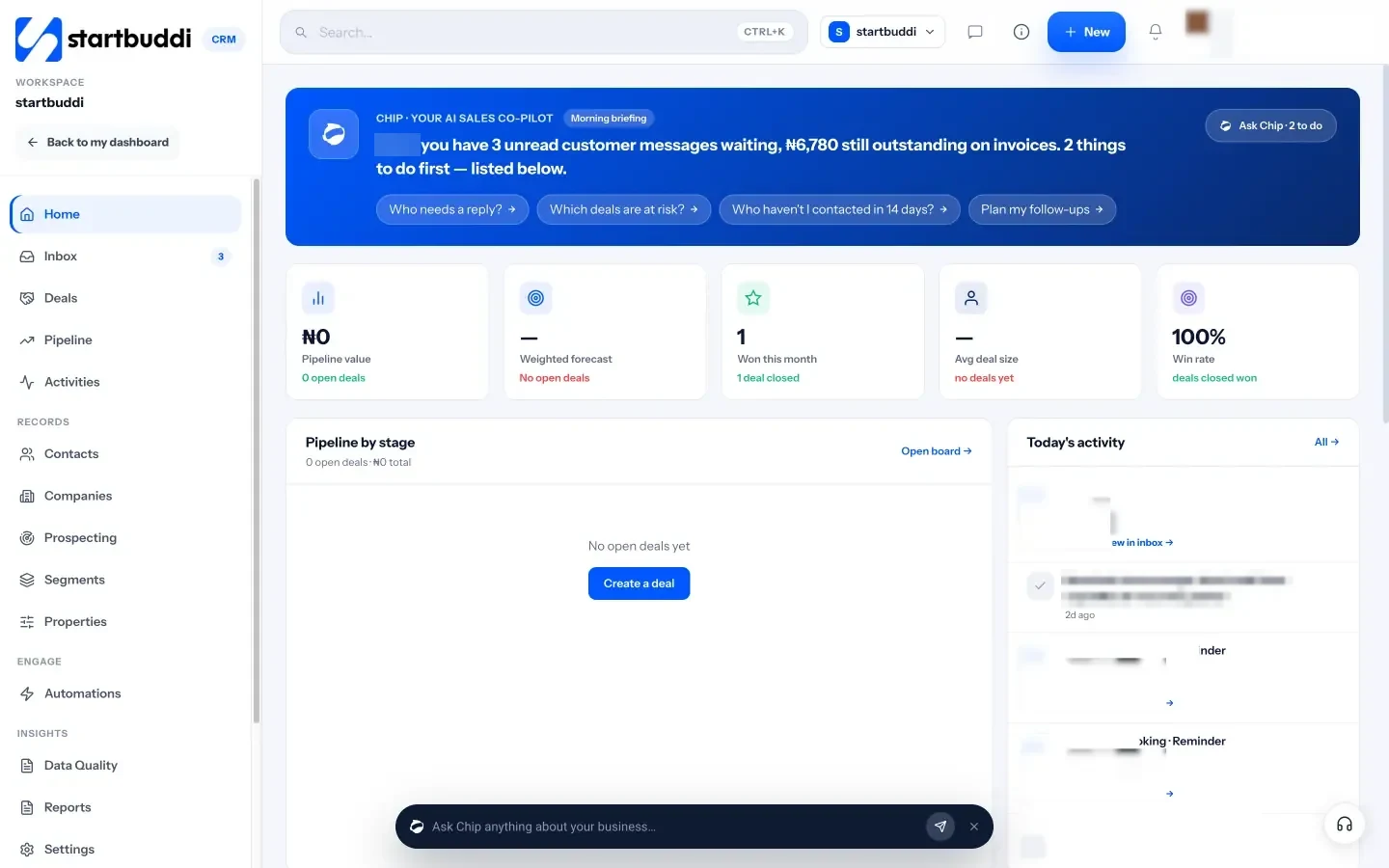
Inbox. Email, WhatsApp, SMS, website chat, Instagram and Facebook messages in one shared inbox. Assign conversations, leave internal notes, and ask Chip to draft a reply. WhatsApp and SMS are on paid plans.

Pipeline. Deals move through stages you choose. When a contact replies, their deal moves out of the first stage; when an invoice on a deal is paid, the deal is marked won.
Work and client portals. Project templates such as Client delivery set up tasks and milestones, and a client portal gives each client a private page for progress, approvals and invoices. Clients sign in with an email link and don’t need an account.
Chip, startbuddi’s AI assistant, sits on every screen. It tells you who is waiting for a reply, flags stalled deals and drafts follow-ups. On the Growth plan and above it can answer inbox, WhatsApp and website chat messages when nobody on the team is free. startbuddi isn’t accounting software and doesn’t file tax; if your main need is field dispatch or a till, a specialist tool may suit you better. See how it works as a CRM for service businesses.
Frequently asked questions
What are CRM tools for a small business?
CRM tools for a small business are the software that keeps client details, messages, quotes and follow-ups in one place. The core tools are a contact list, an inbox for client messages and a pipeline for open enquiries and quotes. Many small business CRMs add bookings, invoices, projects and automated follow-ups.
Does a small business need a CRM?
Not on day one. A solo business with fewer than 20 or 30 active clients can manage with WhatsApp labels and a spreadsheet. Once enquiries arrive on several channels, more than one person replies, or you lose track of quotes, a CRM pays for itself in clients you no longer miss.
What is the difference between a CRM and client management software?
The terms overlap. A traditional CRM focuses on contacts and the sales pipeline. Client management software for service businesses usually adds what happens after the sale: bookings, contracts, invoices, projects and a client portal. Small service businesses often need both in one tool.
Can I use WhatsApp as my CRM?
You can for a while, especially with WhatsApp Business labels and quick replies. It stops working when several people need to answer from one number, when you need a history of quotes and payments, or when the phone is lost. A CRM with a WhatsApp inbox keeps the channel your clients prefer and adds the record behind it.
How much do CRM tools for small business cost?
Many CRMs have a free plan with limits on contacts, users or channels, and paid plans usually charge per user per month. Compare the price for your actual team size, and include the other apps the CRM would replace, such as invoicing or booking tools. Our best CRM software roundup lists current prices with sources.
What should I look for in a small business CRM?
Look for the channels your clients use, an easy import, a pipeline you can set up in minutes, invoicing or a link to it, and a mobile experience your team will actually use. Then test it for two weeks with real enquiries. If the team isn’t using it daily by the end of the trial, it isn’t the right tool.
Put your client management in one place
Start with the checklist above: one list, one inbox and a simple pipeline this week, then add bookings, invoices and follow-ups as you grow. Start startbuddi free, import your contacts and see every client, conversation and quote on one screen.
Tiwalade Joanna Okedara-Kalu is the founder, CEO and CTO of startbuddi, the business system that brings clients, bookings, invoices, projects, marketing and the Chip AI assistant into one place. Tiwalade builds software around how service businesses really work day to day, and writes about client management, getting paid on time and why small businesses outgrow the tools they start with.
Founded startbuddi and leads its product and engineering