How to choose a CRM for your business (one you’ll actually use)
How to choose a CRM your team will actually use: what a CRM does, the signs you need one, what to look for, options with published facts and a one-week setup plan.


Chinonye wrote this while on the startbuddi team. The product has changed since, so the team updated it on .
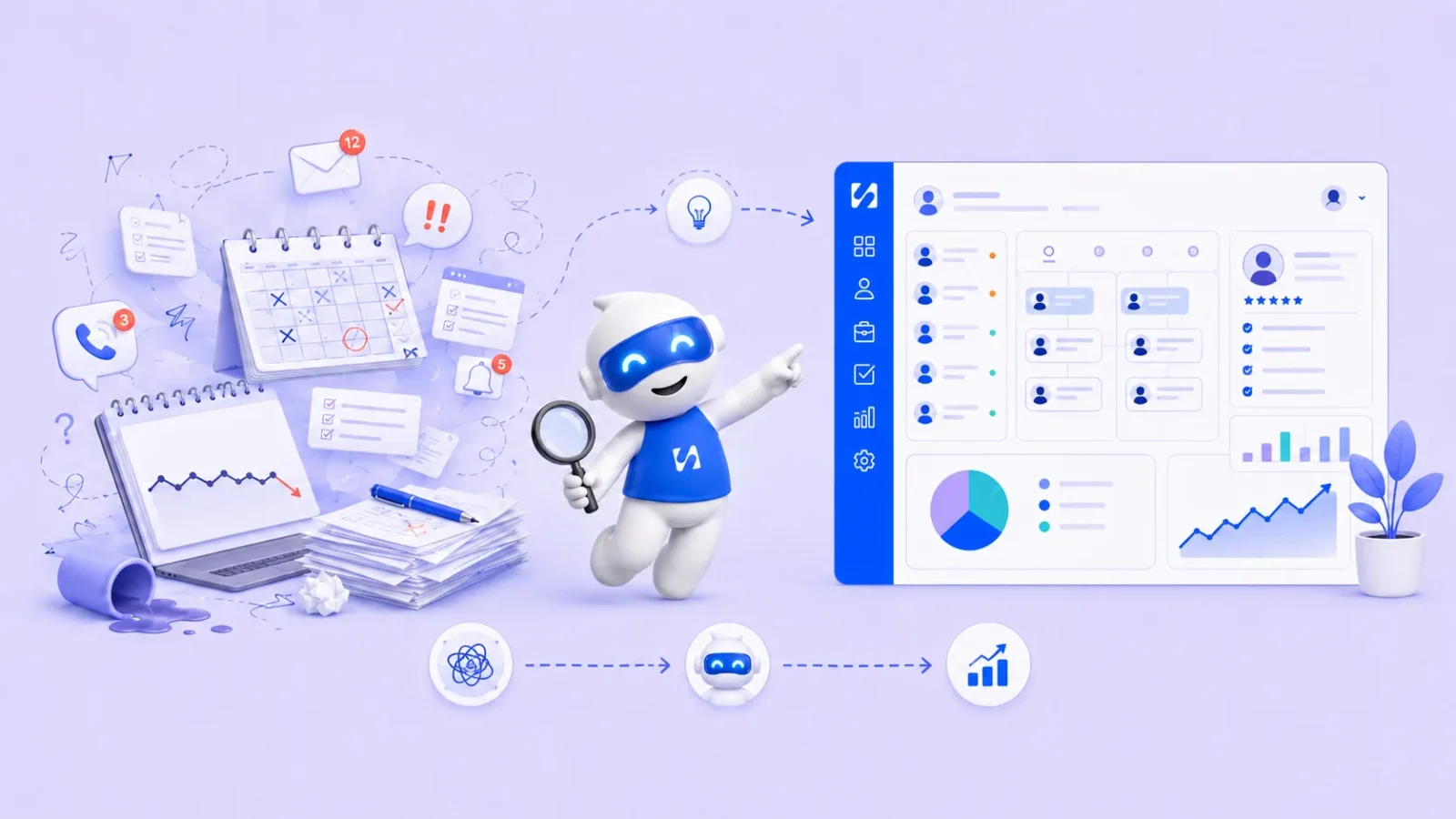
- A CRM tool keeps every customer, conversation and deal in one place. Choose one that captures your real channels, fits your team size and price, and lets you export your data, then trial two with real contacts for a week and keep the one you actually use.
Knowing how to choose a CRM starts with what CRM tools for small business are for: keeping every customer, conversation and deal in one place so nobody falls through the cracks. The right one is the tool your team will open every day, not the one with the longest feature list. For most small businesses that means a simple contact list, a clear view of who is interested and what happens next, reminders to follow up, and a price that still makes sense when you add a second or third person.
This guide explains what a CRM tool does, the signs you need one, what to look for, a few options with the facts their makers publish, and a one-week plan to get set up without losing a month to it.
What a CRM tool for small business actually does
CRM stands for customer relationship management. Strip away the jargon and a CRM is a shared memory for your business. It answers four questions quickly: who is this person, what have we said to them, what are they interested in, and what should happen next?
Contacts and companies
Every customer and lead gets one record with their details, notes, tags and history. If you sell to businesses, contacts link to the company they work for, so you can see everyone at one client in one place.
Deals and a pipeline
A deal is a piece of work someone might buy, such as a website project or a monthly retainer. A sales pipeline shows those deals as cards moving through stages like “enquiry”, “quote sent” and “won”. It tells you how much work is in play and where things get stuck.
Follow-ups and tasks
Most lost sales are not lost to a competitor. They are lost because nobody followed up. A CRM reminds you who to call, email or message, and when.
Conversations
Better tools pull emails, and sometimes WhatsApp, SMS or website chat, onto the customer record. That way the whole team sees the same history instead of it living in one person’s phone.
Signs you need a CRM tool now
You do not need a CRM on day one. A spreadsheet or even a notebook is fine while you have a handful of customers. These are the signs you have outgrown it:
- You have forgotten to reply to an enquiry, or found one weeks late in your inbox or WhatsApp.
- Two people on your team have contacted the same customer without knowing.
- You cannot say, in a minute, how much work is waiting on a customer’s yes.
- Customer details are split across your phone, email, a spreadsheet and sticky notes.
- You want to email or message past customers but have no clean list to send to.
If two or more of these sound familiar, it is time. Our round-up of CRM vs spreadsheet goes deeper on the switch, and turning WhatsApp chats into a customer database covers the most common starting point.
What to look for in CRM tools for small business
Feature lists are long and mostly irrelevant at your size. Judge each tool against these questions instead.
| Question | Why it matters | What good looks like |
|---|---|---|
| Can I add a contact in under 30 seconds? | If it is slow, people stop doing it | A short form, with only a name and one contact detail required |
| Can I import what I already have? | You have contacts in spreadsheets and phones | CSV import with column matching and duplicate checks |
| Does it fit how customers reach me? | Many small businesses live on WhatsApp, Instagram or phone | The channels you use show up on the customer record |
| Is the pipeline simple to change? | Your stages will change as you learn | Rename, add or remove stages yourself |
| What does it cost at 3 people and 2,000 contacts? | Free plans often stop at a user or contact limit | A published price you can work out before you commit |
| Can I get my data out? | You may switch one day | Export to CSV or Excel at any time |
| Does it work on my phone? | You meet customers away from a desk | A usable mobile app or mobile web |
Features you can skip for now
Territory management, complex forecasting, custom objects and approval chains matter to big sales teams. At your size they add setup time and clutter. You can always move to a heavier tool later if you grow into it.
CRM tools for small business: some options and what they publish
Below are a few well-known options with the facts their makers state on their own pricing pages, checked in September 2026. Prices change often and are sometimes shown in your local currency or as a limited-time offer, so check the linked page before you decide. We have not ranked them: the right choice depends on your channels, team size and budget.
| Tool | Free plan | Paid plans (as published) |
|---|---|---|
| HubSpot | Yes, free for up to 2 users, up to 1,000 contacts | Starter Customer Platform listed at $20 per seat a month, with a promotional price shown for new customers |
| Zoho CRM | Yes, “free forever for 3 users” | Priced per user per month; the page shows prices in your local currency |
| Bigin by Zoho CRM | Yes, 1 user and 500 records | Express from US$7 per user a month billed yearly (US$9 monthly) |
| Capsule CRM | Yes, 2 users and 250 contacts | Starter from $11 per user a month billed annually |
| Less Annoying CRM | No, 30-day free trial | One plan at $15 per user a month |
| Salesforce Starter Suite | No, free trial | From $25 per user a month (also listed as £20 and 25 €) |
| Pipedrive | See its pricing page | Several tiers priced per seat; see its pricing page for your currency |
For a wider look with our research notes, see the best CRM software for small business list, and our list of HubSpot alternatives.
How to choose a CRM: a simple shortlist method
“Best” depends on you. A plumber in Manchester, a design studio in Nairobi and a consultant in Toronto need different things. Work through these steps and the shortlist gets short quickly.
- Write down how customers find you. List your top three channels, for example Instagram DMs, a website form and referrals by phone. Your CRM tool must capture those, or it will always be half empty.
- Decide what else it needs to connect to. If you send quotes and invoices, book appointments or run email campaigns, a CRM that shares one customer record with those jobs saves double entry. A standalone CRM plus four other apps means copying details between them.
- Count your users for the next 12 months. Per-user pricing looks cheap for one person and adds up fast for five. Work out the yearly cost at your expected team size, in your currency.
- Shortlist two, not ten. Pick two tools that pass the checklist above.
- Trial with real work for one week. Import 50 real contacts, add every new enquiry, and run your follow-ups from it. Notice which one you reach for without thinking.
- Check the exit. Before you commit, export your trial data to make sure you can.
A simple way to compare costs
Take a design studio with 3 people. A tool at $15 per user a month costs $540 a year. A tool at $49 a month with 3 seats included costs $588 a year but may also cover invoices or bookings you are paying for elsewhere. Add up everything you would replace, not just the CRM line.
Stand-alone CRM tool or an all-in-one system?
A stand-alone CRM tool makes sense when selling is most of your work: you have a dedicated salesperson, long sales cycles, and your invoicing and bookings already run well elsewhere. An all-in-one system makes more sense when the same two or three people do sales, delivery and admin, and the pain is jumping between apps. Neither is wrong. The question is where your time leaks today. If you spend more time copying a client’s details from your CRM into your invoicing app than you spend on the sale itself, connection matters more than extra sales features.
Setting up your CRM tool in one week
The biggest risk with any CRM tool for small business is that it never gets used. Keep setup small and finish it.
- Day 1: Export contacts from your phone, email and spreadsheets into one CSV. Remove obvious duplicates.
- Day 2: Import them. Add a tag for where each person came from, such as “referral” or “Instagram”.
- Day 3: Set up four or five pipeline stages that match how you actually sell. Fewer is better.
- Day 4: Add every open opportunity as a deal with a value and a next step.
- Day 5: Connect your email and any other channels the tool supports.
- Days 6 and 7: Run your follow-ups only from the CRM. Our guide on how to follow up with leads has scripts you can reuse.
Agree one team rule: if it is not in the CRM, it did not happen. That single habit does more than any feature.
Common mistakes when choosing a CRM tool
- Buying for the business you might be in five years. Enterprise tools need enterprise setup. Buy for the next 12 months.
- Too many fields and stages. Every required field is a reason not to add a contact.
- Ignoring your main channel. If most sales start on WhatsApp and your CRM cannot see WhatsApp, you will keep two systems.
- Forgetting the free plan’s limits. A limit of 250 contacts or one user can arrive quickly. Know what happens when you hit it.
- No owner. Someone needs to keep stages, tags and duplicates tidy. In a small team, that is usually the founder for 15 minutes a week.
Keep customer data safe and legal
A CRM holds personal information, so data protection rules apply wherever you are. The principles are similar across countries: collect only what you need, keep it secure, let people opt out of marketing, and delete what you no longer need. The US Federal Trade Commission sums this up in its guide for business as take stock, scale down, lock it, pitch it and plan ahead.
This is general information, not legal advice. Check the rules where you are: for example the UK ICO’s advice for small organisations or the Nigeria Data Protection Commission. When comparing tools, ask where data is stored, who can see it, and how you export or delete it.
How startbuddi helps
To be clear about fit, startbuddi is not a stand-alone CRM. It is a business system where Customers sits alongside bookings, invoices, marketing and projects, all sharing one customer record. If you need heavy enterprise customisation for a large sales team, a dedicated enterprise CRM will fit better. If you are a small team that wants one place for customers and the work around them, this is what you get.
Contacts and companies
Contacts gives you a searchable list with owners, tags and status filters, saved segments, and CSV import of up to 10,000 contacts at a time with duplicate handling. You can export to CSV or Excel whenever you like. Each contact page shows notes, activity, and what they have been invoiced and paid.

A pipeline you can read at a glance
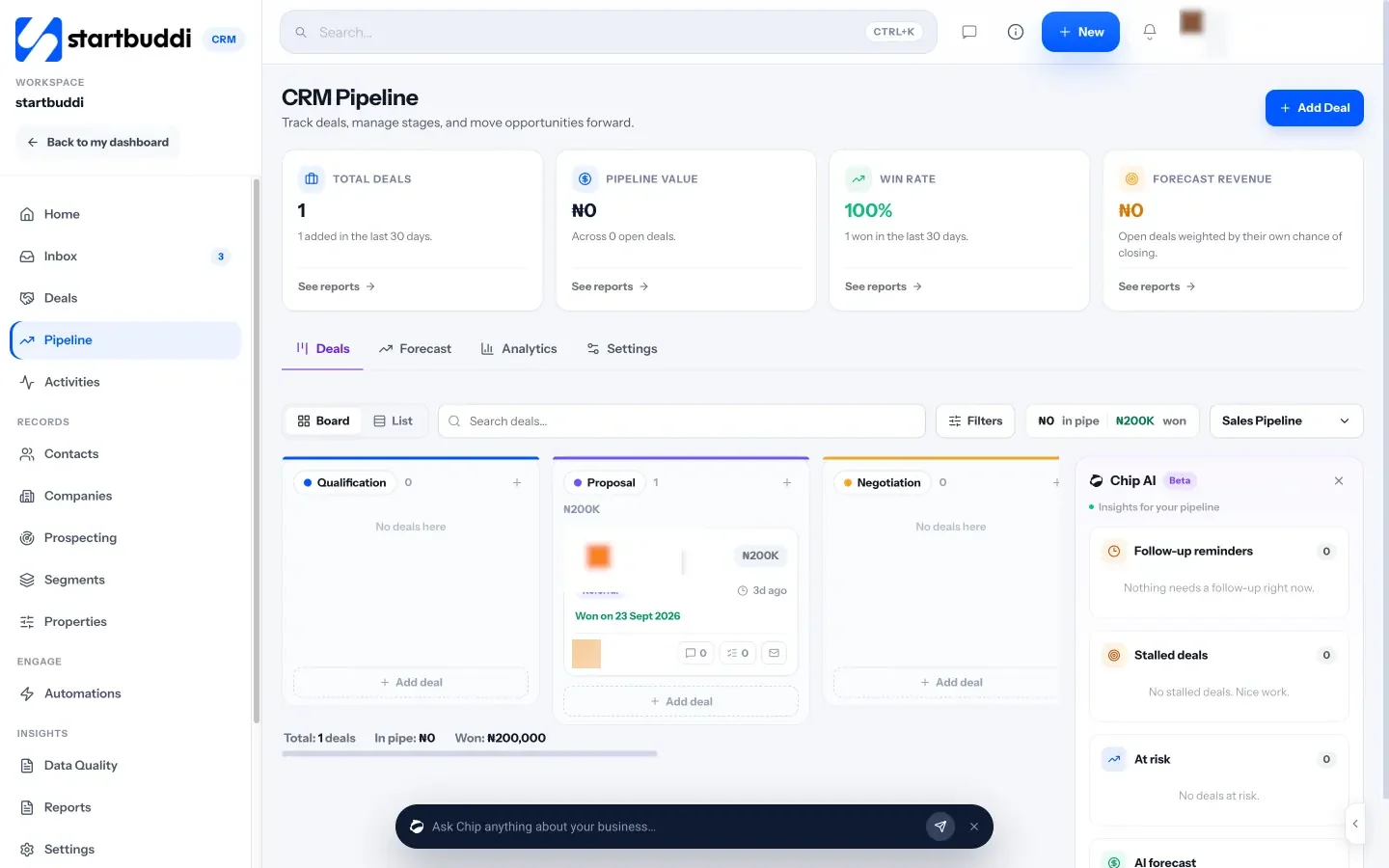
The sales pipeline shows deals on a board or as a list, with total deals, pipeline value, win rate and forecast at the top. Chip, the AI assistant, flags follow-up reminders, stalled deals and deals at risk beside the board.
Conversations on the same record
The Inbox brings email, website live chat, WhatsApp, SMS, Facebook and Instagram messages into one place, where you can assign conversations to teammates. WhatsApp and SMS need the Starter plan or above, and Chip auto-replies need Growth or above.

The Free plan includes 1 seat and 250 contacts, which is enough to try it with real customers. Starter raises that to 2,500 contacts and 2 seats, Growth to 15,000 contacts and 5 seats, and Scale to 75,000 contacts and 15 seats (see pricing). Every paid plan has a 30-day trial. Need help moving your list? Follow how to import contacts.
Your next step
Write down your three main customer channels and your team size for the next year, then shortlist two CRM tools that fit both. Trial each with real contacts for a week and keep the one you actually opened. If you want customers, invoices and bookings on one record, you can start free and compare plans on the pricing page.
Sources
- HubSpot: CRM pricing
- Zoho CRM: pricing
- Bigin by Zoho CRM: pricing
- Capsule CRM: pricing
- Less Annoying CRM: pricing
- Salesforce: small business pricing
- Pipedrive: pricing
- US Federal Trade Commission: Protecting personal information, a guide for business
- UK Information Commissioner’s Office: advice for small organisations
- Nigeria Data Protection Commission
Frequently asked questions
What is the best CRM tool for a small business?
There is no single best one. The best CRM tool for your small business is the one that captures your main customer channels, fits your team size and budget, and that your team opens every day.
Is a free CRM tool for small business good enough?
Often, at the start. Check the user and contact limits, and what happens when you pass them, before you put your whole customer list in.
How long does it take to set up a CRM?
A basic setup takes about a week of short sessions: import contacts, set four or five pipeline stages, add open deals, then run your follow-ups from it.
Do I need a CRM if I only have a few customers?
Not always. A spreadsheet works for a handful of customers. Switch when you start missing follow-ups or cannot see what work is waiting on a yes.
SEO Copywriter| Email growth Specialist| I help businesses increase revenue with strategic SEO content & high-converting email funnels.