How to create a customer database (even if your customers live in WhatsApp)
How to create a customer database without the complexity: what to record, where to pull contacts from (including WhatsApp), how to clean them and keep the list growing.


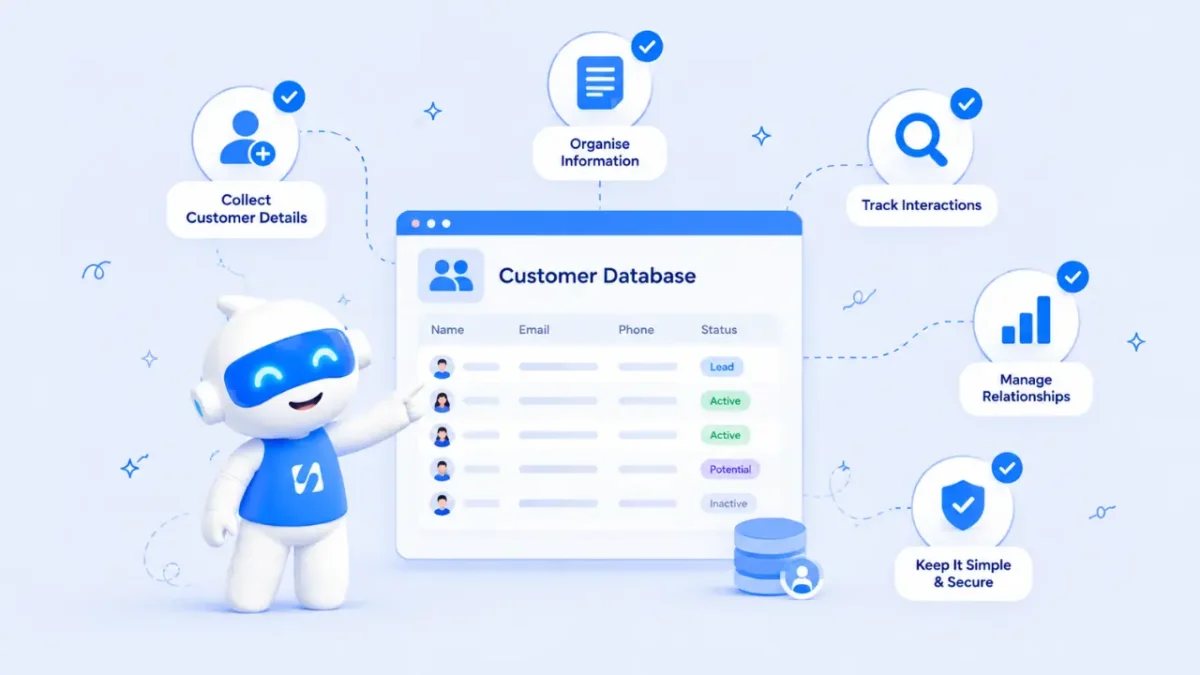
- Decide on a few useful fields, pull customers out of your chats and phone contacts, clean the list and record marketing permission. Then add a form or a weekly habit so new customers land in the database automatically.
A customer database is simply one organised list of the people who buy from you, with the details you need to serve them and sell to them again. To create a customer database for a small business you don’t need special software or a developer. It takes an afternoon: decide what to record, pull the contacts out of wherever they live now, clean them up, and set a habit so new customers land in the list automatically.
For many small businesses the raw material already exists. It’s just scattered across hundreds of WhatsApp chats, phone contacts, voice notes and screenshots of bank transfers, so this guide uses WhatsApp as the main example.
This guide walks you through each step, with a template you can copy.
Why WhatsApp alone isn’t a customer database
WhatsApp is brilliant for talking to customers. It’s where orders come in, where people ask about prices and where you send “your delivery is on the way”. The WhatsApp Business app even has tools to help, such as labels to sort chats, and quick replies for common answers, which WhatsApp describes in its guide to staying organised with lists and quick replies.
But a chat app is built around conversations, not customers. That creates real problems as you grow:
- You can’t see the whole picture. Who bought three times this year? Who hasn’t ordered since January? WhatsApp can’t answer that.
- Information lives in one phone. If the phone is lost, or a staff member leaves, the customer history goes with it.
- Details get buried. A customer’s address, size, allergy or preferred delivery time sits somewhere in a chat from months ago.
- You can’t share the work. Two people answering one phone is messy, and nobody knows who replied to whom.
- Marketing becomes guesswork. Without a list you can filter, every broadcast goes to everyone, or to nobody.
A customer database fixes all of this without replacing WhatsApp. You keep chatting where your customers are, and the database holds the memory.
Step 1: decide what to record for each customer
Start small. The most common mistake is designing a database with 30 fields that nobody fills in. Record what you actually use to serve and sell.
Here is a starting template for a small business that sells on WhatsApp:
| Field | Example | Why it matters |
|---|---|---|
| Full name | Chiamaka Obi | Personal messages get better replies |
| Phone number with country code | +234 803 000 0000 | Works across tools and countries |
| Email (optional) | chiamaka@example.com | For receipts, invoices and newsletters |
| City or area | Ikeja | Delivery planning and local offers |
| How they found you | Instagram ad | Tells you which marketing works |
| Status | New, Customer, Repeat customer | Shows where each person is |
| Last order date | 12 August | Spot customers who have gone quiet |
| Notes | Prefers weekend delivery | Service that feels personal |
| Marketing permission | Yes, agreed on 3 June | Who you may send offers to |
Add one or two fields that are specific to your business: dress size for a fashion brand, car model for a mechanic, number of rooms for a cleaning company. Resist anything you won’t use in the next month.
Why the country code matters
Numbers saved as 0803… work on your phone but can fail in other tools, especially messaging platforms that need the full international format. Save every number as +234…, +233…, +44… and so on from day one. It saves hours of fixing later.
Step 2: get the contacts out of WhatsApp
There are three practical ways to pull customers out of your chats. Most businesses use a mix.
Option A: go through your chats by hand
For a business with fewer than 200 customers, this is often the fastest and most accurate route. Open your chats, starting with the most recent, and add each real customer to your list with the fields above. It also gives you a chance to catch notes you’d forgotten, like the customer who asked for a restock alert.
Tip: if you already use WhatsApp Business labels such as “Paid” or “Order complete”, filter by those labels first. Customers who paid are more valuable to capture than people who only asked a price.
Option B: export from your phone’s contacts
If you saved customers in your phone’s address book, you can export those contacts as a file from your phone or from your Google or iCloud account, then open it in a spreadsheet. You’ll need to delete friends and family, but it gives you names and numbers in bulk.
Option C: export individual chats for detail
WhatsApp lets you export a chat’s history as a file, with or without media. This is useful for your biggest customers, where you want to copy order history and notes into their record. It isn’t practical for hundreds of chats, so keep it for the few that matter most.
Step 3: clean the list before you use it
Raw lists are always messy. Spend 30 minutes cleaning before you import anything, because a dirty database quickly becomes one nobody trusts.
- Remove duplicates. The same person saved as “Chiamaka”, “Chi Obi” and “Chiamaka Lekki” is one customer.
- Fix phone formats. Add country codes, remove spaces and dashes if your tool needs it.
- Split names. First name and last name in separate columns make personal messages easier.
- Standardise statuses and sources. Choose “Instagram” and use it everywhere, not “IG”, “insta” and “Instagram DM”.
- Mark marketing permission honestly. If you don’t know whether someone agreed to receive offers, mark them as unknown, not yes.
Save the clean version as a CSV file. Almost every customer tool can import one.
Step 4: get permission right
A customer database is personal data, so treat it with care. Having someone’s number because they ordered from you isn’t the same as permission to send them marketing.
WhatsApp’s Business Messaging Policy says a business may only message people who have given their number and agreed to receive messages from that business. In Nigeria, the Nigeria Data Protection Act 2023 sets out the rules for collecting and using personal data, including consent. In the UK, the ICO explains when you can email existing customers. This is general information, not legal advice.
In practice:
- Ask new customers a simple question: “Can we message you about new stock and offers? You can say stop at any time.”
- Record the answer and the date in your database.
- Honour “stop” immediately, and keep a record so they don’t get added back by mistake.
- Keep the list somewhere secure, not in a spreadsheet shared with everyone.
Step 5: make new customers land in the database automatically
Cleaning up once is good. Never having to do it again is better. Build a habit, or a system, so every new customer is added as they arrive.
- Use a short form for orders or bookings. A link in your WhatsApp profile or greeting message that collects name, number, area and permission fills your database while you sleep. Our client intake form template is a good start.
- Add at the moment of payment. When a transfer lands, add or update the customer before you send the receipt.
- Do a weekly five-minute sweep. Every Friday, scroll through the week’s chats and add anyone you missed.
Use your database, not just keep it
A list is only worth keeping if it changes what you do. Once your customers are in one place, try these:
- Message everyone who ordered more than 60 days ago with something new.
- Send a thank-you to your top ten customers by spend.
- Check which source brings the most repeat customers, and spend more time there.
- Offer a restock alert to people who asked about an item that was sold out.
For a wider view of when a spreadsheet stops being enough, read CRM vs spreadsheet.
Step 6: organise customers into useful groups
Once everyone is in one list, groups turn it into something you can act on. A group is just a filter you use again and again. Start with four or five that match how your business makes money.
| Group | Rule | What to do with it |
|---|---|---|
| New this month | Added in the last 30 days | Welcome message and a check that the first order went well |
| Repeat customers | Two or more orders | Early access to new stock, a thank-you, a referral ask |
| Gone quiet | No order in 60 or 90 days | A friendly “we’ve missed you” with something new |
| Asked, never bought | Status is New, no orders | A helpful follow-up or answer to their question |
| By area | City or area is Lekki, Abuja, Accra | Delivery days, pop-up events, local offers |
Only include people who agreed to hear from you when a group is used for offers. Everyone else can still get the service messages they expect, such as order updates.
Step 7: share the work without losing the history
The real payoff of a customer database arrives when someone else helps you. A sales assistant, a delivery rider or a business partner can see who a customer is, what they bought and what was promised, without scrolling through your phone.
- Give each customer an owner. One person is responsible for replying, even if others help.
- Write notes as if someone else will read them. “Wants the blue one in size 12, will pay on delivery” is useful. “See chat” is not.
- Keep conversations and records together. If replies happen in one place and notes in another, they drift apart within weeks.
- Limit who can export or delete. Your customer list is one of the most valuable things your business owns.
Common customer database mistakes
- Trying to capture every chat ever. Start with paying customers from the last few months. Older contacts can wait.
- Treating everyone with a number as a subscriber. Broadcasting to people who never agreed can get your number reported and blocked.
- Letting the list go stale. A database that’s three months out of date is soon ignored. The weekly sweep matters.
- Keeping two lists. Pick one home for customer details and stick to it.
How startbuddi helps
startbuddi gives you a customer database that fills itself from WhatsApp, forms, bookings and website chat, while you keep talking to customers where they already are.
Import your cleaned list in minutes. In Contacts, you can add a single customer with just a name, an email or a phone number, or import a CSV of up to 10,000 contacts at a time. You match your columns to startbuddi’s fields, choose whether to update or leave alone anyone who’s already there, and tag everyone in the import so you can find them later. The Free plan holds up to 250 contacts.

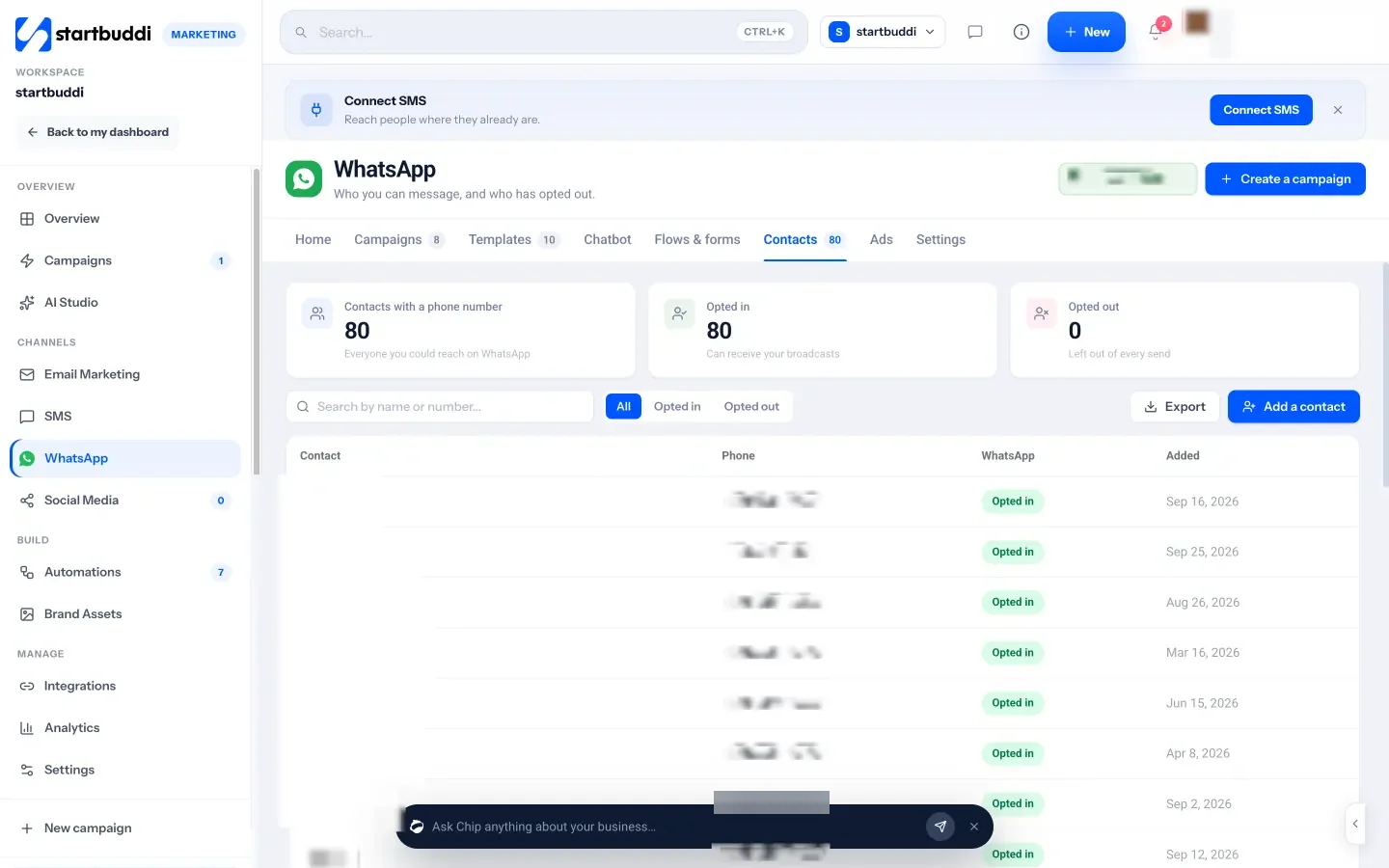
Bring your WhatsApp Business app with you. When you connect your number to WhatsApp marketing, you can keep using the WhatsApp Business app on your phone. startbuddi imports your contacts and chats once, going back up to 180 days, and new replies arrive both on your phone and in the shared inbox. The WhatsApp Contacts tab shows who has opted in and who has opted out, and fixes numbers saved without a country code. WhatsApp needs the Starter plan or above.
Add your own fields and groups. Properties let you add fields like dress size or car model, and Segments build lists that keep themselves up to date, such as “Lagos customers who haven’t ordered in 60 days”.
Keep it clean. Data Quality spots possible duplicate contacts and lets you merge them, keeping the fullest record, without leaving the page.
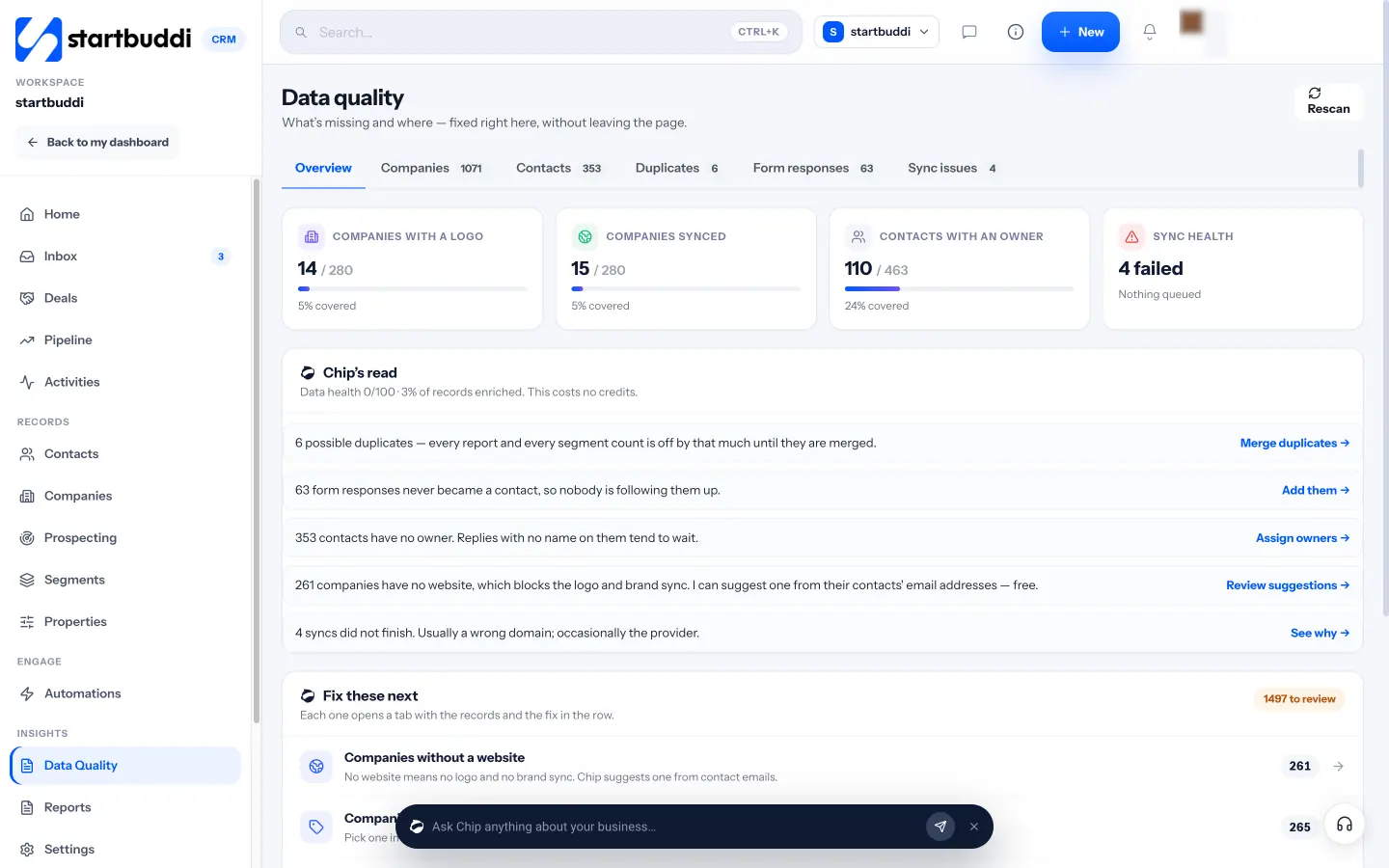
New customers arrive on their own. Contacts are created from forms, bookings, website chat and marketing sign-ups, so the weekly sweep gets shorter over time. Every contact has one page with their conversations, notes, deals and invoices, and notes you add in the inbox appear on the contact too. That’s the “memory” your phone could never give you.
Ask Chip instead of scrolling. Chip, the AI assistant, sits on every screen. Ask “Who haven’t I contacted in 14 days?” and you get names, not a vague feeling that you should be messaging someone.
Your next step
Set aside one afternoon this week. Copy the template above, pull out your last three months of paying customers, clean the list and import it. Then add a simple form link to your WhatsApp profile so the list grows by itself. You can start free with up to 250 contacts, or see all plans on the pricing page.
Sources
- WhatsApp Help Center: How to use labels
- WhatsApp Help Center: How to export your chat history
- WhatsApp Business: Staying organised using lists and quick replies
- WhatsApp Business Messaging Policy
- Nigeria Data Protection Commission: Nigeria Data Protection Act 2023
- ICO: Electronic mail marketing
Frequently asked questions
Can I export all my WhatsApp contacts at once?
WhatsApp exports chats one at a time. For bulk names and numbers, export your phone's address book instead, then remove personal contacts.
Do I need a customer's permission to store their details?
You need a lawful reason to keep personal data, and usually clear permission before sending marketing. Check the data protection rules in your country.
What's the minimum I should record for each customer?
A name, a phone number with country code, how they found you, a status and whether they agreed to marketing. Add more only when you'll use it.
Should I use a spreadsheet or a CRM?
A spreadsheet is fine for a small list kept by one person. Once several people serve customers or you want reminders and filters, a simple CRM saves time.
Olabimpe Salami is the email and outreach specialist at startbuddi. Olabimpe writes about the messages that bring customers in and back: email, WhatsApp and SMS campaigns, follow-ups, and turning enquiries into paying clients.
Runs email and outreach at startbuddi