Lead scoring for small businesses: a simple system that works
Stop treating every enquiry the same. A points-based lead scoring template for small businesses, with bands, examples and mistakes to avoid.


- Lead scoring ranks your leads by how likely they are to buy. Combine a few fit signals with a few interest signals, total them out of 100, set hot, warm and cold bands with a clear action for each, and review the model every quarter.
Lead scoring is a way of giving each potential customer a number that shows how likely they are to buy, so you know who to call first. For a small business it doesn’t need software or a data team: a simple points system based on who the person is and what they’ve done is enough. Add points for a good fit and for real interest, check the total every morning, and spend your best hours on your hottest leads.
This guide shows you how to build that system in under an hour, with a scoring template you can copy and adjust.
What is lead scoring, and why should a small business care?
When you have five enquiries a week, you can reply to all of them properly. When you have fifty, you can’t. Some of those people are ready to pay today. Others are students researching a project, competitors checking your prices, or people who will “think about it” for a year. Without a way to tell them apart, you spend the same effort on everyone, and the best leads wait.
Lead scoring fixes that by ranking your leads. It is not about ignoring anyone. It is about deciding who gets a phone call within the hour and who gets a friendly email and a newsletter. Speed matters: research published in Harvard Business Review found that firms that contacted online leads within an hour were far more likely to qualify them than firms that waited longer. Scoring tells you which leads deserve that speed.
It also helps if you work with others. A shared score means your assistant, partner or sales hire all agree on what “a good lead” looks like, instead of each following a hunch.
The two ingredients: fit and interest
Almost every lead scoring model, from simple spreadsheets to the tools big companies use, combines two kinds of information. Salesforce describes them as explicit data (what you know about the person) and implicit data (what they do).
Fit: are they the right kind of customer?
Fit is about who the lead is. For a business selling to other businesses, that might be industry, company size or job title. For a consumer business, it might be location, budget or the service they asked about. Fit answers the question: “If this person bought, would they be a good customer for us?”
Interest: are they showing they want to buy?
Interest is about behaviour. Did they ask for a price? Book a call? Reply to your email? Visit your pricing page twice? Open every message you send? Interest answers the question: “Are they likely to buy soon?”
You need both. A perfect-fit lead who never replies isn’t ready. A very keen lead who is outside your delivery area can’t buy. The best leads score well on both.
Build a simple lead scoring model in five steps
Step 1: look at your last ten customers
Before you assign a single point, look at the last ten people who actually paid you. What did they have in common? Where did they come from? What did they do before buying? Maybe most found you through referrals, asked for a quote within a week, and were based in two cities. Those patterns are your scoring rules. Your gut is useful, but your real customers are better evidence.
Step 2: pick four to six fit signals
Choose the few things that best predict a good customer. Keep it short. Examples:
- They are in your service area
- Their budget matches your prices
- They are the person who decides (or they told you who is)
- They came from a referral or a past customer
- They need a service you are known for
Step 3: pick four to six interest signals
Choose actions that show buying intent, and give the strongest actions the most points. Examples:
- Asked for a price or a quote
- Booked a call or a consultation
- Replied to a follow-up message
- Filled in a detailed enquiry form
- Opened or clicked your emails
Step 4: assign points and a total out of 100
Give each signal points based on how strongly it predicts a sale. A total out of 100 is easy to understand. See the template in the next section.
Step 5: decide what each score means
A score is only useful if it changes what you do. Set simple bands, and an action for each:
| Band | Score | What you do |
|---|---|---|
| Hot | 70 and above | Call or message personally today |
| Warm | 40 to 69 | Follow up this week with something useful |
| Cold | Below 40 | Add to your newsletter and check back in a month |
A lead scoring template you can copy
Here is an example for a small service business, such as a design studio, cleaning company or consultant. Change the signals and points to match your own last ten customers.
| Signal | Type | Points |
|---|---|---|
| In your service area | Fit | 10 |
| Budget matches your prices | Fit | 15 |
| Is the decision-maker | Fit | 10 |
| Came from a referral | Fit | 10 |
| Asked for a price or quote | Interest | 15 |
| Booked a call | Interest | 20 |
| Replied to a follow-up | Interest | 10 |
| Opened or clicked an email in the last 14 days | Interest | 5 |
| Outside your service area | Negative | minus 20 |
| No reply in 30 days | Negative | minus 10 |
Two things to notice. First, the strongest single signal, booking a call, is worth the most. Second, there are negative points. They matter as much as positive ones, because they stop old or poor-fit leads from looking hot.
A worked example
Kemi runs a small bakery business in Abuja and wants a website. She lives in your service area (10), her budget matches (15), she’s the owner (10) and she asked for a quote (15). That’s 50: warm. Two days later she books a call (20), and she’s at 70: hot. That’s your cue to prepare properly for the call and follow up the same day.
Now compare David, who downloaded your price list three months ago, is outside your area (minus 20) and hasn’t replied since (minus 10). Even with some email opens, he stays cold. He still gets your newsletter. He just doesn’t get your Tuesday morning.
Lead scoring examples for different businesses
The signals that matter change with what you sell. Here are three quick examples to show how the same idea adapts.
An online shop selling on Instagram and WhatsApp
Fit matters less, because almost anyone can buy. Interest is everything. Strong signals include asking about a specific product and size, asking for delivery costs, and having bought before. A past customer who asks “do you have this in black?” is hotter than a new follower who likes three posts. Weight repeat purchases heavily, because returning customers are often the easiest sales you’ll make.
A trades or home-services business
A plumber, electrician or solar installer should score location and urgency highly. Someone in your area with a leaking pipe today is a hot lead, whatever else you know. Someone planning a renovation “sometime next year” is warm at best. Add points for sending photos of the job, because it shows they’re serious and helps you quote quickly.
An agency or consultant selling to businesses
Fit carries more weight here, because a poor-fit client can cost you more than they pay. Score company size, industry and whether you’re talking to the decision-maker. Interest signals include attending a discovery call, sharing a brief, and asking about timelines or contracts. If a lead asks detailed questions about your process, add points: they’re picturing working with you.
Whatever your business, keep the model small enough that you can explain every point to a new team member in two minutes. If you can’t explain why a signal is worth 15 points, it probably shouldn’t be.
What to do with cold leads
Cold doesn’t mean worthless. It means “not now”. Keep cold leads in a regular, low-effort channel such as a monthly email, and let lead nurturing do its slow work. When a cold lead replies or books a call, their score jumps and they move back into your personal follow-up list.
Where BANT fits in
You may have heard of BANT, which stands for budget, authority, need and timeline. It’s a qualifying checklist that originated at IBM and is still widely taught. It works well alongside a score. Your score tells you who to talk to first. BANT tells you what to find out in that conversation:
- Budget: can they afford it?
- Authority: are they the person who decides?
- Need: do they have a problem you solve?
- Timeline: when do they want to start?
Once you know the answers, update the lead’s fit points. A score gets more accurate the more you talk to people.
Common lead scoring mistakes
- Too many signals. Twenty rules are impossible to maintain. Start with eight to ten.
- Rewarding activity that doesn’t lead to sales. Email opens are easy to count but weak signals. Weight replies and bookings much higher.
- No decay. A lead who was hot in January and silent since isn’t hot now. Recent activity should count more than old activity.
- Scoring but not acting. If hot leads don’t get a faster, more personal response, the score is just decoration.
- Setting it once and forgetting it. Review your model every three months against the customers you actually won.
How to check if your model works
Every quarter, list the leads you won and the leads you lost. Look at their scores at the time. If most wins were hot and most losses were cold, your model is doing its job. If wins were spread evenly across every band, your signals need rethinking. Adjust one or two point values at a time so you can see what changed.
Keep it manual, or let software count for you?
With under 30 active leads, a column in a spreadsheet works. Add a column for each signal, a total and a band, and sort by the total every morning. The problem is keeping it current. Every reply, booking and email open means an update, and those updates are the first thing to slip on a busy week.
Once you have more leads than you can hold in your head, a CRM that counts activity for you saves real time. Look for one that updates the score as things happen and lets you filter by score. Our guide to managing client pipelines covers how scoring fits into the wider sales process, and the sales pipeline glossary entry explains the basics.
How startbuddi helps
startbuddi gives every contact a lead score from 0 to 100 automatically, so you have a starting ranking without building anything. The score uses a fixed, transparent formula, not guesswork:
- Activity: up to 40 points for calls, emails, messages and other logged activity.
- Spend: up to 30 points for what the contact has already paid you.
- Recency: up to 20 points, which fade over 90 days without contact.
- Deals: 10 points if they have a deal with you.
On a contact’s page, the score comes with a plain-language band: Hot at 75 and above (“This lead has a high chance of converting”), Warm at 45 and above (“worth a nudge this week”), and Cold below that. You can see it in the inbox side panel while you reply, too.

Filter and save your hot list. In Contacts, the filter “Lead score is at least” shows only leads above your line. Save it as a segment, for example “Score 60+, not contacted in 7 days”, and the list keeps itself up to date.
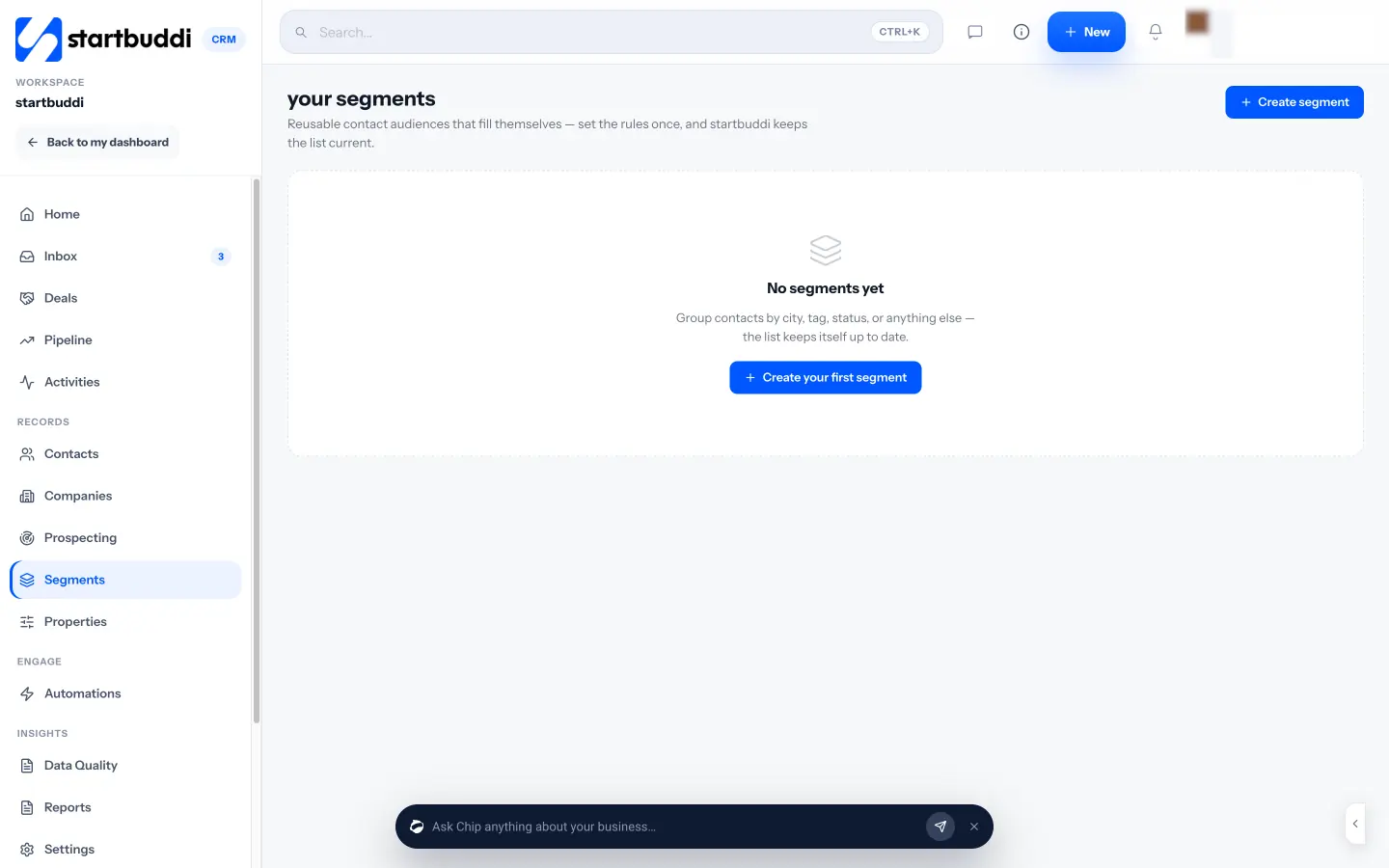
Add your own fit signals. Properties let you store fit details the built-in score can’t know, such as budget range or service area, and use them in segments alongside the score.
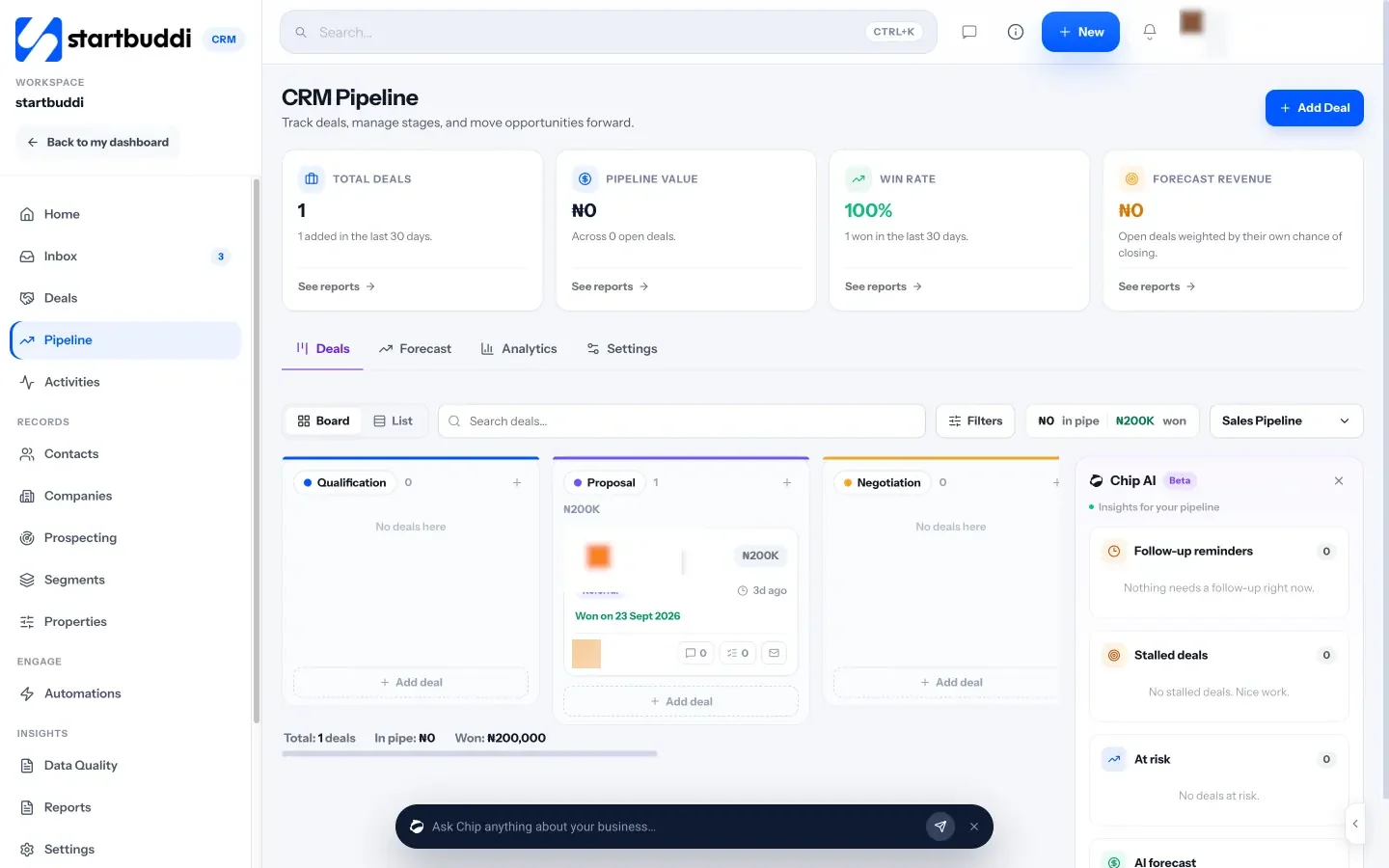
Act on the list. Hot leads sit in your sales pipeline, where Chip flags stalled and at-risk deals. For warm leads, “Nurture with Chip” drafts a short follow-up email sequence you edit before anyone is enrolled.
Your next step
Open your last ten paying customers and write down what they had in common. Turn that into eight to ten signals, copy the template above and score your current leads. Then call your top three today. When you want the counting done for you, start free with up to 250 contacts or compare plans on the pricing page.
Sources
- Salesforce: Lead scoring, how to find the best prospects
- Mailchimp: What is BANT?
- Harvard Business Review: The Short Life of Online Sales Leads
Frequently asked questions
Do I need special software for lead scoring?
No. A spreadsheet column works for a small number of leads. Software helps once you have more leads than you can update by hand.
What's a good score to call someone?
Pick a line that matches your capacity. Many small businesses call anyone at 70 or above the same day and follow up with the rest by message.
Should email opens count towards a score?
A little. Opens are weak signals, so give them few points and weight replies, quote requests and booked calls much higher.
How often should I change my scoring rules?
Review them every three months against the leads you won and lost, and change one or two values at a time.
Tiwalade Joanna Okedara-Kalu is the founder, CEO and CTO of startbuddi, the business system that brings clients, bookings, invoices, projects, marketing and the Chip AI assistant into one place. Tiwalade builds software around how service businesses really work day to day, and writes about client management, getting paid on time and why small businesses outgrow the tools they start with.
Founded startbuddi and leads its product and engineering