Marketing on WhatsApp, email and SMS: a starter playbook
Write a one-page small business marketing plan, build a list people agreed to join, and reach them by email, WhatsApp and SMS without getting blocked.

This guide is for founders, freelancers and small teams who know they should be marketing but never quite get round to it. Over four chapters you will write a one-page small business marketing plan, build a list of people who agreed to hear from you, and learn how to reach them by email, WhatsApp and SMS within the rules each channel sets.
By the end you will have a plan, three starter groups of contacts, a verified email sender, an approved WhatsApp template and your first campaign ready to send. Each chapter starts with the business thinking, then shows how to do it in startbuddi. The Marketing module used in this guide is included from the Starter plan, with a 30-day trial.
Build a small business marketing plan around three channels
- Why owned channels matter more than you think
- What each channel is good at
- The five questions of a one-page marketing plan
- A worked example
- Permission comes first, on every channel
- Common mistakes in a first marketing plan
- What good looks like after 90 days
- How much time to budget each week
- Your plan in startbuddi
- Your task for this chapter
A small business marketing plan does not need to be a 30-page document. For most founders it is one page that answers five questions: who you are talking to, what you want them to do, what you will offer them, which channels you will use, and how often you will show up. This chapter walks through each question, shows how email, WhatsApp and SMS fit together, and ends with a plan you can fill in today.
The reason to start here, before any tools or templates, is simple. Most small businesses that "tried marketing and it didn't work" never decided what they were trying to achieve. They posted when they remembered, sent one email in January and another in October, and blasted a WhatsApp broadcast when sales were slow. None of those things is wrong on its own. Without a plan, they just never add up.
Why owned channels matter more than you think
There are two kinds of places you can reach customers. Rented channels are the ones where a platform decides who sees your message: an Instagram feed, a TikTok "For you" page, a Google search result. Owned channels are the ones where you hold a direct line to a person: their email address, their WhatsApp number, their phone number for SMS. If you have someone's permission and their details, you can reach them tomorrow, next month and next year, whatever an algorithm decides.
Social media is still useful. It is where many people first discover you. But the job of social media, for a small business, is to move people onto a list you own. The job of email, WhatsApp and SMS is to turn that list into repeat customers. When you think about it that way, the three channels in this guide stop being "extra things to do" and become the part of your marketing that actually compounds.
What each channel is good at
Email, WhatsApp and SMS are not interchangeable. Each has a different job, and a good plan uses each one for the thing it does best.
| Channel | Best for | Watch out for |
|---|---|---|
| Longer stories, newsletters, product launches, receipts and anything people may want to find again later. Cheap to send in volume. | Needs a set-up step (your sender domain) to land in inboxes reliably. Lower attention than a chat message. | |
| Conversations, quick questions, order updates, reminders and offers for people who already know you. Replies come fast. | You can only start a conversation with a message template that Meta has approved, and only with people who opted in. Every marketing message costs money. | |
| SMS | Short, urgent messages that must reach any phone, with or without data: a flash sale ending tonight, an appointment tomorrow, a delivery on its way. | Very short (160 characters per segment), paid per message, and easy to overuse. No pictures, no formatting. |
A useful way to remember it: email is your newsletter, WhatsApp is your shop counter, and SMS is your doorbell. You would not ring someone's doorbell every day to tell them a story. You would not hand someone a whole newsletter across a counter. Match the message to the channel and people stay happy to hear from you.
If your customers are split between the two phone channels, it is fine to use both: WhatsApp for people who chat with you, SMS for people who do not.
The five questions of a one-page marketing plan
Here is the plan structure we recommend. Each answer can be one or two sentences. If you cannot write it in a sentence, you are not ready to spend money on it yet.
- Who is this for? Describe your best customer in plain words. Not "everyone in Lagos", but "busy mums in Lekki who order birthday cakes two or three times a year".
- What do you want them to do? One action per campaign. Book a call, place an order, come back for a second visit, refer a friend.
- What is the offer or the reason to act? A new product, a seasonal menu, a limited slot, a useful tip. People need a reason to open, read and reply.
- Which channels, in what order? For example: announce by email on Monday, WhatsApp reminder on Thursday to people who clicked, SMS on Saturday morning for the last few hours.
- How will you know it worked? Pick one number you will check: orders, bookings, replies, revenue. Write down what "good" looks like before you start.
Add a sixth line if you like: how often will you show up? A rhythm you can keep (one email a fortnight, one WhatsApp broadcast a month, SMS only for time-sensitive news) beats an ambitious schedule you abandon after three weeks.
A worked example
Let us make this concrete with an example business. Imagine a small bakery in Abuja that sells celebration cakes and a weekend pastry box. Here is what its one-page plan for the next quarter might look like.
Who: Past customers who ordered a cake in the last 12 months, plus people who asked for a price on WhatsApp but never ordered.
Action: Order the new weekend pastry box.
Offer: A launch box with a free extra item for the first two weekends.
Channels: Email announcement with photos to everyone subscribed. WhatsApp template to opted-in past customers two days later. SMS on Friday evening to anyone who clicked but has not ordered.
Measure: Pastry box orders in the first four weekends. Target: 40.
Rhythm: Email every second Monday, one WhatsApp broadcast a month, SMS only for "last chance" messages.
Notice what is not in the plan. There is no "post on seven platforms every day", no paid ads budget, no complicated funnel. It is a clear message to people who already like the bakery, delivered in the order that makes sense for each channel. That is enough to start.
Permission comes first, on every channel
Before you send anything, you need permission. This is not only good manners; it is the rule on every channel in this guide, and breaking it is the fastest way to lose access to a channel entirely.
- WhatsApp: Meta's WhatsApp Business Messaging Policy says you may only message people who have given you opt-in permission to receive messages from you, and that you must respect every request to stop. Meta's own opt-in guidance adds that the opt-in must clearly name your business and make clear the person is agreeing to hear from you.
- Email: The big inbox providers now enforce this. Google's email sender guidelines ask bulk senders to support one-click unsubscribe and keep spam complaints under 0.3%. Yahoo's sender best practices say unsubscribes must be honoured within two days.
- SMS in Nigeria: The Nigerian Communications Commission runs a Do-Not-Disturb service on 2442, so people can block unsolicited promotional texts across networks.
- Data protection: In Nigeria, the Nigeria Data Protection Act 2023 gives people the right to object to direct marketing. In the UK, the ICO's guidance on electronic mail marketing explains when you need consent for emails and texts, and the narrow "soft opt-in" for existing customers.
This is general information, not legal advice. If you are unsure what applies to your business, check with the regulator in your country or a qualified adviser.
The practical takeaway is the same everywhere: only message people who asked to hear from you, tell them who you are, make it easy to stop, and stop when they ask. Chapter 2 shows how to collect that permission properly and keep a record of it.
Common mistakes in a first marketing plan
- Too many goals at once. "Grow awareness, get leads, sell more and build loyalty" is four plans. Pick one for the next 90 days.
- Talking about yourself, not the customer. "We are proud to announce" is about you. "Your weekend breakfast is sorted" is about them.
- Using every channel for every message. Sending the same long announcement by email, WhatsApp and SMS on the same day feels like spam, even to fans.
- No way to measure. If you cannot tell which campaign brought in an order, you cannot do more of what works. Use one link, one code or one question ("where did you hear about us?") per campaign.
- Buying or scraping a list. It breaks the rules above, damages your sender reputation, and the people on it do not know you. It almost never pays back.
- Stopping after one send. Most people need to hear about something more than once before they act. Plan a short sequence, not a single blast.
What good looks like after 90 days
You do not need big numbers to know your plan is working. After three months, a healthy starter marketing plan usually shows these signs:
- You have sent on the rhythm you promised yourself, without skipping weeks.
- Your list is growing a little every week from forms, orders and conversations, not from imports.
- People reply to your WhatsApp messages and emails, and few of them unsubscribe or block you.
- You can point to at least one campaign and say "that brought in these orders".
- You know which channel your customers respond to best, so the next plan is sharper.
How much time to budget each week
Time is the real constraint for most founders, so plan it like money. A starter marketing rhythm across three channels takes roughly two to three hours a week once it is set up. A simple split that works for many small businesses:
- Monday, 45 minutes: write or finish this fortnight's email. Reuse one idea from a customer question you answered last week.
- Wednesday, 30 minutes: check replies, move new contacts into the right groups, and look at last send's clicks.
- Thursday, 20 minutes: send or schedule a WhatsApp message if one is due this month.
- Friday, 15 minutes: note one number in your plan and one lesson for next week.
Batching helps. If you write two emails in one sitting, you get a week back. If you draft next month's WhatsApp template now, it can be approved and waiting when you need it.
Your plan in startbuddi
Everything in this guide can be done in the Marketing module of startbuddi. One thing to know up front: Marketing, including email campaigns, WhatsApp and SMS, is part of the paid plans. It starts on the Starter plan (see pricing), and every paid plan comes with a 30-day trial, so you can set everything up and send your first campaigns before paying. The Free plan does not include the Marketing module. You can compare plans on the pricing page.
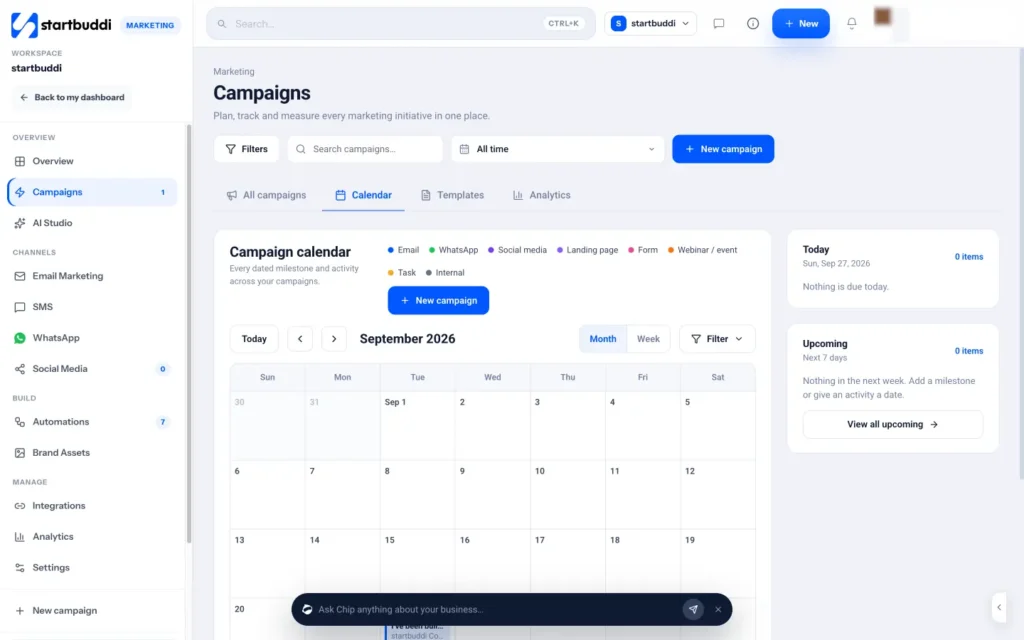
When you open Marketing, you land on the Overview. It brings your channels together: messages sent, the campaigns that brought in the most revenue, your audience and your upcoming scheduled sends. On the left, the Channels group lists Email Marketing, SMS, WhatsApp and Social Media, so every part of your plan is one click away.
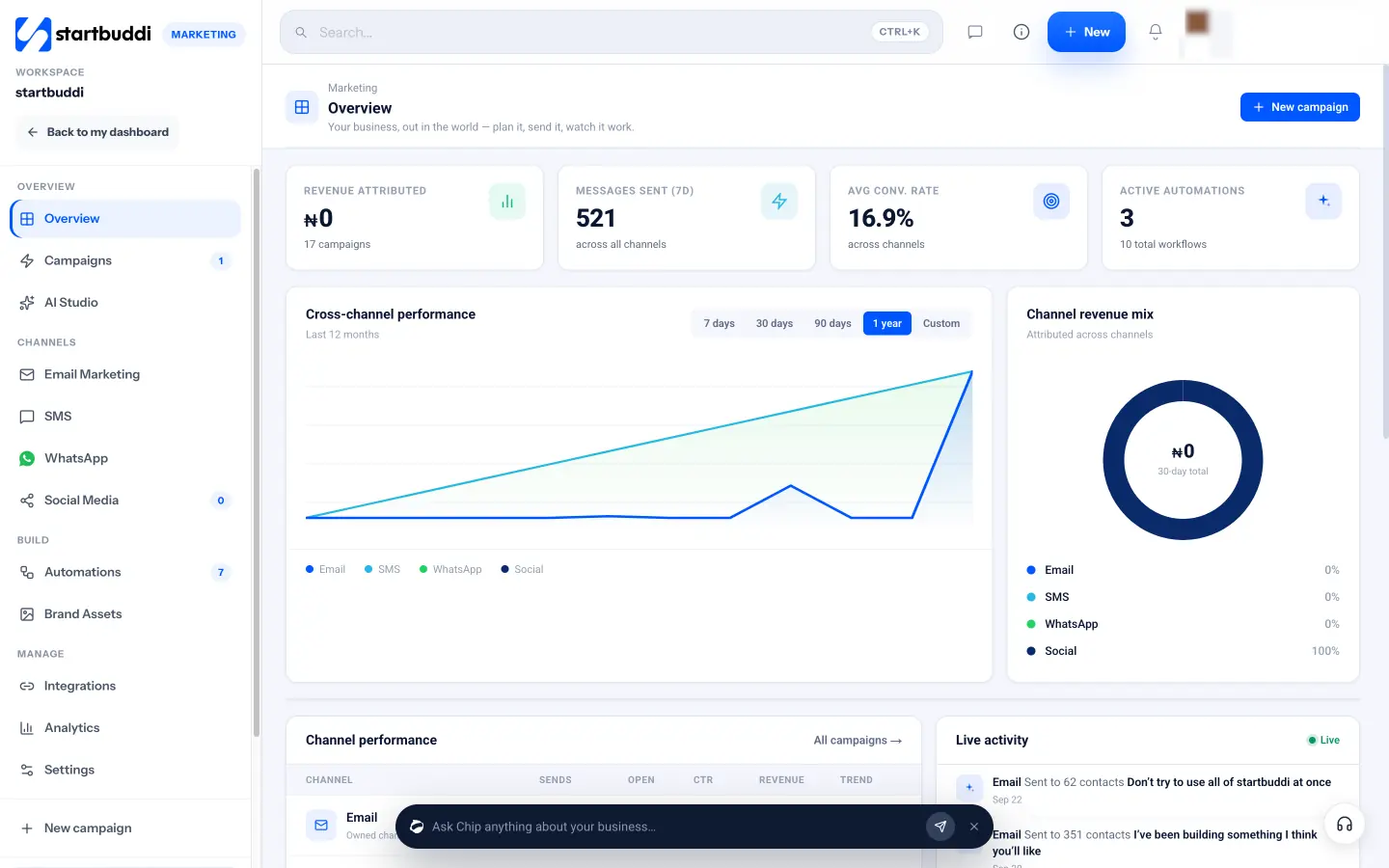
To turn your one-page plan into something you can track, use Campaigns. A campaign in startbuddi is the umbrella for one initiative, such as "Pastry box launch". Click New campaign, give it a name, choose an Objective (for example Drive sales, Re-engage customers or Launch a product), set the dates and pick the channels to include. You can also start from one of the ready-made plans, such as Product launch, Seasonal promotion or Win back quiet contacts, each of which comes with a dated plan you can change.
Inside a campaign, the Assets tab is where you attach the email, WhatsApp campaign, landing page or form that belongs to it, and the Timeline tab holds your milestones. Campaign goals let you set a target on a live number, such as revenue or contacts, and the progress fills in as results arrive. One honest note: SMS sends are tracked on the SMS page rather than as a campaign asset, so keep an eye on both.
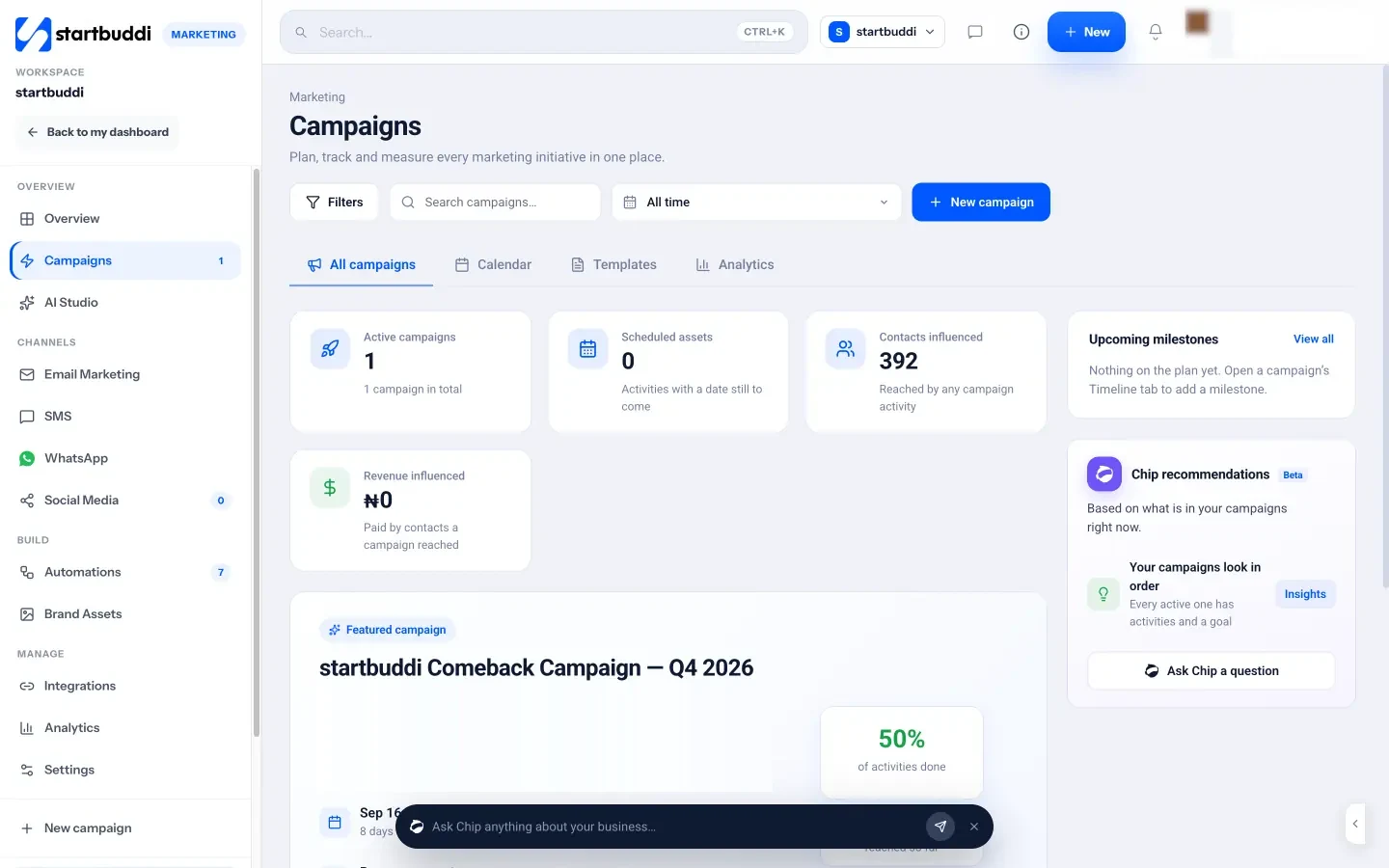
Finally, set up your brand once so every message looks and sounds like you. Under Brand Assets, upload your logo, set your main colours and fonts, and write a few lines under Voice and tone, such as "Friendly and direct, short sentences, no jargon". The email builder applies your brand kit, and Chip, the AI assistant built into startbuddi, uses your voice notes whenever it drafts something for you.
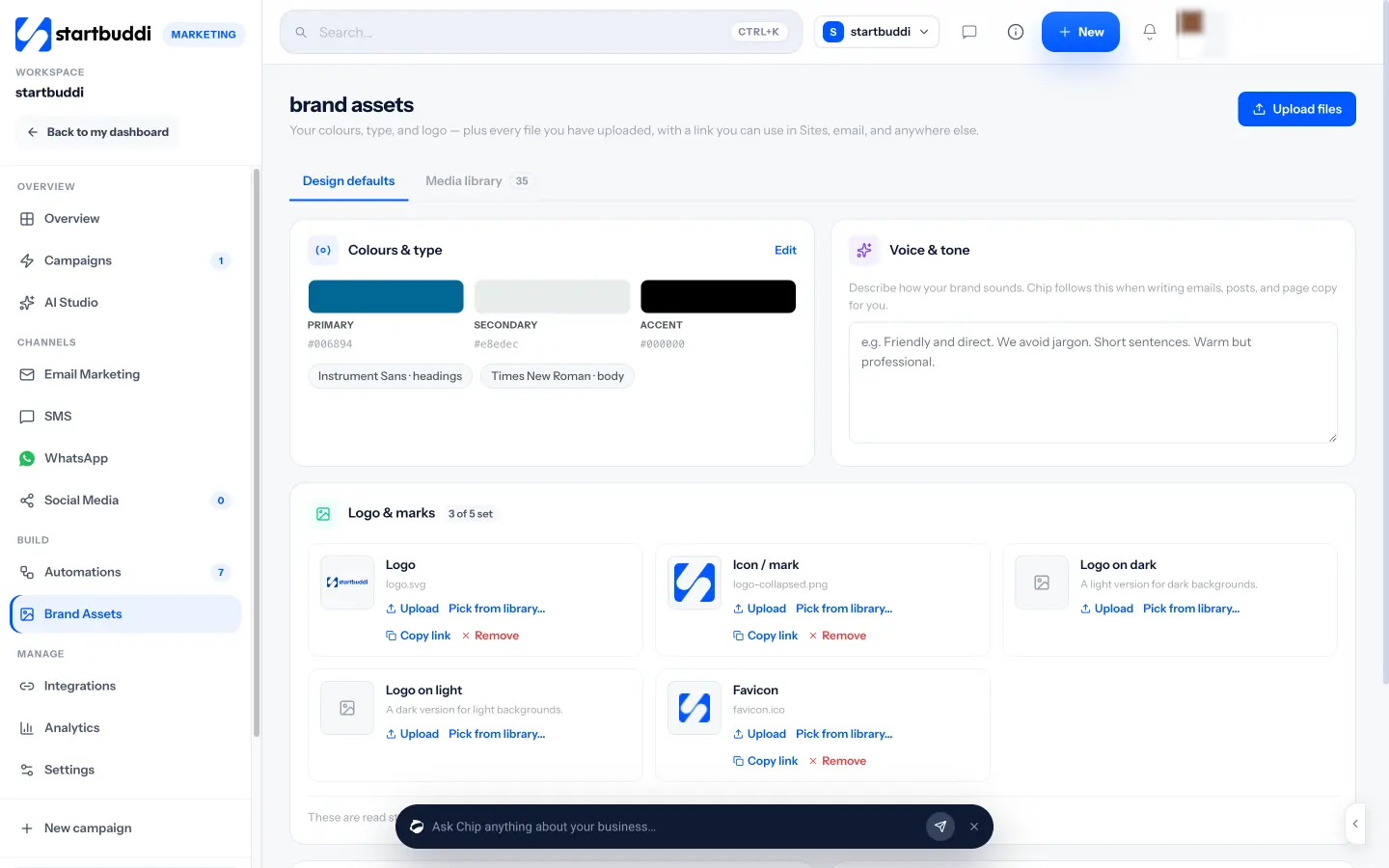
If you want the bigger picture of what the Marketing module covers, see the Marketing overview. A simple calendar, on paper or in a spreadsheet, is also handy for writing down your rhythm.
Your task for this chapter
Write your one-page plan now. Five lines: who, what action, what offer, which channels in which order, and the one number you will check. Keep it somewhere you will see it every week. In the next chapter, we will build the list you need to send it to.
Grow a permission-based list and keep it clean
- Why a permission-based list wins
- Where to collect permission
- What a good opt-in says
- What to record for every contact
- Organise people into groups that match your plan
- Bringing in the contacts you already have
- Keep the list healthy
- Say hello straight away
- Common mistakes
- Building and organising your list in startbuddi
- Your task for this chapter
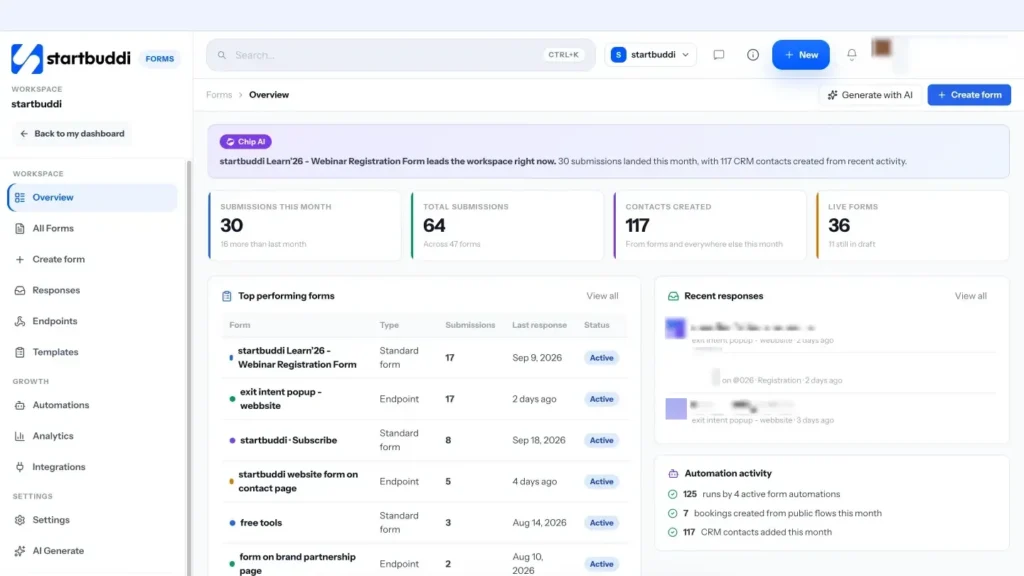
Your marketing is only as good as the list you send it to. A small list of people who asked to hear from you will beat a big list of strangers every single time: more opens, more replies, more orders and far fewer complaints. This chapter covers how to collect permission on each channel, what to record, how to organise people into groups that make sense, and how to keep the list healthy as it grows.
Why a permission-based list wins
It can be tempting to take every phone number in your WhatsApp chats, every email in your inbox and every contact from an old spreadsheet, and send them all a promotion. Please do not. Three things go wrong when you do.
- People block and report you. On WhatsApp, Meta's business messaging policy says its systems may limit how many messages a business can send based on this kind of feedback. A few blocks from one broadcast can hurt your number's quality rating.
- Your emails start landing in spam. Google asks senders to keep complaints below 0.3% and recommends staying under 0.1% (see its sender guidelines). That is one complaint in a thousand emails. A cold list blows through it quickly.
- You break the rules. Consent laws such as Nigeria's Data Protection Act 2023 and the UK's PECR rules expect you to be able to show why you are contacting someone.
A permission-based list is slower to build, but every person on it chose to be there. That is why it converts.
Where to collect permission
Think about every place a customer already meets your business, then add a simple, honest invitation to stay in touch at each one.
- Your website or page: a short signup form with a clear reason to join: "Get our monthly menu and first dibs on weekend boxes."
- Checkout and invoices: a tick box, unticked by default, that says "Send me offers and news by email and WhatsApp".
- Bookings: a line in the booking form asking whether the customer wants reminders and occasional updates.
- In person: a QR code on the counter, a printed card in the delivery bag, or a tablet at an event with a signup form.
- WhatsApp conversations: when someone messages you first, ask at the end of the chat: "Would you like us to send you our new offers here now and then? Reply YES." Save the answer.
- Social media: a link in your bio to a signup page, and a reason to click, such as a free guide, a price list or early access.
Our blog post on how to grow an email list from zero goes deeper into lead magnets and signup ideas.
What a good opt-in says
An opt-in is the sentence someone agrees to. Meta's opt-in guidance says it must clearly name your business and make clear that the person is agreeing to receive messages from you. It also recommends explaining the value and covering the kinds of messages you will send. The same principles work for email and SMS. Here is a template you can adapt:
"Yes, I'd like to hear from [Business name] by [email / WhatsApp / SMS] about [new products, offers and reminders]. About [twice a month]. I can unsubscribe at any time."
A few rules of thumb:
- Name each channel separately. Agreeing to email is not agreeing to WhatsApp.
- Do not pre-tick the box. Consent should be an action, not a default.
- Say how often. "Now and then" is vague; "about twice a month" sets a promise you can keep.
- Make the benefit concrete. "Updates" is weak; "first pick of weekend boxes" is a reason.
What to record for every contact
You do not need a complicated database. You need four facts per person, kept together:
- How to reach them: email address and phone number, with the country code on the phone (for example +234 rather than 0).
- What they agreed to: which channels they said yes to.
- Where and when: the source ("website form", "counter QR code") and the date.
- What you know about them: just enough to send relevant messages, such as city, what they bought or which service they asked about.
If someone ever asks "why are you messaging me?", you should be able to answer in one sentence, with a date. That record also protects you if a platform or regulator ever asks.
Organise people into groups that match your plan
Sending everything to everyone is the most common reason small lists go cold. Instead, sort people into a few groups that match what they care about. There are two kinds of groups.
- Lists are groups you add people to by hand, such as "Wholesale customers" or "Event attendees 2026".
- Segments fill themselves from rules, such as "lives in Lagos and ordered in the last 90 days". As people change, a segment updates without any work from you.
Start with three segments. Almost every small business can use these:
| Segment | Rule | What to send them |
|---|---|---|
| New subscribers | Joined in the last 30 days | A welcome message, your best-sellers, how to buy or book |
| Active customers | Paid or booked in the last 90 days | Early access, thank-you offers, requests for reviews |
| Quiet customers | Bought before, but nothing in 6 months or more | A friendly "we miss you" message with a reason to come back |
Once these work, add segments by location, by product interest or by how people engage (for example, "opened any email in the last 60 days"). The idea is called segmentation, and it is the single easiest way to make your messages feel personal.
Bringing in the contacts you already have
Most businesses start with contacts scattered across a phone, a spreadsheet and an inbox. It is fine to bring them together, as long as you treat permission honestly.
- Customers who bought from you: in some places, such as the UK, the ICO's soft opt-in rule can allow email or text marketing about similar products to existing customers, if you gave them a chance to opt out when you collected their details and in every message. Check what applies where you are.
- People who never agreed: import them as "not subscribed" so they sit in your contacts for service messages, but do not market to them. Invite them to join with a one-off personal message instead.
- Bought or scraped lists: do not import them at all.
Before any import, clean the file: remove duplicates, fix obviously broken emails, and add country codes to phone numbers. Ten minutes in a spreadsheet saves bounces and failed messages later.
Keep the list healthy
A list is a garden, not a warehouse. A little regular care keeps it productive.
- Honour every opt-out straight away. Yahoo's sender best practices give you two days for email; aim for immediately on every channel.
- Remove hard bounces. An address that bounces once as "does not exist" should never be emailed again.
- Re-engage, then let go. Every few months, send your quiet segment one clear "do you still want to hear from us?" message. Stop marketing to anyone who does not respond.
- Watch your numbers. Rising unsubscribes or blocks after a send is feedback. Look at what you sent, and to whom.
Say hello straight away
The moment someone joins your list is the moment they are most interested in you. If the first message arrives three weeks later, many will have forgotten why they signed up. Send a welcome message within minutes, on the channel they chose. A good welcome does four things:
- Confirms they are in: "Thanks for joining, Ada. You'll hear from us about twice a month."
- Delivers what you promised: the price list, the guide, the discount code.
- Shows the next step: one link to order, book or browse your best-sellers.
- Reminds them how to leave: a visible unsubscribe link in email, or "reply STOP to opt out" in a text.
Here is a short welcome template you can adapt for email:
Subject: You're in. Here's your price list
Hi {{first_name}}, thanks for joining [Business name]. As promised, here is our full price list [link]. Most people start with [best-seller], which you can order here [link]. We send one short email every other Monday with new items and the occasional offer. If you ever want to stop, the unsubscribe link is at the bottom of every email. Speak soon, [Your name]
Set it up once as an automatic follow-up (chapter 3 shows how) and every new subscriber gets a warm start without you lifting a finger.
Common mistakes
- Collecting a phone number "for delivery" and then using it for promotions without asking.
- Storing numbers in local format (0803…) so messages fail or go to the wrong country.
- One giant list with no groups, so every message is generic.
- Keeping unsubscribed people in a spreadsheet and accidentally re-importing them.
- Asking for too much at signup. Name and email or phone is enough to start; you can learn the rest later.
Building and organising your list in startbuddi
In startbuddi, your contacts are shared across every channel, so the same person is the same record whether you email them, text them or message them on WhatsApp. That is what makes groups and permission manageable.
Collect contacts with a form. Forms are available on every plan, including Free. Build a signup form, share its link or embed it on your page, and each submission lands in your contacts. You can add a consent tick box to the form for each channel.
Import what you already have. Go to Marketing, then Email Marketing, and open the Subscribers tab. Click Import contacts and follow the five steps: upload your CSV, choose the import settings, map your columns, check the validation results and complete. In the settings step you choose how to handle people who are already in your contacts (create new and update existing, only create new, or only update existing) and which marketing status to give everyone in the file: Not subscribed, Subscribed or Transactional only. Choose Subscribed only for people who really opted in.
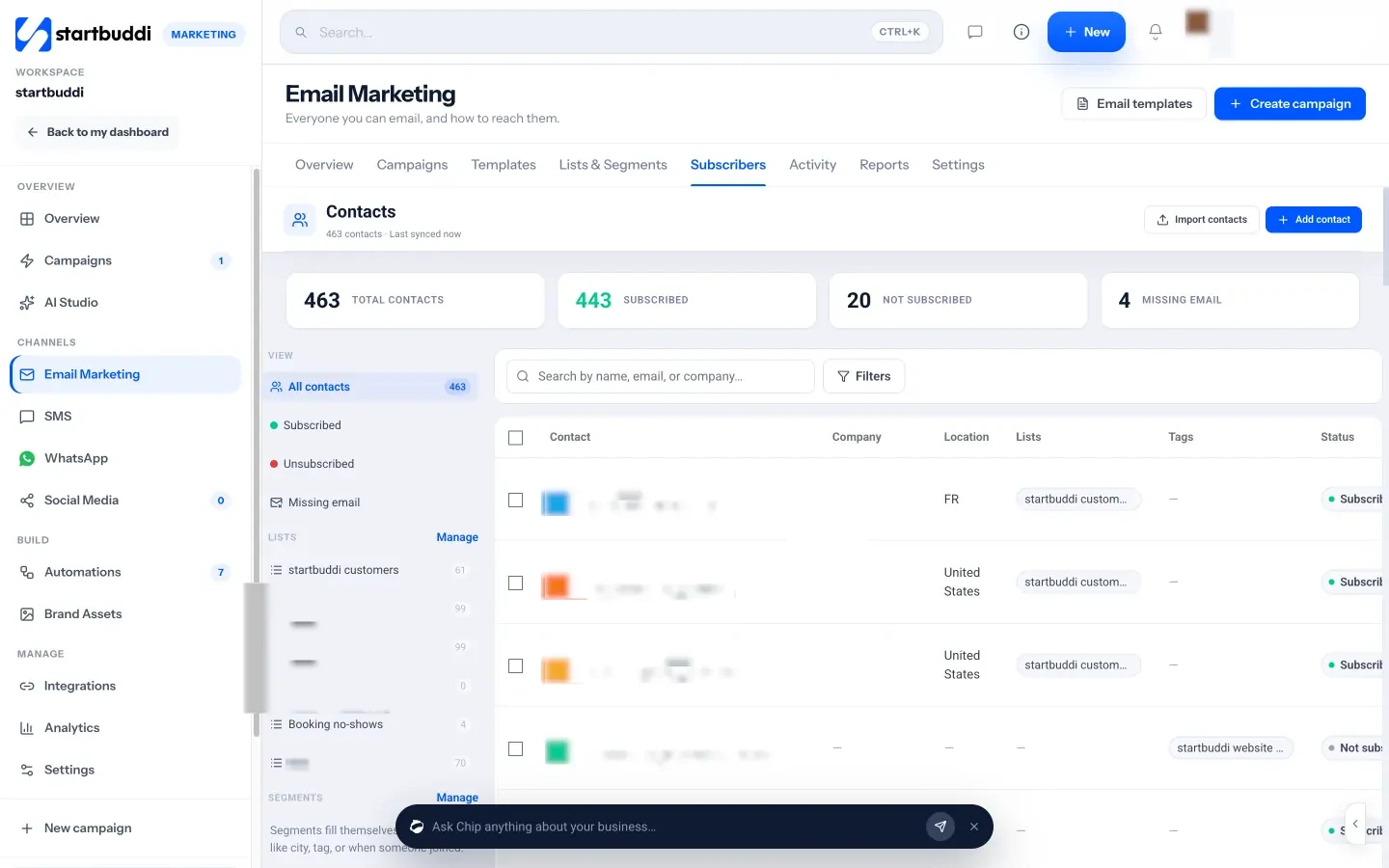
Each contact has a marketing status, plus a consent source and consent date, which is exactly the record described earlier in this chapter. Suppressed contacts are never sent to until someone clears them by hand, and every campaign skips unsubscribed and bounced addresses automatically.
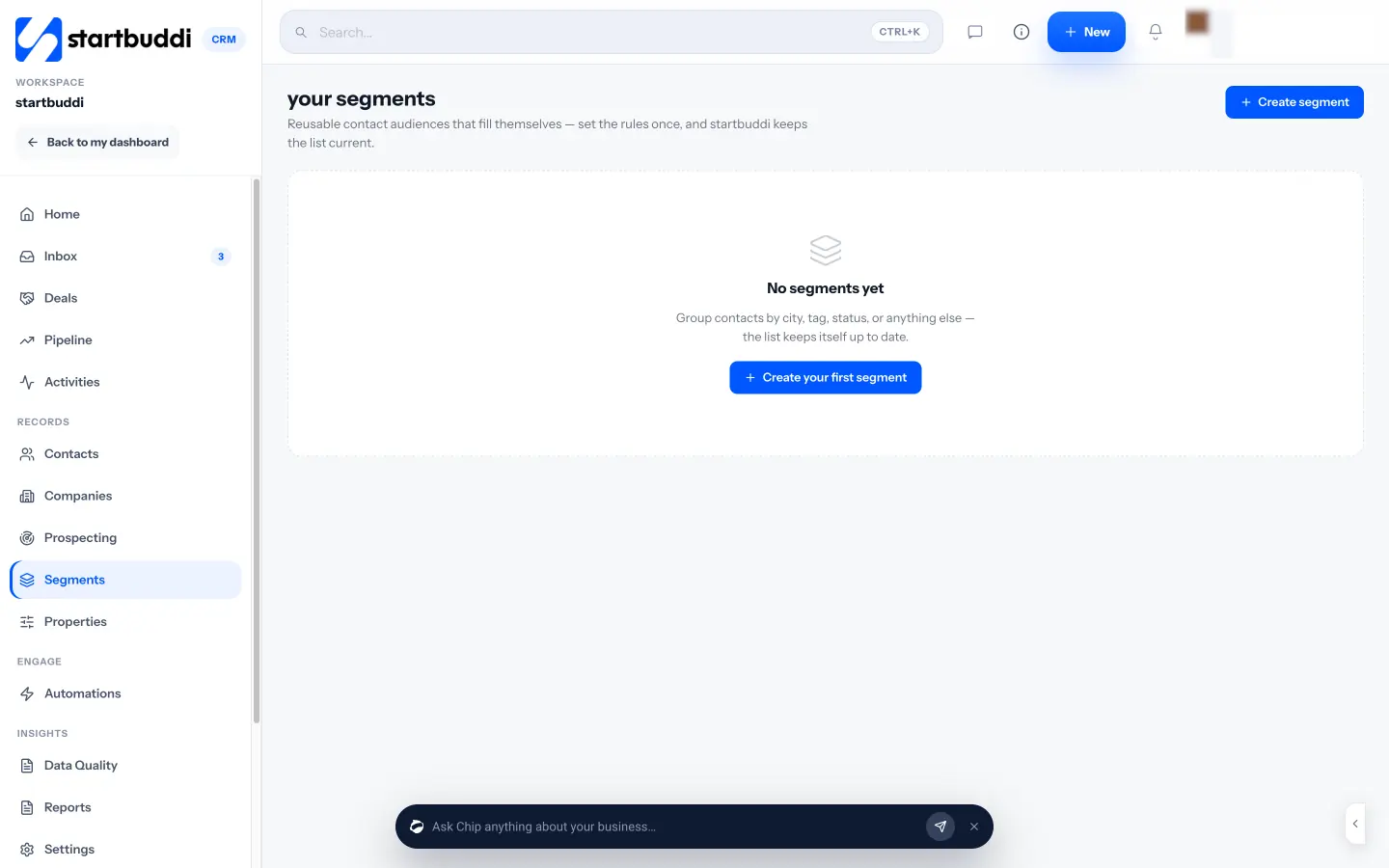
Create lists and segments. In Email Marketing, open Lists & Segments. Use Create list for groups you manage by hand and Create segment for groups that fill themselves from rules. Segment rules can use contact details, location, source, tags, status, date added, whether someone filled in a form, made or missed a booking, opened or clicked a campaign, and whether they have a paid or unpaid invoice. That last one is useful: "customers with a paid invoice in the last 90 days" is your active customer segment, built in a minute.
If you would rather describe the group in plain words, use Ask Chip to build an audience in the audience step of an email campaign. Type something like "people in Lagos who booked last month but have not paid" and Chip turns it into segment rules, shows how many people match today, and saves it as a segment you can reuse.
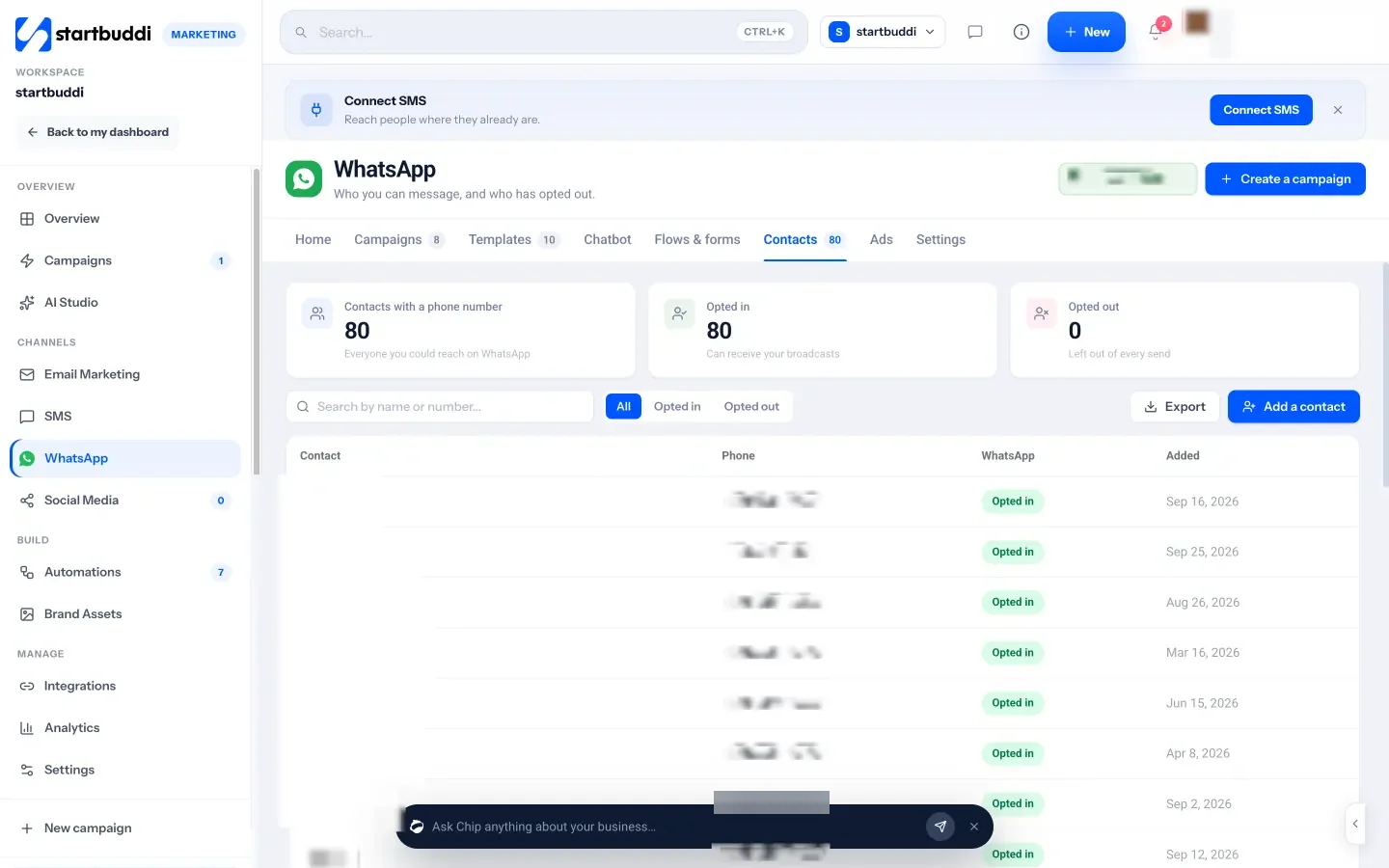
Check WhatsApp and SMS permission. WhatsApp has its own Contacts tab showing who has opted in and who has opted out. Marketing templates only go to opted-in contacts. The same tab has a card for numbers without a country code, which finds local-format numbers such as 0814… and fixes them. On the SMS page, the Contacts & Segments tab filters people by Opted in, Pending or Opted out, and when someone replies STOP, UNSUBSCRIBE, CANCEL, END or QUIT to a text sent through built-in SMS, Twilio or Africa's Talking, they come off your SMS list automatically.
For more on how contacts work across the product, see audiences, lists and segments.
Your task for this chapter
Write your opt-in sentence for each channel, add a signup form or QR code in at least one place customers already visit, and create your three starter segments: new subscribers, active customers and quiet customers. In the next chapter, you will send your first email to them.
Email: set up your sender, write, send and learn
- How inbox providers decide where your email lands
- Why sending from your own domain matters
- The four emails every small business needs
- How to write an email people open and act on
- A regular update template
- Testing and learning
- A worked example: a three-email launch
- Common email mistakes
- What good looks like
- Sending email with startbuddi
- Your task for this chapter
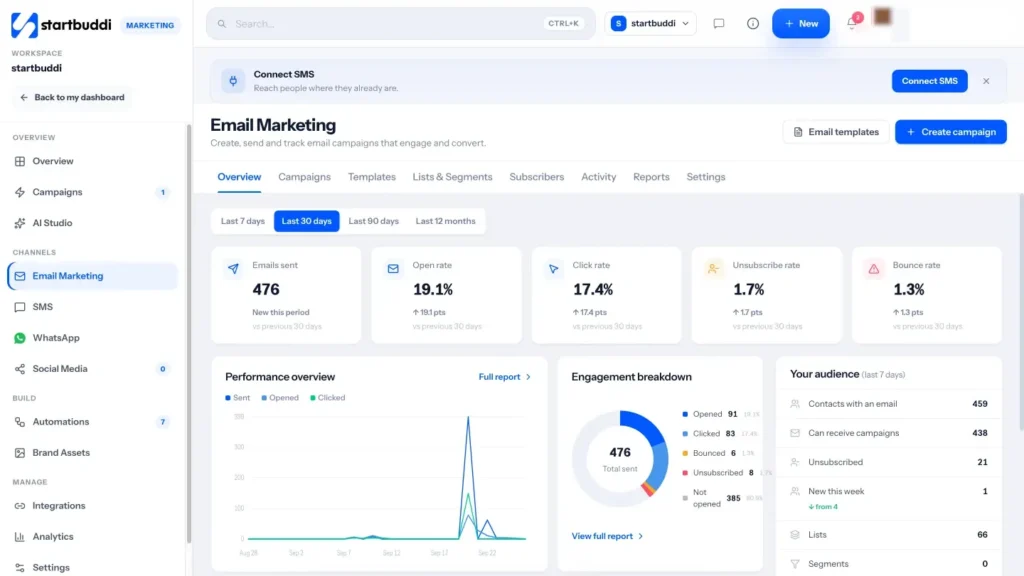
Email is the backbone of most small business marketing plans. It is cheap to send, people can read it when it suits them, and a good email can carry a whole story: photos, prices, a link to buy. It also has more technical set-up than the other channels, because inbox providers such as Gmail and Yahoo decide whether your message reaches the inbox or the spam folder. This chapter covers both halves: how to get delivered, and how to write emails people actually want to open.
How inbox providers decide where your email lands
Since 2024, Google and Yahoo have enforced clear rules for anyone sending marketing email in volume. You do not need to understand every technical detail, but you do need to know what they ask for, because a small business that ignores them can find its emails quietly going to spam.
- Prove the email is really from you. Google's email sender guidelines require all senders to set up SPF or DKIM, and bulk senders (more than 5,000 messages a day to Gmail) to set up SPF, DKIM and DMARC. Yahoo's sender best practices ask for the same.
- Make leaving easy. Marketing emails must support one-click unsubscribe and show a clear unsubscribe link. Yahoo asks senders to honour unsubscribes within two days.
- Keep complaints low. Google asks senders to keep the spam rate reported in its Postmaster Tools below 0.3%, and recommends staying under 0.1%.
In plain words, SPF, DKIM and DMARC are three short records you add to your domain's settings (where you bought your domain name). Together they tell inboxes "this business really sent this email, and here is what to do if someone pretends to be us". You add them once. After that, the main thing you control is permission and relevance, which is what chapter 2 was about.
Why sending from your own domain matters
When you start out, it is common to send from a shared address provided by your email tool. That works for small volumes, but it has limits: you share a reputation with other senders, and many tools cap how much you can send from a shared address. Sending from your own domain (hello@yourbusiness.com rather than a shared address) builds your own reputation, looks more professional, and removes those caps. If you do not own a domain yet, it is worth getting one; it will also be the address of your website.
The four emails every small business needs
You do not need dozens of campaigns. These four types cover most of what a small business sends:
- The welcome. Sent automatically when someone joins. Covered in chapter 2.
- The regular update. A short newsletter on a fixed rhythm: what is new, one useful tip, one offer or call to action.
- The announcement. A launch, a seasonal menu, a new service, an event. One message, one action.
- The follow-up. A reminder to people who did not open or did not act, sent a few days after the announcement with a new subject line.
How to write an email people open and act on
Most of the result is decided by three things: the subject line, the first two lines, and the single thing you ask people to do.
Subject lines. Be specific and short enough to read on a phone. "Weekend pastry boxes are back (this Saturday only)" beats "Newsletter #14". Curiosity works, but only if the email delivers on it. Avoid all capitals and piles of exclamation marks, which look like spam. The preview text, the grey line after the subject in most inboxes, is a second subject line: use it to add the detail the subject left out.
The opening. Get to the point in the first sentence. Many people only read the top of an email on their phone.
One call to action. Decide the one thing you want the reader to do and make it a clear button: "Order your box", "Book a slot", "See the menu". If you give people five links, most will click none.
Short and scannable. Short paragraphs, one or two images with alt text, and a plain-text feel for personal notes. Many small businesses find a simple, personal email from the owner does better than a busy designed one.
A regular update template
Use this structure for your fortnightly or monthly email. It takes about 30 minutes to fill in.
Subject: [The one thing that is new, in plain words]
Preview: [The detail that makes it worth opening]
Hi {{first_name}},
What's new: two or three sentences about the main news, with one photo.
Useful tip: one practical tip your customers will value, related to what you sell.
Offer or next step: one button.
Sign-off: your name, and an invitation to reply with questions.
The invitation to reply is not just friendly. Replies are a strong signal to inbox providers that people want your emails, and they turn a broadcast into a conversation.
Testing and learning
An A/B test sends two versions of an email to small groups, then sends the better one to everyone else. Change only one thing at a time, usually the subject line, so you know what made the difference. With small lists, results can be noisy, so look for patterns over several sends rather than trusting one test.
When you judge results, favour clicks over opens. Some email apps, including Apple Mail, load emails on the reader's behalf, which can make open rates look higher than they really are. A click is a person choosing to act.
A worked example: a three-email launch
Here is how the example bakery from chapter 1 might announce its weekend pastry box by email. Three sends over one week, each with a different job.
| When | Who | Subject | Job |
|---|---|---|---|
| Monday morning | All subscribed contacts | New: the weekend pastry box (first two weekends include a free extra) | Announce, show photos, one "Order your box" button |
| Thursday morning | People who did not open Monday's email | Your Saturday breakfast, sorted | Same content, new angle, to catch people who missed it |
| Friday afternoon | People who clicked but did not order | Orders for this Saturday close at 6pm | A short, personal reminder with a real deadline |
Each email is short. The deadline is true, not invented. The last message goes only to people who showed interest, so it feels helpful rather than pushy. And because each send has a purpose, the bakery can see which one brought in the orders and adjust next time.
Common email mistakes
- Sending from a personal Gmail address to hundreds of people at once, with everyone in the To line.
- No unsubscribe link, or one hidden in tiny grey text.
- Emailing people who never opened a single message in a year.
- Long emails with several offers competing for attention.
- Never sending a follow-up, so only the people who happened to be checking email that morning ever see the offer.
- Judging success by opens alone.
What good looks like
A useful habit is a five-minute review after each send. Look at three things: how many people clicked, what they clicked, and how many unsubscribed. Write one line in your plan, such as "photos of the product did better than the discount". Over a few months those lines become your own playbook, based on your customers rather than general advice.
Every list is different, so compare yourself with your own previous sends rather than someone else's averages. The signs of a healthy email programme are steady or rising clicks, replies from real customers, few unsubscribes and complaints, and at least some orders or bookings you can trace back to an email.
Sending email with startbuddi
Email Marketing lives in the Marketing module, which is included from the Starter plan. Here is how to go from nothing to a sent campaign.
1. Set up your sender. In Email Marketing, open the Settings tab. Set the From address and add your business postal address, which appears in small print at the bottom of every marketing email. Then go to Sending domains and add your domain. startbuddi shows the DNS records to copy into your domain registrar. Once they are in place (this can take up to 48 hours), click Check DNS to verify.
This step matters for volume too. Without a verified domain, marketing email from startbuddi's shared address is capped at 1,000 a month and 200 a day whatever your plan. With your own domain verified, you can send up to your plan's monthly allowance: 3,000 emails a month on Starter, 10,000 on Growth and 25,000 on Scale.
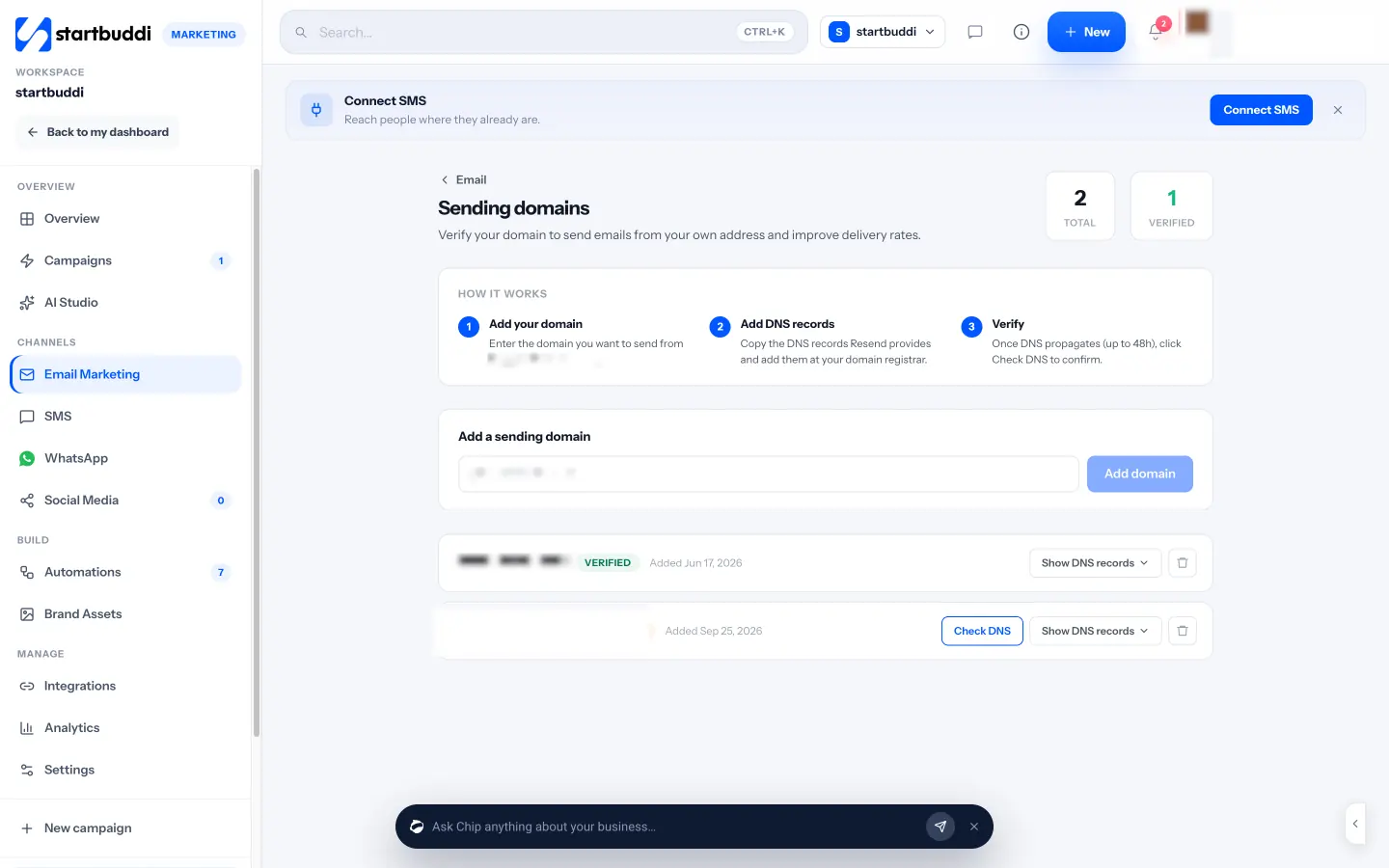
2. Create the campaign. Click + Create campaign and give it an internal name. If it belongs to a bigger plan, such as your launch campaign from chapter 1, you can file it there so the results roll up together. Then work through four steps:
- Audience: pick lists or segments, add any exclusions, or use Ask Chip to build an audience. A live count shows how many people are eligible, and explains who is skipped (unsubscribed, bounced or no email) and why.
- Message: set the From name, reply-to address, subject and preview text. Then choose how to write the body: Create with Chip (Chip writes the subject, preview, copy and call to action for you to edit), Use a template, Start blank in the drag-and-drop builder with your brand kit applied, or the HTML builder. You can use merge tags such as {{first_name}}; if a first name is missing, it reads "there". This is also where you can add an A/B test on the subject line, the content or the sender name, and ask Chip to generate version B from angles such as Shorter or Benefit-led.
- Review: one page of checks, including a missing subject, a subject that gets cut off on phones, missing preview text, empty links, images without alt text and a link checker. Chip's read gives a short summary with suggested fixes. Send a test to yourself or a teammate before moving on.
- Send: choose Send now, Schedule in your timezone, or Smart send, which picks the hour your readers open most once there is enough history. For A/B tests, set the test size and duration and whether the winner (by clicks or opens) is sent automatically.
You never have to add the legal footer by hand: the unsubscribe link, your business address and a preferences link are added automatically to every marketing send, and people who opt out stop receiving campaigns straight away.
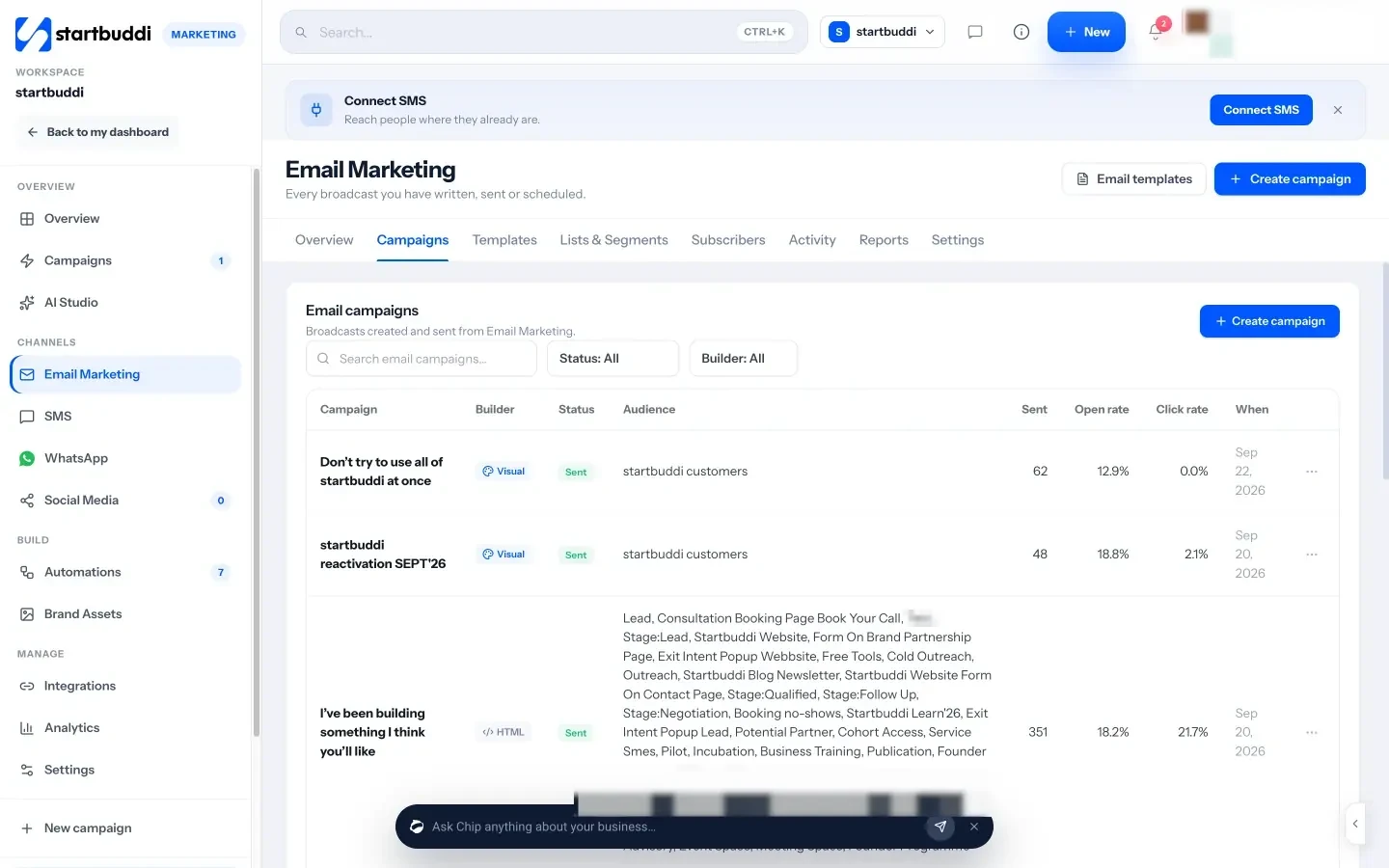
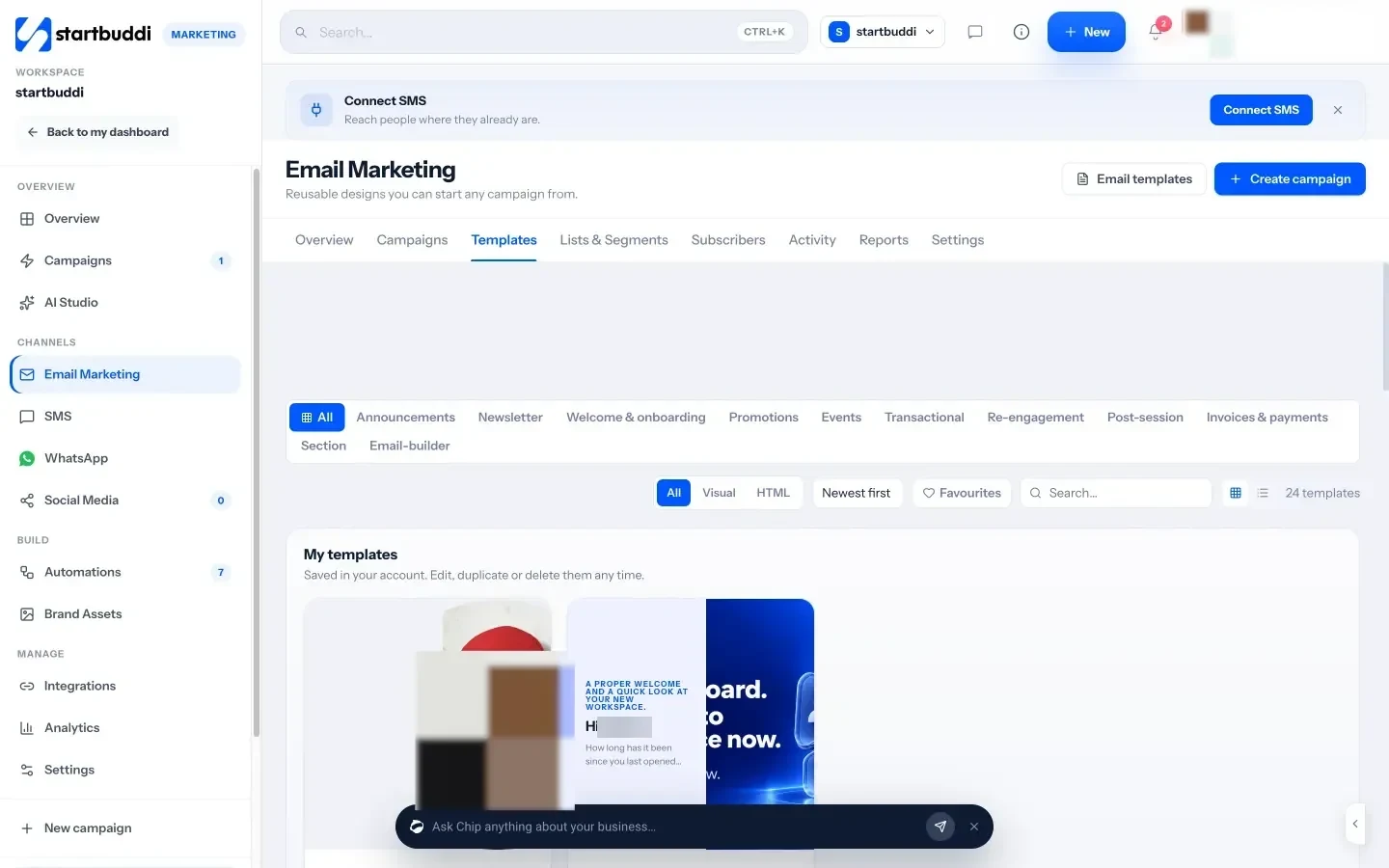
3. Start from a template. The Templates tab has starter designs grouped by purpose, including Newsletter, Welcome and onboarding, Promotions, Events and Re-engagement, plus seasonal collections that appear at the right time of year, such as Independence Day for Nigerian businesses in October and Black Friday. Save your own designs under My templates so your regular update takes minutes.
4. Follow up. Open any sent campaign to see its report: opens and clicks over time, a heatmap of when people read it, which links were clicked, and who did what. From there, Resend to non-openers sends the same email with a new subject line to people who have not opened (once per campaign), and Create a follow-up automation starts a sequence for people who clicked. Replies to your campaigns arrive in the startbuddi inbox, labelled with the campaign they answer.
5. Automate the welcome. Your welcome email from chapter 2 belongs in Automations, also included from Starter. Start from the Lead capture welcome flow template or build your own: when a form is submitted, send the welcome email, wait a few days, then send a second message with your best-sellers.
For a closer look at every email feature, see Email marketing.
Your task for this chapter
Verify your sending domain, write your welcome email and set it to send automatically, then draft your first regular update using the template above. Send yourself a test and read it on your phone before it goes to your list.
WhatsApp and SMS: reach phones without annoying people
- WhatsApp for business: the app and the platform
- What to send on WhatsApp
- SMS: short, universal and precise
- Putting the three channels together
- Measuring what the phone channels bring in
- Common mistakes on phone channels
- What good looks like
- WhatsApp and SMS in startbuddi
- Your next step
WhatsApp and SMS land where your customers look most: their phone's messages. That is their strength and their risk. A well-timed message gets read within minutes. A badly timed or irrelevant one gets you blocked. This chapter explains how each channel really works for businesses, what the rules and costs are, how to write messages that get replies, and how to fit both into the plan you wrote in chapter 1.
WhatsApp for business: the app and the platform
There are two ways a business can use WhatsApp. The free WhatsApp Business app on your phone is fine for one person replying to chats. It gets hard when you want several people answering, a record of every conversation, or to send the same message to hundreds of customers. For that, businesses connect their number to Meta's WhatsApp Business Platform through a tool such as startbuddi. The platform is often called the WhatsApp Business API.
On the platform, a few rules shape everything you do. They come from Meta, not from any particular tool, so they apply whichever software you use.
- Opt-in first. You may only message people who agreed to hear from you, and you must honour every request to stop (WhatsApp Business Messaging Policy).
- The 24-hour window. When a customer messages you, a customer service window opens for 24 hours and resets with each new message from them. Inside it, you can reply freely. Outside it, you can only send an approved message template.
- Templates are reviewed. A template is a pre-written message, with blanks for things like a name or date, that Meta checks before you can use it. Meta's template documentation groups them into three categories: marketing (promotions), utility (updates about something the customer already did, like an order or booking) and authentication (one-time codes). Review usually takes minutes and can take up to 24 hours.
- You pay per message. Since 1 July 2025, Meta charges per delivered template message, with rates that depend on the category and the recipient's country. Its pricing page says marketing templates are always charged, while utility templates sent inside an open customer service window, and ordinary replies, are free.
- Limits grow with good behaviour. Meta's messaging limits start new businesses at 250 unique people a day outside the service window. The limit rises as you verify your business and send high-quality messages, and quality depends on how people react, including blocks and reports.
The rules reward exactly what good marketing needs anyway: permission, relevance and restraint.
What to send on WhatsApp
WhatsApp works best for messages that feel like a helpful note from someone who knows you. Good uses include:
- Order, booking and delivery updates (utility templates).
- A reminder about an appointment tomorrow, with a way to reschedule.
- A monthly offer or new arrival for opted-in customers, with a photo.
- A personal follow-up after a first purchase: "How was the cake? Reply with a photo and we'll share it (with your permission)."
- Answers to common questions, 24 hours a day, from a chatbot that hands over to a person.
Here are three templates you can adapt. The words in double curly brackets are the blanks you fill for each person.
Offer (marketing): Hi {{1}}, it's [Business] here. Our weekend pastry box is back this Saturday, and the first 20 orders get a free extra item. Want one? Tap below to order, or reply STOP to stop offers.
Reminder (utility): Hi {{1}}, a reminder that your appointment with [Business] is on {{2}} at {{3}}. Reply 1 to confirm or 2 if you need a new time.
Win-back (marketing): Hi {{1}}, we haven't seen you in a while at [Business]. Here's 10% off your next order this month with code {{2}}. Reply if you have any questions.
Keep marketing templates short, say who you are in the first line, include one clear action, and remind people how to opt out. For many more examples, see WhatsApp message templates that get replies.
SMS: short, universal and precise
SMS reaches every phone, including basic phones and phones without data. It is ideal for short messages that must be seen soon. It is also limited, and every message costs money, so it rewards discipline.
- Length. One SMS segment holds 160 standard characters. If you use an emoji or certain special characters, the whole message switches to a different encoding and a segment holds only 70, according to Twilio's explanation of SMS character limits. Longer messages are split into several segments, and you pay for each one.
- Sender ID. Where networks allow it, send from your business name rather than an unknown number, so people know who is texting.
- Opt-out. Include a way to stop, such as "Reply STOP to opt out", and honour it. In Nigeria, people can also block promotional texts across networks with the NCC's Do-Not-Disturb service on 2442.
- Timing. Send during waking hours in your customers' timezone. A promotional text at 6am does not win friends.
A good SMS fits in one segment and has four parts: who you are, the news, the deadline or detail, and the action. For example:
[Business]: Last day! Weekend pastry boxes close at 6pm today. Order: [short link]. Reply STOP to opt out
Putting the three channels together
With email, WhatsApp and SMS all in place, a campaign can use each for what it does best. A simple pattern that works for sales, launches and events:
- Day 1, email: the full announcement with photos and details, to everyone subscribed.
- Day 3, WhatsApp: a short marketing template to opted-in customers who are most likely to buy, such as past buyers of a similar product.
- Last day, SMS: a one-segment "closing tonight" message only to people who showed interest but have not bought.
- Ongoing, WhatsApp replies: answer questions quickly inside the 24-hour window, where replies are free.
Space the messages out. Two days between channels gives people time to act on the first message before the next one arrives, and it stops your campaign feeling like a flood. If someone buys after the email, take them out of the later sends so they do not get a reminder for something they already bought.
Not everyone should get all three. The further down the list, the smaller and more interested the group. That keeps costs down and complaints low. The post on running a sale across email, WhatsApp and SMS shows a full example.
Measuring what the phone channels bring in
Phone messages cost money per send, so it is worth knowing what each one returns. Keep it simple:
- Use a distinct link or code per channel. If the WhatsApp message says "code BOX10" and the SMS says "code LAST10", you can count orders from each.
- Count replies, not just deliveries. A WhatsApp broadcast that starts twenty real conversations may be worth more than an email that gets a hundred opens.
- Work out the cost per order. Add up what the sends cost (Meta's template charges, SMS segments) and divide by the orders they brought in. If one channel costs far more per order than another, send less of it or send it to a smaller, warmer group.
- Watch the negative signals. Opt-outs, blocks and a falling quality rating are the channel telling you to slow down.
After two or three campaigns you will usually see a clear pattern, such as "WhatsApp works for past customers, SMS only for last-day reminders". Write it into your one-page plan so next quarter's plan starts smarter.
Common mistakes on phone channels
- Adding every number from your phone to a broadcast. It breaks WhatsApp's rules and hurts your quality rating.
- Sending marketing templates too often. Once or twice a month is plenty for most businesses.
- Emojis in SMS that silently double the cost of every message.
- No human behind the channel. If people reply and nobody answers, the channel stops working.
- Asking a chatbot to promise prices or dates it was never told.
What good looks like
Healthy phone marketing shows high delivery, real replies and conversations, very few blocks or opt-outs after each send, and a quality rating that stays healthy. Most importantly, customers treat your messages as useful rather than noise.
WhatsApp and SMS in startbuddi
WhatsApp and SMS are part of the Marketing module and need the Starter plan or above. Here is how to get each one running.
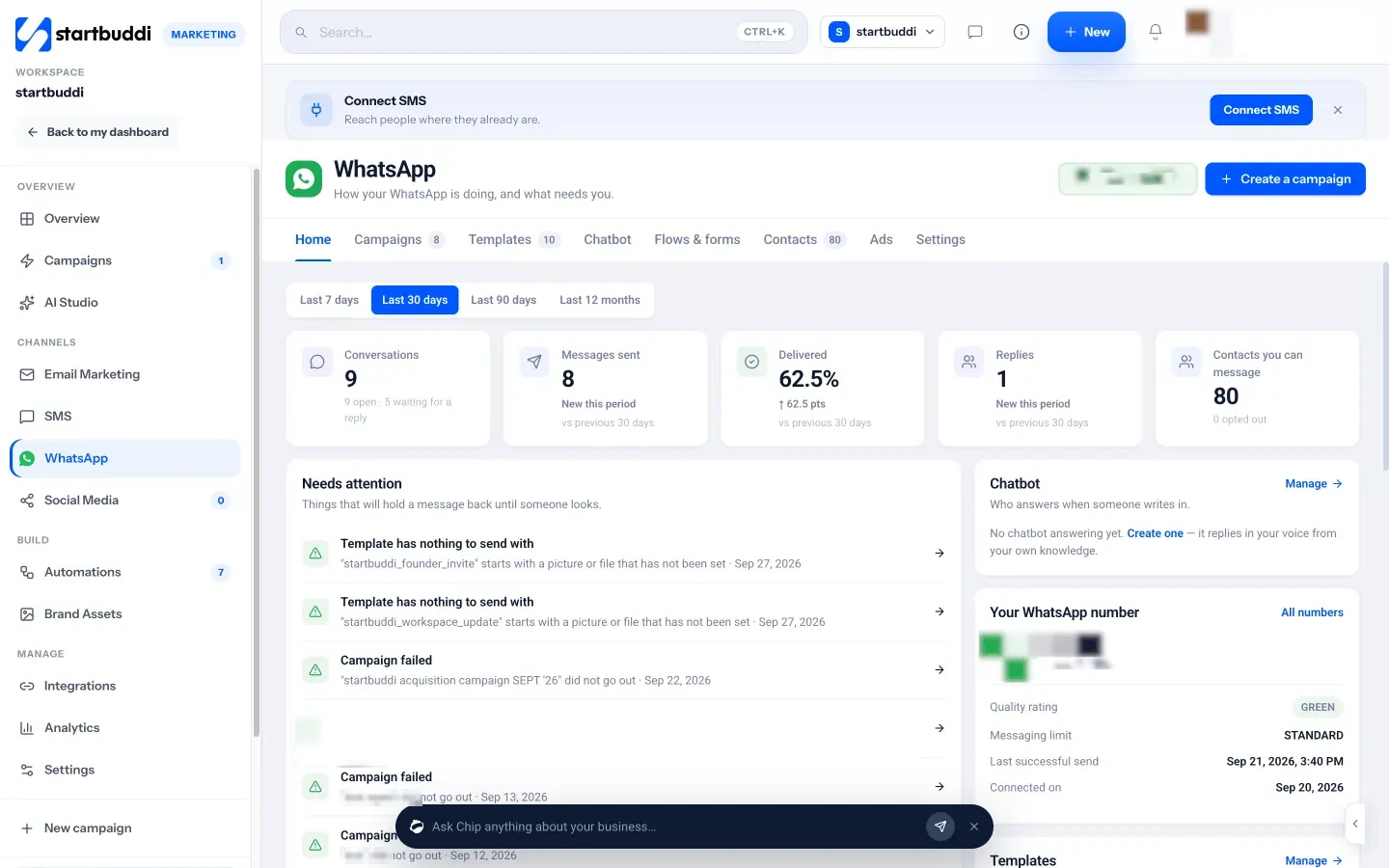
Connect WhatsApp. Go to Marketing, then WhatsApp, and click Connect WhatsApp. Meta's own signup window opens: pick your business, pick a number and come back. Connecting is free. If your number is already on the WhatsApp Business app on your phone, choose to connect your existing account and you can keep using the app: your contacts and recent chats are imported once, and replies arrive in both places. After connecting, the Settings tab shows a setup checklist, including whether the number is registered with WhatsApp, whether your business name is verified with Meta, and your quality rating and messaging limit in plain words. The help article on connecting WhatsApp walks through it step by step.
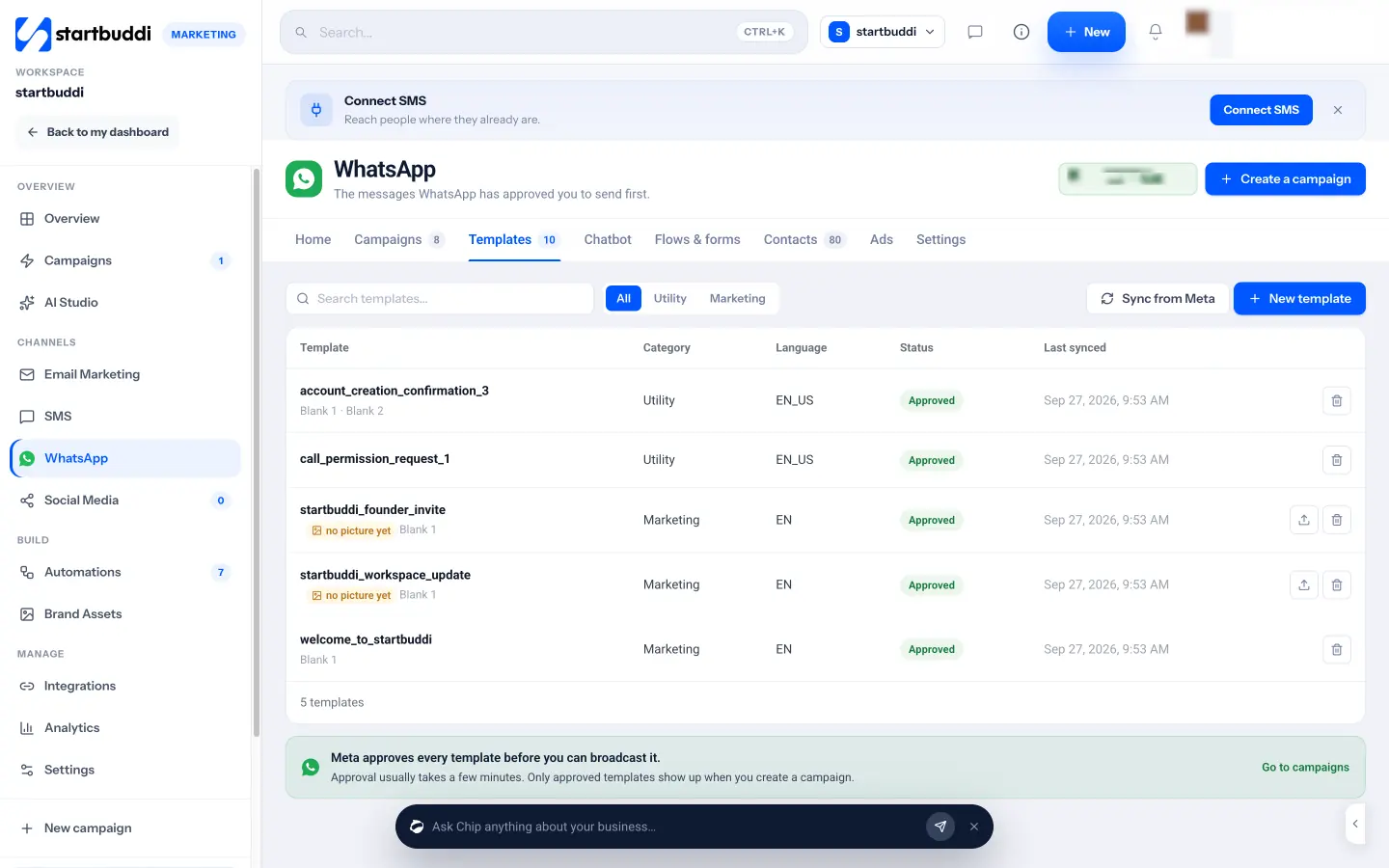
Create templates. On the Templates tab, click + New template. Choose Write your own or Pick from Meta's library, where templates are pre-approved and ready to send. When writing your own, pick Utility or Marketing, choose the language (options include English, French, Swahili, Hausa, Yoruba and Igbo), add an optional picture, video or file at the top, and write the message using chips for first name, date, amount and other blanks. Add example values and buttons, check the phone preview, then click Send to Meta for review. Statuses sync from Meta automatically.
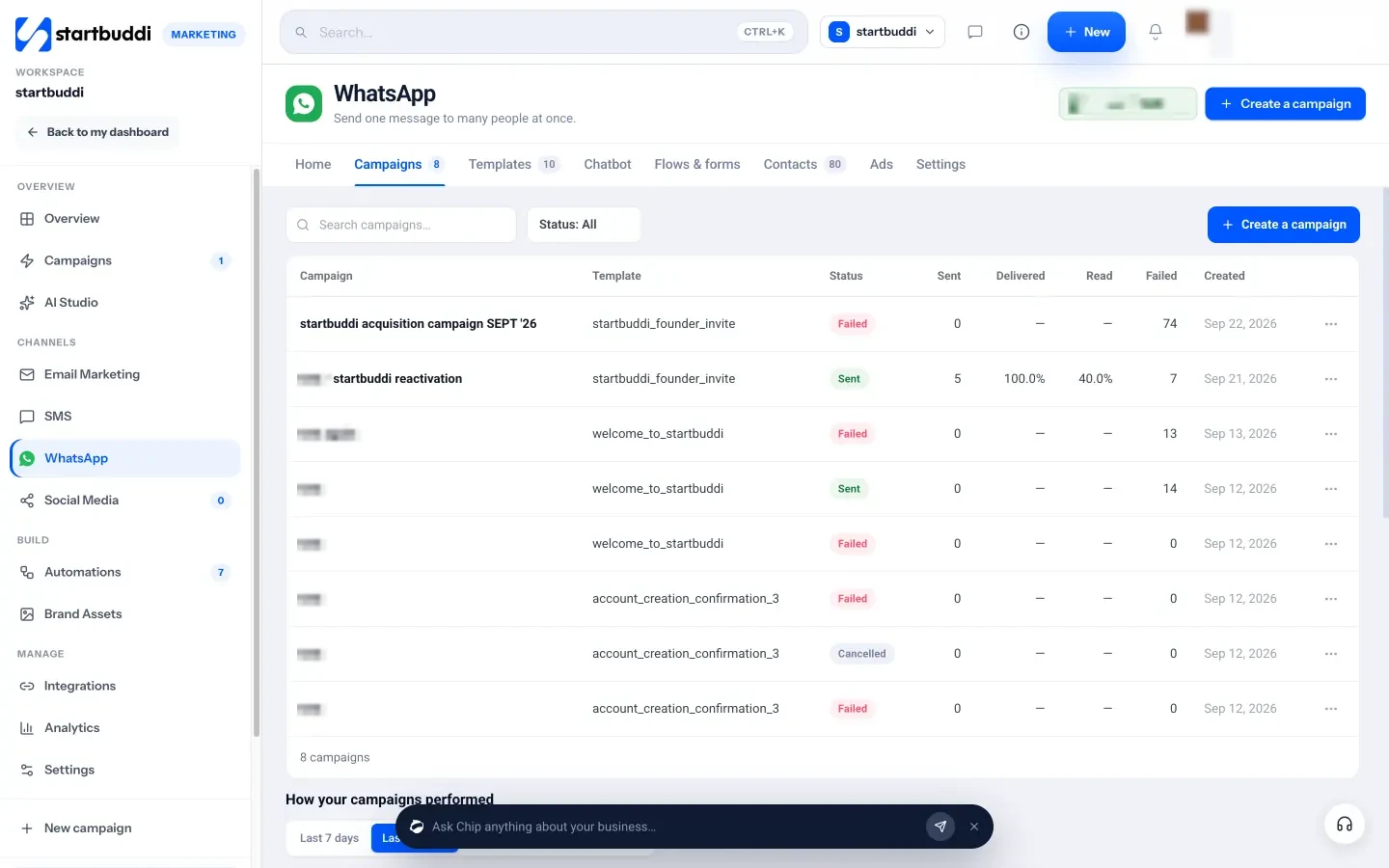
Send a WhatsApp campaign. Click + Create a campaign and follow five steps: Audience, Template, Personalise, Schedule and Review. Marketing templates only reach contacts who opted in; utility templates can go to anyone with a phone number. In Personalise, you match each blank to a contact field such as first name, or type one value for everyone. Choose Send now or Schedule for later, then review and send. The Campaigns tab shows where your messages got to: sent, delivered, read, replied and failed, with the reasons for any failures. Replies carry on as conversations in the startbuddi inbox, alongside email and live chat. Meta's per-message charges apply to your WhatsApp Business account.
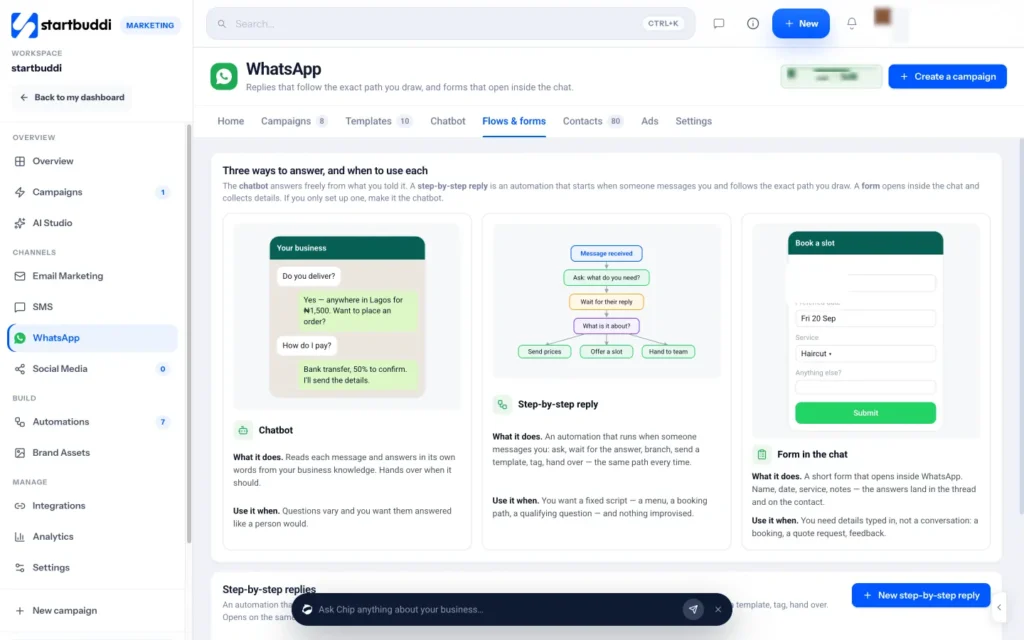
Let Chip answer common questions. On the Chatbot tab, Set up my chatbot starts a short interview: what your business does, the top questions and answers, how to greet people, what to say when it does not know, and what it must never promise. Chip turns your answers into a chatbot that replies in your tone and hands over to your team when needed. You can build a chatbot on Starter; switching it on to answer customers automatically needs the Growth plan.
Send SMS. Go to Marketing, then SMS, and click Create SMS. Name the campaign, choose the audience, check the sender ID and write the message, using merge tags such as {first_name}. The phone preview and character counter show how many segments you are using. Send now, schedule it for later, or save a draft. Messages go out through startbuddi's built-in SMS with nothing to set up, or you can connect your own Termii, Africa's Talking, Twilio or Brevo account under SMS Settings. Plans include a monthly SMS allowance (50 on Starter, 200 on Growth and 500 on Scale); texts sent through your own provider account are paid to that provider.
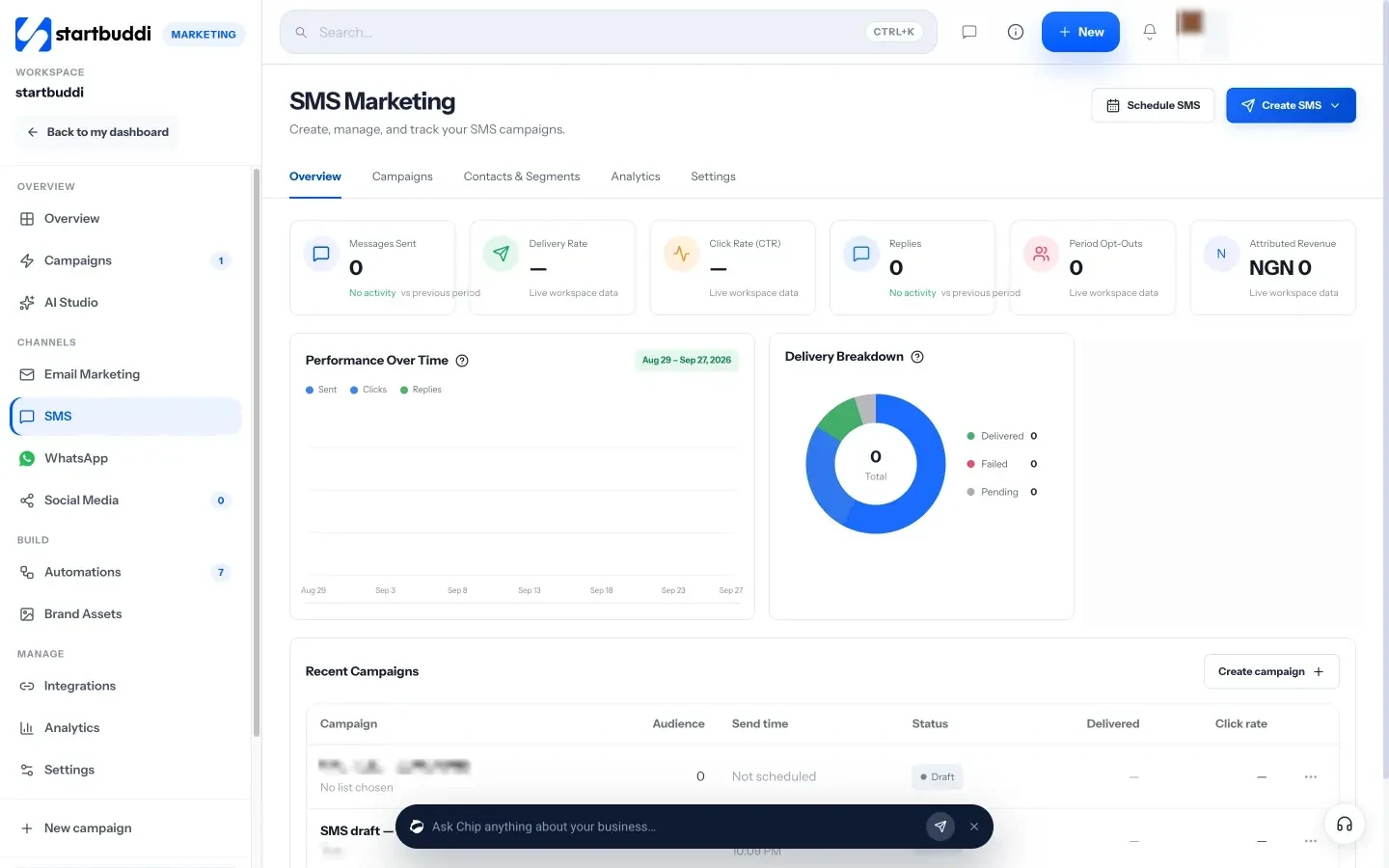
To see how WhatsApp and SMS results sit next to email, open Marketing Analytics, and read more on the WhatsApp marketing and SMS marketing pages.
Your next step
You now have a plan, a permission-based list, and a way to reach people by email, WhatsApp and SMS. Pick one campaign from your one-page plan and send it this week: an email to everyone, a WhatsApp template to your most engaged customers, and an SMS only if there is a real deadline. If you have not set up the Marketing module yet, start a 30-day trial of the Starter plan from the pricing page and follow the chapters in order.
Olabimpe Salami is the email and outreach specialist at startbuddi. Olabimpe writes about the messages that bring customers in and back: email, WhatsApp and SMS campaigns, follow-ups, and turning enquiries into paying clients.
Runs email and outreach at startbuddi