CRM vs spreadsheet: why agencies are switching in 2026
An honest CRM vs spreadsheet comparison for agencies: where a spreadsheet still works, where it quietly costs you clients, and how to switch without losing anything.


Chinonye wrote this while on the startbuddi team. The product has changed since, so the team updated it on .
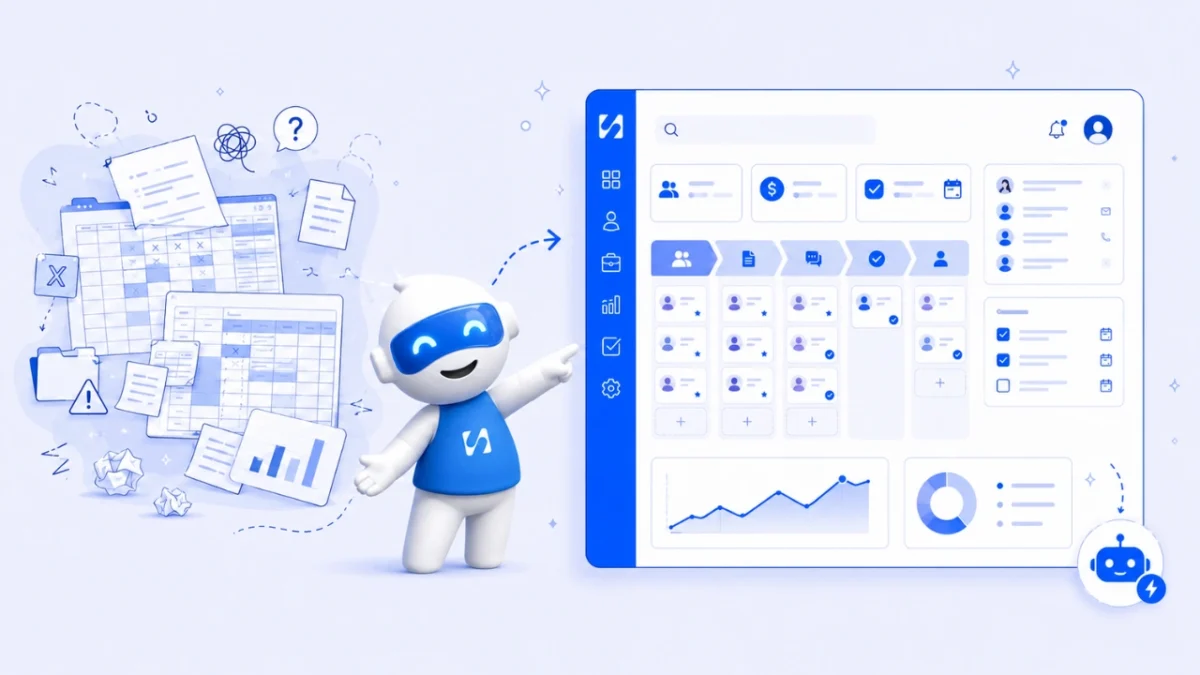
- A spreadsheet is a fine client list for a new agency with a handful of clients and one person selling. Once several people touch leads, follow-ups slip and nobody trusts the numbers, a CRM pays for itself by keeping history, reminders and the pipeline in one shared place. Switch when the spreadsheet starts making decisions for you.
In the CRM vs spreadsheet debate, the short answer for agencies is this: a spreadsheet works while one person owns every lead and remembers every conversation. Once two or three people are pitching, following up and handing clients to delivery, the spreadsheet stops being a record and becomes a guess. A CRM (customer relationship management software) keeps each client’s history, next step and deal value in one shared place, and reminds you before a lead goes cold. That’s why agencies switch: not for the features, but because they’ve started losing work they should have won.
This post compares the two honestly, including when you should keep the spreadsheet. It covers the hidden costs, a ten-minute test to decide, what agencies actually use a CRM for, and a plan to move over without losing data. It’s for design, marketing, web and creative agencies of any size from two people up, wherever you work.
CRM vs spreadsheet at a glance
| Spreadsheet | CRM | |
|---|---|---|
| Cost | Free or included in tools you already pay for | A monthly subscription, often with a free plan |
| Setup | Minutes | An afternoon to a few days |
| Conversation history | Whatever someone typed in a notes column | Emails, messages, calls and notes logged on the contact |
| Follow-up reminders | None, unless you build them | Tasks, due dates and automated sequences |
| Pipeline view | Rows with a status column | A board you drag deals across, with values and forecasts |
| Teamwork | Everyone edits the same cells; last edit wins | Owners, assignments and a record of who changed what |
| Data quality | Duplicates and typos creep in | Duplicate checks and required fields |
| Connection to the rest of the business | Copy and paste | Forms, inbox, invoices and projects linked to the client |
When a spreadsheet is still the right answer
Not every agency needs a CRM today. A spreadsheet is a sensible choice when:
- You’re a solo freelancer or a two-person studio with fewer than about 20 active leads and clients.
- One person handles every sales conversation and remembers the details.
- Most work comes from a few repeat clients, so there’s little pipeline to manage.
- You review the sheet every week and it’s still accurate when you do.
If all four are true, keep the spreadsheet and spend the time on client work. A tidy sheet with the right columns (name, company, email, phone, source, stage, value, next step, next step date, owner) beats a CRM nobody updates. Our guide on moving your business off spreadsheets covers the wider picture, including invoices and projects.
The hidden costs of running an agency on a spreadsheet
The spreadsheet’s price is zero. Its cost isn’t. It shows up in four places.
1. Errors you can’t see
Spreadsheets are easy to break and hard to check. Researcher Raymond Panko, who spent years studying spreadsheet errors, concluded in What We Don’t Know About Spreadsheet Errors Today that errors are rare per cell but that large spreadsheets very likely contain at least one wrong bottom-line figure, and that errors are extremely hard to find. A mistyped deal value or a filter left on doesn’t announce itself. It just makes your forecast wrong.
Even big organisations get caught. In October 2020, England’s contact-tracing data lost nearly 16,000 positive Covid-19 cases because of how an older Excel file format handled the data, as The Register reported. Your client list is smaller, but the lesson holds: a spreadsheet doesn’t warn you when it quietly drops something.
2. Follow-ups that never happen
A spreadsheet can store a “next step date”. It can’t tap you on the shoulder. Leads who asked for a proposal on Tuesday and heard nothing by Friday often go with whoever replied first. Our guide on how to follow up with leads without being pushy shows how much timing matters.
3. Admin that eats selling time
Copying enquiries from email into the sheet, updating statuses and chasing teammates for notes is time not spent with clients. Salesforce’s own State of Sales research, a 2024 survey of 5,500 sales professionals, found reps report spending 70% of their time on non-selling tasks. That’s a vendor’s survey of dedicated sales teams, not agencies, but the pattern is familiar to any agency owner who does sales between projects.
4. Knowledge that walks out the door
When an account manager leaves, their spreadsheet notes say “call back re budget” and nothing more. The real history sits in their inbox and WhatsApp. A CRM keeps the conversations on the client record, so the next person can pick up where they left off.
A note on data protection
General information, not legal advice. Client and lead lists contain personal data. Under UK GDPR, for example, the ICO says organisations must usually respond to a subject access request within one month. If someone’s details are spread across three copies of a spreadsheet and a dozen inboxes, finding everything you hold is slow. Similar rights exist in other places, such as under Nigeria’s Data Protection Act and the EU GDPR, so check the rules where you and your clients are.
Why more agencies are switching now
Spreadsheets haven’t got worse. The way clients reach agencies has changed around them.
- More doors. For many agencies, enquiries used to arrive mostly by email or phone. Now the same agency often hears from prospects on its website form, Instagram DMs, WhatsApp, LinkedIn and referrals. A spreadsheet can’t collect from any of those on its own, so every lead depends on someone copying it in.
- Smaller, faster teams. Many agencies run with a core team plus freelancers. People join and leave projects more often, which makes shared, written history more valuable than one person’s memory.
- AI that needs clean data. Assistants that summarise a client, draft a follow-up or flag a stalled deal only work when the conversations and deals are stored in one place. They can’t read a notes column that says “see email”.
- All-in-one tools. Where a CRM used to be one more subscription, many small businesses now get contacts, pipeline, inbox and invoicing in a single tool, which changes the cost comparison with “free” spreadsheets.
What a simple agency CRM setup looks like
Resist the urge to build everything on day one. This starting setup covers most agencies.
| Stage | What it means | Next step you always set |
|---|---|---|
| New enquiry | Someone got in touch | Reply and offer a call within one working day |
| Discovery call | A call is booked or done | Send a summary and a proposal date |
| Proposal sent | They have a price and scope | Follow up after three working days |
| Negotiating | Scope or price is being discussed | Agree a decision date |
| Won | They said yes | Send the contract, deposit invoice and kickoff date |
| Lost | They said no or went quiet | Record the reason and set a check-in in six months |
Pair that with ten contact fields: first name, last name, company, email, phone, source, owner, service interested in, budget range and a short note. Record the lost reason every time. After six months, those reasons tell you more about your pricing and positioning than any survey.
The ten-minute test: do you need a CRM yet?
Score one point for each statement that’s true for your agency.
- More than one person talks to prospects.
- You have more than 30 open leads, proposals or active clients.
- In the last quarter, you found out a lead went elsewhere because nobody followed up.
- There’s more than one copy of the client list (or a “final_v3”).
- You can’t say, within five minutes, what your pipeline is worth this month.
- Leads arrive from several places: website form, Instagram DMs, WhatsApp, referrals, email.
- You’d struggle to hand a client to a colleague with their full history.
- You want to send follow-up emails or messages automatically.
0 to 2: a well-kept spreadsheet is fine for now. 3 to 5: start trialling a CRM with your live leads only. 6 or more: the spreadsheet is costing you work; switch this month. Our post on signs your agency needs a CRM goes into the warning signs in more detail.
What agencies actually use a CRM for
Agencies don’t need every CRM feature. These five jobs cover most of the value.
- Capturing leads automatically. Website forms and booking pages create contacts without copy and paste.
- A pipeline with stages that match how you sell, for example: New enquiry, Discovery call, Proposal sent, Negotiating, Won, Lost. If the term is new, see what a sales pipeline is.
- Next steps with dates, so every open deal has something scheduled.
- One timeline per client, covering emails, messages, calls, notes and invoices.
- Handover to delivery, so the project team sees what was promised in the pitch.
Many agencies also want retainers, invoices and projects on the same record. That’s the argument for an all-in-one tool rather than a stand-alone CRM.
How to switch from a spreadsheet to a CRM
A clean move takes a day or two of focused work. Here’s a plan.
- Freeze the spreadsheet. Pick a date and tell the team the sheet becomes read-only after it.
- Clean before you import. Remove duplicates, fix obvious typos, split full names into first and last, and put phone numbers in international format (+234, +44, +1 and so on).
- Standardise stages. Map the dozen statuses people invented (“hot”, “waiting”, “maybe Q3”) onto five or six pipeline stages.
- Decide what to leave behind. Leads with no contact in two years can go into an archive file rather than the CRM.
- Import contacts first, then deals. Contacts and companies come in from a CSV. Create deals for anything genuinely open.
- Connect the doors. Point your website form, booking page and inbox at the CRM so new leads arrive on their own.
- Agree three habits. Log every call, set a next step on every open deal, and review the pipeline together weekly.
Mistakes to avoid when switching
- Importing everything. Old junk makes the new system feel like the old one.
- Copying the spreadsheet’s 40 columns. Start with ten fields; add more when someone asks for them twice.
- Running both side by side for months. Two sources of truth means none.
- Letting the owner skip it. If the founder keeps notes in their head, the team will too.
How startbuddi helps agencies move off spreadsheets
The Customers module in startbuddi is a CRM built into the same workspace as your inbox, invoices and projects. Here’s what’s relevant when you’re leaving a spreadsheet.
- CSV import with column mapping. Upload up to 10,000 contacts at a time, map each column, choose whether duplicates are updated or left alone, and tag everyone in the import. The help article on importing contacts walks through it. Imports are CSV only, so save Excel or Google Sheets files as CSV first.
- Contacts and companies in a table or a board by lead stage, with saved views and segments such as “Lagos agencies, not yet contacted”. Add a company by its website and startbuddi can fill in the logo and details (brand lookups depend on your plan). See contacts and companies.
- A pipeline that keeps itself current. Drag deals between stages, or let startbuddi move them: when a contact replies, their deal moves out of the first stage, and when an invoice on a deal is paid, the deal is marked won. See sales pipeline and deals.
- One page per client with conversations, notes, tasks, deals, files and invoices.
- Export whenever you like to CSV or Excel, so you’re never locked in.

Chip, the built-in AI assistant, gives a short briefing on the Customers home screen, such as who’s waiting for a reply and which deals have gone quiet, and can suggest the next stage for a deal.
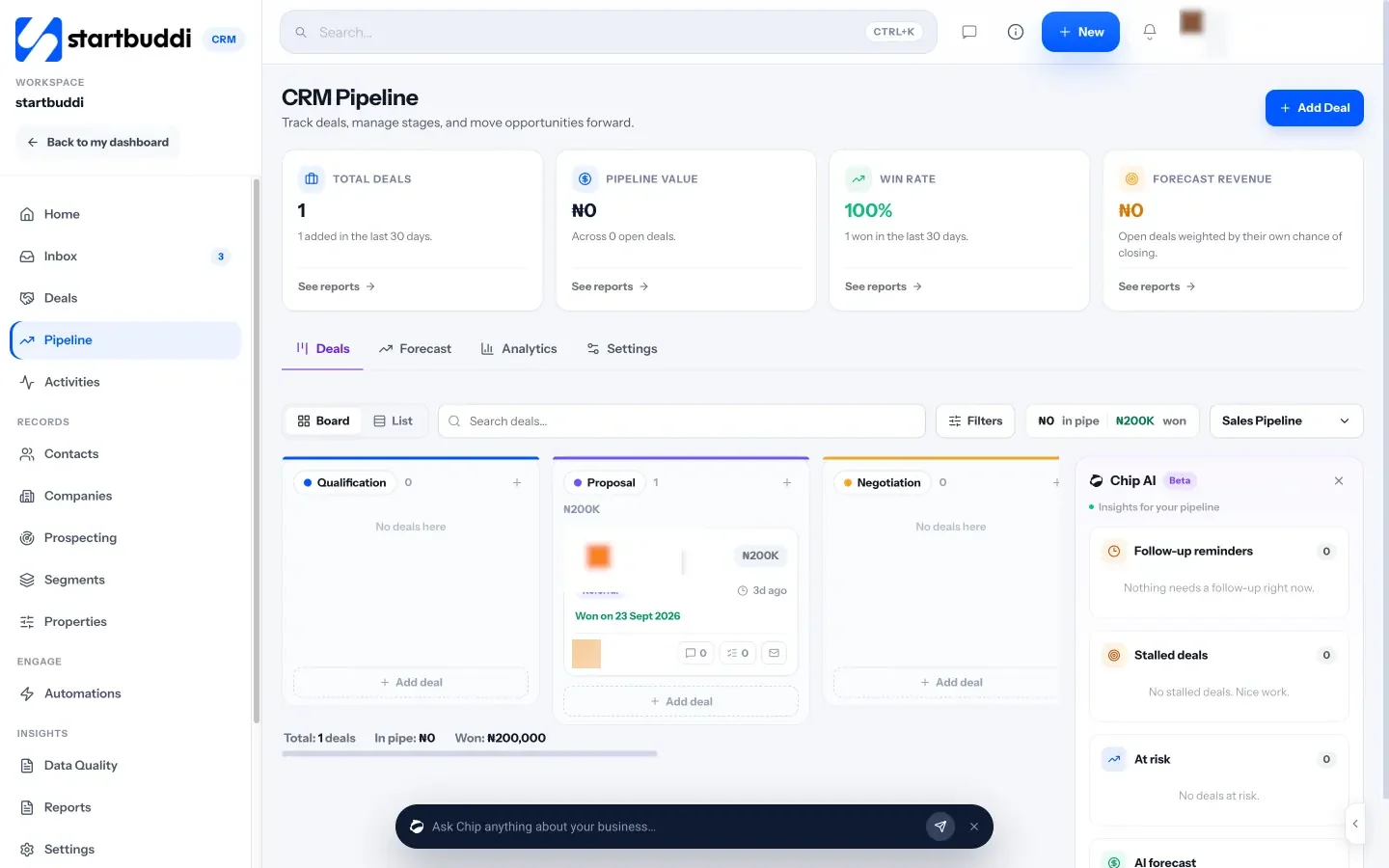
Limits to know. The Free plan holds 250 contacts; Starter holds 2,500, Growth 15,000 and Scale 75,000. Automated follow-up sequences need the Starter plan or above, and every paid plan has a 30-day trial. Lead scoring uses a fixed formula based on activity, not AI.
Your next step
Do the ten-minute test above with your team. If you score three or more, export your live leads (not the whole archive) to a CSV and import them into a CRM trial this week. The startbuddi Free plan is enough to try it with up to 250 contacts, and the pricing page shows what each plan adds.
Sources
- Raymond Panko: What We Don’t Know About Spreadsheet Errors Today (arXiv)
- The Register: Excel file format blamed for lost Covid-19 case data in England
- Salesforce: State of Sales research, 2024
- ICO: What should we consider when responding to a subject access request?
Frequently asked questions
Is a spreadsheet good enough as a CRM for a small agency?
For a solo freelancer or two-person studio with fewer than about 20 active leads and clients, often yes. Once several people handle leads or follow-ups start slipping, a CRM usually pays for itself.
Can I import my Google Sheets client list into a CRM?
Yes. Most CRMs import a CSV file. In Google Sheets choose File, then Download, then CSV, clean the data first, and map the columns during import.
What is the main advantage of a CRM over a spreadsheet?
It keeps each client's full history and next step in one shared place and reminds you to act. A spreadsheet stores data but doesn't prompt anyone to follow up.
How long does it take to move from a spreadsheet to a CRM?
For most small agencies, a day or two: an afternoon to clean the data, an hour to import it, and a week of new habits for the team.
SEO Copywriter| Email growth Specialist| I help businesses increase revenue with strategic SEO content & high-converting email funnels.