HubSpot Onboarding Checklist: Step-by-Step List + Free Template
A HubSpot onboarding checklist for small teams: security, users, email, domains, tracking code, imports and pipelines, in order, from HubSpot's own docs.



A HubSpot onboarding checklist is the ordered list of setup tasks that gets a new HubSpot account ready to use: secure the account, invite users with the right permissions, set defaults, connect email and your domains, install the tracking code, clean and import contacts, build your deal pipeline, then train the team and review after 30 days.
Key takeaways
- Do security, users and defaults first. Everything you import later inherits them.
- Clean your contact list before the first import. HubSpot matches contacts by email address, so duplicates in your file become problems in your CRM.
- Connect your email sending domain early. It needs DNS changes, and DNS changes can take time.
- On Professional and Enterprise plans, HubSpot charges a required one-time onboarding fee and runs part of the setup with you. On Free and Starter you do it yourself.
- Give the checklist an owner and dates. An unowned setup list stalls at the import step.
Before you start: what HubSpot onboarding includes
HubSpot’s Marketing Hub pricing page (checked on 1 October 2026) says the Professional plan’s price doesn’t include “the required, one-time Professional Onboarding” for a fee of $3,000, and Enterprise onboarding costs $7,000. Starter plans don’t need paid onboarding. Other hubs have their own fees, so check the pricing page for the hub you’re buying.
If you’re on Professional or Enterprise, HubSpot also has a built-in Checklists tool. Its knowledge base article on onboarding checklists (checked on 1 October 2026) explains that you open it from your name in the top right of the account, then Checklists, and can assign tasks with due dates. On Free or Starter, copy the checklist below into whatever task tool you already use.
Have these ready before you begin:
- A list of everyone who needs access, and what each person should be able to see and change.
- Access to your domain’s DNS settings, or the person who manages them.
- Your contact lists from spreadsheets, your phone, your email tool and any old CRM.
- Your sales stages written on paper, from first enquiry to paid.
- Your logo, brand colours, business address and time zone.
The complete HubSpot onboarding checklist
Work through the phases in order. Most small teams finish phases 1 to 5 in the first week and the rest over the following three.
Phase 1: Account and security
HubSpot’s guide to setting up your account (checked on 1 October 2026) puts securing the account straight after creating it.
Phase 2: Users and permissions
Phase 3: Account defaults and branding
Phase 4: Email, domains and tracking
Phase 5: Clean and import your contacts
HubSpot’s guide to formatting import files (checked on 1 October 2026) sets the rules: .csv, .xlsx or .xls files, one sheet with a header row, and fewer than 1,000 columns. Free accounts can import files up to 20 MB, and paid accounts up to 512 MB.
Phase 6: Pipeline and properties
Phase 7: Forms, chat and follow-ups
Phase 8: Reports and training
Phase 9: The 30-day review
A four-week HubSpot onboarding plan
| Week | Focus | Done when |
|---|---|---|
| 1 | Phases 1 to 4: security, users, defaults, email and domains | Everyone can log in with 2FA and emails are logging |
| 2 | Phase 5: clean and import contacts | Test import checked, full list imported |
| 3 | Phases 6 and 7: pipeline, forms and follow-ups | Live deals sit in the right stages and the form creates contacts |
| 4 | Phase 8 and the start of phase 9 | The team uses it daily and the weekly dashboard is set |
Worked example: a three-person firm in Nairobi
These numbers are illustrative. A three-person bookkeeping firm in Nairobi moves onto HubSpot’s free tools. Its contacts are split across a client spreadsheet (900 rows), a newsletter list (650 rows) and the partners’ phones (250 numbers), 1,800 rows in total.
Combined and de-duplicated by email, 1,800 rows become 1,320 unique people. 140 of those have no email address, only a phone number. Because HubSpot matches contacts by email, the firm imports the 1,180 rows with an email first, then decides whether the 140 phone-only contacts are worth adding by hand. The test import of 20 rows shows the “Client since” column landing in the wrong property, which takes five minutes to fix before the full import rather than an afternoon after it.
Common HubSpot onboarding mistakes
- Importing before cleaning. Duplicates and dead addresses are harder to remove once activity is logged against them.
- Copying another company’s pipeline. Stages should describe your sales, not a template’s.
- Skipping the sending domain. Marketing email from an unauthenticated domain is more likely to land in spam.
- Giving everyone admin rights. It is quick on day one and a risk forever after.
- Building every automation in week one. Start with one follow-up and add more once people trust the data.
How to do this in startbuddi
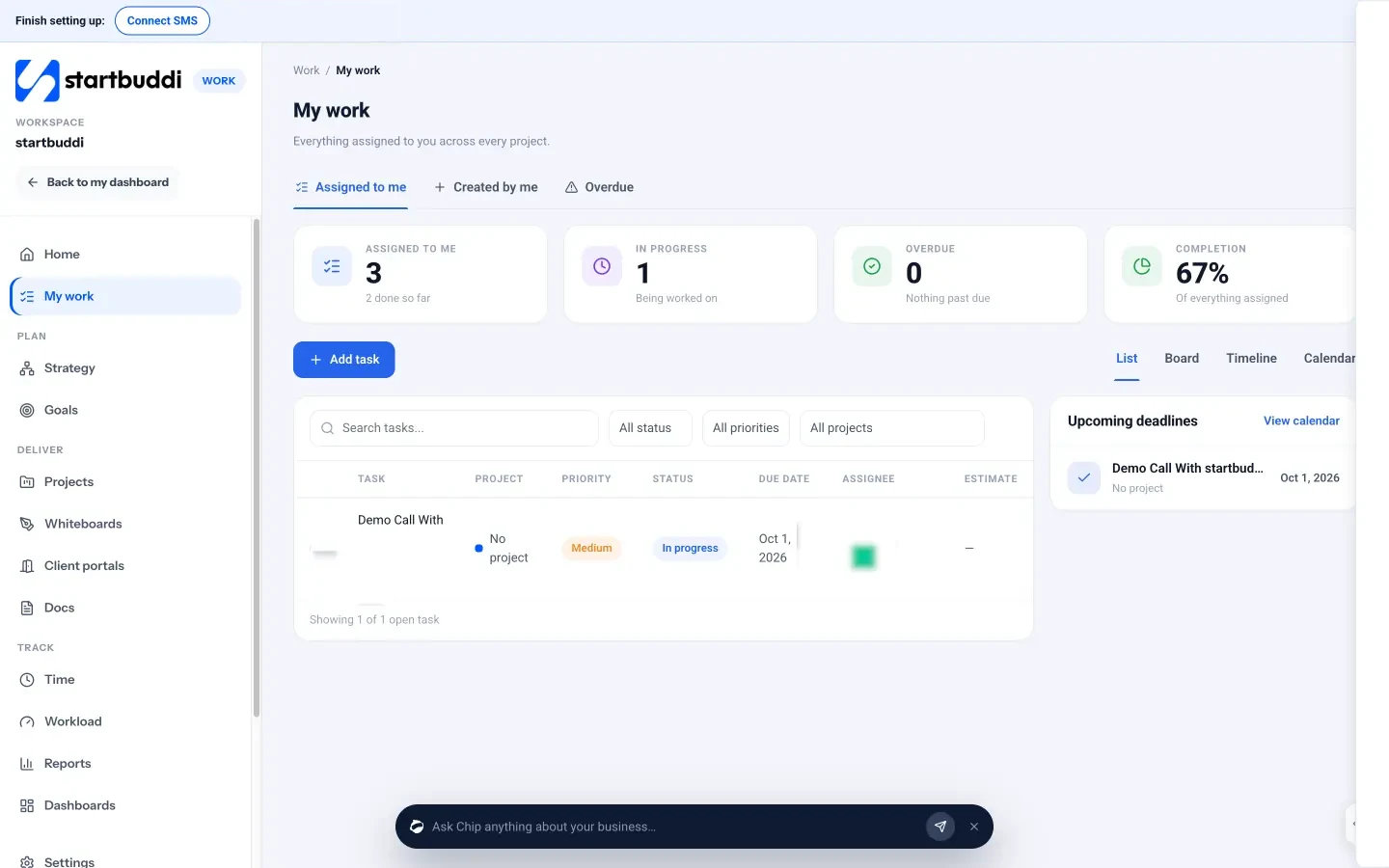
You can run this checklist as a project in startbuddi’s Work module: create a project called “HubSpot onboarding”, add each phase as a task with an owner and a due date, and add the individual steps as subtasks. Everyone sees what’s left, and overdue steps show up in their own task list.
If you’re still choosing a CRM, or you’re thinking of leaving HubSpot later, know how switching works. There’s no one-click connection between HubSpot and startbuddi. The route is a CSV file:
- In HubSpot, export your contacts from the contacts index page. HubSpot emails you a download link.
- Save the export as a CSV file.
- In startbuddi, go to Customers, then Contacts, then Import, and drop in the file. You can import up to 10,000 contacts at a time.
- Match the columns, choose what happens to contacts that are already there, and run the import.
This moves contacts only. Deals, notes and activity history don’t come across, so plan to recreate open deals by hand. Our help article on importing contacts into startbuddi walks through each screen. For a wider view of your options, see our HubSpot alternatives roundup, and for keeping any CRM tidy after the move, read about CRM data management and our guide to organising your customers.
Make the checklist your plan
Copy the checklist into your task list, give each phase an owner and a date, and work through it in order. If you’d rather run your client list, inbox and tasks in one place, start free with startbuddi.
Frequently asked questions
How long does HubSpot onboarding take?
A small team can usually finish the essential setup in one to two weeks and settle into daily use within a month. Cleaning and importing contacts is the step that most often slips. Professional and Enterprise customers also go through HubSpot's required paid onboarding.
Is HubSpot onboarding free?
On the Free and Starter plans there is no onboarding fee, and you set the account up yourself using HubSpot's knowledge base. Professional and Enterprise plans include a required one-time onboarding fee. HubSpot's Marketing Hub pricing page listed $3,000 for Professional and $7,000 for Enterprise when checked on 1 October 2026.
What should I set up first in HubSpot?
Set up security, users and permissions, and account defaults such as time zone and currency first. Then connect email and your sending domain, because DNS changes can take time. Import contacts only after those are in place, so records arrive with the right owners and settings.
What file format does HubSpot need for imports?
HubSpot accepts .csv, .xlsx and .xls files with one sheet and a header row. Each column should match a HubSpot property, and contacts need an email address to be matched to existing records. Free accounts can import files up to 20 MB, and paid accounts up to 512 MB.
Does HubSpot have a built-in onboarding checklist?
Yes, on Professional and Enterprise plans HubSpot has a Checklists tool where you can create setup checklists, assign tasks and set due dates. You open it from your name in the top right of the account. On Free and Starter, keep the checklist in a spreadsheet or task tool.
Can I move my HubSpot contacts to startbuddi?
Yes, by CSV. Export your contacts from HubSpot, then import the file in startbuddi under Customers, Contacts, Import, up to 10,000 contacts at a time. There's no direct connection, and only contacts come across, not deals or activity history.
Omolola Akiyode is the operations and project manager at startbuddi, leading cross-functional projects and the content that helps founders get set up. Omolola writes about projects, websites and getting found online, and turns complex ideas into clear, practical steps.
Runs operations and projects at startbuddi