How to manage clients on WhatsApp without losing them in your chats
WhatsApp is where your clients are, but it was never built to be your client list. Here's how to keep track of every client, follow up on time and share the load with a team.


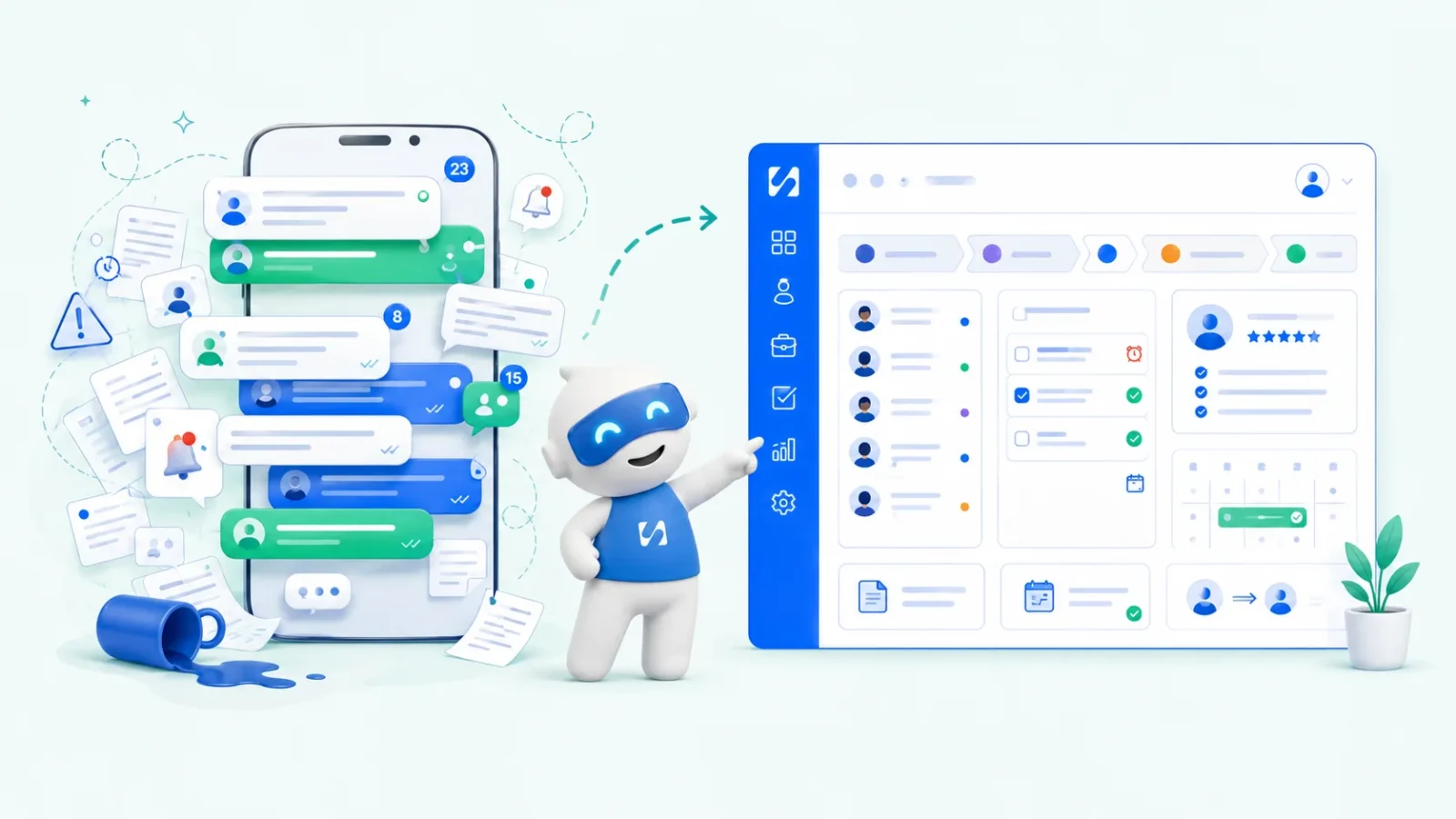
- Keep WhatsApp as the conversation, but move the record somewhere else: a contact list with each client's details, stage and next step. Use labels and quick replies in the WhatsApp Business app, set a follow-up routine, respect opt-in rules, and move to a shared inbox once more than one person replies.
To manage clients on WhatsApp without losing them, keep the conversation on WhatsApp but keep the record somewhere else. WhatsApp is brilliant for talking to clients quickly. It’s poor at remembering who asked for a quote, who’s waiting for a reply, what you agreed and who you promised to call on Friday. Once your client list lives only in a scrolling chat list, leads go cold and follow-ups slip.
This guide shows you how to fix that step by step: what the WhatsApp Business app already does, how to capture client details properly, a simple follow-up routine, the rules on messaging people, and when to move to a shared inbox so a team can help. It works for any business that sells through WhatsApp, from a solo hairstylist to a ten-person agency, in any country.
Why managing clients on WhatsApp gets hard
WhatsApp feels easy at first. Everyone uses it, clients message you directly, and you reply fast. Then the business grows and the cracks show:
- Chats move. A lead who messaged on Monday is twenty chats down by Wednesday. If you didn’t reply, you’ve probably forgotten.
- Details are buried. Their email address, budget and preferred date are somewhere in a thread of voice notes and photos.
- No record of what’s agreed. Prices, deadlines and changes live in messages that are hard to search and easy to dispute.
- No reminders. WhatsApp won’t tell you who you promised to follow up with.
- One phone, one person. If the business number lives on your phone, only you can reply, and holidays become a problem.
- Personal and business mixed. Client chats sit between family groups and friends, which is stressful and risky.
The problem isn’t WhatsApp. It’s that WhatsApp has quietly become your client list, booking system, reminder tool and filing cabinet, and it was designed to be none of those.
Start with the WhatsApp Business app features you already have
If you’re still using personal WhatsApp for work, switch to the free WhatsApp Business app first. It adds a business profile and tools built for this job. According to the WhatsApp Help Center and WhatsApp Business resources, these include:
- Labels and lists to organise and filter chats. Use them as stages: New enquiry, Quote sent, Booked, Paid, Follow up.
- Quick replies for the answers you type ten times a day: prices, address, opening hours, how to pay.
- Greeting messages sent automatically when someone messages you for the first time or after a long gap.
- Away messages for evenings and weekends, so people know when you’ll reply.
- A business profile and catalogue so people can see what you offer before they ask.
Set these up in an hour and you’ll feel the difference the same week. They still won’t give you a searchable client list, reminders or teamwork, which is what the rest of this guide is about. Our comparison of the WhatsApp Business app and the WhatsApp Business API explains when you might need more.
How to manage clients on WhatsApp, step by step
Step 1: Give every client a record outside the chat
For each person who enquires, you need a short record: name, phone, email, what they want, where they came from, their stage and the next step with a date. This can be a spreadsheet to start with, or a contact list in a CRM (customer relationship management software). What matters is that it’s one place, searchable, and updated the same day.
Step 2: Collect details with a form, not ten messages
Instead of asking questions one at a time, send a short enquiry form link as a quick reply: “Thanks for getting in touch! So I can give you an accurate quote, could you fill in this 1-minute form?” The answers land in one place, spelled correctly. Our client intake form template gives you the questions to ask.
Step 3: Use labels as your pipeline
Every chat gets exactly one stage label. Once a day, filter by “New enquiry” and “Follow up” and clear them. This turns a chat list into a simple pipeline you can see at a glance.
Step 4: Reply fast, especially to new enquiries
Speed matters. In a study of 1.25 million online sales leads published in Harvard Business Review, firms that tried to contact a lead within an hour were nearly seven times as likely to have a meaningful conversation with a decision maker as those that waited even an hour longer. A greeting message buys you time; a real reply within the hour wins the work.
Step 5: Set a follow-up routine
Decide your follow-up rhythm once, then stick to it. A simple one for quotes:
| When | Message |
|---|---|
| Same day | Send the quote with one clear next step: “Reply YES and I’ll book you in.” |
| 2 days later | “Did the quote make sense? Happy to answer any questions.” |
| 1 week later | A useful extra: a photo of similar work, a tip or an available date. |
| 2 to 3 weeks later | A final, friendly close: “I’ll leave this with you. Message me any time.” |
Our guide on how to follow up with leads has more message examples, and our post on WhatsApp message templates covers wording that gets replies.
Step 6: Confirm agreements in writing
When you agree a price, date or change, send one clear summary message and copy it into the client’s record: “To confirm: logo and business cards, $450, first drafts by 12 May, 50% deposit today.” It prevents most disputes before they start.
Step 7: Keep payments out of the guesswork
Send a proper invoice or a payment link rather than bank details in a chat, and mark the client as paid in your record when the money arrives. Our guide to collecting payment online covers the options.
Stay on the right side of WhatsApp’s rules
Replying to someone who messaged you is normal business. Broadcasting marketing messages is different. WhatsApp’s Business Messaging Policy says businesses may only message people who have given their number and agreed to be contacted, and people must be able to opt out.
- Ask before adding someone to broadcasts: “Would you like to hear about new dates and offers on WhatsApp?”
- Keep a note of who said yes, and remove anyone who asks to stop, straight away.
- Don’t message lists of numbers you bought or scraped.
- Protect client data. Personal details are covered by data protection law in most countries, such as the UK’s ICO guidance for small organisations or Nigeria’s Data Protection Commission. This is general information, not legal advice.
A daily and weekly WhatsApp routine
Systems only work if you use them. This routine takes about 20 minutes a day and half an hour a week.
Every morning (10 minutes)
- Open chats labelled New enquiry. Reply to each, send the form or quote, and update the label.
- Check your follow-up list for today and send those messages.
- Add any new clients to your record with a next step and date.
Every afternoon (10 minutes)
- Clear any chat you’ve read but not answered. A two-line holding reply is fine.
- Copy anything agreed today (prices, dates, changes) into the client’s record.
Every Friday (30 minutes)
- Look at every client with no next step. Either give them one or mark them closed.
- Check who hasn’t paid and send reminders.
- Archive finished chats so next week starts clean.
- Count new enquiries, quotes sent and bookings won. Over a few weeks you’ll see where people drop off.
Handing WhatsApp clients to a team
The day you hire help is the day WhatsApp on one phone stops working. Before you add anyone, agree how you’ll work together:
- One business number, many people. Don’t give clients staff members’ personal numbers. When someone leaves, the client relationship should stay with the business.
- Clear ownership. Every conversation has one owner who replies. Others can see it and add notes.
- Internal notes, not side chats. Discuss a client next to the conversation, not in a separate group where context gets lost.
- Handover rules. Who covers weekends, holidays and sick days, and how clients are told.
- Response time targets. For example, new enquiries within an hour during opening times.
This is where a shared inbox pays for itself: everyone sees the same conversations, nobody replies twice, and nothing depends on one person’s phone battery.
When you need more than the WhatsApp Business app
The app is enough for many solo businesses. Consider a shared inbox or CRM when:
- More than one person needs to reply from the business number.
- You get more enquiries than you can track with labels.
- You want follow-ups and reminders to go out on a schedule, not from memory.
- Clients also reach you by email, Instagram or your website, and you’re switching between apps all day.
- You want to send broadcasts to opted-in clients with delivery and read tracking.
At that point the usual route is connecting your number to the WhatsApp Business Platform (the API) through a provider, which lets several people reply from one inbox. Some providers let you keep using the WhatsApp Business app on your phone at the same time.
Common mistakes when you manage clients on WhatsApp
- Using a personal number for business. You can’t hand it to a colleague, and clients message you at midnight.
- Relying on voice notes for important details. Ask clients to confirm key facts in text or a form.
- Leaving chats “read” without replying. Blue ticks with no answer feel worse than a quick “Got this, I’ll reply by 3pm.”
- Broadcasting without permission. It annoys people and puts your number at risk.
- Too many labels. Twelve colour-coded labels nobody remembers are worse than five that everyone uses. Keep the stages simple.
- Sending prices without context. A bare number invites haggling. Say what’s included, how long it takes and what happens next.
- No backup. If your phone is lost, so is your client history. Keep the record outside the chat.
How startbuddi helps you manage clients on WhatsApp
With startbuddi, you connect your WhatsApp Business number to a shared inbox and a contact list, so conversations stay on WhatsApp while the record, reminders and follow-ups live in one place.
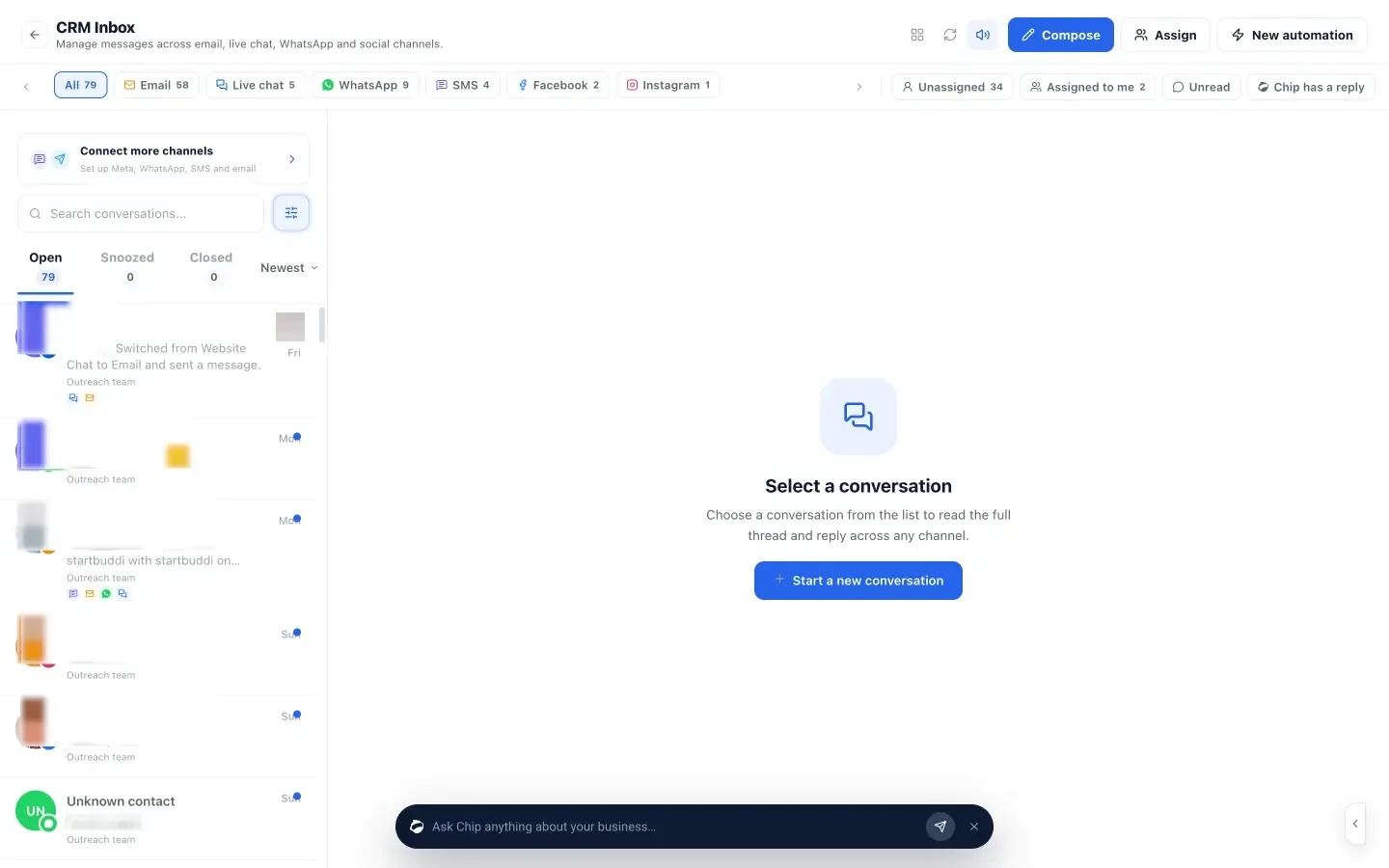
- One shared inbox. The Inbox brings WhatsApp together with email, SMS, website chat, Instagram and Facebook. Assign conversations to teammates, add internal notes the client never sees, and snooze or close threads.
- Keep the WhatsApp Business app. When you connect, you can keep your number working in the app on your phone. Contacts and chats are imported once, up to 180 days back, and replies arrive in both places.
- Every chat on a contact. Each person gets a contact record with notes, stage, tasks, deals and invoices. From a conversation you can create a deal, add a task or book a meeting.
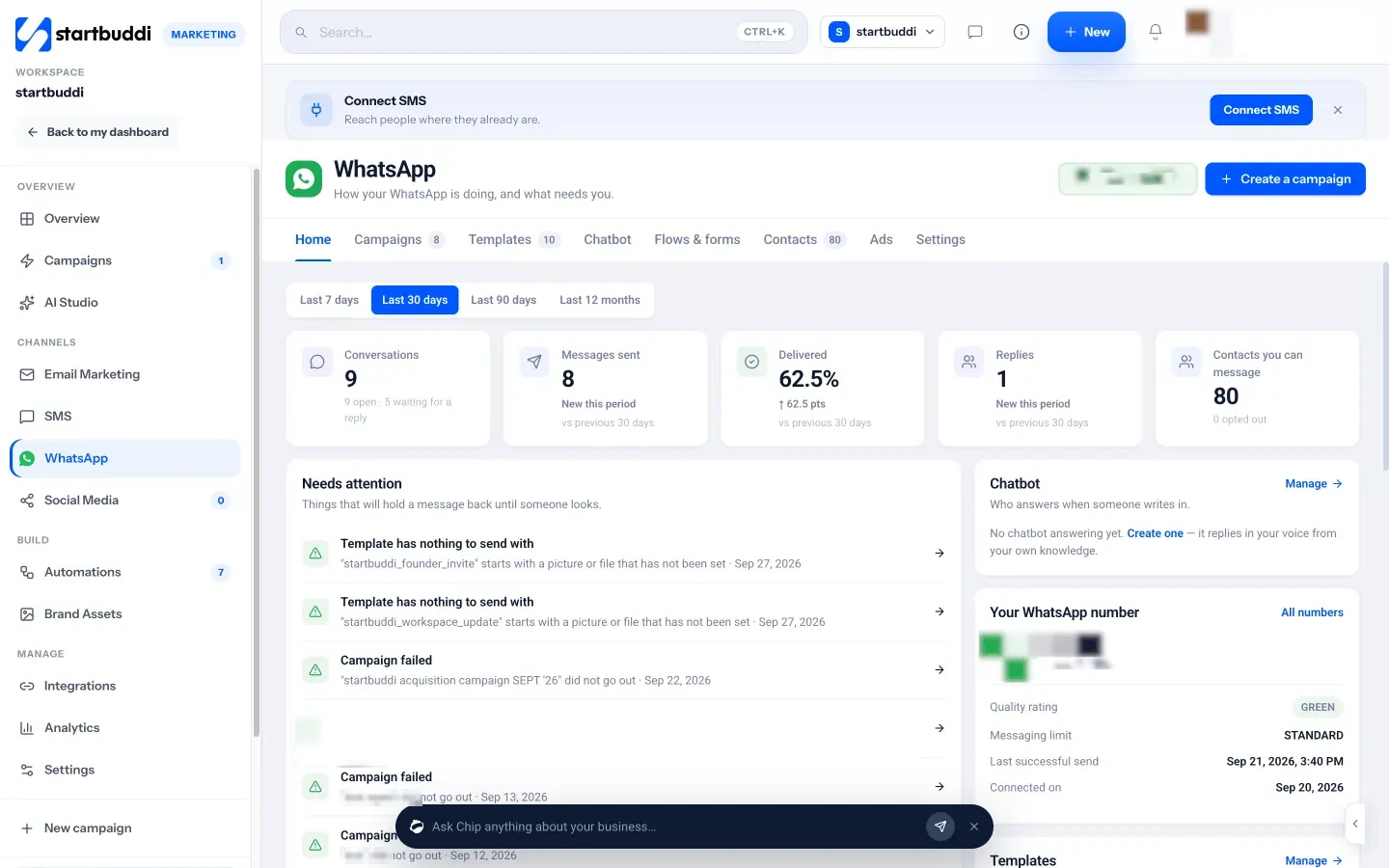
- Forms inside the chat. Send a Book a slot, Get a quote or feedback form that opens inside WhatsApp; the answers land in the thread and on the contact.
- Broadcasts to opted-in contacts. WhatsApp marketing sends Meta-approved templates to people who opted in, and tracks delivered, read and replied.
- A chatbot that knows your business. Answer a few questions and Chip, the AI assistant, builds a chatbot that answers common questions and hands over to your team. You can build it on Starter; letting it answer customers automatically needs Growth.
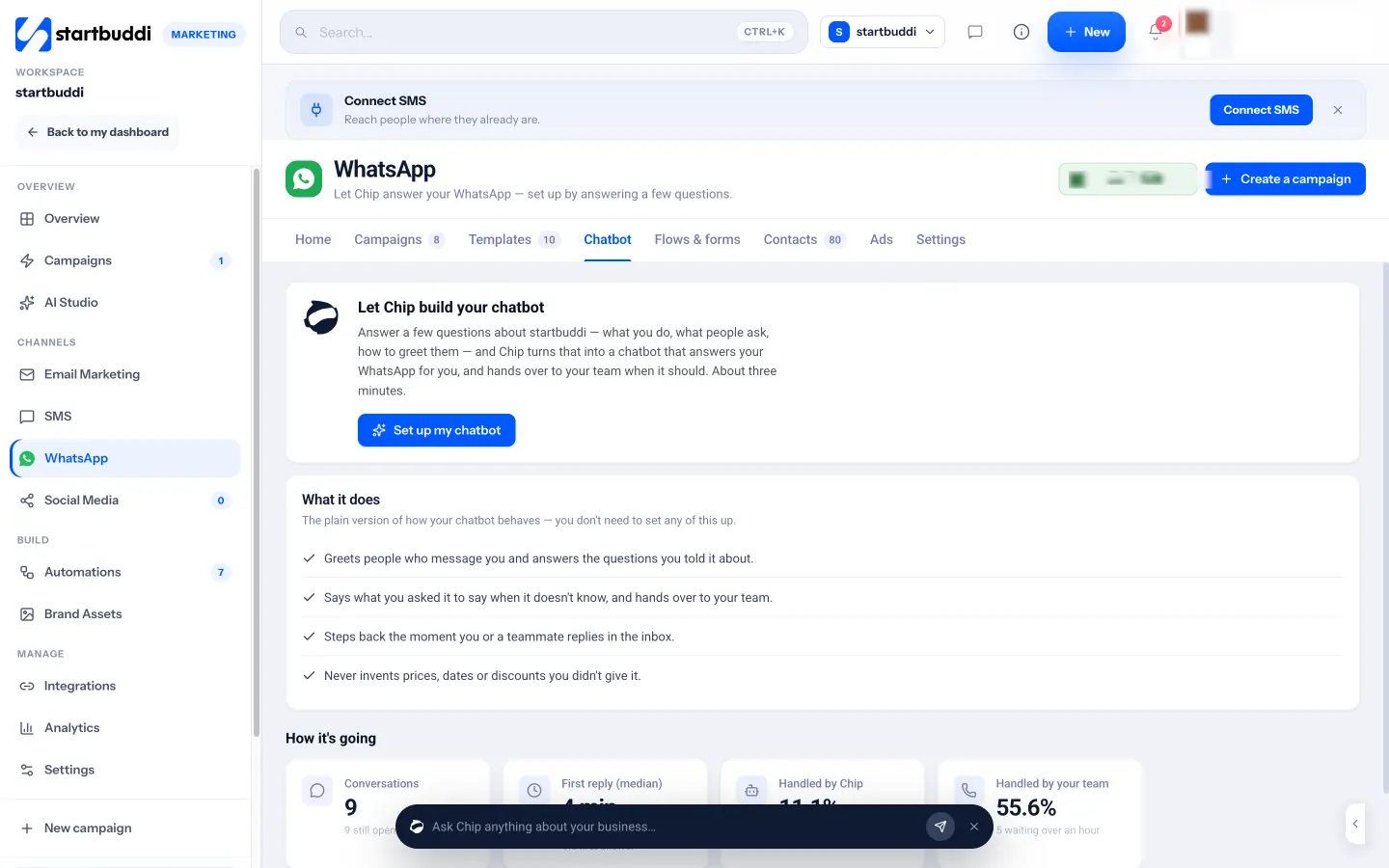
WhatsApp in startbuddi needs the Starter plan or above (see pricing), and every paid plan has a 30-day trial. Meta’s own conversation charges apply to your WhatsApp account. See pricing, and the help article on connecting WhatsApp to startbuddi.
Next step
Today, set up labels and three quick replies in the WhatsApp Business app, and go through your last 30 chats: give each one a stage and a next-step date. If you find more than a handful of forgotten follow-ups, it’s time for a proper record. Start with the startbuddi Inbox and bring your WhatsApp with you.
Sources
- WhatsApp Help Center: business features
- WhatsApp Business: staying organised with lists and quick replies
- WhatsApp Business Messaging Policy
- Harvard Business Review: The short life of online sales leads
- ICO: advice for small organisations
- Nigeria Data Protection Commission
Frequently asked questions
Can WhatsApp Business work as a CRM?
Partly. Labels, quick replies and a catalogue help you organise chats, but there's no searchable client record, reminders or team inbox. Most growing businesses pair it with a CRM.
Can several people reply from one WhatsApp business number?
Not easily with the phone app alone. Connecting the number to the WhatsApp Business Platform through a provider lets a team reply from a shared inbox.
Do I need permission to message clients on WhatsApp?
To reply to someone who contacted you, no. To send marketing or broadcasts, WhatsApp's policy requires people to have agreed to hear from you, with a way to opt out.
Can I keep using the WhatsApp Business app if I connect a CRM?
With some providers, yes. In startbuddi you can keep the app on your phone, and replies appear in both places.
Olabimpe Salami is the email and outreach specialist at startbuddi. Olabimpe writes about the messages that bring customers in and back: email, WhatsApp and SMS campaigns, follow-ups, and turning enquiries into paying clients.
Runs email and outreach at startbuddi