How to collect payment online as a freelancer or agency
The ways freelancers and agencies collect payment online, what each really costs, how to get paid by clients abroad, and the terms that stop late payment before it starts.


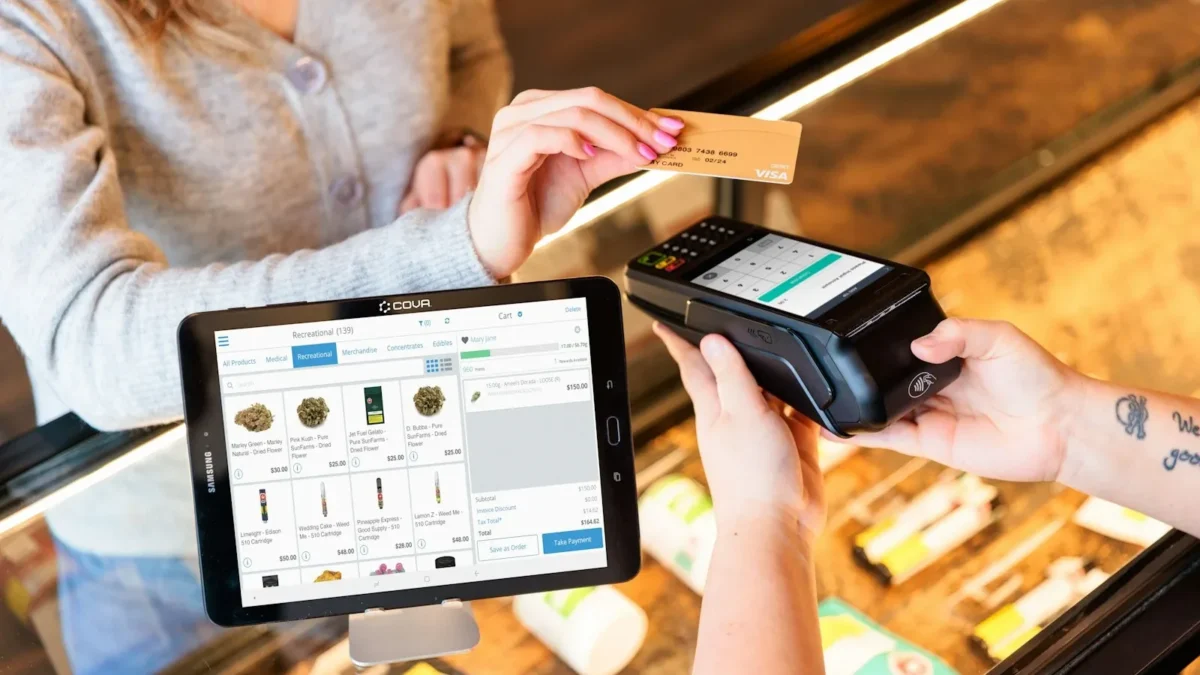
Photo: Cova Software / Unsplash
- Send invoices with a pay button through a gateway that suits your clients, add bank details as a fallback, use payment links for deposits and quick jobs, and agree price, currency, deposit and due date in writing before work starts.
The simplest way to collect payment online as a freelancer or agency is to send an invoice with a pay button, backed by a payment provider that suits your clients: a card and bank gateway for local clients, and a card processor or multi-currency account for clients abroad. Agree payment terms before you start, take a deposit on new work, and use payment links for quick one-off amounts.
Freelancing is big business: Upwork’s research found 64 million Americans did freelance work in 2023 (Upwork), and many of them, like agencies in Lagos, Nairobi or Manchester, bill clients in other countries. This guide covers how to pick the right methods, what they really cost, how to set terms that get you paid, and how to stay organised when money arrives from five places.
The ways to collect payment online
| Method | How the client pays | Best for | Watch for |
|---|---|---|---|
| Invoice with a pay button | Opens the invoice, pays by card or transfer | Projects, retainers, B2B clients | Chasing late payers |
| Payment link | Taps a link and pays a set amount | Deposits, small jobs, DM sales | Matching payments to jobs |
| Direct bank transfer | Sends to your account details | Local clients, large amounts | Manual checking, fake alerts |
| Multi-currency account details | Local transfer in their currency to your account | Clients abroad paying in USD, GBP, EUR | Conversion costs, account eligibility |
| Subscription or recurring charge | Card charged automatically each month | Retainers, ongoing services | Failed renewals |
| Freelance marketplace | Pays through the platform | Finding first clients | Platform fees, rules on moving off-platform |
Most freelancers end up with two or three of these. A designer might send invoices with a card option to overseas clients, accept bank transfers from local ones, and use payment links for quick edits.
Match the method to your client
Local clients
Offer what your clients already use. In Nigeria, Ghana, Kenya and South Africa, gateways such as Paystack let customers pay by card, bank transfer, USSD or mobile money depending on the country. In the UK, bank transfer is normal for business clients; in the US, card and ACH are common. Put your bank details on every invoice as a fallback.
Clients abroad
Cross-border payments are where freelancers lose the most money and time. Your main options:
- Card payments through a processor. The client pays by card in their currency. Check your provider supports your country: Stripe’s availability page lists where accounts can be opened, and Nigerian businesses can take international cards through Paystack.
- Multi-currency account details. Services such as Wise give eligible customers local account details in currencies like USD, EUR and GBP, so a client in London pays you as if you had a UK account. Check eligibility for your country.
- PayPal. Familiar to many clients, but rules vary by country. In Nigeria, for example, PayPal’s help centre tells new customers to link a partner bank before they can receive money (PayPal Nigeria).
Whichever you choose, state the currency on the quote and invoice, and agree who pays transfer fees. “Invoice in USD, client covers sending fees” avoids arguments about a short payment later.
What collecting payment online really costs
Every method has a price, and it adds up across a year. Always check the provider’s current pricing page. Two examples, as published when we checked:
- Stripe (US): 2.9% + 30¢ per successful domestic card payment, plus 1.5% for international cards and 1% if currency conversion is needed (Stripe pricing). On a $2,000 invoice paid by a UK client’s card, that is roughly $88 before any conversion.
- Paystack (Nigeria): 1.5% + ₦100 on local payments, with the ₦100 waived under ₦2,500 and fees capped at ₦2,000; international cards are 3.9% + ₦100 (Paystack transaction pricing). On a ₦500,000 local invoice, the cap means you pay ₦2,000.
Ways to keep fees down
- Offer bank transfer as well as card for large invoices, where it is cheaper.
- Build expected fees into your prices rather than adding surcharges, which some card rules and countries restrict.
- Invoice regular overseas clients in their currency and receive to a matching currency account, converting only when you need to.
- Look at the total cost across a year, not the headline rate on one payment.
Set payment terms before you start work
Most payment problems are agreed into existence at the start. Before any work begins, put these in writing, in a proposal, contract or at least an email the client replies to:
- Price and currency. Fixed fee, day rate or monthly retainer.
- Deposit. A share up front for new clients. Our deposit calculator helps you pick an amount.
- Milestones. For longer projects, tie payments to delivery points rather than one big final invoice.
- Due date. “Due in 7 days” or “due on receipt” is clearer than “net 30” for many small clients.
- How to pay. The methods you accept.
- Late payment. What happens if they don’t pay: work pauses, and any late fee or interest.
Some places back freelancers up in law. In the UK, businesses can claim statutory interest on late business payments at 8% plus the Bank of England base rate (GOV.UK). In New York City, the Freelance Isn’t Free Act requires a written contract for freelance work of $800 or more and, where no date is agreed, payment within 30 days of finishing (Freelancers Union). Check the rules where you and your client are. This is general information, not legal advice.
Our freelance agreement template covers the key terms.
Send invoices that are easy to pay
An invoice is a request to be paid, so remove every obstacle. Include a unique invoice number, what you did, the amount and currency, the due date, and a pay button plus your bank details. Send it the day the work is delivered, not at the end of the month. For the full checklist, read our guide to creating a professional invoice that gets paid faster.
Small touches help: address the invoice to the person who approves payment, put the project name or purchase order number in the reference, and reply to the thread where the client approved the work, so the invoice lands in context.
Use payment links for deposits and quick jobs
A payment link is a web address that opens a checkout for a set amount. It is ideal when a full invoice would be overkill: a deposit to book your time, a rush edit, a workshop seat, or a client who says “just send me something I can pay now”. Paste it into WhatsApp, email or a DM. Our step-by-step guide on creating a payment link explains the options.
The trade-off: links carry less detail than an invoice. For anything with several line items, tax or a due date, send an invoice.
Agencies: getting through the client’s finance process
Agencies and freelancers working with larger clients often find the work is approved but the money is stuck in accounts payable. Bigger organisations have processes, and your invoice has to fit them.
- Supplier setup. Many companies must add you as a vendor before they can pay you. Ask at the start of the project what they need: company details, bank letter, tax forms. For example, US companies paying a foreign individual commonly ask for IRS Form W-8BEN, which certifies you are not a US person for tax purposes.
- Purchase order numbers. If the client uses POs, get the number before you start and put it on every invoice. An invoice without one can be returned unpaid.
- Payment runs. Some finance teams pay once or twice a month. Ask when their run is and time your invoice to land before it.
- The right inbox. Send the invoice to the accounts payable address as well as your day-to-day contact, who may not forward it.
None of this is hard, but finding out on day 30 that you needed a PO number adds another month to your wait.
Recurring work: stop invoicing by hand
If a client pays you the same amount every month, for social media management, bookkeeping support, website care or coaching, you have two options:
- A recurring invoice that is created on the same day each month and sent to the client, who pays it like any other invoice. Good for B2B clients who need an invoice for their records.
- A subscription, where the client enters their card once and is charged automatically. Good for smaller clients and individuals, and it removes the monthly chase entirely.
Either way, write down what the monthly fee covers and how either side can end the arrangement, so the automation doesn’t outlive the agreement.
A worked example
Amina is a brand designer in Nairobi with three kinds of client. Local businesses pay her invoices by mobile money or card through a gateway. A London agency pays her monthly retainer in GBP by bank transfer into a GBP account, and she converts to shillings when she needs to. New clients who find her on Instagram get a payment link for a 50% deposit before she opens a design file. Each payment carries the invoice number, she records it the day it lands, and every Friday she checks what is outstanding. Three methods, one list of who owes what.
Keep track of who has paid
When money arrives by card, transfer and link, it is easy to lose track. A few habits help:
- One reference per job. Ask clients to use the invoice number as the transfer reference.
- Record every payment against its invoice the day it lands, including part payments.
- Send a receipt once paid. It reassures the client and closes the loop. See invoice vs receipt.
- Review what is outstanding every Friday and send polite reminders before invoices go overdue.
- Keep records for tax. Tax agencies such as the IRS expect you to keep invoices, receipts and deposit records that support your income. HMRC, the CRA and the NRS have similar expectations. This is general information, not tax advice.
Protect yourself from payment scams
- Fake payment alerts. Only count money you can see in your bank or gateway dashboard, never a screenshot or SMS.
- Overpayments. A “client” who pays too much and asks for a refund of the difference to another account is a classic scam.
- Chargebacks. Card payments can be disputed. Keep the signed agreement, delivery emails and approval messages for every job.
- Changed bank details. If a client says your bank details have changed, confirm by phone. The same goes for suppliers asking you to pay new details.
How startbuddi helps you collect payment online
startbuddi keeps invoices, payment links and client records together, and it never holds your money: payments go to your own connected account.
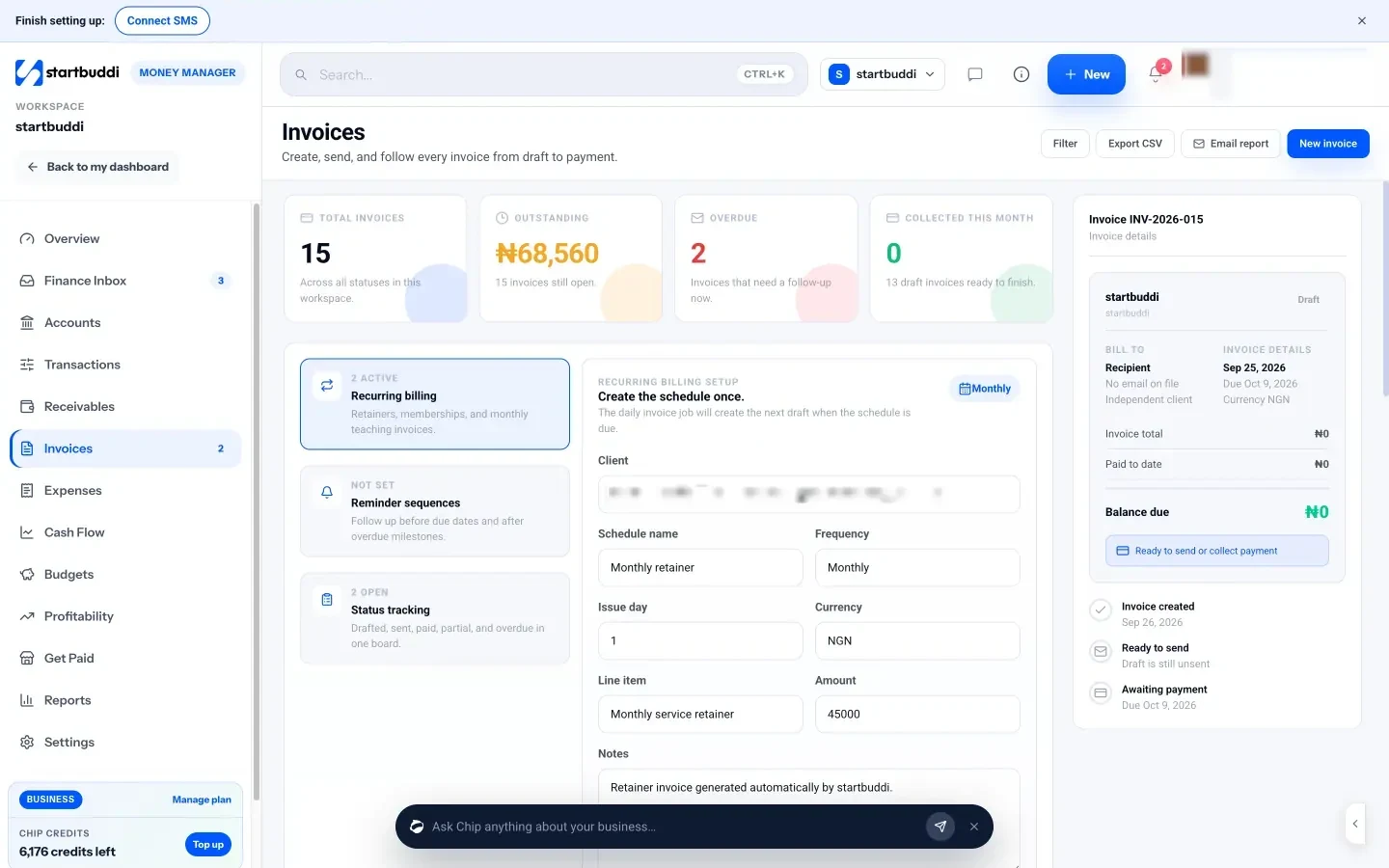
- Invoices with a pay button. Create an invoice in Money Manager, turn on Paystack and/or Stripe, and send it. The client opens it online and pays by card (and by bank transfer, USSD or mobile money through Paystack in supported countries), and the invoice is marked paid automatically. Your bank details and a PayPal link can also appear on the invoice; those payments are recorded by you when they arrive, using Record payment.
- Every way to get paid in one place. Get Paid has payment links, a pay me page, quick sales, QR codes and subscriptions for retainers billed through Paystack or Stripe.
- See who owes you. Receivables shows outstanding and overdue amounts, a Remind button on each open invoice, and Chip can draft a friendlier reminder.
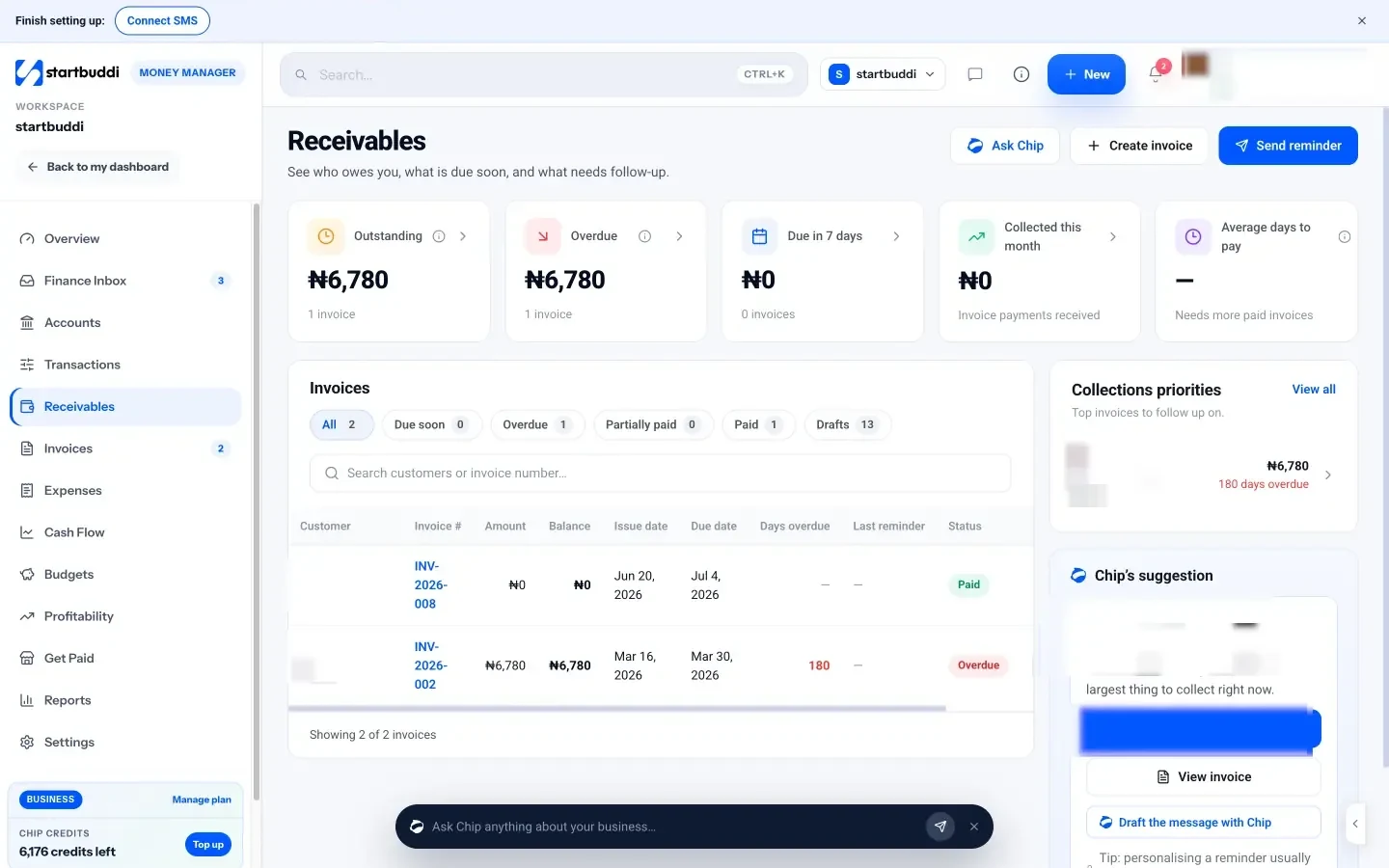
Money Manager is on every plan. Free includes 5 invoices a month; Starter and above include unlimited invoices. Payment links and the pay me page need a connected, verified Paystack or Stripe account. startbuddi is not accounting software, so keep your bookkeeping or accountant for tax returns. See payment links for freelancers and pricing.
Your next step
List your last ten clients and how each one paid you. Pick the two methods that would have covered all ten, set them up this week, and add your payment terms to your next proposal. Then send your next invoice the day the work is done.
Sources
- Upwork: 64 million Americans freelanced in 2023
- Stripe: Pricing
- Stripe: Global availability
- Paystack: Transactions pricing
- Wise Help Centre: How do I open account details to receive money?
- PayPal Nigeria: How to receive money on PayPal
- GOV.UK: Charging interest on commercial debt
- Freelancers Union: The Freelance Isn’t Free law
- IRS: What kind of records should I keep
- IRS: About Form W-8BEN
Frequently asked questions
What is the cheapest way to collect payment online from clients abroad?
For large, regular payments, a local transfer into a multi-currency account is often cheaper than card processing. For smaller or one-off jobs, a card payment is simpler. Compare the total cost, including conversion.
Should freelancers ask for a deposit?
For new clients and projects of any size, yes. A deposit confirms commitment and covers your early time. Many freelancers ask for 30 to 50%.
Can I add card fees to my invoice?
Rules on surcharges differ by country and card network. It is usually simpler to build expected fees into your prices.
Do I need a registered business to collect payment online?
Not always. Some gateways offer accounts for unregistered sellers with limits. Registration usually unlocks higher limits and more features.
Tiwalade Joanna Okedara-Kalu is the founder, CEO and CTO of startbuddi, the business system that brings clients, bookings, invoices, projects, marketing and the Chip AI assistant into one place. Tiwalade builds software around how service businesses really work day to day, and writes about client management, getting paid on time and why small businesses outgrow the tools they start with.
Founded startbuddi and leads its product and engineering