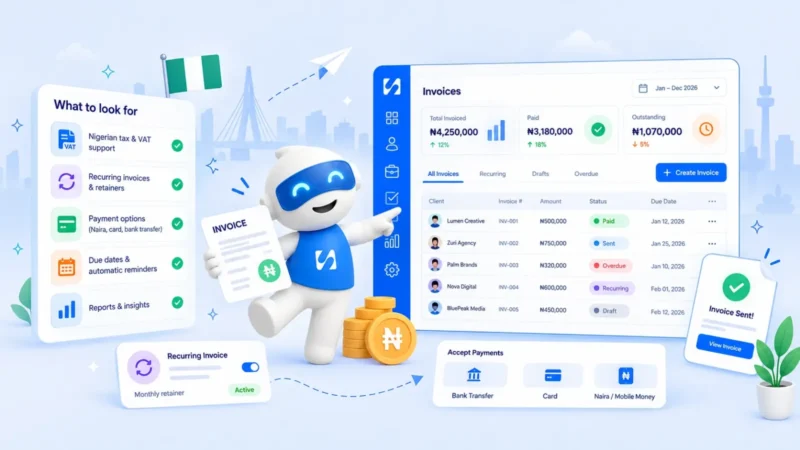
Invoice vs receipt: what is the difference, and when do you need each?
An invoice asks for payment and a receipt proves it was paid. Here's when to use each, what they must include, and how to handle deposits, part payments and refunds.


Chinonye wrote this while on the startbuddi team. The product has changed since, so the team updated it on .
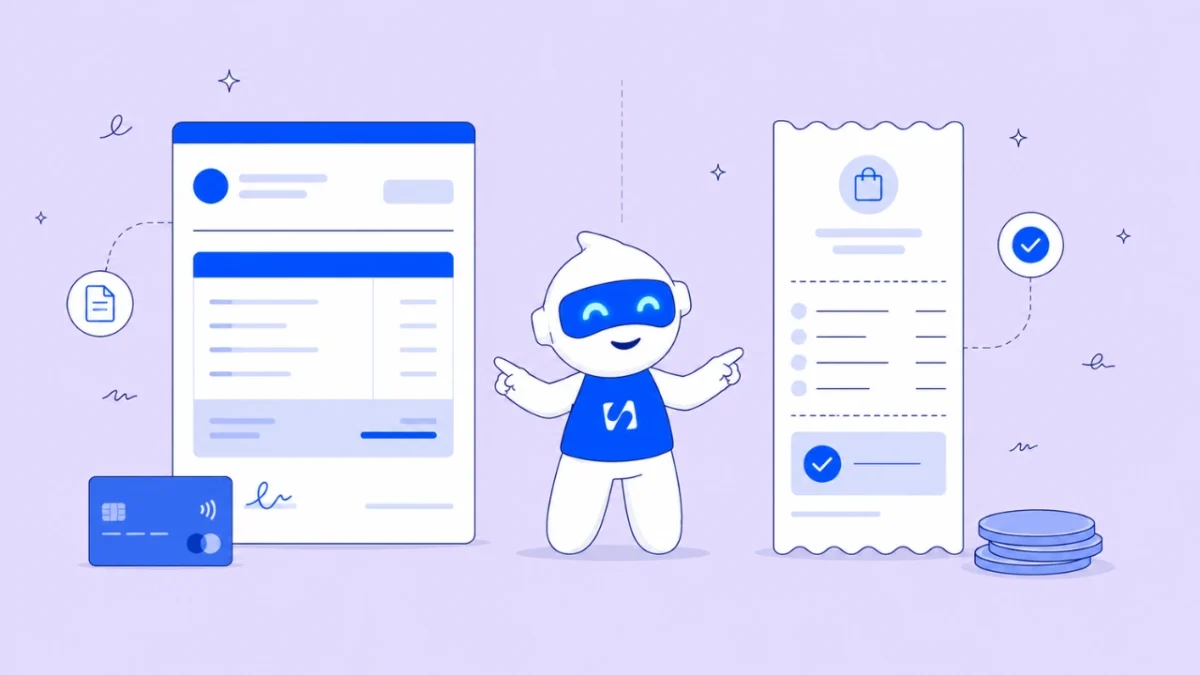
- An invoice tells a customer what they owe and how to pay; a receipt confirms they paid. Send invoices whenever payment comes after the sale, issue a receipt for every payment, and keep both, plus your own expense receipts, for as long as your tax authority requires.
The short answer to invoice vs receipt: an invoice asks for money, and a receipt proves money was paid. You send an invoice before you are paid, to tell a customer what they owe, by when and how to pay. You issue a receipt after you are paid, to confirm the amount, the date and the method. One starts the payment, the other closes it.
That sounds simple, and for a single cash sale it is. It gets harder with deposits, part payments, retainers, refunds and bank transfers that arrive with no reference. This post walks through when to use each document, what each must include, the awkward in-between cases, how long to keep them, and a simple system so nothing goes missing. It’s written for freelancers, service businesses and small shops anywhere, from London to Lagos to Nairobi.
General information, not tax or legal advice. The rules for what an invoice or receipt must show differ by country, and sometimes by whether you are registered for VAT or GST. Check with your tax authority or an accountant.
Invoice vs receipt: the key differences at a glance
If you only read one section, read this table. It covers the questions people ask most when they compare the two documents.
| Invoice | Receipt | |
|---|---|---|
| What it says | “You owe me this amount” | “You paid me this amount” |
| When it’s issued | Before payment (or when payment is due) | After payment |
| Who usually issues it | The seller | The seller, to the buyer |
| Key dates | Invoice date, supply date, due date | Date the payment was received |
| Payment details | How to pay: bank details, payment link, terms | How it was paid: card, transfer, cash, reference |
| What it does for your books | Records income you are owed (a receivable) | Records income received, or proves a business expense |
| Typical status | Draft, sent, overdue, part paid, paid | Final. If something changes, you issue a refund or credit note |
For a plain definition of both terms, see our glossary entry on the difference between an invoice and a receipt. The rest of this post is about using them well in a real business.
When to send an invoice (and when you can skip it)
Send an invoice whenever a customer will pay you later than the moment you hand over the goods or finish the work. That covers almost every service business: design, consulting, cleaning contracts, repairs, coaching packages, agency retainers and wholesale orders.
Situations that always need an invoice
- Work done on credit. You finished the job and the client pays within 7, 14 or 30 days.
- Business customers. Most companies can’t pay a supplier without an invoice, because their own bookkeeping needs one to record the cost.
- Deposits and milestones. Each stage payment gets its own invoice, so both sides can see what has been billed and what is left.
- Recurring work. A monthly retainer or subscription gets a new invoice each period.
When a receipt alone is enough
If a customer pays in full at the moment of sale, for example buying a product in a shop, paying for a haircut at the chair or buying a download online, there’s nothing to invoice. You take payment and give a receipt. Many online stores do this automatically: the order confirmation or payment email doubles as the receipt.
A good rule: if there is any gap between “the customer owes me” and “the customer paid me”, that gap needs an invoice. If there’s no gap, a receipt covers it.
What an invoice must include
Requirements vary by country, but the UK government’s list is a sensible baseline that works almost anywhere. According to GOV.UK’s guidance on invoices, every invoice should show:
- A unique invoice number
- Your business name, address and contact details
- The customer’s name and address
- A clear description of what you’re charging for
- The date the goods or service were supplied
- The invoice date
- The amount charged, any VAT, and the total owed
Sole traders in the UK also need their own name alongside any trading name, and limited companies must use their full registered name. If you and your customer are both VAT registered, a fuller VAT invoice is needed, which HMRC sets out in VAT Notice 700.
Things that aren’t required but get you paid faster
- A clear due date, written as a date (“Due 14 March”), not only as terms (“Net 14”).
- Every way to pay: a payment link for cards, your bank details for transfers, and the reference you want them to use.
- A contact name on their side, so the invoice lands with the person who approves payments.
- A purchase order number if the client gave you one. Larger companies often reject invoices without it.
We cover this in more depth in how to create a professional invoice that gets paid faster. If you just need a document now, the free invoice generator builds one in your browser.
What a receipt should include
A receipt is shorter, because its only job is to prove a payment happened. A useful receipt shows:
- A receipt number (many businesses reuse the invoice number with a suffix, such as INV-104-R)
- Your business name and contact details
- The customer’s name
- The date the payment was received
- The amount paid and the currency
- The payment method: card, bank transfer, mobile money, cash
- A payment reference or transaction ID where there is one
- What the payment was for, or which invoice it settles
- Any balance still owed, if it was a part payment
That last point matters more than people think. A receipt that says “Received $500 against invoice INV-104, balance remaining $1,500” saves an argument three months later. Our free receipt generator includes every item on this list and shows part payments with the balance still due.
The in-between cases: deposits, part payments, pro formas and refunds
Most confusion about invoice vs receipt comes from payments that don’t happen in one clean step. Here is how to handle the common ones.
Deposits
If you ask for 50% upfront, invoice the deposit on its own, then give a receipt when it’s paid. At the end, send a final invoice for the balance that shows the deposit already received. Our guide to how much deposit to charge clients covers the amounts and wording.
Part payments
Keep one invoice open and issue a receipt for each payment. The invoice status moves from “sent” to “part paid” to “paid”. Don’t create a new invoice for the remaining balance, because it makes the total billed look larger than it is.
Pro forma invoices and quotes
A pro forma invoice is a preview of the final bill. It’s often used when a customer needs a document to get a payment approved, or for imports and customs. It isn’t a demand for payment and shouldn’t go into your income records. The same is true of a quote or estimate. Once the customer agrees, you issue a real invoice.
Refunds and corrections
Never edit an invoice after it’s sent, and never delete one. If the amount was wrong or the customer returns something, issue a credit note that references the original invoice, then refund and record it. Your numbering stays unbroken, which is what an auditor or tax officer wants to see.
Bank transfers with no reference
A transfer arrives for $750 and the note says “payment”. Match it to the open invoice with that amount, confirm with the customer if two invoices share the same total, then record the payment and send the receipt. This is the most common way small businesses lose track of who has paid.
Receipts on the other side: proving your own expenses
So far we’ve talked about receipts you give. The receipts you receive matter just as much, because they prove your business costs. Without them, you may not be able to claim an expense against your tax bill.
The IRS guide to business records lists invoices, card receipts, account statements and proof of payment as the documents that support expenses, and notes that you may need a combination of them. In other words, a supplier’s invoice shows what you were charged, and the receipt or bank record shows you actually paid it.
Some countries go further. In Kenya, the Kenya Revenue Authority’s eTIMS system requires businesses to issue electronic tax invoices, and expenses generally need a valid eTIMS invoice to count for tax, with a short list of exceptions such as salaries, imports and bank fees. If you operate somewhere with a tax authority e-invoicing system, the document your tax office accepts is the one that counts, whatever your own software produces.
The habit that saves the most pain is simple: photograph or save every receipt the day you get it, and attach it to the expense record. Our glossary page on expense tracking explains the basics.
How long to keep invoices and receipts
Keep copies of every invoice you send, every receipt you issue, and every receipt and supplier invoice you receive. How long depends on where you are. A few examples from official sources:
| Country | General rule | Source |
|---|---|---|
| United States | Usually 3 years from filing, longer in some cases (for example 6 years if income was substantially under-reported) | IRS |
| United Kingdom (self-employed) | At least 5 years after the 31 January filing deadline for that tax year | GOV.UK |
| Canada | Generally 6 years from the end of the last tax year the records relate to | CRA |
In Nigeria, tax administration moved from FIRS to the Nigeria Revenue Service in 2026, so check its current guidance on record keeping and invoicing. Wherever you are, digital copies are usually fine as long as they are complete and readable, and keeping records longer than required rarely hurts.
A simple system for invoices and receipts
You don’t need accounting software to keep this tidy. You need a routine that happens every time.
- Number everything in one sequence. INV-001, INV-002 and so on, with no gaps and no reused numbers.
- Invoice the day the work is done, or on the agreed billing date. Late invoices get paid late.
- Record every payment against its invoice as soon as it lands, including cash and transfers.
- Send a receipt with every payment, even when the customer didn’t ask. It builds trust and ends “did you get my transfer?” messages.
- Check open invoices once a week. Anything past due gets a polite reminder. Our post on sending invoices and getting paid via Paystack shows how online payment speeds this up.
- Save expense receipts the same day and give each one a category.
- Once a month, reconcile: every payment in your bank or payment account should match an invoice or an expense.
Common mistakes to avoid
- Calling an invoice a receipt (or the reverse). A document titled “Receipt” that asks for payment confuses customers and their accountants.
- Marking an invoice paid before the money clears. Wait until the payment shows in your account.
- Reusing or skipping invoice numbers. Gaps look like missing income to a tax officer.
- Relying on chat screenshots as receipts. A WhatsApp “sent!” message isn’t proof of payment. Record the actual transaction reference.
- Mixing personal and business payments, which makes it almost impossible to tell which receipts belong to the business.
How startbuddi helps
startbuddi isn’t accounting software, and it doesn’t replace a tax authority e-invoicing system where your country requires one. What it does is keep the invoice, the payment and the receipt connected to the same customer, so you can always answer “has this been paid?”
Invoices that track themselves
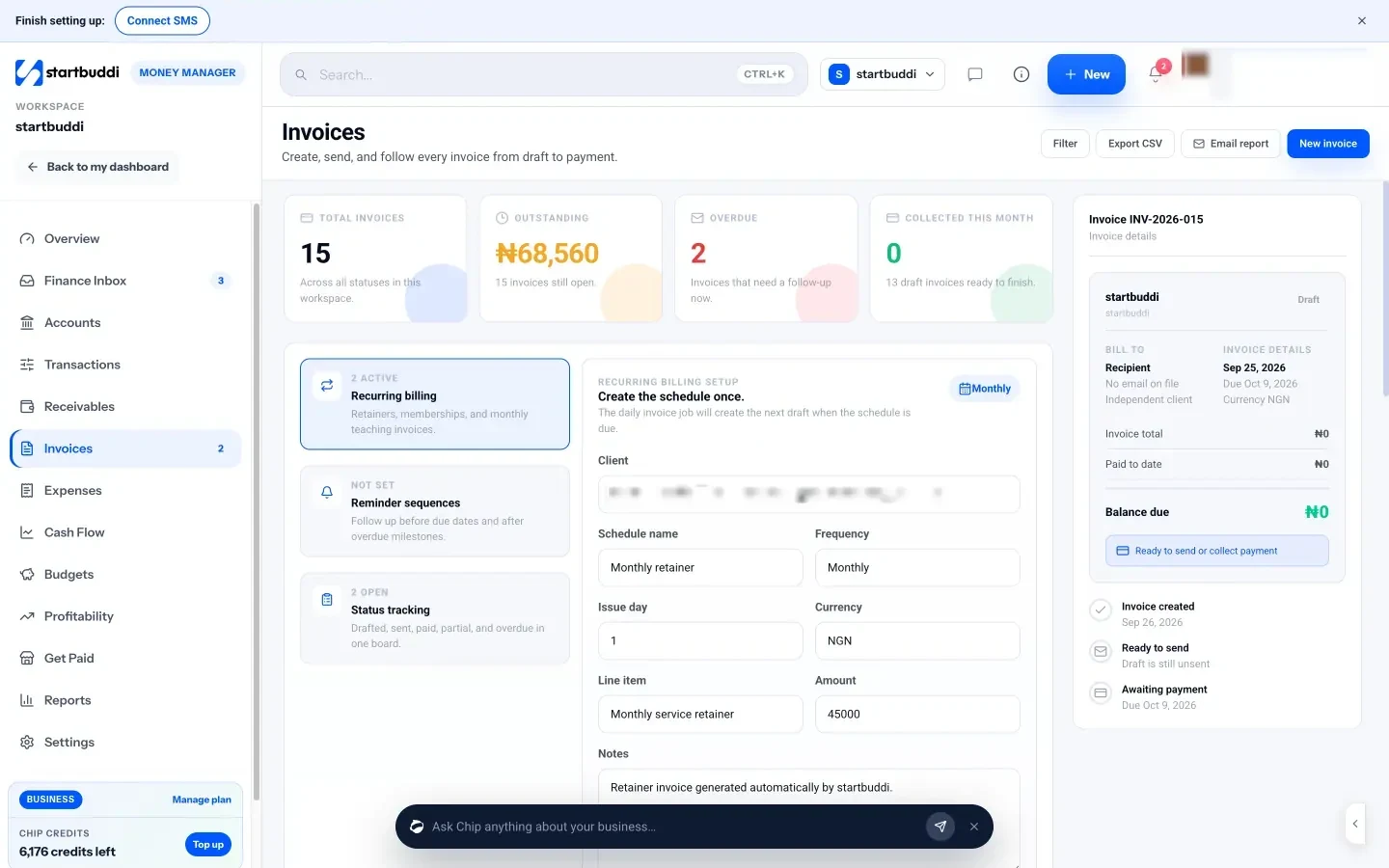
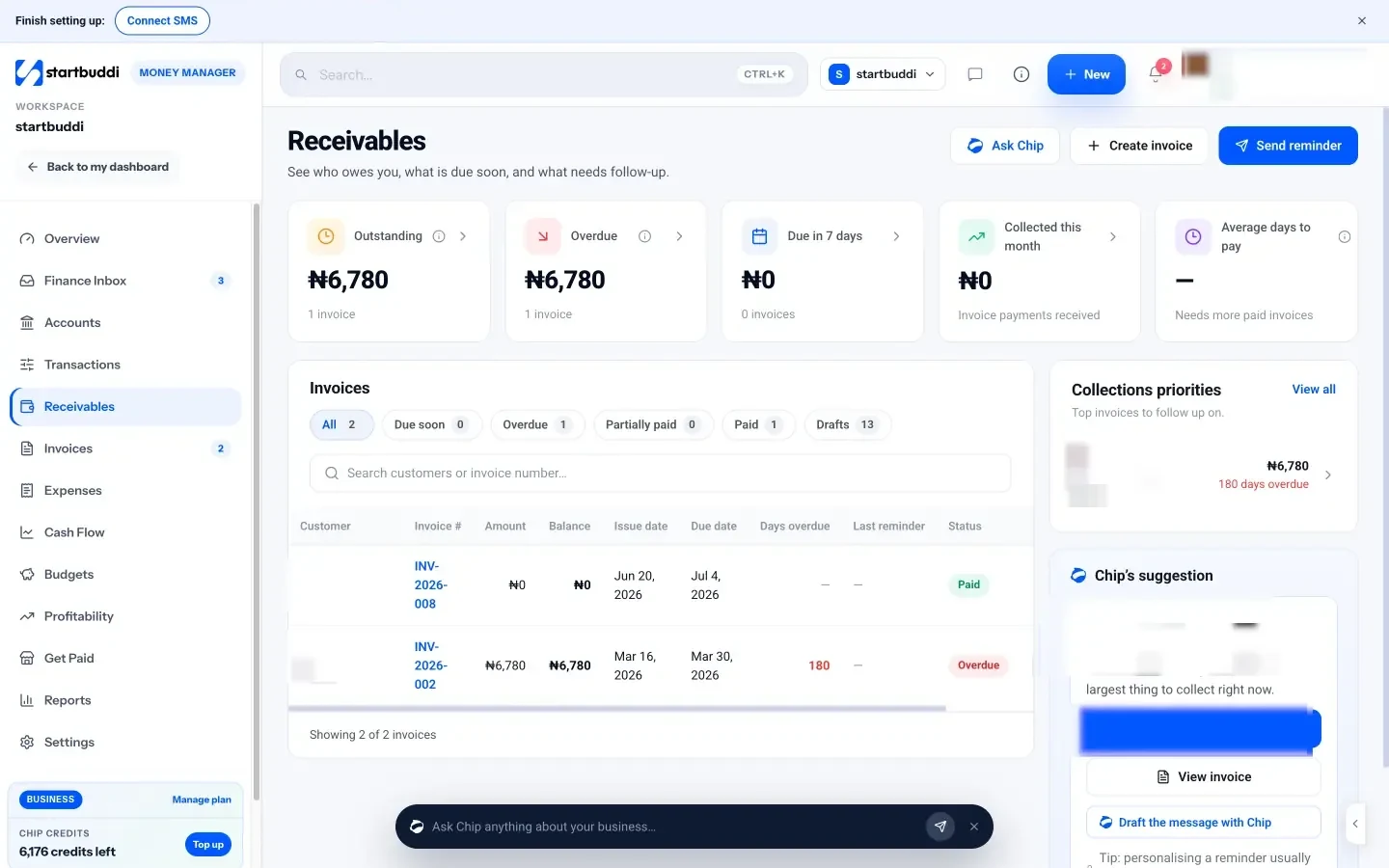
In Money Manager’s Invoices, you create an invoice for a contact or a one-off customer, add line items, tax and discount, and choose how they can pay. Each invoice moves through Draft, Sent, Viewed, Partially paid, Paid or Overdue. The customer gets a link to a public invoice page where they can pay by card through Stripe or Paystack, or see your bank transfer details. Stripe and Paystack payments are recorded automatically and the invoice is marked paid.
Recording payments that arrive outside startbuddi
For a bank transfer, cash or a card payment taken elsewhere, open the invoice and use Record payment. You enter the amount (part payments are allowed), the method, the date and a note such as the transfer reference. startbuddi creates a payment and a receipt record, updates the balance, and the invoice shows Partially paid or Paid. Receivables then shows who still owes you, what’s overdue and the average days to pay.
Receipts for what you spend
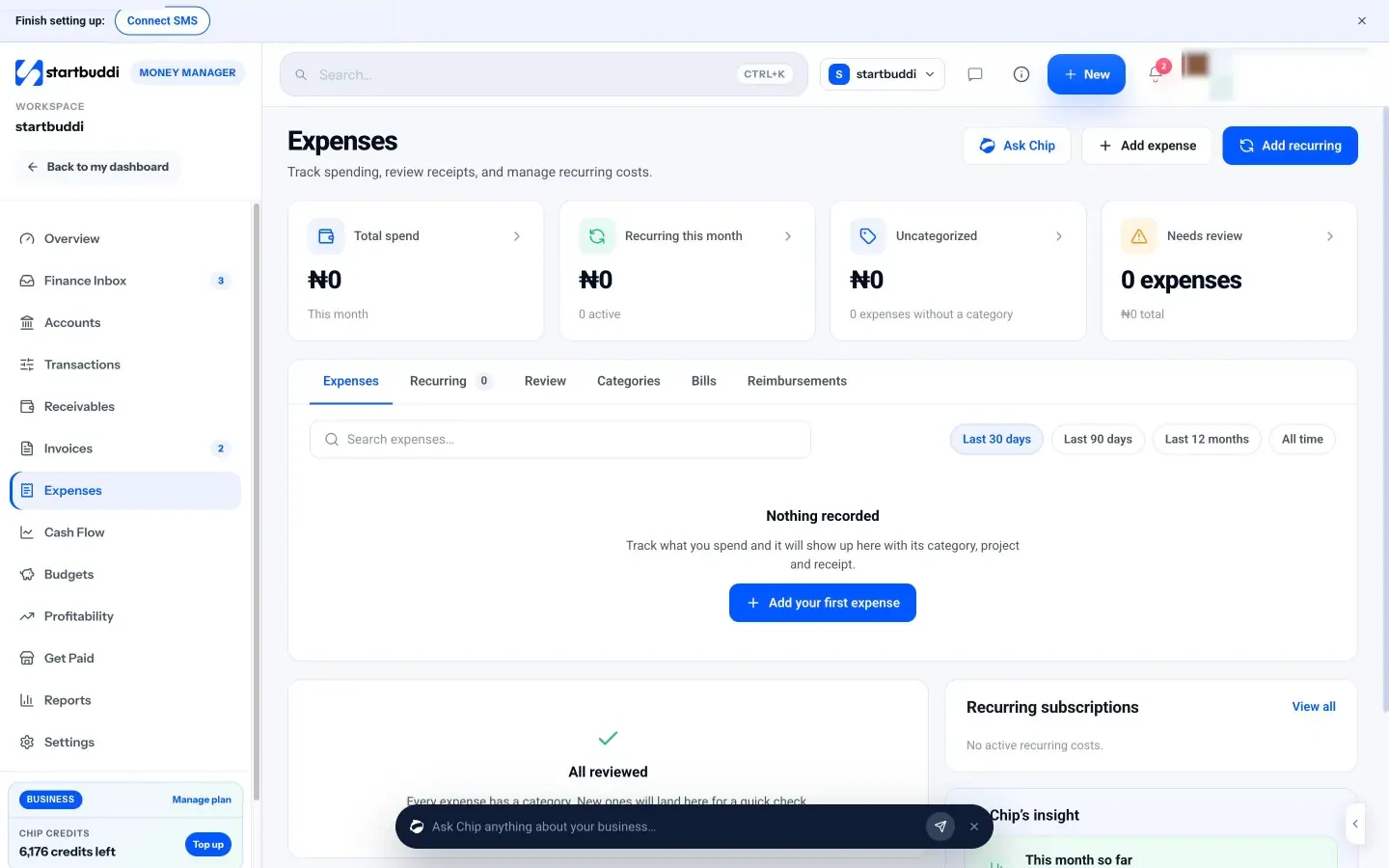
On the other side, Expenses lets you log a cost with its vendor, amount, category and date, and attach the receipt as an image or PDF. A Review queue steps through uncategorised expenses and suggests the category that vendor was given last time. Every payment in and out then appears in Transactions.
If you sell through a startbuddi online store, each paid order has a printable receipt page, linked from the customer’s email. The Free plan includes 5 invoices a month, and every paid plan from Starter up includes unlimited invoices. For other ways to collect money, see Get Paid.
Your next step
Pick your last five paid jobs and check each one: is there an invoice, a record of the payment, and a receipt the customer received? Fix any gaps today, then set a numbering format you’ll use from now on. When you want invoices, payments and receipts in one place, you can compare plans on the pricing page and start on Free.
Sources
- GOV.UK: Invoicing and taking payment from customers, what invoices must include
- HMRC: VAT guide (VAT Notice 700)
- IRS: What kind of records should I keep
- IRS: How long should I keep records
- GOV.UK: Business records if you’re self-employed, how long to keep your records
- Canada Revenue Agency: How long to keep your records
- Kenya Revenue Authority: What is eTIMS
- Nigeria Revenue Service
Frequently asked questions
Can an invoice be used as a receipt?
Not on its own. An invoice shows what was owed. Once it's paid, mark it paid and issue a receipt, or send the invoice again stamped paid with the payment date, method and reference.
Do I need to give a receipt if the customer paid by bank transfer?
It isn't always a legal requirement, but it's good practice. The customer's bank record shows money left their account; your receipt confirms you received it and what it paid for.
Is a proforma invoice the same as an invoice?
No. A pro forma invoice is a preview used for approvals or customs. It doesn't create a debt and shouldn't be recorded as income. Issue a real invoice once the order is confirmed.
What is the difference between a receipt and a bill?
A bill is another word for an invoice you receive from a supplier: it asks you to pay. A receipt is the proof you get after paying it.
SEO Copywriter| Email growth Specialist| I help businesses increase revenue with strategic SEO content & high-converting email funnels.