
startbuddi vs HubSpot: an honest comparison
HubSpot is a CRM with separate paid hubs for marketing, sales, service, content and data, priced per seat and with large steps up to its Professional plans. startbuddi puts a CRM, shared inbox, email and WhatsApp marketing, pages, bookings and invoices in one workspace for small teams; pick HubSpot if you need its depth and app marketplace, and startbuddi if you want one simpler place to run the business.
startbuddi is best for
Small businesses that want CRM, inbox, marketing and invoices in one workspace
 HubSpot
HubSpot is best for
Growing teams that want CRM, marketing, sales and service hubs from one vendor
At a glance
Where each one is stronger
The short version. HubSpot first, because it does some things better than we do.
HubSpot is stronger at
startbuddi is stronger at
Feature by feature
| Feature | startbuddi | HubSpot |
|---|---|---|
| Free planFree plan: 1 seat and 250 contacts | Yes | Yes, 2 users and 1,000 contactsSource (opens in a new tab) |
| Contacts and companies | Yes | YesSource (opens in a new tab) |
| Deal pipelinesSeveral pipelines, each with its own stages | Yes | Up to 15 on Sales Hub StarterSource (opens in a new tab) |
| Shared inboxWhatsApp, email, SMS, web chat, Instagram and Facebook | Yes | Sales Hub Starter and upSource (opens in a new tab) |
| WhatsApp in the inbox | Starter plan and up | Marketing/Service Hub Professional+Source (opens in a new tab) |
| Email marketingThe Marketing hub is not on the Free plan | Starter plan and up | Free: 2,000 sends a monthSource (opens in a new tab) |
| Landing pages | Yes | Free tools: up to 30 pagesSource (opens in a new tab) |
| Website live chat | Yes | Free, with HubSpot brandingSource (opens in a new tab) |
| Invoices and online paymentsPaystack or Stripe; a paid invoice marks the deal won | Yes | Starter and upSource (opens in a new tab) |
| Native mobile appsWeb app only; works in a mobile browser | No | IOS and AndroidSource (opens in a new tab) |
| Public APINot available yet; startbuddi connects to Zapier | No | YesSource (opens in a new tab) |
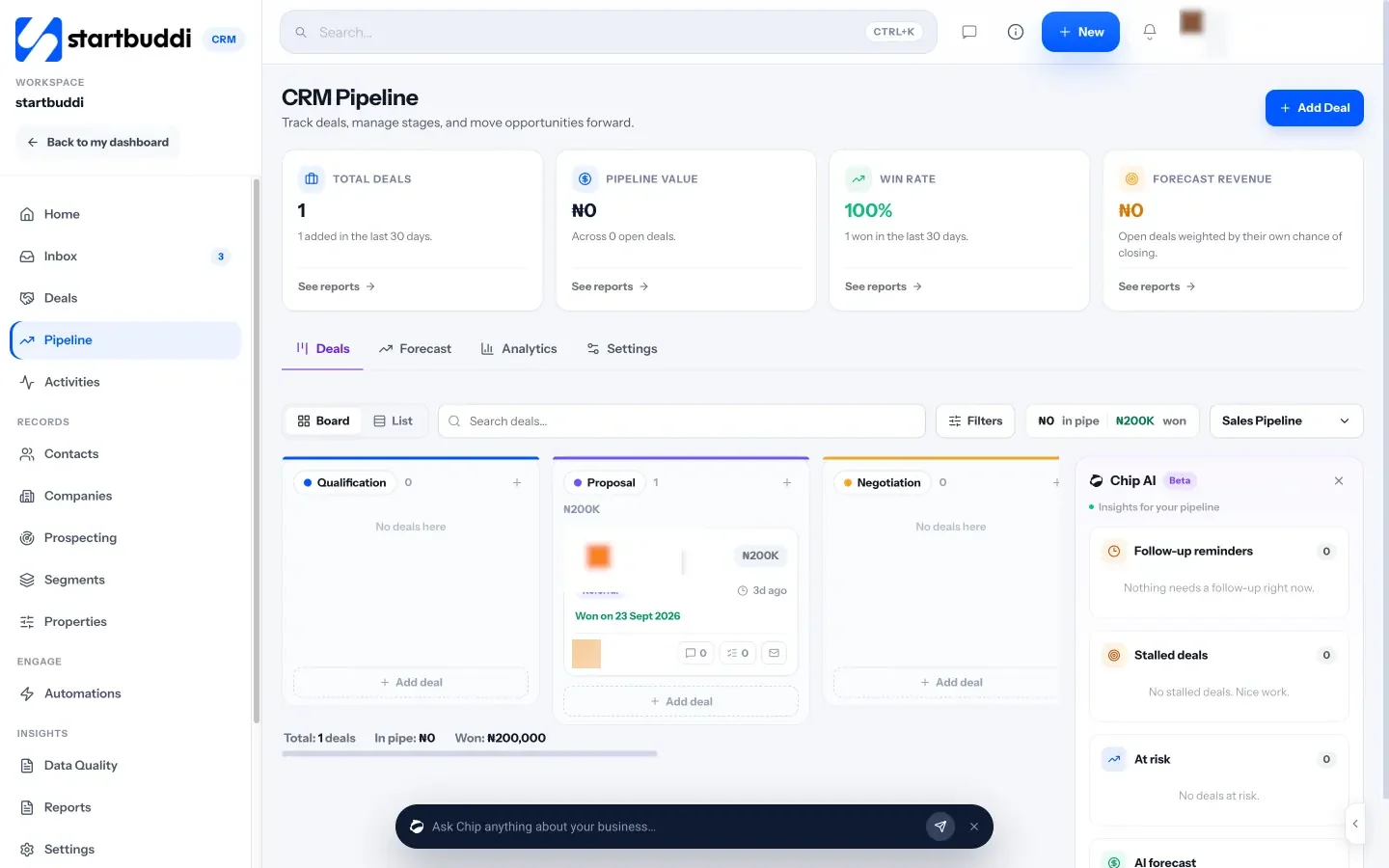
What each one looks like
Real screens, captured by us or taken from the official press kit, each dated.


Pricing side by side
List prices as each company publishes them. We never convert currencies.
startbuddi
- FreeFree
- Starter$29 a month
- Growth$79 a month
- Scale$199 a month
HubSpot
- Free toolsFreeSource (opens in a new tab)
- Starter Customer Platform$20 USD per seat per monthSource (opens in a new tab)
- Sales Hub Professional$90 USD per seat per month, billed annually, plus a one-time $1,500 onboarding feeSource (opens in a new tab)
- Sales Hub Enterprise$150 USD per seat per month, plus a one-time $3,500 onboarding feeSource (opens in a new tab)
- Marketing Hub Professional$800 USD per month, includes 3 core seats, plus a one-time $3,000 onboarding feeSource (opens in a new tab)
- Marketing Hub Enterprise$3,600 USD per month, includes 5 core seats, plus a one-time $7,000 onboarding feeSource (opens in a new tab)
Switching from HubSpot
What moving across involves.
- Export your records from HubSpotIn HubSpot, export your contacts as a CSV file. HubSpot emails you a download link. If you export as Excel, save the file as CSV before you import it.
- Bring them into startbuddiIn Customers → Contacts, click Import and drop in the CSV (up to 10,000 contacts at a time). Check which column goes to which field, choose whether contacts you already have are updated or left alone, then import. There is no one-click HubSpot connection yet, and deals don't come across in the import, so recreate open deals in your pipeline.
- Connect your channelsConnect email, WhatsApp, Instagram, Facebook or website chat so customer messages land in the shared inbox.
- Rebuild workflows and templatesHubSpot workflows and email templates don't transfer. Rebuild them in Automations and the email builder, or describe an automation and let Chip draft it.
Sources
- HubSpot pricing: free tools and Starter (opens in a new tab)
- HubSpot Sales Hub pricing (opens in a new tab)
- HubSpot Marketing Hub pricing (opens in a new tab)
- HubSpot: connect WhatsApp to the inbox (opens in a new tab)
- HubSpot mobile app (opens in a new tab)
- HubSpot API overview (opens in a new tab)
- HubSpot: export records (opens in a new tab)
- startbuddi Customers (CRM) (opens in a new tab)
- startbuddi contacts and CSV import (opens in a new tab)
- startbuddi sales pipeline (opens in a new tab)
- startbuddi shared inbox (opens in a new tab)
- startbuddi Marketing hub (opens in a new tab)
- startbuddi email marketing (opens in a new tab)
- startbuddi landing pages (opens in a new tab)
- startbuddi Automations (opens in a new tab)
- startbuddi invoicing (opens in a new tab)
- startbuddi integrations (opens in a new tab)
- startbuddi pricing (opens in a new tab)
Questions people ask
Can I move my data from HubSpot to startbuddi?
Yes. Export your contacts from HubSpot as a CSV file and import the spreadsheet into startbuddi in Customers → Contacts. There is no one-click HubSpot connection yet, and deals, workflows and templates need to be recreated.
Does startbuddi have a free plan like HubSpot?
Yes. startbuddi has a Free plan with the CRM, inbox and invoicing, and every paid plan has a 30-day trial. The Marketing hub, Automations, WhatsApp and SMS start on the Starter plan.
Does startbuddi have a mobile app?
Not a native one. startbuddi is a web app that works in a phone's browser, while HubSpot offers iOS and Android apps.
Can I use startbuddi and HubSpot together?
startbuddi has no public API and no HubSpot connection yet, so there is no sync between the two. To move contacts across, export a CSV from HubSpot and import it into startbuddi.
Other comparisons
HubSpot alternatives


Try startbuddi alongside HubSpot.
Start on the free plan with a copy of your contacts and see how it fits before you decide.
Free plan available. Every paid plan starts with a 30-day trial.