
startbuddi vs Bonsai: an honest comparison
Bonsai is client management software for freelancers and small agencies, covering proposals, contracts, invoices, time tracking and projects, priced per user. startbuddi covers the same client work alongside a shared inbox, marketing, bookings and Paystack payments, so pick Bonsai for accounting connections and native apps, and startbuddi if you want client work and customer conversations in one workspace with a free plan to start.
startbuddi is best for
Freelancers and small teams who want client work, inbox, bookings and invoices together
 Bonsai
Bonsai is best for
Freelancers and agencies who send proposals and contracts, then invoice from tracked time
At a glance
Where each one is stronger
The short version. Bonsai first, because it does some things better than we do.
Bonsai is stronger at
startbuddi is stronger at
Feature by feature
| Feature | startbuddi | Bonsai |
|---|---|---|
| Free planFree includes 5 invoices a month | Yes | NoSource (opens in a new tab) |
| Invoices and online paymentsPaystack or Stripe, plus bank transfer details | Yes | Essentials plan and upSource (opens in a new tab) |
| ProposalsOne built-in proposal template | Yes | Essentials plan and upSource (opens in a new tab) |
| Contracts with e-signature | Yes | Essentials plan and upSource (opens in a new tab) |
| Client portalFree lets you build and preview a portal, not invite clients | Paid plans | Essentials plan and upSource (opens in a new tab) |
| Scheduling / bookings | Yes | Essentials plan and upSource (opens in a new tab) |
| Time trackingBillable hours tracked; no one-click time-to-invoice | Yes | YesSource (opens in a new tab) |
| Deals pipeline | Yes | Premium plan and upSource (opens in a new tab) |
| Gantt viewProject timeline with dependencies and milestones | Yes | Premium plan and upSource (opens in a new tab) |
| QuickBooks and Xero | No | Premium plan and upSource (opens in a new tab) |
| Shared inbox with WhatsAppWhatsApp, email, SMS, website chat, Instagram, Facebook | Yes | Not statedSource (opens in a new tab) |
| Mobile and desktop apps | Web only | IOS, Android, macOSSource (opens in a new tab) |
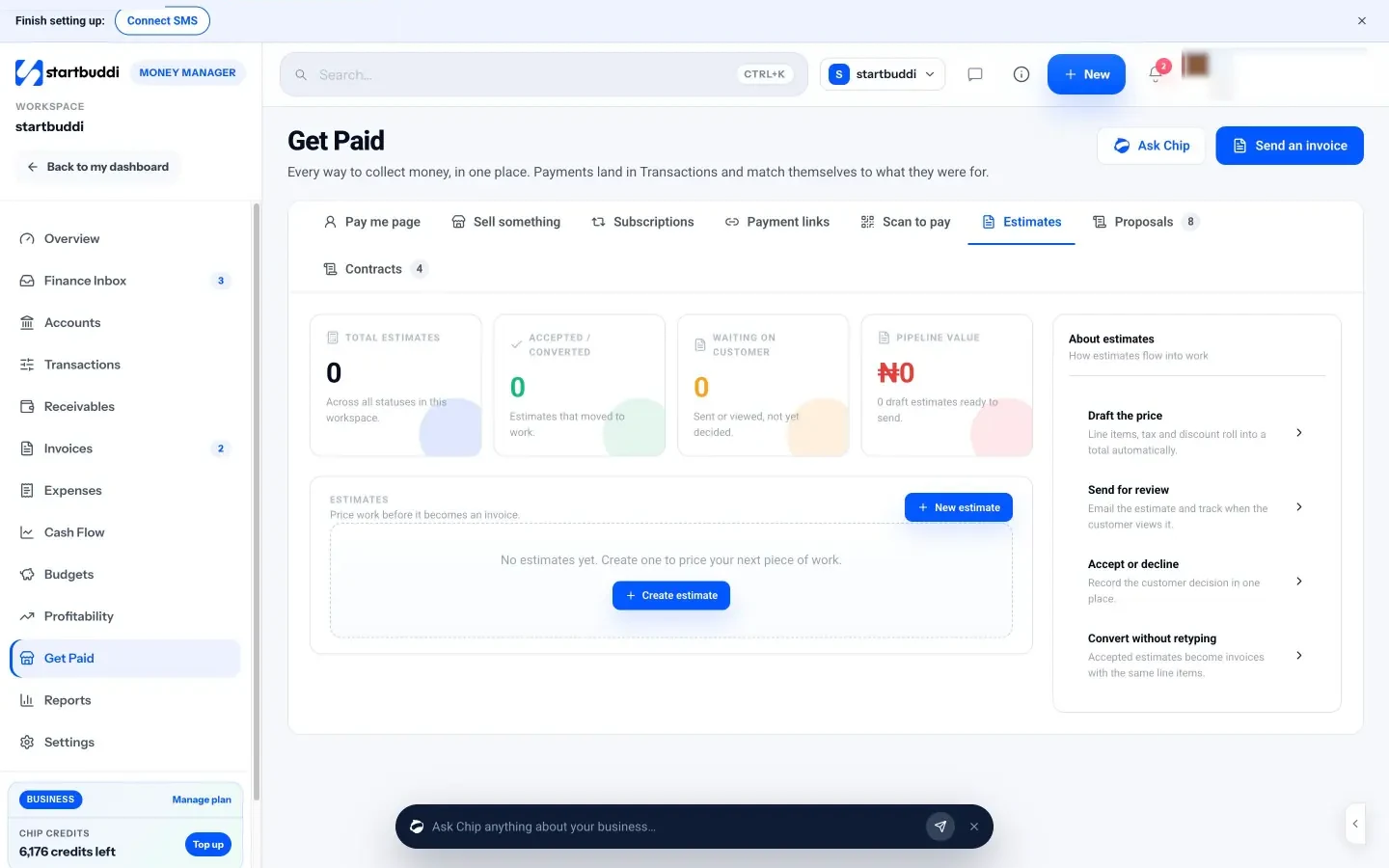
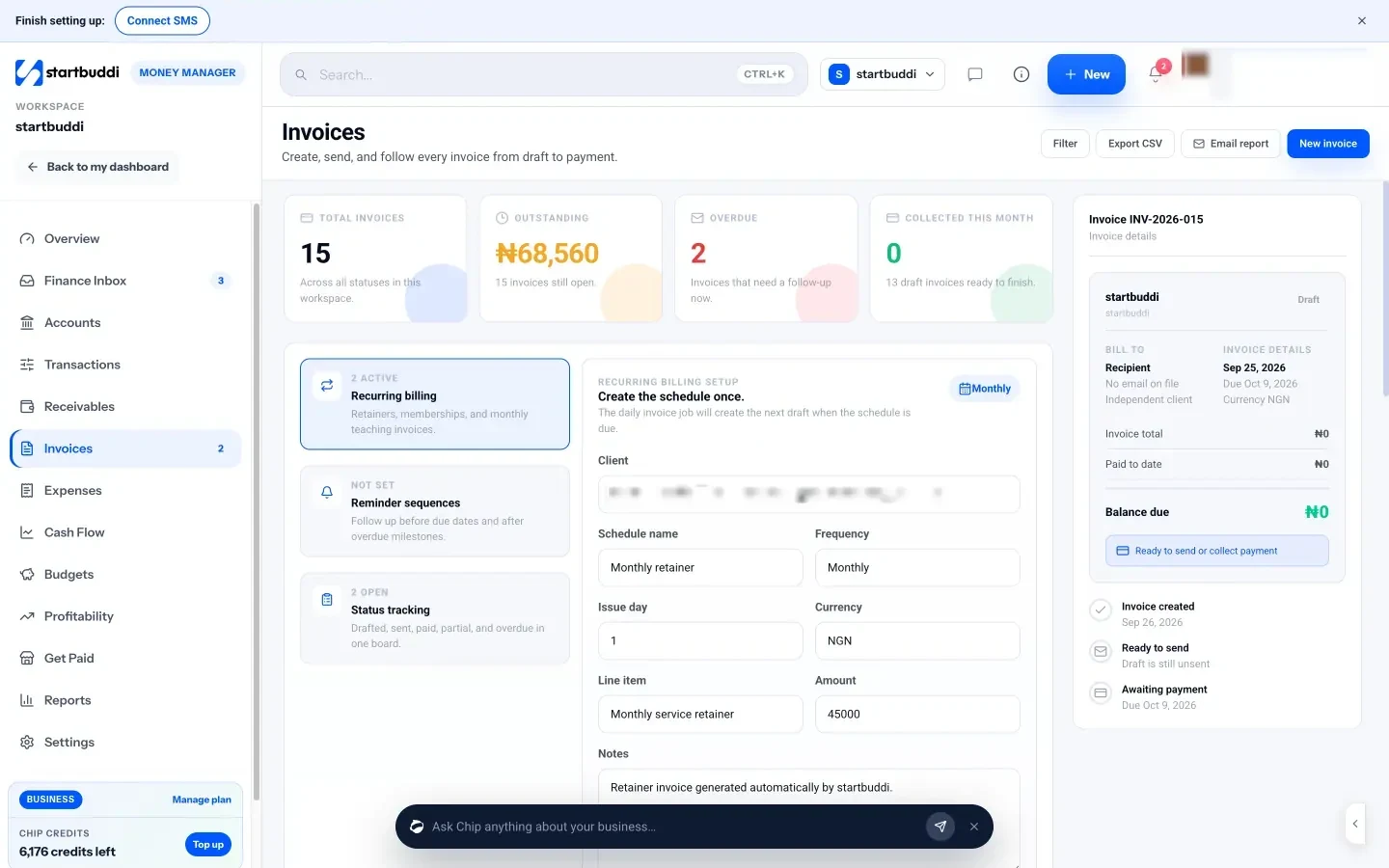
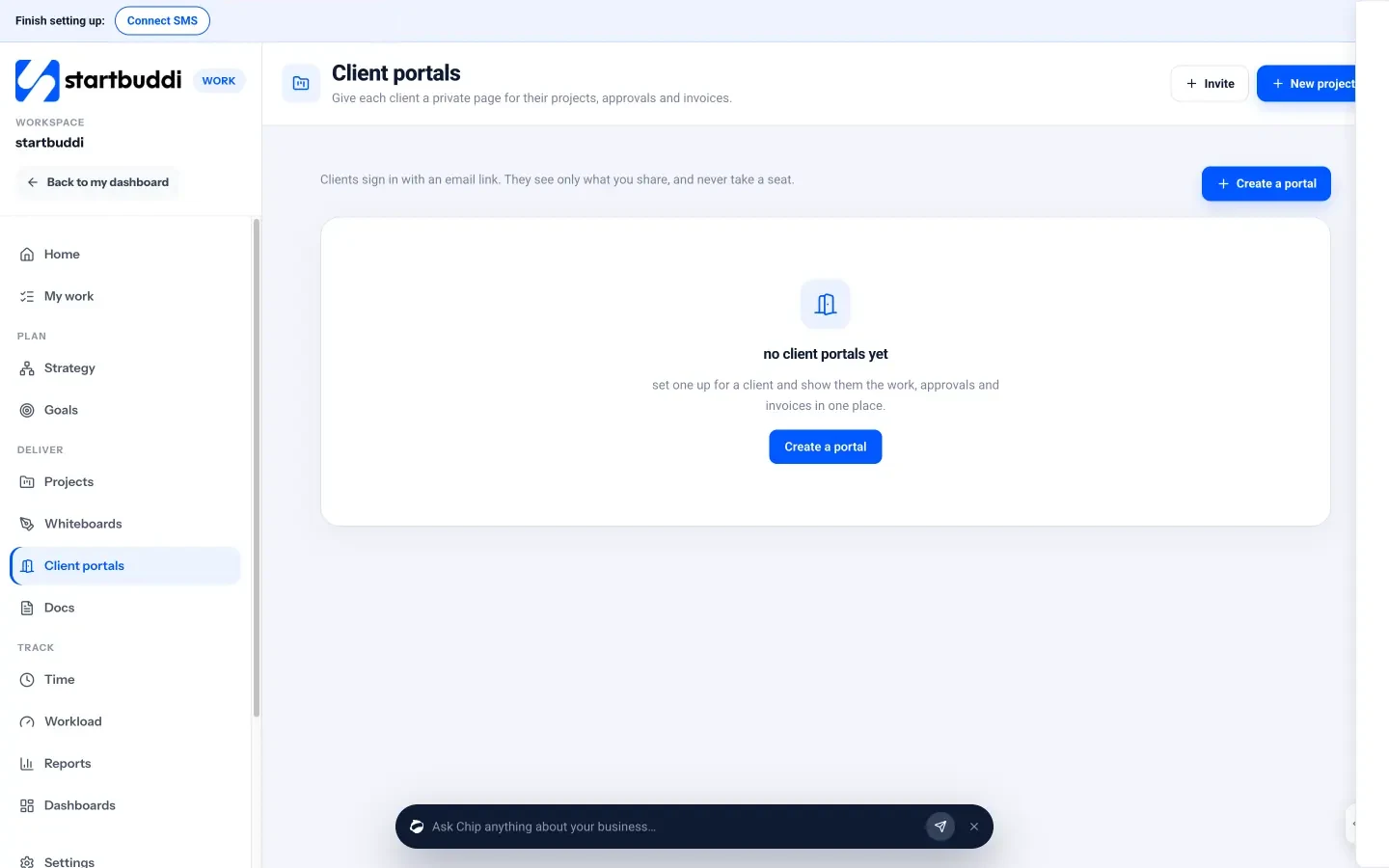
What each one looks like
Real screens, captured by us or taken from the official press kit, each dated.
Pricing side by side
List prices as each company publishes them. We never convert currencies.
startbuddi
- FreeFree
- Starter$29 a month
- Growth$79 a month
- Scale$199 a month
Bonsai
- Basic$9 USD per user per month, billed annually ($15 billed monthly)Source (opens in a new tab)
- Essentials$19 USD per user per month, billed annually ($25 billed monthly)Source (opens in a new tab)
- Premium$29 USD per user per month, billed annually ($39 billed monthly)Source (opens in a new tab)
- Elite$49 USD per user per month, billed annually ($59 billed monthly); 3-user minimumSource (opens in a new tab)
Switching from Bonsai
What moving across involves.
- Export your clients from BonsaiBonsai's help centre explains how to export account data as CSV files from Company Settings. Download your clients first.
- Import your clients as contactsIn startbuddi, go to Customers → Contacts → Import, upload the CSV, map the columns and review before importing.
- Rebuild your templatesRecreate proposals and contracts from startbuddi's templates in Money Manager → Get Paid, and set your invoice defaults. There's no automatic importer for Bonsai templates or projects.
- Set up projects and portalsCreate projects in Work, then add a client portal for each client and invite them by email link.
Sources
- Bonsai pricing (opens in a new tab)
- Bonsai help: export your account data (opens in a new tab)
- startbuddi Invoices (opens in a new tab)
- startbuddi Estimates, proposals & contracts (opens in a new tab)
- startbuddi Client portals (opens in a new tab)
- startbuddi Time tracking (opens in a new tab)
- startbuddi Inbox (opens in a new tab)
- startbuddi Bookings (opens in a new tab)
- startbuddi Contacts (opens in a new tab)
- startbuddi pricing (opens in a new tab)
Questions people ask
Can startbuddi turn tracked time into an invoice?
Not in one click yet. Time tracking in Work records billable hours and their value, and you add them to an invoice in Money Manager yourself.
Does startbuddi sync with QuickBooks or Xero?
No. startbuddi covers invoices, expenses, cash flow and simple profit and loss, but it isn't accounting software and has no QuickBooks or Xero sync.
Can I move my clients from Bonsai?
Bonsai's help centre explains exporting account data as CSV. Import the client CSV into startbuddi Contacts, then rebuild templates and projects by hand.
Does startbuddi have a free plan?
Yes. The Free plan includes contacts, bookings and up to 5 invoices a month, and every paid plan has a 30-day trial.
Other comparisons
All comparisons


Try startbuddi alongside Bonsai.
Start on the free plan with a copy of your contacts and see how it fits before you decide.
Free plan available. Every paid plan starts with a 30-day trial.