
startbuddi vs Wave: an honest comparison
Wave is invoicing and double-entry accounting software for businesses in the US and Canada, with a free plan for unlimited invoices and bookkeeping records. startbuddi is a business workspace where invoices, payment links and expenses sit next to your contacts, inbox and marketing; pick Wave if you need real bookkeeping in North America, and startbuddi if you want to get paid through Paystack or Stripe from the same place you run your customers.
startbuddi is best for
Small businesses that invoice from their customer list and take Paystack or Stripe payments
 Wave
WaveWave is best for
US and Canadian freelancers who want free invoicing and double-entry bookkeeping
At a glance
Where each one is stronger
The short version. Wave first, because it does some things better than we do.
Wave is stronger at
startbuddi is stronger at
Feature by feature
| Feature | startbuddi | Wave |
|---|---|---|
| Free planFree plan includes 5 invoices a month | Yes | YesSource (opens in a new tab) |
| Unlimited invoices on the free planUnlimited invoices from the Starter plan | No | YesSource (opens in a new tab) |
| EstimatesCustomers accept by replying to the email | Yes | YesSource (opens in a new tab) |
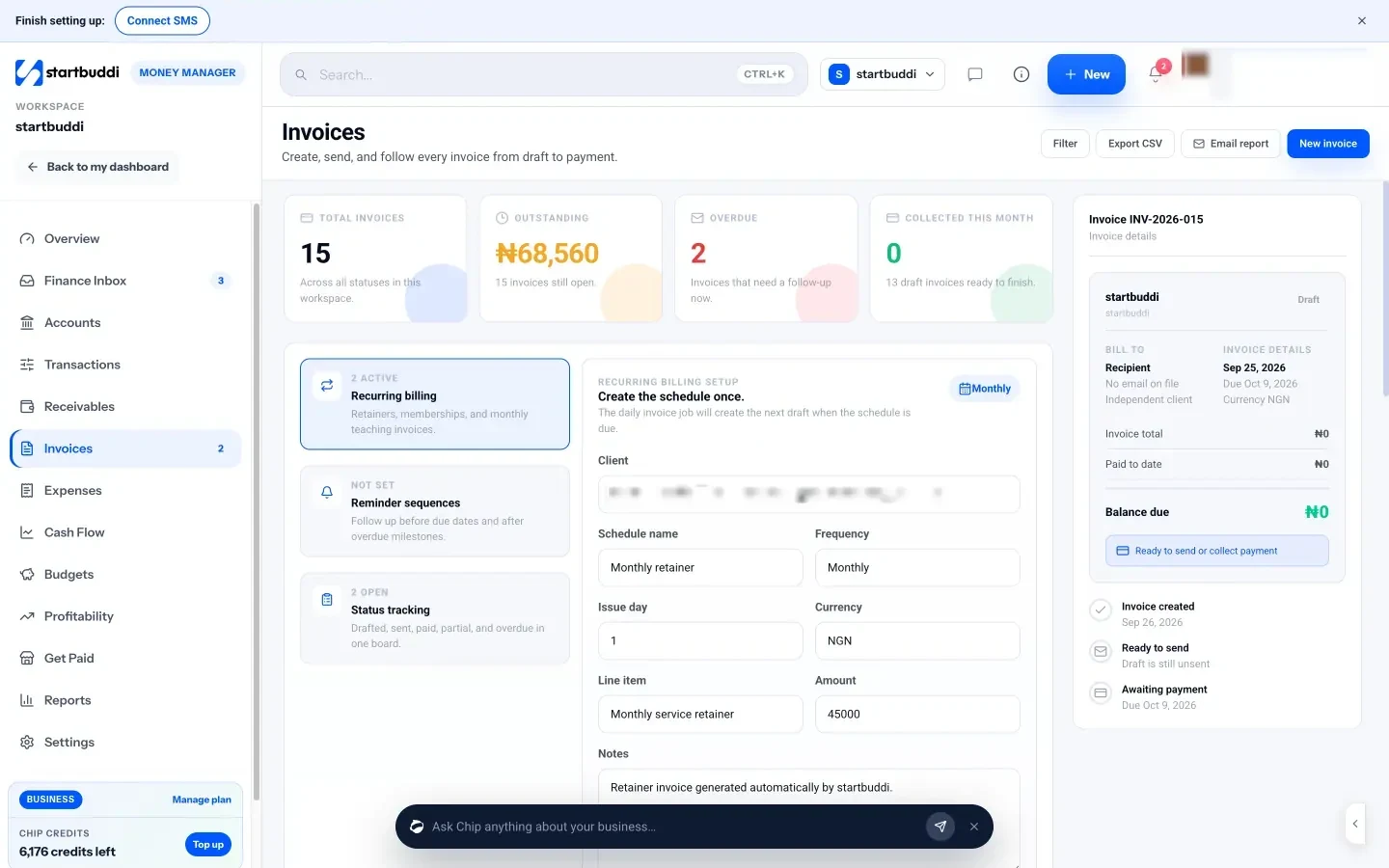
| Recurring invoicesDrafts rely on a daily job; check it's on before relying on it | Partial | YesSource (opens in a new tab) |
| Automatic late payment remindersOne-click Remind; automatic sequences rely on a daily job | Partial | Pro planSource (opens in a new tab) |
| Online card paymentsThrough your own Paystack or Stripe account | Yes | YesSource (opens in a new tab) |
| Automatic bank transaction import | No | Pro planSource (opens in a new tab) |
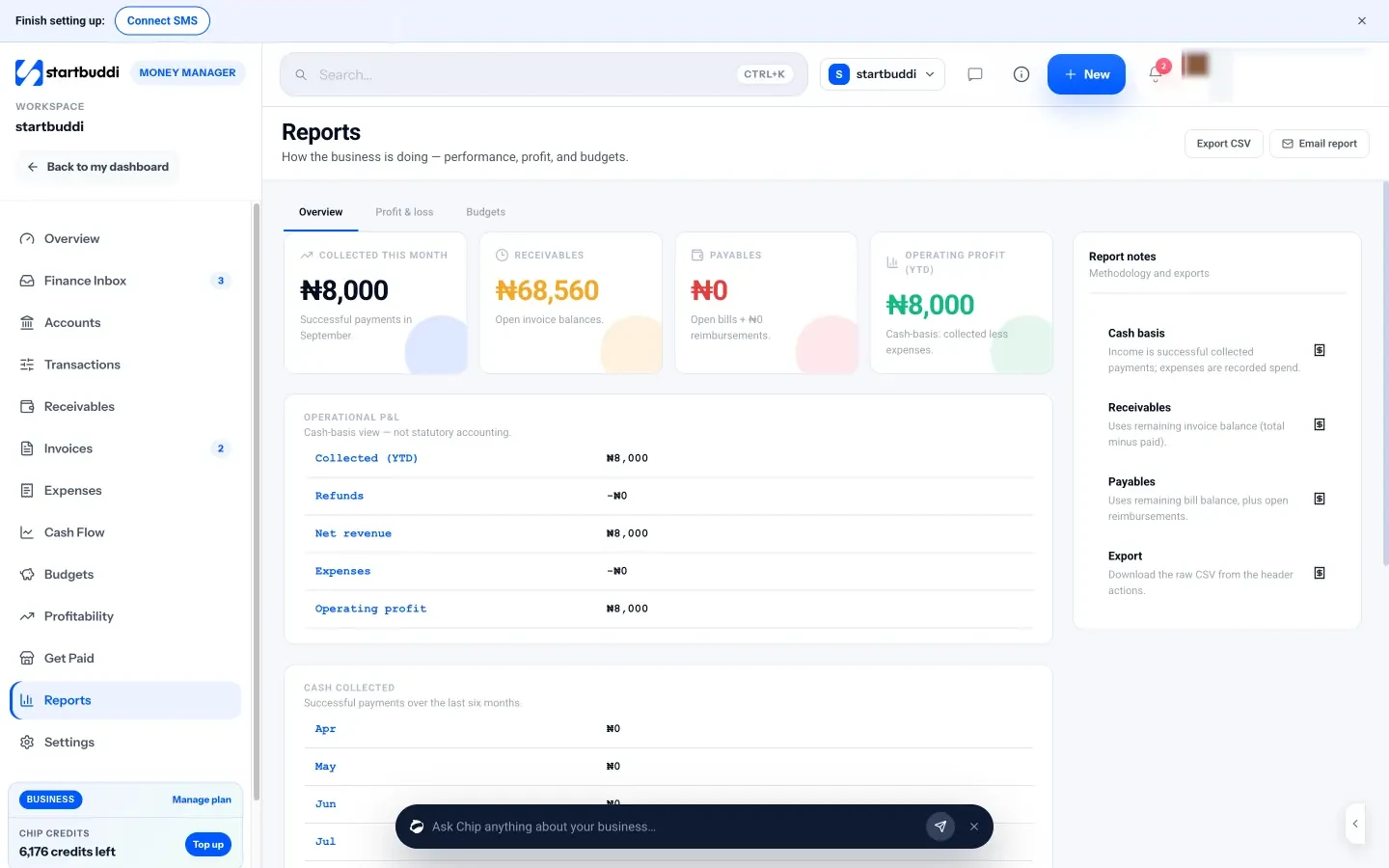
| Double-entry accountingCash-basis profit and loss only; not accounting software | No | YesSource (opens in a new tab) |
| Receipt captureUpload a receipt with each expense | Yes | Pro plan or add-onSource (opens in a new tab) |
| Payroll | No | Paid add-onSource (opens in a new tab) |
| Mobile apps | Web only | IOS and AndroidSource (opens in a new tab) |
| Where it's availablePaystack in 4 African countries, Stripe worldwide | Web app | US and Canada onlySource (opens in a new tab) |
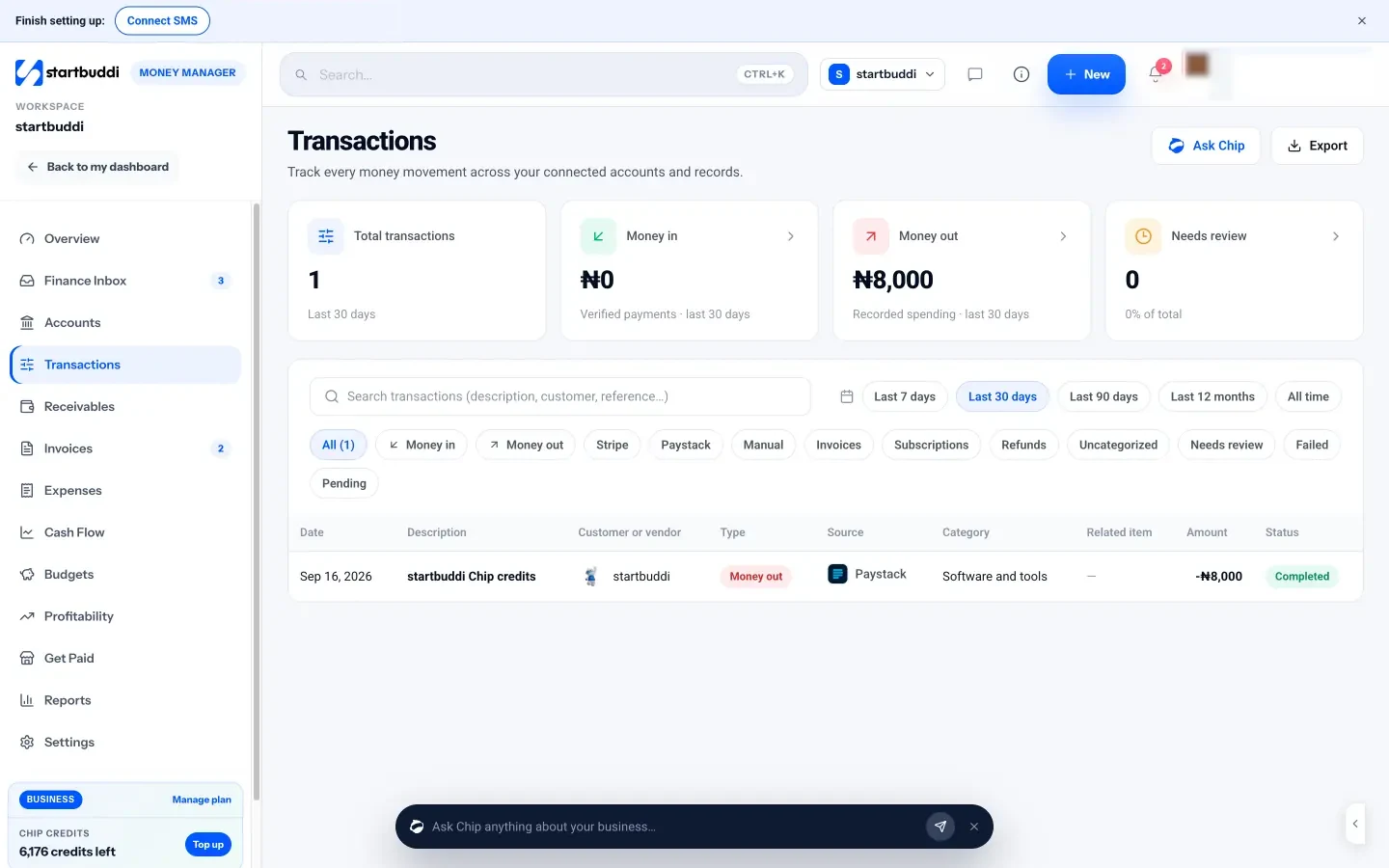
What each one looks like
Real screens, captured by us or taken from the official press kit, each dated.
Pricing side by side
List prices as each company publishes them. We never convert currencies.
startbuddi
- FreeFree
- Starter$29 a month
- Growth$79 a month
- Scale$199 a month
Wave
- StarterFreeSource (opens in a new tab)
- Pro$19 USD per month, billed monthlySource (opens in a new tab)
- Pro (annual)$190 USD per year, billed annuallySource (opens in a new tab)
- Pro (Canada)$25 CAD per month, billed monthlySource (opens in a new tab)
- Pro (Canada, annual)$250 CAD per year, billed annuallySource (opens in a new tab)
- Wave Advisors$149 USD per month, starting price (includes Pro and a dedicated bookkeeper)Source (opens in a new tab)
Switching from Wave
What moving across involves.
- Put your customer list in a CSV fileCollect your customers' names, emails, phone numbers and companies in a spreadsheet and save it as a CSV file.
- Import it into startbuddi ContactsGo to Contacts, click Import, upload the file, map each column and review before importing. Up to 10,000 contacts go in at a time.
- Connect how you get paidIn Money Manager → Settings, connect Paystack or Stripe and add your bank-transfer details, then set your invoice prefix, due days and tax rate under Invoice defaults.
- Recreate open invoices and keep your booksRe-enter unpaid invoices and any retainer schedules by hand. startbuddi is not accounting software, so keep Wave or your accountant for bookkeeping and tax.
Sources
- Wave pricing (opens in a new tab)
- Wave invoicing (opens in a new tab)
- Wave accounting (opens in a new tab)
- Wave help: outside the US and Canada (opens in a new tab)
- startbuddi Money Manager (opens in a new tab)
- startbuddi invoicing (opens in a new tab)
- startbuddi estimates, proposals and contracts (opens in a new tab)
- startbuddi expenses (opens in a new tab)
- startbuddi cash flow and budgets (opens in a new tab)
- startbuddi reports (opens in a new tab)
- startbuddi get paid (opens in a new tab)
- startbuddi contacts (CSV import) (opens in a new tab)
- startbuddi pricing (opens in a new tab)
Questions people ask
Is startbuddi accounting software like Wave?
No. startbuddi has invoices, expenses, cash flow and a cash-basis profit and loss, but no general ledger, bank reconciliation, bank feeds or tax filing. If you need double-entry books, Wave does that and startbuddi does not.
Can I use startbuddi if I'm not in the US or Canada?
Yes. startbuddi is a web app and takes payments through Paystack (Nigeria, Ghana, Kenya, South Africa) or Stripe. Wave's help centre says Wave is for businesses in the US and Canada.
Does startbuddi have a free plan?
Yes. The Free plan includes Money Manager with 5 invoices a month, and paid plans have unlimited invoices. Every paid plan has a 30-day trial.
Can I use startbuddi and Wave together?
You can, but they don't sync. You would invoice in one place and copy the figures into the other, or export a CSV from startbuddi's reports for your bookkeeper.
Other comparisons
All comparisons


Try startbuddi alongside Wave.
Start on the free plan with a copy of your contacts and see how it fits before you decide.
Start with the one thing you need. The rest is there when you're ready.
Free plan available. Every paid plan starts with a 30-day trial.