The best project management tools for African agencies in 2026: how to choose
How African agencies can choose a project management tool: per-seat costs in local currency, mobile use, client approvals, data protection, and published plans of popular tools.



- Pick a project tool your team will use on a phone, that shows clients progress and approvals, tracks time against budget, and stays affordable when you add freelancers. Price the real team size in your own currency for a year, then trial one live project.
The best project management tools for African agencies are the ones your team will open every day on a laptop or a phone, that show clients progress without endless WhatsApp voice notes, and that don’t become expensive the moment you add your fifth designer or a freelance copywriter. For most small agencies, that means a tool with boards and a timeline, client-friendly sharing, time tracking against a budget, and pricing that still makes sense when you convert dollars into naira, shillings or rand. There is no single winner. There is the right fit for your team size, your clients and your budget.
This guide covers what agencies in Nigeria, Kenya, Ghana, South Africa and across the continent should check, how per-seat pricing adds up, and the published plans of popular tools. Most of the advice applies to small agencies anywhere.
What agencies need from a project management tool
Agency work has a shape that internal teams don’t. You juggle several clients at once, each with their own deadlines, approvers and appetite for changes. The tool has to cope with that:
- Many projects, one view. An account director needs to see every client’s status in one screen, not click into twelve boards.
- Approvals. Designs, copy and campaigns need a client sign-off, and you need a record of it.
- Time against budget. Retainers and fixed fees only make money if you know how many hours they really take.
- Workload. In a team of eight, two people are usually overloaded while someone else waits for a brief.
- Templates. A website build, a brand identity or a monthly social calendar follows the same steps every time.
- Freelancers. Most African agencies work with freelancers. Adding them shouldn’t double the bill.
Our complete guide to project management for agencies covers the process side. This article is about choosing the tool.
What is different for agencies in Africa
Dollar pricing, local revenue
Most project tools are priced in US dollars per user per month. Your clients pay you in naira, cedis, shillings or rand. When the exchange rate moves, your software bill moves with it while your retainers don’t. Some tools also need a card that works for recurring foreign payments, which not every local card does reliably. A tool you can pay for in local currency, or a flat price for the whole team, makes costs easier to plan.
Mobile and connectivity
DataReportal counted 109 million internet users in Nigeria in late 2025 and 23.4 million in Kenya, with median mobile download speeds in Nigeria ahead of fixed broadband (DataReportal Nigeria, DataReportal Kenya). In practice, many team members check tasks on their phones, often on mobile data, and sometimes during a power cut. Test every shortlisted tool on a mid-range Android phone and a slow connection. If the task list takes ten seconds to load, people will go back to WhatsApp.
WhatsApp is already your project tool
Be honest: a lot of agency project management in Africa already happens in WhatsApp groups. The problem isn’t WhatsApp. It is that decisions, files and deadlines get buried in the chat, and nobody can find the approved version. A project tool should give the group chat something to point to: “the brief is here, the deadline is here, approve it here”.
Data protection
Client briefs, customer lists and campaign data are personal data in many cases. Nigeria’s Data Protection Act 2023, Kenya’s Data Protection Act 2019 (overseen by the Office of the Data Protection Commissioner) and South Africa’s POPIA (overseen by the Information Regulator) all set rules for how you handle it. Check where a tool stores data, who on your team can see what, and whether you can remove a freelancer’s access the day their contract ends. This is general information, not legal advice.
The per-seat maths: what a team of eight really pays
Per-seat pricing looks cheap for one person and adds up quickly for a team. Here is what an eight-person agency would pay each month on the entry paid plan of three popular tools, using the annual-billing prices published on their pricing pages in September 2026:
| Tool and plan | Per user a month | 8 users a month | 8 users a year |
|---|---|---|---|
| Trello Standard | $5 | $40 | $480 |
| ClickUp Unlimited | $7 | $56 | $672 |
| Asana Starter | $10.99 | $87.92 | $1,055 |
Then add time tracking, a client portal or an invoicing app if the project tool doesn’t include them, and multiply every dollar by your exchange rate. Flat-priced tools work differently: Basecamp publishes flat monthly plans rather than per-user prices (Basecamp). Neither model is always cheaper. Do the sum for your own team size, including the freelancers you bring in each month.
Popular project management tools and their published plans
Free plans and starting prices below are as published on each tool’s own pricing page when we checked in September 2026. Prices change, so confirm on the linked page. We haven’t ranked them.
| Tool | Free plan | Paid plans start at |
|---|---|---|
| Trello | Yes: up to 10 collaborators and 10 boards per workspace | Standard $5 per user a month billed annually, $6 monthly |
| Asana | Yes: Personal, up to 2 users | Starter $10.99 per user a month billed annually, $13.49 monthly |
| ClickUp | Yes: Free Forever, with storage and feature limits | Unlimited $7 per user a month billed annually, $10 monthly |
| monday.com | Yes: up to 2 seats | See current pricing; sold in seat bundles |
| Notion | Yes, with limits for teams | See current pricing |
| Basecamp | Yes: one project, up to 5 users | Flat monthly plans; see pricing page |
| Zoho Projects | Yes: up to 5 users and 3 projects | Per user; see pricing page for your region |
If you are weighing one of these against an all-in-one option, see our comparisons of startbuddi and Asana, ClickUp and Trello, or the wider list of project management software.
Features that matter most for agencies
Client visibility
Clients want to know where their project is without booking a call. Look for a way to share progress, files and approvals with a client, ideally without paying for a seat for every client contact.
Time and budget together
If time tracking lives in one app and budgets in a spreadsheet, nobody sees a retainer going over until the month is finished. A tool that shows hours used against the budget on the project itself changes behaviour.
Workload by person
A weekly view of each person’s hours stops you promising a client a Friday deadline that depends on someone who already has 50 hours of work that week.
Templates you actually reuse
Turn your best-run project into a template: kickoff, first draft, client review, revisions, sign-off, launch. New projects then start with the right tasks and dates.
Freelancer and guest access
Check how each tool treats people outside your core team. Some count every guest as a paid seat, some allow a number of free guests, and some let you share a single project. If you bring in three freelancers a month for a few weeks each, this rule can matter more than the headline price. Also check how quickly you can remove someone, and whether their tasks stay in place when they leave.
Reporting across projects
Once you have more than five live clients, you need one screen showing which projects are on track, at risk or overdue.
How to choose in one week
- Day 1: write down your three most common project types and how many people, including freelancers, need access.
- Day 2: shortlist two or three tools and price each one for your real team size, in your currency, for a year.
- Days 3 to 5: run one live client project in your top choice. Put the brief, tasks, deadlines and approvals in the tool, and point the WhatsApp group to it.
- Day 6: ask the team what they skipped and why. Check it on a phone on mobile data.
- Day 7: decide. The tool your team used without being chased is the one to keep.
Common mistakes: choosing the tool with the most features rather than the one people will open, setting up twenty custom fields before the first project, and keeping the old spreadsheet “just in case”, which means nobody fully moves.
Moving your agency onto the new tool
Choosing is the easy part. Getting a busy team to switch is harder. This order works for most small agencies:
- Start with live work only. Don’t import three years of old projects. Move the projects running this month and archive the rest where they are.
- Agree three rules. Every task has one owner, every task has a due date, and client approvals are recorded in the tool, not only in chat.
- Build two templates. Your most common project types, with standard tasks and typical durations. Refine them after each project.
- Run the weekly meeting from the tool. Open the board or report on screen instead of asking each person for an update. People keep the tool current when they know it will be looked at.
- Bring freelancers in carefully. Give them access to their projects only, and remove access when the job ends.
- Review after a month. Ask what people still do outside the tool, and why. Fix the cause rather than adding rules.
Expect the first two weeks to feel slower. By week four, most teams find they spend less time asking “where are we on this?” and more time doing the work.
What to measure
Pick two or three numbers to check monthly: projects delivered on the date promised, hours used against budget on retainers, and the number of overdue tasks. If those improve, the tool is working. If they don’t, the problem is usually the process, not the software.
How startbuddi helps agencies run projects
In startbuddi, the Work module brings projects, tasks, time, workload, reports and client portals into the same account as your clients, invoices and marketing. Seats come bundled with each paid plan. The project management for agencies page has the overview.
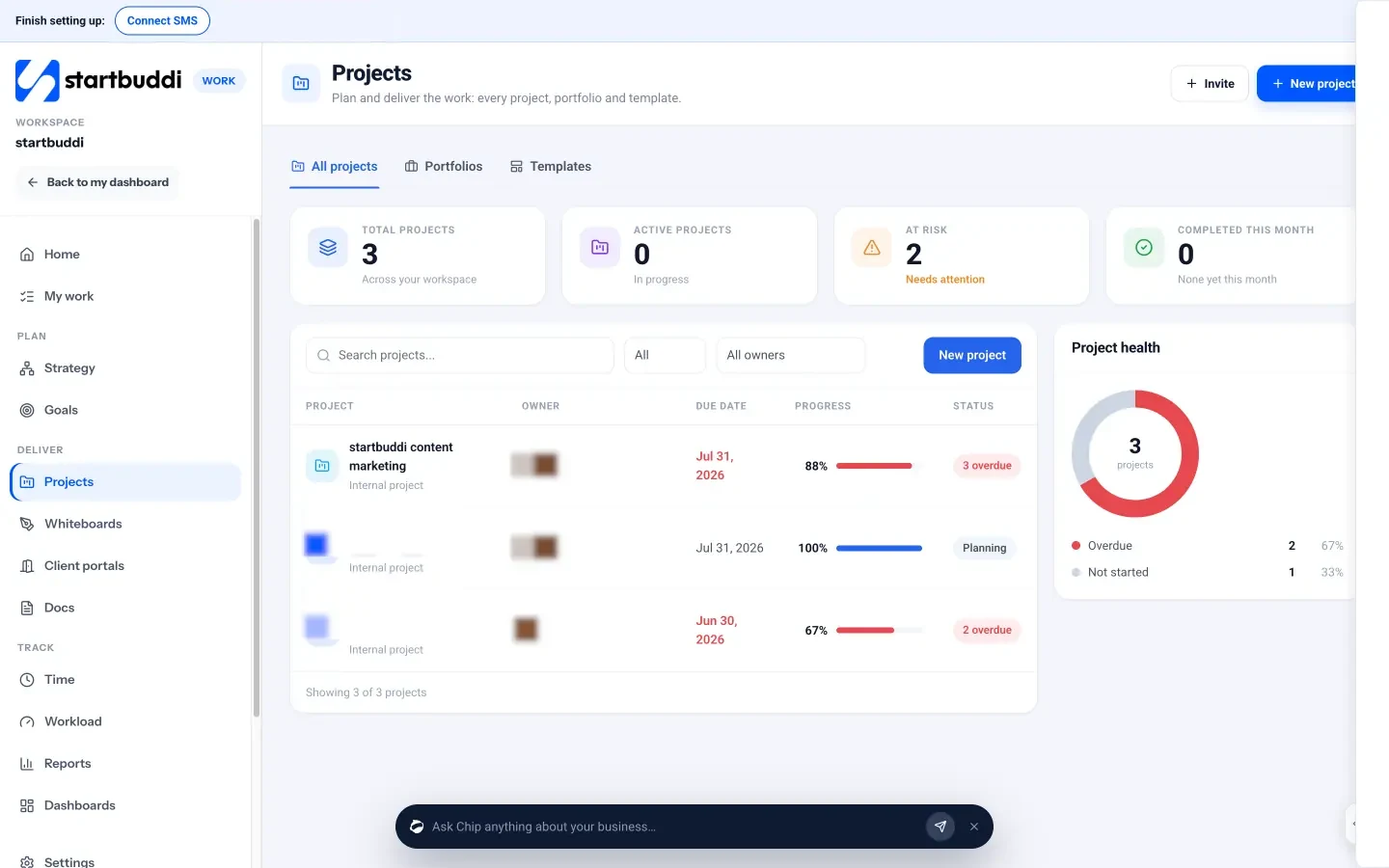
Projects. Start from a template (including Client delivery, Social media management, Website project and SEO campaign) or a blank project. Inside each project you get Tasks in list, board, timeline, calendar or table views, a Timeline (gantt) with dependencies and a critical path, Sprints, Milestones, a Budget tab with an hours budget and burn-down, and Approvals.
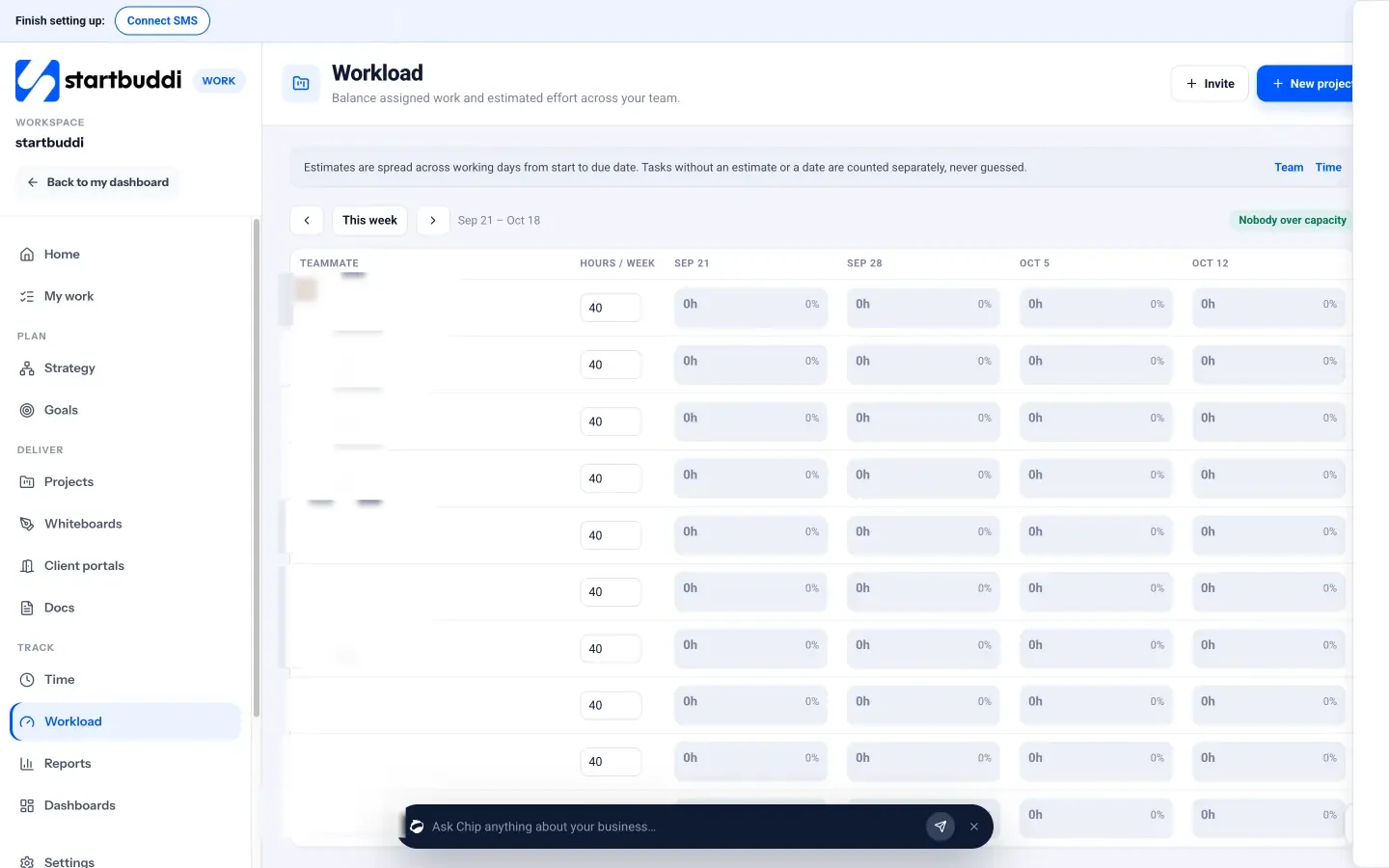
Time and workload. Start a timer on any task, mark hours billable and see the week’s billable value. Workload shows each teammate’s estimated hours per week and flags anyone over capacity, for managers, admins and owners.
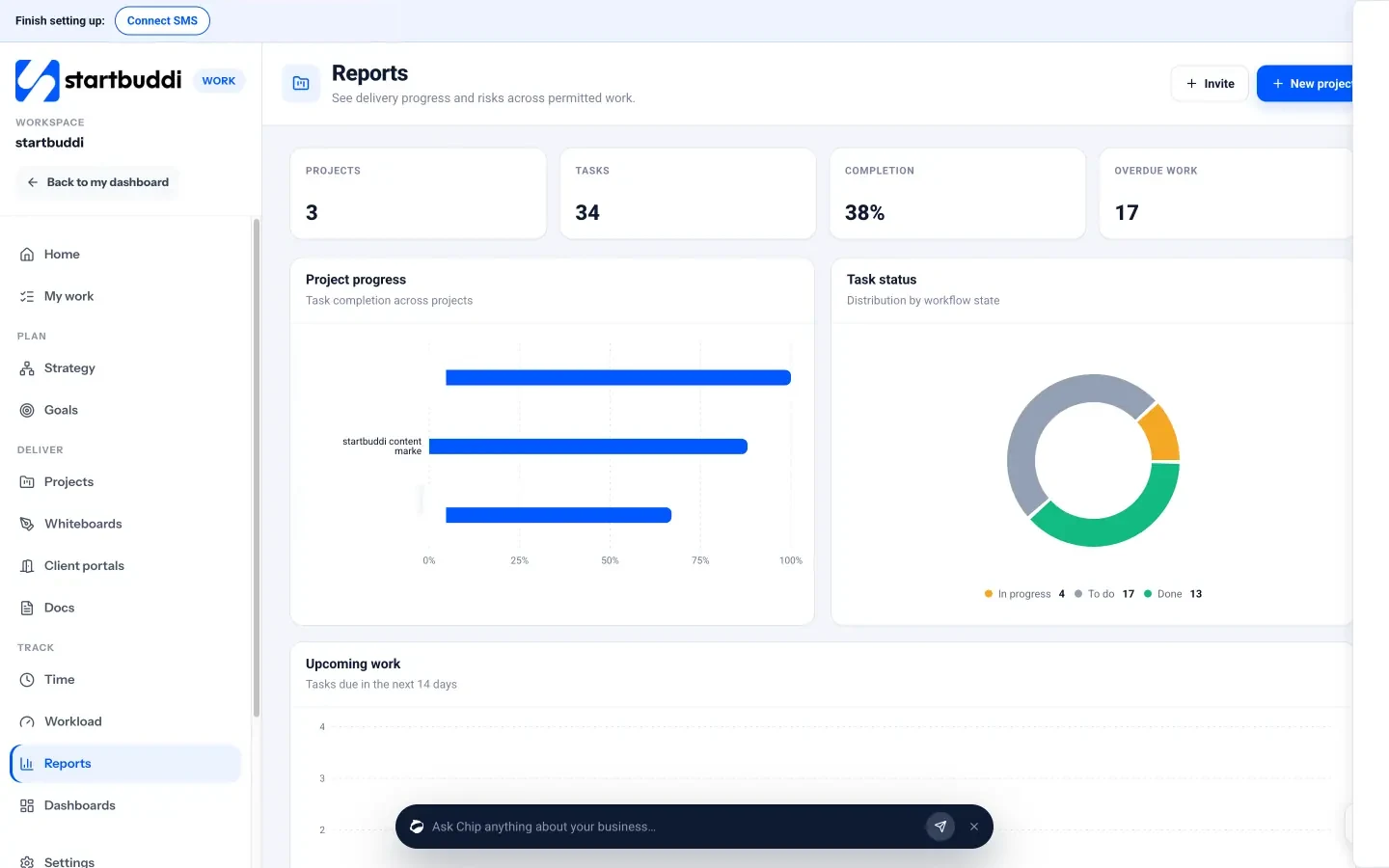
Reports and portfolios. Reports show project progress, task status, upcoming and overdue work and team load. Portfolios show every project side by side with health, progress, budget used and hours used.
Clients. Client portals give each client a private page for progress, shared deliverables, approvals, messages and invoices. Clients sign in with an email link and don’t take a seat. Every project also gets a discussion room in Chat.
Seats and plans. Starter includes 2 seats, Growth 5 and Scale 15 (see pricing). Client portal invites need a paid plan: one portal on Starter, ten on Growth, fifty on Scale. Every paid plan has a 30-day trial.
Honest limits. Notification and custom field settings on projects are marked as coming soon, and there is no button yet to turn logged hours into an invoice. Team chat checks for new messages every few seconds rather than instantly, and it doesn’t show typing indicators. If you need deep resource scheduling across dozens of people, a specialist tool may suit you better.
Your next step
Price your top two tools for your real team, including freelancers, in your own currency for a full year. Then run one live client project in each. To see how Work fits an agency, look at project management for African teams, and compare plans on the pricing page. Consultants can also read our guide to project management for consultants.
Sources
- DataReportal: Digital 2026 Nigeria and Digital 2026 Kenya
- Nigeria Data Protection Commission: Nigeria Data Protection Act 2023
- Kenya: Office of the Data Protection Commissioner
- South Africa: Information Regulator
- Trello pricing, Asana pricing, ClickUp pricing, monday.com pricing, Notion pricing, Basecamp pricing, Zoho Projects pricing
Frequently asked questions
What is the best free project management tool for a small agency?
Trello, Asana, ClickUp, monday.com, Basecamp and Zoho Projects all have free plans, each with limits on users, boards or projects. Check the limit that will hit your team first.
Is per-seat or flat pricing better for agencies?
Per-seat pricing is cheaper for very small teams. Flat or bundled pricing often wins once you have several staff and freelancers. Do the sum for your own team for a full year.
How do I get my team off WhatsApp groups for projects?
Keep the group for quick chat, but put briefs, deadlines, files and approvals in the project tool, and reply in the group with a link rather than the details.
Do clients need their own login to see project progress?
Not always. Some tools let you share a view or a client portal with an email link, so clients see progress and approve work without a paid seat.
Omolola Akiyode is the operations and project manager at startbuddi, leading cross-functional projects and the content that helps founders get set up. Omolola writes about projects, websites and getting found online, and turns complex ideas into clear, practical steps.
Runs operations and projects at startbuddi