
startbuddi vs ClickUp: an honest comparison
ClickUp is a work app with tasks, docs, whiteboards, chat, goals and dashboards, and AI sold as separate add-ons. startbuddi covers much of the same work ground but sits in one workspace with customers, invoices and client portals, which suits small service businesses more than teams that only need a work app.
startbuddi is best for
Small service businesses that want work, clients and invoices in one place
 ClickUp
ClickUp is best for
Teams that want tasks, docs, whiteboards and chat in one work app
At a glance
Where each one is stronger
The short version. ClickUp first, because it does some things better than we do.
ClickUp is stronger at
startbuddi is stronger at
Feature by feature
| Feature | startbuddi | ClickUp |
|---|---|---|
| List, board and calendar views | Yes | YesSource (opens in a new tab) |
| Gantt chartsProject timeline with dependencies | Yes | Unlimited plan and upSource (opens in a new tab) |
| Time trackingTimers, weekly timesheets, billable hours | Yes | Unlimited plan and upSource (opens in a new tab) |
| Goals | Yes | Unlimited plan and upSource (opens in a new tab) |
| WhiteboardsFree plan: 1 whiteboard; paid: unlimited | Yes | 3 on Free, 10 on UnlimitedSource (opens in a new tab) |
| DocsFree plan: 3 documents | Yes | YesSource (opens in a new tab) |
| Team chatChannels, DMs and a room for each project | Yes | YesSource (opens in a new tab) |
| AutomationsAutomations are locked on the Free plan | Paid plans | 100 runs a month on FreeSource (opens in a new tab) |
| DashboardsWork reports; dashboards built by hand | Yes | Business plan and upSource (opens in a new tab) |
| AI assistant | Chip, uses credits | Paid add-onSource (opens in a new tab) |
| Client portalsFree can build and preview | Paid plans | Not statedSource (opens in a new tab) |
| Desktop and mobile appsWeb app only; works in phone browsers | No | YesSource (opens in a new tab) |
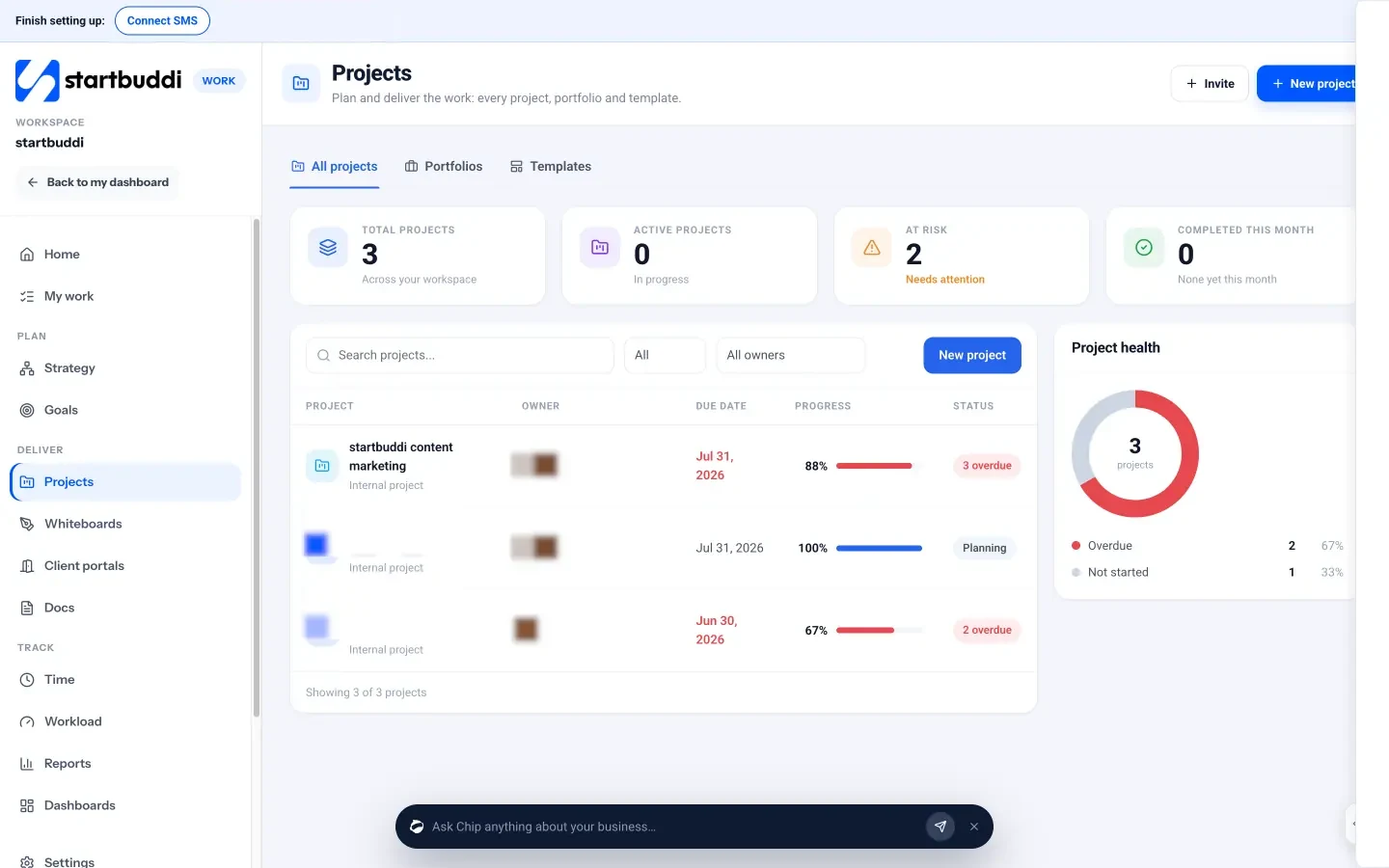
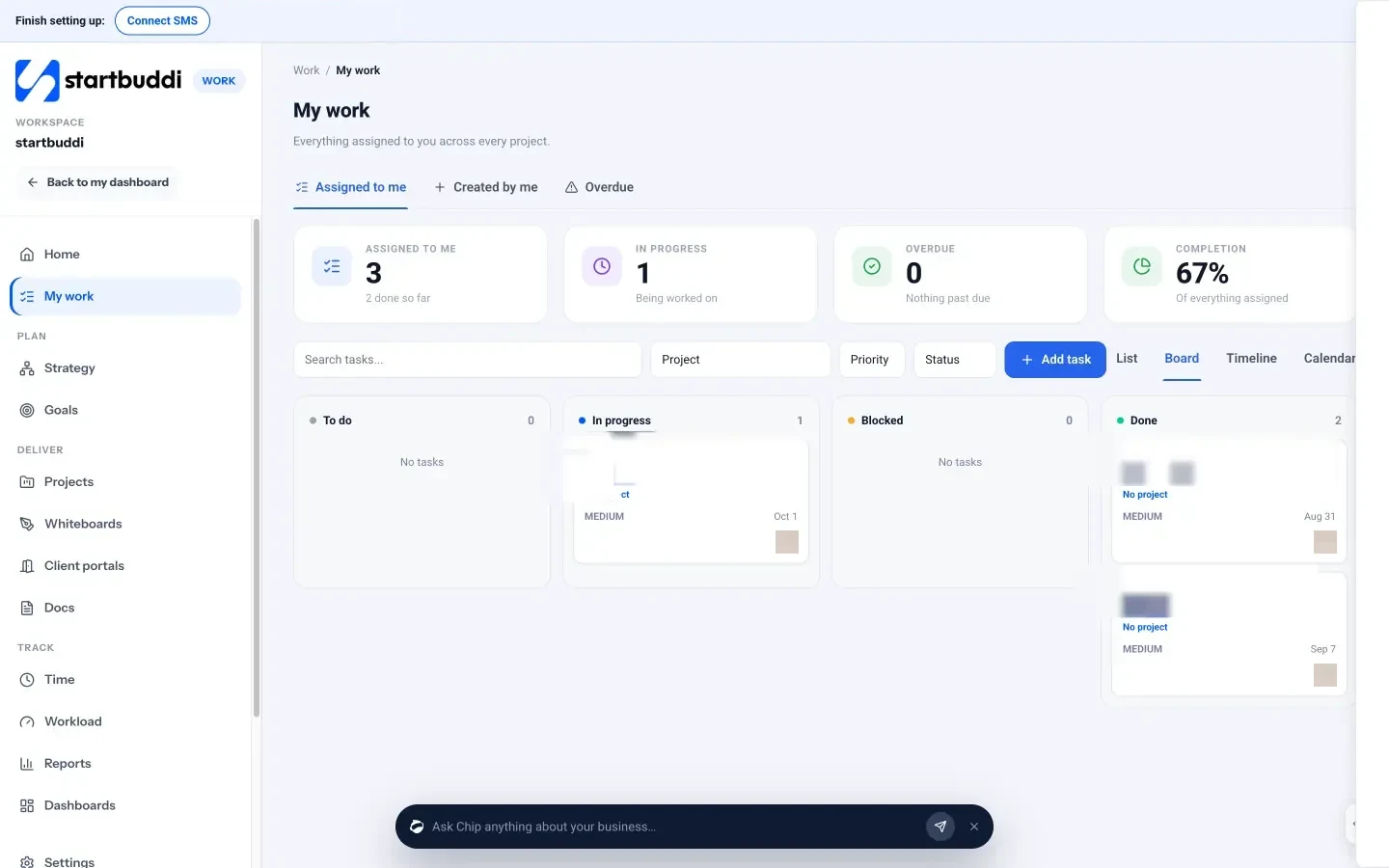
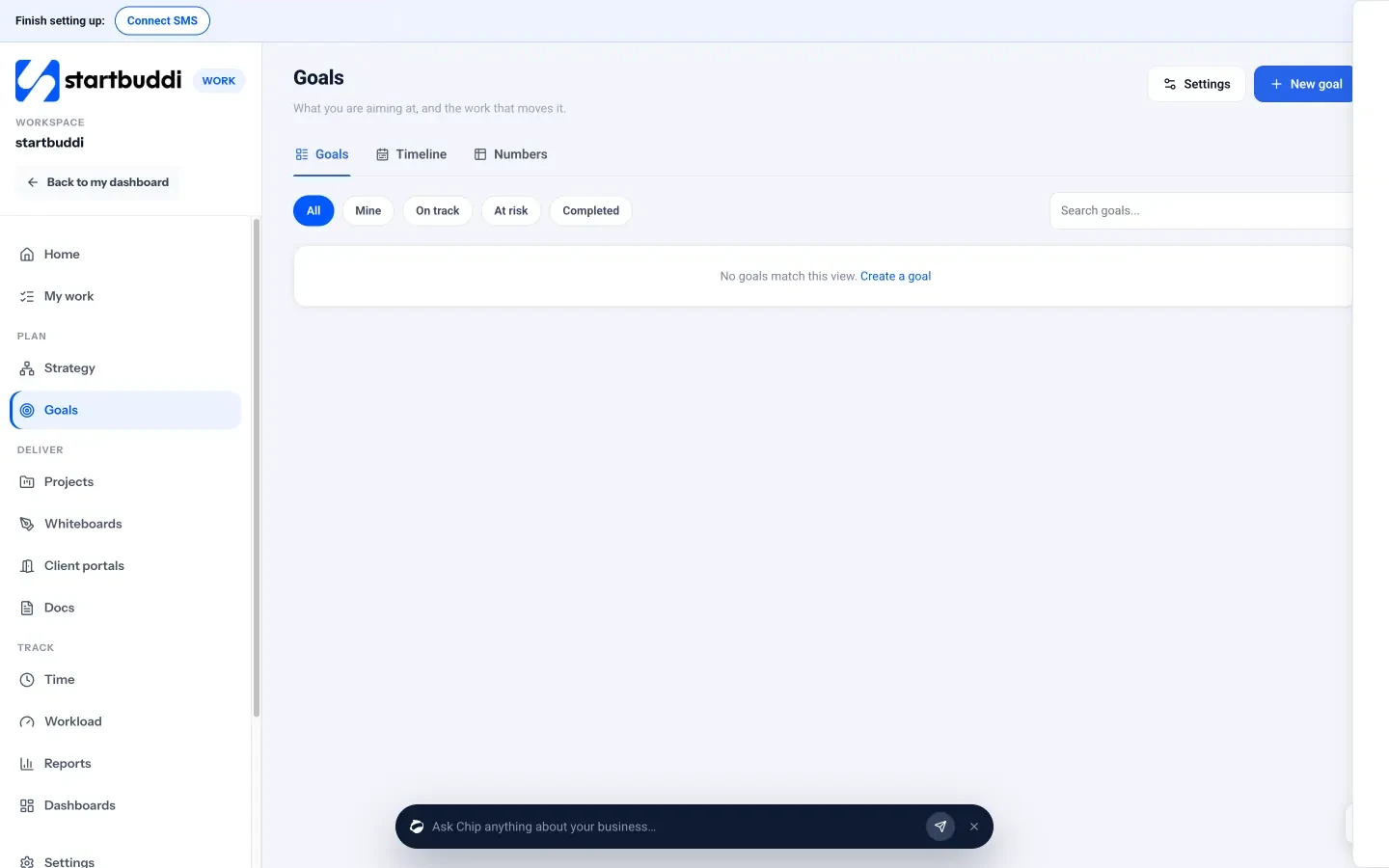
What each one looks like
Real screens, captured by us or taken from the official press kit, each dated.
Pricing side by side
List prices as each company publishes them. We never convert currencies.
startbuddi
- FreeFree
- Starter$29 a month
- Growth$79 a month
- Scale$199 a month
ClickUp
- Free ForeverFreeSource (opens in a new tab)
- Unlimited$7 USD per user/month, billed yearly ($10 billed monthly)Source (opens in a new tab)
- Business$12 USD per user/month, billed yearly ($19 billed monthly)Source (opens in a new tab)
- EnterprisePricing on requestSource (opens in a new tab)
- Brain AI (add-on)$9 USD per user/monthSource (opens in a new tab)
- Everything AI (add-on)$28 USD per user/monthSource (opens in a new tab)
Switching from ClickUp
What moving across involves.
- Take stock of what is open in ClickUpList the Spaces, lists and tasks you still need. Check ClickUp's help centre for its export options before you cancel.
- Recreate projects in WorkThere is no ClickUp importer, so start each project from a template or blank and add open tasks by hand, with owners and due dates.
- Move docs and clientsPaste key doc text into new startbuddi Docs, and import your client list from CSV on the Contacts page.
- Rebuild automations and invite peopleAutomations do not carry over; rebuild the ones you need in startbuddi Automations (paid plans), then invite teammates and set up client portals.
Sources
- ClickUp pricing (opens in a new tab)
- ClickUp download (opens in a new tab)
- startbuddi Work (opens in a new tab)
- startbuddi Projects (opens in a new tab)
- startbuddi My work (tasks) (opens in a new tab)
- startbuddi Goals (opens in a new tab)
- startbuddi Time tracking (opens in a new tab)
- startbuddi Whiteboards (opens in a new tab)
- startbuddi Client portals (opens in a new tab)
- startbuddi Documents (opens in a new tab)
- startbuddi Chat (opens in a new tab)
- startbuddi Customers (opens in a new tab)
- startbuddi Money Manager (opens in a new tab)
- startbuddi pricing (opens in a new tab)
Questions people ask
Can I import my ClickUp workspace into startbuddi?
Not directly. There is no ClickUp importer, so recreate projects from a template or blank and add open tasks by hand. Client lists in CSV can be imported into Contacts.
Does startbuddi have a free plan?
Yes. The Free plan includes Work, Documents and Chat for one seat, with limits such as 3 documents and 1 whiteboard. Every paid plan comes with a 30-day trial.
Is AI extra in startbuddi like in ClickUp?
Chip is part of every startbuddi plan and uses monthly Chip credits, with extra credit packs available. ClickUp sells AI as Brain AI or Everything AI add-ons.
Does startbuddi have desktop or mobile apps?
No. startbuddi is a web app that works in desktop and phone browsers. ClickUp has desktop and mobile apps.
Other comparisons
All comparisons


Try startbuddi alongside ClickUp.
Start on the free plan with a copy of your contacts and see how it fits before you decide.
Free plan available. Every paid plan starts with a 30-day trial.