Goals that know which work moves them.
Simple OKR software for small businesses. Write the goal, add a few key results you can measure, link the projects that deliver it, and keep the handful of numbers you care about on one board.
Start with the one thing you need. The rest is there when you're ready. Free plan, no card needed. Or book a demo.

January's goals, found again in March.
You wrote them in a notebook, or a slide, and then the work took over. Here a goal sits in the same place as the projects and tasks that move it, so you can see in a minute whether it's actually moving.
- Goals, Timeline and Numbers tabs
- Filter by Mine, On track, At risk or Completed
- Parent goals, so team goals count toward company ones
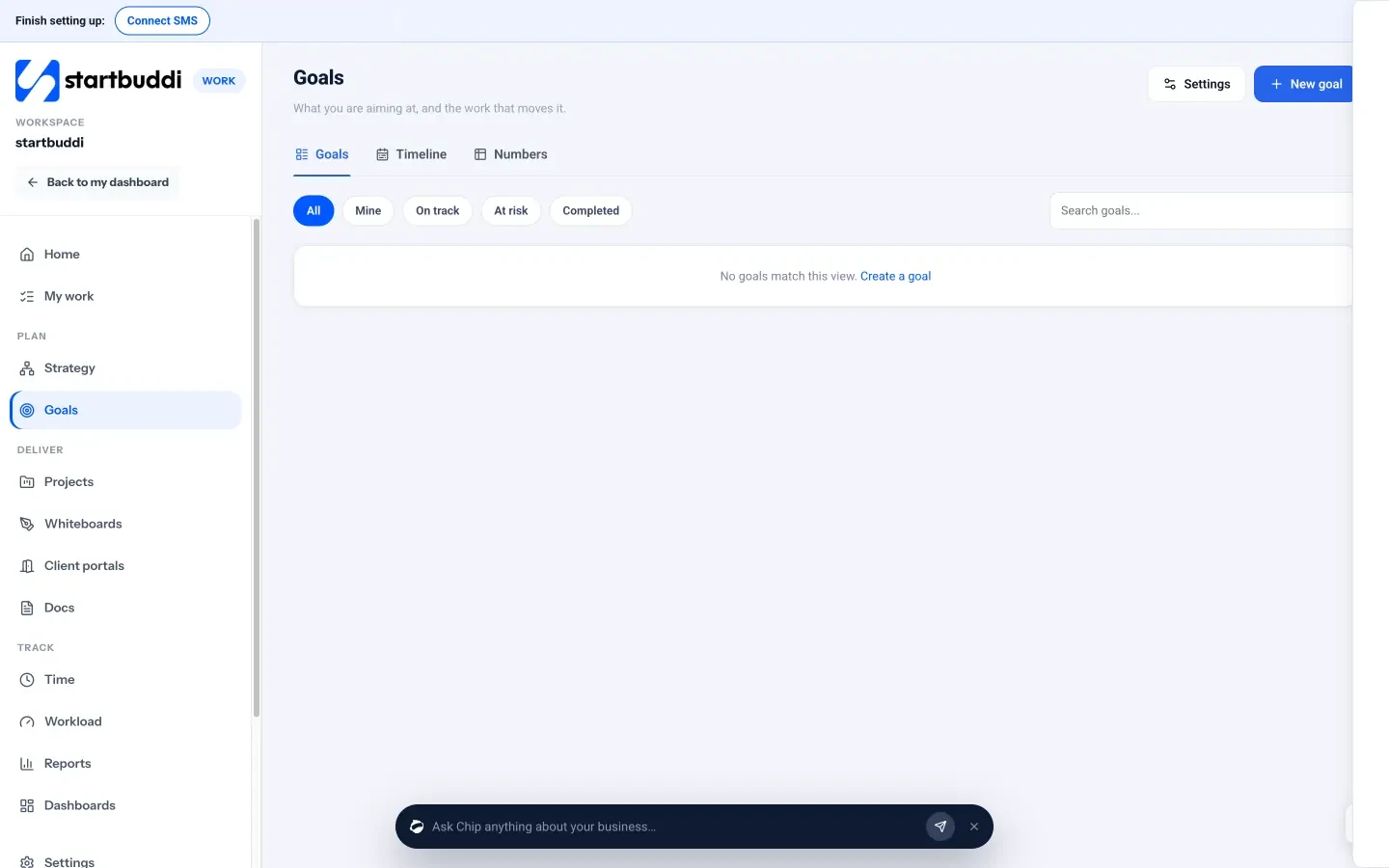
Work → Goals: the Goals, Timeline and Numbers tabs, filters for All, Mine, On track, At risk and Completed, and New goal.
One goal, three numbers that prove it.
Write the outcome you want, pick an owner and a period, then add key results you can measure: a number, a percentage, an amount of money or a plain yes or no. Each key result can have its own owner, due date and project.
- Weekly, monthly, quarterly or custom periods
- Visible to everyone, the team only, or private
- Key results move by hand, from tasks or from milestones
From "grow the business" down to Thursday's task.
The Strategy map lays it out as a tree: your pillars, the goals under them, objectives, key results, the initiatives behind them, then the projects, milestones and tasks doing the work. Add things in place as you go. Marketing campaigns with targets show up too, ready to link to a goal.
- Pillars: the few big themes everything sits under
- Make dashboard on an initiative for a live page of its progress
- Suggestions to link work to goals, and nothing changes until you say yes
Work → Strategy → Map: a goal broken down into a key result, an initiative and a project, and marketing targets not in a goal yet.
The KPIs you'd otherwise copy from four tabs.
Add a number to watch and say where it comes from. Money coming in, money going out, new contacts, form submissions, posts published and emails opened fill in month by month from startbuddi. Anything else, like referrals or footfall, you type in yourself.
- Set a target for each month
- Say who watches it and which pillar it serves
- Refresh from the source whenever you like; numbers you typed are never overwritten
A weekly check-in that takes a minute.
Each week the owner answers "How is this goal going?": On track, At risk or Off track, how likely they are to hit it, and what changed. Short on time? Draft it for me fills in a starting point from progress against plan and any overdue milestones, and you edit it before you post.
- "Will you hit it?": Very likely, Probably, Could go either way or Unlikely
- Blockers and notes in the same box
- Approval rules for company and team goals, all goals, or none
Goals in the tools you might already use.
Plenty of project tools have goals. Fewer let money and contacts update them for you.
| startbuddi | Asana | ClickUp | Notion | monday.com | |
|---|---|---|---|---|---|
| Goals on the free plan | Yes | Advanced | Trial on Free, then Unlimited | Not listed as a feature | Not checked |
| Key results that move from tasks or milestones | Yes | Goals connect to tasks | Not checked | Not listed | Not checked |
| KPIs that fill in from invoices, contacts and forms | Yes | No | No | No | No |
Where they're better
- AsanaGoals tied to portfolios and workload across a large organisation.
- ClickUpGoals on Unlimited inside a workspace you can configure endlessly.
- NotionWrite your strategy as a document and shape your own goals database.
- monday.comDashboards that combine many boards, up to 50 on Enterprise.
startbuddi is our product. Facts about other tools come from their own pages, checked on 6 October 2026, and plans change, so check before you buy: Asana pricing · ClickUp pricing · Notion Projects · monday.com pricing.
Work talks to the rest of your business.
Everything below shows up on the client's record by itself, so you never piece the story together by hand.
Ask Chip. It already knows your work.
Chip works from your own records, so the answer comes with names, amounts and dates, and a next step you can take in one click.
Which plans include goals?
Goals, key results, the Strategy map and the Numbers board are on every plan, including Free. Check-in drafts don't use Chip credits.
- FreeIncluded, free forever
- StarterIncluded, 30-day trial
- GrowthIncluded, 30-day trial
- ScaleIncluded, 30-day trial







Questions about goals
What is an OKR?
Can I track business KPIs automatically from invoices and forms?
How do I connect goals to projects and tasks?
Is this a simple OKR tool for a startup?
Can goals need approval?
Does the check-in draft use AI credits?
Know if you're winning, every week.
Goals, key results and live numbers, linked to the real work. Free to start.
No need to set everything up on day one.
Or click around a sample account first, or book a demo and we'll set it up with you.