Best marketing automation tools for startups on a budget: how to choose
What marketing automation tools do, the five automations a startup should build first, what common tools include on free and paid plans, and how to choose on a budget.


Chinonye wrote this while on the startbuddi team. The product has changed since, so the team updated it on .
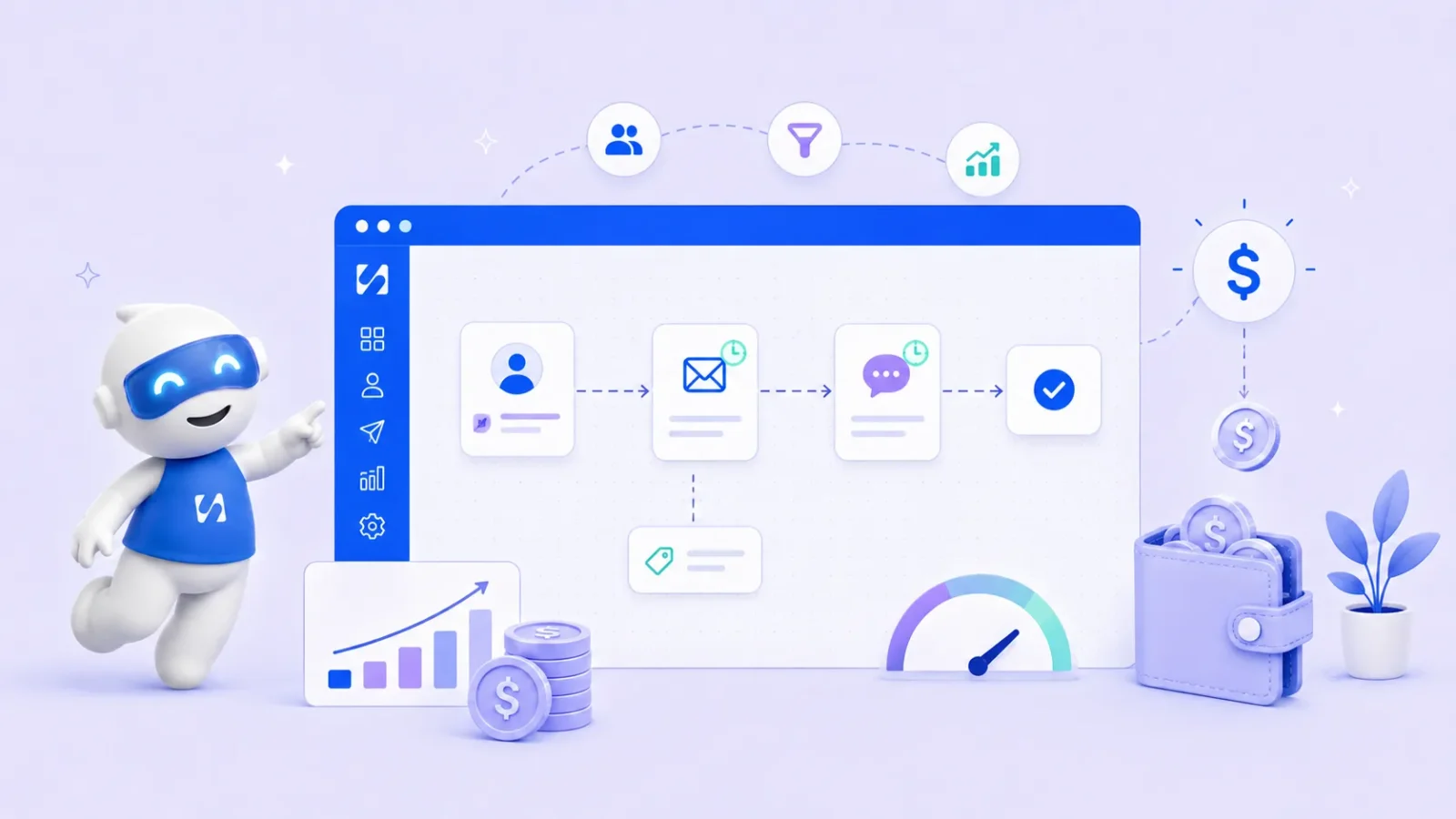
- Start with the journeys, not the tool: a welcome series, lead follow-up, onboarding nudges, re-engagement and post-purchase. Free plans are mostly for newsletters, and automation usually starts on the first or second paid tier, so price your shortlist at next year's list size and keep contacts in one place.
Marketing automation tools send the right message to the right person at the right moment without you pressing send each time: a welcome email when someone joins your list, a follow-up when they click a link, a reminder when a trial is about to end, a nudge when a customer hasn’t bought in a while. For a startup on a budget, the best marketing automation tools are the ones that cover your first few journeys well, keep contacts in one list and don’t jump in price the moment you grow.
This guide explains what marketing automation tools do, the automations worth setting up first, common options with facts from their own websites, how to choose without overspending, the consent rules, and the mistakes that waste money. We don’t rank tools; we help you decide.
What marketing automation tools do
Every automation has the same three parts: a trigger (someone signs up, fills in a form, clicks, buys or goes quiet), steps (send an email, SMS or WhatsApp message, wait, check a condition, add a tag) and an exit (they reply, buy or unsubscribe). A marketing automation tool lets you build those flows once and runs them for every contact who qualifies.
| Feature | What it does | Why a startup needs it |
|---|---|---|
| Triggers | Starts a flow from a sign-up, form, purchase, click or date | Messages go out at the moment they matter |
| Sequences | Sends a series of messages with waits between them | Onboarding and nurture run on their own |
| Segments and tags | Groups contacts by what they did or who they are | You stop sending everyone the same thing |
| Conditions | Branches the flow on behaviour or data | People who already bought don’t get the sales pitch |
| Channels | Email, and often SMS or WhatsApp | Reach people where they actually read |
| Reports | Shows sends, clicks, replies and conversions per flow | You can see which flows earn their keep |
For a plain definition of the job most early automations do, see our glossary entry on lead nurturing.
The first five automations a startup should build
Don’t start with a tool. Start with the journeys. These five cover most early-stage businesses:
- Welcome series. Two or three emails over a week after someone signs up: who you are, the most useful thing you offer, one clear next step.
- Lead follow-up. An instant reply when someone fills in a contact or demo form, then a follow-up two or three days later if they haven’t booked. Our guide to lead capture automation covers the form side.
- Trial or onboarding nudges. Messages based on what a new customer has or hasn’t done yet, such as “you haven’t set up your first project”.
- Re-engagement. A friendly note to people who haven’t opened, bought or booked in 60 to 90 days, and a clean exit if they still don’t respond.
- Post-purchase. A thank-you, a how-to, and a review or referral ask a week later.
Once these run, our list of 12 business workflow automation examples has more ideas.
Marketing automation tools: some options and what they publish
These are widely used tools, with facts from each company’s own website in September 2026. Prices change, some are introductory offers, and many pages show your local currency, so check the link before you decide. We have not ranked them.
- Mailchimp: the free plan covers 250 contacts and 500 sends a month but includes no automation flows. Essentials allows flows of up to four steps, and Standard allows up to 200 flows. Paid plans show introductory prices for the first 12 months.
- Brevo: email, SMS and WhatsApp campaigns from one account. The free plan sends up to 300 emails a day and Starter is listed from $9 a month; check which automation limits apply to each plan.
- MailerLite: the free plan covers 250 subscribers and 2,500 emails a month and includes 3 automations. Comfort starts at $12 a month with 50 automations.
- Kit: built for creators. The free plan covers up to 10,000 subscribers but doesn’t include visual automations or sequences; those start on the Creator plan, listed at $33 a month.
- ActiveCampaign: no free plan, a 14-day trial. Marketing automation is included from the Starter plan, with a limit of five actions per automation; prices depend on your number of contacts.
- HubSpot Marketing Hub: free tools with 2,000 email sends a month for up to two users. Starter includes limited automation, and Professional, which adds fuller workflows, is listed from $800 a month.
The pattern is clear: free plans are mostly for newsletters, and real automation usually starts on the first or second paid tier. Our AI automation software list and email marketing software list go wider.
Scheduling social posts
Social media is where many customers first meet you. DataReportal’s Digital 2026 report counts 5.66 billion social media user identities worldwide, about 68.7% of the population, though identities are not always unique people. A scheduler lets you plan a week of posts in one sitting instead of posting on the fly.
- Buffer: free for up to 3 channels and 10 scheduled posts per channel; Essentials is $5 a month per channel.
- Hootsuite: no free plan, a 14-day trial; Standard is $99 per user a month billed annually.
- Later: no free plan, a 14-day trial; Starter is $18.75 a month billed yearly.
- Meta Business Suite: Meta’s own tool to create and schedule posts and stories on Facebook and Instagram and manage messages.
Our social media management software list compares more options, and how to plan a month of social media content helps you fill the calendar in one afternoon.
A worked example: a startup’s welcome series
Say you run a small online bookkeeping service in Nairobi and people sign up for a free month-end checklist on your site. A simple welcome series might look like this:
- Straight away: the checklist, with one line on who you help and a reply-to address that reaches a person.
- Day 2: the three mistakes you see most often at month end, and a link to a short guide.
- Day 5: a plain offer: a 20-minute call to look at their books, with a booking link.
- Exit: anyone who books or replies leaves the series and gets a personal follow-up instead.
Three emails, one condition and one exit. That is enough to turn a download into a conversation, and every tool on the list above can run something like it on a paid plan. Build it, run it for a month, and only then add the next journey. The same shape works for a salon’s first-visit series, a coach’s discovery-call follow-up or a software trial: one useful message, one proof point, one clear ask.
How to tell if an automation is working
Give each flow one number that matters: calls booked from the welcome series, replies to the lead follow-up, customers won back by re-engagement. Check it after two weeks, then monthly. Opens are a weak signal, because some email apps load images automatically; clicks, replies and bookings tell you more. If a number doesn’t move, change one thing at a time, starting with the timing or the call to action.
How to choose marketing automation tools on a startup budget
- Write down your first three journeys. If a tool can’t run them on the plan you can afford, it isn’t the right tool yet.
- Check where automation starts. Many free plans send newsletters only. Find the cheapest plan that includes the flows, steps and triggers you need.
- Price it at next year’s size. Most tools charge by contacts. Work out the cost at double your current list, in your currency.
- Match your channels. If your customers live on WhatsApp or SMS, an email-only tool leaves the most important channel manual.
- Keep one list. If your forms, bookings and sales data sit elsewhere, check the tool can trigger from them without a chain of connectors.
- Make sure you can leave. Test that you can export contacts and their consent records.
Marketing rules to respect
Marketing tools make it easy to reach lots of people, so consent matters. The principles are similar in many countries: only send marketing to people who agreed or are existing customers where the law allows, say who you are, and make unsubscribing easy.
- In the US, the FTC’s CAN-SPAM compliance guide covers honest subject lines, your location and prompt opt-outs.
- In the UK, the ICO’s guidance on electronic mail marketing explains consent and the “soft opt-in” for existing customers.
- In the EU, the European Commission explains when consent is valid.
- In Nigeria, the Nigeria Data Protection Commission oversees the Nigeria Data Protection Act 2023.
This is general information, not legal advice. Check the rules where you and your customers are.
Common mistakes with marketing automation tools
- Signing up for everything at once. Five half-used tools produce less than two used every week. Add tools one at a time.
- Scattered contact lists. When your email tool, booking app and phone each hold different lists, people get the wrong message or none at all. Pick one home for contacts.
- Posting without a call to action. Every post, email and page should tell people the next step: book, reply, buy or visit.
- Measuring likes instead of enquiries. Likes feel good; enquiries pay the bills. Ask new customers how they found you and write it down.
- Letting AI publish unchecked. AI writing features save time, but read every draft before it goes out. You are responsible for what your business says.
- Forgetting the free plan limits. Know what happens to your list and scheduled posts when you pass a contact or channel limit.
How startbuddi helps with marketing automation
In startbuddi, several of these marketing tools sit in one place, sharing the same customer list as your bookings, invoices and inbox. The Marketing module is included from the Starter plan (see pricing); it is not part of the Free plan.
Email, SMS and WhatsApp from one list
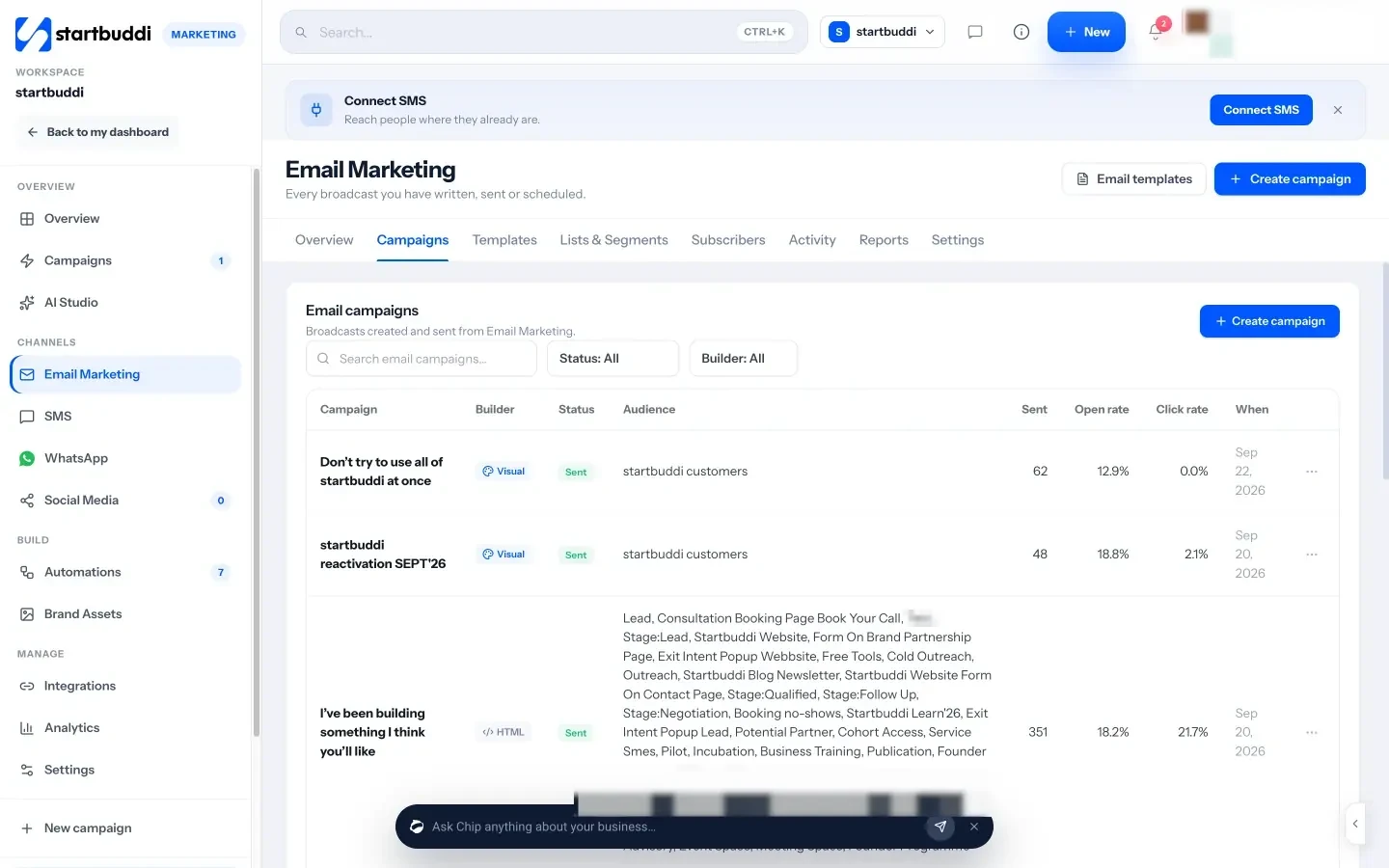
Email marketing lets you build campaigns with a drag-and-drop or HTML builder, send to lists and segments, and see sent, open and click rates for each campaign. You can send from your own domain on paid plans. SMS and WhatsApp marketing sit alongside it.
Social posts and one campaign calendar
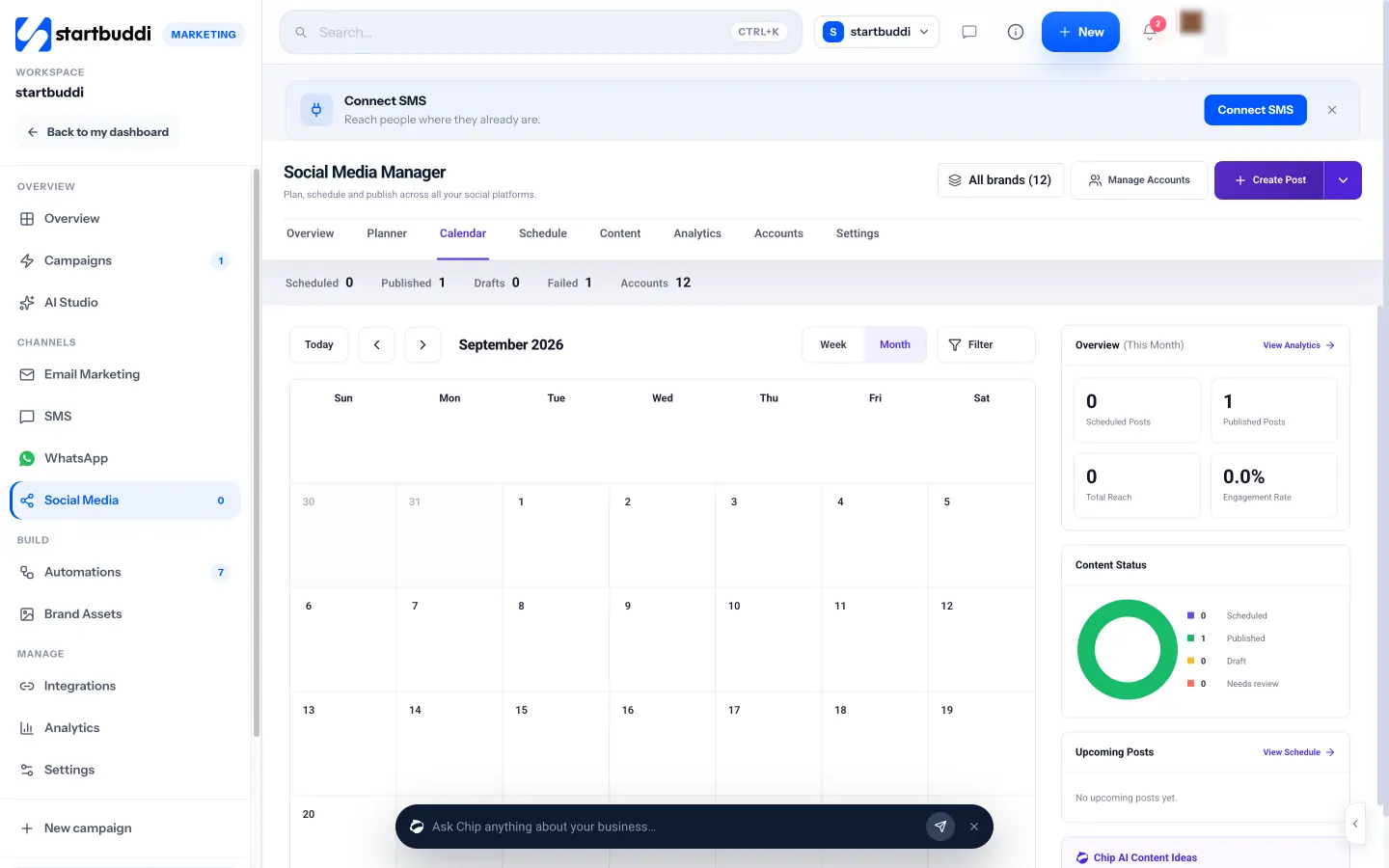
The Social Media Manager schedules posts to Facebook, Instagram, LinkedIn, X, YouTube and Pinterest, with a calendar view and Chip to help write captions. TikTok posting is not available yet.
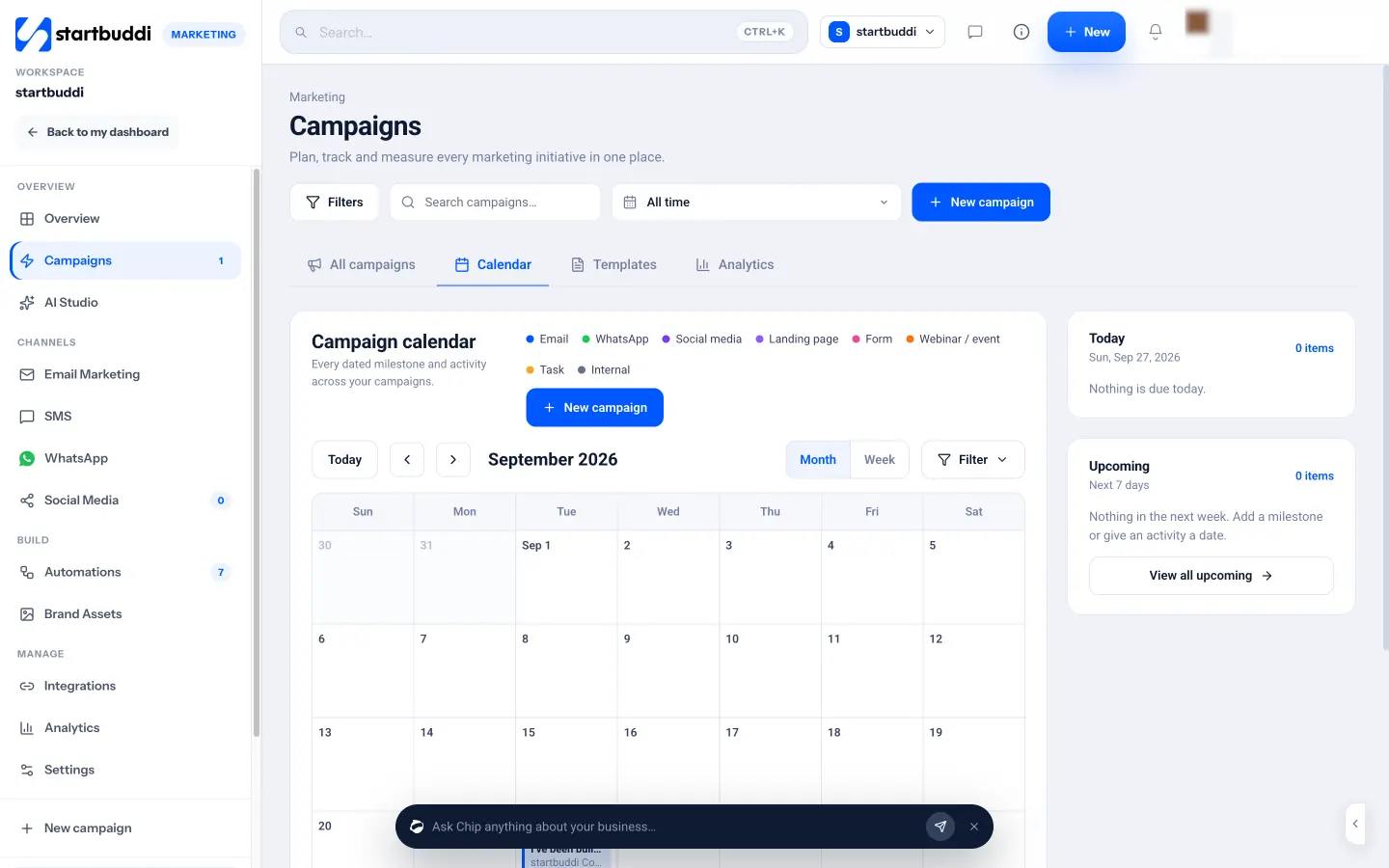
Campaigns brings email, WhatsApp, social posts, landing pages, forms and events onto one calendar, so you can see a launch from start to finish.
Forms, landing pages and link in bio pages in Publish capture new contacts straight into the same list. Starter includes 3,000 email sends and 50 SMS a month, and every paid plan comes with a 30-day trial.
Automations across the whole business
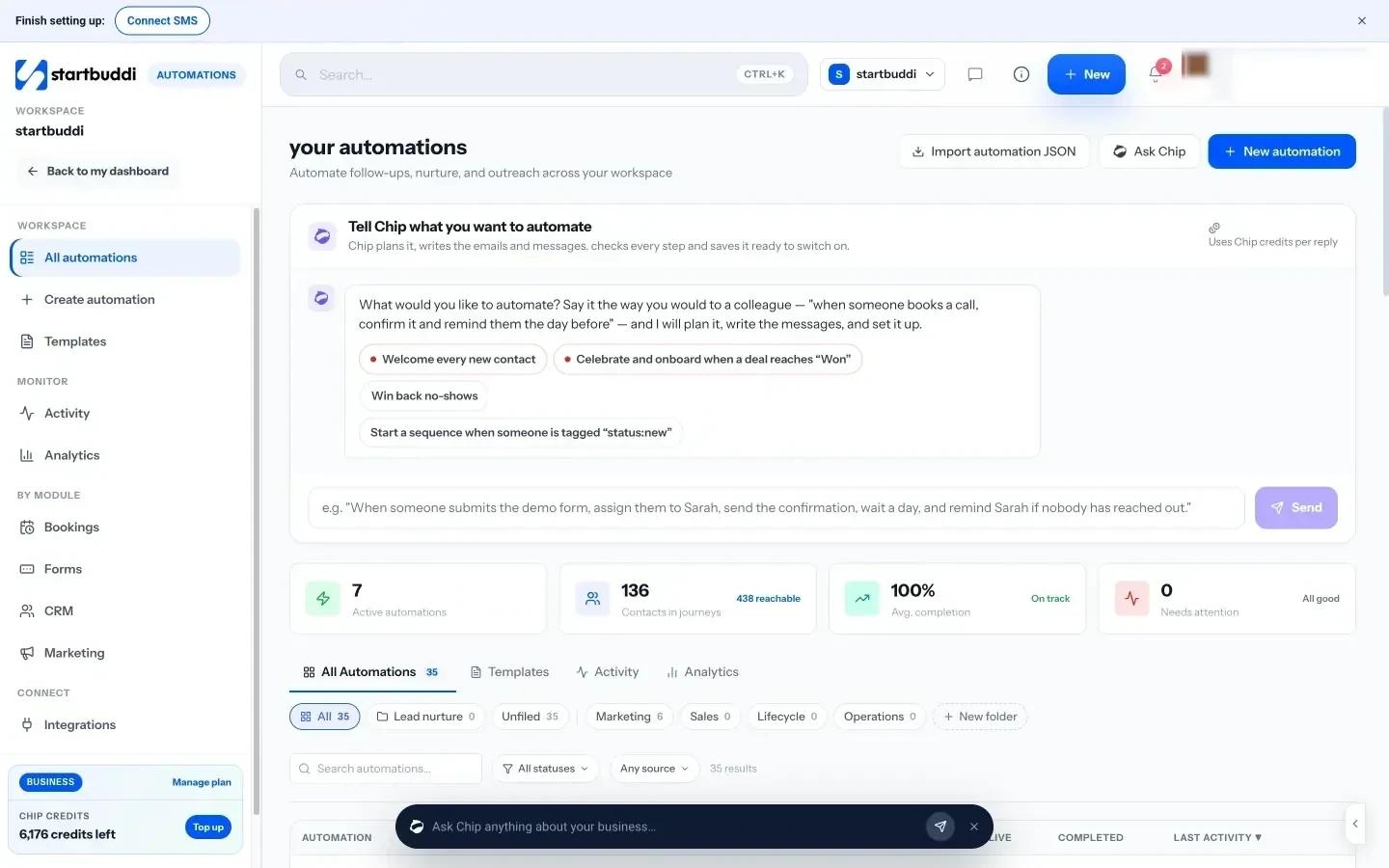
Marketing flows run on the same engine as the rest of the business in Automations. A flow can start from a form, a new contact, a tag, a booking, a deal changing stage or an invoice being paid, then send email, SMS or WhatsApp messages, wait, branch, add tags, create tasks or notify the team. You can start from a template, build from scratch or describe what you want to Chip, which saves it as a draft for you to check before it goes live. Free includes 2 active automations and Starter 10, and each plan has a monthly allowance of runs (250 on Starter).
Your next step
Write down your first three customer journeys, then check which tools can run all three on a plan you can afford at next year’s list size. Build the welcome series first and add one automation a month. If you’d rather run email, messaging, forms and automations from one customer list, compare plans on the pricing page.
Sources
- Mailchimp: marketing pricing
- Brevo: pricing
- MailerLite: pricing
- Kit: pricing
- ActiveCampaign: pricing
- HubSpot: Marketing Hub pricing
- DataReportal: Digital 2026 global overview report
- Buffer: pricing
- Hootsuite: plans
- Later: pricing
- Meta Business Suite
- FTC: CAN-SPAM Act compliance guide for business
- ICO: electronic mail marketing
- European Commission: when is consent valid?
- Nigeria Data Protection Commission
Frequently asked questions
What are the best marketing tools for a small business?
The best set is the one that matches where your customers come from. For most, that means a Google Business Profile or page, a way to capture contacts, email, and the one social or messaging app customers use most.
Which marketing tools for small businesses are free?
Google Business Profile and Google Analytics are free, and several email and social tools have free plans with limits on contacts, sends or channels.
How much should a small business spend on marketing tools?
Start with free or low-cost plans and pay only when a limit slows you down. Add up every subscription at the size you expect in a year before you commit.
Do I need a social media scheduler?
Not at first. Once you post more than a few times a week, a scheduler saves time because you can plan the week in one sitting.
SEO Copywriter| Email growth Specialist| I help businesses increase revenue with strategic SEO content & high-converting email funnels.