12 business workflow automation examples for service businesses
Twelve business workflow automation examples for service businesses: the seven follow-ups to automate first, five more for later, and the mistakes to avoid.


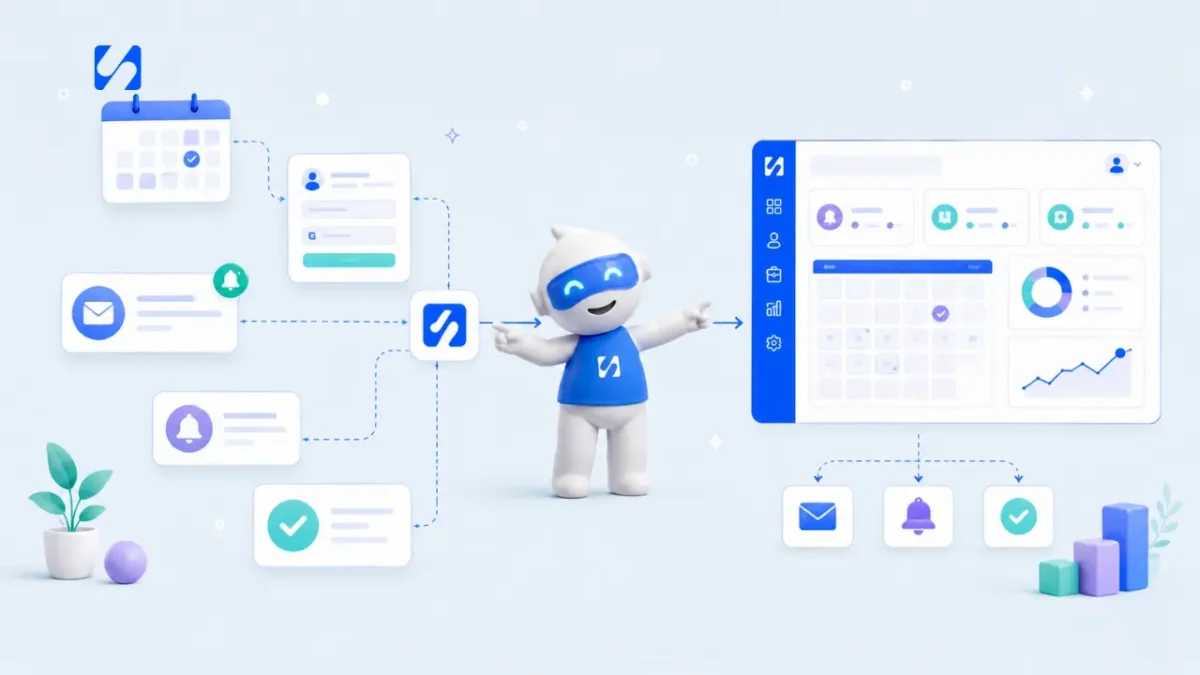
- Start with the messages you already send by hand: enquiry replies, booking reminders, no-show follow-ups, onboarding, payment thank-yous, review requests and team handoffs. Once those run, add lead routing, quiet-deal nudges, deposit requests, list clean-up and win-back. Test each one on yourself and keep a person in the loop for anything sensitive.
Business workflow automation means letting software send the routine messages and do the routine admin that follow a predictable event: someone fills in a form, books a slot, misses an appointment or pays you. For a service business, the best first automations are the follow-ups you already know you should send but forget when the week gets busy.
You don’t need a big system or a developer. You need a handful of small “when this happens, do that” rules, each written once in your own voice. Below are 12 business workflow automation examples: the seven that pay off fastest in week one, then five more to add once those run, with timings, example wording and the traps to avoid.
What business workflow automation means for a small team
Every automation has three parts. A trigger is the event that starts it (“a new booking is made”). Steps are what happens next (“send a confirmation, wait until the day before, send a reminder”). Exit rules say when to stop (“if they cancel, stop the reminders”). If you want the longer definition, our glossary explains what workflow automation is.
The point is not to replace you. It is to make sure the boring, time-sensitive messages go out every single time, so your attention goes to the conversations that need a human. A good test: if you have sent roughly the same message more than ten times, it is a candidate for automation.
Before you build anything
- Write down your customer journey. Enquiry, quote, booking, the work itself, payment, and what happens after. Most service businesses have five to eight stages.
- Mark where things slip. Slow replies, forgotten reminders, invoices nobody chased. Those are your first automations.
- Check you have permission. Only message people who gave you their details and agreed to hear from you. WhatsApp’s Business Messaging Policy requires opt-in before you message someone, and Nigeria’s Data Protection Commission expects consent to be informed and easy to withdraw.
1. Reply to every new enquiry within minutes
Speed matters more than polish. In a study of 1.25 million sales leads published in Harvard Business Review, companies that tried to contact a lead within an hour were nearly seven times as likely to have a meaningful conversation as those that waited even an hour longer. A small business can’t always call back that fast, but an automatic reply can go out in seconds.
Trigger: a form is submitted, or a new contact is added.
Steps: send a short email (or a WhatsApp message if they gave consent), create a task for you to follow up personally, and notify whoever handles new work.
Hi {first name}, thanks for getting in touch about {service}. I’ve got your message and I’ll reply properly by {time}. If it’s urgent, you can book a 15-minute call here: {booking link}.
Keep it honest. Say when a person will reply, and give one useful next step. For more on the human follow-up that comes after, see how to follow up with leads without being pushy.
2. Confirm every booking and send reminders
A confirmation straight after booking stops the “did that go through?” messages. A reminder before the appointment cuts missed slots. A Cochrane review of text-message reminders for health appointments found they raised attendance compared with no reminder, and worked about as well as phone calls while costing less. The evidence is from healthcare, but the behaviour it describes (people forget) applies to any appointment.
A simple reminder schedule
| When | Message | Why |
|---|---|---|
| Straight after booking | Confirmation with date, time, address or join link | Reassures them and gives them the details in one place |
| 24 hours before | Reminder with a reschedule link | Gives time to rebook instead of just not turning up |
| 1 to 2 hours before | Short nudge | Catches the people who forgot today |
Always include a reschedule option. A person who can move their slot easily will usually do that instead of ghosting you. Our guide on how to reduce no-shows goes further on deposits and policies.
3. Follow up on no-shows and cancellations
Most service businesses do nothing when someone misses a booking, which quietly turns an interested customer into a lost one. One kind, automatic message the same day brings a share of them back.
Trigger: a booking is marked as a no-show, or cancelled.
Steps: wait an hour or two, send a friendly rebooking message, and if there is no reply after three days, send one last note and stop.
Hi {first name}, we missed you today. No problem, things come up. If you’d still like your {service}, here’s my calendar to pick a new time: {booking link}.
Don’t guilt people. The tone should make it easy to come back. If no-shows cost you real money, a clear cancellation policy and a deposit do more than any message.
4. Welcome every new client the same way
The first week with a new client sets the tone for the whole relationship. When onboarding depends on your memory, some clients get a great start and others get silence. Automating the structure means everyone gets the same welcome, and you add the personal touches on top.
Trigger: a deal is won, or a contact’s status changes to “client”.
Steps:
- Send a welcome email that explains what happens next and when.
- Send your intake form or questionnaire.
- Create the project and its first tasks for your team.
- Two days later, check whether the intake form is back. If not, send a gentle reminder.
Our client onboarding checklist lists what to collect, from contact details and goals to access, files and who signs off the work.
5. Thank people when they pay, and nudge before invoices are late
Payment is a moment most businesses treat as silent admin. A short thank-you with the receipt and the next step makes the customer feel looked after, and it is the best moment to ask for a referral or a repeat booking.
Trigger: a payment succeeds, or an invoice is paid.
Steps: send a thank-you, tag the contact as a paying customer, and create a task if there is delivery work to start.
Late payments
For unpaid invoices, a polite rhythm works better than one angry email: a friendly note a few days before the due date, one on the day, then follow-ups at around 3, 7 and 14 days overdue. Keep the first ones light and move to a firmer tone only at the end. Our guide to handling late payments professionally has the wording.
One rule: keep a person in charge of anything that escalates. An automated “final notice” sent to a client who already paid by transfer yesterday does more damage than no message at all. Before chasing, check your records.
6. Ask for a review after every finished job
Happy customers rarely leave a review unless you ask, and the best time to ask is right after the work is done, when the result is fresh. Asking by hand is easy to forget. An automation never forgets.
Trigger: a booking is completed, or a project is marked done.
Steps: wait one day, then send a short message with one direct link to where you want the review.
Hi {first name}, thanks again for choosing us for {service}. If you were happy with it, would you leave a quick review? It takes a minute and really helps a small business like ours: {review link}.
Make it one link and one click. Don’t ask for reviews in exchange for discounts, and don’t only ask the people you think are happy: platforms such as Google set their own rules on review requests, so read them before you start.
7. Hand work over to the team without a meeting
As soon as you have more than one person, the gap between “sold” and “started” is where work gets lost. Someone closes the deal, and the person who does the work hears about it days later.
Trigger: a deal is won.
Steps: create the project from your usual template, assign it to the right teammate, post a note to the team, and add the client to your onboarding flow (automation 4). This one saves a meeting every time you win work, and it stops the “I thought you were doing that” moments.
For a small agency, the whole handoff might look like this: the deal moves to “won”, the “Website build” project template is copied with its usual tasks, the designer is assigned the first task, the team gets a note with the client’s name and budget, and the client gets the welcome email from automation 4. Nobody has to remember any of it. If a detail changes, such as a new start date, you edit the project, not five separate messages.
Five more business workflow automation examples
Once the first seven run smoothly, these five cover the gaps most service businesses find next.
8. Route new leads to the right person
Trigger: a form is submitted.
Steps: check which service they picked, add a matching tag, assign the lead to the teammate who handles that service and notify them. Nobody has to sort the enquiry list by hand, and the right person replies first.
9. Nudge deals that have gone quiet
Trigger: a deal has had no activity for a set number of days.
Steps: create a follow-up task for the deal owner, or send a short check-in: “Just checking the proposal reached you. Happy to walk through it on a 10-minute call.” Quiet deals are usually busy people, not a no.
10. Ask for the deposit the moment a deal is won
Trigger: a deal moves to “won”.
Steps: email a payment link for the deposit with one line on what happens once it is paid. Work starts sooner, and you stop starting projects on a promise. Our guide on how much deposit to charge helps you set the amount.
11. Keep your list clean when someone unsubscribes
Trigger: a contact unsubscribes.
Steps: remove them from your marketing lists, add an “unsubscribed” tag and end any nurture flow they are in. This protects your sender reputation and respects their choice.
12. Win back past clients
Trigger: started by hand, sent to a list of clients you haven’t worked with in six months.
Steps: one friendly email or WhatsApp template with something useful (a seasonal offer or a quick tip), a wait of a week, then one follow-up to anyone who didn’t reply. Stop the moment someone answers.
How to tell if your automations are working
An automation that runs is not the same as an automation that helps. Give each one a single number to watch, check it after two weeks, and then once a month.
| Automation | Number to watch | What good looks like |
|---|---|---|
| Enquiry reply | Share of enquiries that become a call or quote | Goes up after you switch it on |
| Booking reminders | No-shows per month | Goes down |
| No-show follow-up | Missed bookings that rebook | At least a few each month |
| Onboarding | Days from “won” to intake form returned | Shorter and more predictable |
| Payment thank-you | Repeat bookings and referrals | Steady or rising |
| Review request | New reviews per month | Rising |
| Team handoff | Days from “won” to work starting | Shorter |
If a number doesn’t move, change one thing at a time: the timing, the subject line or the call to action. Don’t rewrite the whole flow at once, or you won’t know what made the difference. And read the replies. The words customers send back to an automated message are the best guide to what the next version should say.
How to keep automations from feeling robotic
Automation goes wrong in predictable ways. Most of them are fixed by writing like a person and adding a way out.
- Write in your own voice. Read each message aloud. If you wouldn’t say it to a customer’s face, rewrite it.
- Add exit rules. Stop reminders when someone cancels, stop chasing when they pay, stop nurture emails when they reply.
- Test on yourself first. Book your own slot, fill in your own form, and check every message and delay.
- Don’t stack channels. An email, a WhatsApp and an SMS for the same reminder feels like pressure. Pick the channel the customer actually uses.
- Review monthly. Look at what went out, what failed and what people replied. Turn off anything nobody responds to.
How startbuddi helps
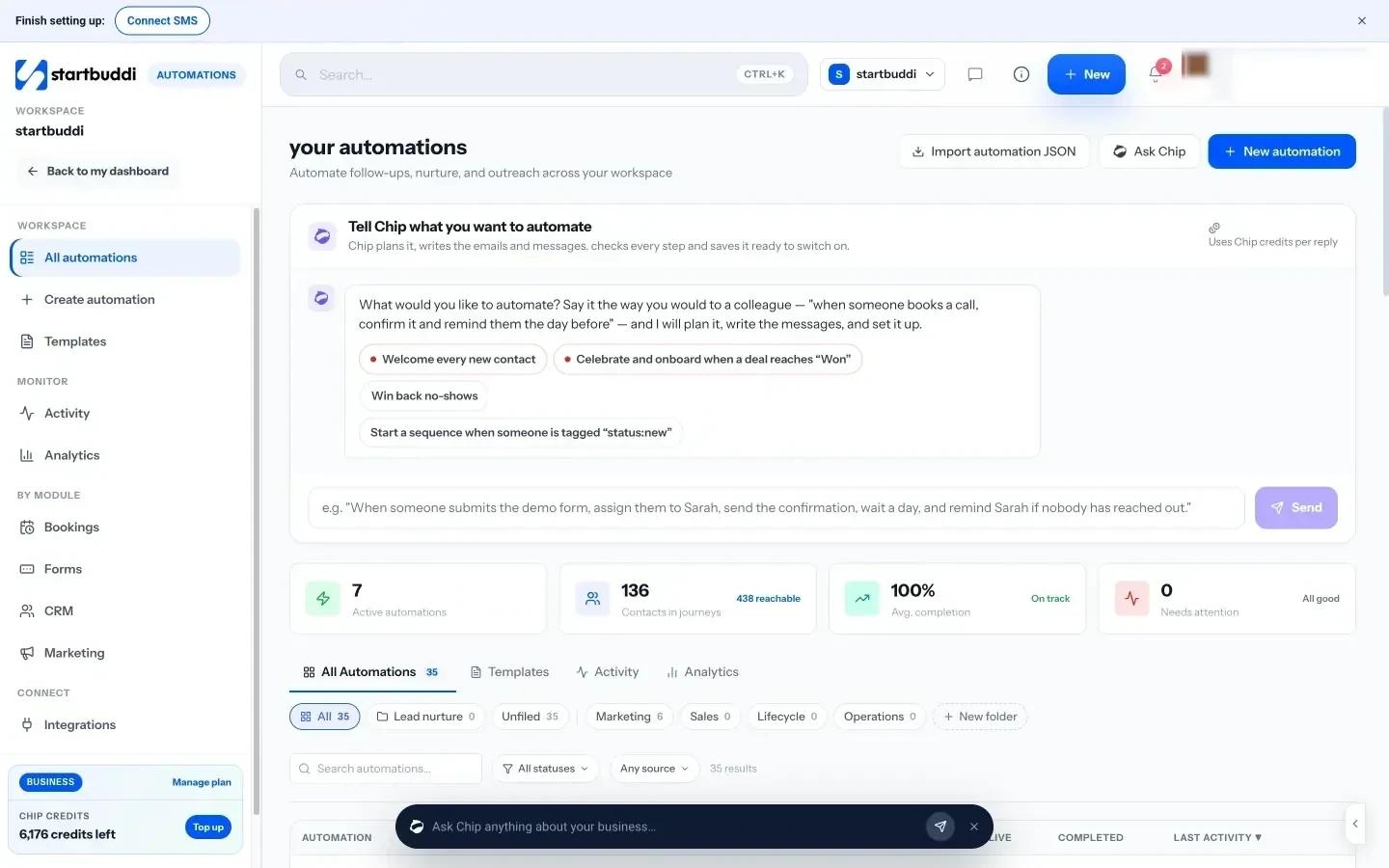
In startbuddi, all seven of these run on one engine: Automations. Booking reminders, form follow-ups and customer journeys are the same kind of record, so you learn one editor instead of four. Automations are included on the Starter plan and above, and each plan comes with a monthly number of automation runs.
You can start in three ways. Use a template: there are ready-made flows including “Lead capture welcome flow”, “New client onboarding”, “Booking reminder stack” and “Cancellation win-back”. Start from scratch: pick what starts it (form submitted, new booking made, booking no-show, payment succeeded, deal won and more), then drag steps onto a canvas. Or tell Chip what you want in plain words, such as “when someone books a meeting, send them a confirmation and remind the owner”. Chip plans the flow, writes the messages and saves it as a draft for you to check and switch on. Building with Chip uses Chip credits.
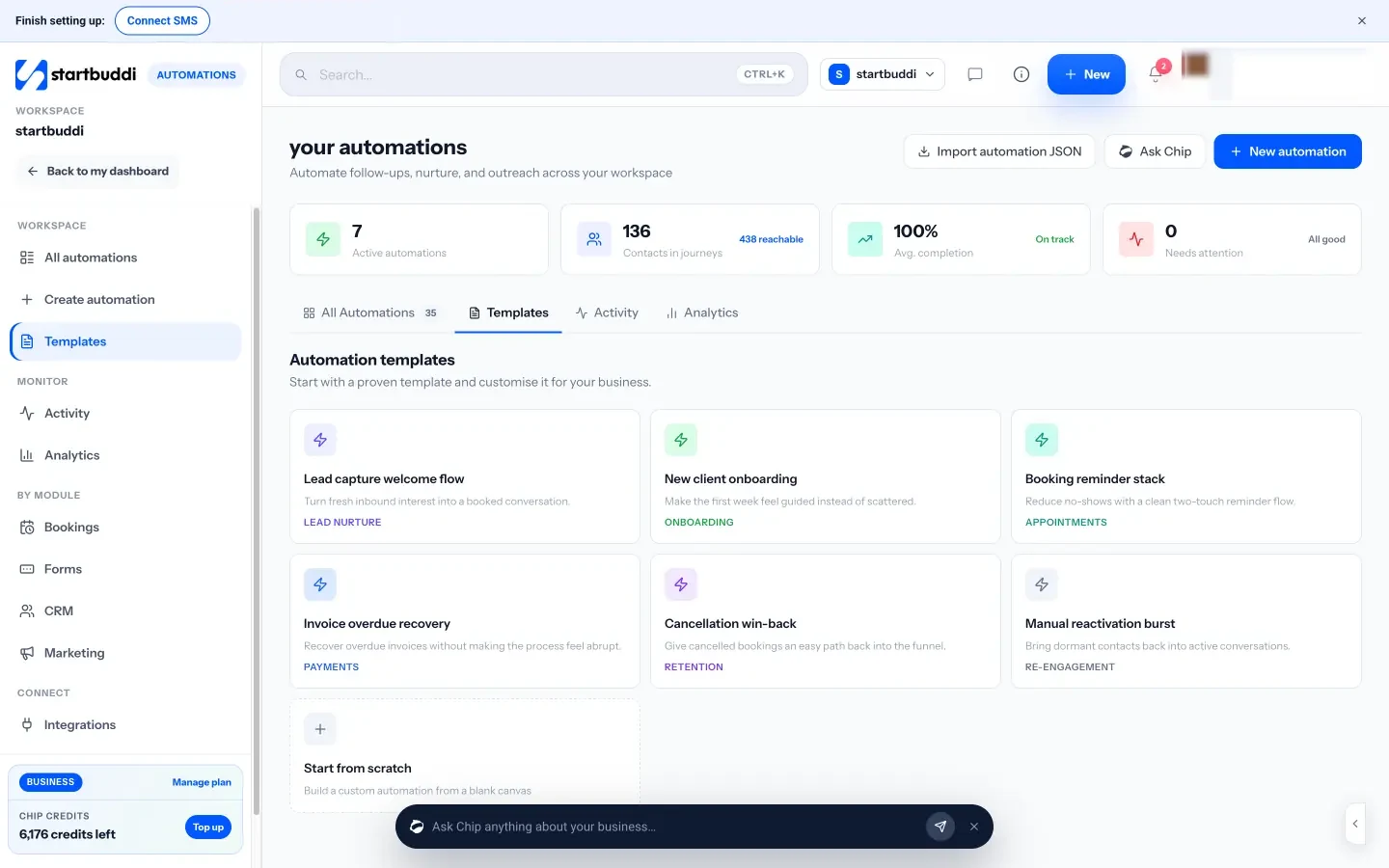
Steps cover email, SMS and WhatsApp messages (WhatsApp and SMS need the Starter plan or above), waits, conditions, “wait for their reply”, tags, tasks, projects, assigning a teammate and notifying the team. Before you activate, you can test with a real contact or simulate the trigger, and a review screen checks consent and shows how many people the flow can actually reach.
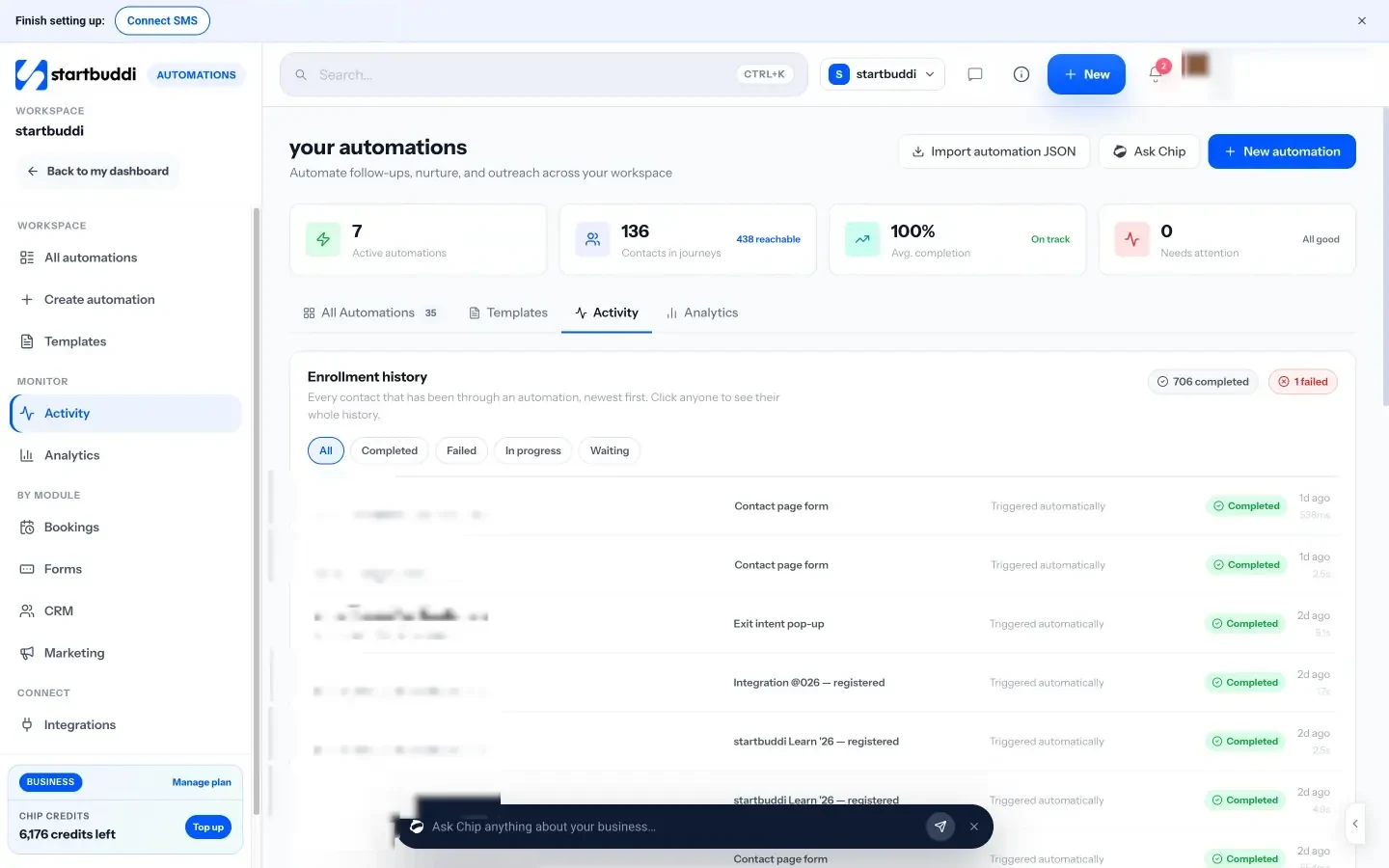
Once a flow is live, the Activity view shows every contact who has been through it and what happened at each step, so you can answer “did they get the reminder?” in seconds.
Because contacts, bookings, forms and invoices all live in the same workspace, the triggers already know who the customer is. There is no copying data between tools. The help article on building an automation sequence walks through the editor step by step.
Your next step
Pick one automation from this list, the one that fixes your biggest leak, and set it up this week. For most service businesses that is the instant enquiry reply or the booking reminder. Get one running, watch it for a fortnight, then add the next. If you want all seven in one place, compare the plans and start with a 30-day trial of Starter.
Sources
- Harvard Business Review: The short life of online sales leads (2011)
- Cochrane: Mobile phone messaging reminders for attendance at healthcare appointments
- WhatsApp Business Messaging Policy
- Nigeria Data Protection Commission
Frequently asked questions
What should I automate first in a service business?
Start with the message that loses you the most customers when it's late or missing. For most service businesses that is the instant reply to new enquiries or the booking reminder.
Will automated messages make my business feel impersonal?
Not if you write them in your own voice, keep them short and stop them when a person replies. Automate the routine, and handle the sensitive conversations yourself.
Do I need permission to send automated WhatsApp messages?
Yes. WhatsApp's policy requires opt-in before you message someone, and outside the 24-hour window after their last message you can only send approved templates.
How many automations does a small business need?
Fewer than you think. Five to seven well-written flows usually cover the whole customer journey. Add more only when you find a new gap.
Omolola Akiyode is the operations and project manager at startbuddi, leading cross-functional projects and the content that helps founders get set up. Omolola writes about projects, websites and getting found online, and turns complex ideas into clear, practical steps.
Runs operations and projects at startbuddi