How to Use WhatsApp Business for Customer Service
How to use WhatsApp Business for customer service: hours, greeting and away messages, quick replies, labels and a way to reach a person, with templates.


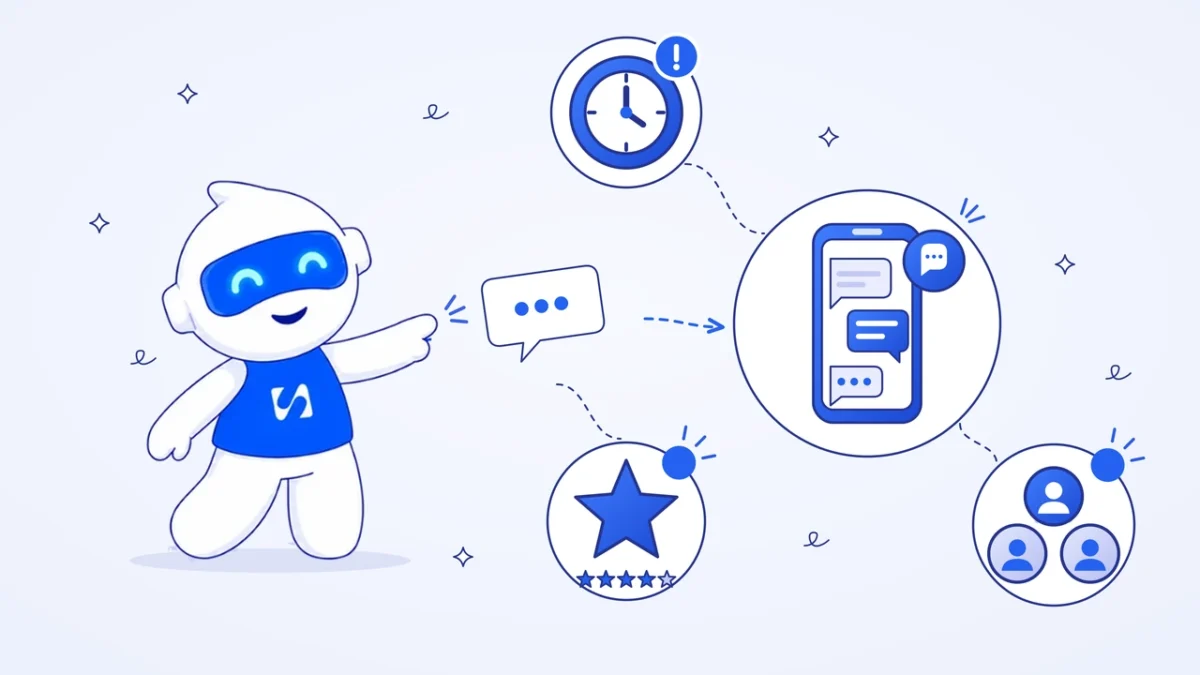
To use WhatsApp Business for customer service, complete your profile with your hours, set greeting and away messages, save quick replies for common questions, label every chat by status and give customers a clear way to reach a person. Then agree a reply time, track it weekly and move to a shared inbox when one phone isn’t enough.
Key takeaways
- Customers on WhatsApp expect a quick, human reply. Promise a reply time you can keep, and say it in your away message.
- Quick replies for your top ten questions handle most of the typing. Personalise the first line and send.
- Labels turn a messy chat list into a queue: new, waiting on us, waiting on customer, resolved.
- Automation is fine, but WhatsApp’s policy says customers must have a clear way to reach a person.
- On the WhatsApp Business Platform, you can reply freely for 24 hours after the customer’s last message. After that, you need an approved template.
What you need before you start
- The WhatsApp Business app on a phone, with your business number. It’s a separate app from personal WhatsApp.
- Your opening hours and a reply time you can honestly keep, such as “within 2 hours, 8am to 6pm”.
- A list of the ten questions customers ask most. Scroll back through a month of chats to find them.
- Your price list or service menu, with photos if you have them.
- A plan for complaints: who handles them, and what you can offer to put things right.
How to use WhatsApp Business for customer service, step by step
1. Complete your business profile
Your profile is the first thing a customer checks: are you real, are you open and where are you? Add your business name, logo, a one-line description of what you do, your address or service area, your opening hours and your website. Choose the right business category, so the profile makes sense at a glance.
2. Set a reply time and opening hours
Decide when you answer messages and how quickly. “We reply within 2 hours between 8am and 6pm, Monday to Saturday” is a promise customers can plan around. Put it in your profile description and your away message, and keep to it. A fast reply to a simple question does more for trust than a perfect reply the next day.
3. Turn on a greeting message
A greeting message goes automatically to new customers. WhatsApp’s help article on greeting messages (checked on 1 October 2026) explains that it is sent when someone messages you for the first time, or after 14 days without messages. Set it from the Tools tab under Greeting message. Use it to set expectations, not to sell.
Copy and adapt:
Hi, thanks for messaging Ade’s Phone Repairs. We reply within 2 hours, 8am to 6pm, Monday to Saturday. To help us quote faster, tell us your phone model and what’s wrong with it.
4. Set an away message for outside hours
An away message goes automatically when you’re closed or busy. Set it from Tools, then Away message, and choose when it should go out, such as outside your business hours.
Thanks for your message. We’re closed right now and we’ll reply from 8am tomorrow. If your phone won’t switch on, keep it off the charger until we’ve looked at it.
A useful tip in the away message saves a worried customer from doing something that makes the problem worse.
5. Save quick replies for your top questions
Quick replies are saved messages you send with a shortcut: type “/” in a chat and pick one. Write one for each of your top ten questions. Keep each to a few lines, with one clear next step.
| Shortcut | Quick reply |
|---|---|
| /price | Screen replacements start from ₦35,000 for most Samsung A-series models. Send your exact model and we’ll confirm the price today. |
| /time | Most screen and battery repairs take 2 to 3 hours. We’ll message you when it’s ready. |
| /where | We’re at Shop 14, Computer Village, Ikeja. Here’s the map pin. Parking is easiest before 10am. |
| /warranty | Every repair has a 90-day warranty on the part we fitted. Keep this chat as your receipt. |
| /status | Thanks for checking. Your phone is with the technician now; we’ll send an update by 4pm. |
The prices and terms above are examples. Write your own, and update them when prices change, because an old price in a quick reply is still a promise.
6. Label every chat by status
Labels sort chats so nothing slips. A simple set for customer service:
- New: not answered yet.
- Waiting on us: we owe the customer an answer or a fix.
- Waiting on customer: we’ve asked for something, such as a photo or a payment.
- Resolved: done. Check these once a week for repeat problems.
- Complaint: needs the owner or a senior person.
Start each morning with “New” and “Waiting on us”. If either list is long, that’s your first job.
7. Share your catalogue instead of typing prices
If you sell set services or products, add them to the WhatsApp catalogue with a photo, a short description and a price. When someone asks “what do you offer?”, send the catalogue or a single item instead of a paragraph. It’s faster for you and easier for the customer to compare.
8. Give customers a clear way to reach a person
Automated replies are useful, but they must not trap people. The WhatsApp Business Messaging Policy (checked on 1 October 2026) says businesses must have “prompt, clear, and direct escalation paths” to a person, such as a transfer in the chat, a phone number or email. Say in your greeting how to reach a person, and make sure someone actually does.
For complaints, a calm reply that owns the problem works better than a defensive one:
I’m sorry the screen stopped working two days after the repair. That shouldn’t happen. Please bring it in today or tomorrow and we’ll check it first, free of charge under your warranty. What time suits you?
9. Know the rules if you move to the WhatsApp Business Platform
The WhatsApp Business app suits one phone and a small team. Many businesses later move to the WhatsApp Business Platform (often called the API) through a provider, so several people can reply from a shared inbox. Our WhatsApp Business API glossary entry explains what that means and how it differs from the app.
Two rules change on the platform:
- The 24-hour window. Meta’s documentation on message templates (checked on 1 October 2026) says templates are the only type of message you can send outside the customer service window, which opens for 24 hours when a customer messages you. Templates need Meta’s approval, which the same page says can take up to 24 hours. Our guide to WhatsApp message templates has examples.
- Costs. Meta’s platform pricing page (checked on 1 October 2026) says that since 1 July 2025 it charges per template message, and that non-template messages inside an open customer service window are free. Answering a customer who has just written to you doesn’t cost a message fee.
10. Measure and review every week
Once a week, look at three things: how long first replies took, which questions came up most, and which chats are still open. Add a quick reply for any new common question, and fix the cause of any repeat complaint. Each chat is a touchpoint in the customer’s journey, so small improvements add up.
Worked example: a phone repair shop in Ikeja
These numbers are illustrative. A two-person phone repair shop in Computer Village gets about 60 WhatsApp messages a day. Counting a week of chats, 40 of the 60 daily messages are one of five questions: price, repair time, location, warranty and “is my phone ready?”
Typing each answer took about 3 minutes. With quick replies and a short personal first line, each takes about 1 minute. That’s 40 messages × 2 minutes saved = 80 minutes a day, or 8 hours over a six-day week. The owner uses that time to reply to the other 20 messages properly and to call back complaint chats the same day.
Common mistakes
- No away message. Customers who write at 10pm and hear nothing assume you’ve ignored them.
- Using a personal number. When the owner is off sick, nobody else can answer.
- Promising prices in old quick replies. Review them whenever prices change.
- Broadcasting promotions to support chats. Marketing messages need opt-in, and unwanted ones get you blocked.
- No owner for complaints. A complaint labelled and left for three days becomes a bad review.
- Letting automation answer everything. If someone asks for a person, they should get one.
For a wider view of service standards, see our guide to customer service for small business, and for keeping client records outside the chat, read how to manage clients on WhatsApp.
How to do this in startbuddi
When one phone isn’t enough, startbuddi puts WhatsApp customer service in a shared inbox alongside email, Instagram, Facebook, SMS and website chat.
- Connect your number. In startbuddi, go to Marketing, then WhatsApp, and click Connect WhatsApp. Meta’s own signup window opens. If you already use the WhatsApp Business app, you can keep it: choose to connect your existing account, and your contacts and recent chats are imported once, up to 180 days back.
- Reply from the shared Inbox. WhatsApp chats land in the Customers Inbox. Assign a chat to a teammate, add internal notes only your team can see, and use quick replies.
- Handle the 24-hour window. After 24 hours without a message from the customer, the reply box switches to approved templates, so you don’t send something WhatsApp will refuse.
- Let Chip answer when you’re busy. Chip can reply on WhatsApp by a rule you set per channel: straight away, when nobody on the team replies within a set time, or outside business hours. It steps back when a teammate replies, and hands the chat to your team when a customer asks for a person.
- Send automatic updates the right way. WhatsApp messages from Automations, such as “your repair is ready”, work once they’re set up in Automations, and they need a WhatsApp message template approved by Meta first.

WhatsApp in startbuddi is available from the Starter plan, and Chip’s automatic replies from Growth. See pricing for details. Our WhatsApp CRM integration page shows how chats connect to contact records, and the free WhatsApp link generator makes a click-to-chat link for your website.
Turn your WhatsApp into a service desk
Set up the profile, greeting, away message and quick replies today; it takes about an hour. When you need a shared inbox and help from Chip, start free with startbuddi.
Frequently asked questions
Can I use WhatsApp Business for customer support?
Yes. The WhatsApp Business app includes a business profile, greeting and away messages, quick replies, labels and a catalogue, which cover most of what a small business needs for support. When several people need to answer from one number, businesses usually move to the WhatsApp Business Platform through a provider with a shared inbox.
How do I set up an automatic reply on WhatsApp Business?
Open the WhatsApp Business app, go to Tools, and choose Greeting message or Away message. Turn it on, edit the text and choose who gets it and when. Greeting messages go to people messaging you for the first time or after 14 days without messages; away messages go when you're closed.
What is the 24-hour rule on WhatsApp?
On the WhatsApp Business Platform, a 24-hour customer service window opens each time a customer messages you. Inside it, you can send any reply for free. Outside it, you can only send pre-approved template messages, which Meta charges for by category and country.
How fast should a business reply on WhatsApp?
As fast as you can reliably promise. Many small businesses aim for a first reply within one or two hours during opening hours, and an away message outside them. Whatever you choose, state it in your profile and away message and keep to it.
Can more than one person answer the same WhatsApp Business number?
Yes. The WhatsApp Business app lets you link extra devices to one account, and the WhatsApp Business Platform lets a whole team reply from a shared inbox. A shared inbox also lets you assign chats and see who replied.
Is it free to use WhatsApp Business for customer service?
The WhatsApp Business app is free to download and use. On the WhatsApp Business Platform, Meta charges per template message, while replies inside the 24-hour customer service window are free. Providers that give you a shared inbox usually charge their own subscription.
Olabimpe Salami is the email and outreach specialist at startbuddi. Olabimpe writes about the messages that bring customers in and back: email, WhatsApp and SMS campaigns, follow-ups, and turning enquiries into paying clients.
Runs email and outreach at startbuddi