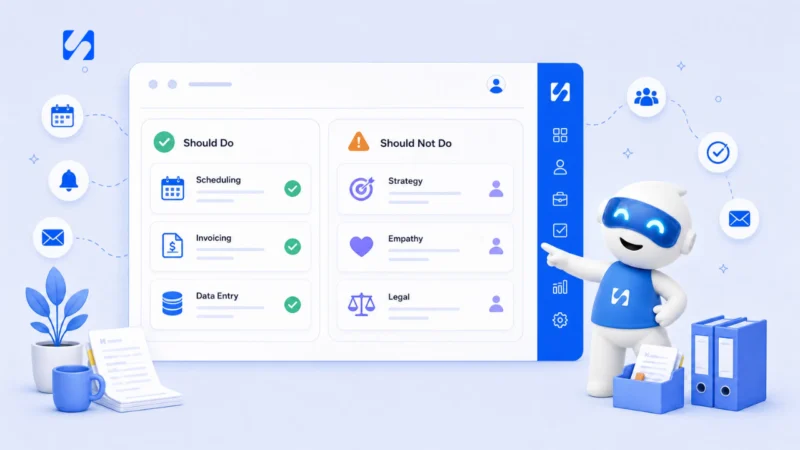
Meet Chip: the AI assistant that knows your business
Chip is the AI business assistant inside startbuddi. Here's what it can see, what it can do, how it asks before acting, and where its limits are.



Photo: Gloire Bingana / Unsplash
- Chip is startbuddi's built-in AI assistant. It works from your own contacts, deals, invoices and tasks, drafts messages and automations, and can answer customers on Growth and above. Anything that reaches outside a draft needs your confirmation, and every action is logged.
Chip is the AI business assistant built into startbuddi. Unlike a general chatbot, Chip works with your own records: your contacts, deals, invoices, bookings, tasks and campaigns. You can ask it what needs your attention today, have it draft a follow-up to a client it can already see, or describe an automation in plain words and get a working draft back. And before Chip sends, books, publishes or changes anything outside a draft, it shows you a preview and waits for your yes.
This post explains what Chip is, what “knows your business” really means, what it can and can’t do, how it keeps you in control, and how to get useful answers from it in your first week. We’ll also be clear about the limits, because an assistant you can’t trust is worse than no assistant at all.
Why small businesses want an AI business assistant
AI has moved fast from novelty to normal. The US Chamber of Commerce’s Empowering Small Business report found that 58% of small businesses said they use generative AI in 2025, up from 40% the year before.
But most small business owners use AI the same way: they open a chat tool in another tab, paste in some context, ask for a draft, then copy the result back into email or a document. That works for one-off writing. It breaks down for running a business, because the AI doesn’t know who your customers are, what they owe you, what you promised them last week or what’s overdue. You spend as much time explaining your business to the tool as you save.
The idea behind Chip is to remove that step. It sits inside the system where your business already lives, so the context is already there.
What “knows your business” actually means
It’s a phrase that gets overused, so here is exactly what it covers in Chip’s case.
It can read your workspace
Chip can look at the records in your startbuddi workspace: contacts and companies, deals in your pipeline, invoices and payments, bookings, projects and tasks, campaigns and more. When you ask “who should I follow up with?”, it answers from your actual contacts, not from general advice.
It knows where you are
Open the Chip panel from any page and it can see the page you have open. On a contact’s record, you can ask it to summarise the relationship or draft a follow-up without saying who you mean. You can also type @ to point Chip at a specific contact, project, campaign or deal.
It learns what you tell it
In settings, you can add knowledge about your business: prices, opening hours, returns policy, service descriptions. You can write notes or upload documents. Chip uses that knowledge when it answers your team, and when it answers customers on channels where you’ve switched that on.
What it doesn’t know
Chip only knows what’s in your workspace and what you’ve told it. If your prices live in a spreadsheet on your laptop, or last week’s agreement happened on a phone call nobody logged, Chip can’t see it. The more of your business you run in one place, the more useful it becomes.
What Chip can do for you
Chip shows up in a few different ways across startbuddi. Here are the ones most owners use first.
Answer questions about your business
The Ask Chip page opens with prompts such as “What should I focus on today?”, “What’s overdue right now?” and “Who should I follow up with?”. On the Home dashboard, Chip’s brief summarises overdue tasks, outstanding invoices and other things that need you.
Draft the writing you keep putting off
Follow-up emails, payment reminders, proposal text, social posts, WhatsApp templates and welcome sequences. In AI Studio there are tools grouped under Write, Design, Plan and Analyse: an email writer that works from a one-line brief, subject line variants, per-platform social posts, a 30-day content calendar and more. Everything comes back as a draft for you to edit.
Build automations from a sentence
In Automations, you can type something like “when someone books a call, confirm it and remind them the day before” and Chip plans the steps, writes the messages and saves the flow as an inactive draft. You review it and switch it on.
Work alongside your records as agents
Agents are versions of Chip set up for a specific job, such as the Follow-up agent (“Never let a conversation go cold”), the Lead intelligence agent, the Invoice Assistant or the Content Writer. You can use the built-in ones or build your own and choose exactly which parts of the business each one can reach. Agents can be launched from Contacts, Companies, Deals, the Inbox, WhatsApp conversations and People.
Answer customers when you’re busy
On the Growth plan and above, Chip can reply to customers in the Inbox, on WhatsApp and in your website live chat. You choose when: straight away, only when nobody on the team replies, or only outside business hours. Once a teammate replies, Chip steps back. The WhatsApp chatbot set-up is built to avoid making things up: it never invents prices, dates or discounts you didn’t give it.
How Chip keeps you in control
Any AI can be confidently wrong. The US National Institute of Standards and Technology calls this “confabulation” in its Generative AI Profile, describing it as confidently stated but false content that can mislead users. The practical answer is not to trust AI less, but to design it so mistakes are caught before they reach a customer.
Chip does that in a few ways:
- Preview before anything changes. Drafts (a task, an invoice draft, a document, an email draft) are created freely. Actions that reach outside your workspace, like sending a message or moving a booking, show a “Review before Chip does this” card with Confirm and Cancel.
- High-impact actions always ask. Publishing a social post, sending a campaign, bulk WhatsApp or SMS, activating an automation, issuing an invoice or changing someone’s role always need your explicit yes.
- Some things it will never do. Chip can’t move money, grant itself permissions or delete your workspace. Payments are made from Money, with their own approval.
- A record of everything. The “What Chip did” page lists every action taken on your behalf: what was asked, whether it was confirmed, and what actually happened at the other end, with an Undo where it’s possible.
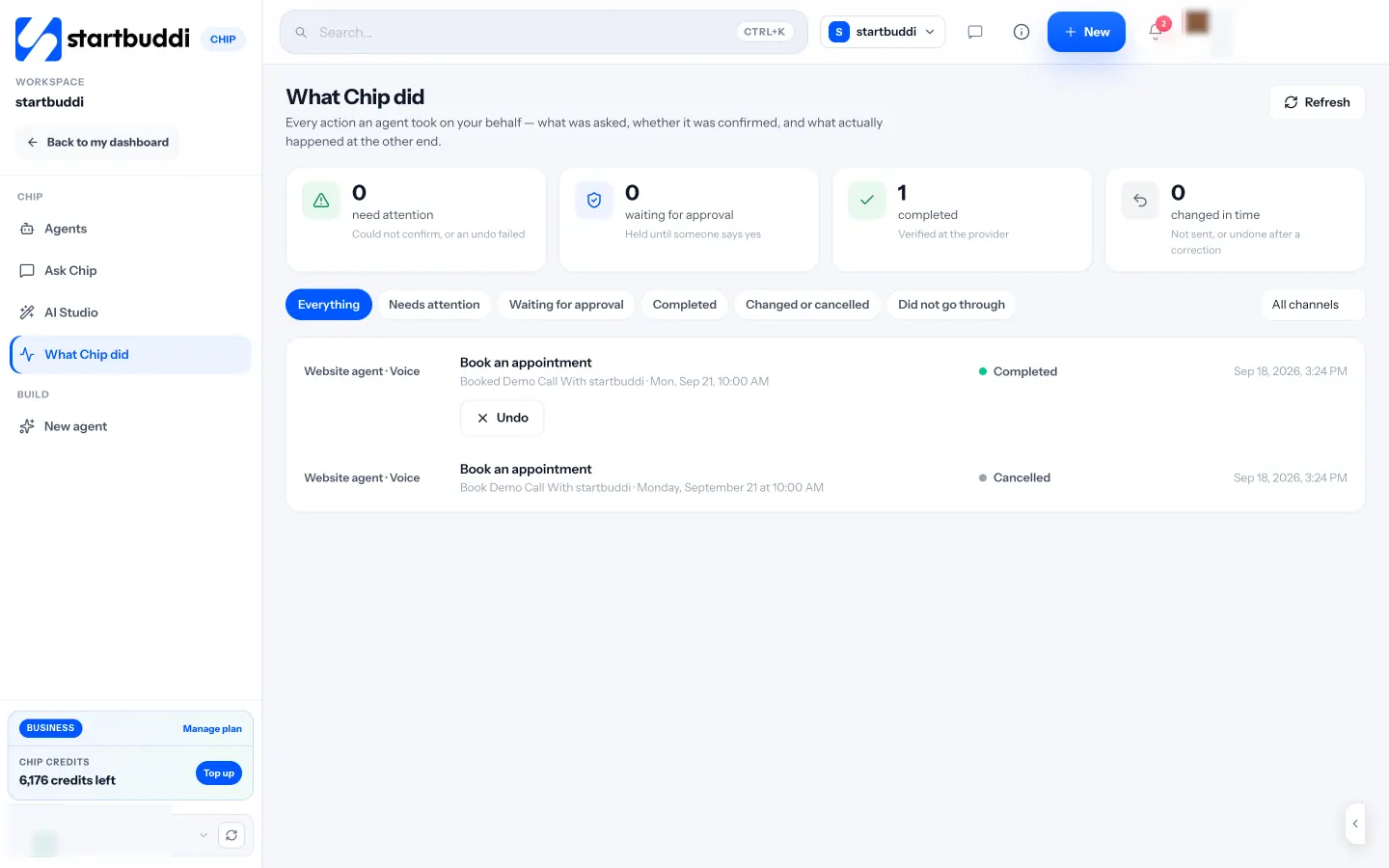
Custom agents add another layer: you tick which areas each one can reach (for example contacts and email drafts, but not invoices), and “Review before it updates records” is on by default when you deploy one.
Where an AI business assistant helps most, and where it doesn’t
| Good fit for Chip | Keep a human in charge |
|---|---|
| First drafts of emails, posts and proposals | Final wording on sensitive or high-value messages |
| Summaries: a contact’s history, overdue work, this month’s money | Decisions about pricing, hiring or firing |
| Spotting who to follow up and which invoices to chase first | Negotiating with an unhappy client |
| Building automation drafts from a description | Deciding what your business should automate at all |
| Answering routine customer questions from your own knowledge | Anything that needs judgement about an exception |
| Researching a competitor, with sources | Checking those sources before you rely on them |
A good test: if you’d happily hand the task to a capable new assistant on their first week, with you checking their work, it’s a good fit for Chip.
Three everyday examples
It helps to see what this looks like in practice. These are the kinds of requests owners make in their first month.
A consultant in Toronto chasing an invoice
She opens an overdue invoice and asks Chip for help. Chip already has the invoice number, amount, due date and the client’s payment history, so the draft reminder it writes mentions the right figures and the right date, in a “firm but friendly” tone because the invoice is overdue. She edits one line and sends it herself.
A cleaning company in Nairobi planning the week
The owner asks “What should I focus on today?” on Monday morning. Chip’s answer pulls in the bookings for the day, the tasks that are overdue and two quotes that haven’t had a reply. Instead of checking four screens, he gets one list and starts at the top.
A freelance designer in Manchester turning leads into a routine
She types “when someone fills in my enquiry form, send them my portfolio link and remind me to call them the next day” into Automations. Chip drafts a form-triggered flow with an email and a task for her, saved as a draft. She reads the email, changes the greeting, tests it on herself and switches it on.
None of these replace the owner’s judgement. They remove the looking-up, the blank page and the remembering, which is where most of the time goes. If you prefer talking to typing, Chip can also take voice calls in the app to walk you through setting up your workspace, charged in Chip credits by the minute.
How to get better answers from Chip
Chip already has your data, but the way you ask still matters.
- Be specific about the outcome. “Draft a friendly reminder to this client about the overdue invoice, mention the original due date, and offer a payment link” beats “write a reminder”.
- Say who it’s for and the tone. A reminder to a long-standing client reads differently from one to a new customer.
- Point at the record. Open the contact or deal first, or use @, so Chip isn’t guessing.
- Feed it your knowledge. Add your prices, policies and service descriptions once. It saves you correcting the same gaps every time.
- Edit, then reuse. When a draft is right, save the final version as a template, so the next one starts closer.
For ready-made prompts, our free AI prompt pack for service businesses is a good starting point.
Your first week with Chip
If you’re new to startbuddi, this order gives you useful results quickly.
- Day 1: Add or import your contacts, and add a few notes about your business to Chip’s knowledge.
- Day 2: Ask “What should I focus on today?” and “Who should I follow up with?”. Act on one answer.
- Day 3: Open your oldest unpaid invoice and ask Chip to draft a reminder.
- Day 4: In Automations, describe one follow-up you keep forgetting and let Chip draft it. Review, test and switch it on (Free includes 2 active automations and Starter 10).
- Day 5: Try AI Studio for a week of social posts or a short welcome email series.
- End of week: Open “What Chip did” and check what happened.
How startbuddi helps: plans, credits and limits
Chip is available on every plan, including Free. It runs on Chip credits: each plan includes a monthly allowance (50 on Free, 500 on Starter, 2,500 on Growth and 8,000 on Scale), and heavier tasks such as research, image generation or voice use more credits than a short question. If you run out, you can buy a credit pack (see pricing), and bought credits don’t expire.
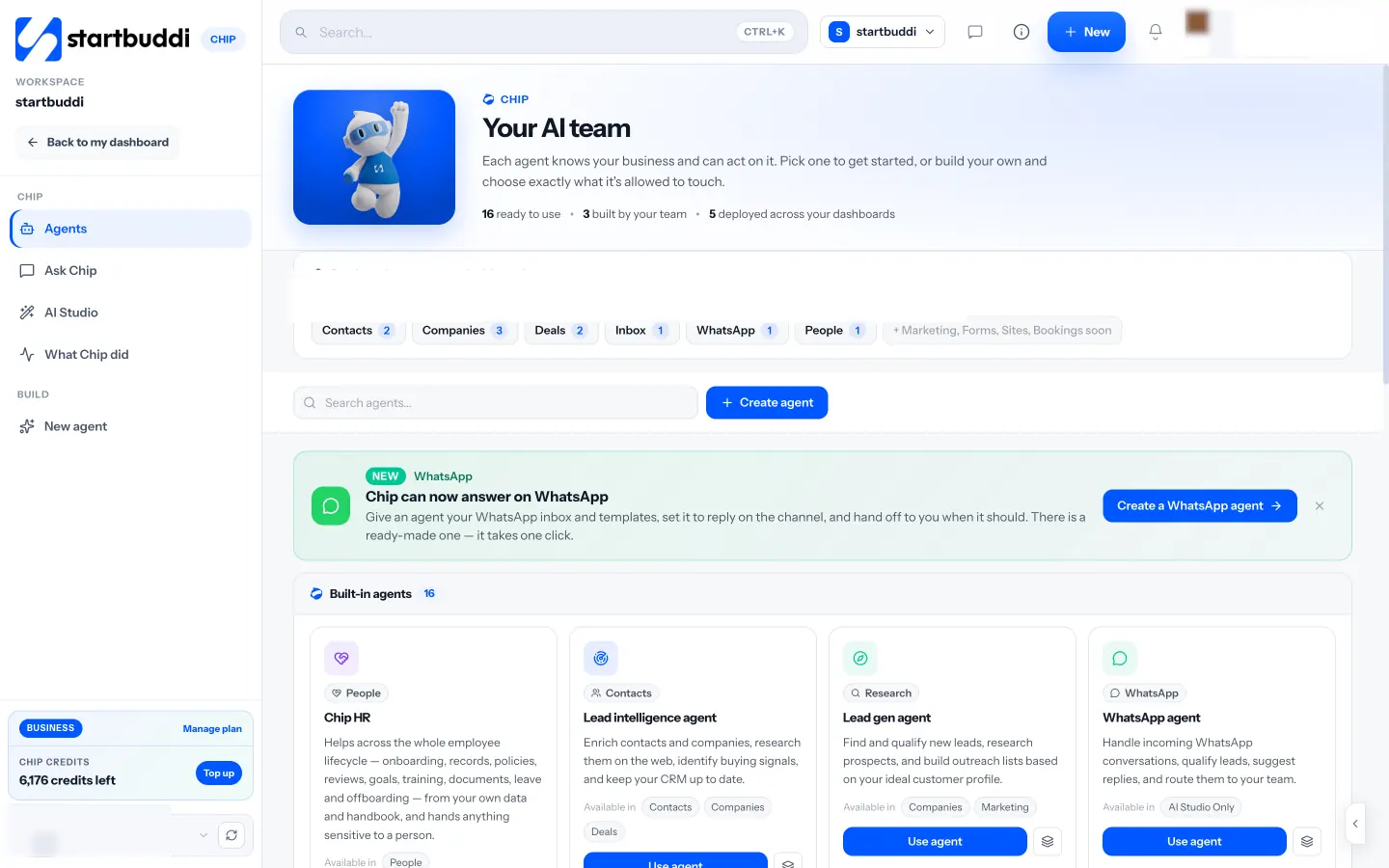
A few things depend on your plan. Building custom agents needs Starter or above. Chip auto-reply on the Inbox, WhatsApp and live chat needs Growth or above. Because the Marketing module is locked on Free, Chip can draft marketing copy for you there, but you’d send campaigns from a paid plan.
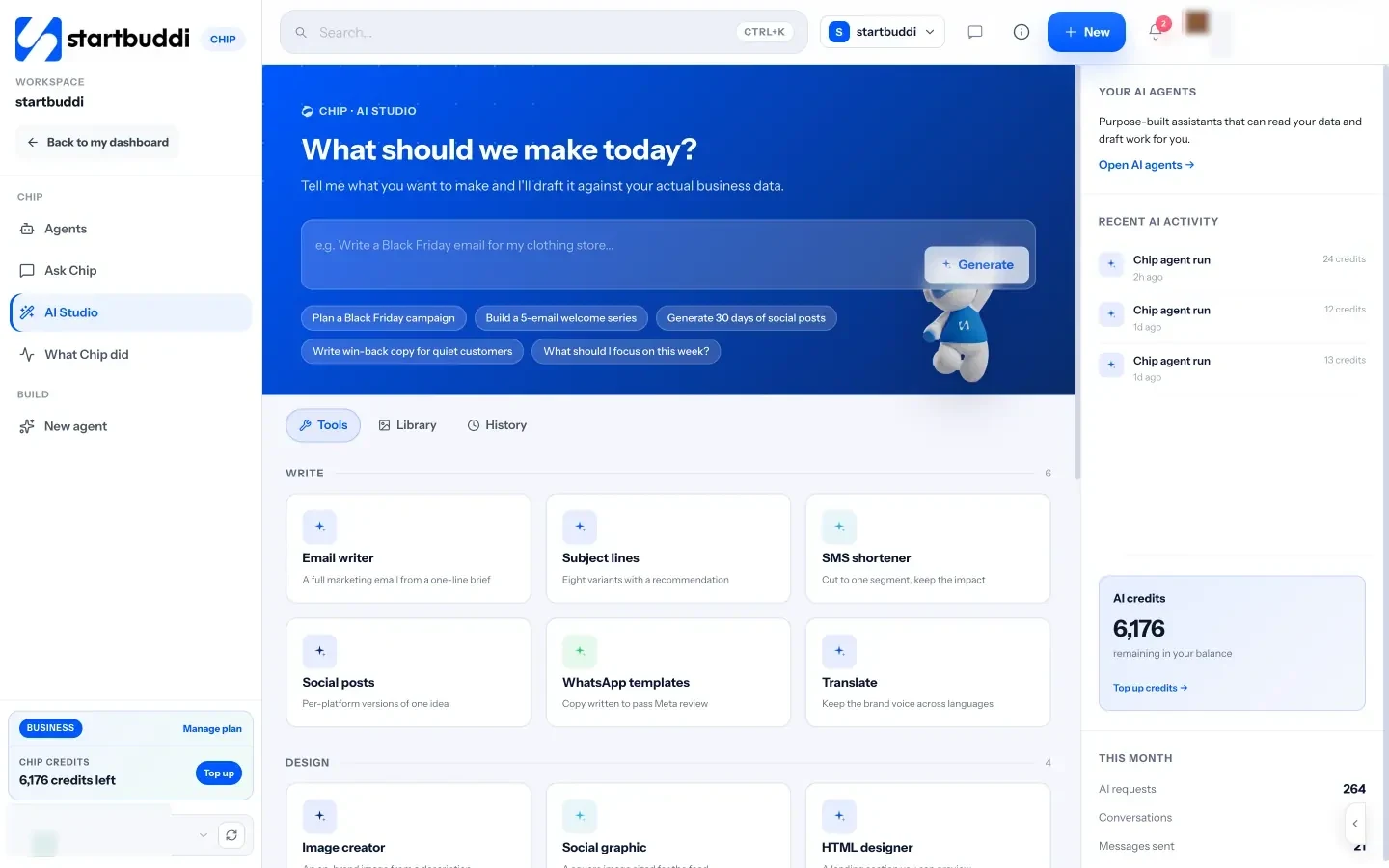
Some honest limits. Agents can’t yet be launched inside Marketing, Forms, Publish pages or Bookings; that’s marked as coming soon. The Web Research agent is in beta. And Chip is only as current as your workspace: if a payment arrived and nobody recorded it, Chip won’t know. Read more on the Chip and AI agents page, or see how it fits into Automations and the Inbox. If you’re weighing up a customer-facing bot, our post on AI chatbots for small business websites covers what to check first, and what AI sequencing is explains how AI fits into follow-up flows.
Your next step
Write down the three tasks you put off most each week, such as chasing invoices, following up leads or planning posts. Then open startbuddi on the Free plan, add a few contacts, and ask Chip to help with the first one. When you want Chip answering customers or building automations, compare plans on the pricing page.
Sources
- US Chamber of Commerce: Empowering Small Business report (2025)
- NIST AI 600-1: Artificial Intelligence Risk Management Framework, Generative Artificial Intelligence Profile (2024)
Frequently asked questions
Does Chip send emails or messages without asking me?
Not unless you set it up to. Drafts are created freely, but sending, booking and publishing show a confirmation first. The exception is auto-reply, which you switch on per channel on the Growth plan and above.
Is Chip free?
Chip is on every plan, including Free, which includes 50 Chip credits a month. Paid plans include more credits, and you can buy credit packs that never expire.
Can I limit what an agent can reach?
Yes. When you build a custom agent, you tick the areas it may use, such as contacts, tasks or email drafts, and everything else stays off limits. HR answers are scoped to what the person asking may see.
How is Chip different from a general AI chat tool?
A general chat tool only knows what you paste into it. Chip works from the contacts, deals, invoices and tasks already in your workspace, and can turn its drafts into real records after you confirm.
Tiwalade Joanna Okedara-Kalu is the founder, CEO and CTO of startbuddi, the business system that brings clients, bookings, invoices, projects, marketing and the Chip AI assistant into one place. Tiwalade builds software around how service businesses really work day to day, and writes about client management, getting paid on time and why small businesses outgrow the tools they start with.
Founded startbuddi and leads its product and engineering