AI assistant for small business operations: what it should and shouldn’t do
What an AI assistant should handle in a small business, what it should never do on its own, how to protect client data, and a 30-day plan to start safely.


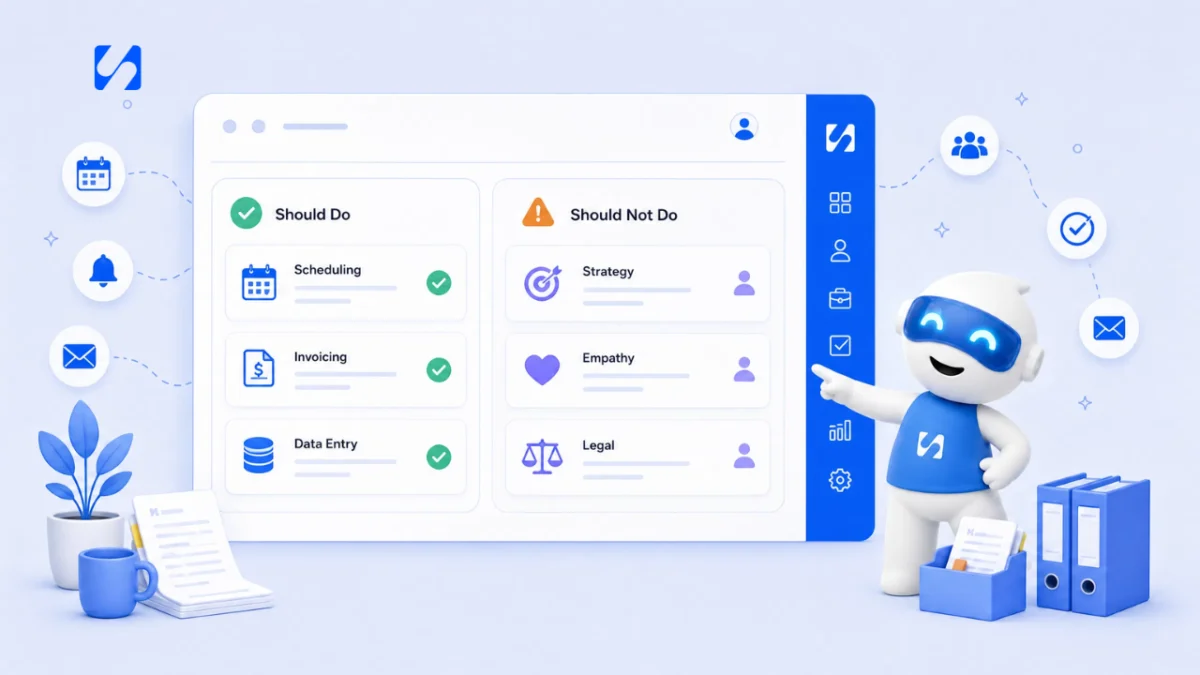
- AI tools are strong at drafts, summaries, planning and routine questions, and weak at facts, legal or tax matters and judgement calls. Start with one repetitive task, prefer AI that sits where your data lives, insist on previews and logs, and check every output before it reaches a customer.
An AI assistant for small business operations is good at first drafts, summaries, sorting and answering routine questions. They are poor at facts they cannot check, anything with legal or financial consequences, and judgement calls about your customers. Used well, they give a busy owner back a few hours a week. Used carelessly, they send confident mistakes to customers in your name.
This guide covers where AI helps and where it does not, the main types of AI tools, some options with the facts their makers publish, how to choose, how to use them safely, and a 30-day plan to start.
What an AI assistant for small business should handle
Small businesses are adopting AI, but most have not yet. The US Census Bureau’s Business Trends and Outlook Survey found overall AI use by US businesses hovered between 17% and 20% from December 2025 to May 2026, with fewer than 20% of firms with four or fewer employees using it. An OECD survey of over 5,000 small and medium-sized firms in seven countries found generative AI in use in 31% of them. So if you have not started, you are not behind. You are in the majority.
Here is where AI tends to save real time:
| Task | What AI does well | What you still do |
|---|---|---|
| Writing | First drafts of emails, posts, proposals and product descriptions | Check facts, prices and tone before sending |
| Summarising | Turn long threads, notes or documents into key points | Make sure nothing important was dropped |
| Planning | Outline a week of posts, a campaign or a project plan | Decide what fits your business and capacity |
| Customer questions | Answer routine questions from information you provide | Handle complaints, exceptions and anything new |
| Research | Gather sources on a competitor or topic quickly | Open the sources and confirm they say what AI claims |
| Admin | Tidy lists, draft task lists from notes, write formulas | Spot-check the output |
For ten concrete jobs to hand over this week, see tasks small businesses can hand to AI today.
What an AI assistant should not handle on its own
AI language tools predict likely words. That makes them fluent, not correct. Be careful in these areas:
- Facts and numbers. AI can invent prices, dates, statistics and quotes that sound right. Never publish a number from AI without checking the source.
- Legal, tax and HR advice. It can explain general ideas, but rules differ by country and change often. Use official sources and qualified advisers for decisions.
- Promises to customers. If a chatbot tells a customer something, your business may be held to it. In 2024 a Canadian tribunal ordered Air Canada to compensate a passenger after its website chatbot gave wrong information about bereavement fares; the airline was held responsible for what the chatbot said.
- Sensitive data. Pasting customer records, contracts or health details into a consumer AI tool may break your privacy duties.
- Moving money. Paying a supplier, issuing a refund or changing a price should always need a person to approve it.
- Running unchecked in the first weeks. Read everything an assistant drafts for the first few weeks before you let any reply go out without a look.
- Relationships. AI can draft a follow-up, but it cannot notice that a long-standing client sounds unhappy. Keep the human bits human.
Types of AI tools for small businesses
General AI assistants
Chat tools such as ChatGPT, Claude and Gemini answer questions and draft almost anything. They are flexible, but they only know what you tell them, so you spend time pasting in context. Good prompts help a lot: our guide to writing AI prompts that sound like your business and the free AI prompt pack are a good start.
AI inside the tools you already use
Email, design, office and business apps increasingly include AI features. These often save more time than a general assistant because they already know the context: your document, your customer list or your calendar.
AI agents and chatbots that act for you
Agents go further than drafting. They can book an appointment, update a record or reply to a customer. That is where the biggest time savings and the biggest risks sit. Look for tools that ask for your approval before anything leaves your business, and that keep a log of what was done. Our guide to AI chatbots for small business websites covers the customer-facing side.
Specialist AI tools
Transcription, image generation, translation and design tools each do one job well. Add them only when that job comes up every week.
AI tools for small businesses: some options and what they publish
These are widely used general assistants, with facts from their makers’ own websites in September 2026. Prices change and may be shown in your local currency. We have not ranked them.
| Tool | Free plan | Paid plans (as published) |
|---|---|---|
| ChatGPT (OpenAI) | Yes | Plus is $20 a month; Business is $25 per user a month billed monthly, or $20 billed annually |
| Claude (Anthropic) | Yes | Pro is $20 a month, or $17 a month billed annually; Team starts at $20 per seat a month |
| Gemini in Google Workspace | See Google’s page | Google says Workspace business plans include Gemini in Gmail; prices show in your local currency |
| Microsoft 365 Copilot | See Microsoft’s page | Business pricing is published on Microsoft’s site |
For tools that automate whole workflows rather than chat, see our AI automation software list.
AI tools for small businesses, by type of business
The same tool does different jobs depending on what you sell. A few examples of where AI tends to earn its place:
- Salons, clinics and studios: answering “are you open Sunday?” and “how much is a cut?” on WhatsApp or Instagram, drafting reminder messages, and writing posts about new services.
- Agencies and consultants: summarising client calls, drafting proposals from past ones, and turning meeting notes into task lists.
- Trades and home services: writing clear quotes from rough notes, replying to enquiries after hours, and drafting review requests after a job.
- Shops and online sellers: product descriptions, answers to delivery and returns questions, and a month of social posts planned in one sitting.
In every case the AI is most useful when it sits next to your customer list and your marketing, rather than in a separate tab. If you are still choosing those tools, read our guides to CRM tools for small business and marketing tools for small business first.
Common mistakes with AI tools
- Publishing without reading. The most common and most expensive mistake. One wrong price in a post can cost more than a year of subscriptions.
- Signing up for five AI tools at once. Each has its own login, bill and data terms. Start with one and prove it saves time.
- Using AI to sound like everyone else. Generic drafts read as generic. Feed it your own examples and edit hard.
- Letting a bot handle complaints. Upset customers want a person. Route complaints and refunds straight to you.
- Not measuring the saving. If you cannot say how many hours a tool saved last month, you cannot tell whether it is worth the cost.
How to choose the best AI tools for small business
- Start with a task, not a tool. Write down three jobs that take you over an hour a week and follow a pattern: replying to the same questions, writing posts, chasing invoices, summarising meetings.
- Prefer AI where your data already lives. An assistant that can see your customers, invoices and tasks needs less copying and pasting than one that sees nothing.
- Check what happens to your data. Read whether your inputs are used to train models, where data is stored, and whether business plans offer stronger terms.
- Look for approval and a log. For anything that sends messages or changes records, you want a preview, a confirm step and a history you can check.
- Work out the real cost. Per-user subscriptions add up across a team. Some tools use credits instead; estimate how many you would use in a normal month.
- Trial for two weeks on real work. Measure the time saved, not how impressive the demos look.
A quick example
A three-person accounting practice in Nairobi spends five hours a week answering the same client questions about deadlines and documents. A general chatbot would need the answers pasted in every time. A customer inbox with an AI assistant trained on the firm’s own notes, which hands anything unusual to a person, fixes the actual problem. The best AI tool is the one closest to the task.
Using AI tools safely
A few habits keep the benefits and cut the risks:
- Read before you send. Treat every AI output as a draft from a new assistant: useful, fast and sometimes wrong.
- Give it your facts. Store your prices, hours and policies somewhere the AI can use, so it does not guess.
- Keep personal data minimal. Only share what the task needs, and use tools with clear data terms.
- Be honest with customers. If a bot is answering, say so, and make it easy to reach a person.
- Do not overclaim. If you market your own product as AI-powered, the US Federal Trade Commission warns businesses to keep AI claims in check.
For deeper reading, the UK ICO publishes guidance on AI and data protection, and the US National Institute of Standards and Technology offers a voluntary AI Risk Management Framework. This is general information, not legal advice; check the rules where you operate.
A 30-day plan to start with AI
- Week 1: pick one writing task, such as social posts or follow-up emails. Use AI for the first draft every time and note the minutes saved.
- Week 2: write a one-page “about us” brief with your services, prices, tone and phrases you never use. Give it to the AI with every request.
- Week 3: add a summarising task: meeting notes, long email threads or customer feedback.
- Week 4: review. Keep what saved time, drop what did not, and only then consider letting AI answer customers, with approval and a clear handover to a person.
Keep a simple log during the month: the task, the minutes it used to take, and the minutes it takes with AI including your checking time. Four weeks of honest numbers will tell you more than any review site.
How startbuddi helps
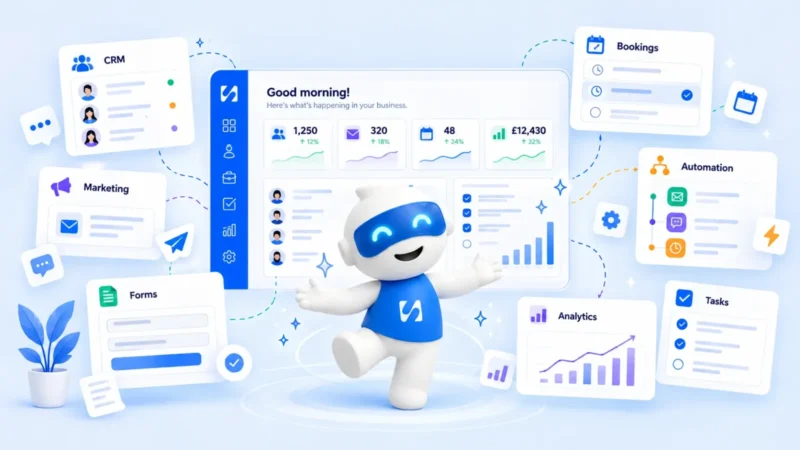
Every startbuddi account comes with an AI assistant called Chip built into every screen. Because it works inside your business system, it can use your contacts, projects, invoices and numbers rather than starting from a blank chat. It is not a replacement for legal, tax or accounting advice, and it does not move money.
Chip on every page
The Chip panel opens from any screen and can see the page you have open, so you can ask “who needs a reply?” on Customers or “what’s overdue?” on Work without explaining the context. Its Research tab searches the web and returns answers with sources. You can also give Chip your own knowledge, such as prices, opening hours and returns policy, so its answers to your team and customers use your facts rather than guesses.
AI Studio for everyday marketing
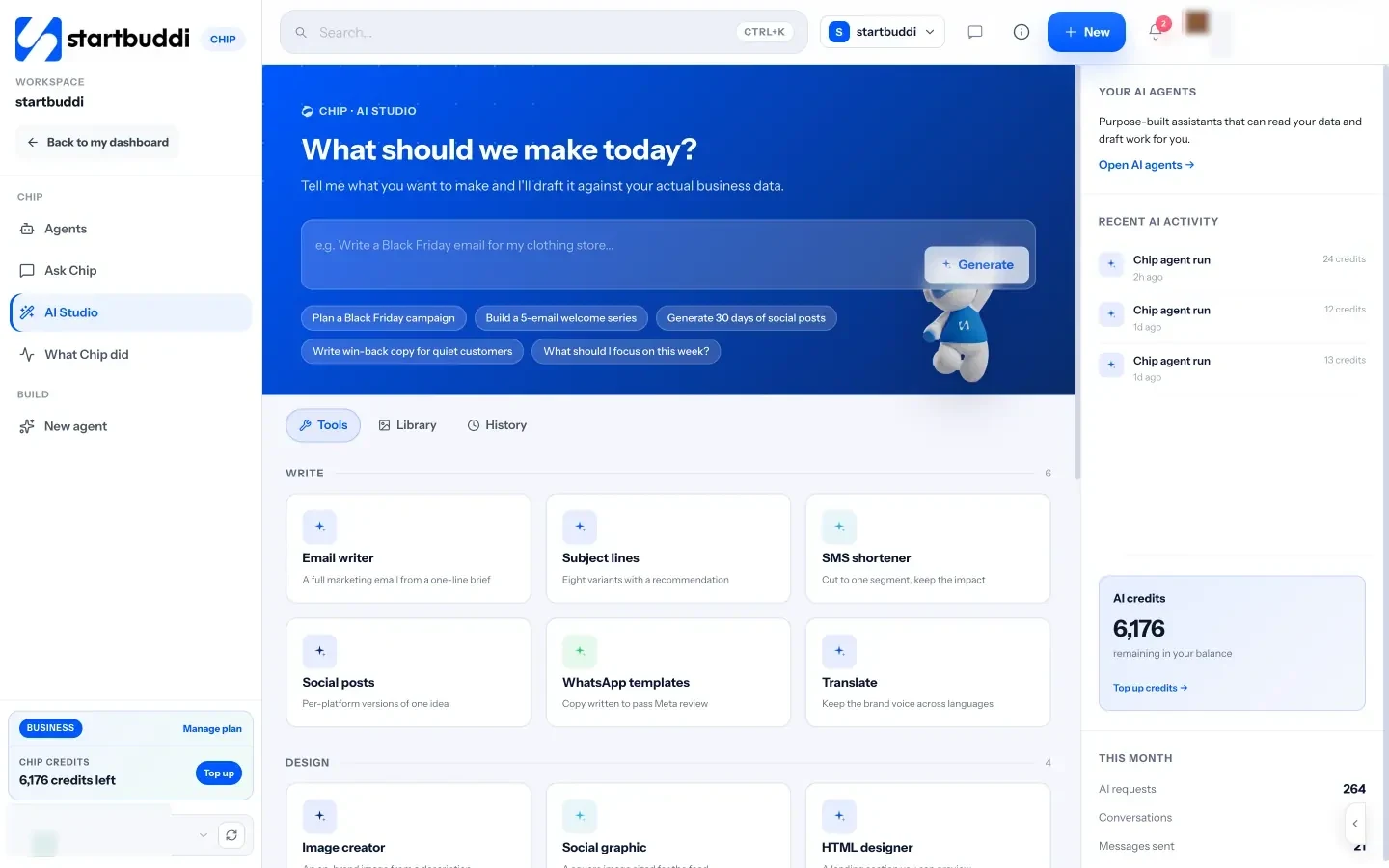
AI Studio has tools to write emails, subject lines, social posts and WhatsApp templates, translate copy, create images, and plan campaigns, content calendars and welcome series. Drafts can be saved to Documents or sent on to the email composer, social scheduler or a campaign.
Agents that know your business
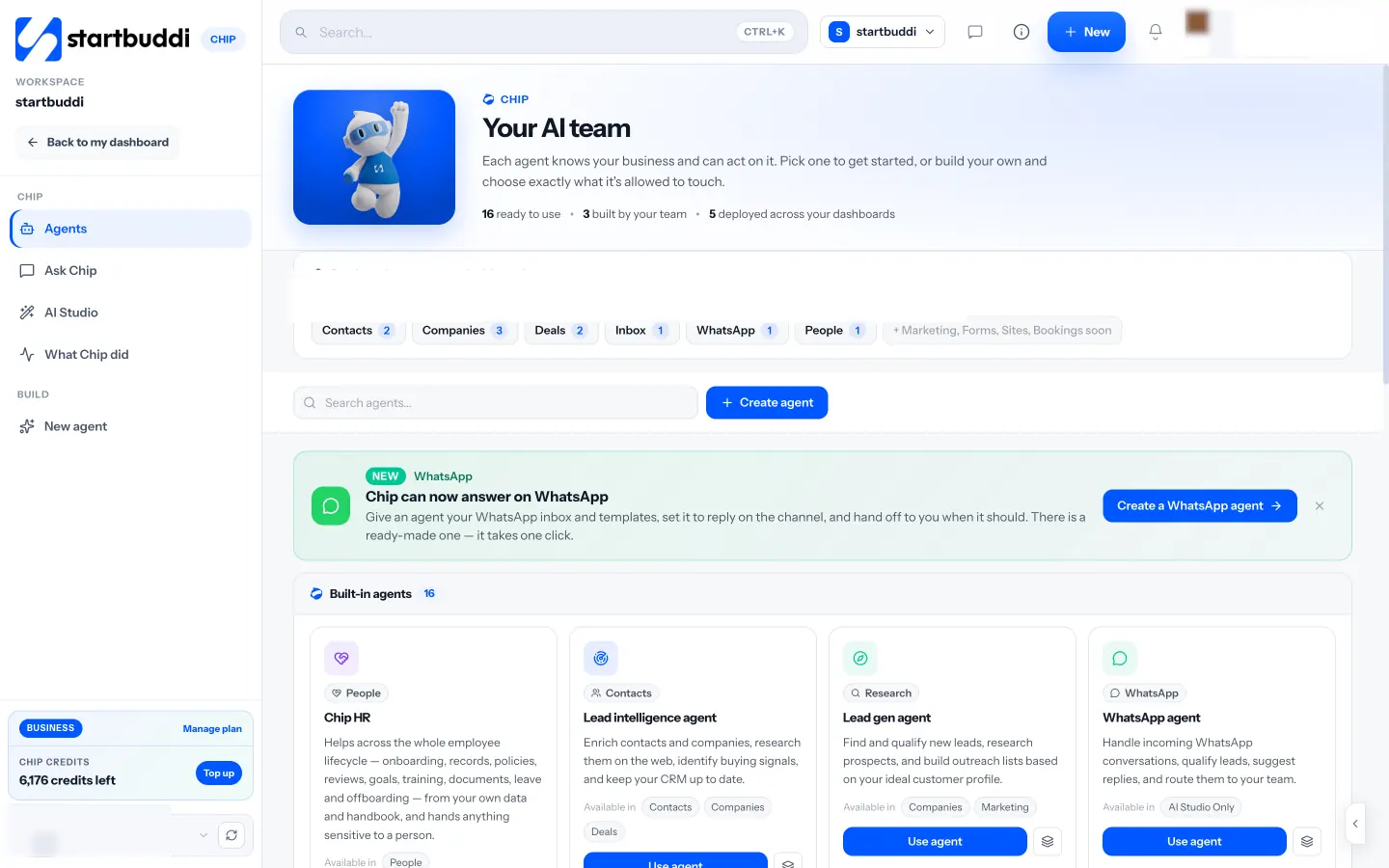
Built-in agents cover jobs such as follow-ups, lead research, social posts, invoices and HR questions, and you can build your own and choose exactly which areas it may touch. Agents can be opened from Contacts, Companies, Deals, the Inbox, WhatsApp and People.
Preview first, and a record of what Chip did
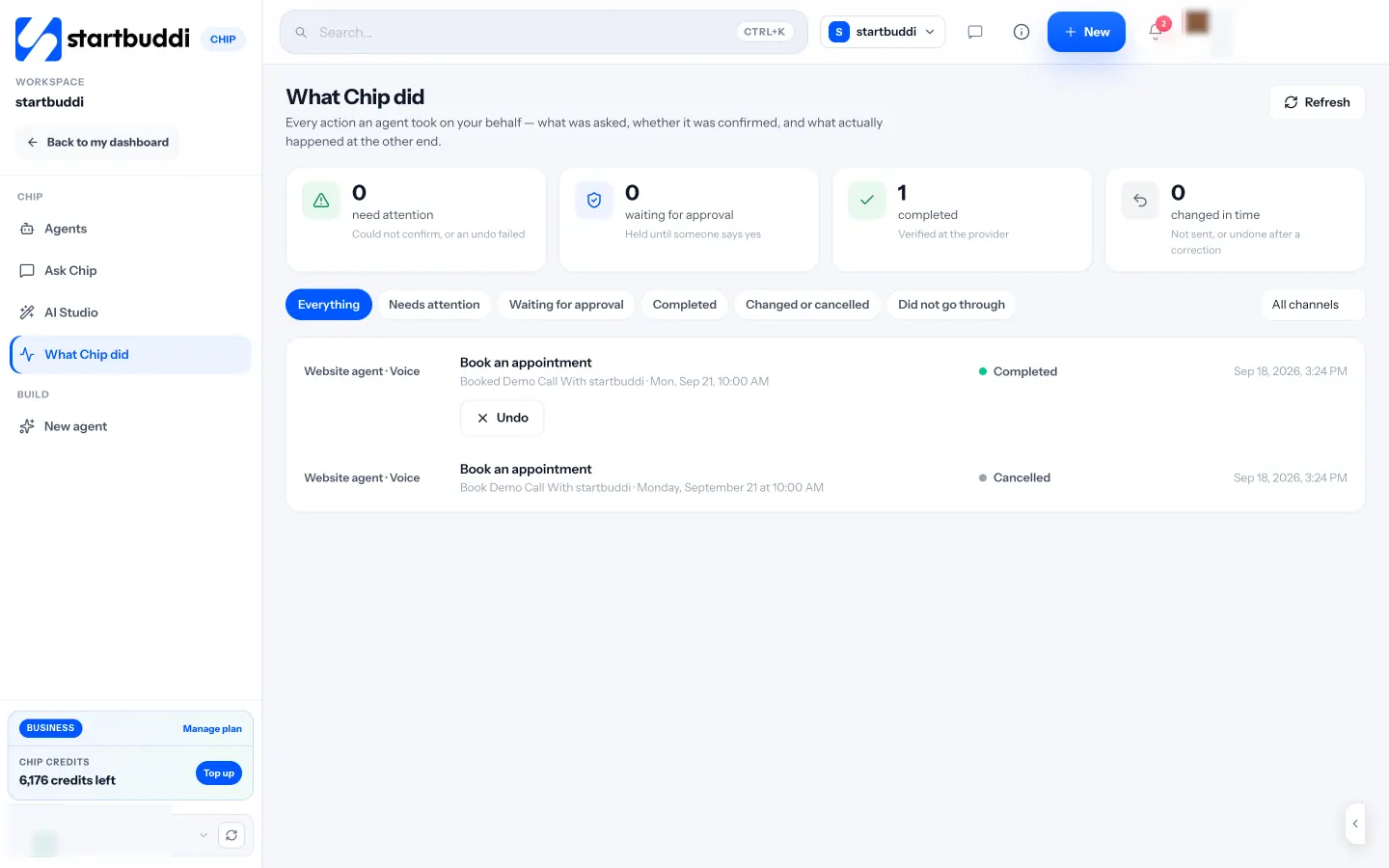
Before Chip does anything that reaches outside your workspace, such as sending a message or publishing, it shows a preview and waits for your yes. The What Chip did page lists every action, whether it was confirmed, and what happened, with an Undo button where possible.
Chip uses credits: 50 a month on Free, 500 on Starter, 2,500 on Growth and 8,000 on Scale. Chip auto-replies to customers in the inbox, WhatsApp and live chat need Growth or above, and custom agents need a paid plan. For how this fits with rule-based workflows, see Automations.
Your next step
Pick the one repetitive writing task that takes most of your week and use an AI tool for the first draft of it every day for a fortnight, checking each output before it goes out. If you would rather use AI that already knows your customers and invoices, you can try Chip on the Free plan and compare plans on the pricing page.
Sources
- US Census Bureau: AI use in businesses (May 2026)
- OECD: Generative AI and the SME workforce
- CBC News: Air Canada found liable for chatbot’s bad advice (2024)
- ChatGPT: pricing
- OpenAI: business pricing
- Claude: pricing
- Google Workspace: pricing
- Microsoft 365 Copilot for business
- US Federal Trade Commission: Keep your AI claims in check
- ICO: guidance on AI and data protection
- NIST: AI Risk Management Framework
Frequently asked questions
What are the best AI tools for small business?
There is no single best. A general assistant covers drafting and research, and AI built into your email, design or business system saves more time on daily tasks because it already has the context.
Are AI tools for small businesses expensive?
Most general assistants have free plans, with paid individual plans around $20 a month. Team plans are priced per user, and some business tools use monthly credits instead.
Is it safe to put customer data into AI tools?
Only share what the task needs, check whether the tool uses your inputs for training, and prefer business plans or tools with clear data terms.
Can AI answer my customers for me?
It can handle routine questions from information you provide. Set it to hand anything unusual to a person, tell customers when a bot is replying, and review what it says.
Omolola Akiyode is the operations and project manager at startbuddi, leading cross-functional projects and the content that helps founders get set up. Omolola writes about projects, websites and getting found online, and turns complex ideas into clear, practical steps.
Runs operations and projects at startbuddi