Ways AI can save your service business time: 10 tasks to hand over today
Ten practical ways AI can save a service business time this week, with example prompts, what to check before you use the result, and what to keep for yourself.


- AI is best at repeat work: daily briefs, follow-up drafts, answers to common questions, marketing copy, content plans, task lists, documents, research and simple automations. Give it your real business facts, check every output and keep decisions about money and people with humans.
The best use of AI for service businesses today is the repeat work that eats your week: first drafts of emails and posts, replies to common customer questions, turning notes into tasks, research with sources, and a daily summary of what needs attention. AI is good at getting you from a blank page to a solid draft in seconds. It is not good at knowing things it hasn’t been told, so you stay in charge of facts, prices and anything that leaves the building.
Below are ten tasks you can hand over this week, with an example prompt for each, what to check before you use the result, and the jobs you should keep for yourself.
Where small service businesses are with AI
If you haven’t started yet, you’re not behind. The US Census Bureau’s Business Trends and Outlook Survey found that between December 2025 and May 2026, 17% to 20% of US businesses used AI, and fewer than 20% of firms with four or fewer employees did. Use grew among firms with at least 20 employees but didn’t change significantly among smaller ones. The OECD’s survey of more than 5,000 small and medium businesses in seven countries found generative AI in use at 31% of them, and many of those weren’t yet using it in their core activities.
In other words, most small businesses are still at the start. The ones that get value begin with a handful of boring, frequent tasks rather than a grand AI strategy.
10 tasks to hand to AI today
1. Plan your day
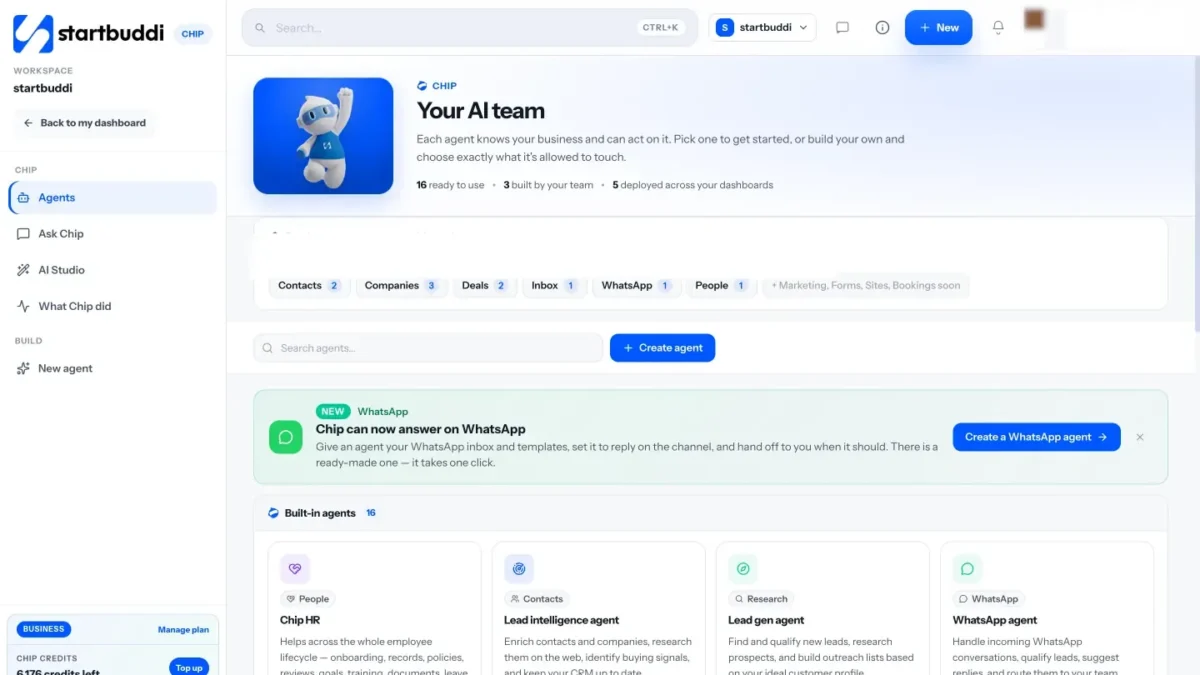
Instead of opening five apps each morning, ask AI for a short brief: what’s overdue, who’s waiting for a reply, what money is owed. This only works if the AI can see your data, so it’s most useful inside the tools where your tasks, customers and invoices already live.
Try: “What should I focus on today? List the three most urgent things and why.”
Check: that nothing important is missing. The brief is a starting point, not your whole to-do list.
2. Draft follow-up messages
Follow-ups are easy to put off, and every forgotten one is a sale you might have made. AI can draft a polite nudge to a lead who went quiet, a thank-you after a meeting or a reminder about a quote. For more on timing and tone, see how to follow up with leads.
Try: “Draft a short, friendly follow-up to a client who received our quote last Tuesday and hasn’t replied. Mention we can start next month.”
Check: names, dates and any numbers. Then send it yourself.
3. Answer common customer questions
Opening hours, prices, delivery areas, how to book. If you answer the same ten questions every day on WhatsApp or website chat, AI can handle the first reply and pass harder conversations to you. Read what to know before adding an AI chatbot first.
Try: write down your real answers to those ten questions. That document is what the AI should answer from.
Check: that it says “I’ll pass you to the team” when it doesn’t know, rather than making something up.
4. Write marketing emails and subject lines
Give AI a one-line brief and ask for a full email plus several subject lines to choose from. You’ll edit, but editing is far quicker than writing from nothing.
Try: “Write a short email to past customers announcing our new weekend opening hours. Warm, not salesy. Give me five subject lines.”
Check: the offer, dates and links. Read it out loud to make sure it sounds like you.
5. Plan a month of social posts
The hardest part of social media is deciding what to post. AI can draft a content calendar from a few facts about your business and turn one idea into versions for different platforms. Pair it with our guide on planning a month of social content.
Try: “We’re a bakery in Ibadan. Plan 12 Instagram posts for next month: 4 product, 4 behind the scenes, 4 customer stories. One line each.”
Check: anything that makes a claim or promise, and swap generic ideas for real photos and stories.
6. Turn notes into tasks
Paste in rough meeting notes or a voice-note transcript and ask for a task list with owners and dates. It’s one of the fastest wins because the input already exists.
Try: “Turn these notes into a task list. Give each task an owner and a due date. Flag anything unclear.”
Check: owners and dates. AI will guess if the notes don’t say.
7. Draft proposals and documents
Proposals, scopes of work, onboarding guides and simple policies all follow patterns. AI can produce a structured first draft from your notes, which you then sharpen. Give it the client’s brief and your usual structure, and it fills the gaps.
Try: “Draft a one-page proposal for a logo and brand refresh for a restaurant. Include scope, timeline, what we need from them and next steps.”
Check: prices, deliverables and anything legal. AI drafts are not legal advice.
8. Research competitors and prospects
AI with web search can summarise what a competitor offers or find companies that match your ideal customer. Always ask for sources and open them.
Try: “Research three competitors offering office cleaning in Lekki. Summarise their services and how they describe themselves, with links.”
Check: every source link. Information can be out of date or wrong.
9. Set up simple automations
Describing a workflow in plain words (“when someone books, send a confirmation and remind me the day before”) is easier than building it step by step. AI can turn that sentence into a draft automation you review. For ideas, see seven automations for service businesses.
Try: “When someone fills in our contact form, email them a thank-you and create a follow-up task for me in two days.”
Check: every message and every wait before you switch it on.
10. Handle routine HR admin
Once your team grows, the same questions come up: how much leave is left, what’s the expenses rule, what does a new hire need in their first month. AI can answer from your written policies and draft onboarding plans for you to adjust.
Try: “Draft a 30/60/90-day plan for our new customer support hire.”
Check: that answers come from your actual policies. Decisions about people stay with people.
Four habits that make AI output better
The difference between a useless AI draft and a useful one is usually the instructions, not the tool. These habits help with every task above.
Give it your facts
AI fills gaps with guesses. If you want an email about your weekend hours, tell it the hours. If you want a proposal, give it the price. Keep a short “about us” note with your services, prices, locations and tone, and paste it in (or store it where your AI tool can read it).
Say who it’s for
“Write an email” gets a generic email. “Write an email to restaurant owners who bought from us last year” gets something closer to what you’d send. The reader changes the words, the length and the tone.
Show an example
Paste a message you’ve written before that you liked and say “match this tone”. One good example teaches more than a paragraph of adjectives.
Ask for options, then edit
Ask for three versions or five subject lines, pick the best and edit it. AI is fast, so use that speed to explore, then apply your own judgement to the final version.
How to tell if it’s working
AI is only worth it if it saves time or makes money. Keep it simple:
- Time a task before and after. If writing the weekly newsletter took 90 minutes and now takes 30, that’s an hour back every week.
- Count what gets done. Are more follow-ups going out? More posts published? More quotes sent on time?
- Watch the error rate. If you’re fixing the same mistakes every time, improve your instructions or take that task back.
- Ask your team. The people using it daily will know which tasks it helps with and which it slows down.
Review this once a month. Drop what doesn’t help and double down on what does.
What not to hand to AI
- Final decisions about people. Hiring, firing, pay and performance ratings need human judgement and accountability.
- Anything that moves money without you. AI can draft an invoice. A person should issue it and approve every payment.
- Facts it hasn’t been given. Prices, stock levels, deadlines and legal requirements must come from you or a trusted source.
- Sensitive data in the wrong tool. Be careful pasting customer or staff details into general chat tools. Check how each tool stores and uses what you share, and follow your data protection law, such as the Nigeria Data Protection Act.
- Anything that goes out without review. Until you trust a workflow, read every message before it reaches a customer.
How to start in one week
| Day | Do this |
|---|---|
| Monday | List the ten tasks you did last week that felt repetitive. |
| Tuesday | Write a short “about us” note: what you sell, prices, tone, who your customers are. Every prompt will use it. |
| Wednesday | Pick two tasks from the list above and try them with AI. Time how long they take. |
| Thursday | Improve your prompts. Our guide to writing AI prompts that sound like your business helps. |
| Friday | Keep what saved time, drop what didn’t, and pick two more tasks for next week. |
How startbuddi helps: Chip already knows your business
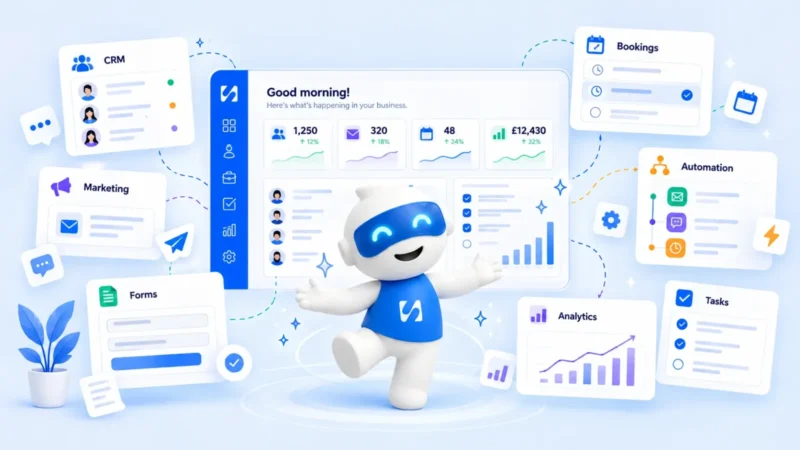
General AI tools start from zero every time. Chip, the AI assistant in startbuddi, works inside the same place as your contacts, projects, invoices and messages, so it has the context without you pasting it in. Here’s how the ten tasks map to what Chip does today.
- Plan your day: Chip’s brief on the Home dashboard, and prompts like “What should I focus on today?” and “What’s overdue right now?”
- Follow-ups: on a contact, Chip can summarise the relationship and draft a follow-up. The built-in Follow-up agent is there to “never let a conversation go cold”.
- Customer questions: Chip can reply in your inbox, on WhatsApp and in website live chat, straight away, only when nobody on your team replies, or outside business hours. It steps back when a teammate replies. Auto-reply needs the Growth plan or above.
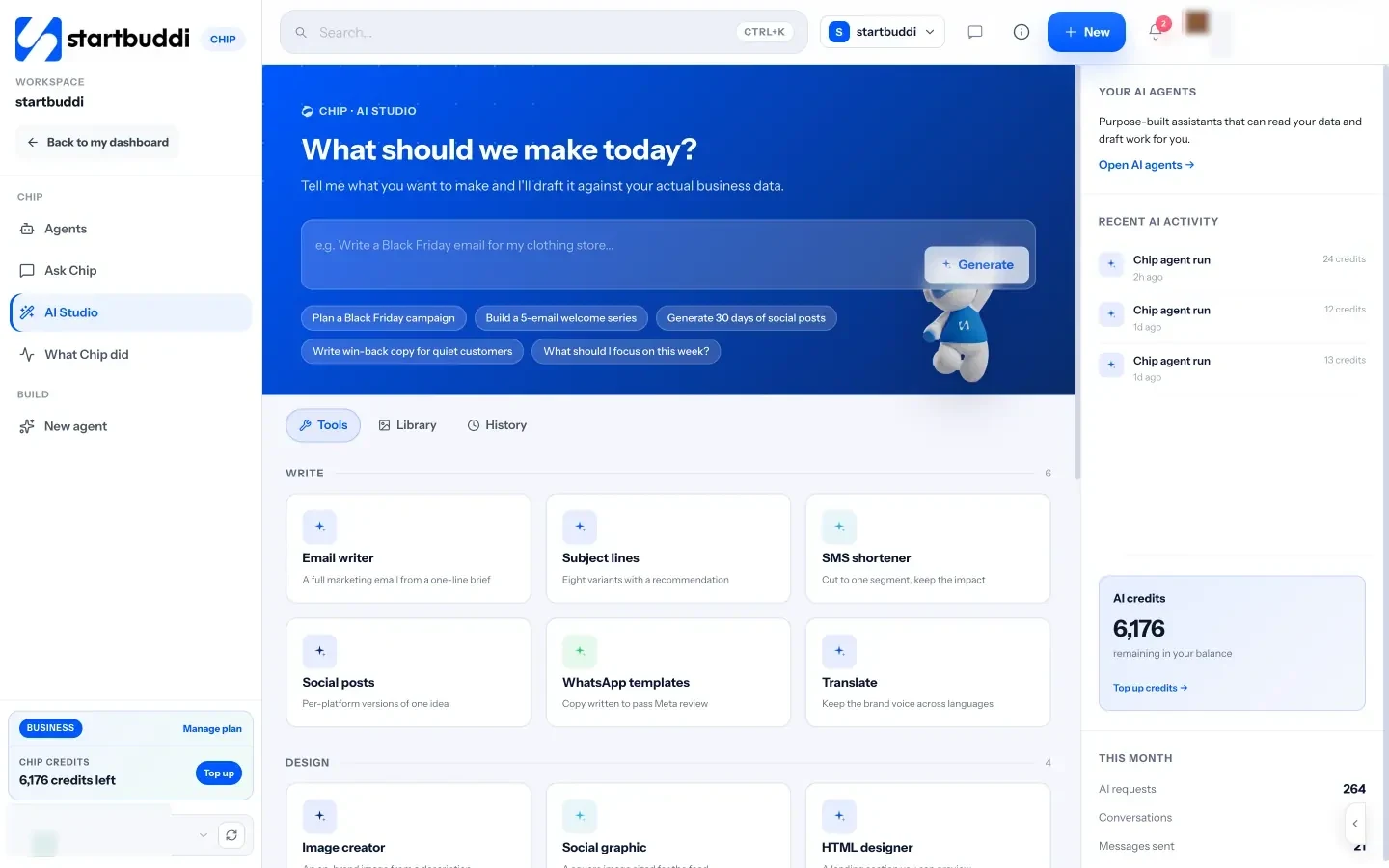
- Emails and social posts: AI Studio has tools for a full marketing email from a one-line brief, subject line variants, per-platform social posts and a 30-day content calendar, with handoffs to the email composer and social scheduler. Sending campaigns needs the Starter plan or above.
- Notes into tasks, and documents: the Chip drawer on every page has “Tasks from notes” and “Draft an email”, and the Content Writer agent drafts proposals and business documents.
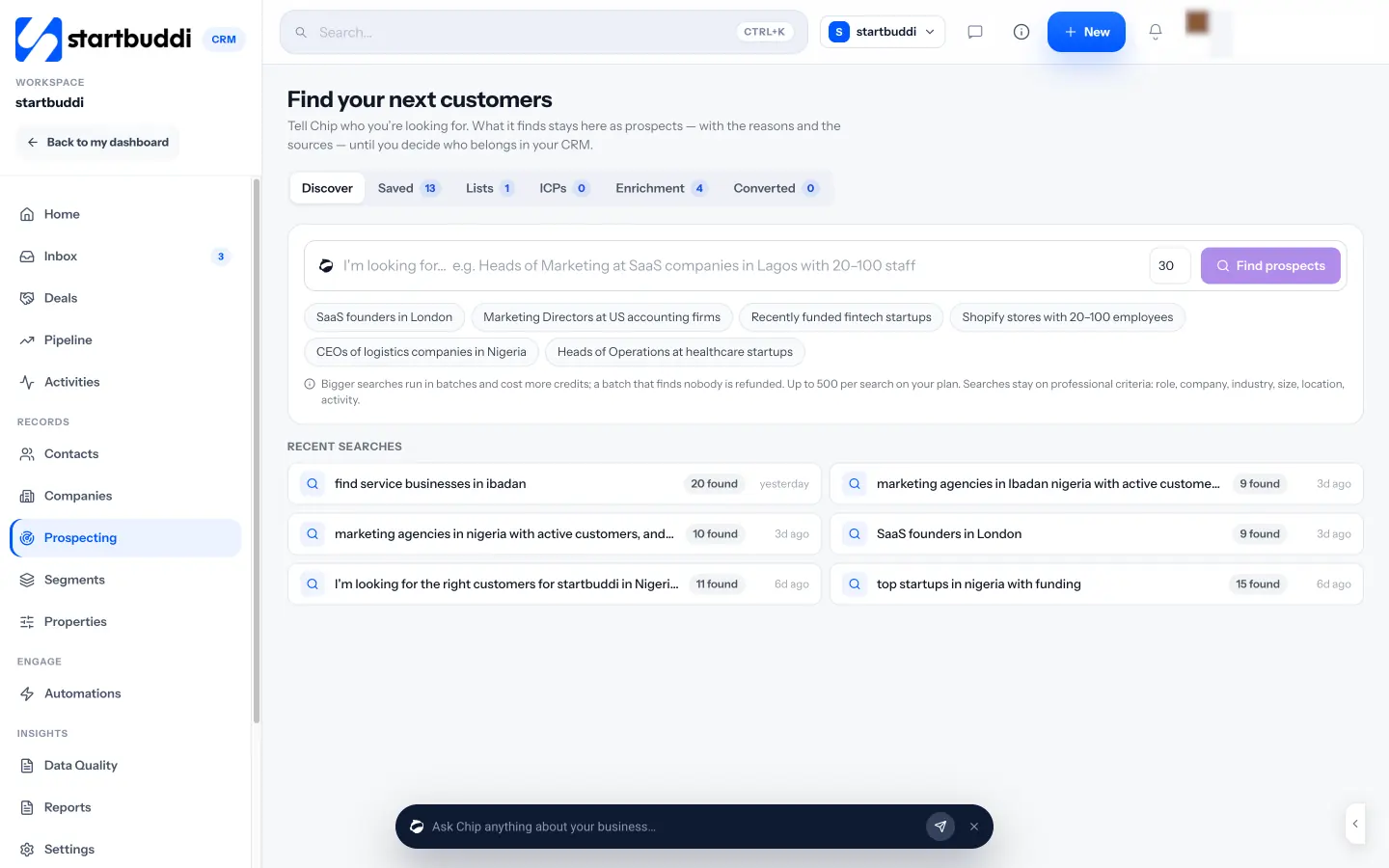
- Research and prospects: Chip’s Research tab searches the web and returns answers with sources. In Prospecting, you describe who you sell to and Chip finds matching companies and people with the reasons and sources. Nothing enters your contacts until you choose.
- Automations: in Automations, tell Chip what you want in plain words. It plans the steps, writes the messages and saves the automation as an inactive draft for you to review and switch on. Free includes 2 active automations, and Starter allows 10.
- HR admin: Chip HR answers questions from your published policies and names the page it used, and drafts 30/60/90-day plans into Documents.
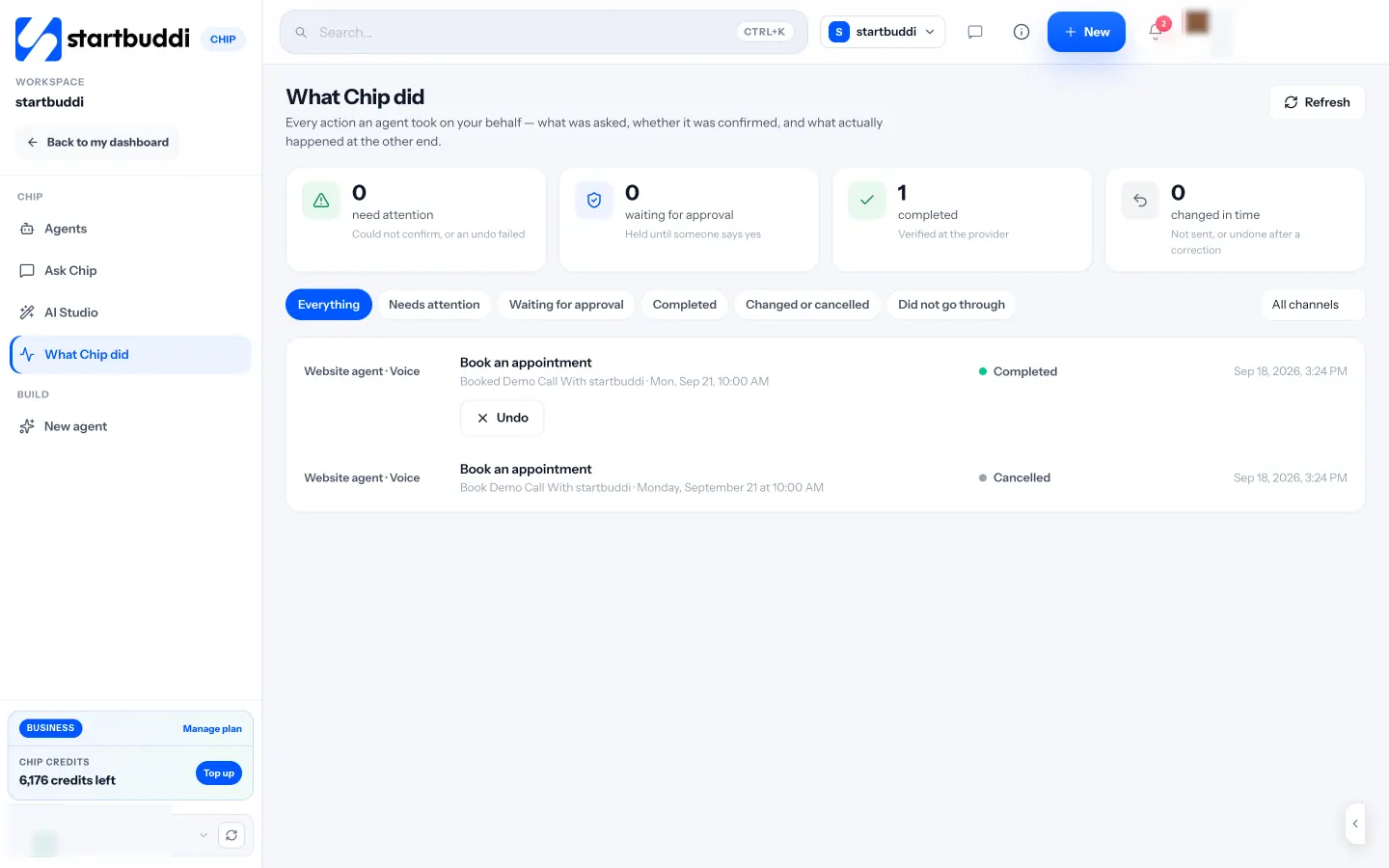
You stay in control. Before Chip creates or changes anything, it shows a preview and waits for your confirmation. Actions that reach outside your account, like sending a campaign or publishing a post, always ask first, and some things, like moving money, are never allowed. The What Chip did page lists every action an agent took, whether you confirmed it and what happened, with an Undo where possible.
Chip runs on monthly credits: 50 on Free, 500 on Starter, 2,500 on Growth and 8,000 on Scale, with top-up packs if you need more. See pricing for the full plan details.
Your next step
Pick two tasks from the list above and try them this week. If you’d like an assistant that already knows your customers, tasks and numbers, meet Chip and ask it “What should I focus on today?” For ready-made wording, grab our free AI prompt pack for service businesses.
Sources
- US Census Bureau: Large firms with at least 20 employees biggest AI users (May 2026)
- OECD: Generative AI and the SME workforce
- Nigeria Data Protection Commission
Frequently asked questions
Is AI expensive for a small business?
It doesn't have to be. Many tools include a monthly allowance, and the biggest cost is usually your time learning to use it. Start with two tasks and measure the hours saved.
Will AI replace my staff?
For most small businesses, AI takes over first drafts and repeat admin so people can spend more time with customers. Decisions and relationships still need a person.
Can I trust what AI writes?
Treat it as a fast first draft. Check facts, prices, names and dates every time, and ask for sources when it researches anything.
What's the first AI task I should try?
Follow-up messages. They're frequent, easy to check and directly linked to revenue, so you'll see the benefit quickly.
Omolola Akiyode is the operations and project manager at startbuddi, leading cross-functional projects and the content that helps founders get set up. Omolola writes about projects, websites and getting found online, and turns complex ideas into clear, practical steps.
Runs operations and projects at startbuddi