Lead capture automation: build a form that feeds your sales pipeline automatically
How to set up lead capture automation: a form that converts (fields, layout, consent, three templates) and what should happen automatically after every submission.


Chinonye wrote this while on the startbuddi team. The product has changed since, so the team updated it on .

- Lead capture automation starts with a short form: three to five fields with visible labels, a clear promise on the button and separate marketing consent. Then let each submission create a contact, send an instant reply, notify the right person and start a follow-up, and use completion rates to improve.
Lead capture automation means a form collects someone’s details and everything after happens on its own: the contact is created, the right person is told, a confirmation goes out and a follow-up starts. It only works if people fill the form in, and a lead capture form converts when it asks for as little as possible, gives people a clear reason to fill it in, is easy to finish on a phone, and is followed by a fast reply. In practice that means three to five fields, a visible label on every one, a button that says what happens next, a plain line about how you use their details, and an automatic confirmation the moment someone submits.
This guide covers how to decide which questions to ask, the design choices that make forms easier to finish, the offer that gets people to start, consent and trust, what should happen after someone submits, how to measure your form, and three templates you can copy for common service businesses.
What a lead capture form is for
A lead capture form collects the details of someone who might buy from you, so you can follow up. It is different from an order form (they are already buying) and a survey (you want opinions, not a conversation). That difference matters, because a lead form has one job: start a conversation with the right person, with just enough context to make your first reply useful.
Common places you will use one:
- A “get a quote” or “book a free call” form on your website or landing page.
- A sign-up for a free guide, checklist or webinar.
- A waitlist for something you have not launched yet.
- A pop-up or link in your Instagram bio or WhatsApp status.
Every extra question you add is a trade: you learn more about the people who finish, but fewer people finish. The rest of this guide is about making that trade on purpose.
Decide what you need to know before you add fields
Long forms put people off. In online checkouts, the Baymard Institute’s research on form fields found the average checkout had 11.3 fields in 2024, while most sites need only 8, and that the number of fields affects usability more than the number of steps. A lead form should be shorter still, because the visitor has not decided to buy anything yet.
Sort every question you are tempted to ask into three groups:
| Group | Test | Example for a web designer |
|---|---|---|
| Must have | You cannot reply usefully without it | Name, email or phone, “What do you need help with?” |
| Nice to have | It helps you prioritise, but you could ask on the call | Budget range, timeline |
| Later | You only need it once they are a client | Company address, logo files, logins |
Keep the must-haves, add at most one or two nice-to-haves, and move everything in “later” to your client intake form, which you send after they say yes.
Email or phone?
Ask for the one you will actually use. If you follow up on WhatsApp, ask for a phone number and say so: “We will reply on WhatsApp within the hour.” If you send proposals by email, ask for email. Asking for both, both required, loses people who do not want calls.
Design choices that make lead capture forms easier to finish
Once you know your questions, the layout decides how many people get to the end.
- Use real labels, not placeholder text. The Nielsen Norman Group found that placeholders used instead of labels make forms harder to fill in and check, because the hint disappears as soon as someone starts typing. The W3C’s accessibility tutorial also asks for a visible label on every field.
- One column. Fields stacked in a single column are faster to scan than side-by-side boxes, especially on a phone.
- The right field type. An email field brings up the email keyboard on phones. A dropdown or buttons beat typing for things like budget ranges.
- Mark what is optional. If most fields are required, label the few that are not with “(optional)”.
- Helpful errors. “Please add the country code, for example +44” is better than “Invalid input”.
- Ask follow-ups only when they apply. Conditional logic shows a question only when an earlier answer makes it relevant, such as asking for a website address only if someone picks “redesign”.
One page or one question at a time?
A short form of three or four fields works best on one screen. A longer form, such as a quote request with seven or eight questions, often feels easier as a multi-step form that shows one question at a time with a progress count. Try both and keep the one that more people finish.
Give people a reason to fill it in
Nobody wants to “submit”. They want the thing on the other side of the button. Make that thing obvious:
- A clear promise above the form: “Get a fixed-price quote within 24 hours” beats “Contact us”.
- A button that names the result: “Send me the checklist”, “Get my quote”, “Book my free call”.
- A useful free offer: for a lead magnet, the guide or checklist must solve a real, small problem. A five-point “is your website losing customers?” checklist gets more sign-ups than a vague newsletter.
- Proof nearby: one short review or a line such as “We reply to every enquiry the same working day”, if it is true.
Consent, privacy and trust
A lead form collects personal data, so a few rules apply almost everywhere. This is general information, not legal advice; check the rules where you and your leads are.
- Say how you will use the details in one line next to the button, and link your privacy policy.
- Keep marketing consent separate. In the UK, the Information Commissioner’s Office guidance on email marketing gives ticking an opt-in box as an example of the specific consent you generally need before sending marketing emails to individuals. Replying to their enquiry is fine; adding them to your newsletter needs that extra yes.
- Follow your local law. In Nigeria, the Nigeria Data Protection Act 2023 is overseen by the Nigeria Data Protection Commission. In the US, commercial email follows the CAN-SPAM Act. The EU, Canada, South Africa and India each have their own rules.
- Protect against spam. Simple protections, such as a hidden field that only bots fill in, keep junk out without making real people solve puzzles.
Lead capture automation: what should happen after someone submits
The form is only half the system. Speed and a clear next step turn a submission into a conversation.
- Straight away: show a thank-you message that says what happens next and when, and send a confirmation email.
- Within minutes: notify the right person on your team, with the answers in the notification.
- Within hours: a personal reply. For quote requests, a same-day reply is a real advantage over competitors who take a week.
- Over the next week: if they go quiet, a short follow-up or two. This is where lead nurturing starts.
Make sure every submission becomes a contact you can see and follow up, not an email that gets buried. For agencies, our post on why a form builder beats Google Forms explains what gets lost when responses sit in a spreadsheet.
Measure your lead capture form
Three numbers tell you most of what you need:
- Views: how many people saw the form.
- Completion rate: submissions divided by views. Unbounce’s analysis of 41,000 landing pages put the average page conversion rate around 6.6% in late 2024, which gives you a rough sense of scale, though forms embedded in high-intent pages often do much better.
- Which questions people skip or stop at: if half your visitors abandon at “budget”, make it optional or replace it with ranges.
Also track lead quality. A form that doubles submissions but fills your week with calls from people who were never going to buy is not an improvement. Note where each client came from, and review monthly which form and which source brought paying customers.
Common lead capture form mistakes
- Hiding the form. A form at the very bottom of a long page, or behind a “Contact” link in the footer, gets few submissions. Put it where the decision happens, usually near the top and again at the end.
- Asking for budget too early. Many people do not know their budget, and a required budget field makes them leave. Offer ranges, include “not sure yet”, or ask on the call.
- A dead end after submitting. “Thanks, your form was submitted” wastes the moment someone is most interested. Tell them what happens next, or send them straight to your booking page.
- No owner. If nobody is responsible for replying, leads wait days. Name one person, or set a rule that assigns each new lead.
- Never testing on a phone. Fill in your own form on your phone, on mobile data, once a month. Broken fields and tiny buttons show up fast.
- Collecting more than you use. Every field you never look at costs you sign-ups and adds data you have to protect.
Three lead capture form templates
Quote request (trades, cleaning, design)
- Name
- Phone or email (one, required)
- What do you need? (buttons: repair, installation, maintenance, other)
- Where is the job? (area or postcode)
- Photos (optional)
Button: “Get my quote”. Promise: “Most quotes sent within one working day.”
Discovery call (consultants, coaches, agencies)
- Name and email
- What would a great result from working together look like?
- Rough budget (ranges, optional)
- When would you like to start? (this month, next month, just exploring)
Button: “Book my free call”. After submitting, send them straight to your booking page.
Free guide or checklist
- First name
- Unticked box: “Send me occasional tips and offers” (optional)
Button: “Send me the checklist”. Deliver it by email so you know the address is real.
How to build a lead capture form in startbuddi
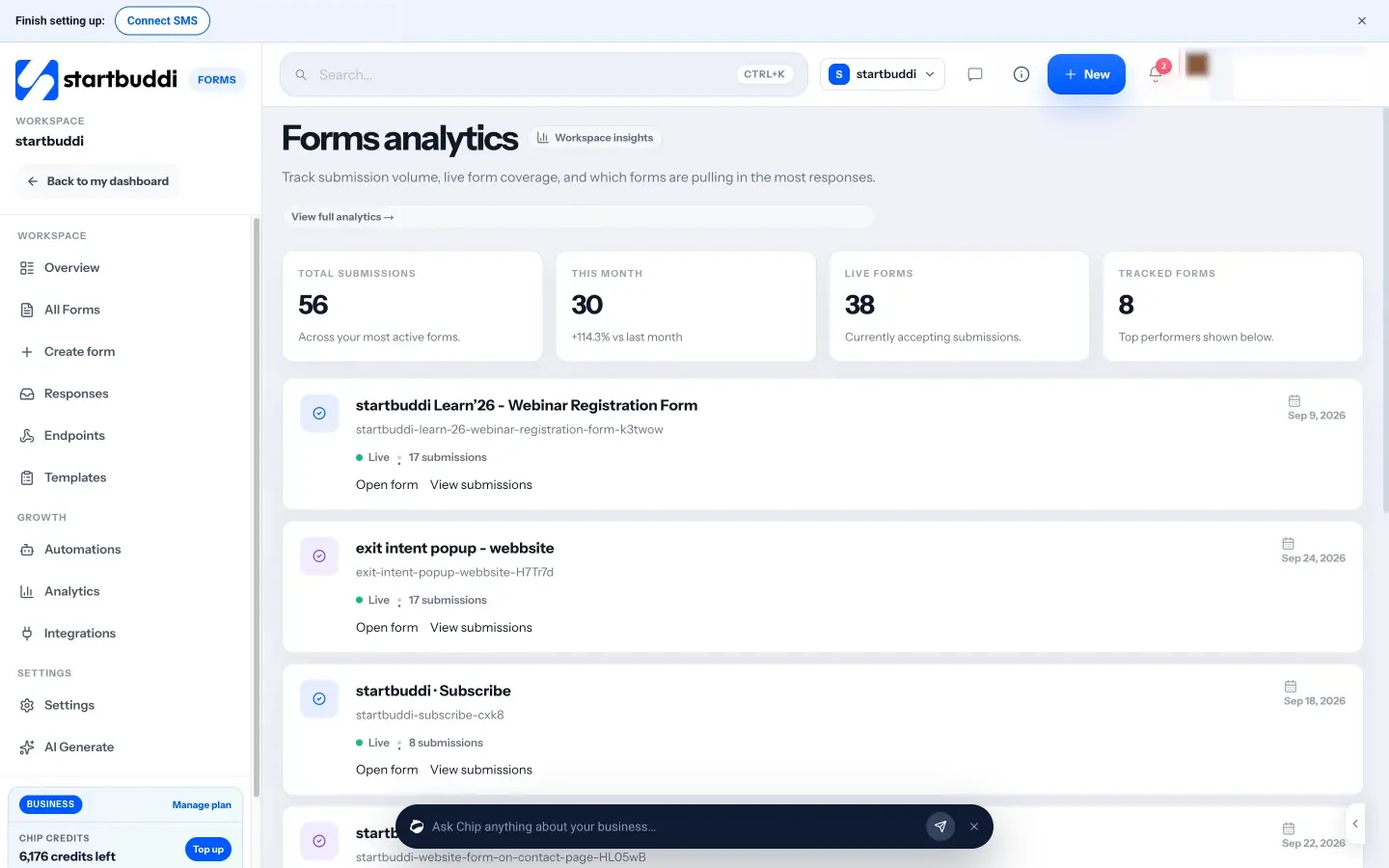
Forms in startbuddi is built for lead capture: every response can create or update a contact in Customers, with the page and device it came from, and can start a follow-up automatically.
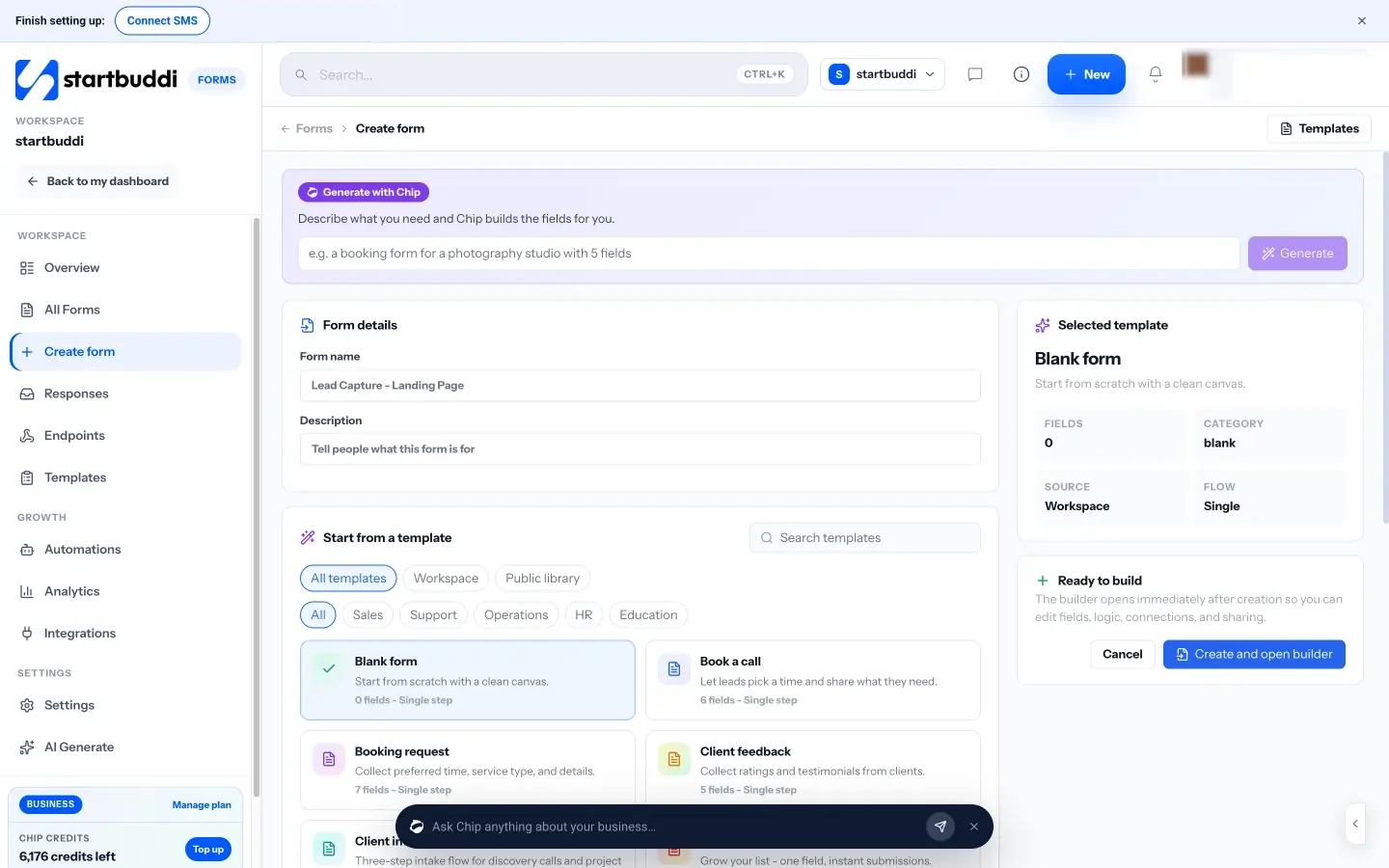
- Three ways to start: describe the form and Chip builds the fields for you, start from a template, or start blank. Chip drafts are editable, and building one uses Chip credits.
- Fields and logic: short and long text, email, phone, dropdowns, checkboxes, file upload, rating and more, with Show, Hide, Jump and End rules. You can describe a rule in plain words and Chip sets it up.
- One question at a time: switch a form to multi-step to show one question per screen with a counter.
- Consent and contacts: mark a field as counting for marketing consent, save answers to contact properties, and choose how duplicates are handled.
- Share anywhere: a direct link, an embed, a pop-up button or a QR code. The help guide on embedding a form on your website shows each option. If you already have a form on your site, you can point it at a startbuddi endpoint instead.
- See where people stop: the Responses view in the builder shows views, the share who filled it out and answers by question.
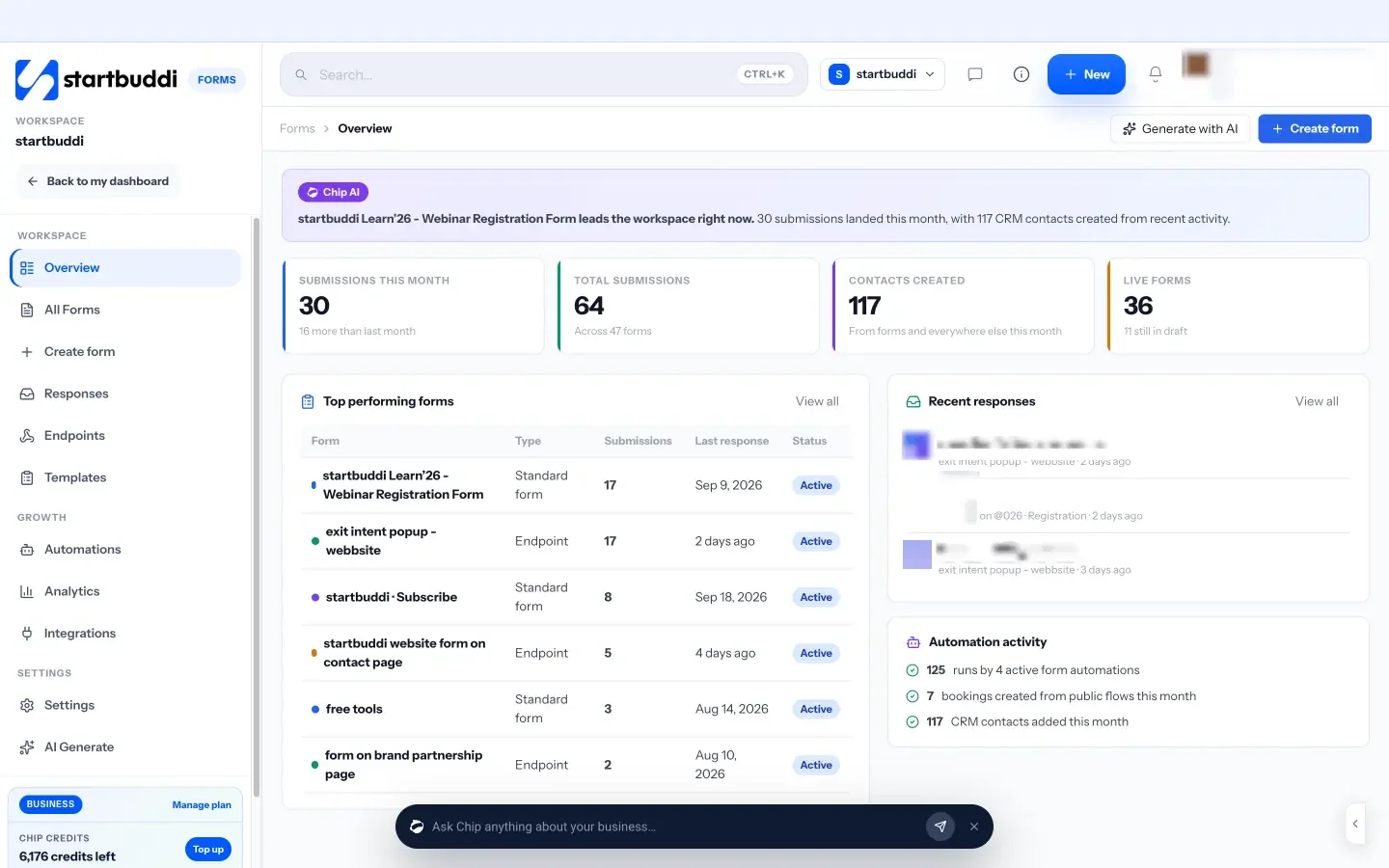
Follow-ups run in Automations: when a form is submitted, send an email, SMS or WhatsApp message, create a task or assign the lead to a teammate. There is a ready-made “Lead capture welcome flow” template to start from.
The limits to know:
- The free plan includes one form. Starter includes 20, and Growth and Scale are unlimited (see pricing). Submissions are not capped.
- Free includes 2 active automations, including automatic follow-ups, and Starter allows 10.
- Hosted forms show a “Powered by startbuddi” line on every plan. It is hidden when the form is embedded on your own site.
- The appointment picker field is a date field; it does not create a real booking. For bookings, send people to your booking page after they submit.
Comparing tools? See startbuddi vs Typeform or the lead capture form builder page.
Your next step
Open your current enquiry form and delete every field that belongs in “later”. Rewrite the button so it names the result, and add one line about how you use people’s details. If you are starting from scratch, create a free account and build your first lead capture form from one of the templates above.
Sources
- Baymard Institute: Checkout optimization, minimize form fields
- Nielsen Norman Group: Placeholders in form fields are harmful
- W3C Web Accessibility Initiative: Labeling controls
- UK Information Commissioner’s Office: Electronic mail marketing
- Nigeria Data Protection Commission: FAQs
- Unbounce: Average landing page conversion rates
Frequently asked questions
How many fields should a lead capture form have?
As few as you need to reply usefully, usually three to five. Move anything you only need once someone is a client to a separate intake form.
Should I ask for a phone number?
Only if you will call or message people. If you follow up on WhatsApp, ask for the number and say so next to the field.
Is a multi-step form better than a single page?
For short forms, one page is usually better. For longer quote requests, one question at a time can feel easier. Test both and keep the one more people finish.
Can I add people who fill in my form to my newsletter?
Reply to their enquiry, yes. For marketing emails, most rules expect a separate, clear opt-in, such as an unticked box they choose to tick.
SEO Copywriter| Email growth Specialist| I help businesses increase revenue with strategic SEO content & high-converting email funnels.