GoHighLevel pricing vs simpler CRM tools: what you really pay
GoHighLevel pricing explained from its own pricing page: plans, usage costs and add-ons, who it suits, and when a simpler CRM is the better value.


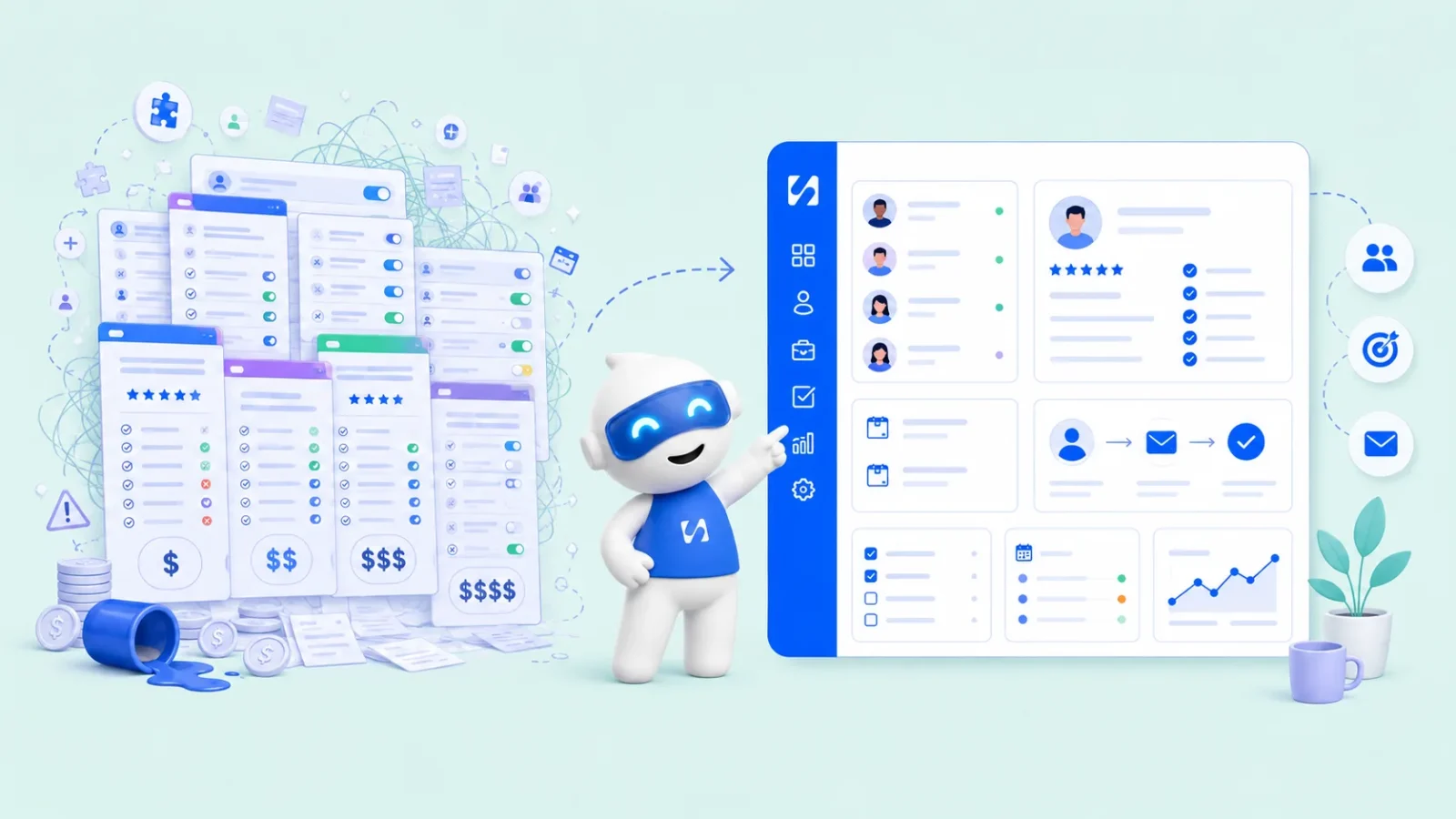
- HighLevel's plans are $97, $297 and $497 a month, plus usage such as SMS, phone and email, and optional add-ons. That suits agencies that resell the platform. A single small business often gets what it needs from a simpler CRM with a free plan and included allowances.
GoHighLevel pricing (the company now calls itself HighLevel) starts at $97 a month for the Starter plan, $297 a month for Unlimited and $497 a month for Agency Pro, according to HighLevel’s pricing page as checked on 28 September 2026. On top of the plan, you pay for usage such as phone numbers, text messages, emails sent and premium AI, plus any add-ons you choose. For a marketing agency that resells the platform to its own clients, that can be good value. For a solo founder or a small service business that just needs a client list, follow-ups, bookings and invoices, it’s often more than they need, and simpler CRM tools can cost a fraction of it.
This post lays out what HighLevel actually costs, who it’s built for, the costs people tend to miss, and when a simpler tool is the better choice. It aims to be fair: HighLevel is a capable platform, and for some businesses it’s exactly right.
GoHighLevel pricing plans at a glance
These figures are taken from gohighlevel.com/pricing on 28 September 2026, in US dollars. Prices change, so check the page before you decide.
| Plan | Monthly | Annual | Sub-accounts | How HighLevel describes it |
|---|---|---|---|---|
| Starter | $97 | $970 | 3 | For smaller businesses and solo marketers |
| Unlimited | $297 | $2,970 | Unlimited | For growing agencies |
| Agency Pro | $497 | $4,970 | Unlimited | For agencies looking to resell the platform as their own software |
| Enterprise | Custom (talk to sales) | Custom | Larger organisations | |
All three self-serve plans list unlimited contacts and unlimited users, and the page offers a 14-day free trial. The main differences as you move up are the number of sub-accounts (separate client workspaces), the level of API access, and whether you can rebill usage to your own clients. The pricing page says Unlimited lets you rebill phone and email costs without a markup, while Agency Pro adds what HighLevel calls SaaS Mode, automated sub-account creation and rebilling with a markup.
What is a “sub-account”, and why it drives the price
HighLevel is built around agencies. Your agency account sits at the top, and each client business gets its own sub-account with its own contacts, pipelines, calendars and automations. That’s why the plans are split by sub-accounts rather than by users or contacts.
If you’re a marketing agency running lead generation for 20 dentists, that structure is useful: each client is separate, and you can rebill their usage. If you’re one business running your own customers, you only need one workspace. On the Starter plan you’d be paying for three sub-accounts and using one.
The costs people forget: usage and add-ons
The plan price is not the whole bill. HighLevel’s pricing page lists usage-based charges for phone numbers, SMS, emails sent and premium AI usage. How much these add depends on how much you send and where your customers are, because text messaging and phone costs vary a lot by country.
The same page lists optional add-ons, including:
- AI Employee at $50 or $97 a month per sub-account, depending on the tier.
- Premium support at $500 a month.
- A white-label mobile app at $497 a month.
- HIPAA compliance at $297 a month (relevant to US healthcare).
None of that is hidden: it’s all on the page. But it does mean the real monthly cost for a busy account can sit well above the headline plan price. When you compare tools, add up plan plus expected usage plus the add-ons you’d actually use.
The cost that isn’t on any pricing page: setup time
HighLevel is flexible, and flexible tools take time to set up. Funnels, workflows, calendars, pipelines and phone systems all need configuring. Agencies often charge clients for exactly this work. If you’re doing it yourself, count the hours: a week of evenings spent learning a platform is a real cost for a founder whose scarcest resource is time.
What businesses like about HighLevel
It’s worth being clear about why HighLevel is popular, because the reasons tell you whether it suits you.
- It’s built for agencies. Sub-accounts and usage rebilling make it easy to run many client businesses from one place.
- White-labelling. Agencies can present the platform under their own brand; the pricing page also lists a white-label mobile app as a paid add-on.
- Breadth. Even the Starter plan lists a website and funnel builder, CRM and pipelines, booking calendars, email and SMS marketing, calling, social media, reputation management, payments and invoicing, courses and workflow automation.
- Unlimited contacts and users on every self-serve plan, which suits businesses with large lists.
If you’re an agency planning to resell software, or you want deep workflow automation and are happy to invest time learning it, HighLevel deserves a serious look.
Why smaller businesses look for simpler CRM tools
The frustrations people describe are usually less about the headline price and more about fit.
Paying for an agency structure you don’t use
A freelance designer, a cleaning company or a small consultancy has one set of customers. Sub-accounts, rebilling and white-labelling don’t help them, but they shape the price.
Too many options before the first result
When a tool can do almost anything, the first week is spent deciding what it should do. For a small team, a tool that works on day one with sensible defaults often gets used more than a more capable tool that needs configuring.
Unpredictable monthly bills
Usage billing is fair in principle, but it makes budgeting harder for a small business with tight cash flow. Some owners prefer plans that include a set allowance each month.
Needs beyond sales and marketing
HighLevel’s centre of gravity is winning and converting leads, and it covers that ground widely, including payments and invoicing. Businesses that also want client projects and tasks, shared documents or a simple team and HR area in the same place may still need extra tools, so check against your own list.
How to work out what you’d really pay
Before you compare any CRM tools, do this quick exercise with your own numbers.
- Count your workspaces. One business, or several client businesses?
- Count your people. How many teammates need to log in?
- Estimate your sending. Emails, SMS and WhatsApp messages per month, now and in a year.
- List the tools you’d replace. Scheduling, invoicing, forms, email marketing, website. Add up what they cost today.
- Price the setup. Your hours, or a consultant’s fee.
- Compare over 12 months, including usage and add-ons, not just the plan.
Our breakdown of an all-in-one workspace vs five separate tools walks through this maths in more detail, and how to choose a CRM covers the non-price questions.
Two worked examples
A solo consultant with one business
Nadia runs a one-person HR consultancy in Johannesburg. She needs a contact list, a pipeline for proposals, a booking link, invoices and a monthly newsletter to about 400 people. On HighLevel’s Starter plan she’d pay $97 a month, or $1,164 over a year, before any usage for emails or texts. On startbuddi’s Starter plan she’d get 2,500 contacts and up to 3,000 emails a month (once she verifies her own sending domain), and the pricing page shows what that costs where she is. If she later hires two people, Growth adds seats and larger allowances. For Nadia, the simpler tool covers what she uses without paying for agency features she won’t touch.
A marketing agency with 15 clients
Kwame runs an agency that builds funnels and runs lead generation for 15 local businesses, and wants to give each client their own login under his agency’s brand. That’s the job HighLevel is designed for. Unlimited at $297 a month gives him unlimited sub-accounts, and he can pass messaging costs on to clients. Our own product, startbuddi, isn’t built for reselling or white-labelling, so for Kwame’s model HighLevel is the more natural fit, even though the headline price is higher.
The lesson: compare cost against the structure you actually need, not against the feature list.
Questions to ask on any CRM pricing page
Whether you’re looking at HighLevel or anything else, these questions turn a headline price into a real one:
- What exactly is counted: users, contacts, sub-accounts, emails, messages or AI credits?
- What happens when I go over a limit: a block, an automatic charge or a prompt to move up a plan?
- Which features on the page are add-ons with their own monthly fee?
- Are text messages and calls priced the same in my country as in the United States?
- Is the annual price paid up front, and can I get a refund if it doesn’t work out?
- How long is the trial, and does it include the features I actually plan to use?
Write the answers next to each other for two or three tools. The cheapest headline price is often not the cheapest year.
If you’re switching away from HighLevel
Moving CRM is manageable if you plan it. Before you cancel anything:
- Export your contacts as CSV, including tags and custom fields, and check the file opens cleanly.
- List your live automations and note what each one does in plain words. You’ll rebuild the ones that matter, not all of them.
- Check phone numbers and domains. Find out whether numbers can be moved to a new provider and where your sending domain’s DNS records point.
- Download reports and invoices you may need for your records.
- Run both for a short overlap, so no lead falls through during the move.
What to look for in a simpler CRM
If you’ve decided HighLevel is more than you need, these are the things that matter in the alternative:
- A free plan or a long trial, so you can test with real customers before paying.
- Included allowances for contacts, emails and messages, so the bill is predictable.
- The channels your customers use. In many countries that means WhatsApp as much as email.
- Payments and invoicing in the same place as the customer record, if you bill for services.
- Easy exit. Make sure you can export your contacts as CSV.
For a wider view of options, see our researched lists of CRM software for small businesses and all-in-one business software.
GoHighLevel vs startbuddi: how the pricing compares
Our product, startbuddi, is an all-in-one business system for founders and small teams: customers and pipeline, a shared inbox, marketing, bookings, invoices and payments, projects and Chip, the built-in AI assistant. It’s priced per business, not per sub-account.
| HighLevel | startbuddi | |
|---|---|---|
| Entry price | $97 a month (Starter) | Free plan; paid plans on the pricing page |
| Other plans | $297 and $497 a month; Enterprise custom | Growth and Scale (see pricing); Enterprise custom |
| Local currency | US dollars | Charged in your local currency where available |
| Trial | 14 days | 30 days on every paid plan |
| Annual billing | 10 times monthly | 10 times monthly |
| Contacts and users | Unlimited on self-serve plans | Limits by plan (for example 2,500 contacts and 2 seats on Starter) |
| Messaging | Usage-based | Monthly allowance of emails, SMS and Chip credits included by plan |
| Built for | Agencies, resellers, marketers | Founders and small teams running one business |
HighLevel figures from its pricing page, 28 September 2026. Figures for startbuddi from our pricing page.
To be fair about the trade-offs: startbuddi has contact and seat limits by plan where HighLevel’s self-serve plans don’t, and it doesn’t offer white-labelling or reselling. If those matter to you, HighLevel is the better fit. If you’re one business that wants a predictable bill and tools you can use this afternoon, startbuddi is worth trying. Our full startbuddi vs HighLevel comparison goes beyond price.
What you get in startbuddi
In Customers, you get contacts and companies, a drag-and-drop sales pipeline and a shared inbox for email, WhatsApp, SMS, website chat, Instagram and Facebook messages.
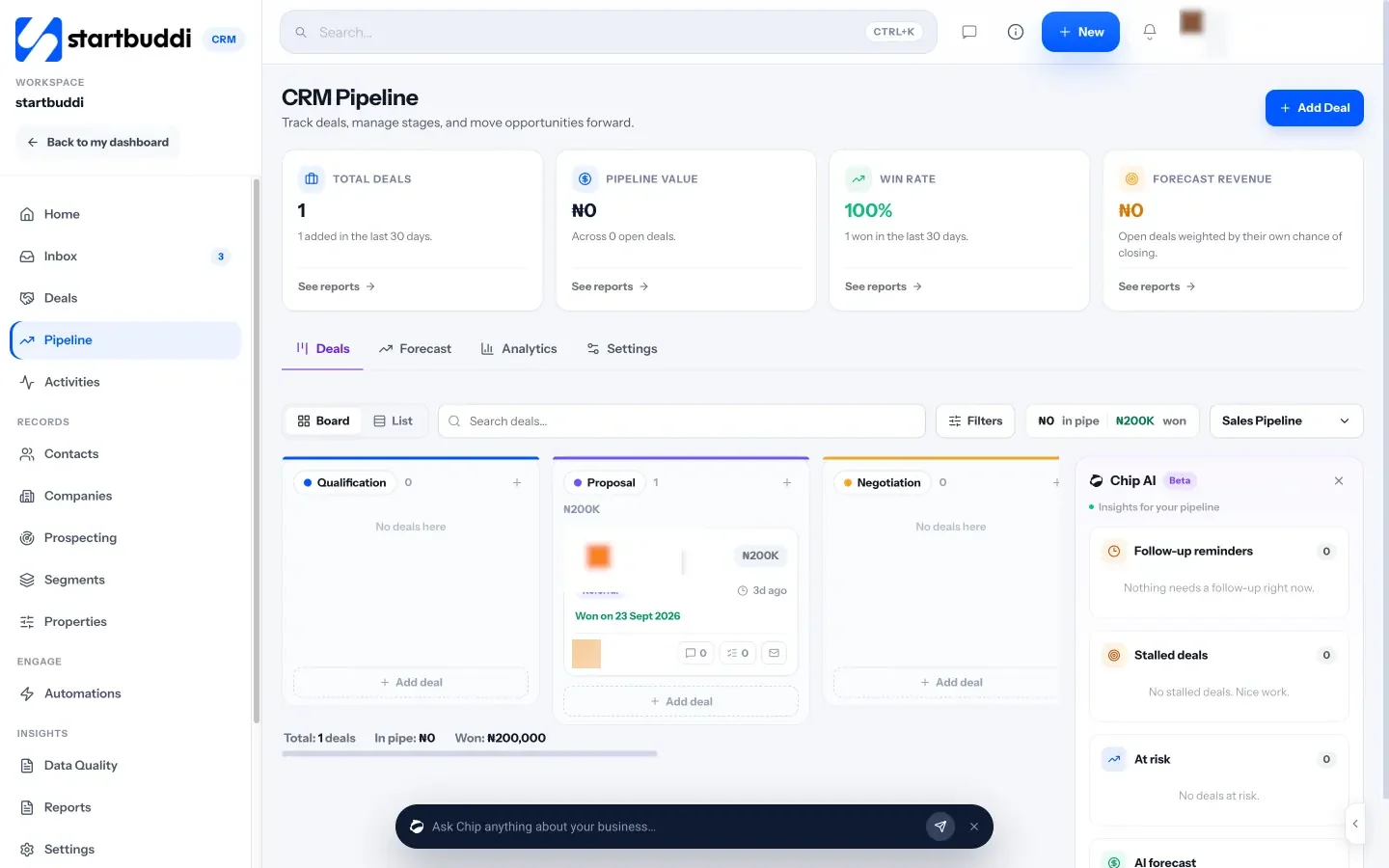
Marketing covers email campaigns, SMS and WhatsApp campaigns and social media, and Automations runs follow-ups across email, SMS and WhatsApp. Marketing, WhatsApp and SMS need the Starter plan or above, and Free includes 2 active automations against 10 on Starter.
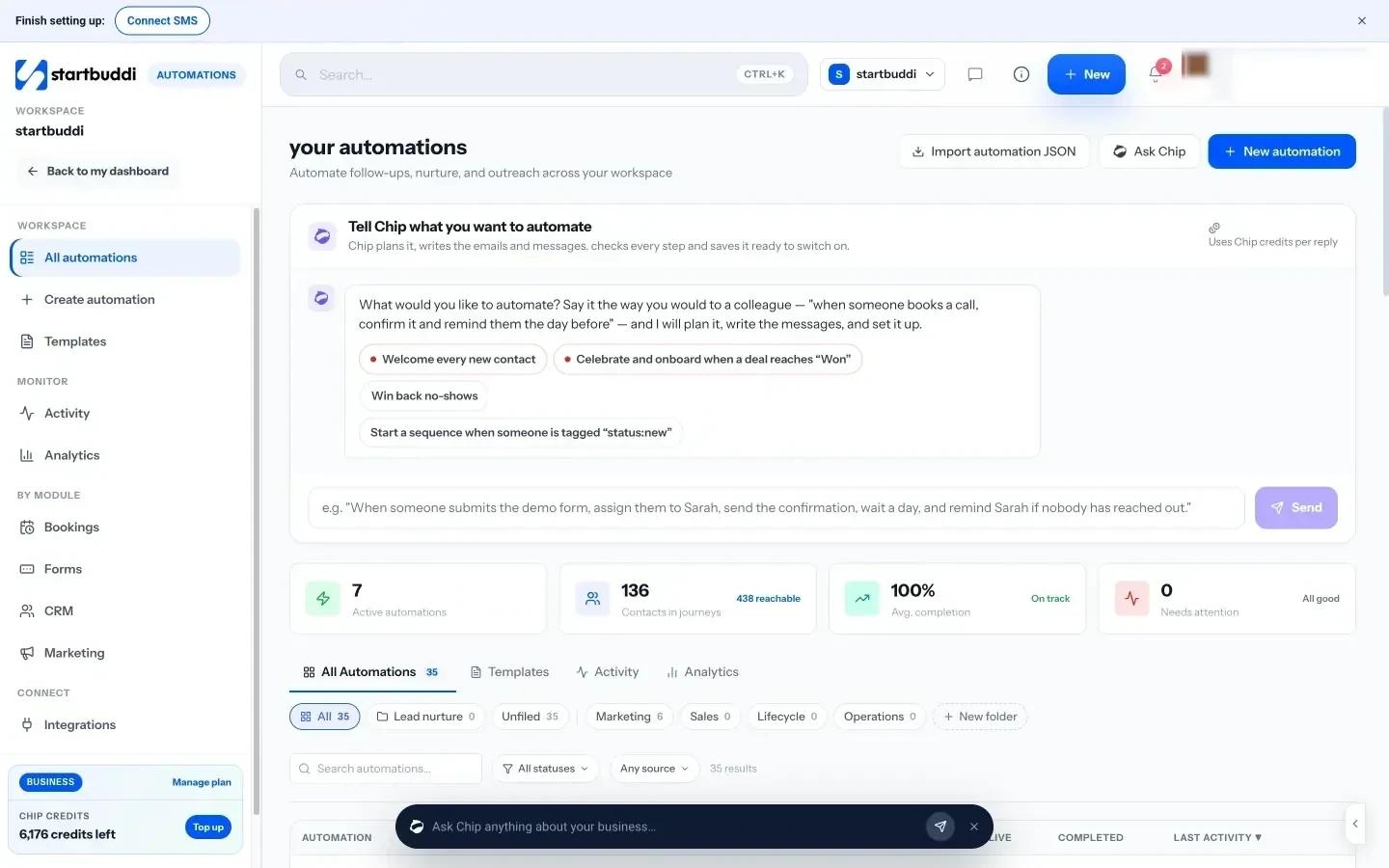
Beyond marketing, you can take bookings, send invoices with online payment by card through Stripe or Paystack, run projects and tasks, and ask Chip for help on any screen. Chip replying automatically to customer messages needs the Growth plan.
Every paid plan has a 30-day trial, and annual billing costs ten times the monthly price. See full pricing for allowances on each plan.
Your next step
Write down your workspaces, team size and monthly sending, then price HighLevel and one simpler tool over 12 months with those numbers. If the simpler route wins, start startbuddi on the free plan and move one real customer through it this week.
Sources
- HighLevel pricing (checked 28 September 2026)
Frequently asked questions
How much does GoHighLevel cost per month?
HighLevel's pricing page lists Starter at $97, Unlimited at $297 and Agency Pro at $497 a month, with annual plans at ten times monthly. Usage and add-ons are extra.
Does GoHighLevel charge for SMS and email?
Yes. Its pricing page lists usage-based charges for phone numbers, SMS, emails sent and premium AI. Costs depend on your volume and where you send.
Is there a free trial of GoHighLevel?
Its pricing page offers a 14-day free trial on the self-serve plans. Check the page for current terms.
What is a cheaper alternative to GoHighLevel for a small business?
If you run one business and don't resell software, a simpler all-in-one CRM with a free plan and included allowances is often enough. For example, startbuddi starts free, and the pricing page shows what each paid plan costs.
Omolola Akiyode is the operations and project manager at startbuddi, leading cross-functional projects and the content that helps founders get set up. Omolola writes about projects, websites and getting found online, and turns complex ideas into clear, practical steps.
Runs operations and projects at startbuddi