How to build an online presence that turns visitors into leads
An online presence isn't a website plus a few social accounts. It's a path from being found to getting in touch. Here's how to build one that brings enquiries, in order.


Chinonye wrote this while on the startbuddi team. The product has changed since, so the team updated it on .

Photo: Good Faces / Unsplash
- Build your online presence around one question: when someone finds you, what should they do next? Start with a clear page that says who you help and how to reach you, a complete Google Business Profile, reviews and one active social channel. Give every page one obvious way to enquire, book or buy, then measure where leads come from.
To build an online presence that brings in business, think less about being everywhere and more about what happens when someone finds you. A person searches on Google, sees a post, or gets your name from a friend. Within seconds they need to understand what you do, trust that you’re good at it, and see one easy way to get in touch. An online presence that does those three things turns visitors into leads. One that doesn’t just collects views.
This guide covers what an online presence really includes, the essentials to set up first, how to make every page lead somewhere, how to get found, and how to keep it going without burning out. It’s for small businesses, freelancers and service providers anywhere, whether you’re starting from nothing or have a site that looks fine but never brings enquiries.
What it means to build an online presence that converts
Your online presence is everything a potential customer can find about you online: your website or pages, your Google Business Profile, social media accounts, reviews, directory listings, and what other people say about you. It “converts” when it moves people from finding you to contacting you.
That journey has four steps, and your presence needs to support each one:
- Found: they discover you through search, maps, social media or a referral.
- Understood: within a few seconds they know what you do and who it’s for.
- Trusted: they see proof you’re real and good: reviews, examples, a real address or photo.
- Contacted: they take one clear next step: send a message, fill in a form, book or buy.
Most online presences are strong on the first step and weak on the last. They get views but never ask for anything.
Why most online presences get views but few leads
- Vague headlines. “Welcome to our website” or “Quality solutions” tells a visitor nothing.
- Too many choices. Ten menu items, five buttons and a newsletter popup, and the visitor does nothing.
- No proof. No reviews, no examples of work, no faces.
- Hard to contact. The phone number is in the footer, the form has twelve fields, and there’s no WhatsApp or booking option.
- Out of date. Old prices, last post two years ago, opening hours that are wrong.
- Disconnected tools. A form that emails someone who’s on holiday, a booking link that goes to a different brand, enquiries that never reach a list.
The essentials, in the order to set them up
You don’t need everything at once. Build in this order and each step makes the next one work harder.
1. One clear page about your business
This can be a full website, but it doesn’t have to be. For many small businesses, a single well-made page does more than a ten-page site nobody updates. It needs:
- A headline that says what you do and for whom: “Wedding cakes for Port Harcourt couples” or “Bookkeeping for London freelancers”.
- Your main services, with prices or a starting price if you can.
- Proof: a few reviews, photos of real work, the number of years you’ve been going.
- Where you are and when you’re open, if that matters to customers.
- One main way to get in touch, repeated at the top and bottom: a form, a booking button or a WhatsApp button.
Put it on your own domain name if you can. It looks more trustworthy than a free subdomain and it’s yours if you ever change tools.
2. A complete Google Business Profile
If customers find you locally, your Google Business Profile is often the first thing they see, on Search and Maps. Google says local results are based mainly on relevance, distance and prominence, and a complete, accurate profile helps with relevance. Fill in every field, choose the right category, add real photos, and keep hours up to date. Our guide to setting up a Google Business Profile walks through it.
3. Reviews
Reviews matter. BrightLocal’s Local Consumer Review Survey 2026, a survey of 1,002 US adults, found that 97% of consumers read reviews for local businesses. Ask every happy customer, at the moment they’re happiest, with a direct link. Reply to every review, good or bad, calmly and briefly. Never buy or write fake reviews: they break platform rules and, in many places, the law. In the US, for example, the FTC has a rule banning fake reviews and testimonials.
4. One social channel you can keep up
Choose the platform your customers actually use and post there regularly, rather than five platforms occasionally. Put your one main link in your profile. If you need several links, a link in bio page keeps them tidy; see our guide to link in bio pages.
5. A way to stay in touch
Most visitors aren’t ready to buy on their first visit. Give them a reason to leave an email or phone number, such as a price guide, a checklist or an offer, so you can follow up. Our guide on growing an email list from zero covers ideas.
Make every page lead somewhere
Every page, post and profile should answer “what should I do next?” Use one main call to action per page, and make it specific: “Book a free 15-minute call”, “Get a quote in 24 hours”, “Order on WhatsApp”. Then:
- Keep forms short. Name, contact and one question about what they need. Ask the rest later.
- Offer the channel people prefer. Many customers would rather send a WhatsApp message than fill in a form, and others prefer email. Offer both.
- Let people book directly if you sell appointments.
- Make sure every enquiry lands in one list with its source, so none get lost and you know what’s working.
- Reply fast. In a study of 1.25 million online sales leads published in Harvard Business Review, firms that tried to contact a lead within an hour were nearly seven times as likely to have a meaningful conversation with a decision maker as those that waited even an hour longer.
For a specific campaign or offer, a focused landing page with one action usually beats sending people to a general page. Our post comparing a sales funnel and a website explains how the two work together.
A 30-day plan to build an online presence
| Week | Focus | Done when |
|---|---|---|
| 1 | Your main page: headline, services, prices, proof, one call to action, your own domain | A friend can say what you do and how to contact you after 10 seconds on the page |
| 2 | Google Business Profile and the two or three directories your customers use | Every field filled, real photos added, details identical everywhere |
| 3 | Reviews and one social channel | You’ve asked ten happy customers for a review and planned a month of posts |
| 4 | Follow-up: a simple offer to collect emails or numbers, and a welcome message | New enquiries land in one list and get a reply the same day |
After the first month, the job changes from building to maintaining: 30 minutes a week to reply, update and review the numbers, plus a new post or two. That’s sustainable for almost any business, and it compounds. Each review, post and page adds to how easily people find and trust you.
How to get found online
Search engine optimisation (SEO) sounds technical, but the basics are simple, and Google’s own SEO starter guide covers them in plain language:
- Give each page a clear title and description that match what people search for, such as “Plumber in Cape Town, emergency call-outs”.
- Write the words customers use, not industry jargon.
- Mention your area if you serve a local market.
- Make sure pages load quickly and work on phones.
- Keep your business name, address and phone number the same everywhere online.
- Get listed in the directories customers in your industry use.
Our guide to local SEO for small businesses goes deeper.
How to grow your online presence without burning out
The biggest risk isn’t a bad start. It’s starting strong and stopping after a month. Keep it light:
- Batch your content. Plan and write a month of posts in one afternoon.
- Repurpose. A customer question answered in a post becomes an FAQ on your page and a tip in your email.
- Set a weekly 30-minute check. Reply to reviews and messages, update anything out of date, look at the numbers.
- Use fewer, connected tools. Every separate tool is another login and another place for leads to get lost.
Measure what matters
Views and followers are easy to count and easy to misread. Track these each month instead:
- Enquiries: forms, messages, calls and bookings.
- Where they came from: Google, social, referral, directory.
- Enquiries that became customers.
- Visits to your main page and the share who took action.
- New reviews and your average rating.
If visits are high but enquiries low, work on your page. If enquiries are high but customers low, work on your follow-up.
Common mistakes
- Waiting for a perfect website before doing anything. One good page this week beats a big site next year.
- Building on a social platform only. You don’t control the rules or reach there; keep your own page and contact list.
- Using stock photos of strangers. Real photos of you, your team and your work build more trust.
- Copying a competitor’s wording. If your page could belong to anyone in your industry, it gives visitors no reason to choose you. Say what’s different about how you work.
- Letting details drift. A changed phone number or new opening hours must be updated on every page and profile the same day.
- Hiding prices entirely. Even “from $200” helps people decide to get in touch.
- Forgetting mobile. Many visitors will see your page on a phone first, so check every page on one.
How startbuddi helps you build an online presence
The Publish module in startbuddi holds everything customers see online, and it’s connected to your contacts, bookings and payments, so every visitor who gets in touch lands in one list.
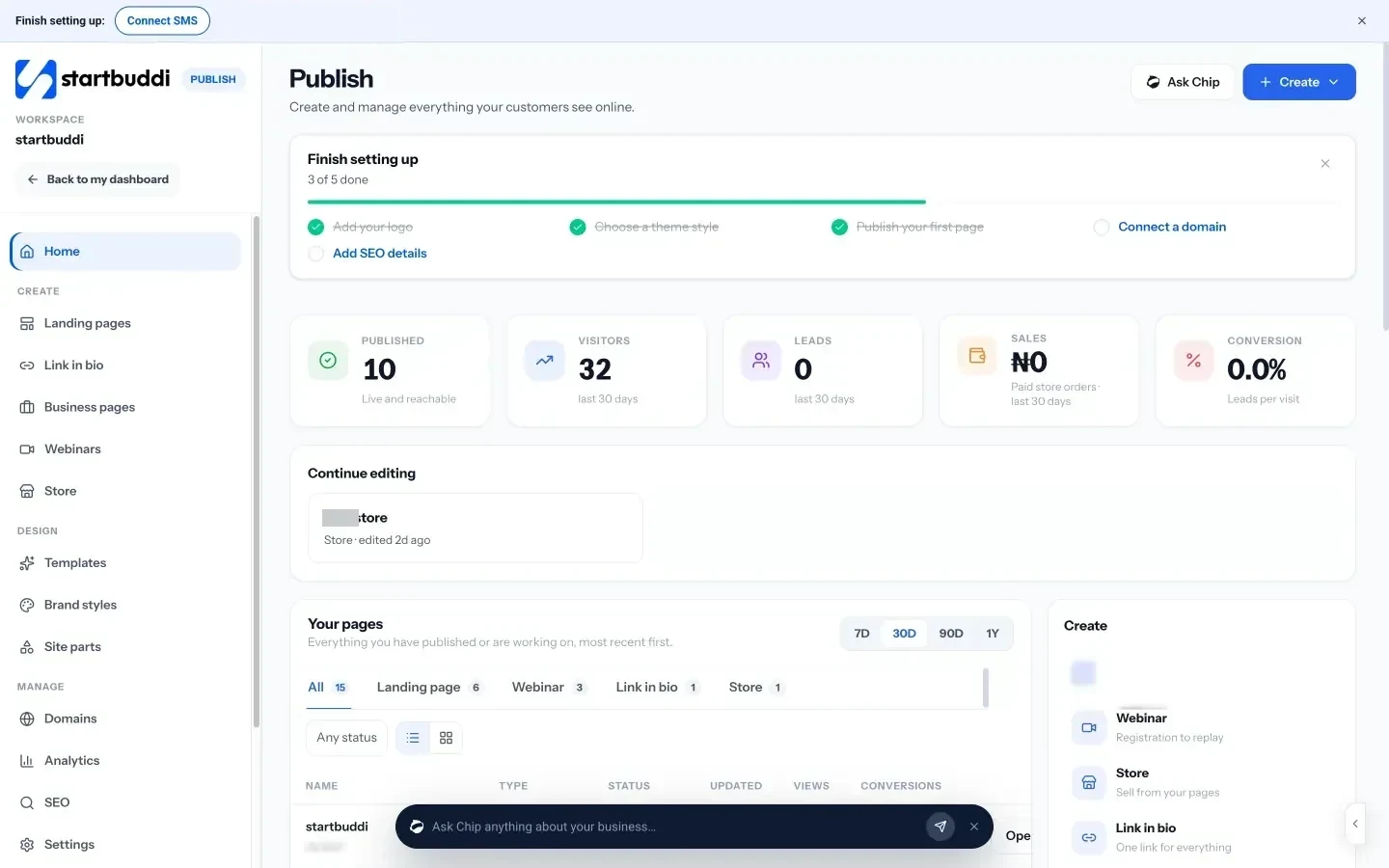
- Business pages. Ready-made page types for how small businesses work: a service and price list, a restaurant menu, a portfolio, a digital business card, a salon services page, a product catalogue and more, with buttons for booking, WhatsApp, calls or a form. See business pages.
- Landing pages. One page with one job, such as collecting leads, taking bookings or running a waitlist. Build with Chip, from a template or blank. See landing pages.
- Link in bio. A mobile page for your social profiles, with links, forms, bookings and products. See link in bio.
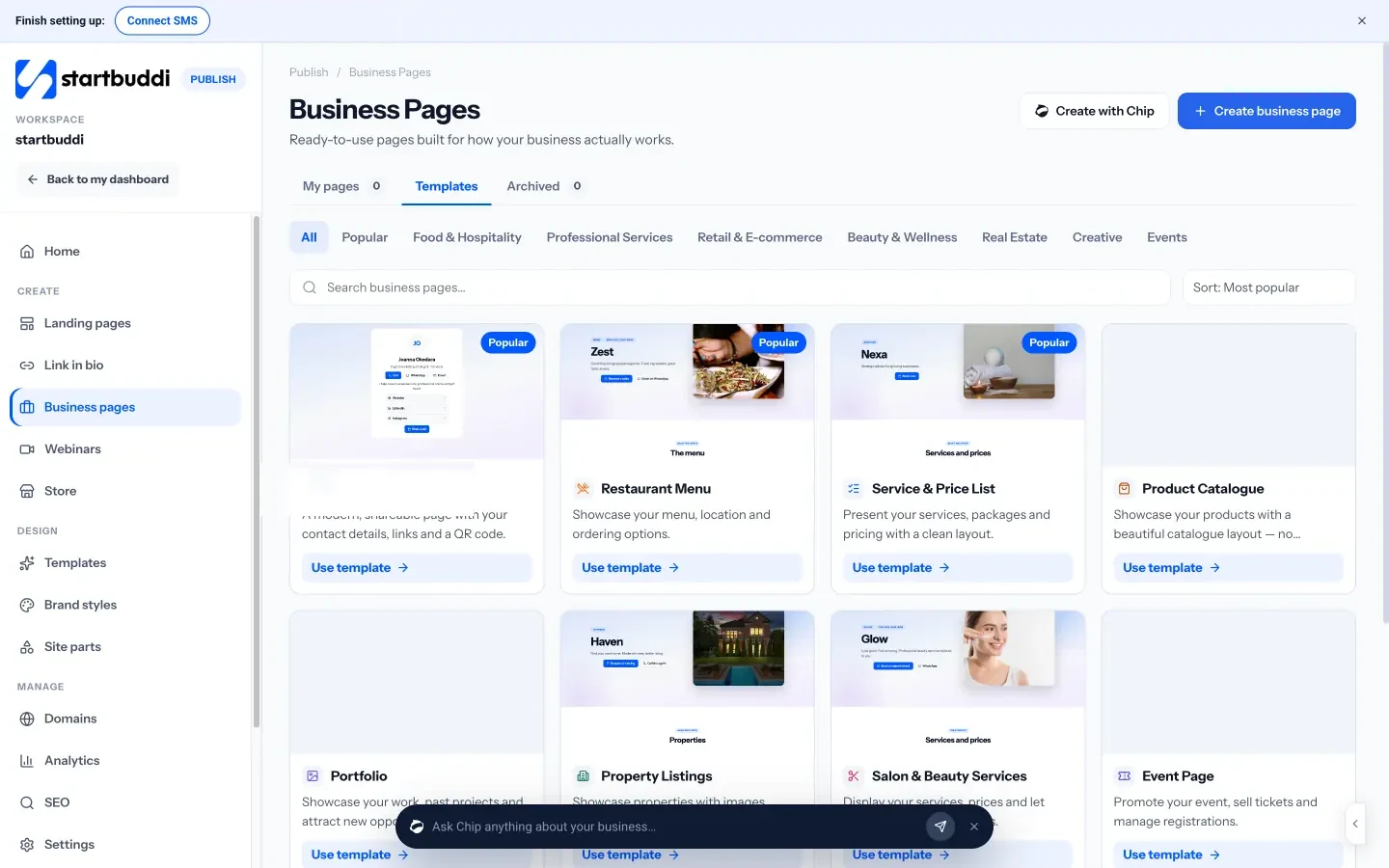
- Your own domain. Connect a domain you already own with one CNAME record; startbuddi checks it and sets up the security certificate. You can’t buy a domain inside startbuddi, so bring your own. See custom domains.
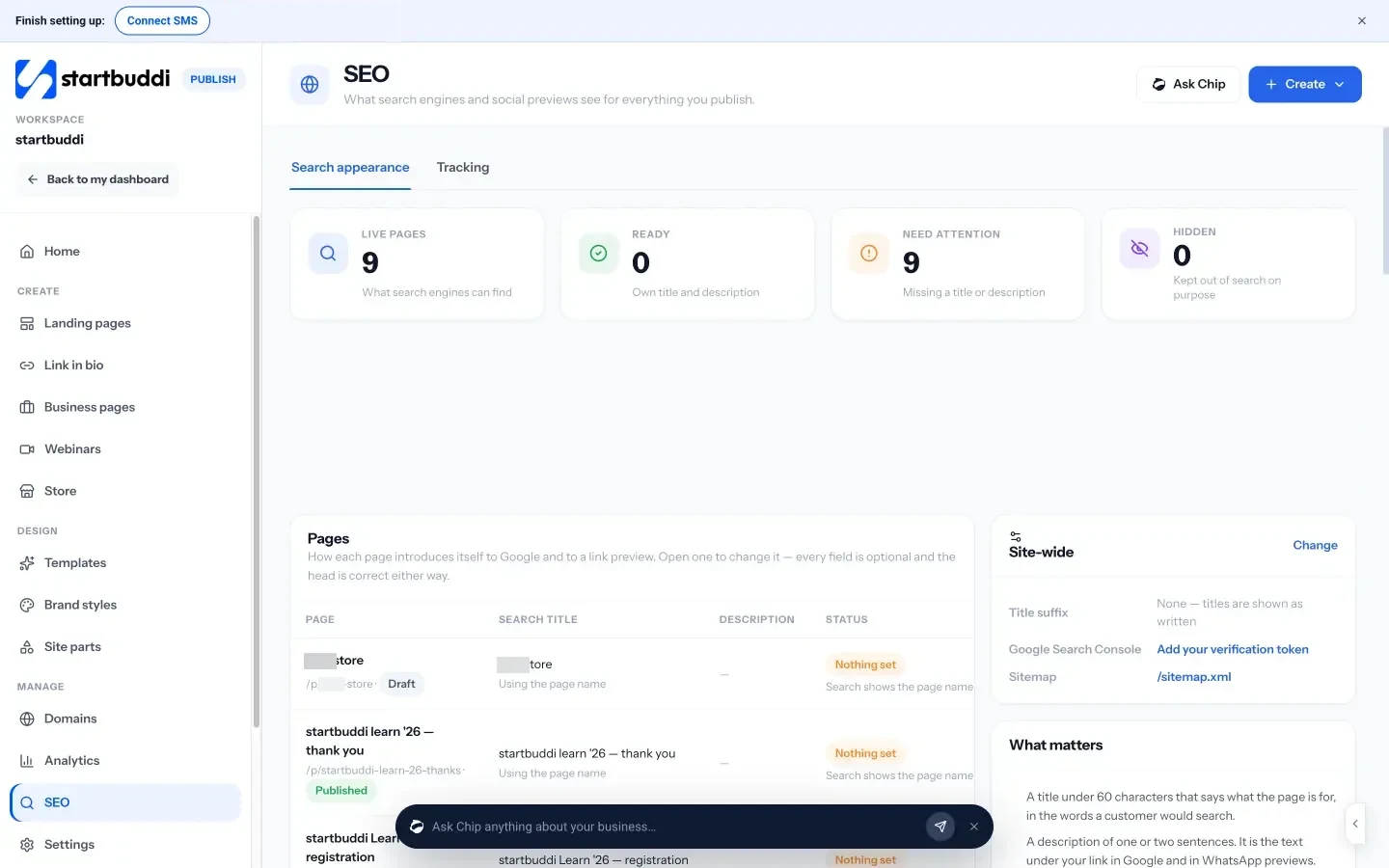
- Search appearance. The SEO screen shows how each page looks in search and when shared, and flags pages missing a title or description. You can add Google Analytics, Google Tag Manager and Meta Pixel.
- A publish check. Before a page goes live, startbuddi checks things like the SEO title, description, broken links, image descriptions and whether a form is connected.
- Leads that go somewhere. Every form signup or booking lands in your contacts with its source, ready for a follow-up.
Pages, link in bio and domains are available on every plan. Free pages carry a small “Powered by startbuddi” line, which any paid plan can remove. Paid plans start at Starter, with a 30-day trial (see pricing). See pricing. For a step-by-step walkthrough, our guide to getting your business online in a weekend covers the page, bookings and payments together.
Next step
Search for your business the way a customer would, on Google and on your main social platform. Write down what someone would see, and whether it’s obvious how to contact you. Fix the biggest gap this week: usually a clear page with one call to action, or a complete Google Business Profile. You can build the page for free in startbuddi Publish.
Sources
- Google Business Profile Help: tips to improve your local ranking
- BrightLocal: Local Consumer Review Survey 2026
- Google Search Central: SEO starter guide
- Harvard Business Review: The short life of online sales leads
- FTC: final rule banning fake reviews and testimonials
Frequently asked questions
Do I need a website to have an online presence?
Not necessarily a full website. One clear page on your own domain, a Google Business Profile and one active social channel is enough for many small businesses to start.
What is the first thing to do to build an online presence?
Make one clear page that says what you do, who it's for and how to get in touch, and complete your Google Business Profile if you serve local customers.
How long does it take to build an online presence?
The basics can be live in a weekend. Being found in search and building reviews takes months of steady effort.
How do I turn website visitors into leads?
Give every page one clear action, keep forms short, offer WhatsApp or booking where customers prefer it, and reply to enquiries quickly.
SEO Copywriter| Email growth Specialist| I help businesses increase revenue with strategic SEO content & high-converting email funnels.