Local SEO for small businesses: how to get found on Google
How local SEO works, what Google looks at when it ranks nearby businesses, and a 30-day plan to get your business found in local searches and on Maps.


Photo: Dollar Gill / Unsplash
- Local SEO is how you show up when people nearby search for what you sell. Google ranks local results on relevance, distance and prominence, so complete your Business Profile, keep your details consistent, build a clear page for each service and earn genuine reviews. A 30-day plan at the end shows the order to do it in.
Local SEO is the work that helps your business appear when someone nearby searches for what you sell, like “tailor in Yaba”, “plumber near me” or “best small chops Abuja”. Google says it ranks these local results on three things: how well you match the search, how far you are from the person searching, and how well known your business is. You can’t move your shop closer to every customer, but you can do a lot about the other two.
This guide explains how local search works in plain words, then gives you the steps in the order that matters most, finishing with a 30-day plan you can follow in a few hours a week.
What local SEO is and why it matters
SEO stands for search engine optimisation: making your business easy for search engines to understand and trust. Local SEO is the part that deals with searches tied to a place. When Google thinks a search is local, it usually shows a map with a short list of businesses above the normal results. Being in that short list is often worth more than any ad.
Reviews play a big part in what people do next. BrightLocal’s Local Consumer Review Survey 2026, a survey of 1,002 US adults, found that 97% of consumers read reviews for local businesses, and 68% want at least a four-star rating. The same survey found 45% now use AI tools such as ChatGPT to find local businesses, which is one more reason to keep your details accurate everywhere they appear.
How Google ranks local results
Google’s own help page on improving your local ranking names three factors.
| Factor | What it means | What you can do |
|---|---|---|
| Relevance | How well your Business Profile matches what someone searched for | Pick the right category, describe your services clearly, keep details complete |
| Distance | How far you are from the person searching, or the place they named | Use your real address or an honest service area |
| Prominence | How well known your business is, online and offline | Earn reviews, get mentioned and linked by other local websites |
Google is also clear that “there’s no way to request or pay for a better local ranking”. Anyone selling guaranteed map rankings is selling something Google says doesn’t exist.
Step 1: claim and complete your Google Business Profile
Your Google Business Profile is the listing that appears on Maps and in the local results. It’s free, and it’s the single most useful thing you can do for local search. If you haven’t set one up yet, our step-by-step guide to setting up a Google Business Profile and getting reviews walks you through verification.
Once you have it, fill in every field that applies to you:
- Business name: your real name only. Google’s guidelines for representing your business ban extra keywords, taglines or phone numbers in the name.
- Primary category: the one that finishes the sentence “this business is a …”. Use as few categories as you need.
- Address or service area: a real, staffed location, or the areas you travel to.
- Hours: including holiday hours, so nobody turns up to a locked door.
- Phone and website: a number someone answers and a page that loads on a phone.
- Services or products: with short descriptions in the words customers use.
- Photos: the outside of your premises, the inside, your team at work and finished jobs.
Step 2: keep your details the same everywhere
Search engines compare what they find about you across the web. If your profile says “12 Allen Avenue” and your Instagram says “Plot 12, Allen Ave, Ikeja” with a different phone number, it’s harder for them, and for customers, to be sure which is right.
Write your details down once, exactly as you want them shown, and copy that text everywhere:
- Business name, spelled the same way each time.
- Full address in one format.
- One main phone number, with country code.
- Website address.
- Opening hours.
Then check the places people look you up: your website, social media profiles, WhatsApp Business profile, and other map services. Google isn’t the only one. You can list your business on Bing Places and on Apple Maps through Apple Business Connect, and both are free.
Step 3: give Google a page it can understand
Your Business Profile links to a website, and that page matters. It’s where Google checks what you do and where you do it, and where customers decide whether to call.
What a good local page includes
- A clear page title with your main service and area, such as “Wedding cakes in Port Harcourt | Tee’s Bakes”. Google’s advice on title links is to make them descriptive and concise.
- The service and place in the main heading, written for people, not stuffed with keywords.
- Your name, address and phone number in text (not only inside an image), matching your profile.
- A map or directions, opening hours and the areas you serve.
- Proof: photos of real work, prices or starting prices, and a few genuine customer comments.
- One clear action: call, book, order on WhatsApp or ask for a quote.
One page per main service
If you offer quite different services, give each its own page. A salon with a page for braids, one for nails and one for bridal make-up has a better chance of matching each search than a single page that lists everything in a line.
The technical basics
You don’t need to be technical, but three things are worth checking. Your page should work well on a phone, since that’s where most local searches happen. You can add LocalBusiness structured data, a small block of code that tells Google your name, address, phone and hours in a format it reads directly. And you can verify your site in Google Search Console, which shows the searches people use to find you. Google’s SEO starter guide covers the rest in plain language.
Step 4: earn reviews the right way
Reviews help with prominence and they help customers choose. The key is to ask every happy customer, not just a few, and to ask at the right moment: right after a job is finished or an order arrives.
What’s allowed and what isn’t
Google’s rules for Maps content let you encourage genuine reviews, but not pay for them or offer discounts, free items or anything else in return. You also shouldn’t pressure people to leave a review while they’re on your premises, write reviews for yourself, or ask staff, friends and family to post them. In the US, the Federal Trade Commission’s rule on fake reviews also bans buying reviews and suppressing negative ones.
A simple review request you can copy
Hi Kemi, thank you for choosing us for your sofa cleaning today. If you were happy with the job, would you mind leaving a short review on Google? It helps other people in Lekki find us. Here’s the link: [review link]. Thank you!
Reply to every review
Replying shows people there’s a real person behind the business. In the same BrightLocal survey, 89% of consumers said they expect businesses to respond to reviews, and half viewed generic, copy-paste replies negatively. Keep replies short, thank the person by name, mention what they bought, and handle complaints calmly with an offer to fix the problem offline.
Step 5: get mentioned by other local websites
Links and mentions from other websites add to your prominence. For a small business, the best ones are local and relevant, and you can often earn them simply by being part of your community.
- Your trade association or market association’s member list.
- Suppliers and partners who list where their products are sold or used.
- Local news sites and community blogs, when you sponsor or take part in an event.
- Venues you work with regularly, such as the halls a caterer serves.
- Local business directories that real customers use.
Skip anyone offering hundreds of links for a small fee. They rarely help and can make your site look less trustworthy.
If you don’t have a shop: service-area businesses
Plumbers, cleaners, mobile mechanics and home tutors go to their customers. You can still appear in local results by setting a service area instead of showing your address. Google’s guidelines say the service area shouldn’t stretch much beyond about two hours’ drive from where you’re based. Choose the areas you genuinely serve, and create a page for your most important ones, with real examples of jobs done there.
How to track whether local SEO is working
| What to watch | Where to find it | How often |
|---|---|---|
| Calls, direction requests and website clicks from your profile | Your Google Business Profile performance view | Monthly |
| Searches that show your website | Google Search Console | Monthly |
| Number of reviews and average rating | Your Business Profile | Weekly |
| Enquiries, bookings and new contacts | Your own records or business software | Weekly |
| “How did you hear about us?” | Ask every new customer | Every time |
Local SEO builds slowly. Expect to judge progress over months, not days, and keep a note of what you changed and when.
A 30-day local SEO plan
| Week | Tasks |
|---|---|
| Week 1 | Claim or create your Google Business Profile, start verification, write your standard name, address and phone text |
| Week 2 | Complete every profile field, add 10 good photos, list on Bing Places and Apple Business Connect, fix your details on social profiles |
| Week 3 | Improve your main web page: title, heading, address in text, hours, one clear action. Add a page for your top service |
| Week 4 | Send a review request to your last 20 happy customers, reply to every review, ask two local partners to list you |
After that, make it a habit: one new photo a week, a review request after every job, and a quick check of your details each month.
Local SEO mistakes that hold small businesses back
- Stuffing keywords into your business name. “Mama Tee Best Cheap Catering Lagos” breaks Google’s guidelines and can get your profile suspended. Use your real name.
- Using a virtual office or a friend’s address. Google expects a real location where you meet customers, or an honest service area.
- Linking your profile to a page that says nothing. If you don’t have a website yet, a single clear page is enough. Our guide to building a business website without coding shows how, and a focused landing page works well for one main service.
- Ignoring bad reviews. A calm, helpful reply often reassures future customers more than a row of five-star ratings.
- Setting it up once and forgetting it. Wrong hours or an old phone number cost you customers every day they stay online.
How startbuddi helps with local SEO
startbuddi doesn’t manage your Google Business Profile for you, but it gives you the page your profile links to, and the tools to keep reviews and enquiries coming in.
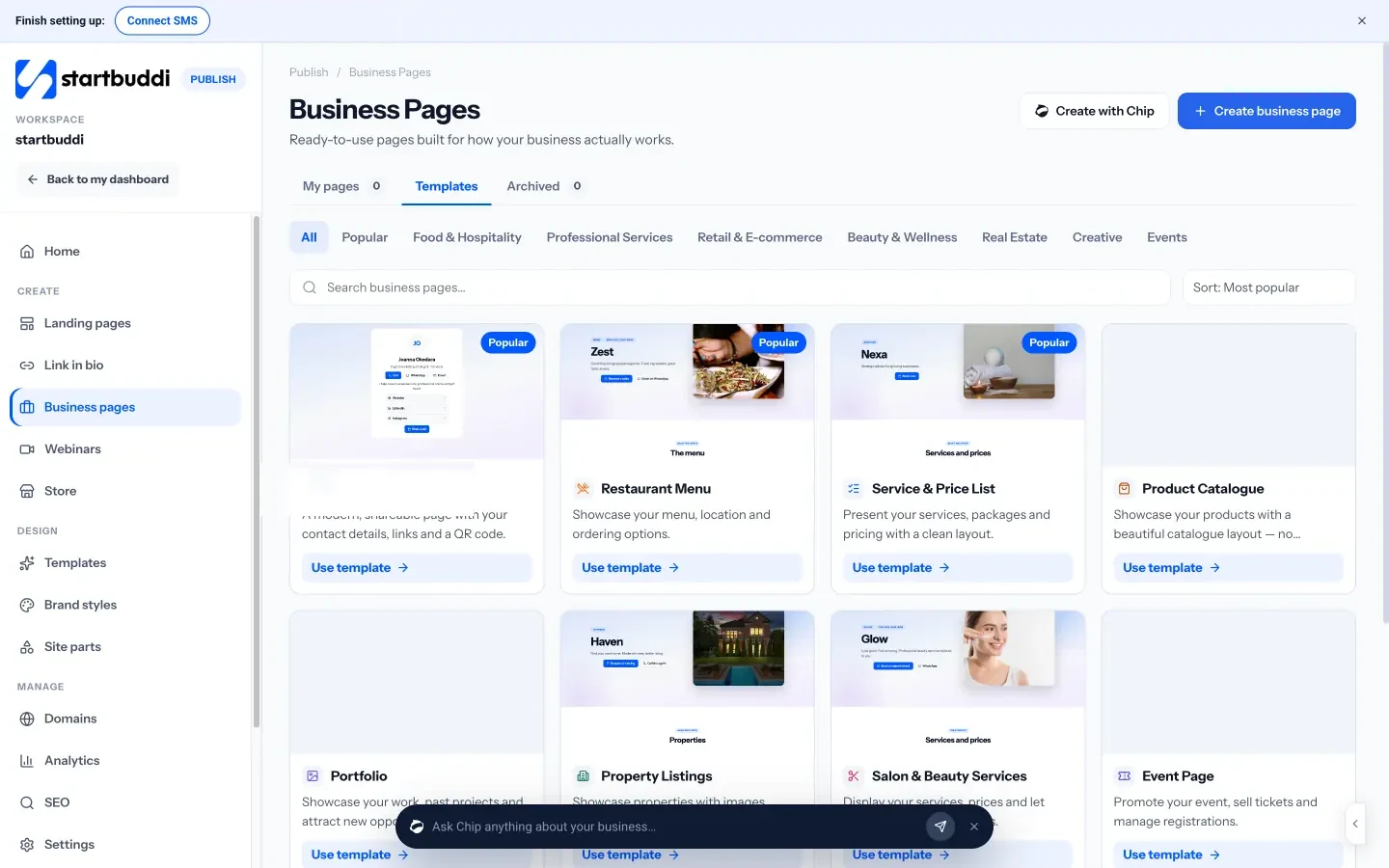
Business pages are ready-made pages for local businesses: a restaurant menu, a service and price list, a salon page, a digital business card, property listings and more. You can add your location and opening hours, a Directions button that opens Google Maps, and buttons to book, call or order on WhatsApp. Every enquiry from the page lands in your contacts.
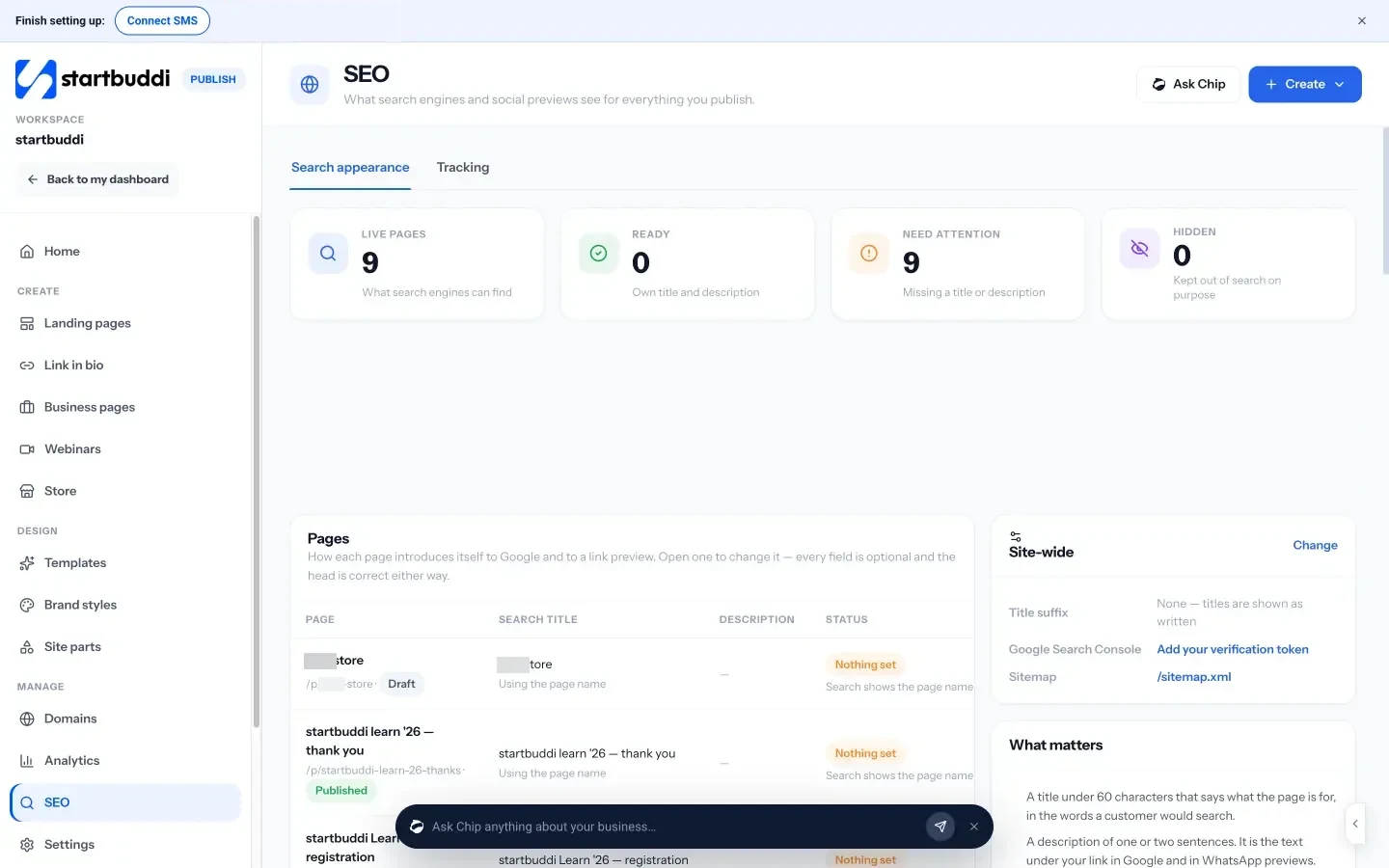
The SEO screen in Publish shows how every page you publish will look in Google and in shared previews, flags pages missing a search title or description, and lets you add your Google Search Console verification and Google Analytics. Its “What matters” guide keeps you to the basics: a title under 60 characters, a one or two sentence description, a share image and your own domain.
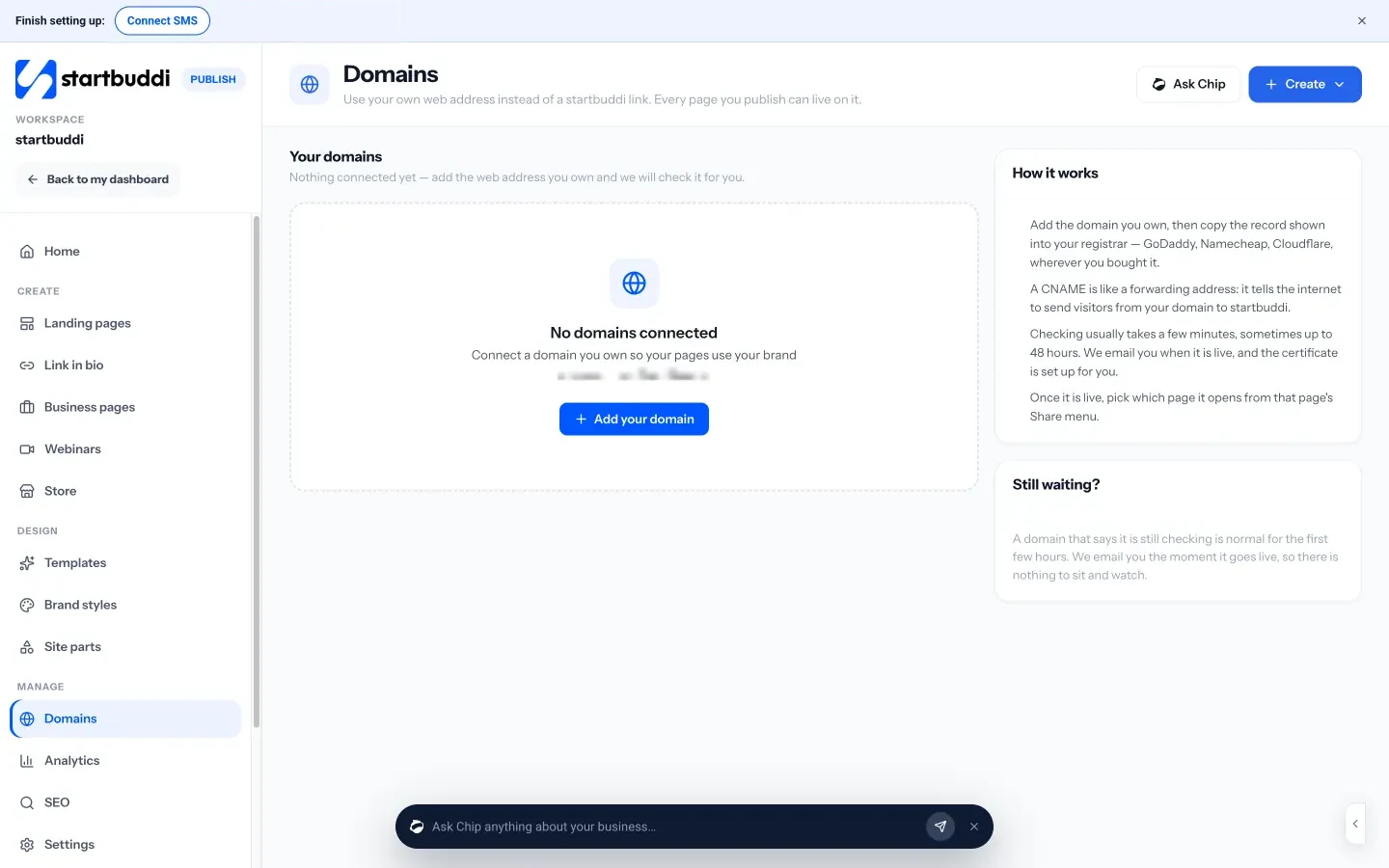
With custom domains you can put your pages on your own web address by copying one record into your registrar. startbuddi checks it and sets up the security certificate for you.
For reviews, you can take bookings with Bookings and use Automations to send a thank-you email with your Google review link after every completed booking. Free includes 2 active automations, and Starter allows 10.
Your next step
Start with week one of the plan today: claim your profile and write your standard name, address and phone text. If you need a page for your profile to link to, you can build a business page in startbuddi and see what each plan includes on our pricing page.
Sources
- Google Business Profile Help: Tips to improve your local ranking on Google
- Google Business Profile Help: Guidelines for representing your business on Google
- Google Maps user contributed content policy: fake engagement
- Google Search Central: Local business structured data
- Google Search Central: Title links
- Google Search Central: SEO starter guide
- Google Search Console
- BrightLocal: Local Consumer Review Survey 2026
- FTC: Final rule banning fake reviews and testimonials
- Bing Places for Business
- Apple Business Connect
Frequently asked questions
How long does local SEO take to work?
Small fixes like completing your Business Profile can help within weeks, but reviews, links and a strong page build up over several months. Keep going and track the trend.
Do I need a website for local SEO?
You can appear on Google Maps with a Business Profile alone, but a page you control gives Google and customers more detail and gives people a place to book, order or enquire.
Can I rank in areas where I don't have an office?
If you travel to customers, set those places as your service area and create a page with real work you've done there. Don't list fake addresses: Google's guidelines don't allow it.
Is it worth paying for reviews?
No. Google's policy bans paid or incentivised reviews, and fake ones can be removed. Ask every genuine customer instead, at the moment they're happiest.
Tiwalade Joanna Okedara-Kalu is the founder, CEO and CTO of startbuddi, the business system that brings clients, bookings, invoices, projects, marketing and the Chip AI assistant into one place. Tiwalade builds software around how service businesses really work day to day, and writes about client management, getting paid on time and why small businesses outgrow the tools they start with.
Founded startbuddi and leads its product and engineering