How to structure your website around the customer decision journey
What the customer decision journey is, the questions buyers of services ask at each stage, a page-by-page website blueprint and a 30-minute audit for your own site.


Chinonye wrote this while on the startbuddi team. The product has changed since, so the team updated it on .
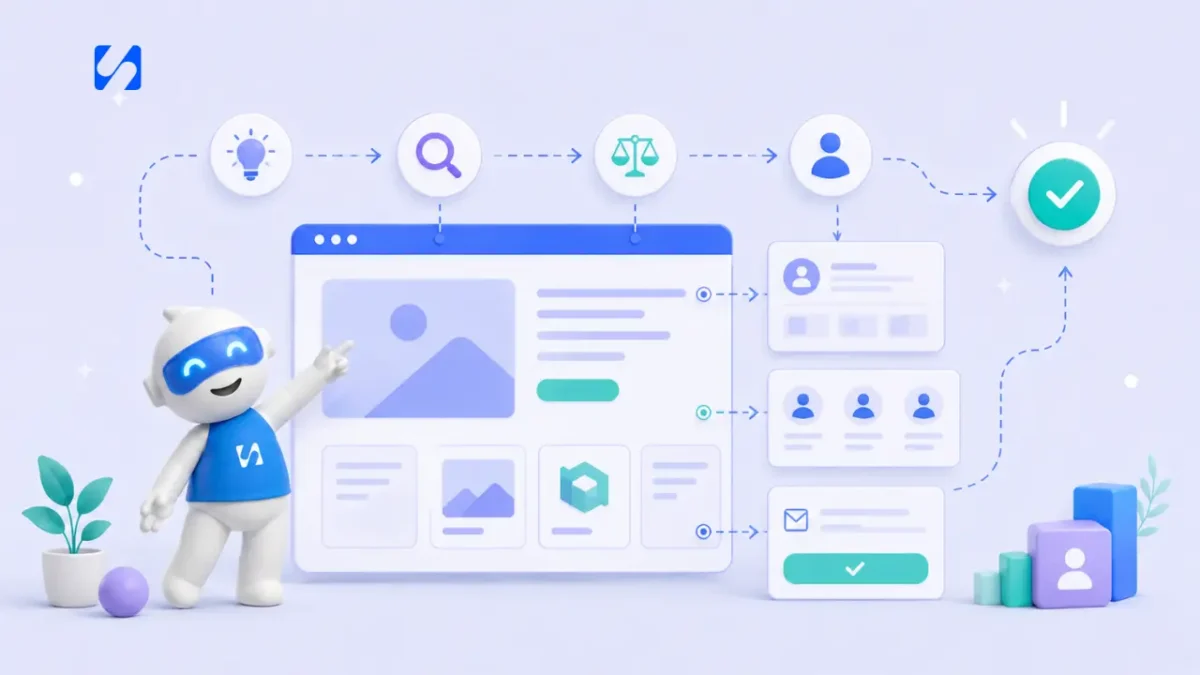
- Buyers don't move in a straight line: they explore, compare, leave and return before deciding, then judge you after the sale. Map each stage to the questions buyers ask, give each question a page or section, and give every page one clear next step.
The customer decision journey is the path a buyer takes from first noticing a need to choosing a supplier, and then deciding whether to come back. It isn’t a straight line: people search, compare, leave, return, ask friends and read reviews before they commit. To structure your website around it, map each stage to the question the buyer is asking, give each question a page or section that answers it, and make the next step obvious from every page. The result is a site that helps people decide, rather than a brochure they skim and leave.
This guide explains the model in plain terms, shows what buyers of services ask at each stage, gives a page-by-page blueprint for a small business website, and ends with a 30-minute audit you can run on your own site. It’s for owners of service businesses anywhere, with or without a web designer.
What is the customer decision journey?
The idea was popularised by McKinsey in 2009. In The consumer decision journey, David Court and colleagues studied the purchase decisions of almost 20,000 consumers and argued that the classic funnel, where buyers start with many options and steadily narrow them down, no longer described how people buy. Instead they described a loop with four phases:
- Initial consideration: a need appears and the buyer thinks of a few options they already know.
- Active evaluation: they research, and options are added and dropped along the way. New suppliers can enter the list here.
- Moment of purchase: they choose.
- Post-purchase experience: how the service goes shapes whether they come back or recommend you. A good experience creates a “loyalty loop” that shortens their next decision.
More recent research from Google describes the middle of this journey as “the messy middle”. In its Decoding Decisions report, Google describes buyers looping between two modes, exploration (widening their options) and evaluation (narrowing them down), as many times as they need before deciding.
For a small business, the practical lesson is simple: people don’t arrive on your homepage and move neatly to “Book now”. They arrive in the middle of a messy process, from different places, with different questions. Your website has to meet them wherever they are.
How the journey looks for someone buying a service
Take a café owner in Nairobi looking for someone to redo her menu and signage. Her journey might go like this:
- She notices customers struggling to read the old menu board. (A need appears.)
- She remembers a designer a friend used and searches “menu design Nairobi”. (Initial consideration.)
- She looks at three websites and two Instagram profiles, drops one for looking too corporate, and adds another she finds through a review. (Active evaluation.)
- She comes back two days later to your pricing section, reads the FAQ about timelines, and books a call. (Purchase.)
- The project goes well; six months later she recommends you to another café owner and asks for a new window sign. (Post-purchase and loyalty loop.)
She visited your site at least twice, from two different places, with different questions each time. A website built only for the final “book now” moment would have missed most of that.
The questions buyers ask at each stage
The most useful way to apply the model is to list the questions buyers ask at each stage, then check that your website answers each one.
| Stage | What the buyer is asking | What your site needs |
|---|---|---|
| Need appears | “Is this a problem worth solving? What are my options?” | Helpful articles, guides and FAQs that answer the problem itself |
| Initial consideration | “Who could help with this? Are they relevant to me?” | A clear homepage headline, location and who you serve; a Google Business Profile |
| Active evaluation | “Can they do what I need? Are they good? What does it cost? How does it work?” | Service pages, examples of work, reviews, a price guide, a process section |
| Purchase | “How do I start? What happens next? Is it easy?” | A short form or booking page, clear next steps, payment options |
| Post-purchase | “Did I choose well? Would I use them again?” | Onboarding emails, a client area, a review request, a way to rebook |
Structuring your website around the customer decision journey
You don’t need a huge site. Most small service businesses can cover the whole journey with six to ten pages. Here’s a blueprint.
Homepage: route people quickly
The homepage serves people in initial consideration. Within a few seconds it should say what you do, who for, and where. Then it should route visitors to the right service and show a little proof. Keep the main button consistent (“Get a quote”, “Book a call”) and repeat it.
Service pages: win the evaluation
Each main service deserves its own page, because that’s where active evaluation happens. A good service page names the problem, explains what’s included, shows how the process works, includes proof, gives a price guide and answers common questions. Our guide to a high-converting services page layout gives the section-by-section structure.
Examples of work and reviews: reduce risk
Evaluation is mostly about risk. Put examples and genuine reviews on the service pages themselves, and keep a fuller portfolio or case notes page for people who want more. Only use real reviews, with permission.
About page: answer “can I trust you?”
People buying services want to know who they’ll deal with. A photo, a short story, relevant qualifications and your location go a long way.
Helpful content: meet people earlier
Articles and guides that answer the questions people search before they know they need you (“how often should an office be deep cleaned?”) bring in visitors at the first stage and give them a reason to remember you.
Booking or enquiry page: make deciding easy
At the purchase stage, friction kills. Keep the form short, show what happens next, and offer a booking link if a call is the natural first step. If you take deposits, let people pay at the point of booking.
After the sale: close the loop
The post-purchase stage mostly happens off the website, but your site can support it: a thank-you page with clear next steps, a client portal or area, a review link, and an easy way to rebook.
This stage is the one most small businesses ignore, and it’s the cheapest to fix. A short “how did it go?” message a week after the job, a direct link to leave a review, and a reminder when the service is due again (an annual boiler check, a quarterly deep clean, next year’s tax return) turn one-off clients into repeat ones and give future buyers the proof they look for during evaluation.
Connecting the pages so the journey flows
A common problem isn’t a missing page, it’s pages that don’t lead anywhere. Every page should have one obvious next step that suits the stage:
| Page | Natural next step |
|---|---|
| Helpful article | Link to the matching service page, or a free checklist in exchange for an email |
| Homepage | Service pages and the main call to action |
| Service page | Book a call or request a quote |
| About page | Service pages or book a call |
| Thank-you page | What happens next, plus a link to book if they haven’t yet |
For people who aren’t ready yet, offer a lower-commitment step: a useful guide, a checklist or a newsletter. That keeps you in their consideration set while they explore. Our post on sales funnels vs websites explains how the two work together, and turning website visitors into leads covers the capture side.
The journey doesn’t only happen on your website
Your website is one stop among many. During exploration and evaluation, buyers of services also look at:
- Google search and maps: your Google Business Profile, reviews and photos are often the first thing people see. Our guide to setting up a Google Business Profile covers the basics.
- Social profiles: Instagram, Facebook, LinkedIn or TikTok, where people check that you’re active and see recent work.
- Messaging: in many countries, WhatsApp is where the real conversation starts. A slow or careless reply there undoes a good website.
- Word of mouth: a friend’s recommendation, followed by a quick look at your site to confirm.
Make sure the story is consistent: the same services, prices and tone everywhere, and every profile pointing back to the page where people can book or enquire.
Use your numbers to see where people drop out
You don’t need complex analytics. Three numbers per month tell you a lot: how many people visit each service page, how many of them enquire or book, and where your visits come from. A service page with plenty of visits and few enquiries has an evaluation problem (proof, price or clarity). A page with few visits has a consideration problem (people aren’t finding it). Enquiries that don’t turn into clients point to the purchase stage: slow replies, unclear next steps or awkward payment.
Conversion killers at each stage
- Consideration: a vague headline, no location, no sign of who you serve. People can’t tell if you’re relevant, so they don’t put you on the list.
- Evaluation: no prices at all, proof hidden on a separate page, services described in jargon. People drop you for someone clearer.
- Purchase: long forms, no booking option, no idea what happens next, slow replies. People who had already decided go elsewhere.
- Post-purchase: silence after the job, no review request, no way to rebook. You lose the loyalty loop that makes the next sale easy.
Our list of website mistakes that make visitors leave covers more of these.
A 30-minute customer decision journey audit
Open your website on your phone, pretend you’re a stranger, and work through these questions. Note every “no”.
- Within five seconds of landing on the homepage, can I tell what you do, for whom and where?
- Can I find the page for the specific service I need in one tap?
- Does that page show me what’s included, how it works and roughly what it costs?
- Can I see real proof on the same page?
- Are my main worries (time, price, what if it goes wrong) answered?
- Is there one clear button, and do I know what happens when I tap it?
- Can I book or enquire in under two minutes?
- After I enquire, do I get an immediate confirmation?
- If I’m not ready, is there something useful I can take away?
- After a job, is there a way to review, refer or rebook?
Fix the first “no” you find, then move to the next. Most sites improve noticeably after three or four fixes.
How startbuddi supports each stage
startbuddi doesn’t replace a full multi-page website today. It gives you the pages and systems that sit at the key moments of the journey, and they all feed the same client list. You can link to them from your existing site or use them on their own.
Evaluation and purchase pages. In Publish, landing pages give one service or offer its own page with one call to action, and business pages include ready-made types such as a service and price list or a portfolio. You can start from a template or ask Chip, the AI assistant, to draft a first version for you to edit.
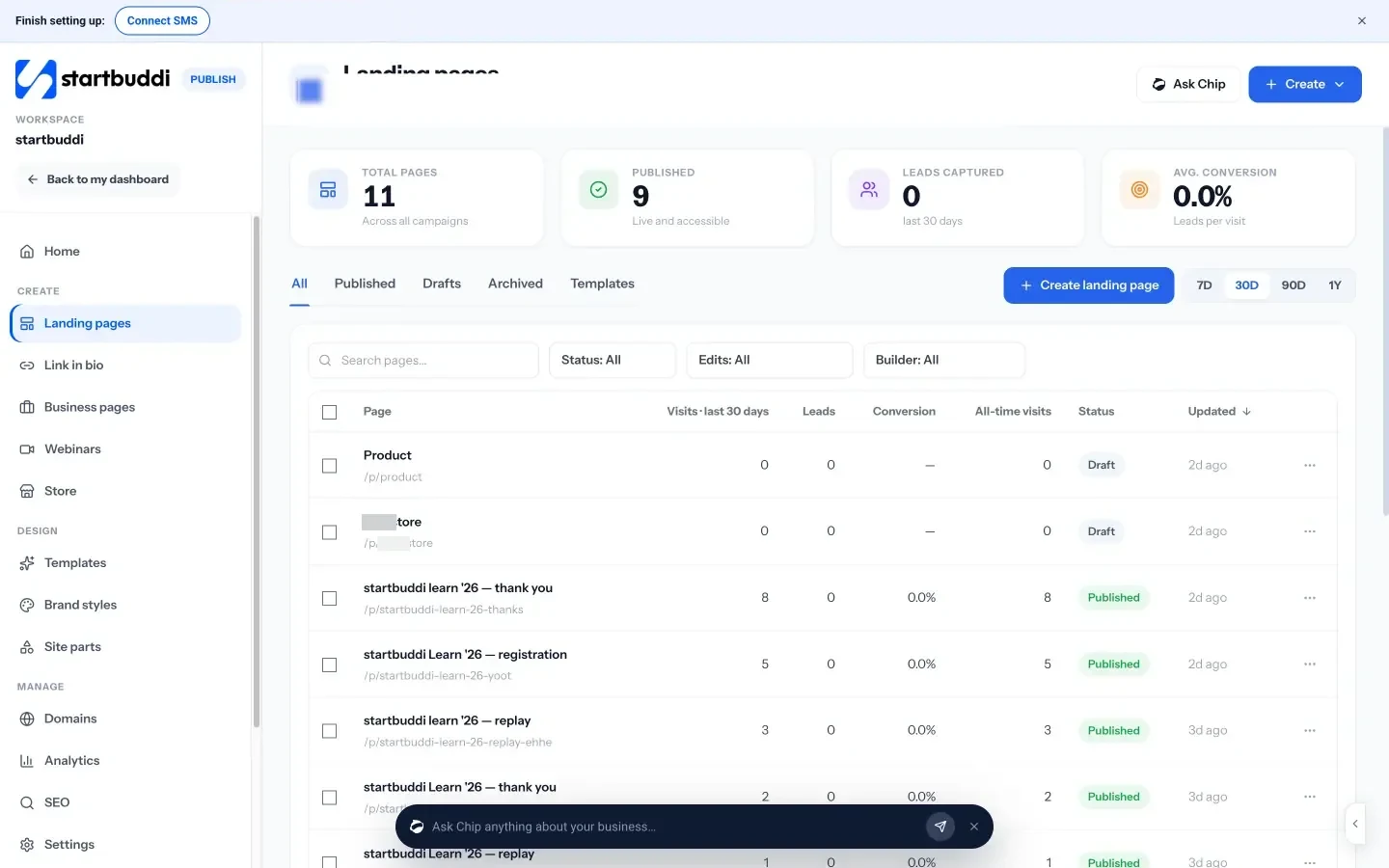
Making the decision easy. Forms and booking pages let people enquire or book a time, and bookings can take a deposit or full payment. Every enquiry and booking creates or updates a contact in Customers.
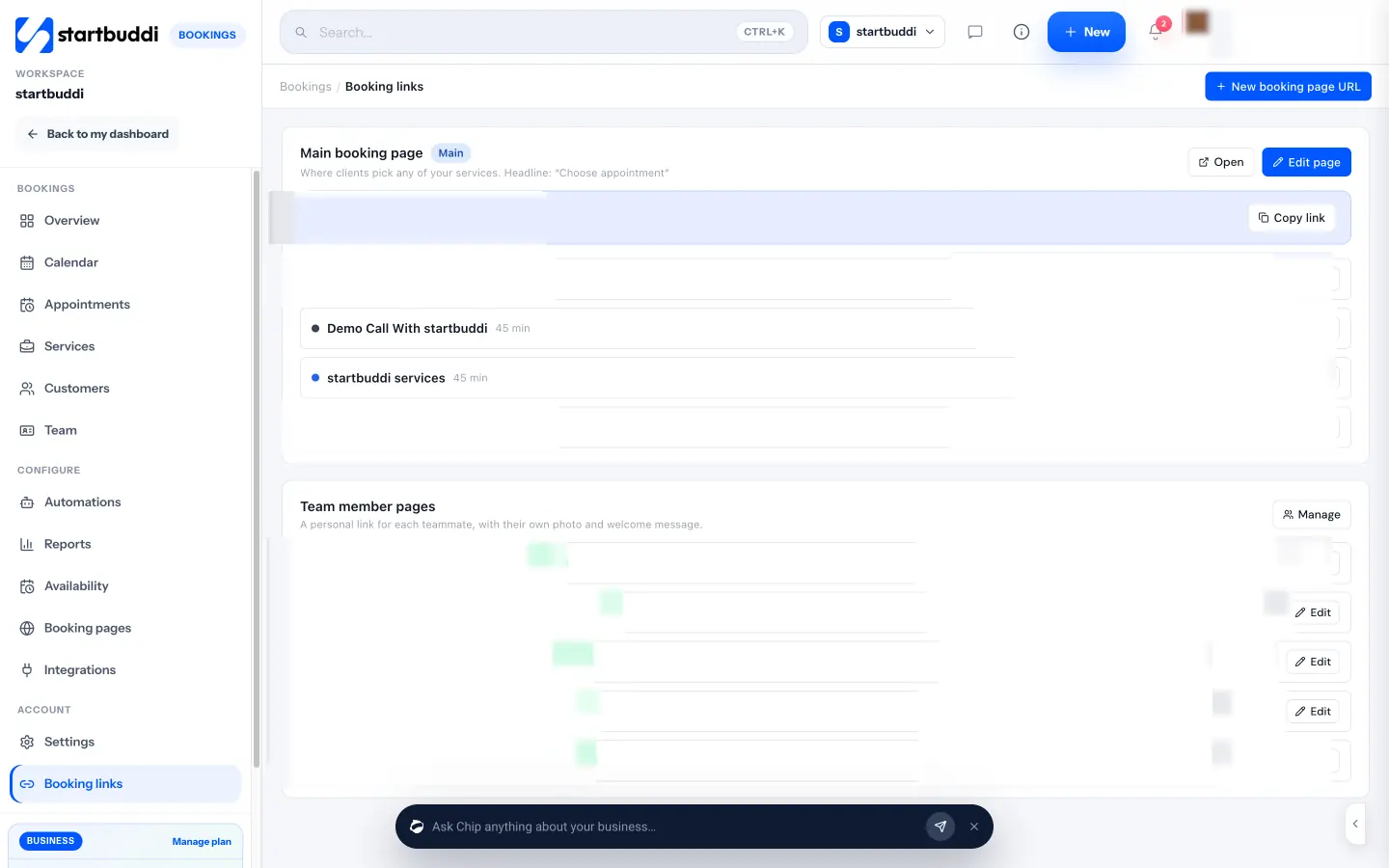
After the sale. Automations (Starter plan and above) can send a welcome email after a booking or a review request after a completed job, and client portals give each client a private page for their project, files and invoices.
Seeing the journey. Each landing page shows visits, leads, conversion and where visits came from, so you can spot where people drop out.
See pricing for what each plan includes.
Your next step
Run the 30-minute audit above this week and write down every “no”. Pick the one closest to the purchase stage, because that’s where you lose people who had already decided, and fix it first. Then work backwards through evaluation and consideration.
Sources
- David Court, Dave Elzinga, Susan Mulder and Ole Jørgen Vetvik, “The consumer decision journey”, McKinsey Quarterly, 2009
- Google, Decoding Decisions: Making sense of the messy middle
Frequently asked questions
What are the stages of the customer decision journey?
McKinsey's model has four: initial consideration, active evaluation, the moment of purchase and the post-purchase experience, which feeds a loyalty loop into the next decision.
How is the customer decision journey different from a sales funnel?
A funnel assumes buyers narrow their options in a straight line. The decision journey reflects that people add and drop options, loop back and revisit before deciding, and that what happens after the sale shapes the next purchase.
How many pages does a small business website need to cover the journey?
Usually six to ten: a homepage, a page per main service, an about page, examples or reviews, a few helpful articles, and an enquiry or booking page.
How do I know where my website loses customers?
Walk through it on your phone as a stranger and check each stage: can you tell what's offered, find the right service, see proof and price, and enquire in under two minutes? Page visit and lead numbers help confirm it.
SEO Copywriter| Email growth Specialist| I help businesses increase revenue with strategic SEO content & high-converting email funnels.