How to turn website visitors into leads
How to turn website visitors into leads: match your offer to how ready each visitor is, capture them on any device, and follow up before they go cold.


Chinonye wrote this while on the startbuddi team. The product has changed since, so the team updated it on .
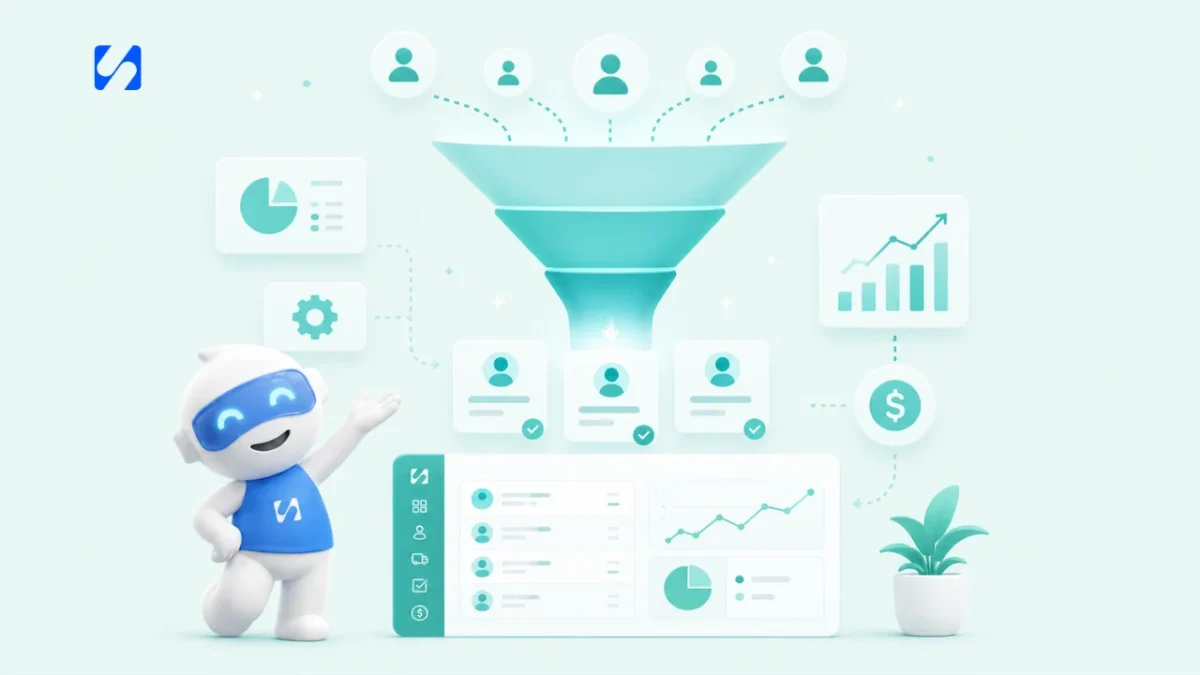
- Give every visitor a next step that fits their readiness: a useful resource for people just looking, a quick way to ask for people comparing, and booking or a quote for people ready to act. Keep forms short, test on a phone and reply fast.
To turn website visitors into leads, give every type of visitor a next step that matches how ready they are, make that step easy to take on a phone, and follow up fast once they take it. In practice that means three offers: something useful in exchange for an email for people who are just looking, a quick way to ask a question for people who are comparing, and a direct way to book or buy for people who are ready. Put each where the right visitor will see it, keep forms short, and make sure every enquiry lands in one place and gets a reply.
This guide walks through why visitors leave without acting, how to match your offers to their readiness, the lead capture tools that work for small businesses, and how to measure and improve. It’s for service businesses, freelancers and small shops anywhere that get visitors but not enough enquiries.
Why website visitors leave without becoming leads
Picture a cleaning company that gets 400 visitors a month from Instagram, Google and referrals, and two or three enquiries. The traffic isn’t the problem. The page is. Visitors usually leave for one of four reasons:
- No clear next step. The page explains the business but never says what to do.
- The wrong next step. Every visitor is asked to “book a consultation”, including people who are only starting to look.
- Too much effort. A long form, a slow page, a button that’s hard to tap on a phone.
- Not enough trust. No reviews, prices, photos or proof that you’re real.
Our guide to common website mistakes that cost you clients covers the effort and trust problems in detail. This post focuses on the next step.
What counts as a lead from your website?
A lead is a visitor who gives you a way to continue the conversation: an email address, a phone number, a WhatsApp message, a booking or a form submission. Before that, they’re anonymous. After it, you can follow up. The whole job of a lead-generating website is to move people across that line, at the moment that suits them.
Match your offer to where the visitor is
Visitors arrive with different levels of readiness. Treating them all the same is one of the most common reasons a website gets traffic but no enquiries.
| Visitor | What they’re thinking | Offer that fits |
|---|---|---|
| Just looking | “I have a problem. What are my options?” | A useful resource in exchange for an email: a checklist, price guide or short guide |
| Comparing | “Could these people be right for me?” | A low-effort way to ask: live chat, WhatsApp, a short question form |
| Ready | “I want to go ahead.” | Book a call or appointment, request a quote, or buy directly |
A good page offers the ready visitor’s action most prominently, with the other two available but quieter. If you’re not sure how to tell who’s ready and who isn’t once they get in touch, see how to pre-qualify leads.
Lead capture that works for small businesses
1. A short enquiry or quote form
Your main form should ask only what you need to reply: name, email or phone, and what they need. Add one dropdown for the service and, if useful, “How did you hear about us?” Say what happens next (“We reply within two hours on weekdays”). Put it on every service page, not only on a contact page. Our free client intake form template is a good starting point for what to ask once they’re a client.
2. A lead magnet for visitors who aren’t ready
A lead magnet is something useful you give away in exchange for an email address. For service businesses, the best ones solve one small, specific problem your ideal client already knows they have:
- “10 questions to ask before hiring a wedding photographer”
- “Moving-out cleaning checklist for tenants”
- “Price guide: what a small business website costs in 2026”
- “Self-assessment tax deadlines for freelancers” (with a link to the official source)
Specific beats broad. “The ultimate guide to marketing” attracts nobody in particular.
Keep the sign-up to an email address and a first name, deliver the resource straight away (on the thank-you page and by email), and make it genuinely good. A lead magnet is the first piece of your work a new prospect sees, so it sets their expectations of everything else. Ask for marketing consent clearly at the same time, so you can keep in touch afterwards within the rules where you operate.
3. A dedicated landing page
Send traffic from ads, social posts and emails to a page with one job, not to your homepage. Remove the menu, keep one offer, one form and one button. A landing page is where people who clicked on a specific promise find exactly that promise. Our glossary explains what a landing page builder is if you need one.
4. Live chat or WhatsApp for questions
Many visitors have one question before they’ll commit: “Do you cover my area?”, “Can you do Saturday?”, “Roughly how much?” A chat widget or a WhatsApp button lets them ask without filling in a form. Only offer it if someone will answer quickly, or if you use a tool that can answer common questions for you and hand over to a person.
5. Online booking for visitors who are ready
If what you sell starts with a call, a consultation or an appointment, let people pick a time directly. “Request a slot and we’ll get back to you” adds a delay just when the visitor was ready to act.
Example: one services page, three visitors
Take a bookkeeping practice in Nairobi with a services page for small business bookkeeping. Here is how the same page can serve three different visitors.
- Wanjiru is just looking. She has started a business and wonders whether she needs a bookkeeper at all. Halfway down the page, a box offers a free “Month-end checklist for new business owners” for her email. She downloads it and gets three short emails over the next week explaining when outside help makes sense.
- David is comparing. He has two quotes already and wants to know if the practice works with his accounting software. He taps the chat button, asks, and gets an answer in a few minutes. His question and email are saved, and the owner follows up the next morning.
- Amina is ready. Her bookkeeper has just left and her year end is close. The button at the top of the page says “Book a 20-minute call”, and she picks a slot for tomorrow.
One page, three routes, three leads. With only a “Contact us” form at the bottom, the practice would probably have heard from Amina and lost the other two.
Where to put your calls to action
- The top of each page, visible on a phone without scrolling.
- After each main section, so people who scroll don’t have to scroll back up.
- At the end of every page, including blog posts and your About page.
- Inside blog posts, offering the lead magnet that fits the topic.
Keep the button wording specific: “Get my quote”, “Book a 15-minute call”, “Send me the checklist”. “Submit” and “Learn more” tell the visitor nothing.
Make it work on phones
Around half of web traffic worldwide comes from mobile devices, with StatCounter putting mobile at about 49% in August 2026. Test every lead capture route on your own phone: can you tap the button easily, does the keyboard hide the form fields, does the phone number start a call when tapped, does the WhatsApp link open a chat? One broken step on mobile can quietly cost you half your enquiries.
Follow up fast, or the lead goes cold
Capturing a lead is only half the job. Someone who fills in your form is often contacting other businesses too. The business that sends the first genuinely helpful reply is often the one that gets the call.
- Send an automatic confirmation the moment a form is submitted, with what happens next.
- Reply personally within a set time, and write that time on the form.
- For lead magnet sign-ups, deliver the resource immediately, then send three or four helpful emails over the following days before making an offer.
- Make sure every route (form, chat, WhatsApp, booking) lands in one place, so nothing sits unseen.
Our guides on building a follow-up sequence and following up with leads cover what to send and when.
Measure and improve
Pick one number: leads per 100 visitors (your conversion rate). Work it out for your key pages and review it monthly. For a rough benchmark, Unbounce’s 2024 report, based on more than 41,000 landing pages, found a median conversion rate of 6.6% across industries. General website pages usually convert lower than focused landing pages, so compare like with like.
To find where people drop off, look at which pages get visits but no enquiries. Heatmap tools such as Hotjar show where people click and how far they scroll. Then test one change at a time: the headline, the button wording, the number of form fields or the offer itself. Give each change a few weeks and enough visitors before you judge it.
Common mistakes to avoid
- Gating everything. Hiding prices or basic information behind a form annoys people who are ready. Gate extras, not essentials.
- Pop-ups on arrival. A sign-up box that covers the page before anyone has read a word usually gets closed, and on phones it can hide everything.
- A lead magnet nobody needs. A generic newsletter isn’t an offer. Solve one real problem.
- No follow-up after the download. A lead who gets a PDF and then silence was barely a lead.
- Counting sign-ups, not customers. Track which offers produce paying clients, not just email addresses.
A simple plan for the next 30 days
- Week 1: shorten your main enquiry form, add a clear button to the top and bottom of each service page, and test everything on a phone.
- Week 2: create one lead magnet for your most common customer question and a landing page to deliver it.
- Week 3: add a way to ask a quick question (chat or WhatsApp) and online booking if you sell appointments.
- Week 4: set up an automatic confirmation and a short follow-up sequence, then note your leads per 100 visitors as your baseline.
How startbuddi helps you turn website visitors into leads
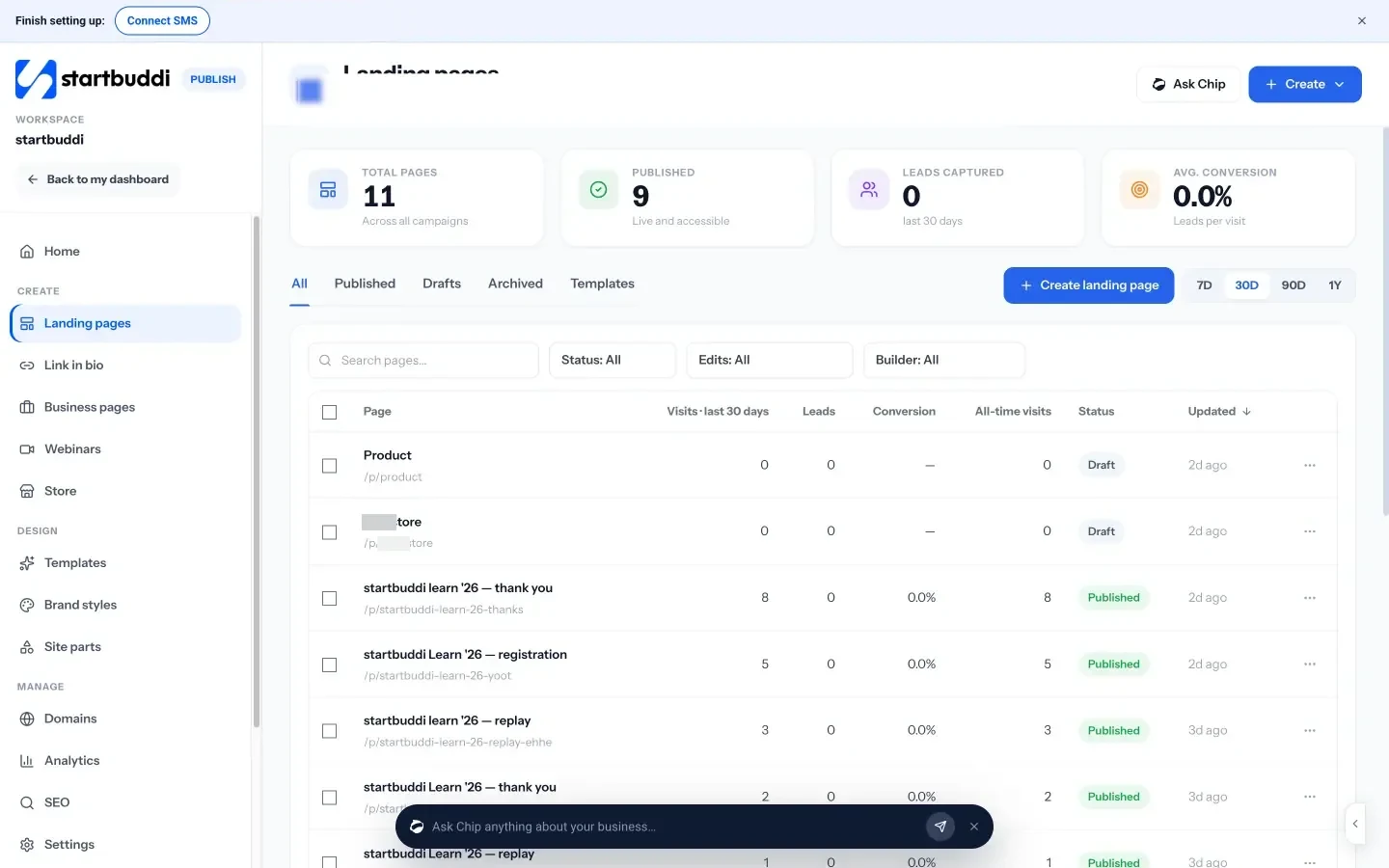
With startbuddi, you get the lead capture pieces and the follow-up in one place, so every enquiry lands in your contacts. Landing pages include types for lead magnets, bookings, quote requests and waitlists. You can build one from a template or let Chip write it in your brand; Chip leaves prices and reviews as placeholders for you to fill with real ones. Each page saves the source page and campaign with every lead, and shows visits, leads and conversion.
Forms can be a hosted link, embedded on your existing website or connected to a form you already have. They can be single-step or one question at a time, and every response can add or update a contact. The live chat widget goes on any website with one line of code; visitors can chat, ask Chip, book a meeting or switch to WhatsApp, and conversations arrive in your shared inbox. Chip answering chats automatically needs the Growth plan.
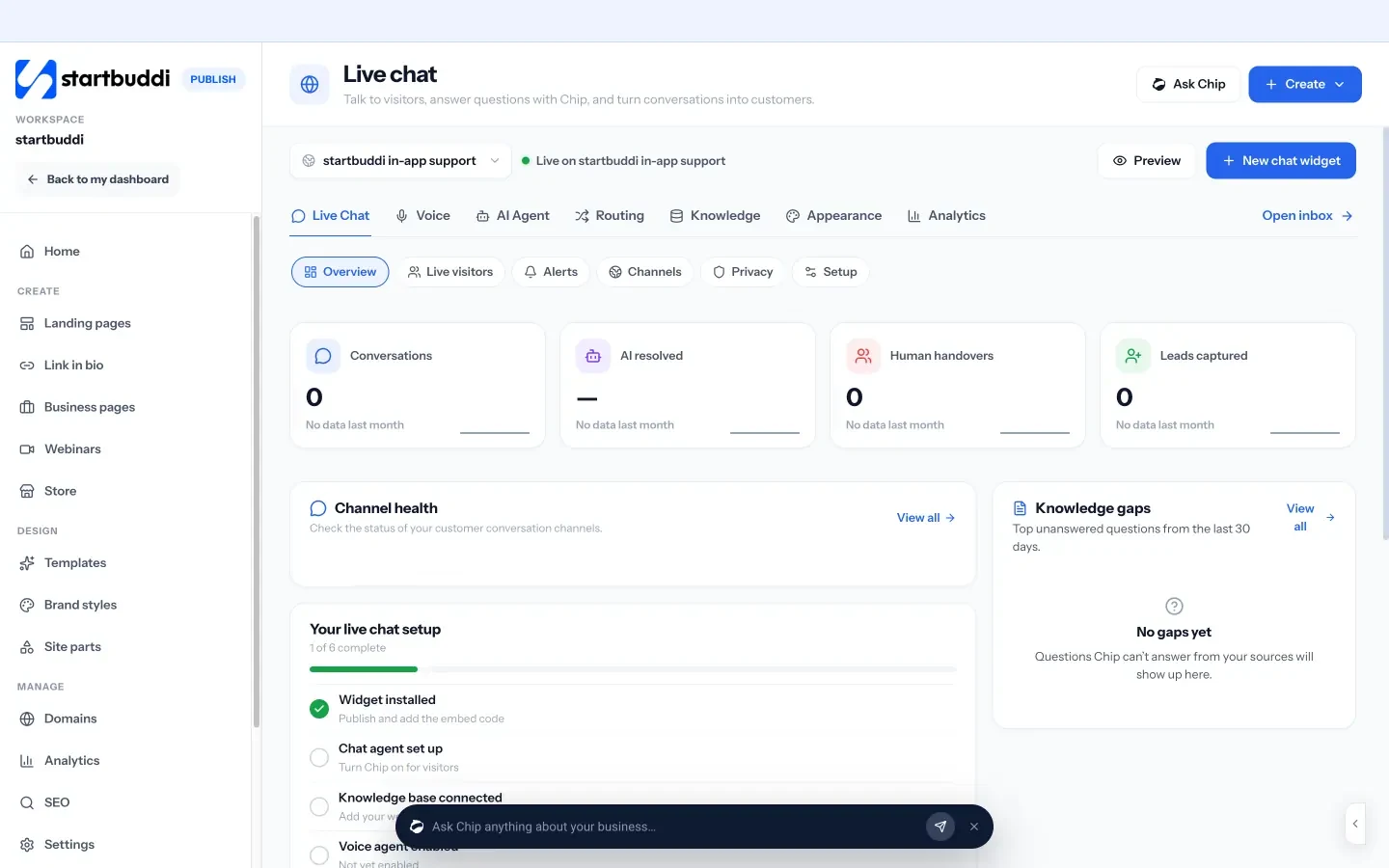
Booking pages let ready visitors pick a time, and Automations can send a confirmation email and create a follow-up task the moment a form is submitted. Free includes 2 active automations, and Starter allows 10.
You can start on the free plan, and every paid plan has a 30-day trial (see pricing). See pricing.
Your next step
Open your busiest page on your phone today and ask: what does a visitor who isn’t ready yet do here? If the answer is “leave”, give them one small, useful offer this week. When you want it connected to your contacts and follow-ups, build a lead magnet page in startbuddi.
Sources
- StatCounter: Desktop vs mobile vs tablet market share worldwide
- Unbounce: Conversion Benchmark Report
- Hotjar
Frequently asked questions
What does it mean to turn website visitors into leads?
Getting a visitor to share a way to continue the conversation, such as an email, phone number, message or booking, so you can follow up.
How many visitors do I need before I get leads?
There's no fixed number. A clear offer, a short form and fast follow-up matter more than volume, so fix the page before buying more traffic.
What is a good lead magnet for a service business?
Something small and specific that solves a problem your ideal client already has, such as a checklist, a price guide or a list of questions to ask before hiring.
What is a good website conversion rate?
It varies by industry and page type. Unbounce's 2024 report found a median of 6.6% for landing pages; general website pages are usually lower.
SEO Copywriter| Email growth Specialist| I help businesses increase revenue with strategic SEO content & high-converting email funnels.