7 website mistakes costing you clients (and how to fix them)
The seven website mistakes that quietly cost small businesses clients, how to spot each one in minutes, and what to change first.


Chinonye wrote this while on the startbuddi team. The product has changed since, so the team updated it on .
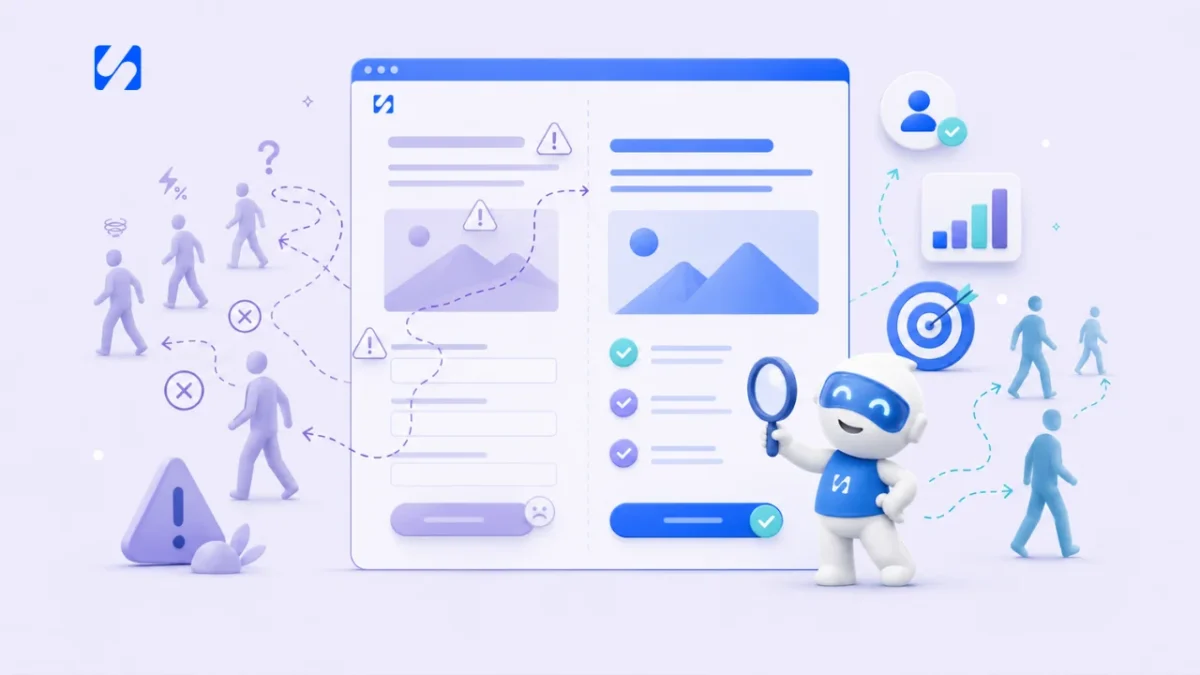
- Most lost enquiries come from friction, not design: an unclear message, no clear next step, slow pages, a poor phone experience, missing trust signals, long forms and dead ends. Test your site with a stranger, fix one thing at a time and measure enquiries.
The website mistakes that cost small businesses the most clients are rarely about design. They’re about friction: visitors can’t tell what you do, can’t see what to do next, wait too long for the page to load, struggle on a phone, find no reason to trust you, or face a long form before they’ve decided you’re worth it. Fix those seven things and the same traffic produces more enquiries, without spending more on ads.
This guide goes through each mistake, how to spot it on your own site in a few minutes, and what to change. It’s for service businesses, shops and freelancers anywhere, whether your site is a single page or twenty.
How to check your website for mistakes in 15 minutes
Before the list, a quick test you can do today. Ask someone who doesn’t know your business to open your homepage on their phone and, without scrolling, tell you:
- What does this business do?
- Who is it for?
- What should I do next on this page?
Then ask them to try to contact you or book, and time it. Watch where they hesitate. If they can’t answer all three questions in about five seconds, or getting in touch takes more than a minute, you’ve found where your website is losing clients.
Mistake 1: visitors can’t tell what you do
Many small business homepages open with a slogan (“Excellence in every detail”), a stock photo and a menu. The visitor has to work out whether you’re a cleaner, a consultancy or a café. Most won’t bother.
How to fix it: the first line on your page should say what you do, for whom and where, in the words your customers use. “Deep cleaning for homes and offices in Leeds” beats “Your partner in spotless living”. Put one line underneath on why you’re a good choice, and a button with the next step.
Check your language too. If your customers search “fix leaking roof” and your page says “comprehensive roofing solutions”, you’ve created a gap between what they expected and what they found.
Mistake 2: no clear call to action
When a page offers ten things to click (About, Blog, Services, Gallery, Instagram, Newsletter, Book, Call, WhatsApp, Get a quote), visitors often choose none. Too much choice can put people off acting. In a well-known study by psychologists Sheena Iyengar and Mark Lepper, shoppers who saw a tasting table of 6 jams were far more likely to buy than those who saw 24 (Iyengar and Lepper, 2000). A website isn’t a jam stall, but the lesson carries: fewer, clearer options get more action.
How to fix it:
- Choose one main action per page: book a call, get a quote, buy, or message you.
- Make that button stand out, and repeat it after each main section.
- Use specific button text: “Get a free quote” or “Book a 15-minute call”, not “Learn more” or “Submit”.
- Keep secondary options (like WhatsApp) visible but quieter.
Mistake 3: slow pages
People are impatient on phones. Google reported in 2016 that 53% of mobile visits are likely to be abandoned if pages take longer than 3 seconds to load. The exact figure will have moved since, but the direction hasn’t: slow sites lose visitors before they see your offer.
How to fix it:
- Test your pages with Google’s free PageSpeed Insights, on the mobile setting.
- Compress and resize images. A photo straight from a phone can be many times larger than it needs to be.
- Remove plugins, pop-ups, sliders and embedded feeds you don’t need.
- Avoid autoplay videos near the top of the page.
- If your host is slow, consider a faster one.
Google’s Core Web Vitals explain the measures that matter (loading, responsiveness and visual stability) if you want to go deeper.
Mistake 4: a poor experience on phones
Roughly half of web traffic worldwide now comes from mobile phones: StatCounter put mobile at about 49% in August 2026, with desktop about the same. For many local service businesses the phone share is higher, because people search while they’re out or the problem has just happened. A site that looks lovely on a laptop can be unusable on a phone.
How to fix it: open your site on your own phone and try to do the main thing a customer would do. Look for:
- Buttons too small or too close together to tap.
- Text you have to zoom to read.
- Forms where the keyboard hides the field you’re typing in.
- Phone numbers that aren’t tappable.
- Pop-ups that cover the page and are hard to close.
Mistake 5: no reasons to trust you
People buy from businesses they believe are real, competent and safe. If a visitor can’t find evidence of that quickly, they’ll check a competitor who shows it.
How to fix it: add trust signals that are true and specific:
- Real reviews with the customer’s name (with permission), or a link to your Google reviews.
- Photos of you, your team and your work, not only stock images.
- Proof of qualifications, insurance or trade membership where your industry has them.
- A physical area or address, a phone number and an email address.
- Clear prices or price ranges, even “from” prices, so people know they’re in the right place.
- A privacy notice wherever you collect details.
Never invent reviews or results. Beyond being wrong, fake reviews can break consumer protection laws in many countries, and customers are good at spotting them.
Mistake 6: asking for too much, too soon
A visitor who found you two minutes ago isn’t ready for a 15-question form or a 90-minute consultation. Long forms put people off. Unbounce describes a case in which a company called ImageScape cut its contact form from 11 fields to 4 and saw form submissions rise by 160%. One company’s result won’t be yours, and a short form isn’t always better (a detailed quote form can filter out time-wasters). But as a starting rule, every field you add is one more reason for a busy person to stop, so each one should earn its place.
How to fix it:
- Ask only for what you need to reply: usually name, a way to contact them, and what they need.
- Collect the rest later, on the call or in a follow-up form.
- Offer smaller first steps: a quick question by WhatsApp, a 15-minute call, a price guide.
- Say what happens after they submit: “We’ll reply within two hours.”
For more on the form side, see our guide on building a lead capture form that converts.
Mistake 7: distractions and dead ends
Two opposite problems cost enquiries. Some pages have too many exits: links to your blog, social feeds and other pages right where someone was about to act. Others are dead ends: a service page with no button, or a contact form that goes nowhere and never gets answered.
How to fix it:
- On pages built to convert (a landing page, a booking page), remove the menu and extra links. One page, one job.
- Every page should end with a next step, even your About page.
- Test your own forms monthly. Submit one and check it arrives, gets a confirmation and reaches a real person.
- Answer enquiries fast. A form that feeds an inbox nobody checks is the most expensive mistake on this list, because you paid to attract that visitor, they chose you, and then heard nothing back.
- Send an automatic confirmation the moment a form is submitted, so the visitor knows it worked and what happens next.
If you’re unsure whether you need a better website or a focused page for one offer, our comparison of a sales funnel vs a website helps you pick.
Website mistakes at a glance
| Mistake | Quick test | First fix |
|---|---|---|
| Unclear message | Five-second test with a stranger | Rewrite the headline in customer words |
| No clear call to action | Count the buttons above the fold | One main action per page |
| Slow pages | PageSpeed Insights on mobile | Compress images, remove extras |
| Poor mobile experience | Book or enquire on your own phone | Bigger buttons, shorter forms |
| No trust signals | Find proof you’re real in 10 seconds | Real reviews, photos, contact details |
| Too much, too soon | Count your form fields | Cut to three or four |
| Distractions and dead ends | Submit your own form | A next step on every page |
Where each mistake usually hides
If you only have an hour, check the three pages that do most of the selling on a small business site.
Your homepage
This is where mistakes 1 and 2 live. Read the first screen on a phone. Does the headline say what you do and where? Is there one obvious button? Is there anything moving, sliding or popping up that delays the visitor? A homepage’s job is to send people to the right next page quickly, not to tell your whole story.
Your services pages
Here, mistake 5 is the usual culprit. Visitors on a service page are comparing you with others, so they want specifics: what’s included, a price range, how long it takes, examples of past work and what other customers said. End every service page with a button that leads to a quote or booking for that service, not a generic contact page. Our guide to a high-converting services page layout has a section-by-section template.
Your contact or booking page
This is where mistakes 6 and 7 cost the most, because the visitor has already decided to act. Cut the form to the essentials, show your phone number and WhatsApp as alternatives, say how quickly you reply, and test that submissions reach you. If you take appointments, let people pick a time directly rather than asking them to “request a slot” and wait.
How to know your fixes worked
Pick one number to watch: enquiries, bookings or sales per 100 visitors. Note it for the month before you change anything, make one or two fixes, and compare the next month. Changing everything at once makes it impossible to know what helped. For a rough benchmark, Unbounce’s 2024 study of more than 41,000 landing pages found a median conversion rate of 6.6% across industries. Landing pages built for one action tend to convert better than general website pages, so compare like with like.
How startbuddi helps you fix website mistakes
To be clear, startbuddi won’t redesign your whole website, but it does give you the pieces that fix the most expensive mistakes, connected to your contacts. With landing pages, you build one page with one job (collect enquiries, take bookings, sell one thing) from a template or with Chip, which writes it in your brand and leaves prices and reviews as placeholders for you to fill with real ones. Landing pages have no header menu by default, and you can check the phone layout before publishing.
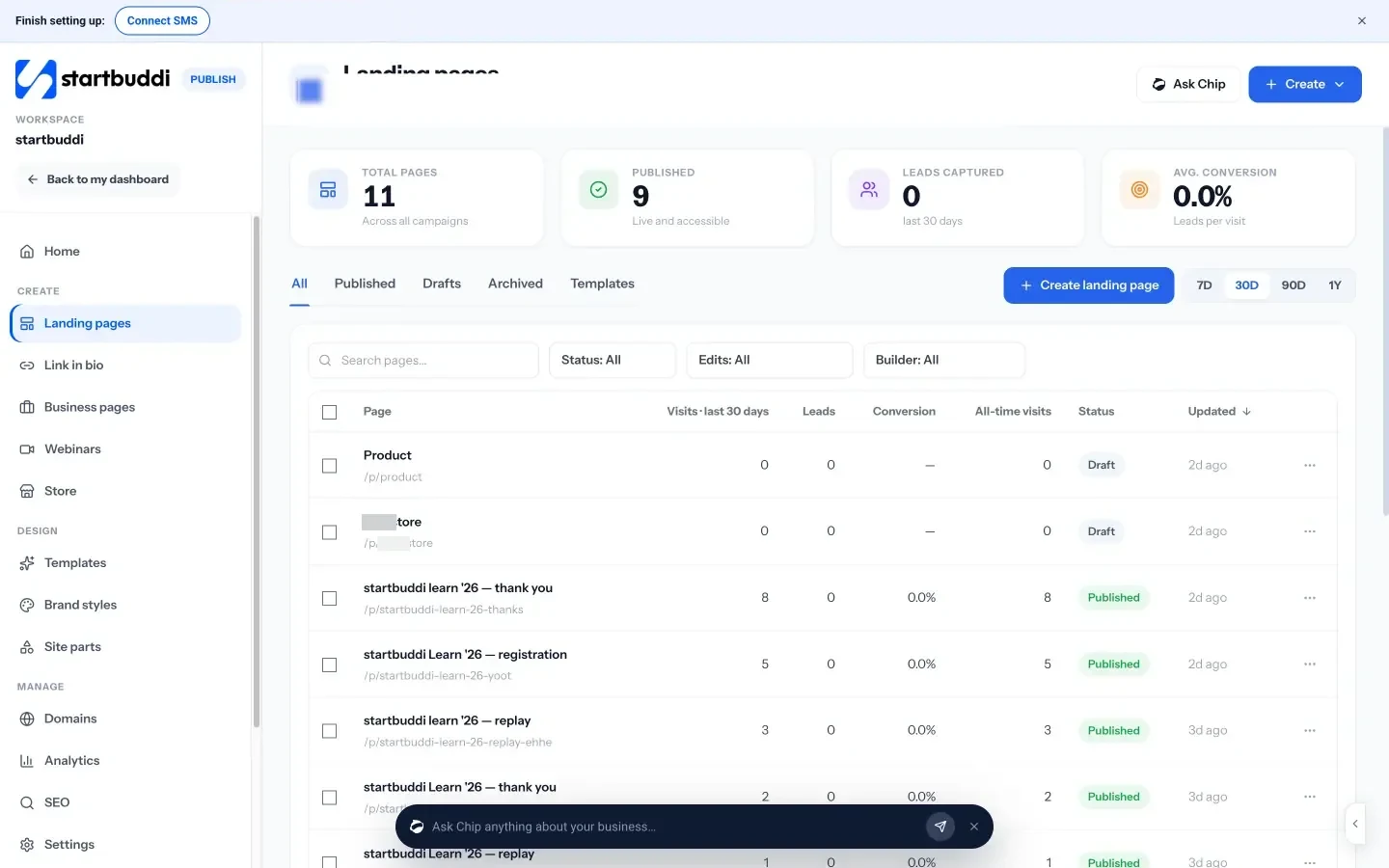
Before a page goes live, a publish check flags missing search titles and descriptions, broken links, images without descriptions, an unconnected form and a missing privacy page. Each page shows visits, leads and conversion, and where visits came from.
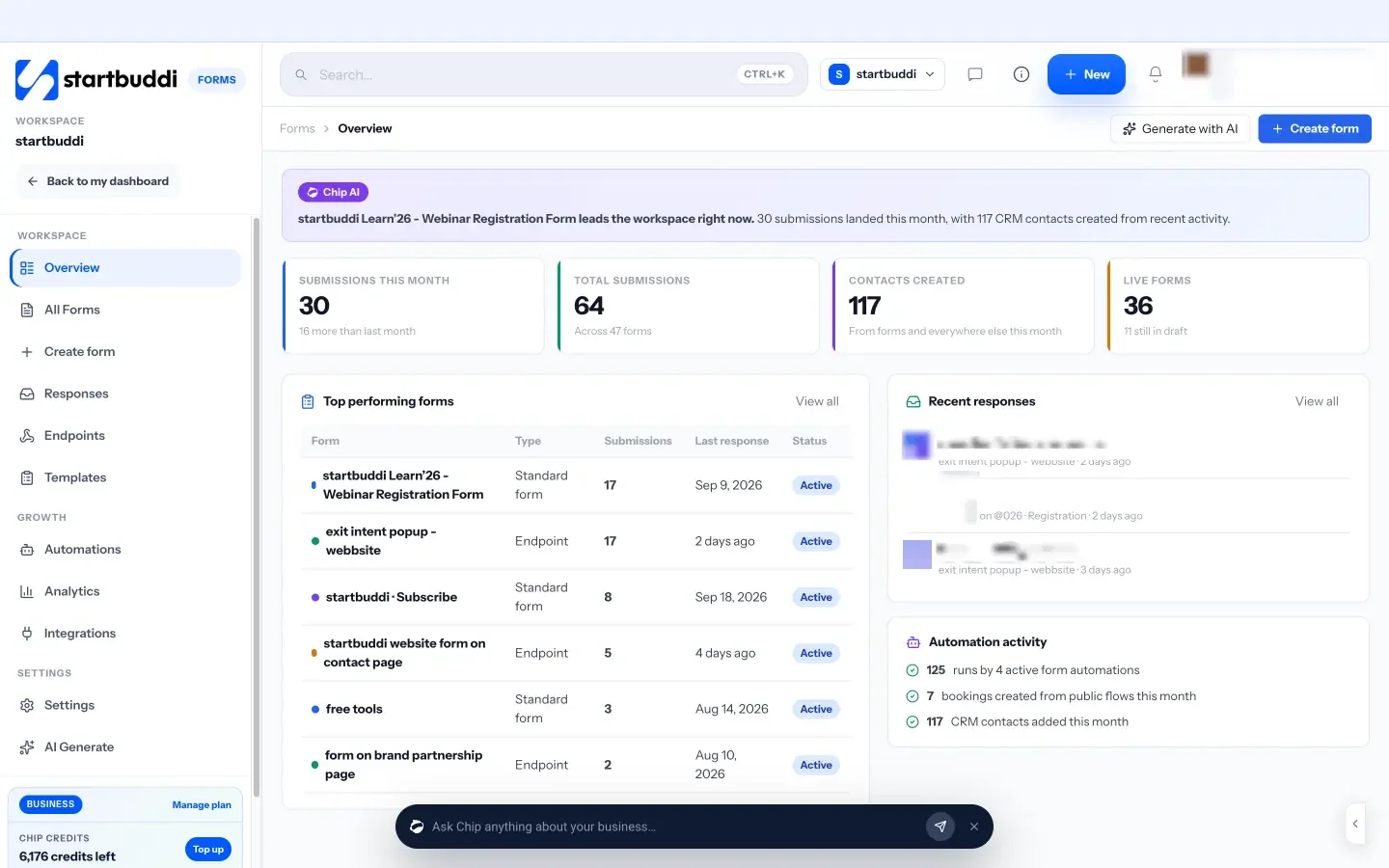
Forms can be short, single-step or one question at a time, and can be embedded on your existing site or used as a hosted link. Every response lands in your contacts, and an automation can send a confirmation straight away. You can also put a live chat widget on your existing website with one line of code, so visitors can ask a quick question instead of filling in a form, and booking pages let people pick a time without back-and-forth.
You can start on the free plan; see pricing for what each plan includes. For the bigger picture of what a site that converts looks like, read what makes a high-converting website.
Your next step
Run the 15-minute test above with one person this week, fix the first mistake they hit, and measure enquiries for a month. If your contact form is the weak point, build a shorter one in startbuddi and put it on your site.
Sources
- Iyengar and Lepper (2000), When choice is demotivating, Journal of Personality and Social Psychology
- Google: The need for mobile speed (2016)
- Google PageSpeed Insights
- web.dev: Web Vitals
- StatCounter: Desktop vs mobile vs tablet market share worldwide
- Unbounce: The psychology of choice and conversion rates
- Unbounce: Conversion Benchmark Report
Frequently asked questions
What are the most common website mistakes?
An unclear message, no clear call to action, slow pages, a poor phone experience, no trust signals, long forms and pages with no next step.
Why is my website not getting enquiries?
Usually friction: visitors can't tell what you do, can't see what to do next or give up on a long or broken form. A five-second test with a stranger shows where.
How many fields should a contact form have?
As few as you need to reply, often name, a contact detail and what they need. Collect the rest later.
How do I check my website speed?
Use Google's free PageSpeed Insights on the mobile setting. Large images, extra plugins and autoplay videos are the usual causes of slow pages.
SEO Copywriter| Email growth Specialist| I help businesses increase revenue with strategic SEO content & high-converting email funnels.