What makes a high converting website (and why most homepages fail)
The five questions every high converting homepage answers, a structure you can copy, and simple ways to measure and improve your conversion rate.


Chinonye wrote this while on the startbuddi team. The product has changed since, so the team updated it on .

- A high converting website answers five questions in order: what you do and for whom, whether you understand the visitor's problem, why to trust you, what they'll get, and what to do next. Keep one main action, make it fast on mobile, and measure before and after each change.
A high converting website is one that turns a good share of its visitors into enquiries, bookings or sales. It does that by answering the visitor’s questions in the right order: what you do and who it’s for, whether you understand their problem, why they should trust you, what they’ll get, and exactly what to do next. It loads fast on a phone, asks for one clear action, and makes that action easy.
Most small business websites don’t fail because they look wrong. They fail because a visitor lands, can’t tell within a few seconds whether they’re in the right place, and leaves. This guide walks through the structure of a homepage that converts, the details that make or break it, and how to measure whether your changes work.
What “converting” means for your website
A conversion is whatever action you want a visitor to take. For most small businesses that’s one of these:
- Fill in a contact or quote form
- Book a call or appointment
- Start a chat or send a WhatsApp message
- Buy something or pay a deposit
- Join an email list or waitlist
Your conversion rate is the number of people who took that action divided by the number of visitors. If 400 people visit in a month and 12 send an enquiry, that’s 3%. There’s no universal “good” number, because it depends on your industry, prices and where visitors come from. The useful comparison is your own site before and after a change.
Before you change anything, decide on one main action for your homepage. A page that asks visitors to call, email, book, follow on Instagram and download a brochure is asking them to choose, and many choose to leave.
The five questions every high converting homepage answers
A visitor arriving on your homepage is silently asking a series of questions. A page that converts answers them in order:
| Visitor’s question | What the page needs |
|---|---|
| Am I in the right place? | A clear headline: what you do, for whom, and where if it matters |
| Do they understand my problem? | A short section describing the visitor’s situation in their words |
| Can I trust them? | Real reviews, examples of work, credentials, clear contact details |
| What will I get? | Outcomes, services, prices or “from” prices, and how it works |
| What do I do now? | One clear button, repeated down the page |
The rest of this guide takes each question in turn.
1. Make the headline say what you do and who it’s for
The top of your page gets the most attention. In eye-tracking research, the Nielsen Norman Group found that users spent about 57% of their page-viewing time above the fold, the part of the page visible before scrolling. That space has to do the most work.
Your headline should pass a five-second test: someone who has never heard of you reads it and can say what you do. Clever slogans rarely pass. Compare:
- Weak: “We help businesses grow.”
- Strong: “Bookkeeping for small businesses in Leeds, done every month so you’re ready for tax time.”
- Weak: “Where beauty meets excellence.”
- Strong: “Braids, locs and natural hair care in Accra. Book online in two minutes.”
Under the headline, add one sentence that expands on it, and your main button. A photo of your actual work, team or place beats a stock image of smiling strangers.
2. Show you understand the visitor’s problem
Once people know what you do, they want to know if it’s for them. A short section that describes their situation in their own words does this better than a list of your features. Think about how customers describe their problem on the first call, then reflect it back:
- “Your website gets visitors but your phone doesn’t ring.”
- “You’re spending evenings on invoices instead of with your family.”
- “You need the house spotless before guests arrive on Friday.”
Three or four lines are enough. When visitors recognise themselves, they keep reading. If you want to map this more carefully, our post on structuring your website around the customer decision journey goes deeper.
3. Earn trust with real proof
People don’t book or buy from businesses they don’t trust. Proof reduces the risk they feel. The strongest forms of proof for a small business:
- Genuine reviews with a name and, where possible, a photo or a link to the review on Google. Only use real reviews you have permission to show. Invented or edited testimonials can mislead customers and may break consumer protection rules.
- Examples of your work: before and after photos, a short case example, a portfolio.
- Numbers you can stand behind, such as years in business or projects completed, if they’re true.
- Credentials: memberships, licences and certifications that matter in your field.
- Clear contact details: a real address or service area, a phone number, the names of the people behind the business.
Recommendations carry weight. In a 2021 Nielsen study, 88% of respondents said they trust recommendations from people they know more than any other channel. Reviews are the closest thing to that on a website, so put a few near your main button.
4. Show outcomes, services and prices
Visitors want to know what they’ll get, not a list of your tools. Describe results first, then the details:
- Instead of “Website design, hosting, SEO”, try “A five-page website that brings enquiries, live in three weeks”.
- Instead of “Deep cleaning services”, try “A move-out clean that gets your deposit back”.
Then make it concrete:
- Services, with plain names and a line each on what’s included.
- Prices or “from” prices. Hiding prices makes many visitors leave rather than ask.
- How it works in three steps, such as “Book a call, get a fixed quote, we start within a week”.
A “How it works” section is one of the simplest ways to make buying feel easy. If you sell several services, our post on a high-converting services page layout covers the page each service deserves.
5. Give one clear call to action
Every high converting website makes the next step obvious. Rules that help:
- One main action per page, such as “Book a free call” or “Get a quote”. Secondary options (like WhatsApp) can be there, but smaller.
- Specific button words. “Book your appointment” beats “Submit”. “Get my quote” beats “Learn more”.
- Repeat the button at the top, in the middle after your proof, and at the bottom.
- Short forms. Name, contact and one question is enough for a first enquiry. You can ask more later.
- Say what happens next: “We’ll reply within one working day” or “You’ll get a confirmation by email straight away”.
Placement matters as much as wording. Put the main button where the decision happens: after the headline for people who already know what they want, and after your proof and prices for people who needed convincing. On mobile, a button that stays visible at the bottom of the screen can help, as long as it doesn’t cover the content.
Letting people book or pay directly, rather than “contact us to arrange”, removes a whole round of messages. So does a chat option for people with a quick question.
Speed and mobile: the conversion basics
A great page that loads slowly on a phone still loses visitors. Google has reported that 53% of mobile visits are likely to be abandoned if a page takes longer than three seconds to load. Check:
- Image sizes. Large photos are the most common cause of slow pages. Resize and compress them.
- Mobile layout. Buttons big enough to tap, text readable without zooming, forms easy to fill in with a thumb.
- Pop-ups. Anything that covers the page on mobile before people read a word usually costs more than it gains.
- Your own device. Open your site on your phone, on mobile data, and try to take the main action. Time it.
How to measure and improve your conversion rate
You can’t improve what you don’t measure. Keep it simple:
- Track visits and conversions with your website analytics, for example Google Analytics, or the built-in stats of your page builder.
- Note where visitors come from. Visitors from a Google search for your service usually convert better than visitors from a social post.
- Change one thing at a time, such as the headline or the button text, and compare a few weeks before and after.
- Ask real people. Watch a friend who fits your target customer try to book or enquire on your site. Don’t help them. Note where they hesitate.
- Read the questions in your inbox. If many people ask the same thing, answer it on the page.
For small sites with modest traffic, formal A/B testing takes a long time to show a clear winner. Fixing the obvious problems first, then measuring, is usually the faster route.
Why a website isn’t high converting: quick diagnosis
If visitors arrive but nothing happens, match the symptom to the likely cause:
| What you see | Likely cause | First fix |
|---|---|---|
| Most people leave within seconds | Unclear headline, slow page, or the wrong visitors | Rewrite the headline, check speed, check where traffic comes from |
| People scroll but don’t click | No clear next step, or not enough trust | One main button, repeated; add real reviews near it |
| People start the form but don’t finish | Too many questions | Cut the form to name, contact and one question |
| Lots of “how much?” messages, few bookings | Prices missing | Add prices or “from” prices |
| Enquiries come in, but few become customers | Slow follow-up after the form | Instant confirmation and a reply within hours |
The last row matters more than it looks. A website can only start the conversation. If enquiries sit unanswered for two days, even the best page won’t bring customers.
A high converting homepage outline you can copy
- Header: logo, three or four menu links, and your main button.
- Hero: headline (what, for whom), one supporting line, main button, a real photo.
- Problem: three short lines in your customer’s words.
- Services: three to six cards with outcomes and “from” prices.
- How it works: three steps.
- Proof: three real reviews, examples of work, credentials.
- Frequently asked questions: the five questions people ask most.
- Final call to action: the main button again, with what happens next.
- Footer: contact details, service area, privacy policy.
For a list of what to avoid, see website mistakes that make visitors leave, and for turning traffic into enquiries, read how to turn website visitors into leads.
How startbuddi helps you build pages that convert
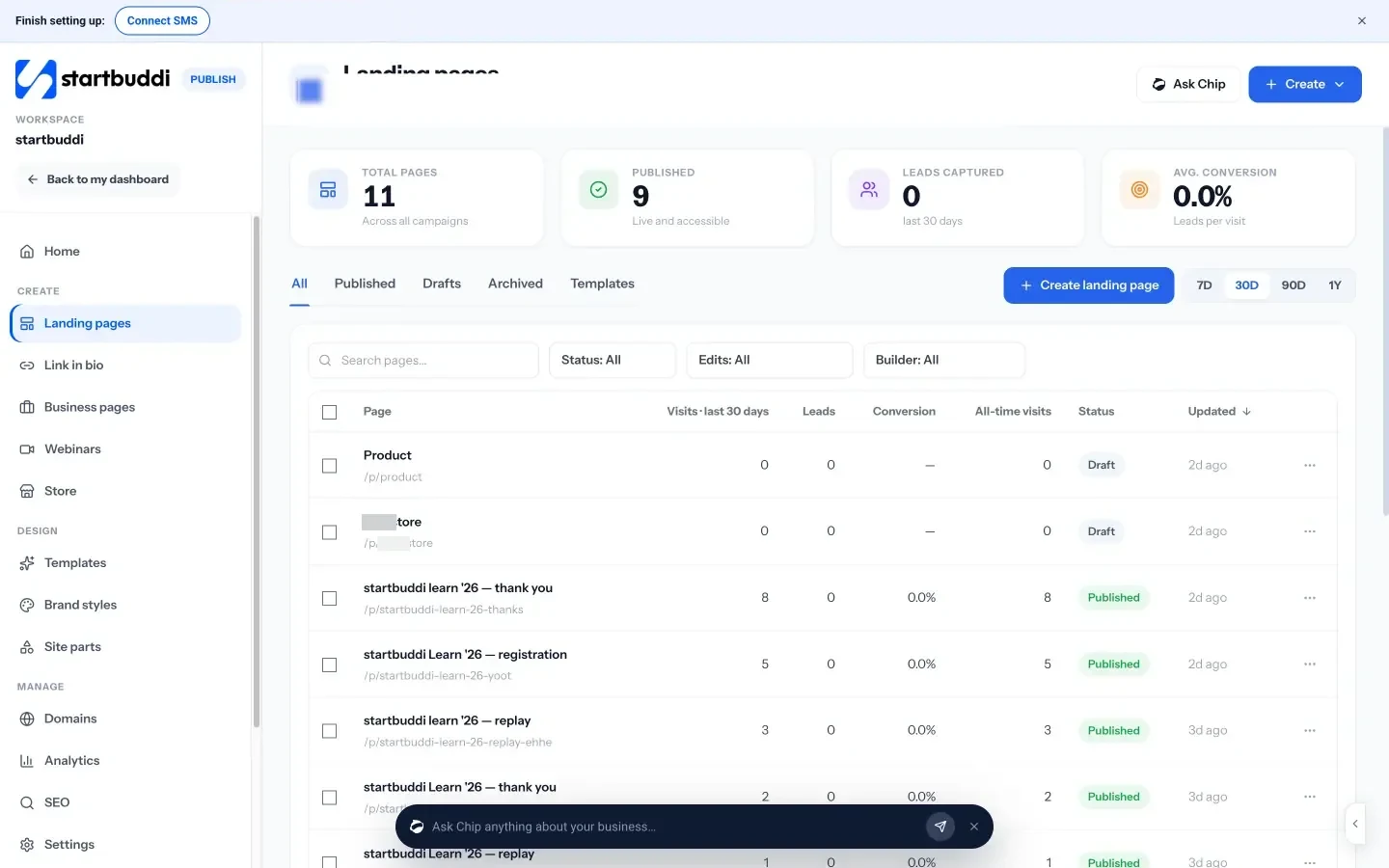
For now, startbuddi focuses on single pages with one job rather than full multi-page websites. With landing pages and business pages in Publish, every enquiry lands in your contacts.
- Start from a template, blank or Chip. Pick a page goal such as collecting leads, taking bookings or building a waitlist. Chip can write a first draft in your brand, and never makes up prices, reviews or numbers: those stay as placeholders for you to fill.
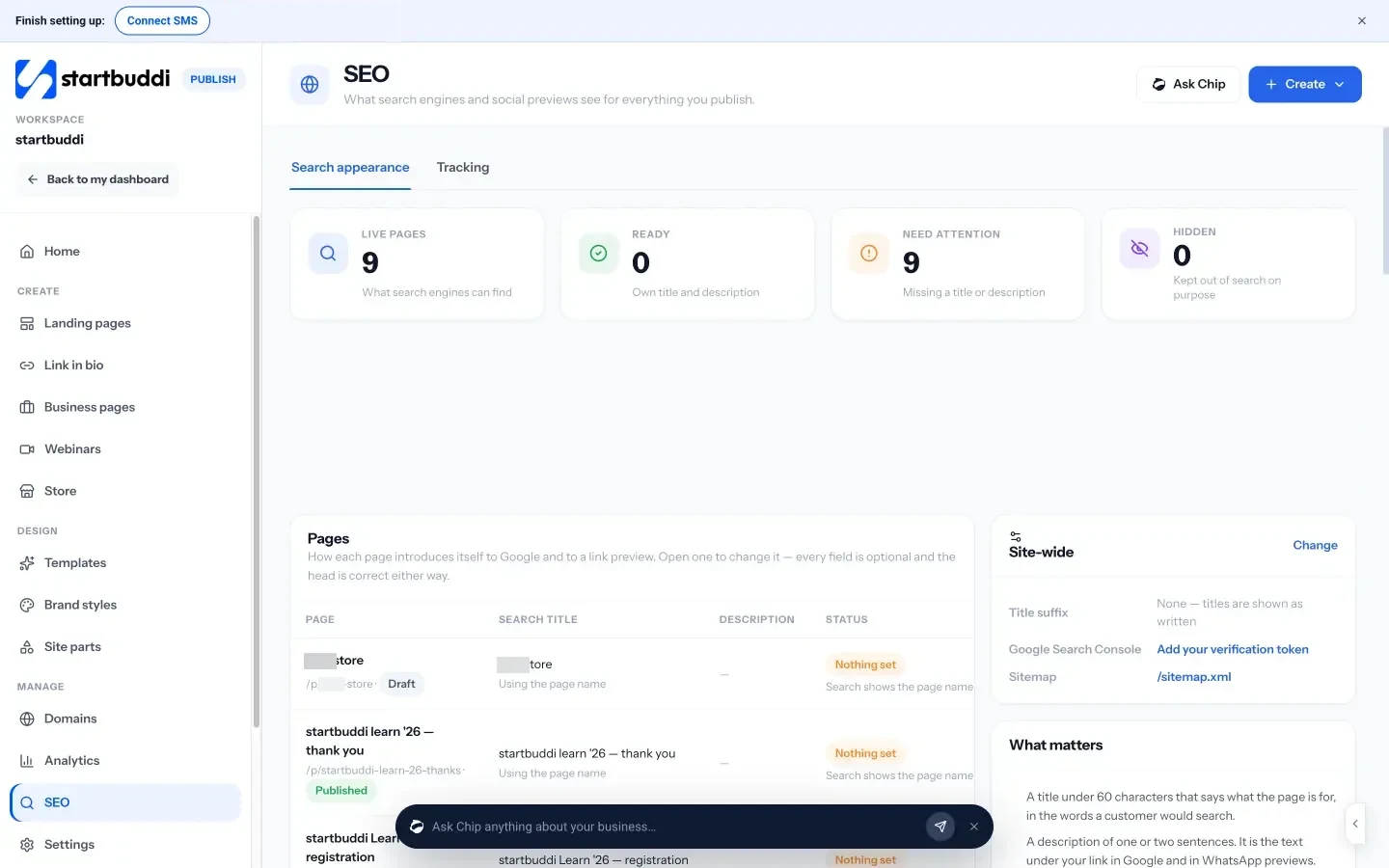
- A publish check. Before going live, a checklist flags missing SEO titles and descriptions, broken links, a form that isn’t connected, missing image descriptions and more. It advises, it doesn’t block.
- Forms, bookings and chat built in. Add a form, booking widgets or a WhatsApp button. Submissions create or update a contact with the source page saved, and the live chat widget can go on any site.
- Your own domain and tracking. Connect a custom domain, set how each page looks in search and when shared, and add Google Analytics or Meta Pixel IDs.
- Numbers that matter. Each page shows visits, leads and conversion, plus where visits came from.
Follow our help article on building a landing page, or compare tools in our list of the best landing page builders.
Your next step
Open your homepage on your phone and run the five-question test: can a stranger tell what you do, who it’s for, why to trust you, what they get and what to do next? Fix the first question that fails. If you’d like a page built around one clear action, start free with startbuddi and publish your first landing page.
Sources
- Nielsen Norman Group: Scrolling and attention
- Nielsen: Beyond martech, building trust with consumers (2021)
- Google AdSense Help: Make your mobile pages load faster
Frequently asked questions
What is a good conversion rate for a small business website?
It varies widely by industry, price and traffic source, so there's no single target. Compare your own site before and after each change.
What should a homepage include to convert more visitors?
A clear headline, a short problem section, real proof, services with outcomes and prices, and one main call to action repeated down the page.
Do I need A/B testing?
Not at first. With modest traffic, fixing clear problems and comparing results over a few weeks is usually faster.
Should I show prices on my website?
Usually yes, or at least a starting price. Hidden prices make many visitors leave rather than ask.
SEO Copywriter| Email growth Specialist| I help businesses increase revenue with strategic SEO content & high-converting email funnels.