High-converting services page layout: a section-by-section guide
A high-converting services page layout, section by section: headline, who it's for, services, process, proof, pricing guide, questions and a clear call to action.


Chinonye wrote this while on the startbuddi team. The product has changed since, so the team updated it on .
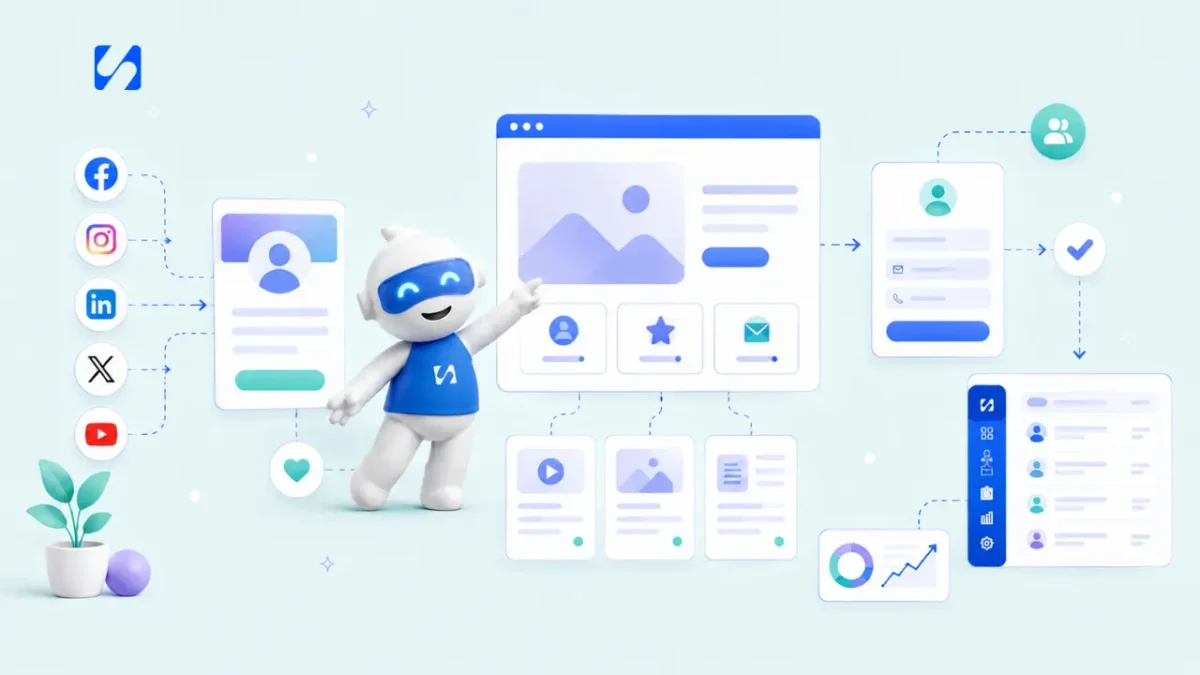
- Lay out your services page in the order visitors ask questions: is this for me, can you help, what do I get, can I trust you, what does it cost, what now? Lead with their problem, show a price guide, put real proof near the buttons and keep the form short.
A high-converting services page layout follows the questions a visitor asks, in the order they ask them: is this for me, can you solve my problem, what exactly do I get, can I trust you, what will it cost, and what do I do now? In practice that means a headline about the visitor’s problem, a short “who this is for”, your services in plain words, how the process works, real proof, a price guide, answers to common worries, and one clear call to action repeated down the page. Get that order right and a page with average design will still bring in enquiries.
This guide gives you the layout section by section, with example copy, a wireframe you can hand to a designer or build yourself, what to do about pricing, how to use proof honestly, and what should happen after someone enquires. It’s for any service business: accountants, cleaners, designers, coaches, builders, clinics and agencies.
Why most services pages don’t convert
Most services pages are written from the business’s point of view. They open with “Welcome to ABC Services”, list everything the business does, and end with “Contact us”. Visitors arrive with a problem and a few seconds of patience. Jakob Nielsen’s research at Nielsen Norman Group, in How Long Do Users Stay on Web Pages?, found that the first 10 seconds of a page visit are critical to whether people stay, and that to hold attention for longer you need to communicate your value proposition within those 10 seconds.
The common problems are predictable:
- A headline about you rather than about them.
- A wall of services with no indication of which one fits.
- No price information, so visitors assume you’re too expensive.
- Proof hidden on a separate “Testimonials” page nobody visits.
- A vague “Contact us” at the very bottom and a long form behind it.
The layout below fixes each one.
The high-converting services page layout, top to bottom
Here’s the whole page at a glance. Each section is explained after the table.
| # | Section | Job it does |
|---|---|---|
| 1 | Headline, subheading and main button | Tell visitors in seconds that they’re in the right place |
| 2 | Who it’s for | Help the right people recognise themselves |
| 3 | The problem | Show you understand their situation |
| 4 | Your services or packages | Make the offer concrete |
| 5 | How it works | Remove uncertainty about the process |
| 6 | Proof | Build trust with evidence |
| 7 | Pricing guide | Filter in the right clients and reduce anxiety |
| 8 | Questions and objections | Answer the worries that stop people acting |
| 9 | Final call to action | Make the next step easy |
1. Headline, subheading and one main button
The top of the page, what visitors see before they scroll, has one job: tell the right visitor they’re in the right place. Lead with the result they want or the problem they have, not your company name.
- Weak: “Our Services”
- Better: “Bookkeeping for small businesses that want to stop dreading year end”
- Weak: “Welcome to Sparkle Cleaning Ltd”
- Better: “Reliable office cleaning in Leeds, before your team arrives”
Add a subheading that says who you help and how, and one main button with a specific label: “Get a quote in 24 hours”, “Book a free 15-minute call”, “Check availability”. Specific buttons tell people what happens next; “Submit” and “Contact us” don’t.
2. Who it’s for (and who it isn’t)
A short section of three or four bullet points helps the right visitors recognise themselves: “You run a salon or clinic with 2 to 15 staff”, “You take bookings by phone and WhatsApp and it’s getting messy”. Saying who it isn’t for (“not for large chains”) is surprisingly effective. It builds trust and saves you from enquiries you’d turn down anyway.
3. The problem, in their words
Two or three sentences describing the situation your client is in right now. Use the words clients actually use in enquiries and calls. If your enquiries say “my website doesn’t bring in any work”, don’t write “suboptimal conversion performance”. When visitors read their own thoughts on your page, they keep reading.
4. Your services or packages, in plain words
Now introduce what you do, framed as the answer. Two layouts work well:
- Service blocks: for businesses with several distinct services. Each block has a name, one sentence on who it’s for, three bullets on what’s included, and a link or button.
- Packages side by side: for businesses that sell in tiers (for example Starter, Standard, Complete). Three options is usually the most people can compare at once.
Whichever you choose, describe outcomes and deliverables, not activities. “A logo in three formats, a one-page brand guide, and two rounds of changes” is clearer than “comprehensive branding solutions”. If you’re unsure how to structure packages, see our guide on how to price your services.
5. How it works
A three- or four-step process removes a big hidden worry: “what happens if I say yes?” Keep it concrete:
- Book a free call. 15 minutes to understand what you need.
- Get your quote. A fixed price within 48 hours.
- We do the work. Most projects take two to three weeks.
- You approve. Two rounds of changes are included.
6. Proof that’s real
This is where trust is built or lost. Put proof on the services page itself, close to the buttons, not on a separate page.
Useful kinds of proof:
- Client reviews with a name, business and, ideally, a photo. Short and specific beats long and vague.
- Before and after examples: a redesigned page, a cleaned kitchen, a set of accounts delivered on time.
- Short case notes: the client’s situation, what you did, what changed. Even one paragraph helps.
- Credentials: relevant qualifications, memberships, insurance, years in business.
- A photo of you or the team: people buy services from people.
Only use genuine reviews, with the client’s permission. Fake or bought reviews damage trust and are increasingly regulated: in the US, for example, the FTC’s rule on consumer reviews and testimonials bans fake reviews and undisclosed insider reviews, and other countries have similar consumer protection rules. If you’re new and have few reviews, show your process, your qualifications and examples of work instead.
7. Pricing: give a guide, even if you quote
Visitors with no price information often assume you’re too expensive and leave. You don’t need a full rate card. Any of these helps:
- “Projects typically start from $1,500.”
- “Most monthly bookkeeping clients pay between £150 and £400 a month.”
- “Standard office clean from ₦45,000 per visit.”
- Package prices with “from” in front.
A price guide does two jobs: it reassures people within your range and gently filters out those who aren’t. You’ll spend less time on calls that were never going to work. If you prefer not to publish prices, at least explain how pricing works (“fixed price, agreed before we start, no hourly surprises”).
8. Questions and objections
List the five or six questions you hear on every sales call and answer them briefly: How long does it take? Do you work with businesses outside the city? What if I’m not happy? Do I need to sign a long contract? How do payments work? Each answer removes a reason to wait.
9. The final call to action, and the form behind it
End with the same main button as the top, plus one line of reassurance: “Free, no obligation, reply within one working day.” Repeat the button after your services section and after the proof, so it’s there whenever someone decides.
Keep the enquiry form short: name, email or phone, which service, and one open question such as “What do you need help with?”. Every extra required field costs you enquiries. If your service suits booking directly, a booking link can replace the form entirely. Our post on building a lead capture form that converts goes into form design in more detail.
An example: a services page for a small accounting practice
Here’s how the layout comes together for a two-person accounting practice. Swap in your own service and the structure still works.
- Headline: “Accounts and tax returns for freelancers and small businesses, done on time.”
- Subheading and button: “Fixed monthly fees, a named accountant, and no year-end panic.” Button: “Book a free 20-minute call”.
- Who it’s for: freelancers and limited companies with up to 10 staff; not for businesses that need an in-house finance team.
- The problem: “You started a business to do your work, not to sort receipts at midnight before the deadline.”
- Packages: Sole trader, Small company and Growing company, each with what’s included and a “from” monthly price.
- How it works: free call, fixed quote, connect your bank and receipts, we handle the rest and send reminders before each deadline.
- Proof: three short client reviews with names and businesses, professional memberships, years in practice.
- Questions: Can you take over from my current accountant? What if I’m behind on filing? How do I send you receipts?
- Final call to action: the same “Book a free 20-minute call” button, with “No obligation. We reply within one working day.”
Nothing there needs a designer to be persuasive. The order and the words do most of the work.
Mobile, speed and small details
Many visitors will see your services page on a phone. Check it there before you publish:
- Is the headline and main button visible without scrolling?
- Can the buttons be tapped easily with a thumb?
- Do tables or package comparisons stack cleanly?
- Does the page load quickly on mobile data? Compress large images.
- Is there a click-to-call or WhatsApp button, if that’s how your clients prefer to reach you?
Also check your page title and description for search results, add alt text to images, and link to your privacy policy near the form. For wider website advice, see website mistakes that make visitors leave and what makes a high-converting website.
What should happen after someone enquires
A great services page can still lose the client if the enquiry sits unread for a day. Plan the next steps before the page goes live:
- The enquiry creates a contact in your client list automatically.
- The person gets an instant confirmation saying what happens next and when.
- You or a teammate reply personally the same working day.
- If they book a call, they get a confirmation and a reminder.
- If they get a quote and go quiet, a follow-up is scheduled.
Our guide to building a client follow-up system covers the steps after the first reply.
How to build your services page in startbuddi
If your website is elsewhere, you can keep it and use startbuddi for the form, booking link and follow-up. If you want the page itself in startbuddi, Publish has two good options.
A landing page for one service. Landing pages are single pages with one job, such as taking enquiries or bookings. You can start from a template, from blank, or by describing the page to Chip, the AI assistant, which drafts a first version you then edit. The builder includes blocks for services and prices, pricing, testimonials, questions, forms and booking, and you can switch to phone and tablet views to adjust the layout for smaller screens. Before you publish, a checklist flags missing items such as an SEO title, a connected form, image descriptions and a privacy policy.
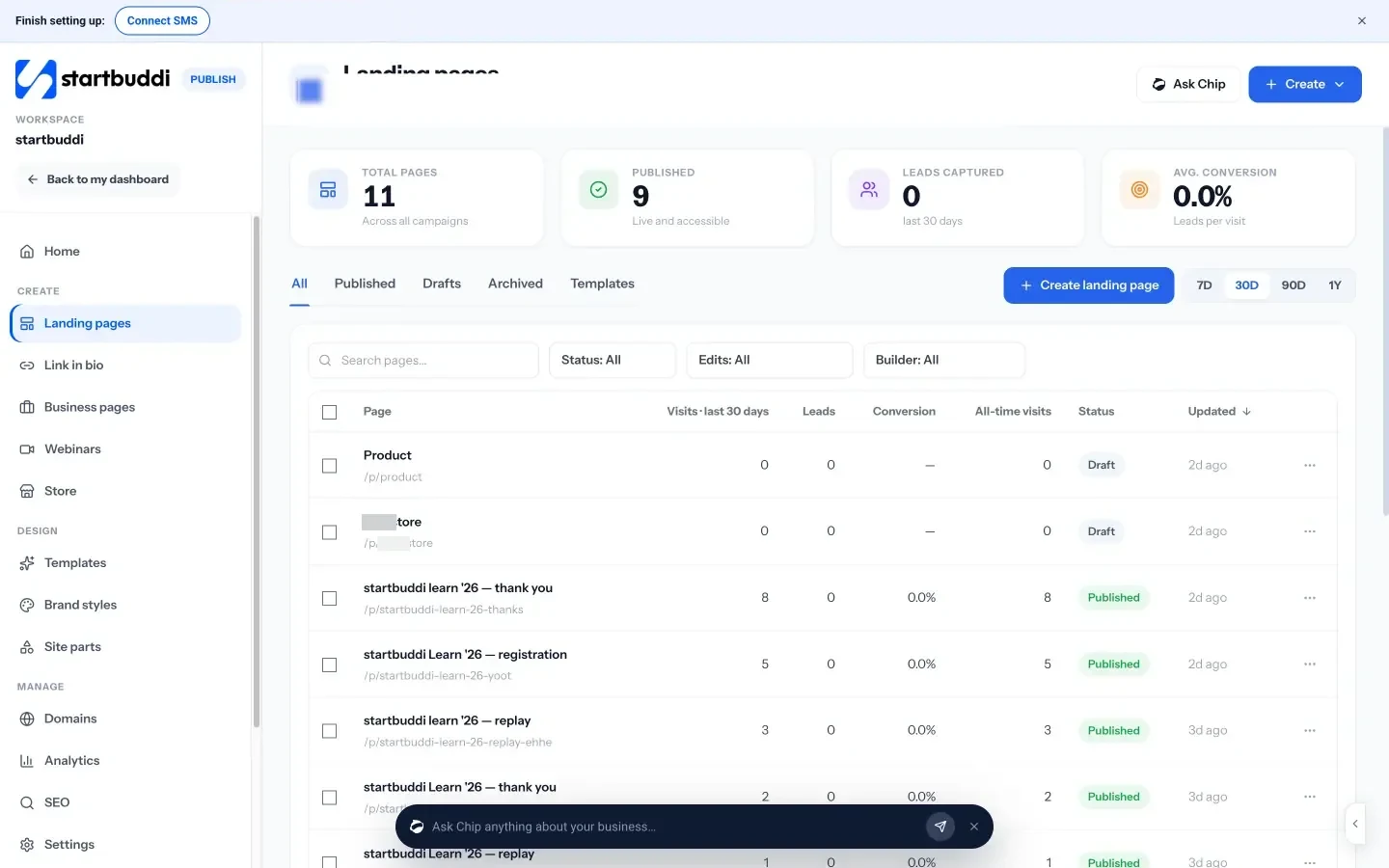
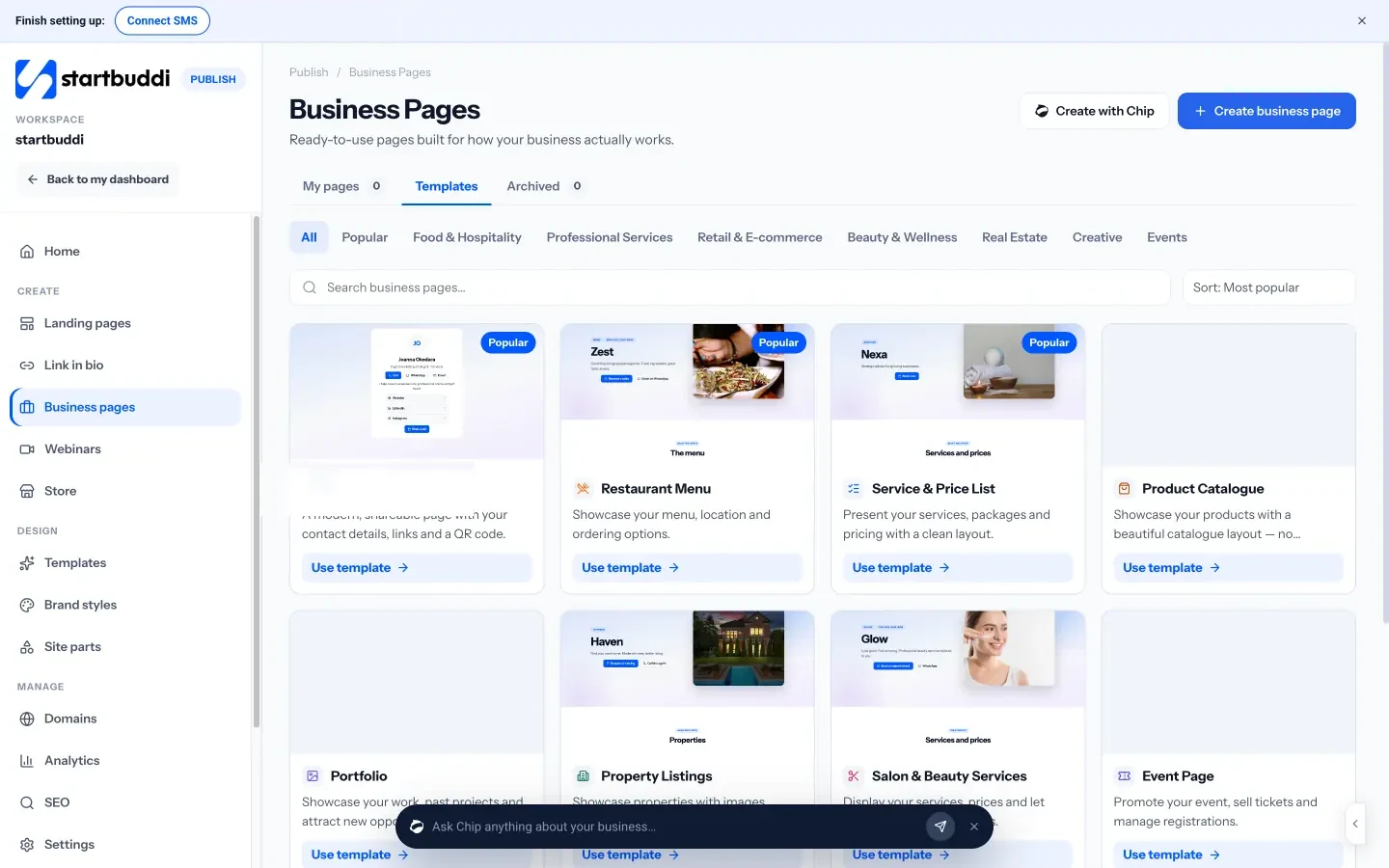
A service and price list page. Business pages include a “Service & Price List” type built to present services, packages and prices, with a “Book now” button.
What happens after the enquiry. Form submissions create contacts in Customers. Bookings can take the call or appointment directly, with confirmations and reminders. Automations (Starter plan and above) can send the confirmation email and create a follow-up task for you.
See pricing for what each plan includes. Every paid plan has a 30-day trial.
Your next step
Open your current services page and read only the top of it, as a stranger would. Does it say who you help and with what, and is there one clear button? Rewrite that section first, then add a price guide and move your best review next to the button. Those three changes take an afternoon and often make the biggest difference.
Sources
- Jakob Nielsen, How Long Do Users Stay on Web Pages?, Nielsen Norman Group
- FTC, Final rule banning fake reviews and testimonials (2024)
Frequently asked questions
How long should a services page be?
Long enough to answer the questions a serious buyer asks before contacting you, and no longer. For most service businesses that's a page you can scroll through in two or three minutes.
Should I put prices on my services page?
Usually a price guide helps: a starting price, a typical range or package prices. It reassures people in your range and filters out those who aren't, so you spend less time on calls that won't lead anywhere.
Where should the call to action go on a services page?
At the top, after your services and after your proof, plus once more at the end. Use a specific label such as 'Get a quote in 24 hours' rather than 'Contact us'.
What is the difference between a services page and a landing page?
A services page usually covers everything you offer and sits in your main website. A landing page focuses on one offer or campaign with one call to action. Many businesses use both.
SEO Copywriter| Email growth Specialist| I help businesses increase revenue with strategic SEO content & high-converting email funnels.