How to build a client follow-up system that stops leads going cold
A step-by-step client follow-up system for service businesses: one lead list, clear stages, a follow-up schedule, templates and the numbers that show it works.


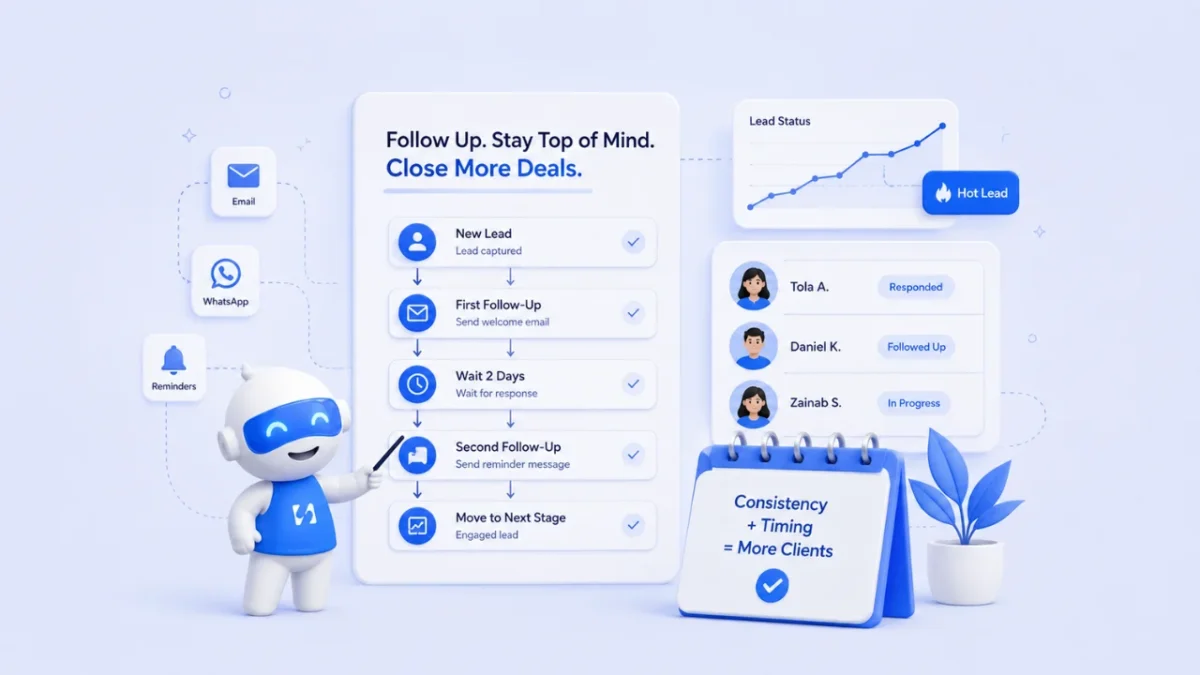
- A client follow-up system is a written routine, not a tool: one place for every lead, a stage for each one, a follow-up rule per stage, and a daily habit backed by reminders and automation. Reply fast, give every message a reason to answer, and set a stop point.
A client follow-up system is a simple, written routine that makes sure every enquiry gets a reply, every lead has a next step with a date, and nobody has to remember it all in their head. It has four parts: one place where every lead lands, clear stages, a follow-up schedule for each stage, and a daily habit (helped by reminders and automation) that turns the schedule into sent messages. Build those four and leads stop going cold because you were busy.
This guide is for service businesses of any size, from a solo designer in Manchester to a five-person cleaning company in Nairobi. It walks through each part with examples you can copy, a sample schedule, message templates, and the numbers that tell you whether the system is working.
What a client follow-up system is (and what it isn’t)
Most businesses already follow up. The problem is that they follow up when they remember, which means some leads get three messages and others get none. A system replaces memory with a process that runs the same way on a quiet Monday and a chaotic Friday.
A working client follow-up system answers four questions at any moment:
- Who are all the people who have shown interest?
- Where is each of them: new, talking, quoted, deciding, won or lost?
- What is the next step for each one, and when is it due?
- Who on your side owns that next step?
It isn’t a stream of “just checking in” emails, and it isn’t a tool on its own. A CRM or a spreadsheet only stores the answers. The system is the set of rules you decide once and then follow. If you want help with the wording of individual messages, our guide on how to follow up with leads without being pushy covers tone and timing in detail. This post is about the machine behind those messages.
Why leads go cold in service businesses
Service businesses lose leads for a boring reason: the person who sells is usually the person who delivers. When client work piles up, sales admin is the first thing to slip.
Speed matters more than most owners think. In a study published in Harvard Business Review, The Short Life of Online Sales Leads, researchers audited 2,241 US companies and found that firms which contacted a web lead within an hour were nearly seven times as likely to qualify it as firms that waited longer. The same audit found that 23% of companies never responded at all. The study is from 2011 and looked at larger firms, but the lesson travels: the first reply is the one that counts most, and silence is common enough to be a real advantage for anyone who is reliably fast.
The other leak is the second and third touch. Many people ask for a quote, get it, and then go quiet because they are busy, not because they said no. Without a scheduled follow-up, that quiet becomes permanent.
Step 1: capture every lead in one place
Your follow-up can’t work if leads are spread across WhatsApp, Instagram DMs, a contact form inbox, a notebook and someone’s phone. Pick one home for every enquiry and make it a rule that a lead doesn’t exist until it’s there.
The minimum record for each lead
| Field | Why it matters |
|---|---|
| Name and best contact (phone or email) | So anyone on the team can reply |
| What they asked for | So the follow-up is specific, not generic |
| Source (form, WhatsApp, referral, Instagram) | So you know which channels bring real work |
| Date of first enquiry | So you can measure response time |
| Stage | So you know what kind of follow-up is due |
| Next step and next step date | The heart of the system |
| Owner | So nothing is “someone else’s job” |
Where possible, let enquiries create the record for you. A website form, a booking page or a chat widget that writes straight into your contact list removes the copying step, which is where most leads get lost. Our guide on how to organise leads in one place goes deeper on cleaning up what you already have.
Step 2: define clear follow-up stages
A list of names isn’t enough. You need to know where each person is, because the right follow-up depends on the stage. Keep it short. Five to seven stages is plenty for most service businesses:
- New enquiry: they contacted you, you haven’t replied yet.
- In conversation: you’ve replied and are working out what they need.
- Call or visit booked: a discovery call, site visit or consultation is in the diary.
- Quote sent: they have a price and a proposal.
- Deciding: they’ve said “we’ll think about it” or asked for changes.
- Won or Lost (with a reason).
A wedding photographer might add “date held”. A software agency might add “scope agreed”. Change the labels to suit you, but keep one rule: every open lead sits in exactly one stage, and every stage has a follow-up rule attached. If you want to see stages as a board, the sales pipeline glossary entry explains how that view works.
Step 3: set a follow-up schedule for each stage
Random follow-up is the most common failure. Decide the timing once, write it down, and let the schedule make the decision each day. Here is a starting schedule you can adjust:
| Stage | Follow-up rule | Channel |
|---|---|---|
| New enquiry | Reply the same working day, ideally within the hour | The channel they used |
| In conversation | If they go quiet, nudge after 2 days with one useful question | WhatsApp or email |
| Call booked | Confirm straight away, remind the day before | Email and SMS or WhatsApp |
| Quote sent | Check in after 3 days, again after 7 with something useful | Email, then a call |
| Deciding | Ask for a decision date; follow up on that date | Call or WhatsApp |
| Lost (no reply) | Move to a gentle monthly or quarterly nurture |
Two rules make any schedule work. First, every message must give the person a reason to reply: an answer, a suggestion, a date that’s filling up, or a simple yes/no question. Second, set a stop point. After three or four unanswered touches in a stage, move the lead to a long-term nurture instead of chasing forever. Our post on how to build a follow-up sequence has more on spacing and stop points.
Step 4: write templates for the moments that repeat
You’ll send the same five or six kinds of message again and again. Write them once, keep them somewhere you can paste from, and personalise one line each time. Personal beats polished.
First reply to a new enquiry
Hi Amaka, thanks for getting in touch about the kitchen deep clean. We can do a 3-bedroom flat in about five hours. Is the week of the 14th good for you, or would you prefer a weekend?
Quote follow-up (day 3)
Hi James, did the proposal for the website refresh make sense? You mentioned the new site needs to be live before the September launch. If it helps, I can walk you through the timeline on a 15-minute call this week.
Put this into practiceEverything in this article works inside startbuddi, free to start.Start free
“Deciding” follow-up
Hi Priya, no rush at all. So I can plan my diary, roughly when do you expect to decide? I’ll check back then.
Closing the loop
Hi Tom, I haven’t heard back so I’ll assume the timing isn’t right. I’ll close this for now. If anything changes, just reply to this message and we’ll pick it up.
That last message often gets a reply, because it’s honest and easy to answer. Notice that each template refers to something the person told you. That’s why the record in step 1 needs “what they asked for”.
Step 5: automate the repetitive parts
Once you know what should happen and when, hand the predictable bits to automation and keep the human bits for yourself.
Good candidates for automation:
- An instant “thanks, we got your message” reply when a form is submitted, with what happens next and when.
- Booking confirmations and a reminder before the call.
- A follow-up task created for you whenever a new lead arrives or a quote goes out.
- A reminder when a lead has had no activity for a set number of days.
- A short welcome email sequence for people who download a guide but aren’t ready to talk.
Keep for yourself: the first real reply to a serious enquiry, quote follow-ups, and anything where the person has asked a specific question. Automation should create the reminder to call, not replace the call. If you are new to this, the follow-up automation glossary entry explains the building blocks in plain words.
Step 6: connect forms, bookings and invoices to the same record
The more tools you copy between, the more places a lead can fall through. A typical unconnected flow looks like this: someone fills in a form, you copy them into a spreadsheet, send a booking link by hand, add the call to your calendar, then type a reminder to follow up. Five steps, five chances to forget.
A connected flow looks like this: the form creates the contact, the booking link sits in the automatic reply, the booking lands on the same contact with a reminder, and when you send an invoice it’s attached to the same record. You open one page and see the whole story. Our guide on integrating your CRM with your website shows the website side of that setup.
Step 7: follow up based on what people do
Not every lead should get the same message. What someone did last tells you what to send next:
- Booked a call but didn’t show: a friendly rebooking message the same day, with the link.
- Clicked the pricing link in your email: a personal check-in within a day.
- Replied with a question: answer it, then stop the automated sequence for them.
- Went quiet after a quote: the day-3 and day-7 check-ins from your schedule.
- Former client: a “how is it going?” message a few months after the job, which often brings repeat work or a referral.
The more your follow-up reacts to real behaviour, the less it feels like chasing, to them and to you.
How to know if your client follow-up system is working
Check five numbers once a month. You don’t need software for this; a quick count is enough to start.
| Number | How to work it out | What it tells you |
|---|---|---|
| First response time | Average hours from enquiry to your first reply | Whether step 1 and 3 are happening |
| Follow-ups done on time | Follow-ups completed by their due date ÷ follow-ups due | Whether the daily habit is holding |
| Enquiry to call rate | Calls booked ÷ new enquiries | Whether first replies are good |
| Quote win rate | Quotes won ÷ quotes decided | Whether pricing and proposals work |
| Lost with no reason | Lost leads where you don’t know why | Whether you are closing the loop |
If response time is good but the win rate is low, look at your proposals and pricing. If lots of follow-ups are overdue, the schedule is too ambitious for your week: simplify it rather than abandoning it.
How startbuddi helps you run the system
You can run everything above with a spreadsheet and calendar reminders. If you’d rather have it in one place, here is how the pieces map to startbuddi.
One home for every lead. In Contacts, a name, an email or a phone number is enough to add someone. Contacts are also created from your forms, bookings and website chat, so enquiries don’t need retyping. Each contact page shows notes, tasks, deals, messages and invoices together.
Stages you can see. The sales pipeline is a board you drag deals across. Its default stages are New Leads, Qualified, Proposal Sent, Negotiation, Won and Lost, and you can rename them to match your schedule. When a contact replies, their deal moves out of the first stage, and when an invoice on a deal is paid, the deal is marked won.
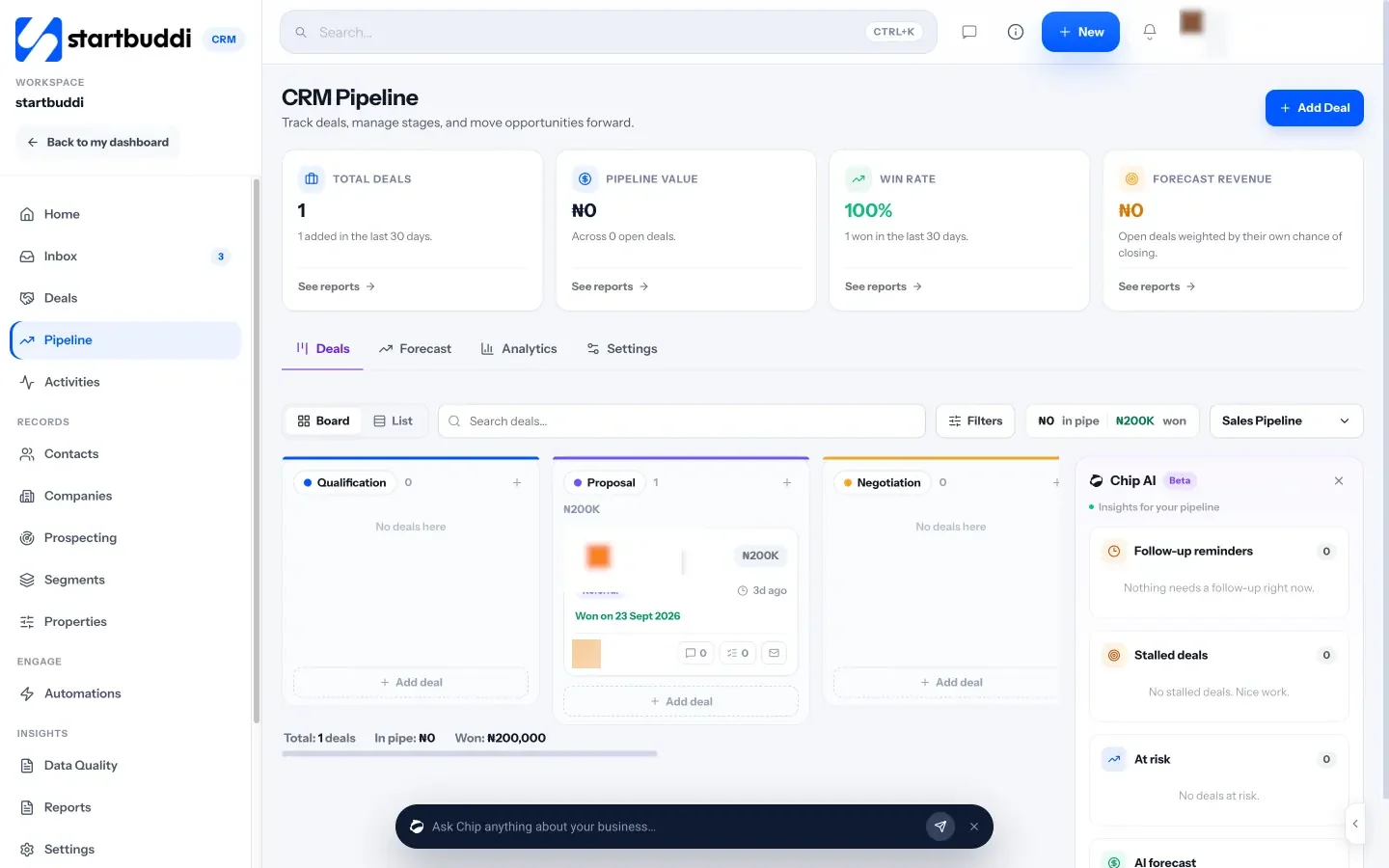
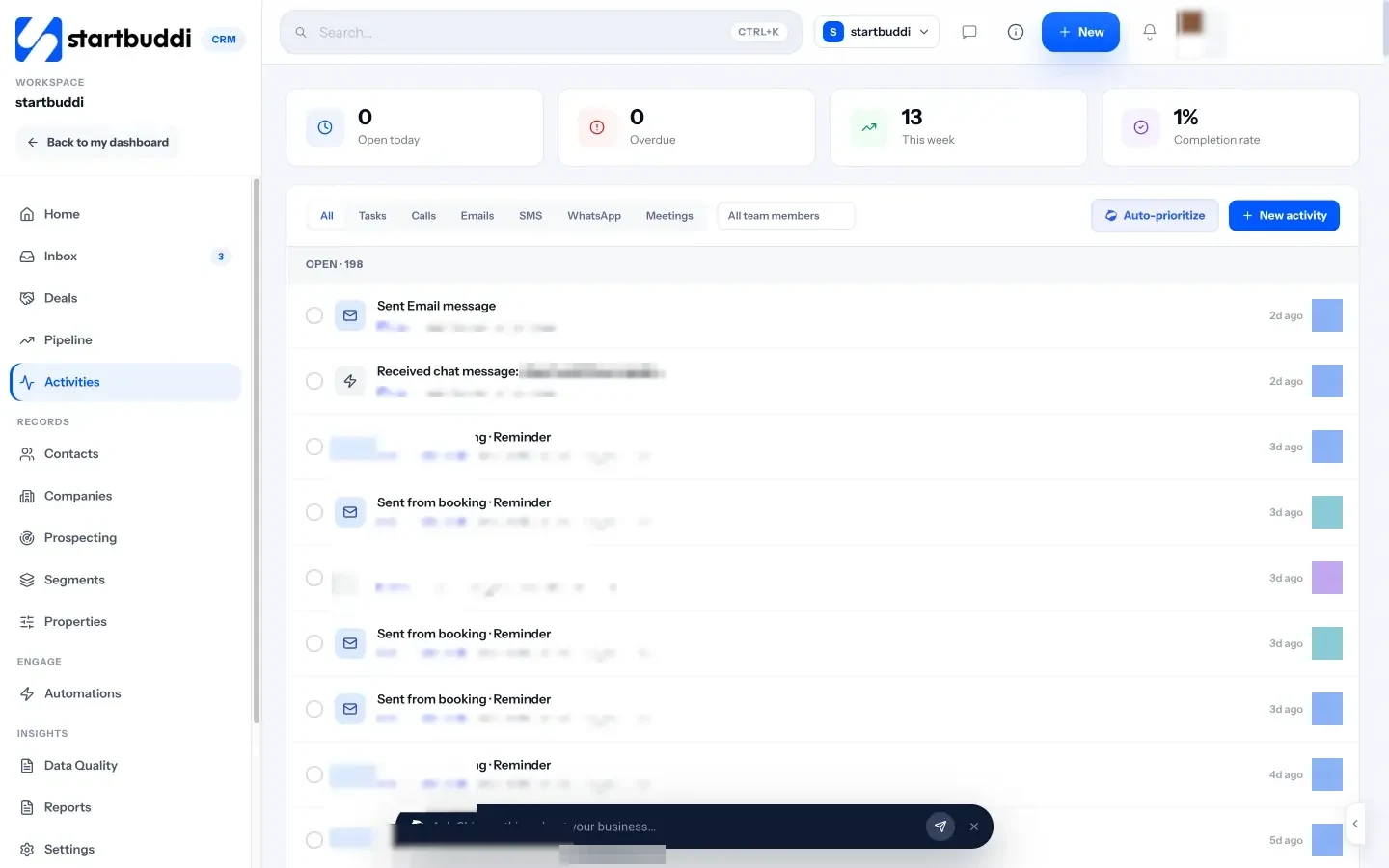
Next steps with dates. Activities holds every call, email, WhatsApp, meeting and follow-up with a due date and an owner, and shows what’s open today and what’s overdue. On the Customers home, Chip, the built-in AI assistant, can answer questions such as “Who needs a reply?” or “Who haven’t I contacted in 14 days?” from your real records.
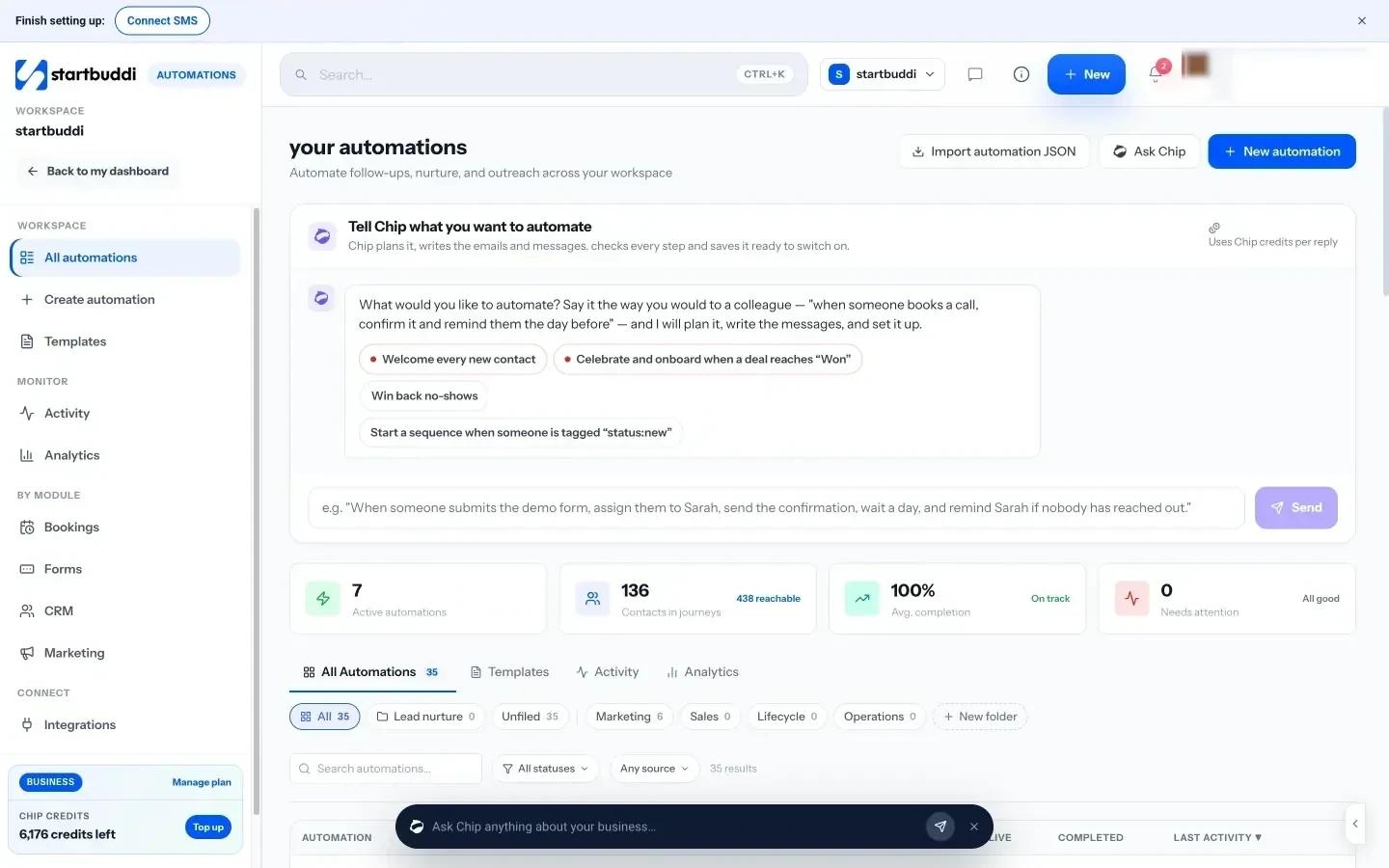
Automation for the repetitive parts. Automations can start when a form is submitted, a booking is made or a deal is created, then send emails, wait, create tasks and notify the team. There’s also a step that waits for the person to reply. CRM settings include ready rules such as creating a follow-up task when a lead is added and a re-engagement task after seven days of no activity. On a contact, “Nurture with Chip” drafts a short follow-up sequence from that person’s history for you to edit before anything is sent.
Replies from one inbox. The shared inbox brings email, website chat, WhatsApp, SMS, Instagram and Facebook messages into one list, so follow-ups aren’t split across phones.
A note on plans: the Free plan covers up to 250 contacts. WhatsApp and SMS need the Starter plan or above, Free includes 2 active automations against 10 on Starter, and Chip’s automatic follow-ups need Growth. Every paid plan starts with a 30-day trial. See pricing for the details.
Your next step
Don’t try to build all seven steps this week. Today, put every open lead in one list and give each one a next step and a date. Tomorrow, write your first-reply and quote follow-up templates. Next week, automate the confirmation message. A small system you actually use beats a perfect one you plan to set up later. When you are ready to put it in one place, start with Customers in startbuddi.
Sources
Frequently asked questions
What is the best client follow-up system for a small business?
The one you will use every day. For most small service businesses that means one lead list, five to seven stages, a written follow-up rule for each stage and a daily ten-minute check. The tool matters less than the habit.
How many times should you follow up with a client?
Usually three or four times per stage, spaced a few days apart, with a useful reason each time. After that, close the loop politely and move them to a slower nurture instead of chasing.
Can I run a client follow-up system in a spreadsheet?
Yes, if you have few leads and one person selling. Add columns for stage, next step, next step date and owner, and sort by date every morning. Move to a CRM when reminders start slipping or several people share leads.
Should follow-ups be automated?
Automate the predictable parts: confirmations, reminders and tasks that tell you who to contact. Keep real replies and quote follow-ups personal, because that is where deals are won.
Olabimpe Salami is the email and outreach specialist at startbuddi. Olabimpe writes about the messages that bring customers in and back: email, WhatsApp and SMS campaigns, follow-ups, and turning enquiries into paying clients.
Runs email and outreach at startbuddi