How to organize leads in one place so none slip away
Send every lead to one list, give each a stage and a dated next step, and run a 30-minute weekly review. A simple lead system for small businesses.


Chinonye wrote this while on the startbuddi team. The product has changed since, so the team updated it on .

- To organize leads, route every channel into one list, give each lead the same few details (source, need, stage, owner, next step with a date), group them with tags and segments, and review the list weekly. Automate confirmations and reminders, keep the conversations personal.
To organize leads in one place, send every enquiry from every channel into a single list, give each lead the same few details (source, need, stage, owner and next step with a date), and review that list on a fixed rhythm. When each lead has a clear stage and a dated next step, nobody falls through the cracks, however many channels they came from.
Leads rarely arrive neatly. Someone fills in a form on Friday, another person sends an Instagram DM, a third emails a question, and a referral calls your mobile. By Monday, half of them are buried. This guide shows you how to build a lead system that works for a solo founder or a small team, with a simple structure, a weekly routine and the mistakes to avoid.
Why leads get lost
Most small businesses don’t have a lead generation problem as much as a lead handling problem. The common reasons leads slip away:
- Too many places. Leads sit in WhatsApp, email, Instagram, a spreadsheet and a notes app, and nobody sees them all at once.
- No next step. A lead is “in the list”, but nothing says what should happen next or when.
- No owner. In a team, everyone assumes someone else replied.
- No stages. A brand-new enquiry and a lead waiting on a quote look the same, so the urgent ones don’t stand out.
- Admin overload. Updating several tools by hand takes time away from actually talking to people.
That last point is common even in companies with dedicated sales teams. In Salesforce’s survey of more than 7,700 sales professionals, reps said they spent just 28% of their time actually selling, with the rest going on admin and other tasks. For a founder doing their own selling, the fix is a system that asks for as little admin as possible.
Step 1: send every lead to one list
The first rule of lead management: one list, no exceptions. Every lead, whatever the channel, ends up in the same place. Start by listing where leads come from today:
| Channel | How to get leads into your list |
|---|---|
| Website contact form | Use a form that saves submissions straight to your contacts |
| Booking page | Each booking should create or update a contact |
| WhatsApp, Instagram, Facebook, email | Use a shared inbox linked to contacts, or add the lead by hand the same day |
| Phone calls and walk-ins | Add them during or straight after the conversation |
| Events and referrals | Add them the same day, with who referred them |
| Old spreadsheets | Import once as a CSV, then retire the spreadsheet |
Automatic routes (forms, bookings, a shared inbox) are best because they don’t depend on anyone remembering. For everything else, agree a simple rule: if a lead isn’t in the list by the end of the day, it doesn’t exist. Our post on how to track leads covers capturing leads from each channel in more depth.
Step 2: decide what every lead record must hold
Organised leads have consistent records. You don’t need dozens of fields. Six to eight is plenty:
- Name and best contact: phone with country code, or email.
- Source: where they came from, such as Instagram, Google, a referral from a client.
- What they need: the service or product, in a few words.
- Value: a rough estimate of what the deal could be worth, if you know.
- Stage: where they are in your process (see step 3).
- Owner: who is responsible, if you work in a team.
- Next step and date: the single most important field. “Send quote, Thursday” or “Call back, 3 June”.
- Last contact: when you last spoke.
If a lead has no next step and date, it’s not being managed. It’s just being stored.
Example: the same lead, before and after
Before: a WhatsApp chat from “Mrs A” asking about office cleaning, a missed call from an unknown number, and a note on your phone saying “quote for Adeyemi?”.
After: one record. Name: Funmi Adeyemi, Adeyemi & Co. Source: Google search. Need: weekly office cleaning, three floors. Value: about $400 a month. Stage: Proposal sent. Owner: Grace. Next step: call to answer questions on the quote, Thursday 10am. Last contact: Monday, WhatsApp.
Anyone in the business can open that record and know exactly what to do next, even if Grace is off sick.
Step 3: set up simple stages
Stages show at a glance where each lead is. Keep them few and clear, and make each one describe something that has actually happened. A common set for service businesses:
- New: enquiry received, not yet contacted.
- Contacted: you’ve replied and started a conversation.
- Qualified: they have a real need, a budget and a timeframe that fit.
- Proposal sent: a quote or proposal is with them.
- Won or Lost: the decision is made. Record why when you can.
Laying these stages out as columns on a board, with each lead as a card you drag forward, is often called a sales pipeline. It lets you see in seconds how many leads are waiting for a first reply, and how much work is sitting at proposal stage. Resist adding stages for every small step. If two stages always happen on the same day, merge them.
Step 4: use tags and segments to group leads
Stages tell you where a lead is. Tags tell you what kind of lead it is. Use them for things you’ll want to filter by later:
- Service or product: “Website”, “Branding”, “Monthly cleaning”.
- Type of customer: “Business”, “Individual”, “Returning client”.
- Location, if it matters: “Lagos”, “Nairobi”, “London”.
- Campaign or event: “Spring promo”, “Trade fair 2026”.
Keep a short, written list of approved tags so the team doesn’t invent “web”, “Website” and “website design” for the same thing. Then save useful filters as segments, such as “New leads from Instagram this month” or “Proposal sent more than 7 days ago”. A segment you open every Monday is worth far more than a hundred tags you never filter by.
Step 5: prioritise which leads to work first
Not every lead deserves the same attention on the same day. A quick way to decide who comes first:
| Priority | Who | Action |
|---|---|---|
| 1 | New leads less than a day old | Reply today, ideally within the hour |
| 2 | Leads whose next-step date is today or overdue | Do the next step |
| 3 | High-value or well-qualified leads | Personal follow-up, a call if possible |
| 4 | Leads who have gone quiet after a proposal | A helpful nudge |
| 5 | Early-stage or low-fit leads | Occasional useful updates, not personal chasing |
Speed matters most at the top. Research in Harvard Business Review found that firms trying to contact online leads within an hour were nearly seven times as likely to qualify them as firms that waited even one hour longer. Some teams also use a simple score, adding points for things like recent activity and deal value, to push the best leads to the top. Our post on lead scoring for small businesses explains how.
Step 6: run a weekly lead review
A lead system stays organised only if someone looks after it. Put 30 minutes in the diary every week, on the same day:
- Clear the New column. Every new lead gets a reply and moves to Contacted.
- Check overdue next steps. Do them, or set a new date.
- Look at stalled leads. Anyone at the same stage for more than two weeks gets a nudge or moves to Lost.
- Merge duplicates. The same person from WhatsApp and email should be one record.
- Close the dead ones. Mark them Lost with a reason. A clean list is easier to trust.
- Look at sources. Which channels brought leads that turned into customers this month?
In a team, do this together in a short meeting. Everyone sees who owns what, and nothing sits between two people.
If you work as a team
Give every lead exactly one owner, even if several people help. Decide how new leads are shared out: by service, by region, or in turn. Agree what “replied” means (a real answer, not just “thanks, will get back to you”) and how quickly a new lead should get one. Then make the rules visible, for example in a pinned note, so new teammates follow them from day one.
Step 7: follow up without doing it all by hand
Organising leads is pointless if the follow-up doesn’t happen. A few small automations take care of the routine parts:
- An instant reply when a form is submitted, so the lead knows you’ve received it.
- A task for the owner when a new lead arrives, with a due date.
- A reminder when a proposal has had no reply for a few days.
- A short follow-up sequence of useful emails or messages for leads who go quiet.
Keep the personal parts personal: calls, proposals and replies to real questions. Automate the reminders and confirmations. For message templates and a timing plan, read how to follow up with leads.
Spreadsheet or CRM: which should you use?
A spreadsheet can hold a lead list. Many businesses start there, and that’s fine. Here’s where each fits:
| Spreadsheet | CRM | |
|---|---|---|
| Cost to start | Free | Free plans exist; paid plans add capacity |
| Leads from forms and bookings | Copied by hand | Added automatically |
| Conversation history | Not linked | On the lead’s record |
| Reminders and follow-ups | None | Tasks and automations |
| Team use | Edits clash, no owners | Owners, assignments, shared view |
| Best for | A handful of leads a month | Steady flow of leads from several channels |
If you get more than a few leads a week or work with anyone else, a CRM usually pays for itself in leads you stop losing. Our post on a simple CRM lead management system shows what a lean setup looks like.
Common mistakes when organising leads
- Keeping “just a few” leads outside the system. Those are the ones that get lost.
- Too many stages. Ten stages mean nobody updates them. Five or six is plenty.
- No dates on next steps. “Follow up” without a date means “never”.
- Never closing leads. A list full of dead leads hides the live ones.
- Ignoring the source. Without it, you can’t tell which marketing is worth the money.
- Treating every lead the same. A referral asking for a start date needs a call today. A student asking for a price list can get a helpful email.
- Building the perfect system before using it. Start with one list, five stages and a next-step date. Add tags and automations once the basics are a habit.
- Letting records go stale. If notes from calls never make it into the record, the next person to contact the lead starts from zero.
How startbuddi helps you organize leads
In startbuddi, the Customers area puts your leads, conversations and deals in one account.
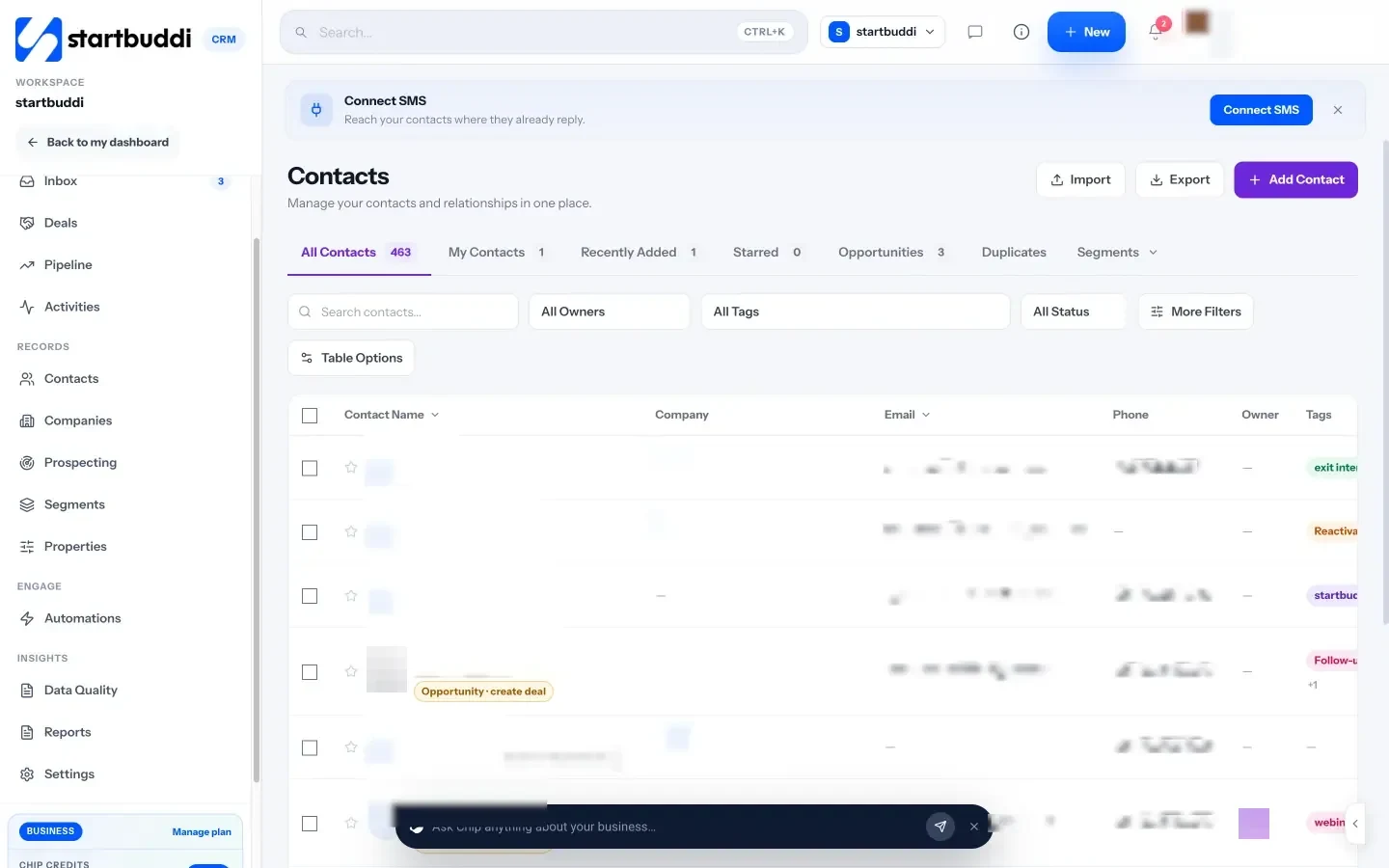
- One contact list, filled automatically. Contacts are created from forms, bookings, website chat and imports. Each contact page holds notes, tasks, deals, files and past conversations.
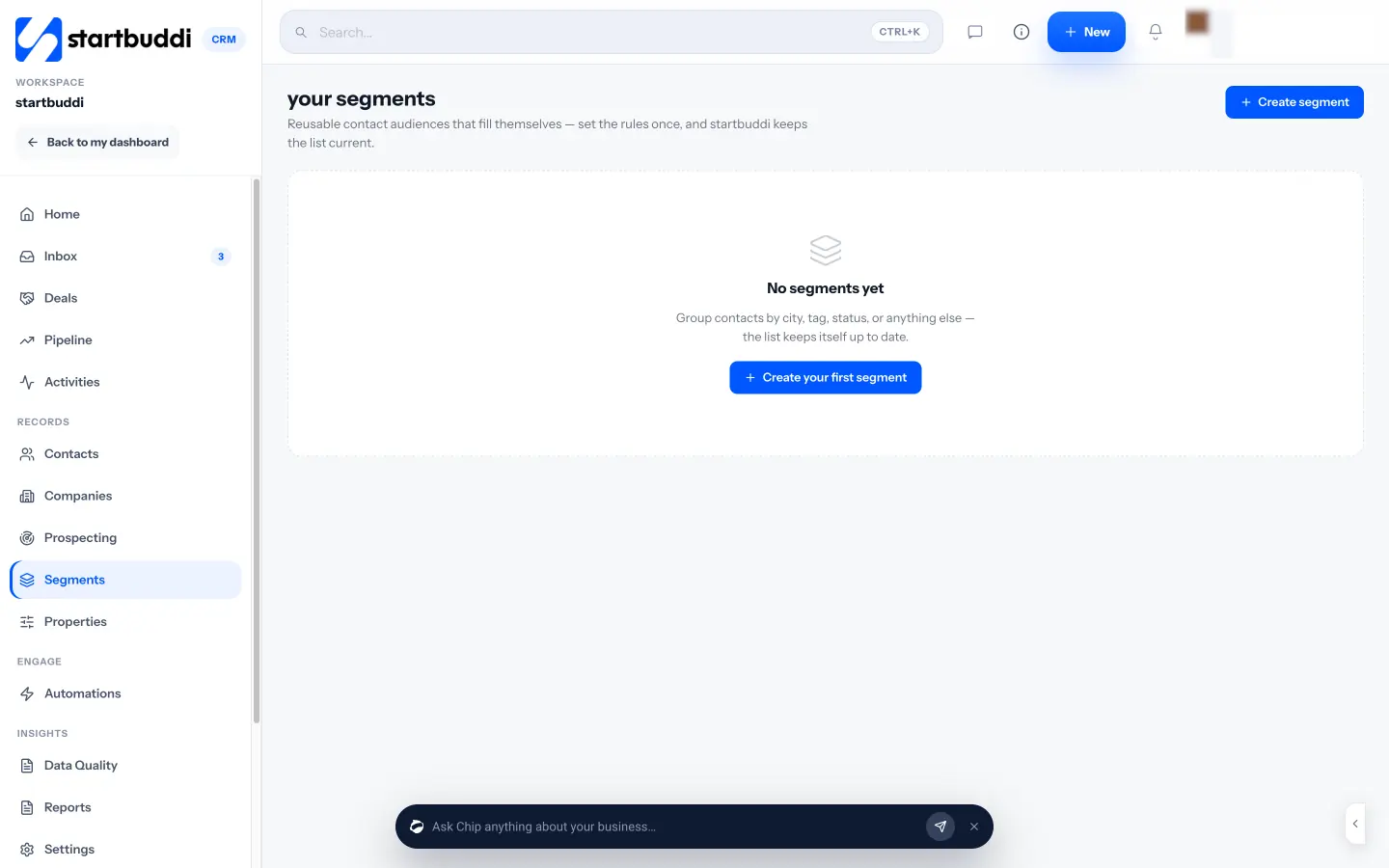
- Stages, tags and segments. Set a lead status, tag contacts, filter by source, owner, tags or last contacted date, and save a filter as a segment. A board view shows contacts by lead stage so you can drag them forward.
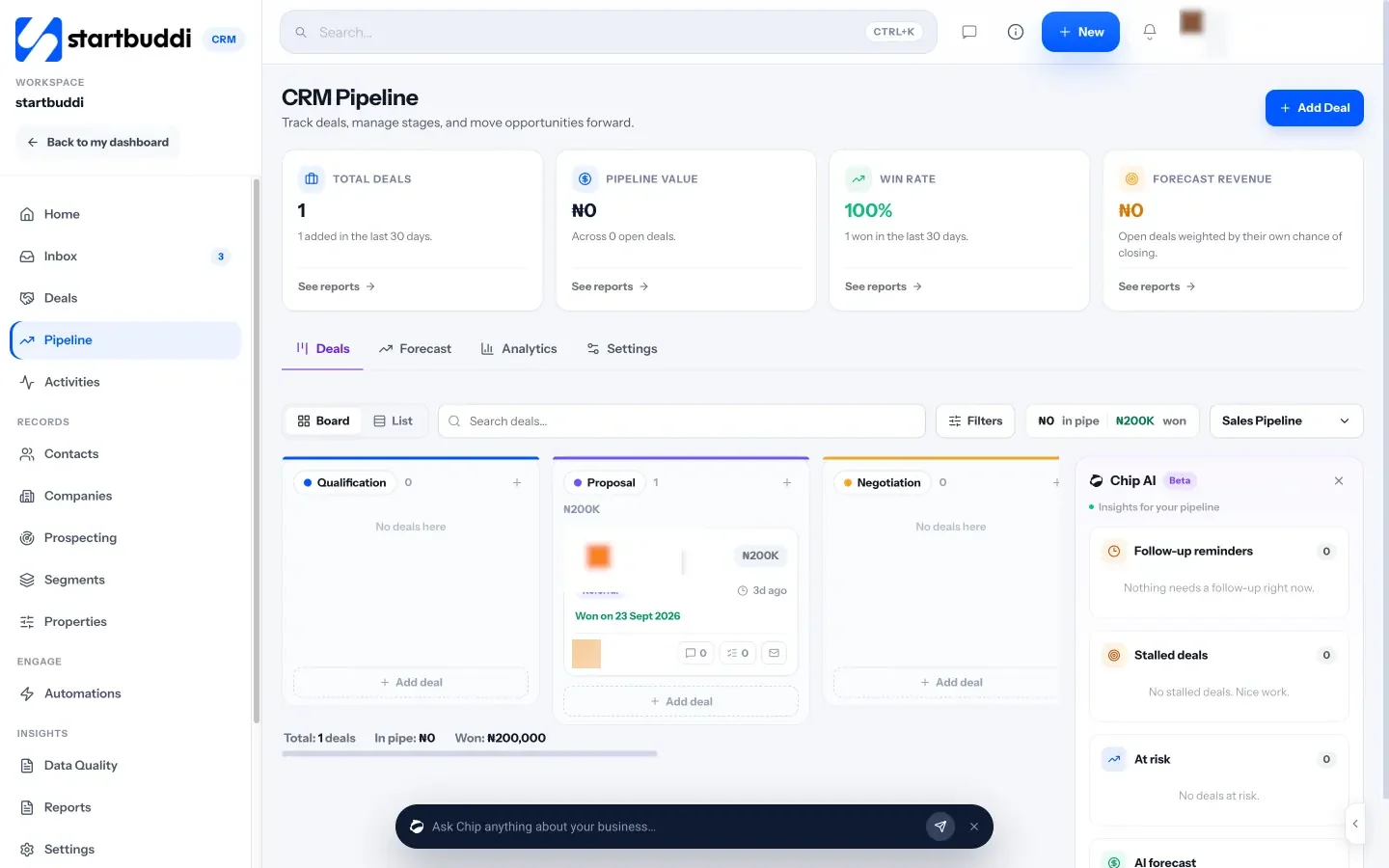
- A pipeline for deals. The pipeline starts with stages such as New Leads, Qualified, Proposal Sent, Negotiation, Won and Lost. When a contact replies, their deal moves out of the first stage, and when an invoice on a deal is paid, the deal is marked won.
- One inbox. The Inbox brings email, website chat, WhatsApp, SMS, Instagram and Facebook conversations together, linked to contacts. WhatsApp and SMS need the Starter plan or above.
- Owners and Chip. Assign contacts to a teammate with a follow-up reminder, and ask Chip “Who needs a reply?” or “Plan my follow-ups” to see who to contact first.
To get started, see our help articles on importing contacts and creating contact segments.
Your next step
Today, open every place leads reach you and count them. Then pick one list, move every open lead into it, and give each one a stage and a next step with a date. Book your first weekly review for next Monday. If you’d like one place built for this, start free with startbuddi: the Free plan includes up to 250 contacts.
Sources
Frequently asked questions
What is the best way to organize leads from different channels?
Send every channel into one list, automatically where possible, and tag each lead with its source so you can see which channels work.
How many stages should a lead pipeline have?
Five or six is enough for most small businesses, such as New, Contacted, Qualified, Proposal sent, Won and Lost.
Is a spreadsheet good enough for managing leads?
For a handful of leads a month, yes. Once leads come from several channels or several people handle them, a CRM saves time and lost leads.
How often should I review my leads?
Check new leads daily and run a 30-minute review of the whole list once a week.
SEO Copywriter| Email growth Specialist| I help businesses increase revenue with strategic SEO content & high-converting email funnels.