How to build a follow-up sequence that turns leads into clients
How to build a follow-up sequence step by step: trigger, goal, message template, timing, channels, stop rules and automation, with examples you can copy.


Chinonye wrote this while on the startbuddi team. The product has changed since, so the team updated it on .
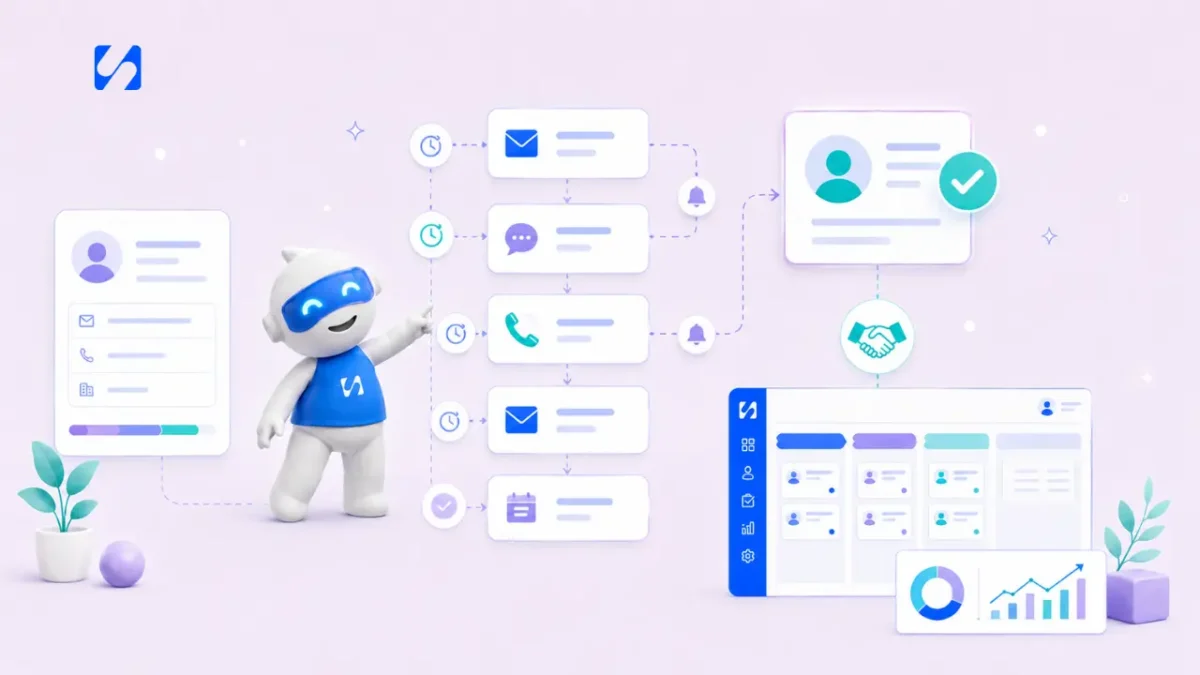
- Start from one trigger, such as your enquiry form, aim at one next step, and write three to five short messages that each answer one question a lead has. Space them out, stop when they reply or buy, automate it, and review it monthly.
A follow-up sequence is a planned series of messages (emails, texts, WhatsApp messages or reminders to call) that starts when a lead does something, such as filling in your form, and stops when they reply or buy. To build one: pick the trigger, decide the single goal, write three to five short messages that each answer one question the lead is likely to have, space them a few days apart, set clear stop rules, and automate it so it runs without you remembering. Then review it monthly.
This guide walks through each step with timings, example messages and a ready-made template for a service business. It’s for founders, freelancers and small teams anywhere who lose good leads simply because following up by hand stops when things get busy.
Why you need a follow-up sequence
When someone contacts you, they’re in a window of interest. That window doesn’t stay open long. If your reply is slow, or you follow up once and then get busy, they find someone who answered faster or stayed in touch.
Following up by hand works when you have three leads a week. It breaks when you have thirty, because follow-ups compete with client work and client work always wins. That’s not a character flaw; it’s a time problem. Salesforce’s research found that sales reps spend just 28% of their week actually selling, with most of the rest going on admin and other tasks. A founder doing sales on the side has even less time.
A follow-up sequence solves this by doing the remembering for you. You write the messages once, and every new lead gets a consistent, timely experience.
Step 1: choose the trigger
Every sequence starts with an event. Be specific, because different triggers deserve different messages.
| Trigger | What the lead wants | Sequence goal |
|---|---|---|
| Filled in an enquiry form | An answer or a quote | Book a call or site visit |
| Downloaded a guide or checklist | Help with a problem | Build trust, then offer a call |
| Booked a discovery call | A good meeting | Show up prepared |
| Received a proposal or quote | Confidence to say yes | Get a decision |
| Missed a booked call | A second chance | Rebook |
Start with one trigger, usually the enquiry form, because that’s where most businesses lose the most leads.
Step 2: decide the one goal
Each sequence should aim at one next step: book a call, accept a quote, pay a deposit, reply with details. Everything in the sequence points there. If you try to get a lead to read your blog, follow you on Instagram and book a call, you’ll get none of the three.
Step 3: map what the lead needs to know
Before writing, list the questions a lead has between “interested” and “yes”. For most service businesses these are:
- Did they get my message, and what happens next?
- Can they actually solve my problem?
- How much will it cost, roughly?
- Can I trust them?
- What if it goes wrong, or I’m not sure yet?
Each message in your sequence answers one of these. That’s what makes follow-ups feel helpful rather than pushy.
Step 4: write the messages
Keep each message short, personal and focused on the lead. Here is a five-step follow-up sequence template for an enquiry form. Adapt the wording to your voice.
Message 1: immediately, confirm and set expectations
Subject: Got your message, {first name}
Thanks for getting in touch about {service}. I’ll look at the details and come back to you by {time}. If it’s easier, you can pick a time to talk here: {booking link}. {Your name}
Message 2: day 1, the personal reply
This one comes from you, written by hand if you can: answer their question, suggest the next step, and ask one simple question. If you use automation, this can be a reminder task for you rather than an automatic email.
Hi {first name}, I’ve read through your message about {their situation}. Based on what you’ve said, I’d suggest {recommended option}, which usually costs between {range}. The quickest next step is a 15-minute call so I can check a couple of details: {booking link}. One question in the meantime: when would you ideally like this done?
Message 3: day 3, show you can help
Subject: How we’d approach {their problem}
Hi {first name}, a quick note on how we usually handle {service}: {three short steps}. Most jobs like yours take {typical timeframe}. Happy to talk it through: {booking link}.
Message 4: day 6, answer the likely objection
Address the question people most often have before buying from you: price range, timeline, what’s included, what happens if things change. Be straight about it. If you have genuine reviews you’re allowed to share, this is a good place for one.
Subject: What’s included, and what isn’t
Hi {first name}, people often ask what happens if the job turns out bigger than expected. Here’s how we handle it: {your policy in two sentences}. Nothing extra is done without your say-so. If that answers it, you can book here: {booking link}.
Message 5: day 10, the easy close
Subject: Shall I close this off?
Put this into practiceEverything in this article works inside startbuddi, free to start.Start freeHi {first name}, I haven’t heard back, so I’ll assume the timing isn’t right. No problem at all. If anything changes, reply to this email and I’ll pick it up. {Your name}
For more on tone and wording, especially if you worry about sounding pushy, see how to follow up with leads without being pushy.
Step 5: set the timing
A practical default for a service business is day 0, 1, 3, 6 and 10: close together at the start, when interest is highest, then further apart. Adjust for what you sell:
- Urgent services (repairs, emergencies): hours, not days. Three messages in 24 hours may be right.
- Considered purchases (a website, a renovation, a retainer): stretch to two or three weeks.
- High-value B2B: five to seven touches over a month, mixing email, a call and a message.
Send at sensible local times, and don’t pile messages on weekends if your clients are businesses.
Step 6: mix channels thoughtfully
A good follow-up sequence isn’t only email. Use the channel the lead chose and add others where they help:
- Email for detail, quotes and links.
- WhatsApp or SMS for short nudges and reminders, where you have permission and the lead has used that channel with you.
- A call for high-value leads, added as a task for a person rather than an automatic message.
Keep the total number of touches the same whatever the mix. Three emails plus three WhatsApps plus a call in a week is too much.
Step 7: set stop rules
The quickest way to annoy a lead is to keep sending “just checking in” after they’ve replied or paid. Every sequence needs rules that end it:
- Stop when they reply. A human takes over.
- Stop when they book or buy. Move them into an onboarding sequence instead.
- Stop when they unsubscribe or say no. And record the reason.
- Branch on action. If they click the booking link but don’t book, create a task to call them.
Step 8: automate it
A sequence you run by hand is a to-do list. To make it reliable, put it in a tool that can: start on your trigger, send messages at set delays, check for replies, create tasks for your team and update the lead’s stage. That can be an email tool connected to your CRM, or a system where your forms, contacts, inbox and automations already share the same data. Our glossary explains email drip sequences and follow-up automation if you’re new to the terms.
Automation is only as good as the data behind it. Placeholders like {first name} and {service} come from the lead’s record, so make sure your form asks for them and saves them to the right fields. Decide what a message says when a field is empty (“Hi there” rather than “Hi ,”). And check that replies go to an inbox someone actually reads, because a reply is the moment the sequence has done its job and a person needs to take over.
Before switching it on, send a test lead through the whole sequence (use your own email) and read every message on your phone.
Step 9: measure and improve
Once a month, look at how many leads entered the sequence, how many replied, how many booked and at which step. If most bookings come after message 3, message 3 is doing the work, so study why. If nobody replies after message 4, rewrite or remove it. Change one thing at a time.
Track replies and bookings rather than opens. Opens are a weak signal these days because some email apps load messages automatically.
Four more follow-up sequences worth building
Once your enquiry sequence works, the same method applies to other moments where leads and clients drift away.
After a discovery call
Same day: thank them and summarise what you heard in three bullet points. Day 2: send the proposal or the price. Day 5: a short check for questions. This sequence shows you listened, which is often what wins the work.
After a proposal or quote
Day 2: offer to walk through it. Day 5: answer the most common question about that type of proposal. Day 9: ask whether to hold the start date. Our guide on getting invoices paid picks up from the point they say yes.
After a missed call or no-show
Within the hour: “Sorry we missed each other, here’s a link to pick a new time.” Next day: one gentle reminder. Then stop. A missed call is often a diary clash rather than a rejection, so keep the tone warm.
After the first purchase
Day 1: welcome and what happens next. Week 2: check in on how it’s going. After delivery: ask for a review or a referral. This turns one-off buyers into repeat clients.
Common follow-up sequence mistakes
- Too many messages, too close together. Five emails in five days feels like spam.
- All about you. “We’re award-winning” says less than “here’s how we’d fix your problem”.
- No personal touch. Automate the reminders, not the relationship. Keep at least one message personal.
- No stop rules. See step 7.
- Set and forget. Prices, services and dates in old messages go stale.
How startbuddi helps you build a follow-up sequence
In startbuddi, Automations is one engine for every module. A sequence can start when a form is submitted, a contact is added, a booking is made or a payment arrives. Steps include send email, send SMS, send WhatsApp, wait a set time, wait until a date, wait for a reply, check a condition, add a tag, update a contact field or stage, and create a task. There are starter templates, such as a lead capture welcome flow and new client onboarding, so you edit rather than start from blank.
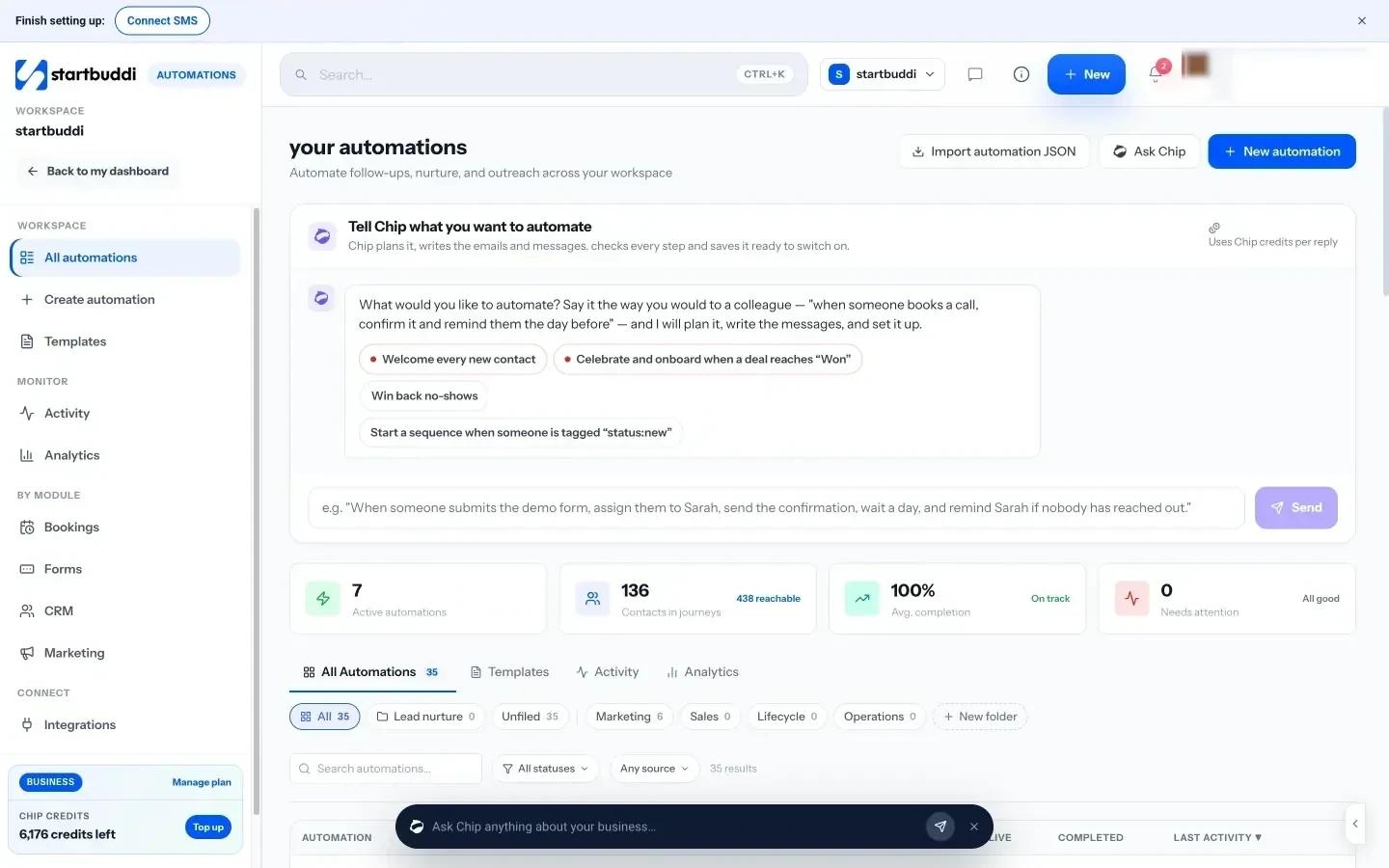
For a single contact, Nurture with Chip (in beta) drafts a short email sequence from that person’s real history. You choose the goal, the number of emails and the tone, edit the steps, and then enrol them or save it as a reusable automation. The app’s own guidance is a good rule of thumb: a good nurture is three to five emails, two to five days apart.
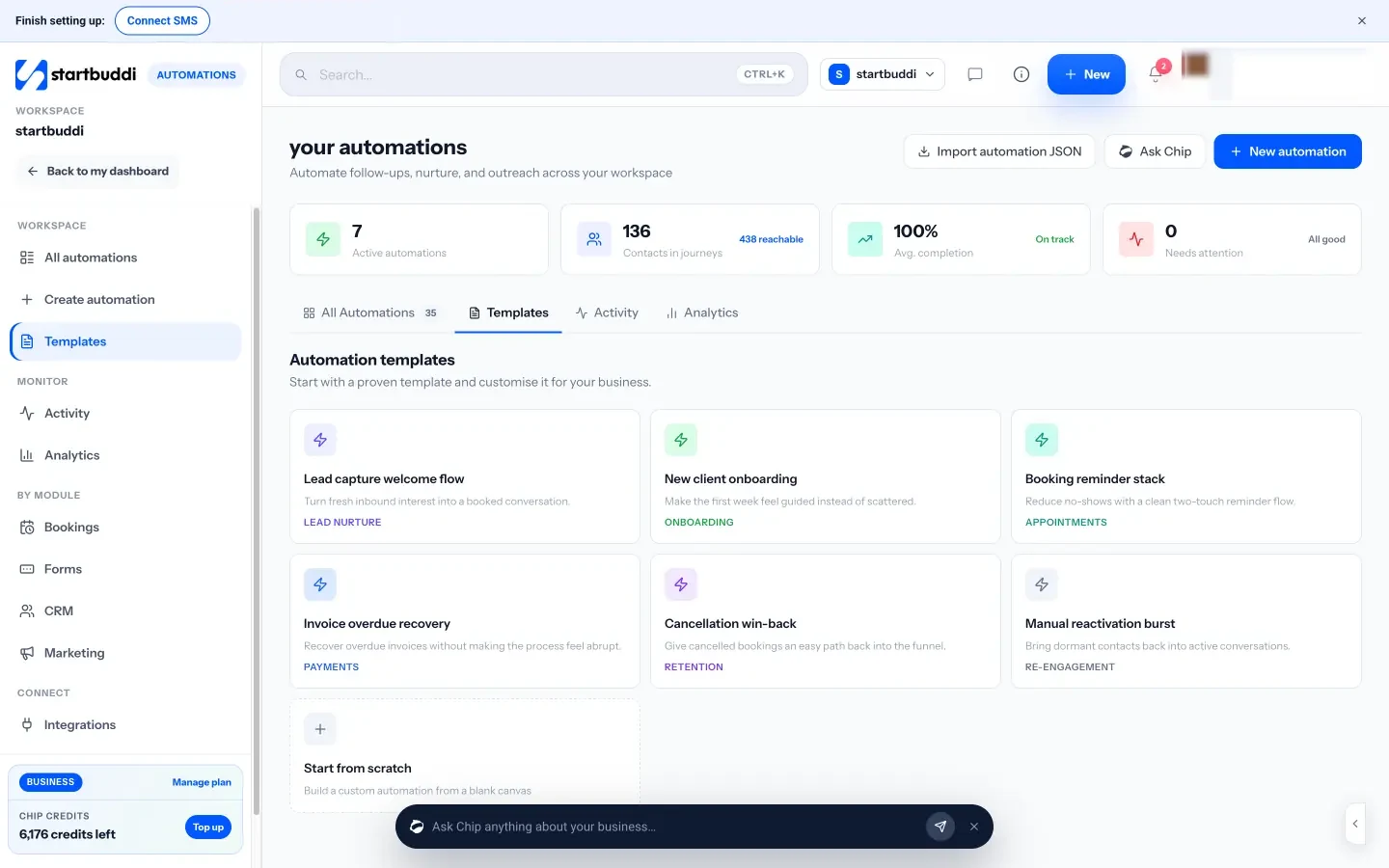
Because Forms, Contacts, the shared inbox and the pipeline are in the same place, replies arrive next to the lead’s record and deals can move when a contact replies. On the Growth plan, “Follow-ups on autopilot” lets Chip send due follow-ups for you, by WhatsApp while the conversation window is open or otherwise by email, stopping after two.
Free includes 2 active automations and Starter 10 (see pricing), WhatsApp and SMS steps need Starter, and every paid plan has a 30-day trial. See pricing, and our help article on building an automation sequence.
Your next step
Write the five messages above for your main enquiry form this week, in a plain document first. Once you’re happy with them, set them up as one automation and send yourself a test lead. For a wider view of how follow-up fits your whole client journey, read how to build a client follow-up system.
Sources
Frequently asked questions
How many messages should a follow-up sequence have?
Three to five is a good start for most service businesses. High-value or complex sales may need more touches over a longer period.
How far apart should follow-up messages be?
Close together at first, then wider: for example day 0, 1, 3, 6 and 10. Urgent services need hours, not days.
Should a follow-up sequence be automated?
Automate the reminders and routine messages, but keep at least one personal reply from a real person, and stop the sequence as soon as the lead replies.
What is the difference between a follow-up sequence and a drip campaign?
They overlap. A follow-up sequence is triggered by a lead's action and aims at one next step; a drip campaign is often a longer series sent on a schedule.
SEO Copywriter| Email growth Specialist| I help businesses increase revenue with strategic SEO content & high-converting email funnels.