Marketing automation vs manual outreach: which drives better results?
Automation wins on speed and consistency; manual outreach wins on judgement and trust. Here's a simple test to decide which of your tasks belong where.


Photo: Omotayo Tajudeen / Unsplash
- Automate the predictable, time-sensitive moments such as first replies, reminders and welcome emails, and keep people on high-value, sensitive or unusual conversations. Use a five-question test for each task, and let automations create reminders for the messages a person should write.
In the debate over marketing automation vs manual outreach, the honest answer is that neither wins on its own. Automation wins on speed and consistency: the welcome email that goes out in seconds, the reminder nobody forgets, the follow-up that happens on day three every time. Manual outreach wins on judgement and trust: the personal note to a big prospect, the call after a complaint, the message that reads the room. Small businesses get the best results when they automate the predictable moments and keep a human in the moments that decide the sale.
This post gives you a way to decide which is which. It looks at what the research says about each approach, where each one breaks, a simple scoring test you can run on any task, and a hybrid setup a one- or two-person business can run in an afternoon.
What we mean by marketing automation and manual outreach
Marketing automation means messages and actions that run on their own when something happens. Someone fills in a form, so they get a welcome email. A booking is made, so a reminder goes out the day before. An invoice goes overdue, so a polite nudge is sent. You set the rule once, and it runs for every person who meets it. Our glossary has a fuller definition of marketing automation.
Manual outreach is anything a person writes or does one at a time: a personal email, a WhatsApp message, a phone call, a LinkedIn note, a handwritten card. It can still use templates, but a human decides who gets it, when, and what it says.
Most businesses already use both without calling them that. The question isn’t which camp to join. It’s which job belongs to which approach.
What the evidence says about automation
The strongest case for automation is timing. In a well-known study for Harvard Business Review, researchers audited 2,241 US companies and found that firms that tried to contact a web lead within an hour were nearly seven times as likely to qualify that lead as firms that waited even an hour longer, and more than 60 times as likely as those that waited 24 hours or more (HBR, “The Short Life of Online Sales Leads”). The same study found the average response time was 42 hours, and nearly a quarter of companies never replied at all.
No small business owner can reply within an hour to every enquiry while also doing the work. An automated first reply can.
The second case is efficiency. Omnisend’s 2025 ecommerce marketing report, based on messages sent through its platform in 2024, found that automated emails made up just 2% of email volume but drove 37% of email-attributed sales. Welcome messages, abandoned cart emails and browse reminders did most of the work. That’s online retail data, so the exact numbers won’t transfer to a consultancy or a cleaning company, but the pattern holds: messages triggered by what a person just did tend to outperform messages sent to everyone at once.
Where automation breaks down
Automation fails in predictable ways, and each one costs trust.
- It can’t read context. An automated “still interested?” email to someone who complained yesterday makes things worse.
- It repeats mistakes at scale. A wrong merge tag or a broken link goes to every contact, not just one.
- It feels generic. People can tell when a “personal” message was written for a list.
- It needs consent. Automated marketing to people who never agreed to hear from you can break the law. In the US, the FTC’s CAN-SPAM guide requires an honest subject line, your postal address and an opt-out honoured within 10 business days, with penalties per email. In the UK, the ICO’s guidance on electronic mail marketing says you generally need specific consent to email or text individuals, with a limited “soft opt-in” for existing customers. Check the rules where you are.
- It goes stale. A sequence written two years ago may still promote a price or offer you’ve dropped.
Where manual outreach breaks down
Manual outreach has its own failure modes, and for most small businesses they are the bigger problem.
- It depends on your memory. The follow-up you meant to send on Thursday didn’t happen because a client emergency did.
- It’s slow. By the time you reply to a weekend enquiry on Monday, they’ve booked someone else.
- It’s inconsistent. Busy weeks get no outreach at all, and quiet weeks get a burst. Your pipeline swings with your workload.
- It doesn’t scale. Writing 200 individual messages is a day’s work. Writing them well is two.
The pattern: manual outreach is better at each single message, but worse at making sure every message happens.
Marketing automation vs manual outreach: a side-by-side comparison
| Marketing automation | Manual outreach | |
|---|---|---|
| Speed of first reply | Seconds, any time of day | Whenever you next check |
| Consistency | Same quality every time | Varies with your week |
| Personalisation | Names and details you’ve stored | Full context and judgement |
| Cost per message | Close to zero once built | Your time, every time |
| Set-up effort | Hours up front, then small fixes | None up front, ongoing effort |
| Risk | Mistakes repeat at scale | Things get forgotten |
| Best for | Predictable, time-sensitive, repeated moments | High-value, sensitive or unusual moments |
Which drives better results? A five-question test for any task
Instead of arguing in general, score each outreach task you do. Take something specific, like “reply to a new enquiry” or “check in after a finished project”, and ask five questions.
- Does it happen the same way most times? If the message is 80% the same for everyone, automate it.
- Does speed matter? If a slow reply loses the customer, automate at least the first touch.
- How much is one customer worth? If a single deal is worth thousands, a human should handle the key moments.
- Is it emotionally sensitive? Complaints, refunds, bad news and apologies should always be personal.
- Do you keep forgetting it? If you’ve skipped it more than once this month, automate the reminder, even if a person sends the message.
Three or more answers pointing to automation means automate it. Mostly the other way, keep it manual. Split down the middle, use the hybrid: automate the trigger and the draft, and have a person approve or personalise it.
How common tasks usually score
| Task | Usually best as | Why |
|---|---|---|
| Reply to a new form enquiry | Automated first reply, then manual | Speed matters; the real conversation needs a person |
| Booking confirmation and reminder | Automated | Identical every time, and timing matters |
| Proposal follow-up for a large deal | Manual, with an automated reminder to you | High value, needs context |
| Overdue invoice nudge | Automated first nudges, manual after that | Early reminders are routine; later ones need tact |
| Welcome series for new subscribers | Automated | Same for everyone, spread over days |
| Complaint or refund | Manual | Emotion and judgement |
| Win-back of quiet customers | Automated for the list, manual for your top ten | Scale for most, a personal touch for the few that matter most |
The hybrid model: automate the reminder, personalise the message
The setup that works for most small businesses has three layers.
Layer 1: fully automated moments
These are the messages nobody should write by hand: form confirmations, booking reminders, receipts, welcome emails and the first overdue-invoice nudge. Set them up once, test them, and review them every quarter. Our list of automations every service business should set up in week one is a good starting set.
Layer 2: automated triggers, human messages
Here the system notices the moment and tells you, but a person writes the message. Examples: “a lead opened your proposal twice”, “a customer hasn’t booked in 60 days”, “a deal has gone quiet for a week”. The automation creates a task or notification, and you send a short personal note. This keeps the speed of automation and the warmth of a real message.
Layer 3: fully manual, high-stakes outreach
Your biggest prospects, your unhappy customers, and anyone who has replied to an automated message. Once someone replies, the automation should step aside and a person should take over. For wording that doesn’t feel pushy, see how to follow up with leads without being pushy.
A worked example: a small design studio
Take a two-person brand design studio in Cape Town that gets around 30 enquiries a month through its website form, quotes in rand and US dollars, and closes about one in five. Before, both founders replied to enquiries “when they had a minute”, which in a busy week meant two or three days.
Here is how they split the work after running the test:
- Automated: an instant reply to every form enquiry with a short note, three examples of past work and a booking link for a 20-minute call. A reminder the day before each call. A thank-you email after the call with the next step.
- Automated trigger, human message: if a quote hasn’t been accepted after five days, a task lands on the founder who sent it, who then writes a two-line personal check-in.
- Manual: the quote itself, any enquiry over a set budget, and every reply to an automated message.
Nothing here is clever. The difference is that every enquiry now gets an answer within minutes, and every quote gets a follow-up, without either founder having to remember it.
Mistakes to avoid when you mix the two
- Automated and manual messages crossing. If you personally email a lead, make sure your automation stops too, or they’ll get your note and a generic follow-up on the same day.
- Pretending automation is personal. “Just thinking of you!” sent to 500 people fools nobody. Be friendly, but honest about what the message is.
- Automating before you’ve done it by hand. Send a message manually ten times first. You’ll learn what people ask, and your automated version will be far better.
How to measure which approach is working
You won’t know whether automation or manual outreach works better for you unless you measure. Keep it to a few numbers, checked monthly.
- First response time to new enquiries. Aim for minutes, not hours.
- Reply rate on automated messages compared with manual ones.
- Conversion rate from enquiry to paying customer, split by how they were followed up.
- Unsubscribe and complaint rate. A rising number means an automation is too frequent or too generic.
- Hours spent on outreach per week. Automation should push this down without pushing the others the wrong way.
Change one thing at a time. If you rewrite a sequence and change who receives it in the same week, you won’t know which change made the difference.
How startbuddi helps
startbuddi runs both sides from the same contact records, so an automated message and a personal reply land on one timeline. Automations are included from the Starter plan up. The Free plan doesn’t include the Marketing module or Automations, so you’d follow up by hand there.
One engine for the automated layer
Automations handles form follow-ups, booking reminders, invoice chasers and nurture journeys in one place. You can start from a template (such as Lead capture welcome flow, Booking reminder stack or Invoice overdue recovery), build from scratch on a canvas, or describe what you want in plain words and let Chip draft the flow and write the messages. Chip saves what it builds as an inactive draft, so nothing goes live until you switch it on. Before activation, a review shows how many contacts can be reached and how many are suppressed, for example because they unsubscribed.
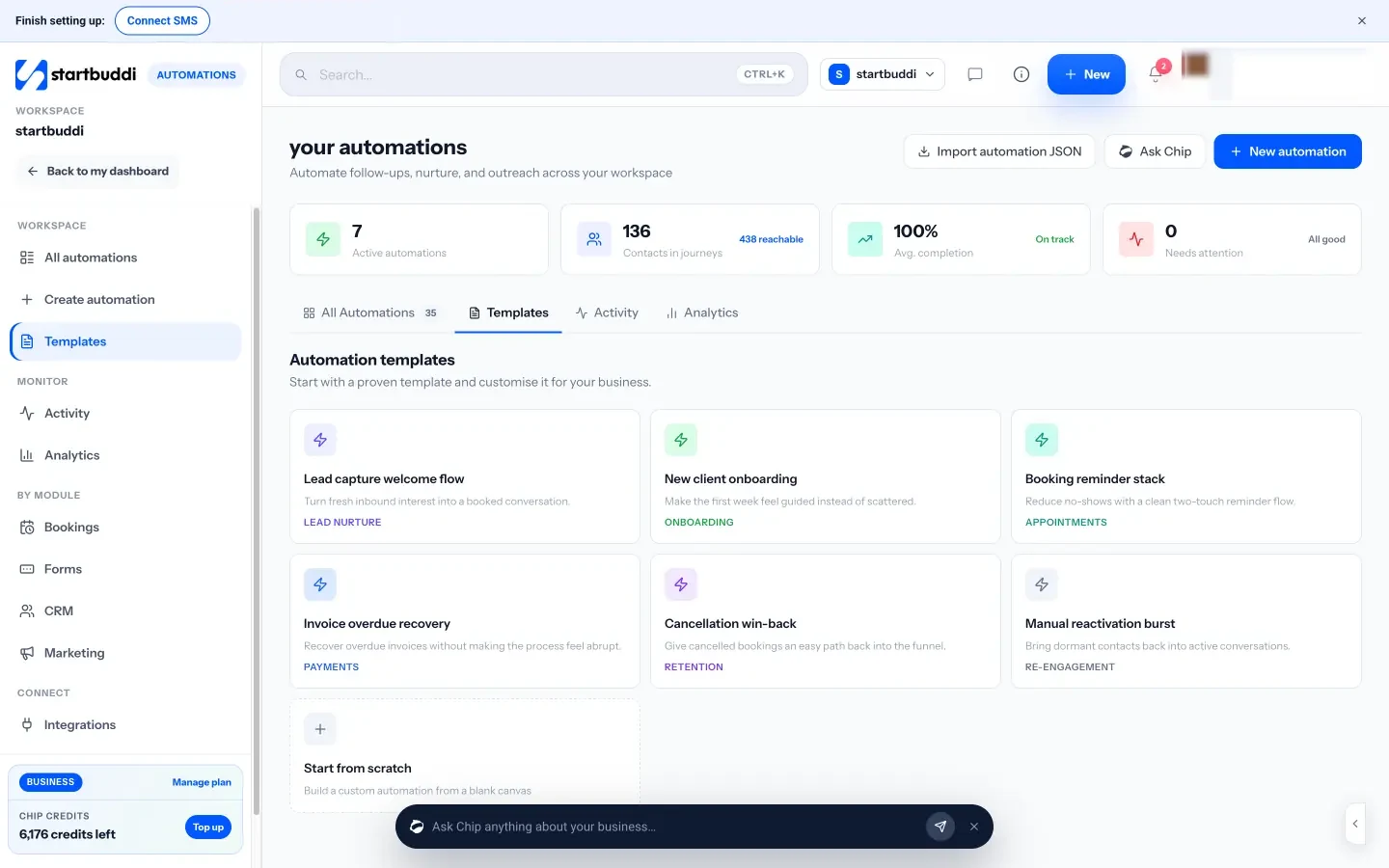
For the hybrid layer, steps such as Create task, Notify the team and Assign to teammate turn an automation into a prompt for a person to act. A “Wait for their reply” step pauses the flow until the contact writes back, and an “Exit when” rule lets people leave a flow early. Each plan has a monthly allowance of automation runs (for example 250 on Starter and 2,000 on Growth), so it’s worth automating the moments that matter rather than everything.
One inbox for the manual layer
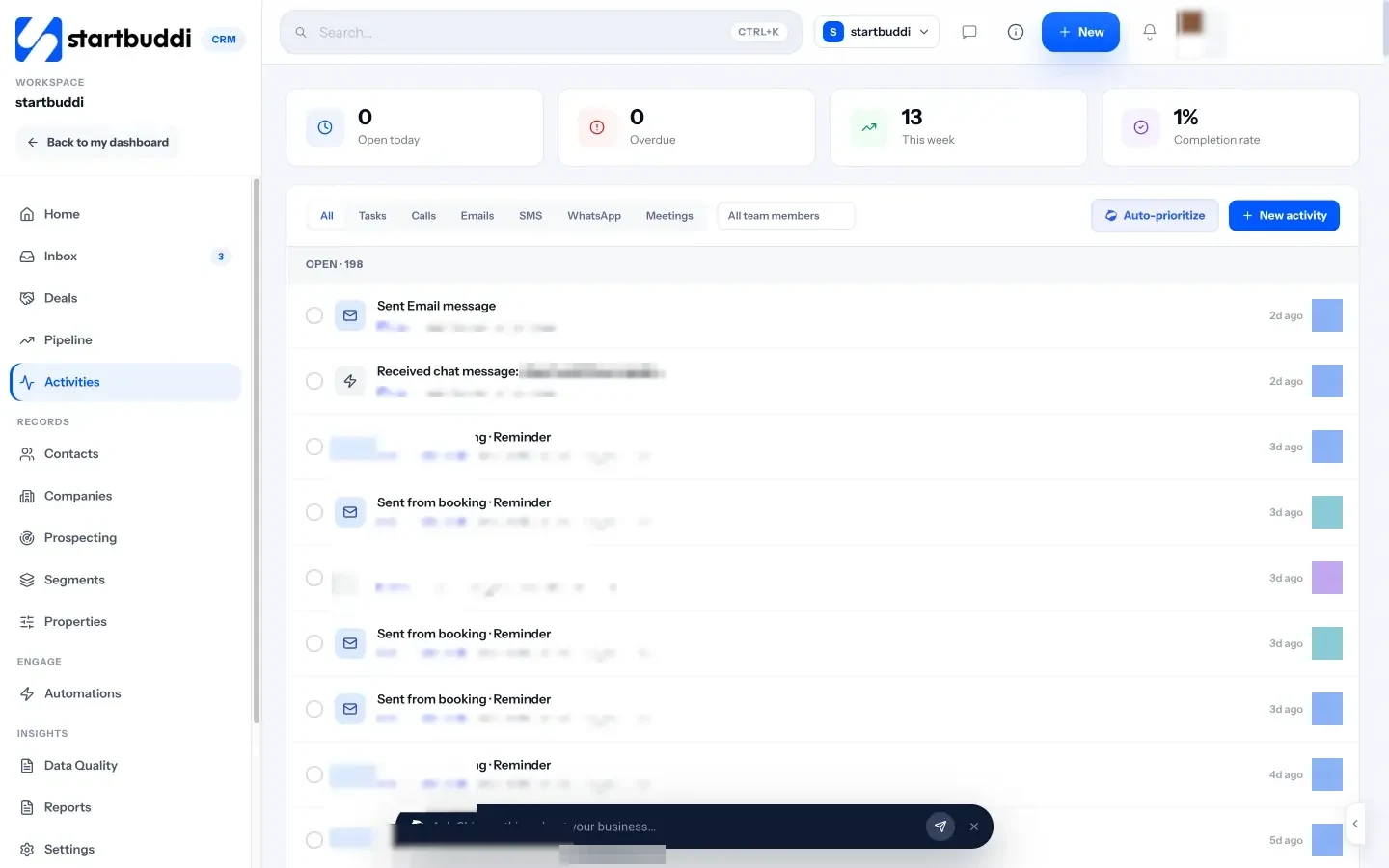
Replies and personal conversations live in the Inbox, which brings email, website live chat, WhatsApp, SMS, Facebook and Instagram messages together, with assignment to teammates. Activities in Customers lists the calls, emails, meetings and tasks around each contact, so you can see what happened automatically and what a person did.

For email campaigns and broadcasts, see Email marketing. To go deeper on multi-step flows, read how to set up CRM automation workflows.
Your next step
List every outreach task you did last week, run each one through the five-question test, and pick the single task that scored highest for automation. Build that one first, test it on yourself, and leave the rest manual for now. If you’d like to build it in startbuddi, check what each plan includes on the pricing page; paid plans come with a 30-day trial.
Sources
- Harvard Business Review: The Short Life of Online Sales Leads (2011)
- Omnisend: 2025 Ecommerce Marketing Report
- US Federal Trade Commission: CAN-SPAM Act compliance guide for business
- UK Information Commissioner’s Office: Electronic mail marketing
Frequently asked questions
Is marketing automation worth it for a very small business?
Usually yes, for a handful of moments: first replies to enquiries, booking reminders and invoice nudges. Start with one automation that saves you the most forgetting, not a full system.
Will automated messages make my business feel impersonal?
Only if you automate the wrong things. Keep automated messages short and useful, write them in your own voice, and hand over to a person the moment someone replies.
How many follow-ups should an automated sequence send?
For most service businesses, two to four messages over one to two weeks is plenty. Stop the sequence as soon as the person replies, books or buys.
Can I automate outreach to people who never signed up?
Be careful. Many countries require consent for marketing email and texts to individuals. Check the rules where you are, and send automated marketing only to people who agreed to hear from you.
Olabimpe Salami is the email and outreach specialist at startbuddi. Olabimpe writes about the messages that bring customers in and back: email, WhatsApp and SMS campaigns, follow-ups, and turning enquiries into paying clients.
Runs email and outreach at startbuddi