How to integrate your CRM with your website (no code needed)
Connect your forms, booking page and live chat to one contact list so every website enquiry lands in your CRM and gets an instant reply.


Chinonye wrote this while on the startbuddi team. The product has changed since, so the team updated it on .
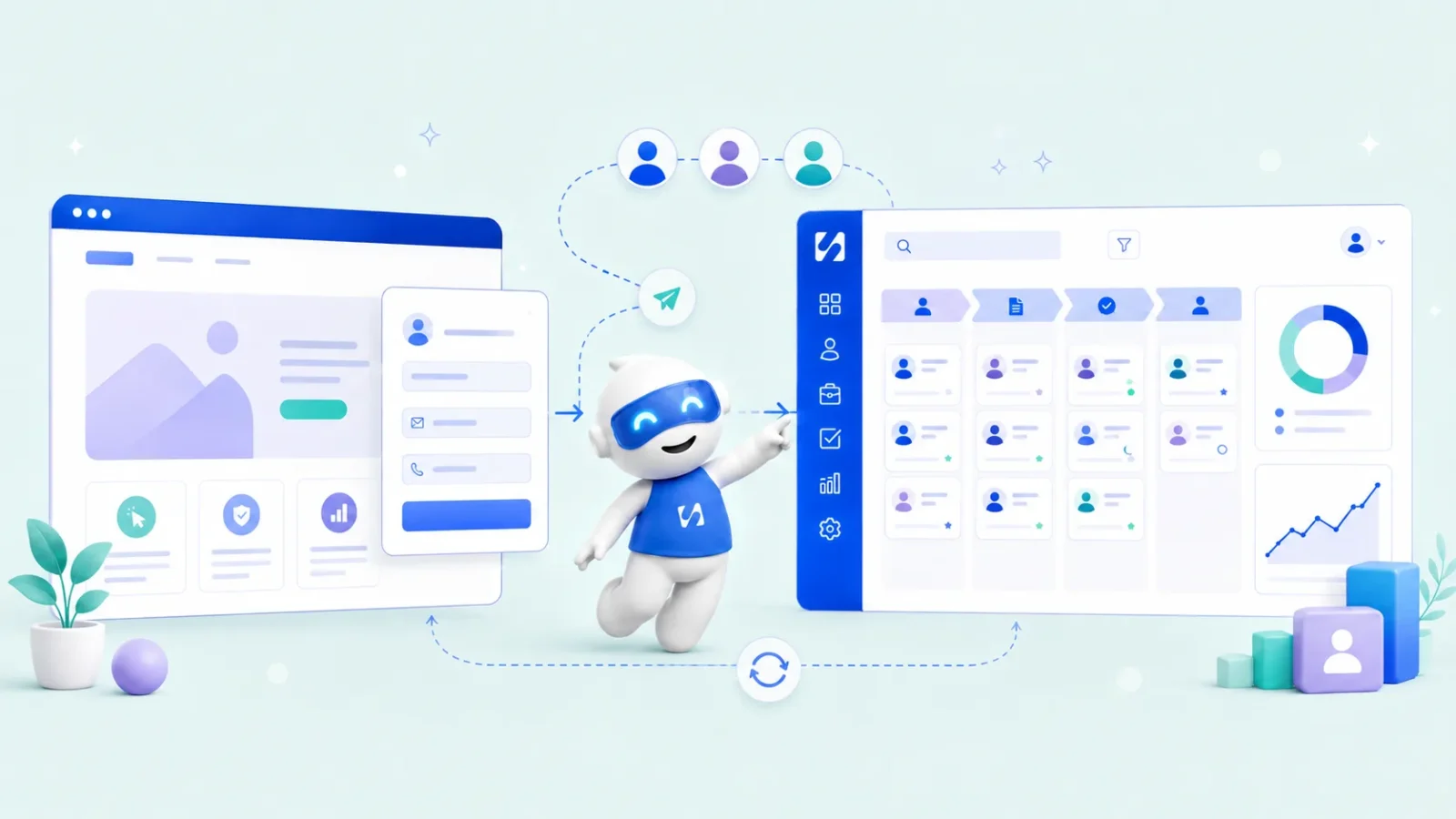
- To integrate a CRM with your website, route every contact point (forms, booking pages, live chat, landing pages) into one contact list, map answers to contact fields, send an instant confirmation and alert a person to follow up. Ask for marketing consent separately and test the whole flow after every change.
To integrate your CRM with your website, connect every place a visitor can contact you (contact forms, booking pages, live chat and signup pages) so each enquiry lands in your CRM as a contact automatically, then set up an instant reply and a follow-up for each one. For most small businesses that means embedding forms, a booking page and a chat widget from the same system as your contact list, rather than building a custom connection between separate tools.
If you still copy names from website emails into a spreadsheet, this guide is for you. It explains the ways a website and a CRM can connect, the step-by-step setup, what to test before going live, and the consent rules to respect. It’s written for founders, not developers, so no code is required for anything that follows.
Why integrate your CRM with your website?
When your website and your contact list aren’t connected, every enquiry goes through the same fragile routine. Someone fills in your contact form. You get an email. Later, you copy their details into your CRM or a spreadsheet. A day passes before you reply. By then they’ve contacted someone else.
Speed matters more than most people think. In research published in Harvard Business Review, based on more than a million online sales leads, firms that tried to contact a lead within an hour were nearly seven times as likely to have a meaningful conversation with a decision maker as those that waited even one more hour. The same study found many firms took far longer, and some never replied at all.
Connecting your website to your CRM fixes three things at once:
- No lost enquiries. Every form, booking and chat creates or updates a contact, whether or not you saw the email.
- Faster replies. An automatic confirmation goes out straight away, and you get a task or alert to follow up.
- Better records. You see where each contact came from, what they asked and what happened next, without typing anything.
The main ways to connect a website to a CRM
There are five common methods. Most small businesses use two or three of them together.
| Method | How it works | Good for | Skill needed |
|---|---|---|---|
| Embedded form from your CRM | Paste the form’s embed code or link on your site; answers go straight to your contacts | Contact, quote and signup forms | Copy and paste |
| Booking page | Link or embed a booking page; each booking creates a contact and an appointment | Service businesses, consultants, coaches | Copy and paste |
| Live chat widget | Add one line of code; chats arrive in your inbox, linked to the visitor | Questions before buying | Copy and paste |
| Point your own form at the CRM | Keep your site’s existing form design and send submissions to a form endpoint | Custom-built sites | Basic HTML |
| Custom connection | A developer links two separate systems through their APIs or a third-party connector | Larger companies with separate tools | Developer |
The first three need no technical skill. The last one is where cost and breakages creep in: every connection between two separate tools is one more thing that can stop working quietly. If you’re a small team, it’s usually simpler to use a CRM whose forms, booking page and chat widget are built in, so there’s nothing to connect.
Step 1: list every way people contact you through your website
Before you connect anything, map what you have. Go through your site page by page and note every place a visitor can reach you:
- Contact or “get a quote” forms
- Newsletter or waitlist signups
- “Book a call” or appointment links
- Chat widgets or WhatsApp buttons
- Email addresses and phone numbers shown on the page
- Landing pages for ads or promotions
For each one, write down where enquiries go today (an inbox, a spreadsheet, nowhere) and who checks it. You’ll usually find at least one form sending emails to an address nobody reads anymore. The goal is simple: every route should end in one contact list.
Don’t forget the places outside your website that point to it, such as the link in your social profiles, your email signature and your Google listing. If they send people to a form or booking page, those enquiries should reach the same list too.
Step 2: choose a CRM that connects without code
If you don’t have a CRM yet, pick one that makes the website side easy. Check that it has:
- Forms you can embed by link, embed code or popup button, with answers saved to contacts.
- A booking page that creates contacts from appointments, if you take bookings.
- A chat widget whose conversations land in the same inbox as your email and messages.
- Duplicate handling, so a returning visitor updates their existing record instead of creating a second one.
- Automatic follow-up, such as a confirmation email and a task for you when a form comes in.
If you’re still deciding, our guide on how to choose a CRM goes through the wider checklist, and what is a CRM covers the basics.
Step 3: connect your contact forms
Forms are the heart of CRM website integration. Replace your old contact form with one from your CRM, or point your existing form at it.
Decide what to ask
Keep it short. Name, email or phone, and one question about what they need is enough for most enquiries. Every extra field costs you some submissions. You can ask more on the first call. Our post on building a lead capture form covers field choice in detail.
Map answers to contact fields
Make sure each answer goes to the right place on the contact record: email to email, phone to phone, “what service?” to a field or tag you can filter by. This is what turns form answers into a usable contact list rather than a pile of emails.
Choose how to put it on your site
- Embed the form inside a page, so it looks part of your site.
- Popup button, such as “Get a quote”, that opens the form over the page.
- Direct link from buttons, emails and social profiles.
- Your own HTML form sending to a form endpoint, if your site is custom-built and you want to keep the design.
Step 4: add booking and live chat
Forms catch people who want to write. Two other routes catch people who want to act or ask.
Booking pages suit anyone who sells time: consultants, coaches, salons, repair services. Instead of “contact us to arrange a call”, visitors pick a slot. Each booking should create or update a contact, with the answers to your booking questions saved on the record. Link to the booking page from your main buttons, or embed it on a “Book” page.
Live chat suits visitors with a question they want answered before they commit. Once the widget is installed, conversations should arrive in the same inbox as your email and messages, linked to the visitor’s contact. Decide when to ask for their name and email: before the chat, after their first message, or only before handing over to a person.
Step 5: set up the follow-up
A contact landing in your CRM is only half the job. The integration pays off when something happens next, straight away:
- An instant confirmation to the person: “Thanks, we’ve got your request and will reply by tomorrow midday.”
- An alert or task for you, so a real person follows up the same day.
- A short follow-up sequence for people who don’t reply: a useful message after two days, another after a week.
- A stage or tag that shows where the enquiry stands, such as New, Contacted or Quote sent.
Our post on how to follow up with leads has a two-week schedule and message templates you can plug into these steps.
Step 6: respect consent and privacy
Collecting someone’s details to answer their enquiry is not the same as permission to send them marketing. Rules differ by country, but the principles are similar:
- Ask for marketing consent separately, with an unticked checkbox such as “Send me occasional tips and offers”. Don’t bundle it into the submit button.
- Say what you’ll do with their details and link to a privacy policy near the form.
- Make unsubscribing easy and honour it quickly.
In the UK, the Information Commissioner’s Office says you generally can’t send marketing emails to individuals without their specific consent, with a limited exception for existing customers. In the US, the FTC’s CAN-SPAM compliance guide requires a clear way to opt out and says opt-outs must be honoured within 10 business days. In Nigeria, see the Nigeria Data Protection Commission. This is general information, not legal advice, so check the rules where you and your contacts are.
Step 7: test the whole flow before you rely on it
Before you tell anyone the new setup is live, run through it as a visitor:
- Fill in each form on your site with a test name and your own email.
- Check the contact appears in your CRM with every field in the right place.
- Check the confirmation email arrives and reads well on a phone.
- Check you received the alert or task.
- Submit the same form again with the same email and check it updated the record rather than creating a duplicate.
- Book a test appointment and start a test chat, then check both reached the same contact list and inbox.
Also ask a friend to try it on their phone. They’ll spot confusing questions, slow pages or a confirmation that lands in spam, things you stop noticing on your own site. Fix what they find, then test once more.
Repeat the test whenever you change a form or redesign a page. A form that quietly stopped sending is one of the most expensive bugs a small business can have, because you don’t notice what you never received.
Common mistakes with CRM website integration
| Mistake | What goes wrong | Fix |
|---|---|---|
| Forms from three different tools | Contacts split across systems | Use one source for all website forms |
| Long forms | Fewer enquiries | Ask only what you need for the first reply |
| No instant confirmation | Visitors unsure it worked, and they contact competitors | Automatic thank-you with a reply time |
| Nobody owns follow-up | Contacts pile up unanswered | An alert or task to a named person |
| Marketing consent assumed | Complaints and legal risk | Separate, unticked consent checkbox |
| Never retesting | Broken forms go unnoticed | Test after every website change |
How startbuddi connects your website to your contacts
In startbuddi, the forms, booking pages, chat widget and landing pages are part of the same account as your contacts, so there’s nothing to wire together.
- Forms. Build a form or let Chip draft one from a sentence in Forms. Share it as a direct link, an iframe embed, a popup button or a QR code, or keep your own HTML form and send it to a startbuddi form endpoint. Every response is saved, and you can add or update the submitter in your contacts, map answers to contact fields, mark a checkbox as marketing consent, email a confirmation and get an email on each new submission.
- Booking pages. Bookings gives you a booking link, an embed code and a QR code. Each booking creates or updates a contact.
- Live chat. The live chat widget goes on your site with one line of code, and conversations land in your Inbox under Website chat.
- Landing pages. Pages built in Publish send form submissions to your contacts with the source page saved.
- Follow-up. Automations can start when a form is submitted or a booking is made, then send an email, SMS or WhatsApp message, wait, or create a task. Free includes 2 active automations, and Starter allows 10.
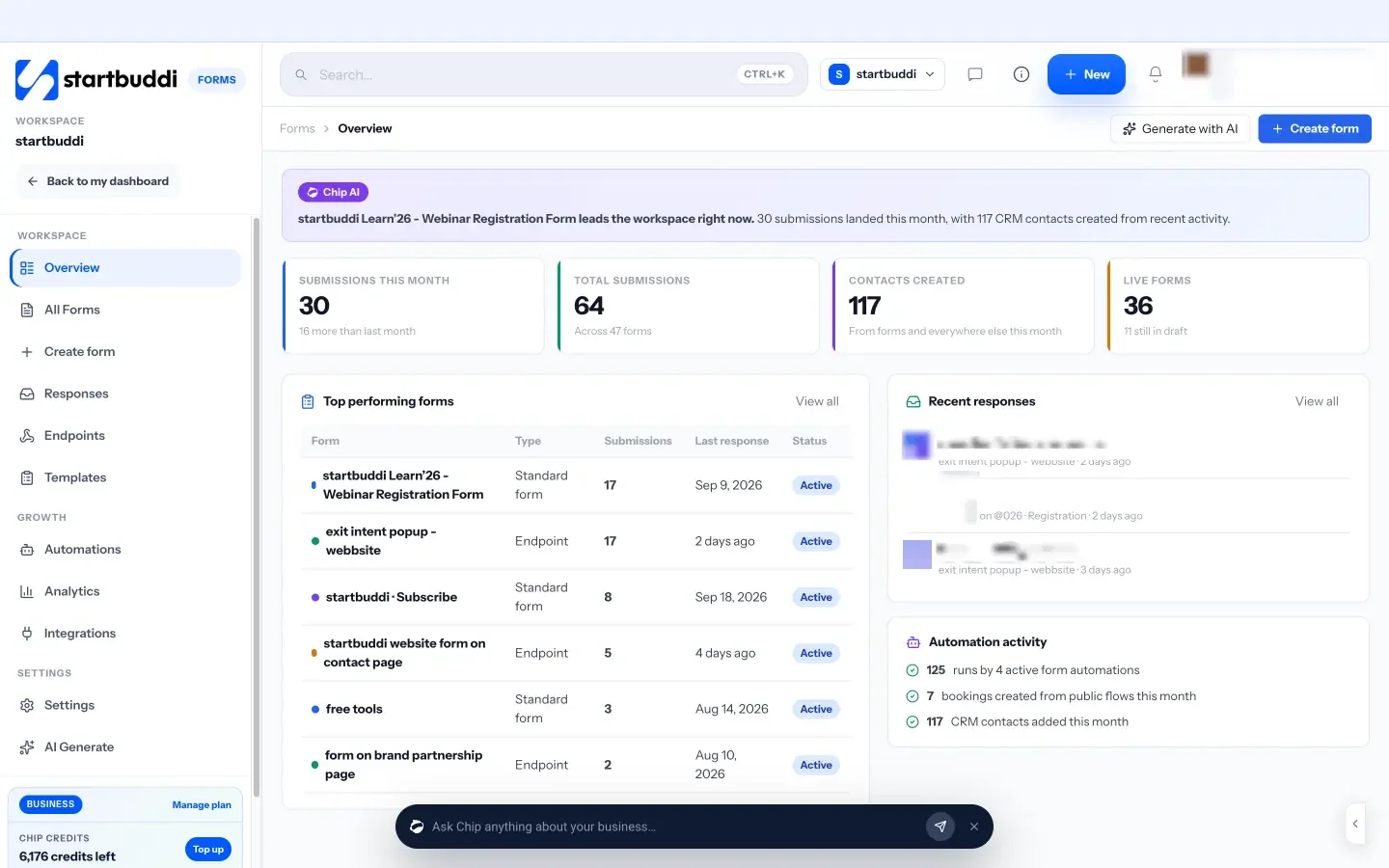
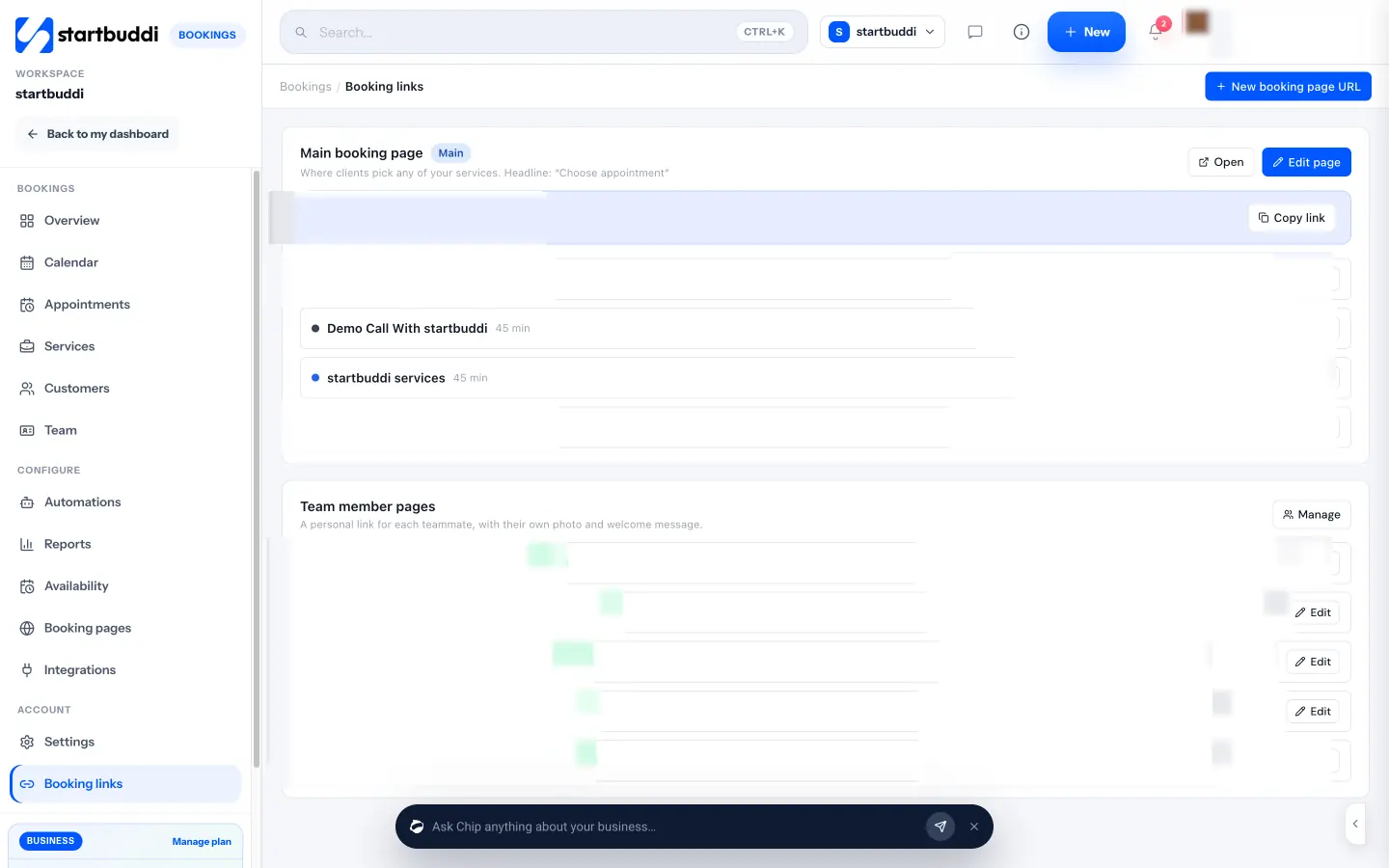
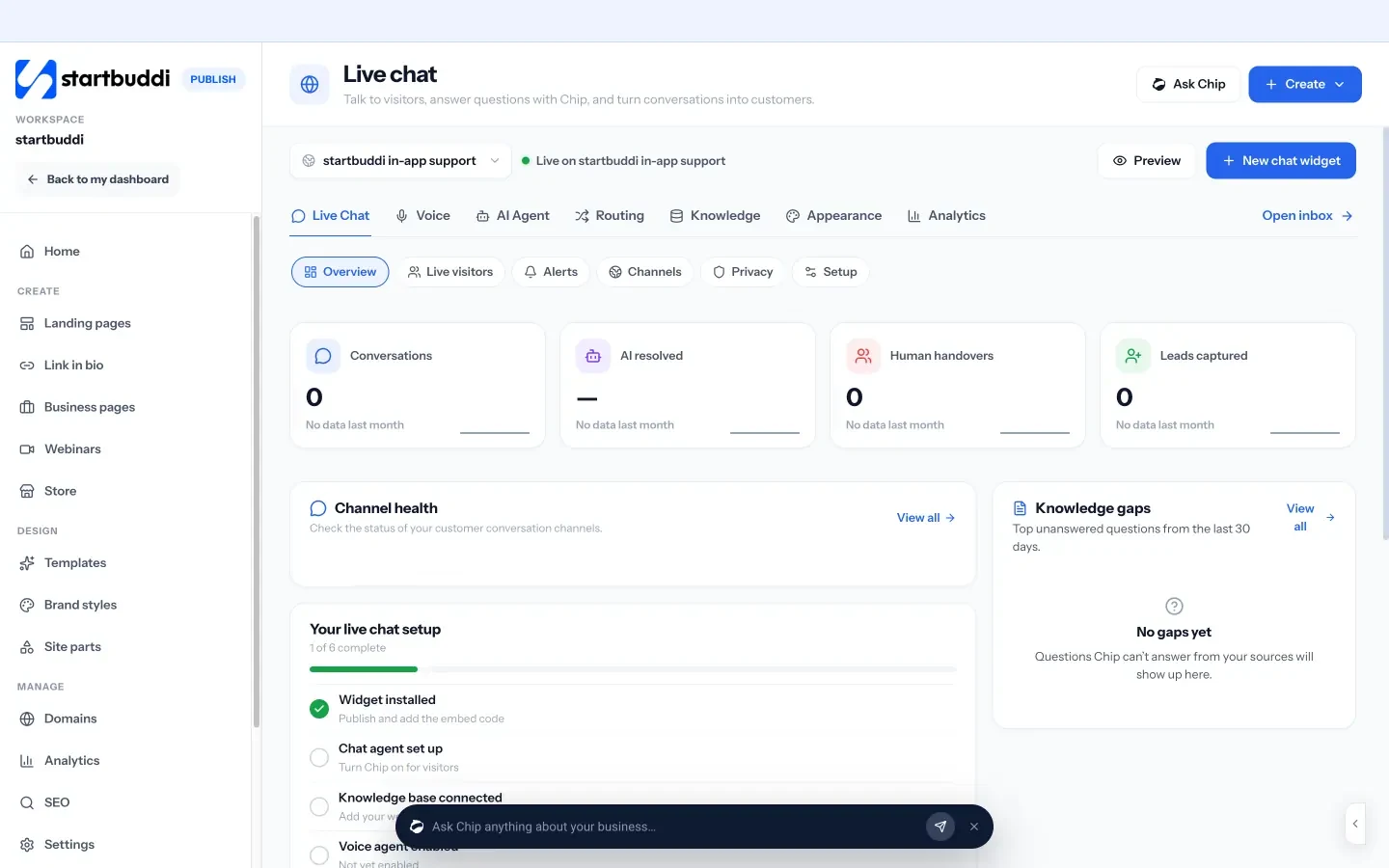
Step-by-step help: embed a startbuddi form on your website and add live chat to your website.
Your next step
Today, list every way visitors can contact you on your website and where each one goes. Pick the busiest route, usually the contact form, and connect it to your contact list first, with an instant confirmation. When it works, move the rest. To do it all from one account, start free with startbuddi: the Free plan includes one form and up to 250 contacts.
Sources
- Harvard Business Review: The Short Life of Online Sales Leads
- Information Commissioner’s Office: Electronic mail marketing
- FTC: CAN-SPAM Act compliance guide for business
- Nigeria Data Protection Commission
Frequently asked questions
What does it mean to integrate a CRM with a website?
It means enquiries from your website, such as forms, bookings and chats, create or update contacts in your CRM automatically instead of being copied by hand.
Do I need a developer to connect my website to a CRM?
Not if your CRM has embeddable forms, a booking page and a chat widget. You copy a link or a line of code into your site builder. Custom connections between separate tools usually need a developer.
Can I keep my existing website form?
Often yes. Some CRMs let you point your own HTML form at a form endpoint, so you keep the design and submissions still land in your contacts.
Can I send marketing emails to everyone who fills in my contact form?
Not automatically. In many countries you need separate consent for marketing. Add an unticked opt-in checkbox and check local rules.
SEO Copywriter| Email growth Specialist| I help businesses increase revenue with strategic SEO content & high-converting email funnels.