How to build a website for your business in Nigeria (without coding)
A step-by-step way to get a business website live in Nigeria without code: what it must do, choosing a builder, getting a .ng domain, writing it and getting found.

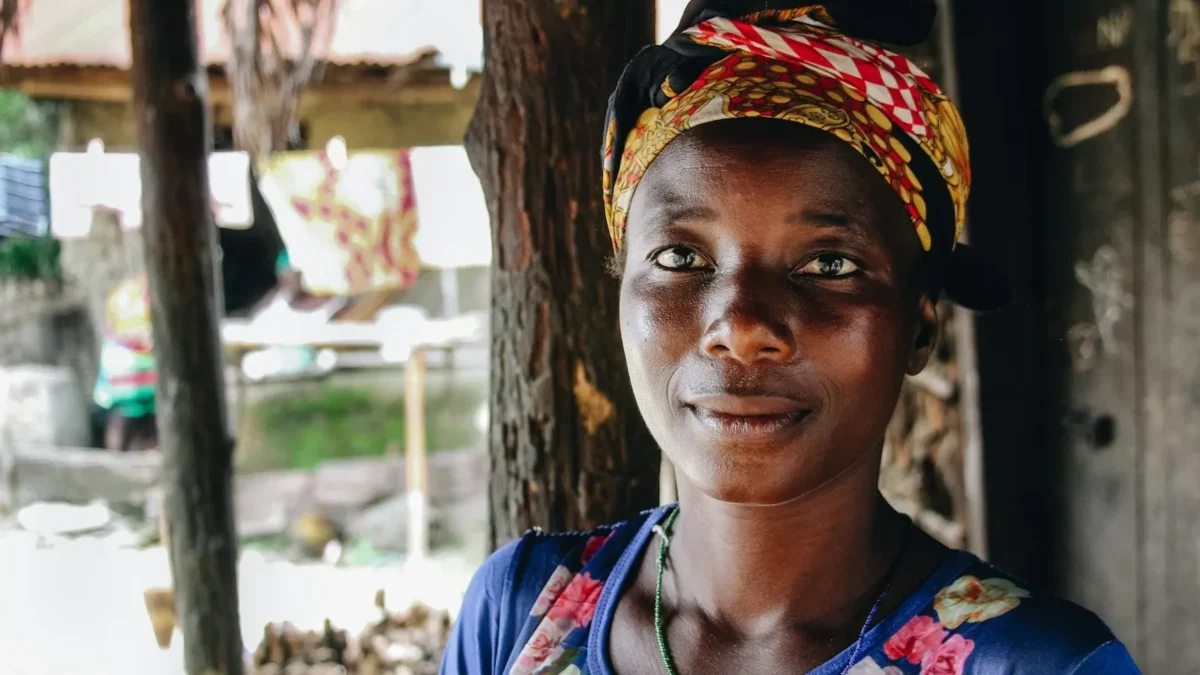
Photo: Joshua Hanson / Unsplash
- To build a website for your business in Nigeria without coding, decide the one job your site must do, pick a no-code builder, register a .com.ng, .ng or .com domain through a registrar, write clear words with prices, build for phones, add a privacy policy and share the link everywhere.
You can build a website for your business in Nigeria without writing a line of code. Pick a no-code builder, decide what the site must do (take enquiries, show prices, sell, or take bookings), write the words, add real photos, connect a domain name and publish. For most small businesses, a focused one-page site that loads fast on a phone and has a WhatsApp button will do more than a ten-page site nobody finishes.
This guide walks through each step in order: what your site needs, how to choose a builder, how to get a .ng or .com domain, what to write, the privacy rules to follow, and how to get found. It is written with Nigerian businesses in mind, but the steps work the same in Accra, Nairobi, London or Toronto.
Why a website still matters when you sell on WhatsApp and Instagram
Plenty of Nigerian businesses run happily on WhatsApp and Instagram. So why bother with a website? Three reasons.
- People check before they pay. A customer who finds you on Instagram will often search your name before sending money. A proper page with your address, prices and contact details answers the question “is this business real?”
- You own it. Social platforms change their rules, and accounts get restricted. A website on your own domain stays yours.
- Google can find it. Social posts rarely show up when someone searches “tailor in Ikeja” or “event planner Abuja”. A page with clear words about what you do and where you are can.
Your customers are already online. The Nigerian Communications Commission counted about 153.8 million internet subscriptions in March 2026, as ThisDay reported. Almost all of that traffic is on phones, which shapes every decision below.
Decide what your website has to do
Before you open any builder, write one sentence: “When someone visits my site, I want them to ___.” Fill the blank with one action. Everything else follows from it.
| Your business | The one job of the site | What that needs |
|---|---|---|
| Caterer, restaurant, bakery | Get orders or event enquiries | Menu with prices, WhatsApp order button, quote form |
| Salon, barber, spa | Get bookings | Service list with prices and times, booking button |
| Consultant, agency, freelancer | Get qualified enquiries | Services, past work, a short enquiry form |
| Fashion or beauty seller | Sell products | Product photos, prices, checkout or WhatsApp enquiry |
| Estate agent | Get viewing requests | Listings with photos and a “request a viewing” form |
| Coach or trainer | Fill a programme or event | Clear offer, dates, sign-up form, payment |
One page or several?
A multi-page site (Home, About, Services, Contact, Blog) makes sense when you have lots to say, want to publish articles for search, or run several distinct services. A single page with sections works better when you have one main offer and limited time. You can always start with one page and add more later. Starting small means you actually publish, which beats a perfect site that stays a draft for six months.
Choose a no-code website builder
A website builder gives you templates, a drag-and-drop editor and hosting in one package, so you never touch code or servers. The main types are:
- General website builders such as Wix and Squarespace: multi-page sites with a visual editor, blog and add-ons.
- WordPress: very flexible, either hosted for you at WordPress.com or installed on your own hosting. More choice, more to maintain.
- Store builders such as Shopify: built around products, carts and orders.
- Page and business tools: landing pages, link in bio pages, digital menus and business cards that sit alongside your other business tools.
Prices change often and many plans are billed in dollars, which matters when the naira moves. Check each provider’s own pricing page before you commit, and read our researched list of the best website builders for small business or the startbuddi vs Wix comparison if you want a side-by-side view.
Questions to ask before you pick one
- Can customers pay in naira? If you plan to sell, check the builder works with a Nigerian gateway such as Paystack or Flutterwave, not only international card processors.
- How does it look on a cheap Android phone? Preview the template on your own phone, on mobile data, not on office Wi-Fi.
- Where do enquiries go? A form that emails you is fine at first. A form that saves each person as a contact you can follow up is better.
- Can you connect your own domain? And is that included, or an extra?
- Can you leave? Find out whether you can export your content if you switch later.
Get a domain name in Nigeria: .ng, .com.ng or .com
Your domain is your web address, such as adaevents.com.ng. You rent it yearly from a registrar. In Nigeria, the .ng family is run by the Nigeria Internet Registration Association (NiRA), which does not sell names itself: you buy through one of its accredited registrars. For .com and other global endings, any international registrar works.
- .com.ng tells visitors you are a Nigerian business and is usually cheaper than a plain .ng.
- .ng is shorter and looks clean, but tends to cost more.
- .com is familiar worldwide, useful if you sell to customers abroad.
Tips for choosing: keep it short, easy to spell when you say it on the phone, and free of hyphens. Register it in your own name or your business’s name, not a web designer’s, and switch on auto-renew so it never lapses. Once you have it, your builder will show you a DNS record to copy into your registrar’s settings. That record points the domain at your site.
Write the words before you design
Most DIY sites stall because the owner starts with colours and fonts. Start with the words instead. Open a notes app and answer these, in plain language:
- Headline: what you do and for whom. “Wedding and event catering in Lagos, for 50 to 500 guests” beats “Welcome to our website”.
- Three reasons to choose you: specific ones. “Tasting session before you book” is better than “quality service”.
- What you offer and what it costs: at least “from” prices. Hidden prices cause a flood of “how much?” messages.
- Proof: photos of real work, client names (with permission) or reviews.
- How it works: three steps from first message to finished job.
- Where you are and when you open: address or service area, hours, phone and WhatsApp number.
- The action: one clear button, such as “Order on WhatsApp”, “Book a fitting” or “Get a quote”.
Use your own photos where you can. Stock images of smiling strangers make a small business look less real, not more.
Build it for phones and slow networks
Most visitors will arrive on a phone, often on mobile data. Google’s research found that 53% of mobile visits are abandoned if a page takes longer than three seconds to load (Think with Google, “The need for mobile speed”). The study is from 2016, but the lesson has not changed: every heavy image costs you visitors.
- Compress photos before uploading. A 5 MB photo from your phone should be well under 500 KB on the web.
- Avoid autoplay video on the first screen.
- Put your main button where a thumb can reach it, near the top and again at the bottom.
- Use a large, readable font. If you have to pinch to read, so do your customers.
- Make the phone number and WhatsApp link tappable, so one tap opens a call or chat.
- Test on the oldest phone you can borrow.
Add the pages the law and your customers expect
If your site collects names, emails or phone numbers (a contact form, a newsletter sign-up, a booking), you are processing personal data. In Nigeria, the Nigeria Data Protection Act 2023 applies, and the Nigeria Data Protection Commission (NDPC) expects you to tell people clearly what you collect and why. In practice that means a privacy policy linked from every form, and asking before you add people to marketing lists. The NDPC’s implementation directive also covers cookies and tracking, so if you add analytics or advertising pixels, read what consent you need.
Elsewhere the idea is the same under different laws, such as the UK’s data protection rules explained by the Information Commissioner’s Office. Check the rules where you and your customers are.
This is general information, not legal advice.
Other things customers look for: a refund or cancellation policy if you take payment, your registered business name if you have one, and a real address or service area.
Get found: Google, WhatsApp and your social bios
Publishing is the start, not the finish. A few steps make a big difference:
- Write a search title and description for each page. The title is the blue link on Google; the description is the grey text under it. Put your service and area in both. Google’s own SEO starter guide explains the basics in plain words.
- Add a share image. When someone pastes your link into WhatsApp, the preview image and title show up. A blank preview looks untrustworthy.
- Set up a Google Business Profile. It is free at Google Business Profile and puts you on Maps. Link it to your site.
- Put the link everywhere. Instagram bio, WhatsApp Business profile, email signature, invoices, flyers and a QR code on your counter.
- Keep it current. Old prices and dead phone numbers cost more trust than having no site.
Mistakes that waste time and money
- Letting a designer own your domain. If the relationship ends, you can lose your address. Keep the login yourself.
- Paying for a big site you cannot update. If every price change needs a developer, your site will go out of date. Choose a tool you can edit yourself.
- No prices at all. “DM for price” filters out serious buyers who want to compare.
- Forms that go nowhere. Test every form after publishing. Send yourself an enquiry and check it arrives.
- Five buttons that all do different things. One main action per page.
How startbuddi helps you get online without coding
startbuddi is not a traditional multi-page website builder. It does not build a large site with a blog today, so if that is what you need, a general builder from the list above is the better fit. What Publish gives you is the web presence most small businesses actually use, connected to your contacts and payments:
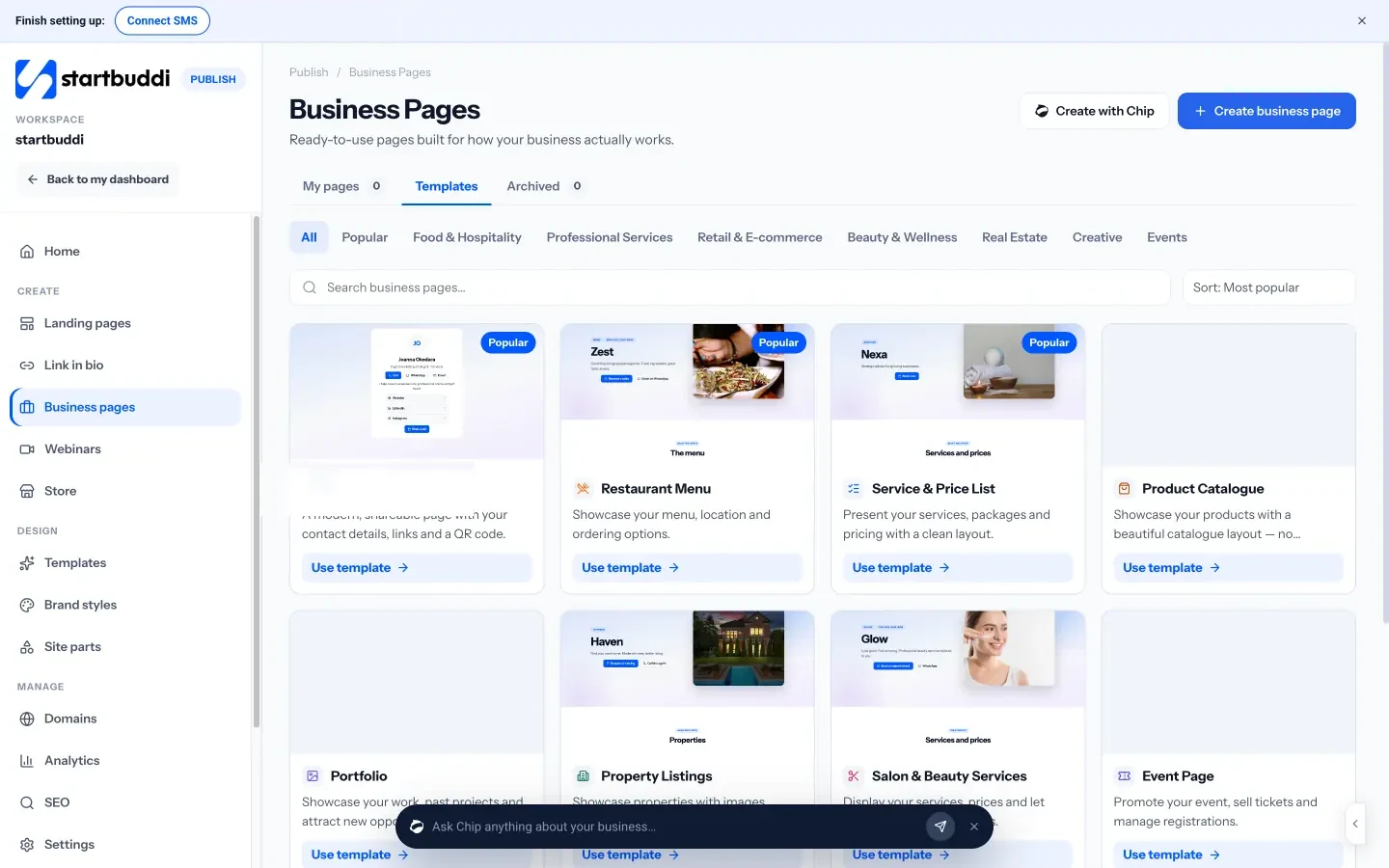
- Business pages: ready-made page types built for how a business works, including Restaurant Menu, Service & Price List, Digital Business Card, Salon & Beauty Services, Property Listings, Portfolio, Product Catalogue and Event Page. Buttons can open WhatsApp, a booking, a form, a phone call or directions.
- Landing pages: one page with one job, such as collecting enquiries or running a waitlist, built from a template, from blank, or drafted by Chip from a sentence. A publish check reminds you about the search title, description, share image and privacy page before you go live. Our guide to building a landing page that converts goes deeper.
- Online store and link in bio: sell products and take payment through your own Paystack or Stripe account.
Every form submission on a page creates or updates a contact in startbuddi, with the page it came from saved on the record, so enquiries don’t sit in an inbox.
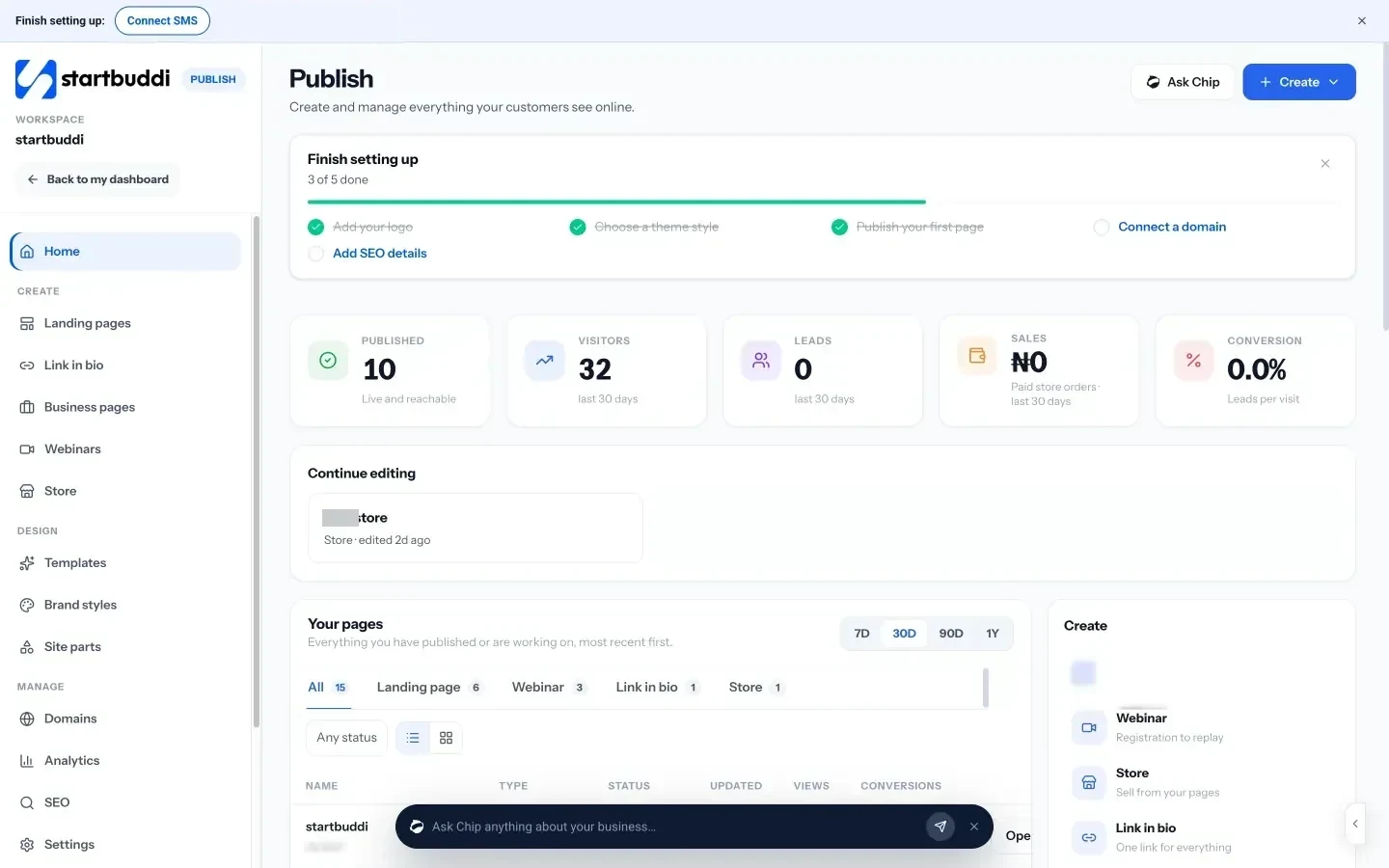
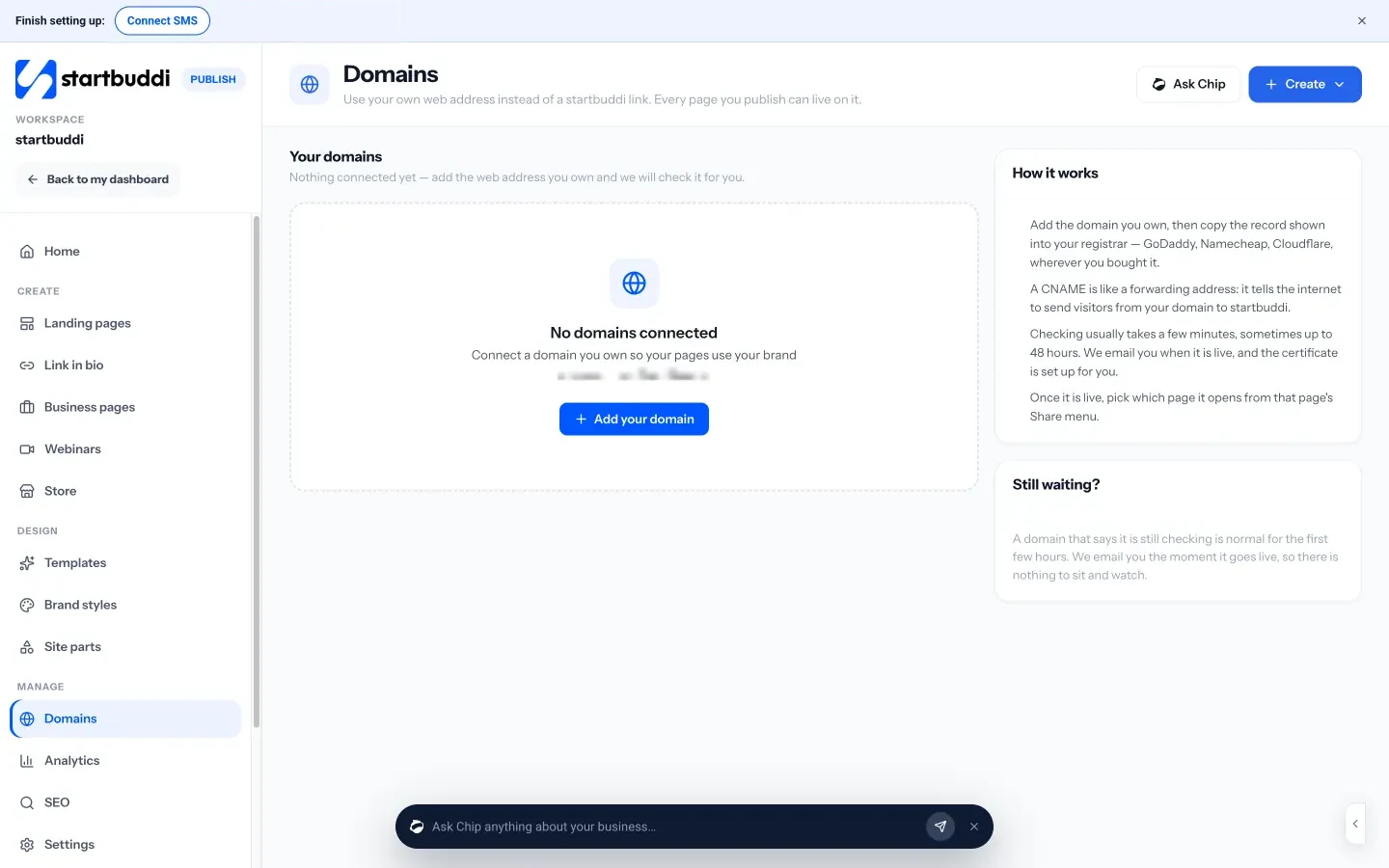
Your own domain. In Publish, open Domains, add a domain you already own, and copy the one CNAME record shown into your registrar. startbuddi checks it and sets up the security certificate for you. You can’t buy a domain inside startbuddi, and the link in bio page can’t use a custom domain yet.
Plans. You can build and publish pages on the Free plan; free pages carry a small “Powered by startbuddi” line, which any paid plan can remove. Chip builds use credits, and the price is shown before anything is spent. See pricing for the details.
Your next step
Write your one-sentence goal and your headline today, then take ten photos of your real work. With those in hand, you can publish a first page in an afternoon. If you want to try it in startbuddi, start with a business page from Publish and connect your domain once you are happy with it.
Sources
- ThisDay: Telecoms subscribers hit 185.7m as internet users increase to 153.8m (NCC data)
- Think with Google: The need for mobile speed
- NiRA: Accredited registrars
- Nigeria Data Protection Commission: Nigeria Data Protection Act 2023
- Information Commissioner’s Office: guidance for organisations
- Google Search Central: SEO starter guide
- Google Business Profile
Frequently asked questions
How much does it cost to build a business website in Nigeria?
Doing it yourself, you pay for a domain each year and for your builder's plan, if any. Prices vary by provider and many are billed in dollars, so check current pricing pages. Hiring a designer adds a one-off fee on top.
Should I choose .com.ng, .ng or .com?
.com.ng signals a Nigerian business and is usually cheaper than .ng. Choose .com if you sell to many customers abroad. If you can, secure both the .com.ng and .com versions of your name.
Do I need a registered business to have a website?
No. Anyone can register a domain and publish a site. You will need registration later for things like a corporate bank account or a registered business account with a payment gateway.
Can I build a website on my phone?
Many no-code builders work in a phone browser, though editing is easier on a laptop. Always preview the finished site on a phone, since that is where most visitors will see it.
Tiwalade Joanna Okedara-Kalu is the founder, CEO and CTO of startbuddi, the business system that brings clients, bookings, invoices, projects, marketing and the Chip AI assistant into one place. Tiwalade builds software around how service businesses really work day to day, and writes about client management, getting paid on time and why small businesses outgrow the tools they start with.
Founded startbuddi and leads its product and engineering