Appointment tracking for consultants: manage your calendar without the back-and-forth
How consultants can track appointments and stop the scheduling emails: meeting types, availability rules, time zones, intake questions, deposits, reminders and follow-up.


Chinonye wrote this while on the startbuddi team. The product has changed since, so the team updated it on .
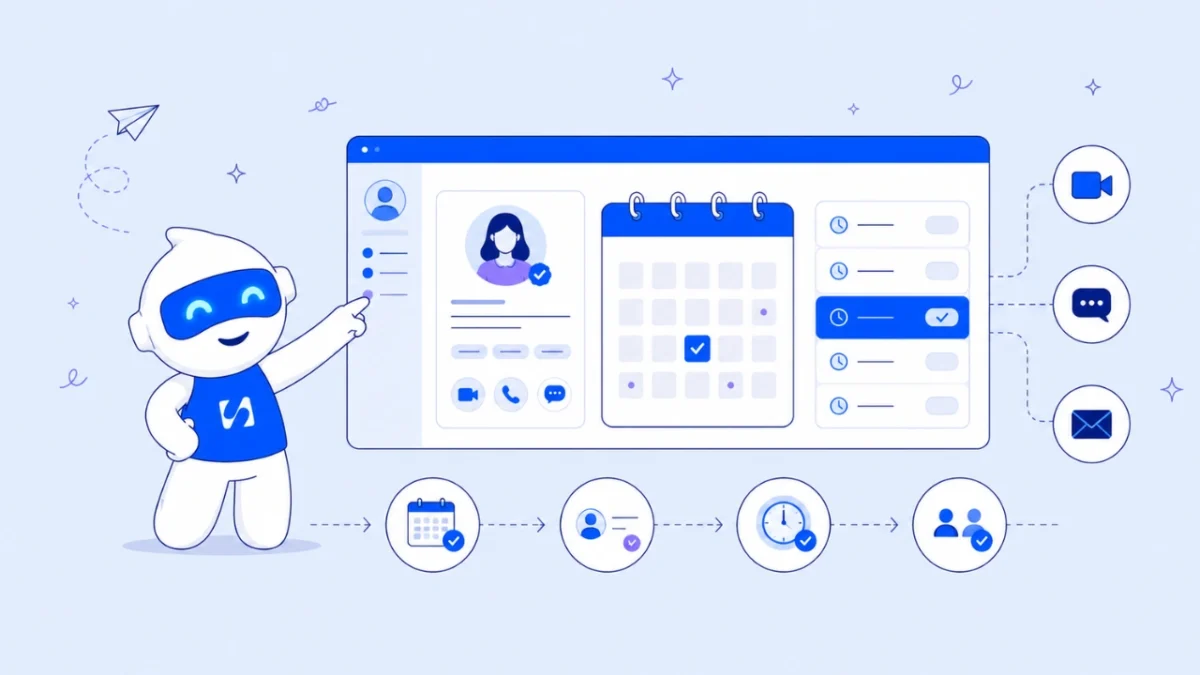
- Booking software lets clients pick a free slot, answer intake questions and pay in one step. Consultants get the most from it by defining meeting types first, protecting focus time with buffers and daily caps, stating time zones, taking payment at booking and automating reminders and no-show follow-ups.
Appointment tracking for consultants starts with booking software that replaces the “does Tuesday work? how about Thursday?” email chain with a link. The client opens it, sees only the times you’re genuinely free, answers a few questions about their situation, pays if the session is paid, and gets a confirmation and a reminder without you typing a word. For a consultant whose calendar is the product, that saves hours a month and makes you look organised from the first click.
This guide is for independent consultants, coaches and small advisory firms. It covers how to design your meeting types, availability rules that protect your focus time, time zones, intake questions, deposits and cancellations, reminders, and a checklist for choosing a tool. It ends with how startbuddi handles each part, including what it doesn’t do yet.
Why the back-and-forth costs consultants more than it seems
Scheduling by email feels free, but it has three hidden costs. First, time: every meeting takes several messages to agree, and more when time zones or rescheduling get involved. Second, speed: a prospect who asked for a call on Monday and only got a confirmed time on Thursday has had three days to talk to someone else. Research on sales leads published in Harvard Business Review found that firms contacting a lead within an hour were nearly seven times as likely to have a meaningful conversation as those that waited longer. Third, fragmentation: the details a client shares in those emails rarely make it into your notes before the call.
A booking link fixes all three. The prospect books while they’re still interested, and what they tell you arrives in a structured form attached to the booking.
Map your meeting types before you choose booking software for consultants
Most consultants offer three to five kinds of meeting. Each needs its own length, price and rules, so write them down before you open any software.
| Meeting type | Typical length | Price | Rules worth setting |
|---|---|---|---|
| Discovery call | 20 to 30 minutes | Free | Limit to a few a day; ask qualifying questions |
| Paid strategy session | 60 to 90 minutes | Full payment or deposit | Longer notice period; buffer afterwards for notes |
| Client check-in | 30 minutes | Included in retainer | Share only with active clients |
| Workshop or intensive | Half day | Paid in advance | One per day at most; longer booking window |
Keep names plain. “Free 20-minute intro call” tells a prospect exactly what they’re getting; “Clarity Session” does not. If you sell to several audiences, you can group meeting types by audience or offer rather than showing one long list.
Set availability rules that protect your best work
The biggest risk with a booking link is a calendar full of back-to-back calls and no time left to do the consulting. Set rules before you share the link.
- Working hours per day. Offer calls only in the windows you want to talk, for example 10am to 1pm, and keep afternoons for delivery.
- Buffers. Add 10 to 15 minutes after each call for notes and a break. A 45-minute call with a 15-minute buffer is a one-hour block.
- Minimum notice. Stop people booking for 20 minutes from now. A day’s notice is common for paid sessions.
- Booking window. Limit how far ahead people can book (for example 30 or 60 days) so your calendar doesn’t fill with meetings you’ll want to move later.
- Daily caps. Cap discovery calls at two or three a day. Energy matters more than availability.
- Days off. Block holidays, conferences and heavy delivery weeks in advance.
Also check how the tool learns about your existing commitments. Some tools read busy times from your calendar; others only write bookings into it and rely on you to block time manually. Know which before you trust it.
Handle time zones properly
If you consult across borders, time zones cause more missed calls than anything else. A client in Nairobi booking with a consultant in London, or a founder in Lagos booking with an adviser in Toronto, needs to see times in their own zone.
- Choose a tool that shows slots in the visitor’s local time, or at least states the time zone clearly on the page.
- Put the time zone in every confirmation and reminder, not only the time.
- Watch clock changes. The UK, Europe and North America move their clocks on different dates, while many African and Asian countries don’t change at all, so a recurring 3pm call can shift by an hour for a few weeks a year.
- For regular client check-ins across zones, confirm the time in writing after each clock change.
Ask intake questions that make the call better
The booking form is your chance to arrive prepared. Ask three to five questions; more than that and people abandon the booking.
- What would make this call worth your time?
- Tell me briefly about your business (size, sector, stage).
- What have you already tried?
- Roughly what budget or timeline are you working with? (Optional, for discovery calls.)
- How did you hear about me?
Make the answers land somewhere useful, ideally on the client’s record, so you can read them before the call and refer back later. Our free client intake form template has more question ideas by service type.
Take payment or a deposit, and write a clear cancellation policy
Paid sessions should be paid when booked. It removes the awkward invoice after the call and sharply reduces no-shows, because people turn up to things they’ve paid for. For longer engagements, a deposit that secures the slot works well; our deposit calculator helps you pick an amount.
Pair payment with a short cancellation and rescheduling policy on the booking page: how much notice you need, whether fees are refundable, and how to move a session. The cancellation policy template and booking policy writer can give you a first draft.
Consumer law may limit what you can keep. In the UK, for example, a consumer who books a service at a distance usually has a cancellation period, and under regulation 36 of the Consumer Contracts Regulations you shouldn’t start the service within that period unless the consumer expressly asks you to. Rules differ for business clients and in other countries. This is general information, not legal advice; check the rules where you and your clients are.
Reminders and follow-ups that run themselves
Reminders are the cheapest no-show fix there is. A Cochrane review of appointment reminders found attendance of 78.6% with text reminders compared with 67.8% without any reminder. Consulting calls aren’t clinic appointments, but people forget meetings for the same reasons.
- Confirmation straight away, with the time zone, the meeting link and how to reschedule.
- Reminder 24 hours before for most calls, plus one an hour before for first meetings.
- No-show follow-up a few hours later, friendly and with a rebooking link.
- After the call, a thank-you with next steps or the proposal date you agreed.
Our guide to automating client bookings with reminders goes deeper on timing and wording.
Two example setups: a solo consultant and a small firm
These are illustrative examples, not real clients, to show how the rules above fit together for different kinds of practice.
A solo marketing consultant
Ngozi advises small e-commerce brands in Nigeria, Kenya and the UK. She offers a free 20-minute intro call (weekdays 10am to 12pm, two a day at most, five questions including monthly revenue range), a paid 90-minute strategy session (full payment at booking, 48 hours’ notice, a 30-minute buffer afterwards) and a 30-minute monthly check-in shared only with retainer clients. Her booking page states the time zone clearly because her clients are spread across three countries, and every paid session gets a reminder the day before and an hour before.
A four-person advisory firm
A small HR consultancy in Toronto shares one booking page for new enquiries. Intro calls go round robin between three consultants so no one gets swamped, while each consultant keeps a personal link for their existing clients. Paid workshops take a 50% deposit, and a no-show follow-up offers two new times. The founder reviews one number weekly: how many intro calls turned into paid work.
Neither setup is complicated. Both start with a list of meeting types on paper, then a single afternoon of setup. The difference is in the routing: a solo consultant protects their own energy with caps and buffers, while a firm protects fairness and response time by sharing new enquiries across the team and keeping existing relationships with the person who owns them.
What to record after every appointment
Booking the call is half of appointment tracking. The other half is what you write down afterwards, so the next session starts where the last one ended. Keep it to four things on the client’s record:
- Status: attended, rescheduled, cancelled or no-show. Over a quarter this tells you which clients and which time slots go wrong.
- Notes: three or four lines on what you discussed and what the client decided.
- Next step: the action, who owns it and the date, as a task rather than a note.
- Payment: paid at booking, invoiced or still owed.
Five minutes after each call is enough, and it turns a calendar into a history of the relationship.
What to look for in appointment tracking software
| Feature | Why it matters for consultants |
|---|---|
| Several meeting types with their own length and price | Discovery calls and paid sessions need different rules |
| Payments or deposits at booking | Paid sessions confirmed only once paid |
| Buffers, notice periods, daily caps | Protects delivery time |
| Time zone handling | Essential for international clients |
| Intake questions saved to the client record | You arrive prepared and keep the history |
| Automatic confirmations, reminders and no-show follow-ups | Fewer missed calls with no manual effort |
| Calendar sync (and whether it reads busy times) | Avoids double-booking against other commitments |
| Team routing | For firms, spreads bookings across consultants |
| Link to your contacts, proposals and invoices | A booked call becomes a client without retyping |
Specialist scheduling tools do this well. Calendly, for example, publishes a free plan with one event type and a Standard plan at $10 per seat a month billed yearly. If you’re comparing options, see our lists of booking software for service businesses and Calendly alternatives. The question to ask is whether you want scheduling on its own, or scheduling connected to the rest of your client work.
Common mistakes consultants make with booking links
- Offering every free slot. Your calendar fills with calls and your delivery slips. Offer fewer, better windows.
- A free call with no qualifying questions. You spend hours with people who were never going to buy.
- No buffer. Back-to-back calls leave no time for notes, so details get lost.
- Not saying the time zone. The single most common cause of “sorry, I thought it was an hour later”.
- Taking payment after the session. It turns you into a debt collector. Charge at booking.
- Forgetting the follow-up. The booking tool gets the call in the diary; you still need a next step after it.
How startbuddi helps
startbuddi Bookings is built for this workflow and connects to the rest of your client work: every booking creates or updates the client’s contact record, and you can generate an invoice from a booking.
Each service (meeting type) has its own name, description, duration, price and currency (including USD, GBP, EUR, NGN, KES, ZAR and GHS). You can require payment before a booking is confirmed, either in full or as a deposit, through Paystack or Stripe checkout, and the slot is held while the client pays. Booking questions support short and long answers, single and multiple choice and ratings, and each answer can be saved to a contact property. Chip, the built-in AI assistant, can suggest questions for a service, which you then edit.
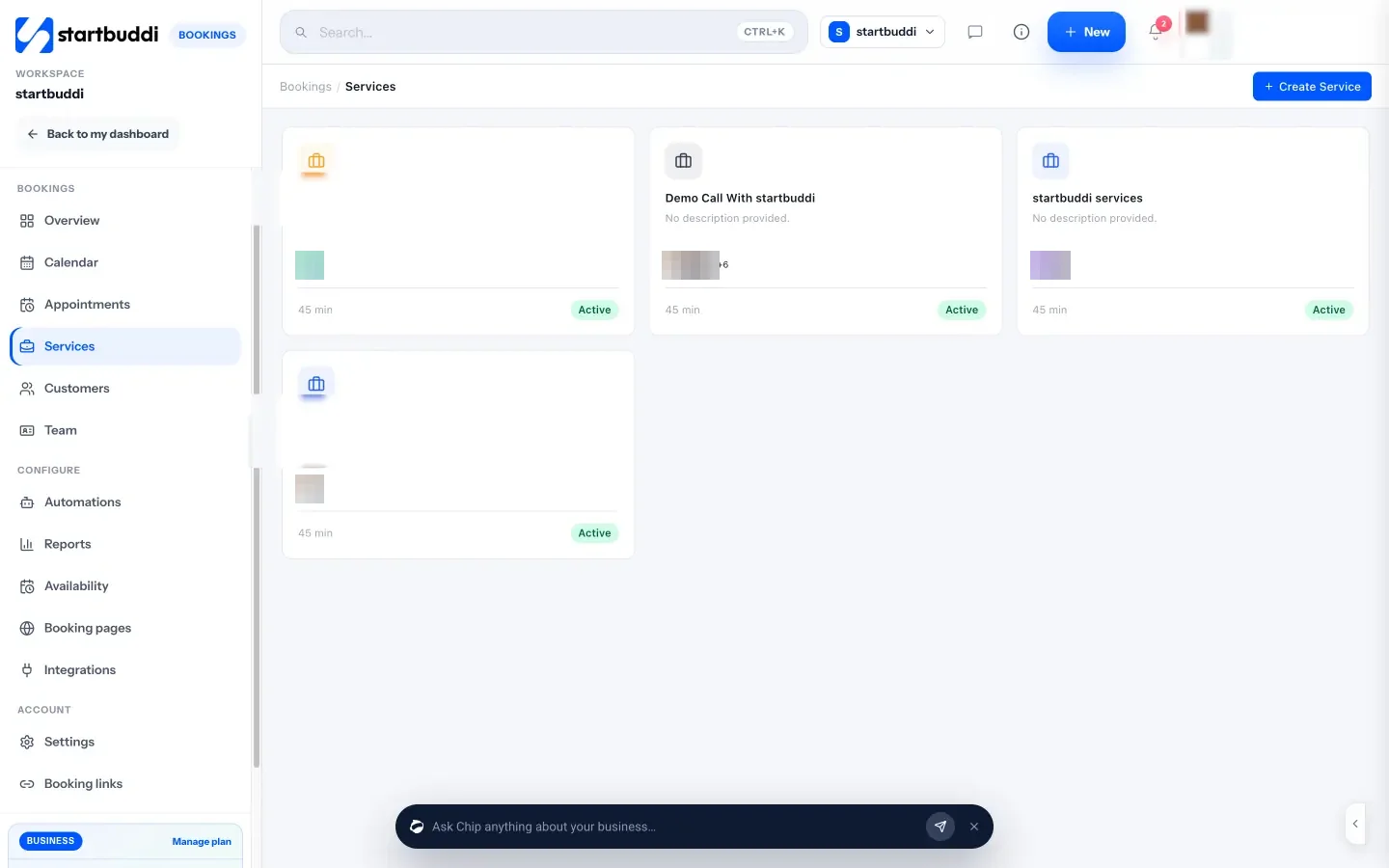
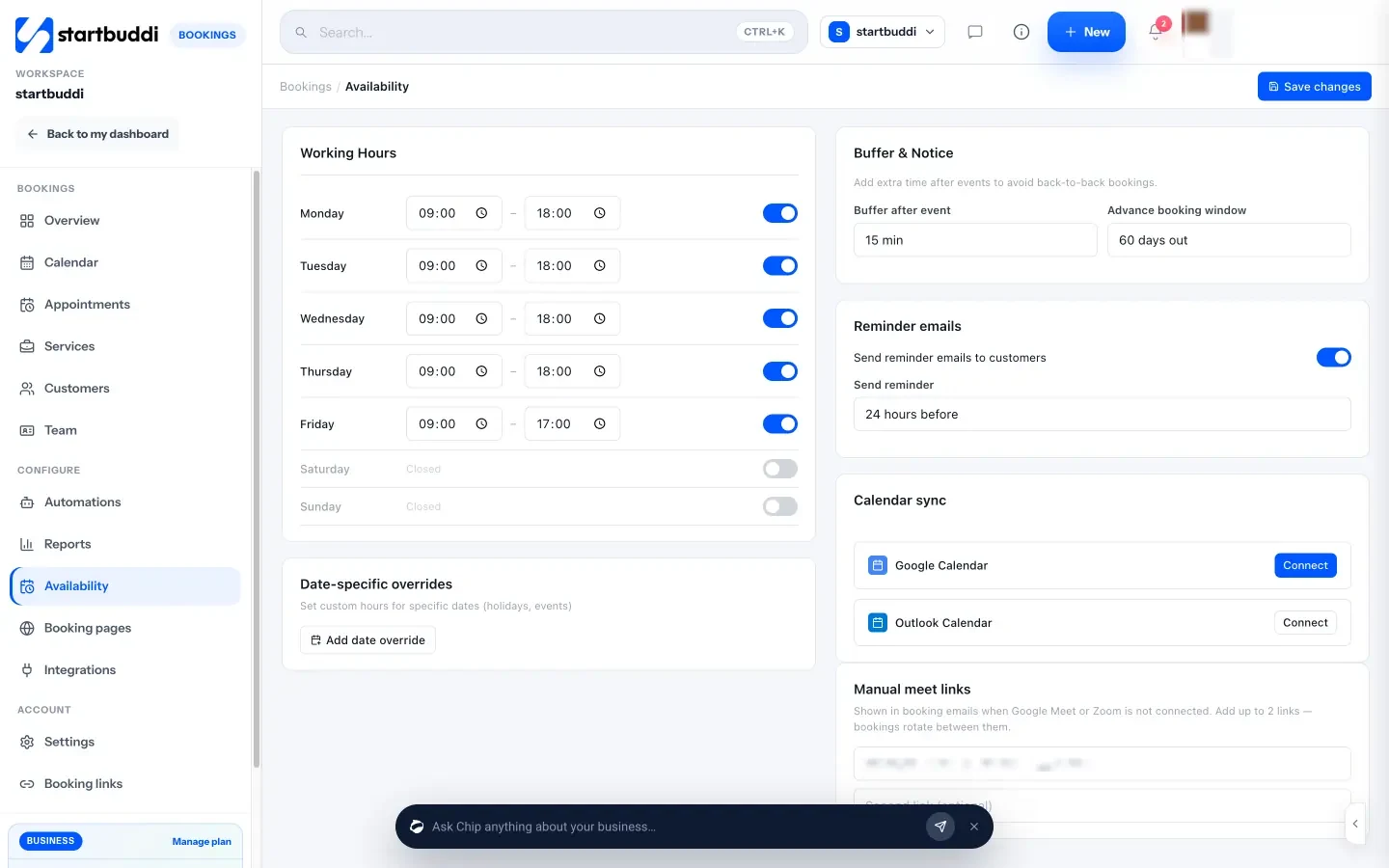
Availability covers working hours for each weekday, a buffer after each event, an advance booking window, a maximum number of bookings per day for each service, and an automatic reminder by email, WhatsApp or SMS, sent from one to 48 hours before. The public booking page shows times with the time zone stated, and a confirmation email and calendar invite go out once a booking is confirmed. When someone doesn’t turn up, marking the booking as a no-show sends a follow-up email you’ve written in advance.
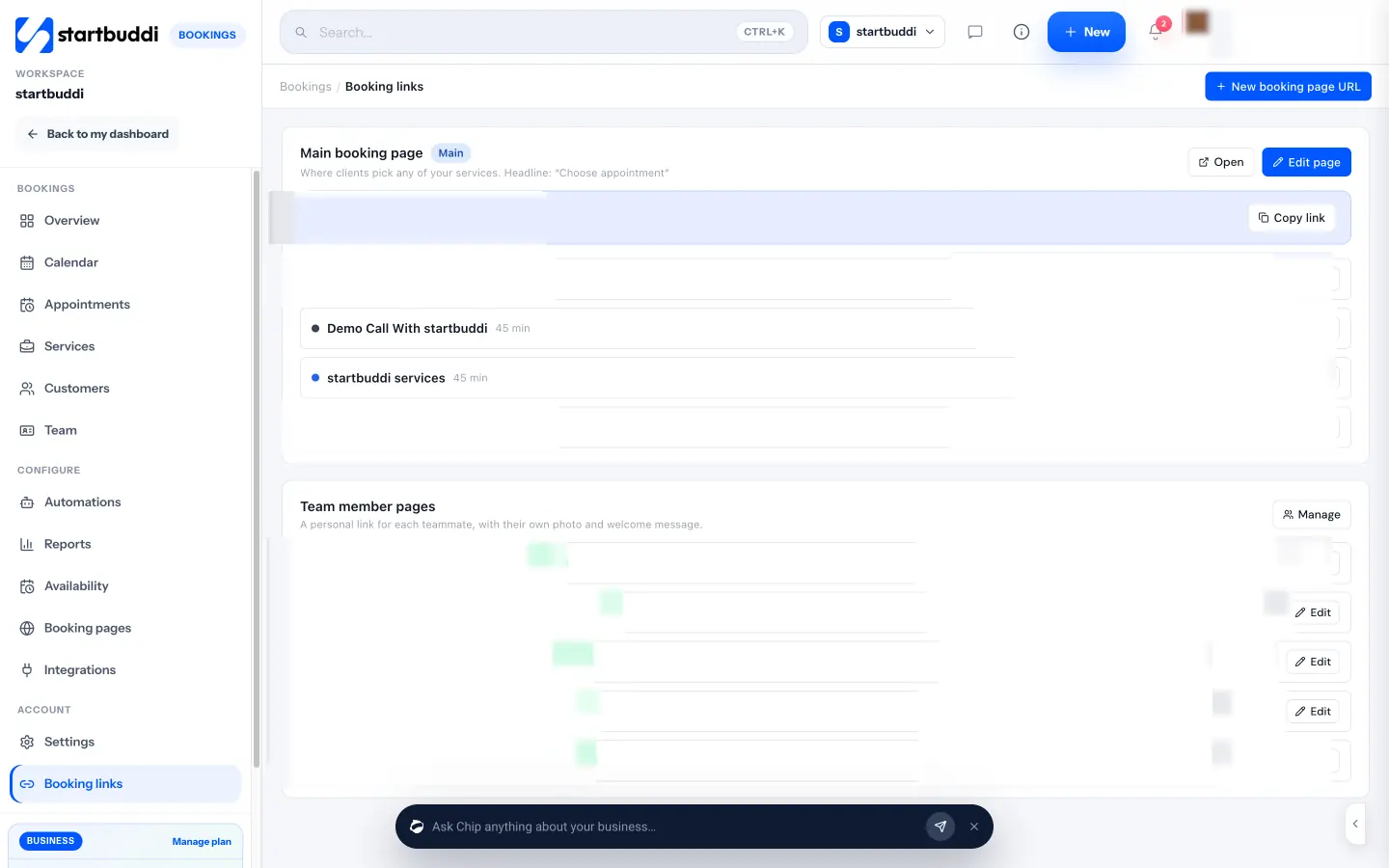
You share one main booking page or separate links per service, plus extra booking pages for different offers or audiences and a personal page for each teammate. Links can be copied, sent on WhatsApp or email, embedded on your site or printed as a QR code. For firms, round robin scheduling shares incoming bookings across consultants.
Honest limits: calendar sync pushes bookings into Google Calendar (and Outlook where configured) but doesn’t yet read your busy times from those calendars, so block time for other commitments in startbuddi. There’s no built-in Zoom connection in Bookings yet; use Google Meet through Google Calendar or add your own meeting links. WhatsApp reminders need a connected WhatsApp number, and SMS reminders need an SMS connection and a plan that includes SMS. The Free plan includes one live service and one booking page; Starter includes ten services. See booking for consultants for more.
Your next step
Write down your three most common meeting types with a length, a price and three intake questions each. Set your working windows and a 15-minute buffer, then replace the next scheduling email you’d normally write with a booking link. Start on the Free plan with one service and check what each plan includes on our pricing page.
Sources
- Harvard Business Review: The short life of online sales leads (2011)
- Cochrane: mobile phone messaging reminders for attendance at healthcare appointments
- UK Consumer Contracts Regulations 2013, regulation 36
- Calendly pricing
Frequently asked questions
Should consultants charge for the first call?
Many offer a short free discovery call to qualify the fit, then charge for anything that delivers advice. If free calls fill your week, shorten them, add qualifying questions or cap them per day.
How much buffer should I leave between client calls?
Ten to 15 minutes suits most consultants: enough to write notes and reset. Leave longer after workshops or intensive sessions.
How do I stop clients booking at the wrong time zone?
Use a tool that shows times in the visitor's local zone or states it clearly, and include the time zone in every confirmation and reminder.
Can clients pay a deposit when they book a consultation?
Yes, many booking tools can take full payment or a deposit at checkout and only confirm the booking once it's paid. Set a clear cancellation policy alongside it.
SEO Copywriter| Email growth Specialist| I help businesses increase revenue with strategic SEO content & high-converting email funnels.