How to Automate Appointment Reminders (SMS, WhatsApp, Email)
How to automate appointment reminders by email, SMS and WhatsApp: the timing that works, copy-ready messages, the WhatsApp template rule and a full setup.


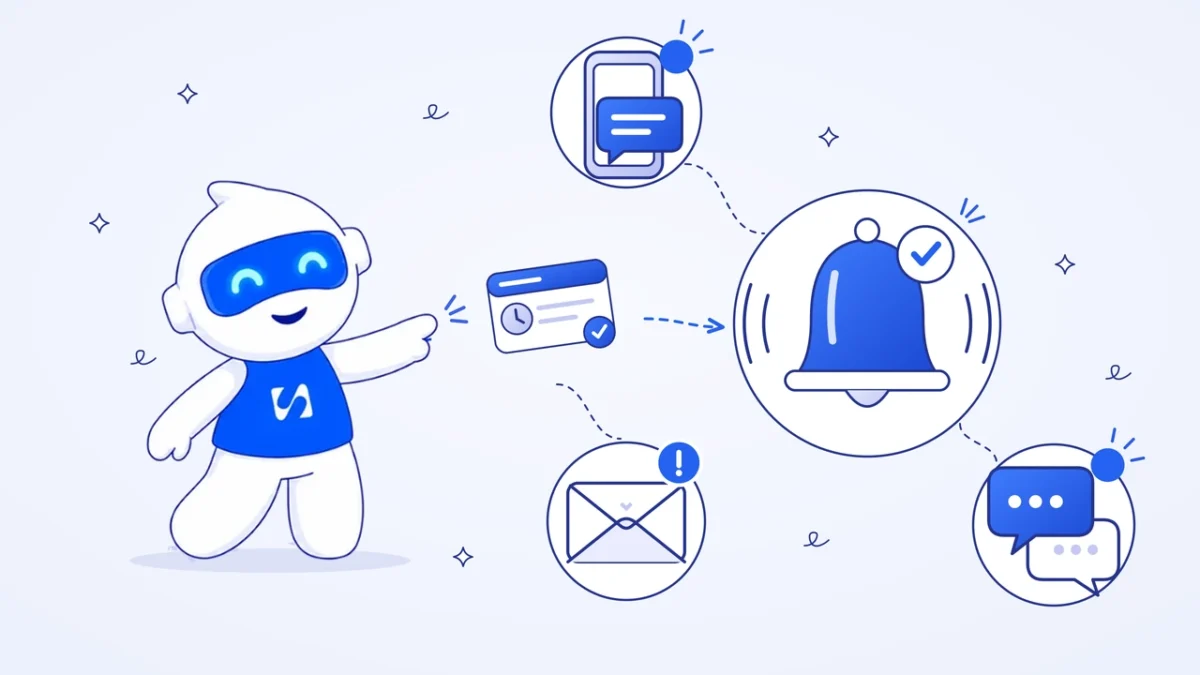
Here is how to automate appointment reminders: connect your booking calendar to a tool that sends messages on a schedule: a confirmation the moment someone books, a reminder about 24 hours before, and a short nudge on the day. Email works for everyone, SMS reaches any phone, and WhatsApp needs a template approved by Meta first.
Key takeaways
- Two touches cover most businesses: a confirmation at booking and a reminder the day before. Add a same-day nudge for long lead times or first-time clients.
- Pick the channel your clients actually read. In Lagos or Nairobi that is often WhatsApp or SMS; for corporate clients in London or Toronto, email is usually enough.
- WhatsApp reminders outside a live conversation must use a pre-approved template. A plain reminder with no offer in it normally sits in Meta’s utility category.
- Keep reminders free of promotions. In the UK, the ICO treats appointment reminders as service messages, but adding an offer turns them into marketing.
- Every reminder should make rescheduling easy. A client who can move a slot in two taps is far less likely to simply not turn up.
Why automate appointment reminders at all?
Most no-show appointments aren’t rude clients. They’re people who forgot, mixed up the day, or meant to cancel and never got round to it. A message at the right moment fixes all three, and it costs you nothing in time once it runs on its own.
Doing it by hand works until you’re busy. A barber with 12 cuts a day can’t stop between clients to text tomorrow’s list, and a clinic receptionist who sends reminders from her personal phone takes that system home with her at 6pm. Automation means the reminder goes out on Sunday night, during a power cut at the shop, or while you’re with another client.
If you want to put a number on what missed slots cost you, the no-show cost calculator does the arithmetic. For the wider set of fixes (deposits, cancellation terms, follow-ups), see our guide on reducing no-show appointments.
Which channel should you use for appointment reminders?
Use the channel your client chose to contact you on, and fall back to email for the record. Here’s how the three compare for a small service business.
| Channel | Best for | What you need | Watch out for |
|---|---|---|---|
| Everyone, especially business clients | The client’s email address | Lands in promotions tabs; easy to miss on the day | |
| SMS | Clients without data or smartphones, same-day nudges | A phone number with country code, an SMS sender | 160 characters per segment; emojis cut that sharply |
| WhatsApp-first clients, most of Nigeria, Kenya and Ghana | A WhatsApp Business number on the API and an approved template | Template approval; opt-in; can’t send free text after 24 hours |
A sensible default for many businesses is email for the confirmation (it carries the details and the calendar invite) and WhatsApp or SMS for the reminder (it gets read).
What you need before you start
- A booking system that knows each appointment’s date, time and the client’s contact details.
- The client’s consent to be contacted on the channel you choose, captured when they book.
- Phone numbers stored with the country code (+234, +254, +44), or SMS and WhatsApp sends will fail.
- For WhatsApp: a WhatsApp Business number connected through the WhatsApp Business Platform, and at least one reminder template approved by Meta.
- A reschedule or cancel link the client can use without calling you.
- Your wording for each message, ready to paste (copy the templates below).
How to automate appointment reminders, step by step
1. Decide your reminder schedule
Start with two touches and only add more if no-shows stay high. A good starting schedule:
| Message | When | Channel |
|---|---|---|
| Confirmation | Immediately after booking | Email (plus WhatsApp if they booked by chat) |
| Reminder | 24 hours before | WhatsApp or SMS |
| Same-day nudge (optional) | 2 hours before | SMS or WhatsApp |
| Follow-up | After the appointment, or after a no-show | Email or WhatsApp |
Bookings made weeks ahead benefit from an extra reminder a week out. Bookings made the same morning need only the confirmation.
2. Collect consent and the right contact details at booking
Ask for a phone number on the booking form and add a line such as “Send me a reminder before my appointment.” That gives you a clear record of what the client asked for. It also makes life easier with Meta, which expects businesses to have opt-in before messaging people on WhatsApp.
3. Write the messages once
Keep each reminder to the essentials: who, what, when, where, and how to change it. Templates you can copy are in the next section.
4. Get your WhatsApp template approved
Outside the 24 hours after a client last messaged you, WhatsApp only lets a business send pre-approved templates. Meta’s template guidelines (checked on 1 October 2026) describe utility templates as messages that follow up on a user’s action or request, and say a template that mixes in promotional content counts as marketing. A plain reminder about a booking the client made fits utility. A reminder that adds “book a facial and get 10% off” does not. Our WhatsApp message templates guide covers writing and submitting them.
5. Connect the reminders to your bookings
This is where the automation lives. In most tools you set a trigger (a new booking), add a delay or a “wait until” condition, then add a send step for each channel. The key test: when a client books, does the confirmation go out without anyone touching anything?
6. Test with your own booking
Book yourself a slot for tomorrow using a real phone number and email. Check each message arrives, the date and time are right in your time zone, the links work, and the WhatsApp template fills in properly. Then cancel and check nothing else goes out.
7. Review after a month
Count no-shows before and after. Read the replies: if people keep answering the reminder with “Can I move to 4pm?”, your reschedule link is too hard to find.
Appointment reminder templates you can copy
Replace the words in square brackets. Keep the SMS versions under 160 characters so each sends as one message.
Confirmation email
Subject: Booked: [service] on [day, date] at [time]
Hi [first name], you’re booked for [service] with [staff name] on [day, date] at [time] at [address or video link]. Please arrive five minutes early. Need to change it? Use this link: [reschedule link]. See you then, [business name].
24-hour WhatsApp reminder (utility template)
Hi [first name], this is a reminder of your [service] appointment with [business name] tomorrow, [date], at [time]. If you need to reschedule, tap here: [link]. Reply if you have any questions.
24-hour SMS reminder
[Business name]: reminder, [service] tomorrow [date] at [time]. To reschedule: [short link]. Reply STOP to opt out.
Same-day SMS nudge
Hi [first name], see you today at [time] at [short address]. Running late? Reply here. [Business name]
After a no-show (email or WhatsApp)
Hi [first name], we missed you today. These things happen. Here’s a link to pick a new time that suits you: [booking link].
Notice what’s missing: no offers, no “follow us on Instagram”. In the UK, the ICO’s guidance on identifying direct marketing (checked on 1 October 2026) lists confirming or reminding people about appointments as a service message, and warns that adding promotional content makes the message direct marketing. Keeping reminders clean keeps them out of marketing rules and out of Meta’s marketing category.
Worked example: a salon in Lekki
These figures are illustrative. A two-chair salon in Lekki takes about 160 bookings a month, nearly all through Instagram and WhatsApp. Clients rarely check email.
| Touch | Channel | Messages a month |
|---|---|---|
| Confirmation at booking | 160 | |
| Reminder 24 hours before | WhatsApp utility template | 160 |
| Nudge on the day, for first-time clients only (about 40) | SMS | 40 |
| No-show follow-up (about 8) | 8 |
That’s 368 messages a month that nobody on the team has to type. Before automating, the owner texted reminders from her own phone when she remembered; now they go out every day, including Sundays. The SMS nudge goes only to first-time clients because regulars rarely miss, which keeps SMS sends (the channel that costs per message) to a minimum. Meta charges for some WhatsApp template messages too, so check its current rates for your country before you choose your mix.
Common mistakes with automated appointment reminders
- Wrong time zone. A reminder that says 9:00 for a 10:00 appointment is worse than none. Set your business time zone and test.
- Too many messages. Four reminders for a haircut feels like nagging. Two or three is plenty.
- No easy way to reschedule. If the only option is “call us”, people who can’t make it often just don’t come.
- Numbers without country codes. 0803 numbers saved without +234 fail on SMS and WhatsApp.
- Promotions inside reminders. They can push a WhatsApp template into the marketing category and turn a service message into marketing under UK rules.
- Never testing cancellations. Make sure a cancelled booking doesn’t keep getting reminders.
How to automate appointment reminders in startbuddi
startbuddi has reminders built into Bookings: every confirmed booking gets one automatic reminder at the time you choose, by email, WhatsApp, SMS or all three. For anything extra, such as a second nudge or a custom message, use Automations, the workflow automation engine that runs across the app.
- Choose your reminder channels. In Bookings, click Settings and, in the Notifications card, switch on Email reminders to customer, WhatsApp reminders and SMS reminders, whichever your clients read. Clients also get a confirmation email and calendar invite when they book.
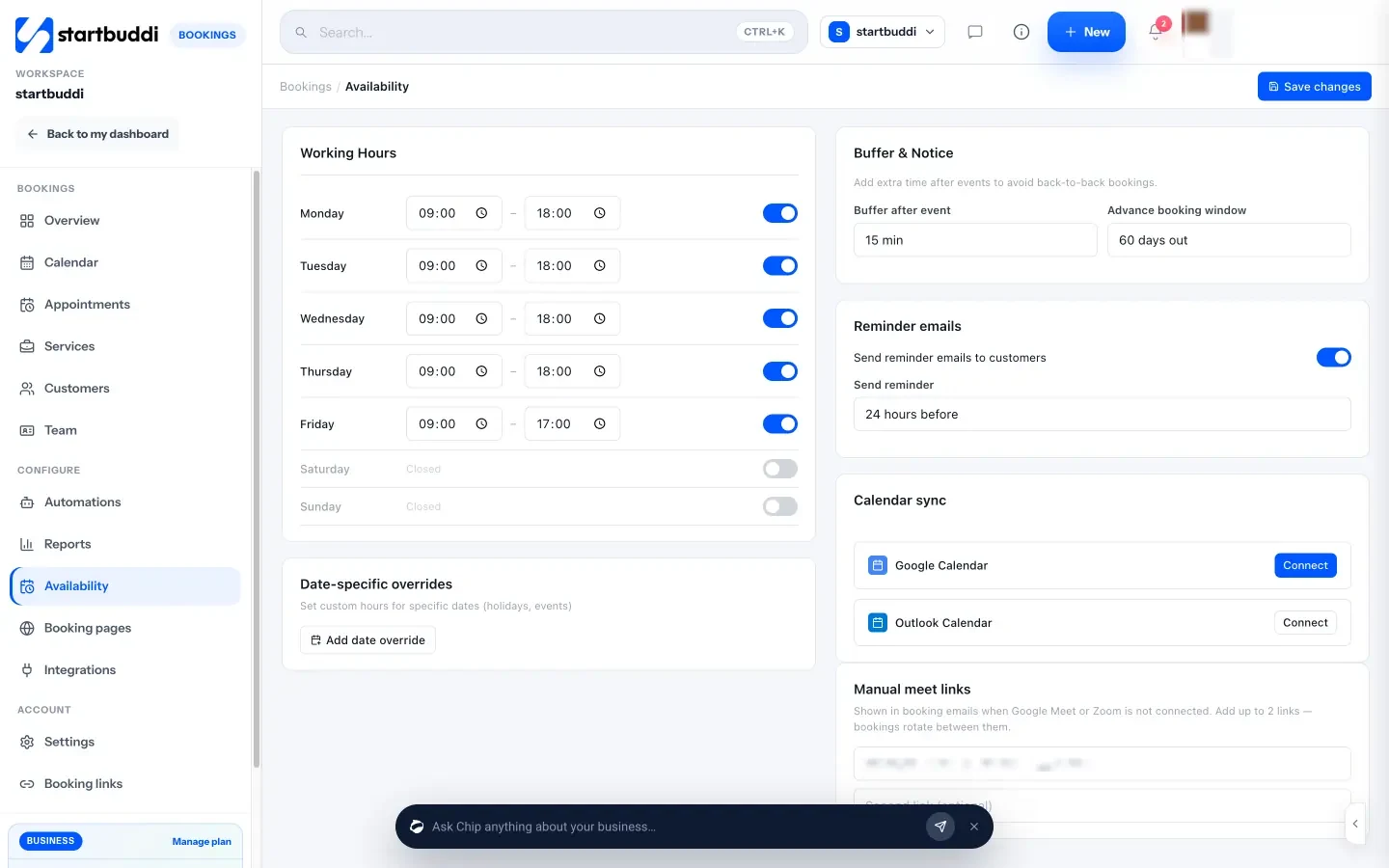
- Choose when reminders go out. Open Availability, switch on “Send reminder emails to customers” and choose how long before the appointment: 1, 2, 4, 12, 24 or 48 hours. The default is 24 hours, and that one time applies to every channel you switched on.
- Connect WhatsApp and SMS. WhatsApp reminders need a connected WhatsApp number: in Marketing, open WhatsApp and connect yours. SMS reminders need an SMS connection and a plan that includes SMS. Messages go out through startbuddi’s built-in SMS with nothing to set up, or through your own Termii, Africa’s Talking, Twilio or Brevo account and sender ID. STOP replies are handled automatically on built-in SMS, Twilio and Africa’s Talking. Check that each booking has a phone number with the country code.
- Add extra messages with an automation (optional). For a second reminder, a WhatsApp confirmation or your own wording, go to Automations, click New automation and either start from the “Booking reminder stack” template or start from scratch with the trigger “New booking made”. Add a WhatsApp message step or a Send SMS step, and add a “Wait until” step with the rule “Days until the booking” for a message the day before. WhatsApp steps in an automation use a template approved by Meta: in WhatsApp, go to Templates, click New template, choose Utility and click “Send to Meta for review”. You can also describe the flow to Chip in plain words, for example “When someone books, send a WhatsApp confirmation and a reminder the day before”, and Chip drafts it for you to review before you switch it on.
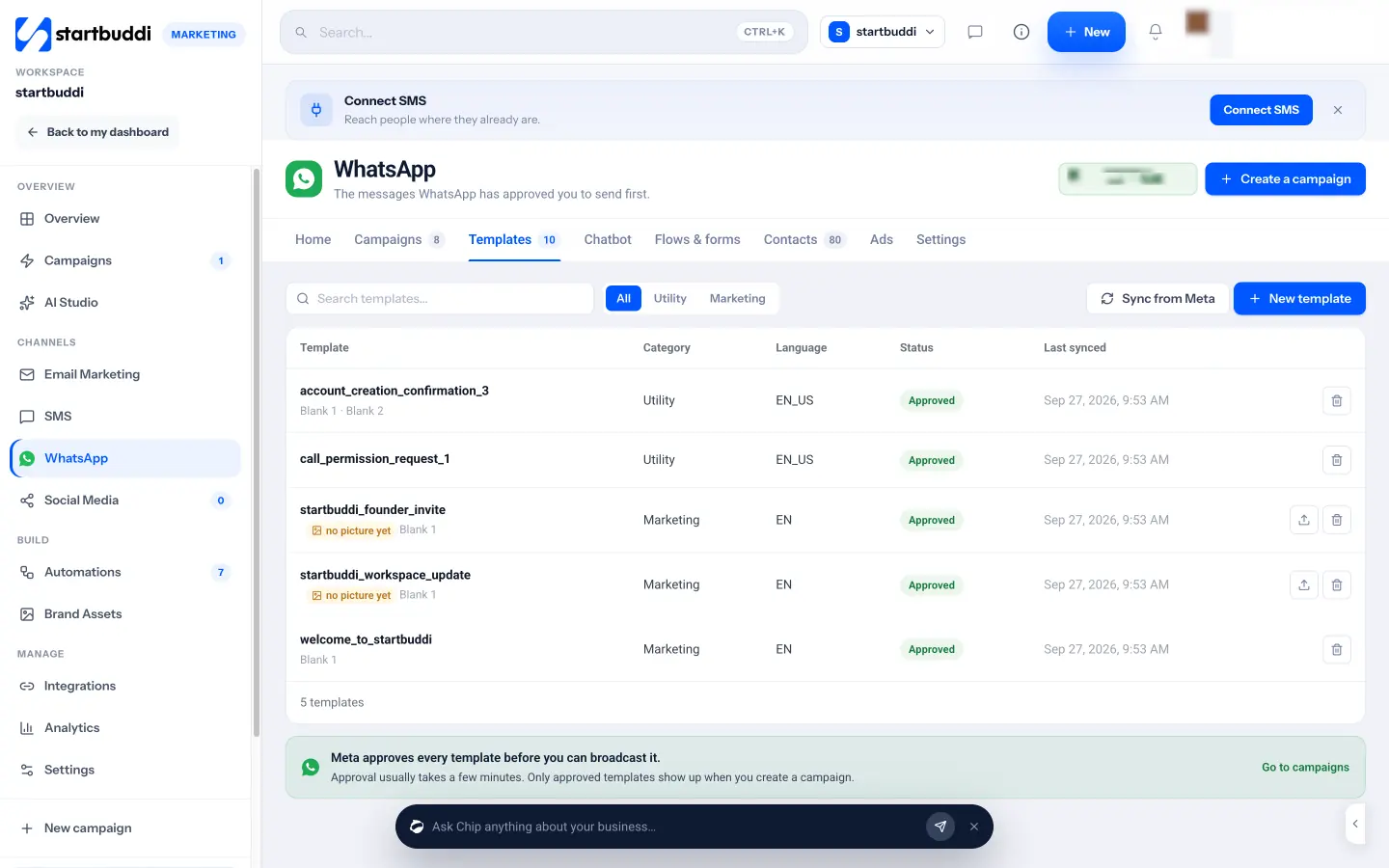
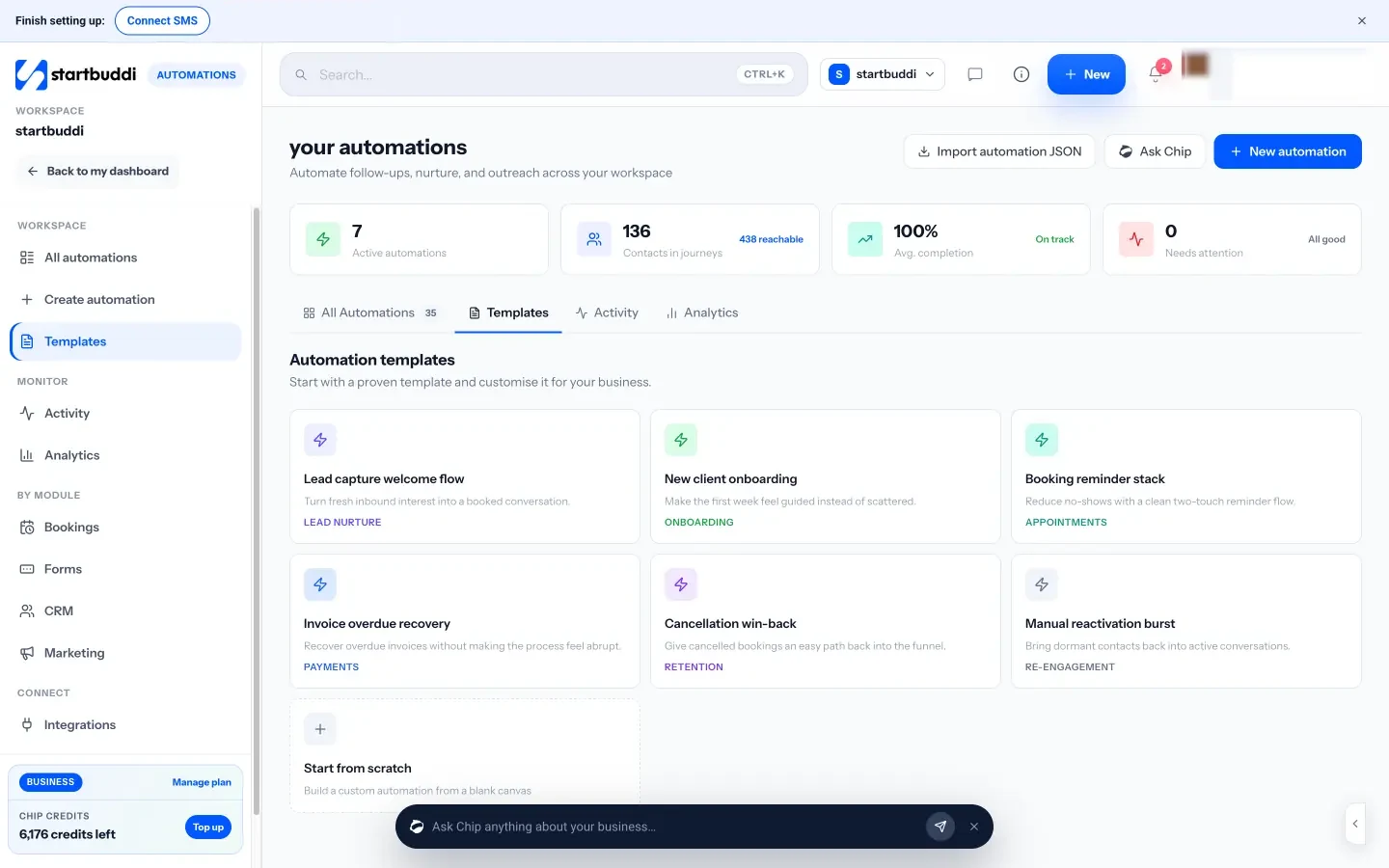
- Test it. Book yourself a slot with your own email and phone number and check the reminder arrives on each channel at the time you chose. For an automation, use Test this automation with your own contact, check the validation list, then Activate. Add a second automation on “Booking cancelled” if you want to send a rebooking link.
A few honest limits. Each booking gets one automatic reminder; a second one needs an automation. A booking made after the reminder time, for example 3 hours ahead when reminders go 24 hours before, gets no automatic reminder, so send a one-off reminder from the booking. The “Wait until” step in Automations times a message to the day rather than to the hour, so for an exact time use the built-in reminder. A free plan is available for Bookings and email reminders; see pricing for what each plan includes. For more ideas on what to automate next, read our guide on how to automate your small business, or see how startbuddi works as appointment scheduling software.
Set up your reminders once
Copy the templates, pick your schedule and let the messages run themselves. Start free with startbuddi to take bookings with automatic reminders today: switch on email, WhatsApp or SMS in Bookings, and add extra messages through Automations when you’re ready.
Frequently asked questions
How far in advance should appointment reminders be sent?
Send the main reminder about 24 hours before, which gives the client time to rearrange and gives you time to fill the slot. For appointments booked weeks ahead, add one a week out. A short nudge two hours before helps with first-time clients and long journeys.
Are automated appointment reminders by SMS legal?
In most places, yes, as long as the client gave you their number for the booking and the message is purely about the appointment. In the UK the ICO treats appointment reminders as service messages rather than marketing, but adding an offer changes that. Always check the rules where you operate.
Can I send WhatsApp appointment reminders automatically?
Yes, through the WhatsApp Business Platform (the API), not the regular WhatsApp app. You need a business number connected to a tool that supports automations and a reminder template approved by Meta. Free-text messages are only allowed within 24 hours of the client's last message.
What should an appointment reminder message say?
It should say who it's from, the service, the date and time, the place or video link, and how to reschedule. Keep it short enough to read in a notification. Leave out offers and marketing.
Do appointment reminders reduce no-shows?
They remove the most common cause, which is simply forgetting. They work best alongside an easy reschedule link and, for high-value slots, a deposit. Track your own no-show rate for a month before and after to see the effect on your business.
Is SMS or WhatsApp better for appointment reminders?
WhatsApp is usually better where clients live in the app, as in much of Nigeria, Kenya and Ghana, because messages are read quickly and support links and buttons. SMS reaches phones without data or WhatsApp and needs no template approval. Many businesses use WhatsApp for the main reminder and SMS as a fallback.
Olabimpe Salami is the email and outreach specialist at startbuddi. Olabimpe writes about the messages that bring customers in and back: email, WhatsApp and SMS campaigns, follow-ups, and turning enquiries into paying clients.
Runs email and outreach at startbuddi