Late payments are the silent killer of service business cash flow. You do great work, you deliver on time, and then you wait. And wait. And send another email. And wait some more.
The problem is almost never the client being malicious. It’s usually one of three things: they forgot, they’re also busy, or your payment process is unclear. All three are fixable.
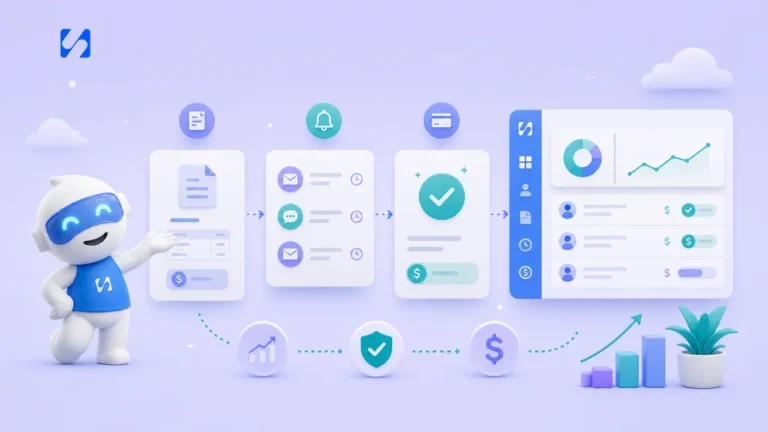
The longer you wait to send an invoice, the longer you wait to get paid. As soon as you complete a session, deliver a project, or finish a service — send the invoice within the hour. When the work is fresh in your client’s mind, they’re most motivated to pay.
With startbuddi, invoices are sent automatically the moment you mark a booking as complete.
If a client has to figure out bank details, log into a portal, or call you to pay — you’ve already added friction that causes delays. Your invoice should contain a single payment link that works in two taps on a phone.
| Payment Method | Average Payment Speed | Best For |
|---|---|---|
| Direct bank link (Paystack) | Under 24 hours | Nigerian clients |
| Card payment (Stripe) | Under 12 hours | International clients |
| Bank transfer | 2–5 days | Large amounts |
Most payment tools let you set reminders — use them. A sequence of three reminders (day 1, day 3, day 7) catches 90% of late payments without any effort from you. Keep the tone warm and assume goodwill.
For projects over a certain value, require a 50% deposit before you start. This does two things: it filters out tyre-kickers, and it means you’re only ever chasing 50% of your money if things go sideways.
Put it in your contract, on your invoice, and in your welcome email. Something like: “Invoices are due within 7 days. A 5% late fee applies after 14 days.” Most clients never need to see it enforced — but having it changes behaviour.
Getting paid on time isn’t about being pushy — it’s about having systems. Set them up once, and let automation do the work while you focus on your clients.
You blocked out two hours. You prepared. You waited. They never showed. No message, no warning, nothing. If you run a service business, you know this feeling well — and it costs you real money.
It’s not just the lost revenue from that slot. It’s the slot you couldn’t offer to someone else, the prep time wasted, and the mental energy of dealing with it. Research suggests service businesses lose between 10–25% of potential revenue to no-shows annually.
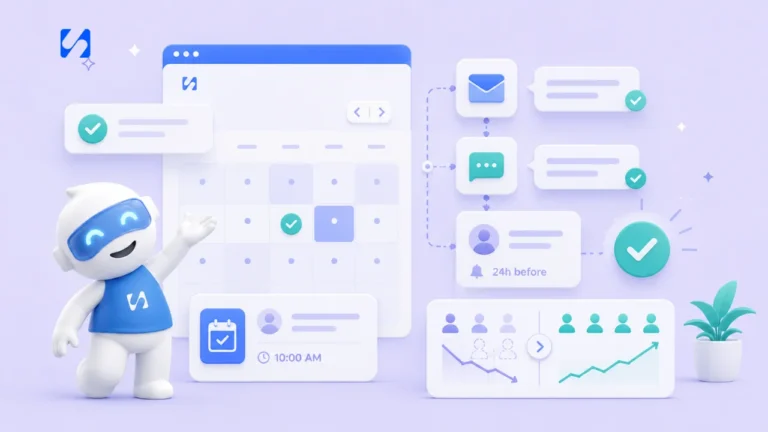
As soon as someone books, send a confirmation. This isn’t just courtesy — it plants a mental anchor. People who receive immediate confirmation are 40% less likely to forget or no-show.
Most no-shows aren’t deliberate — people simply forget. A single SMS or email reminder 24 hours out can cut no-shows by half. Make it warm and include the details: time, location (or link), and how to reschedule if needed.
For high-value sessions, a second reminder one hour before the appointment almost eliminates honest forgetting. Keep it short: “Hey Sarah — just a reminder your session starts in an hour. See you soon!”
Put this in writing. A 24-hour cancellation window with a fee (or forfeited deposit) is standard. The point isn’t to punish — it’s to create enough friction that people think twice about disappearing without notice.
| Strategy | Difficulty | Impact on No-Shows |
|---|---|---|
| Instant booking confirmation | Easy (automated) | High |
| 24-hour SMS reminder | Easy (automated) | Very high |
| 1-hour reminder | Easy (automated) | Medium |
| Deposit requirement | Medium | Very high |
| Clear cancellation policy | Easy | Medium |
Sometimes a client genuinely can’t make it but doesn’t reschedule because they don’t know how or it feels complicated. Include a one-click reschedule link in every reminder. Make it as easy as possible for them to give you that slot back.
Send a brief, warm message after a no-show. Something like: “Hey, we missed you today — hope everything’s okay. Would you like to reschedule?” This recovers a surprising number of clients who are embarrassed and grateful you reached out.
You can’t improve what you don’t measure. Track no-shows weekly and look for patterns — is it a particular type of service? Bookings made more than a week in advance? Afternoon slots? Patterns lead to solutions.
Most no-shows are avoidable with the right systems in place. Set them up once, let them run automatically, and watch your schedule — and revenue — become much more reliable.
You want to run a proper business in Nigeria — great. Registering with the Corporate Affairs Commission (CAC) is how you make it official. And while the process used to require endless trips to Abuja or an expensive lawyer, it’s now mostly online.
Here’s exactly how to do it, step by step.
A registered business gives you credibility with clients, lets you open a proper business bank account, protects your business name, and is often required to work with larger companies or bid for contracts.
For most service businesses, you have two realistic options:
| Structure | Best For | Cost | Time |
|---|---|---|---|
| Business Name | Sole traders, freelancers, small businesses | ~₦10,000–15,000 | 3–5 days |
| Private Limited Company (Ltd) | Teams, those seeking investment, corporate clients | ~₦30,000–60,000 | 7–14 days |
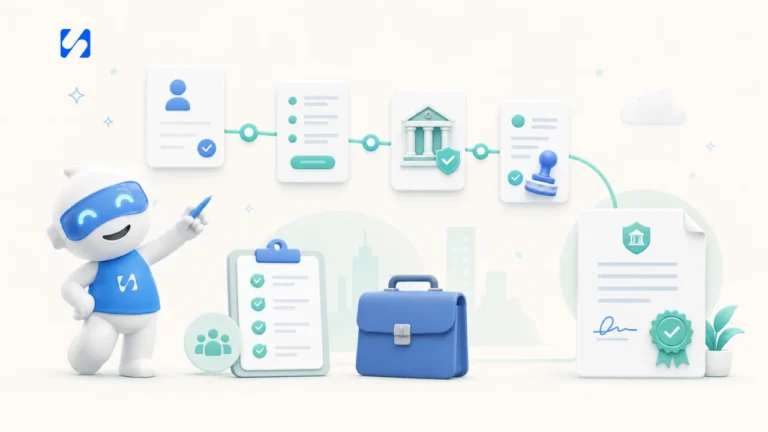
Before anything else, check that your desired name is available. Go to search.cac.gov.ng and search for your proposed name. You can reserve a name for 60 days while you complete the process.
Go to pre.cac.gov.ng and create an account. You’ll need a valid email address and phone number. This portal handles all registrations online.
Fill in your business details including the proposed name, nature of business, registered address, and details of proprietors (for business name) or directors and shareholders (for Ltd company).
You’ll typically need to upload a government-issued ID for each owner or director. For a Limited Company you’ll also need a Memorandum and Articles of Association — the CAC portal provides standard templates.
Fees are paid through the portal via Remita. Keep your payment confirmation — you’ll need it to track your application.
Processing typically takes 3–14 days depending on the structure. You can track your application on the portal. Once approved, you’ll receive your Certificate of Registration digitally.
Once registered, your next steps are: opening a business bank account, applying for a Tax Identification Number (TIN) from the FIRS, and getting any industry-specific permits your business requires.
Tip: Keep all your registration documents in a single folder — both digital and physical copies. You will be asked for them often, especially when dealing with banks or enterprise clients.
startbuddi’s Formation Tracker guides you through the entire registration process, stores your documents securely, and alerts you to renewal deadlines. No lawyer needed.
When most service business owners hear “AI”, they think of something built for tech companies with big budgets. But the reality in 2024 is different. AI tools are now affordable, easy to use, and genuinely useful for the kinds of problems that eat up a service business owner’s time every day.
How much time do you spend staring at a blank screen trying to write the right email? An AI assistant can draft follow-ups, check-ins, proposal emails, and even difficult messages like late payment reminders — in seconds. You review, tweak, and send. What used to take 20 minutes takes 2.
Most service businesses get the same 10 questions over and over: How do I book? What’s your cancellation policy? Do you work on weekends? An AI-powered assistant on your website or WhatsApp can answer these 24/7 without you lifting a finger.
Consistency is the most important thing in social media — and it’s the first thing to go when you’re busy. AI can generate a week’s worth of post ideas, captions, and even hashtag sets in under 10 minutes. You still decide what to post, but the blank page problem disappears.
| Task | Without AI | With AI | Time Saved Weekly |
|---|---|---|---|
| Client follow-up emails | 45 min | 10 min | 35 min |
| Social media posts | 60 min | 15 min | 45 min |
| Answering FAQs | 30 min | 0 min (automated) | 30 min |
| Invoice follow-ups | 20 min | 2 min | 18 min |
| Monthly reporting | 90 min | 15 min | 75 min |
Chip, the AI assistant inside startbuddi, can look at your booking history, payment data, and client activity and tell you things like: which services are most profitable, which clients haven’t rebooked, and what months tend to be slow. This kind of analysis used to require an accountant.
Writing a detailed proposal for a new client is time-consuming. AI can generate a polished first draft based on a few key inputs from you — service type, scope, timeline, price — in under a minute. You personalise and send.
You don’t need to learn a dozen tools. Start with one: the AI assistant in your business platform. Ask it a question about your business. Let it draft one email. See what happens. Most business owners who try it once wonder how they managed without it.
You don’t need to be a content creator to get bookings from Instagram. You don’t need to post Reels every day, hire a photographer, or spend money on ads. You need a simple, repeatable system — and this is it.
Instagram is a discovery engine. When someone in your city searches for a fitness coach, a photographer, or an event planner, Instagram shows them recent posts with location tags and relevant hashtags. If you show up, you get found. Most of your competitors aren’t doing this properly — which means the bar is low.
Your bio does a lot of work. Make sure it has: what you do, who you help, where you’re based, and a clear link to book. That’s it. Keep it under 150 characters. Switch your link to a booking page, not your homepage.
Post 6 times per week using this split:
| Post Type | Frequency | Purpose | Example |
|---|---|---|---|
| Results/Proof | 3x/week | Build trust | Before/after, client results, reviews |
| Value/Tips | 2x/week | Build authority | “3 things to ask your X before booking” |
| Personal/Behind-scenes | 1x/week | Build connection | A day in your life, your workspace, your process |
Tag your location on every post. When people search for services in your area, posts with location tags show up. This is free, takes two seconds, and is one of the most underused strategies by local service businesses.
Instagram has quietly moved away from hashtag-heavy posts. Use 3–5 highly relevant hashtags rather than 30 generic ones. Mix local hashtags (#lagosfitnesscoach) with service ones (#personaltrainer) and community ones (#womenwhobusiness).
Post to Stories every day — even if it’s just one thing. Stories keep you visible to your existing followers. Once a week, post a Story with a poll, question, or CTA that ends with “DM me to book.” It works because it’s low-pressure and personal.
Spend 90 minutes on Sunday creating content for the whole week. Write all your captions, batch your photos, and schedule them with a tool like startbuddi’s social scheduler. Then forget about it until next Sunday.
Ignore follower count — it’s vanity. Track profile visits (are people clicking through?), link clicks (are they going to your booking page?), and DM enquiries. These tell you if Instagram is actually bringing in business.
When most service business owners think about growth, they think about getting more clients. But scaling isn’t about working more hours — it’s about serving more people with the same or less effort. Here’s how to do it without burning yourself out.
You get busy, so you add more hours. You add more hours, so you get tired. You get tired, so quality slips. Quality slips, so clients leave. And suddenly you’re back to where you started, but exhausted. This cycle is preventable.
Before you take on more clients, make sure your current operation runs smoothly without you being hands-on for every small thing. Ask yourself: if I were sick for a week, what would break? Fix those things first.
The first things to systematise are the ones that eat time but don’t need your expertise: booking, reminders, invoicing, and basic client communication. These should all run automatically before you think about growth.
| Task | Can Automate? | Tool |
|---|---|---|
| Booking confirmations | Yes | startbuddi Bookings |
| Session reminders | Yes | startbuddi Automations |
| Invoicing | Yes | startbuddi Payments |
| Payment reminders | Yes | startbuddi Payments |
| Client onboarding docs | Mostly | Email sequences |
| Social media | Partially | startbuddi Marketing |
Stop selling time. Start selling packages. Instead of “I charge ₦15,000/hour”, create structured packages with clear deliverables, timelines, and prices. Packages are easier to sell, easier to manage, and easier to scale.
Counter-intuitive, but raising prices is often the fastest way to scale sustainably. Higher prices attract more committed clients, reduce your client volume, increase margins, and give you time to deliver exceptional service. If you’re fully booked at your current price, raise it.
Scaling past a certain point means bringing in other people. This doesn’t have to mean employees — it could be a virtual assistant for admin, a contractor for overflow work, or a junior service provider you train. Figure out what only you can do, and hire out everything else.
The biggest barrier to scaling a service business is the belief that quality will drop if you’re not personally involved in everything. Great systems and well-trained people can maintain quality at scale. Your job is to build the system, not do every task inside it.
Ask most service business owners if they use a CRM, and many will say yes. Ask them when they last opened it — and the answer gets uncomfortable. A CRM you don’t use isn’t a business tool. It’s digital clutter. Here’s why it matters and how to actually make it work for you.
A CRM isn’t just a contacts list. It’s a memory for your business. It knows who your clients are, when they last booked, what they’ve bought, what they said in their last message, and whether they owe you anything. When it’s used properly, it means you never have to ask a client to repeat themselves — and you never miss a follow-up.
Most people treat their CRM as a place to put information after things happen. The CRM should drive what happens next. When you log a client, the CRM should automatically prompt you to follow up, remind you when they haven’t booked in 60 days, and flag unpaid invoices.
| Data Point | Why It Matters |
|---|---|
| Last booking date | Tells you who needs a re-engagement message |
| Total revenue | Identifies your most valuable clients |
| Services booked | Shows what to upsell or cross-sell |
| Payment status | Flags anyone who owes you money |
| Notes from sessions | Makes every client feel remembered |
Spend 15 minutes every Monday doing one thing: look at who hasn’t booked in 45+ days and send them a personal check-in. Not a newsletter — a short, direct message. “Hey Sarah, just thinking of you — how are things going? Would love to catch up.” This one habit can recover 2–3 clients a month who would otherwise have drifted away.
You don’t need complicated segmentation. Three categories are enough: Active clients (booked in the last 30 days), At-risk clients (30–90 days since last booking), and Lapsed clients (90+ days). Your CRM should show you this at a glance.
Studies consistently show that increasing client retention by just 5% increases profit by 25–95%. Your CRM is the tool that drives retention. It’s not an admin task — it’s one of the highest-leverage activities in your business.
The best CRM is the one you actually use. If it’s complicated, you won’t use it. Keep it simple, keep it visible, and let it remind you what to do next.