AI chatbots for small business websites: what to know first
Thinking about an AI chatbot for your website? What it can and can't do, the risks to plan for, what to prepare, and how to hand over to a person at the right time.


Photo: Sweet Life / Unsplash
- An AI chatbot for your website is worth it if visitors ask the same questions often or arrive when you're offline. It must answer only from information you give it, say it is an AI, and hand over to a person quickly. Prepare your facts and handover rules before you switch it on.
An AI chatbot for website visitors is a chat box that answers visitors’ questions on its own, in plain language, using information you give it, and passes the conversation to a person when it can’t help. For a small business it makes sense when the same questions come in again and again, or when people visit your site while you’re asleep, busy or with a customer.
It is not a magic salesperson, and set up badly it can say things you never agreed to. This guide covers what these chatbots actually do, where they go wrong, what to prepare before you switch one on, and how to judge whether it’s working.
What an AI chatbot for website visitors actually does
Older website chatbots worked like a phone menu: press a button, get a fixed answer. Modern AI chatbots use a large language model, so visitors can type a question in their own words (“do you come to Lekki on Saturdays?”) and get a natural reply.
The important difference between a useful chatbot and a risky one is where its answers come from. A good business chatbot is “grounded”: it answers only from sources you have approved, such as your price list, opening hours, service descriptions and policies. When the answer isn’t in those sources, it says so and offers a person. A chatbot that answers from the model’s general knowledge will fill gaps with guesses, and guesses about your prices or refund rules are how businesses get into trouble.
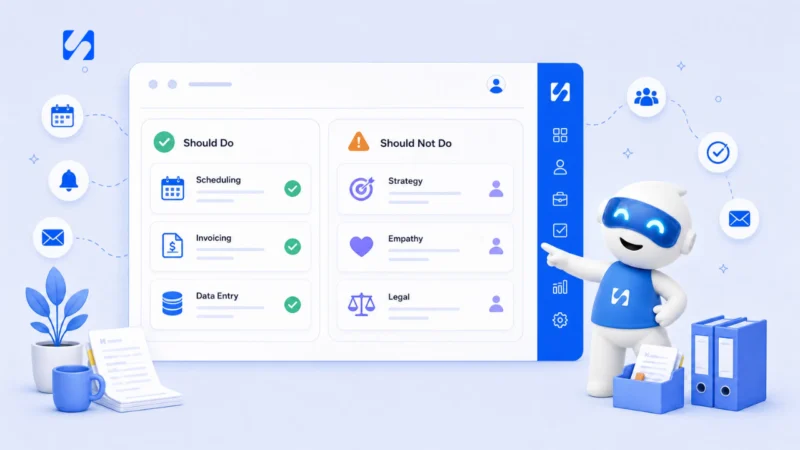
Jobs it does well
- Answering repeat questions: prices, hours, location, delivery areas, what’s included.
- Collecting a visitor’s name, email or phone number so you can follow up.
- Pointing people to the right page, form or booking link.
- Covering nights and weekends, then handing the conversation to you in the morning.
Jobs to keep for people
- Complaints, refunds and anything emotional.
- Custom quotes and negotiations.
- Legal, medical or financial advice.
- Anything where a wrong answer costs money or trust.
Is a website chatbot right for your business?
Not every small business needs one. Run through these questions honestly.
| Question | If yes | If no |
|---|---|---|
| Do you get the same five or ten questions every week? | A chatbot can answer them instantly | A simple FAQ page may be enough |
| Do visitors arrive when nobody can reply? | It stops those people leaving with nothing | Live chat staffed by you may be better |
| Can you write down your prices, hours and policies clearly? | You have what the chatbot needs | Do that first, or it will have nothing to answer from |
| Will someone check the handovers every day? | Visitors get a person when they need one | Don’t switch it on yet |
If you only get a handful of website visitors a week, your time is better spent getting more traffic first. A chatbot answers questions; it doesn’t create demand.
The risks to plan for before you switch it on
It can be wrong, and you are responsible
In Moffatt v. Air Canada (2024), a Canadian tribunal ordered the airline to compensate a customer after its website chatbot described a refund policy that didn’t exist. The airline argued the chatbot was responsible for its own words; the tribunal disagreed and held the company liable. The American Bar Association’s summary puts the lesson simply: companies remain liable for what their chatbot tells customers. Treat everything it says as if you said it.
People should know they are talking to AI
If you have visitors in the European Union, Article 50 of the EU AI Act has applied since 2 August 2026. It requires systems that talk to people to make clear they are AI, unless that is already obvious. The European Commission’s FAQ explains the duty. Wherever you are, a short line such as “I’m an AI assistant, I can pass you to the team at any time” is simply good manners.
Chats contain personal data
Names, phone numbers and the details people type are personal data. In Nigeria, the Nigeria Data Protection Commission oversees the Nigeria Data Protection Act 2023, which expects you to tell people how you use their data, collect only what you need and let them withdraw consent. Mention the chat in your privacy notice, don’t ask for more details than you need, and never ask for card numbers or passwords in chat.
This section is general information, not legal advice. Check the rules that apply to your business and your customers’ countries.
What to prepare first: the chatbot’s knowledge
A chatbot is only as good as the information behind it. Spend an afternoon writing these down in plain sentences. You’ll use them for your website and team too, so it’s never wasted time.
- Your top questions and answers. Go through your WhatsApp, email and DMs and list the questions you answer most. Write the answer you’d give a friend.
- Prices, or price ranges. If prices depend on the job, say that and explain what affects them. Give the chatbot a clear rule: “never quote a final price, offer a free quote instead”.
- Hours, locations and service areas. Include holidays and anything seasonal.
- Policies. Cancellations, refunds, deposits, delivery times. Copy them exactly from your published policy.
- What it must never do. Offer discounts, promise dates, give legal or medical opinions, or discuss other customers.
- What to say when it doesn’t know. For example: “I don’t want to guess on that. Can I pass you to the team? Leave your number and we’ll reply today.”
If you’d like a head start on wording, our AI prompt pack for service businesses and the guide to writing AI prompts that sound like your business both help you describe your tone clearly.
Design the handover before anything else
The handover to a person is where most chatbots succeed or fail. A visitor who gets stuck in a loop of polite non-answers leaves annoyed, and often doesn’t come back. WhatsApp’s own Business Messaging Policy makes the same point for automated replies on WhatsApp: you may automate, but you must also offer a prompt, clear and direct way to reach a human.
When the chatbot should hand over
- The visitor asks for a person, in any words.
- The question isn’t covered by its knowledge.
- The visitor sounds upset, or mentions a complaint, refund or problem with an order.
- The visitor is ready to buy something custom and needs a quote.
What a good handover looks like
The person taking over should see the whole conversation, the visitor’s details and what the chatbot already said, so the visitor never has to repeat themselves. Tell the visitor what happens next and when: “Ada from our team will reply here within the hour” is far better than “someone will get back to you”. If nobody is online, collect a contact detail and promise a time you can keep.
Chatbot, live chat or WhatsApp: which do you need?
These three get mixed up, and the right answer depends on where your customers already talk to you.
| Option | What it is | Best when |
|---|---|---|
| Live chat | A chat box on your website answered by you or your team | You can reply within minutes during working hours |
| AI chatbot | The same chat box, answered first by AI from your approved information | Questions repeat and many visitors arrive when you’re offline |
| WhatsApp chat | Customers message your business number, from your site or anywhere | Your customers already prefer WhatsApp to web forms |
Many small businesses end up with a mix: a website chat box where the AI answers first, a clear button to continue on WhatsApp, and a person who picks up anything the AI hands over. What matters is that every conversation lands in one place, so nothing gets answered twice or missed.
What a good conversation looks like
Here’s the shape to aim for, from a cleaning company’s site at 10pm:
Visitor: How much for a 3-bedroom flat deep clean?
Chatbot: Hi, I’m the AI assistant for Bright Clean. Deep cleans for a 3-bedroom flat usually start from the price on our services page, and the final quote depends on the condition and extras like ovens or windows. Would you like a free quote? I can take your details and the team will reply by 10am tomorrow.
Visitor: Yes please.
Chatbot: Great. What’s the best phone number or email to reach you?
It says it’s an AI, answers from real information, doesn’t invent a final price, and ends with a clear next step and a time. That is the whole job.
A one-week plan to launch it properly
| Day | Task |
|---|---|
| 1 | List your top 20 questions and write the answers. |
| 2 | Write your rules: what it must never say, when to hand over, what to say when unsure. |
| 3 | Set up the chat widget: greeting, colours, when to ask for visitor details. |
| 4 | Test it yourself. Ask awkward questions, try to get a discount, ask about things it doesn’t know. |
| 5 | Ask two friends or customers to test it on their phones and tell you where it confused them. |
| 6 | Fix the answers, then install it on your site. |
| 7 | Read every conversation from the first day and adjust. |
For the first month, read every conversation. You’ll quickly see which questions it answers well, where it hands over too late, and what information is missing.
How to measure whether it’s helping
- Questions answered without a person. This should grow as you add knowledge, but never at the cost of wrong answers.
- Handovers. A healthy chatbot hands over often at first. Look at why, and fill the gaps.
- Unanswered questions. Each one is a missing piece of knowledge, or a sign your website isn’t clear.
- Leads captured. Contacts collected from chat who later book or buy.
- Complaints about the bot. Even one “I couldn’t reach a person” is worth fixing that day.
Set aside 15 minutes each Friday for the first two months. Read a sample of conversations, add answers for the questions that came up more than once, and tighten any rule the chatbot bent. After that, a monthly check is usually enough. If the numbers show visitors mostly want to book or pay, make those links the first thing the chatbot offers, rather than making people ask.
How startbuddi helps
Website chat lives under Publish in startbuddi. You set up a chat widget, choose its look and messages, copy one line of code and paste it into your website. Visitors can type to a person or to Chip, book a meeting from the chat, or switch to WhatsApp. You decide when to ask for their details: before they chat, after their first message, only before a person takes over, or never.
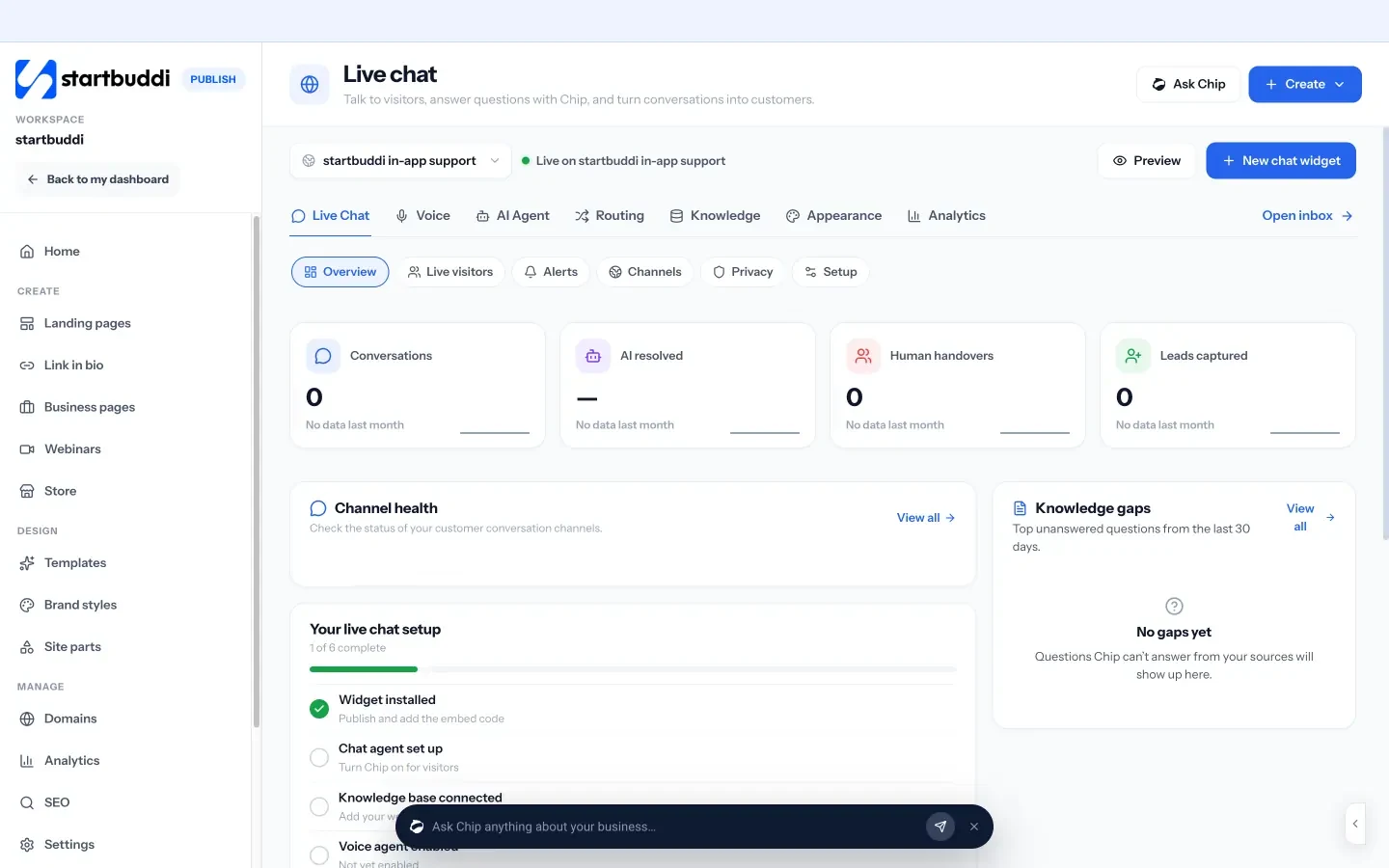
Chip answers from the knowledge you approve, not from guesses, and hands over to a teammate with the full conversation so visitors don’t repeat themselves. Questions Chip couldn’t answer are grouped as “knowledge gaps”, so you can write the answer once and it becomes part of what Chip knows. Every conversation lands in the customer Inbox, next to your email and WhatsApp messages, and becomes a contact you can follow up.

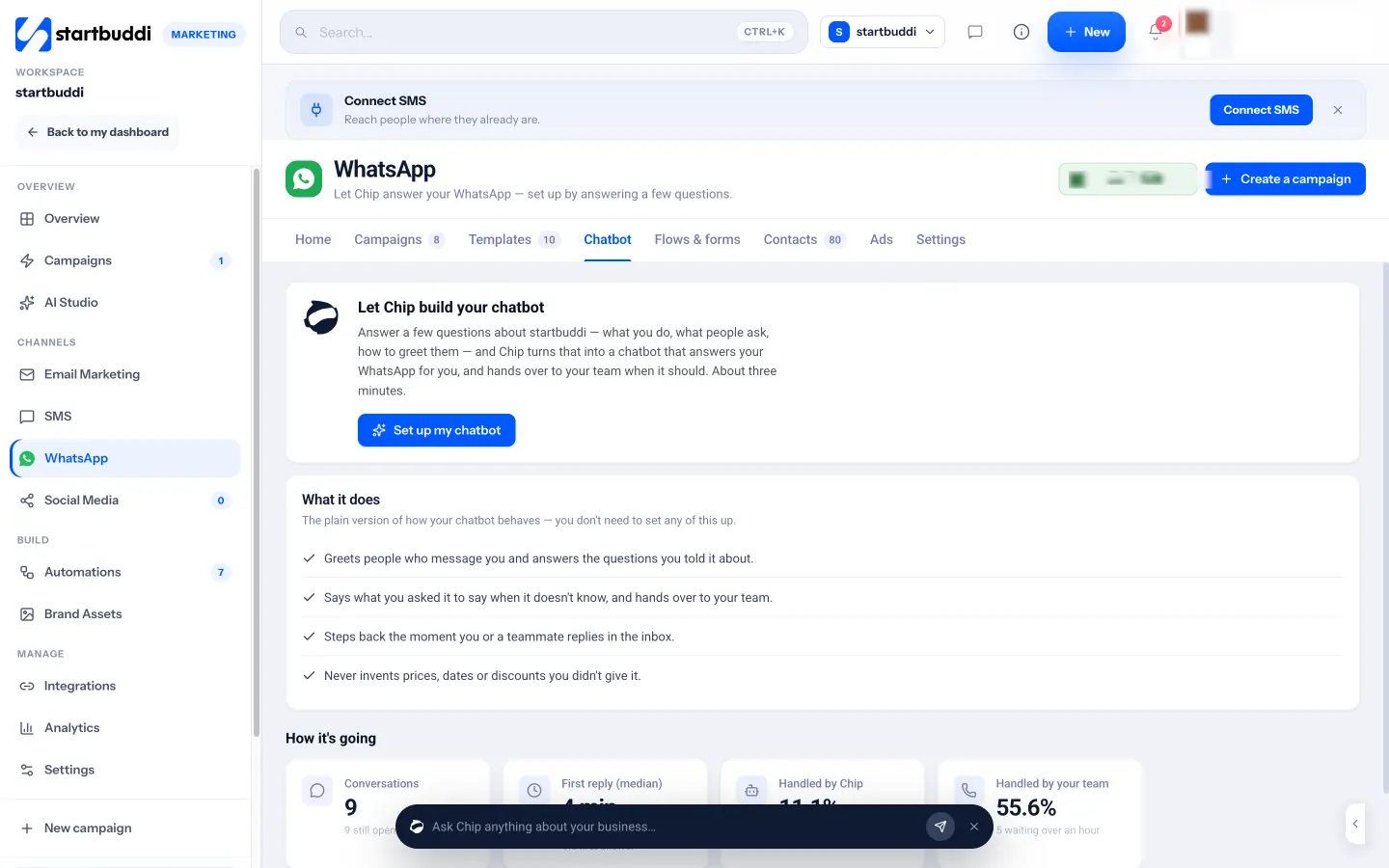
You choose when Chip replies: straight away, only when nobody on the team answers, or outside business hours. When a teammate replies, Chip steps back. Chip auto-reply on live chat, the Inbox and WhatsApp needs the Growth plan or above and uses Chip credits. If most of your customers message you on WhatsApp rather than your website, the WhatsApp chatbot works the same way: Chip greets people, answers what you told it about, says what you asked it to say when it doesn’t know, and never invents prices, dates or discounts you didn’t give it.
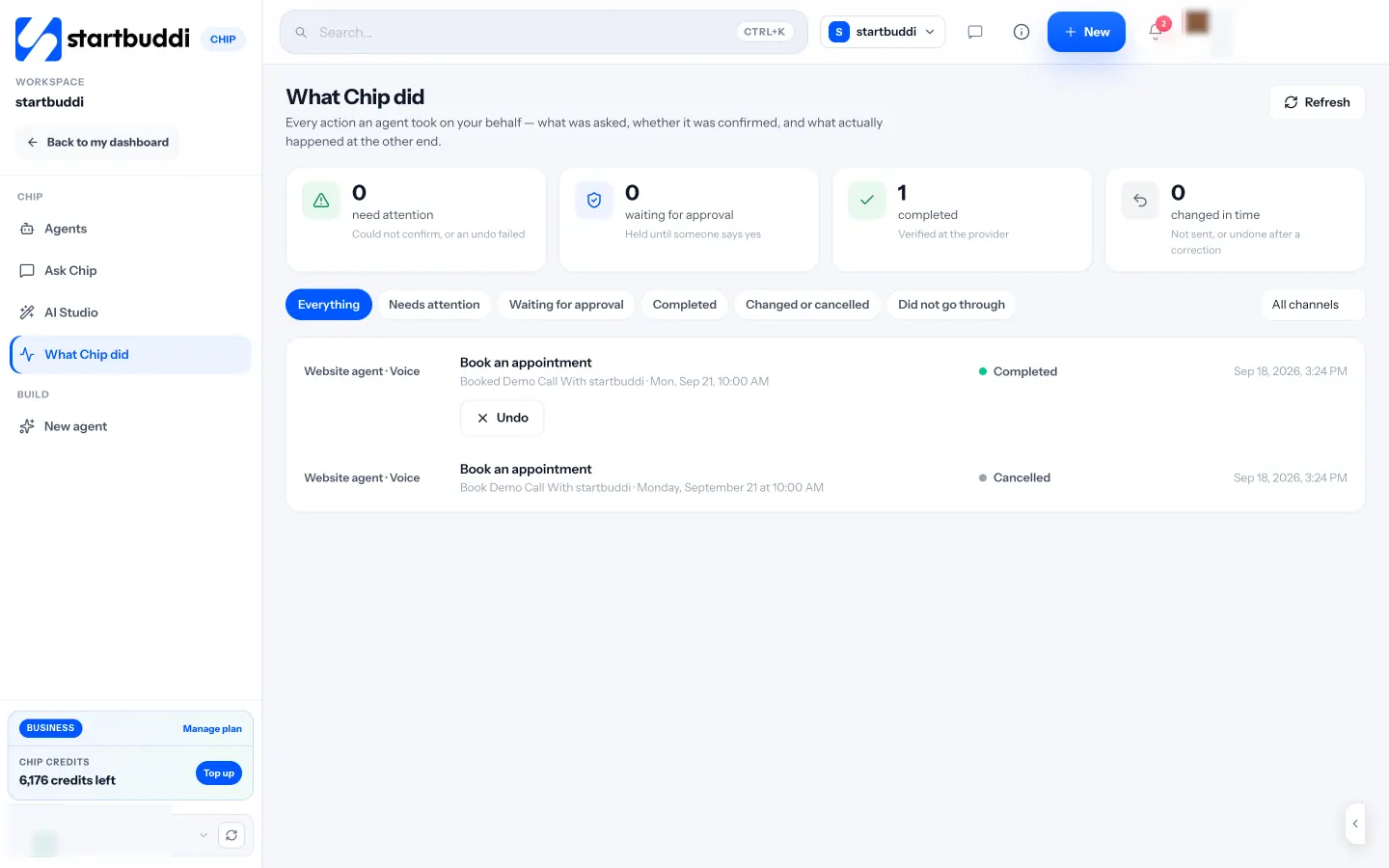
Anything Chip does on your behalf, such as booking an appointment from the website chat, is logged in “What Chip did”, with what was asked, whether it was confirmed and what actually happened. Read more about how Chip and AI agents work, or meet Chip in our introduction post.
Your next step
Before you choose any tool, open a blank document and write down the 20 questions your customers ask most, with your answers. That list is the heart of any good chatbot, and it will tell you quickly whether you need one. When you’re ready to try it, compare the plans. Chip auto-reply comes with Growth, and every paid plan starts with a 30-day trial.
Sources
- Moffatt v. Air Canada, 2024 BCCRT 149 (summary)
- American Bar Association: companies remain liable for information provided by AI chatbots
- European Commission: transparency obligations under Article 50 of the AI Act
- Nigeria Data Protection Commission
- WhatsApp Business Messaging Policy
Frequently asked questions
Will an AI chatbot replace my customer service?
No. It takes the repeat questions and the out-of-hours messages, so you have more time for the conversations that need a person. Plan for it to hand over often.
Can an AI chatbot make up answers?
It can if it answers from general knowledge. Choose one that answers only from information you approve and says so when it doesn't know.
Do I have to tell visitors they're chatting with AI?
If you serve people in the EU, the AI Act requires it unless it's obvious. Elsewhere it's still the honest thing to do, and a one-line greeting covers it.
What should a chatbot never do?
Promise discounts, dates or refunds you haven't approved, give legal or medical advice, or ask for card numbers and passwords in chat.
Tiwalade Joanna Okedara-Kalu is the founder, CEO and CTO of startbuddi, the business system that brings clients, bookings, invoices, projects, marketing and the Chip AI assistant into one place. Tiwalade builds software around how service businesses really work day to day, and writes about client management, getting paid on time and why small businesses outgrow the tools they start with.
Founded startbuddi and leads its product and engineering