Customer service for small business: standards, complaints, tools and AI
A practical guide to customer service for small business: service standards, saved replies, complaint handling, measuring satisfaction, and using live chat and AI safely.


Good customer service for small business is not about call centres or scripts. It is about answering quickly, being clear about what you will do, fixing things when they go wrong and making customers feel remembered. Done well, it is one of the few advantages a small business has over a large one, because you can be personal in a way big companies struggle to be.
This guide is for owners and small teams who handle customer questions themselves, across WhatsApp, email, phone, social media and website chat. Each chapter starts with the business thinking, with examples, templates and mistakes to avoid, then shows how to do it in startbuddi. By the end you will have written service standards, a set of saved replies, a complaint process, a way to measure how you are doing, and a clear view of which customer service tools, including AI, are worth using.
What good customer service means for a small business
- The five principles of good small business service
- Customer service and customer experience
- Write like a person, not a policy
- What good service looks like in practice
- Response time standards by channel
- A one-page service promise
- Set your hours and say them out loud
- Make sure everyone who answers knows the standards
- 1. See every customer message in one place
- 2. Connect the channels you use
- Keep notes where everyone can see them
- 3. Keep promises with snooze and scheduled sends
Every business says it offers great customer service. Customers can tell the difference within one message. This chapter explains what good service actually means for a small business, why it is worth the effort, and how to write a short set of service standards that you and your team can keep, even on a busy week.
Here is the short answer. Customer service for a small business means helping customers before, during and after they buy, on the channels they use, in a way that is fast, friendly, accurate and consistent. You do not need a large team or expensive software to do it well. You need clear standards, one place to see every conversation, a few saved replies, and a habit of following through on what you promise.
What customer service for small business really means
Customer service is often treated as complaint handling. In practice, most of it is much more ordinary: answering questions about prices and availability, confirming bookings, explaining how something works, sending an invoice again, rescheduling, and checking that a customer is happy. Complaints are a small part of the job, although they matter a great deal when they happen.
It helps to think of customer service in three moments:
- Before they buy: answering questions, giving prices, helping them choose. This is where service and sales overlap.
- While you deliver: updates, reminders, changes, and making sure there are no surprises.
- After they buy: checking they are happy, handling problems, and making it easy to come back.
Each moment needs something slightly different, but the same principles apply to all three.
The five principles of good small business service
- Be fast. Reply quickly, even if the first reply is only "got it, I'll have an answer by 3pm".
- Be clear. Say exactly what will happen next and when. Vague answers create more messages.
- Be accurate. Wrong information, especially about prices, dates or policies, causes more damage than a slow reply.
- Be human. Use the customer's name, remember what they told you last time, and write like a person.
- Follow through. If you promise to call back, call back. Nothing builds trust faster than doing what you said.
Customer service and customer experience
You will also hear the phrase "customer experience". Customer service is the help you give when a customer gets in touch. Customer experience is everything they feel about dealing with you: how easy it was to book, how clear the invoice was, whether you turned up on time, how the finished job looked. Good service can rescue a poor experience once or twice, but the best businesses reduce the need for service by making the experience smooth in the first place. Every time you answer the same question three times in a week, ask whether a clearer page, message or process would stop it being asked.
Write like a person, not a policy
Tone matters as much as speed. Customers can forgive a delay if the reply is warm and clear, and they notice immediately when a reply is cold or defensive. Compare these two replies to a customer whose delivery is late:
- Cold: "Per our terms, delivery times are estimates and not guaranteed. Your order is in transit."
- Warm: "I'm sorry, Kofi, your order is running a day late because our courier missed the Friday collection. It will reach you by Tuesday afternoon, and I'll send you the tracking link as soon as I have it."
Both are accurate. Only one keeps the customer. A few habits make replies sound human: use the customer's name, say sorry when something went wrong for them, explain the reason in plain words, and end with what happens next. Avoid jargon, internal codes and phrases like "as per my last email".
Why customer service is worth the effort
For a small business, customer service is not a cost centre. It is how you keep the customers you worked hard to win, and how you earn the recommendations that bring new ones. Consider a simple example.
A beauty salon in Johannesburg has a regular client who spends about R600 a visit, once a month. Over three years, that client is worth around R21,600 in revenue. If a clumsy reply to a rescheduling request makes her go elsewhere, the salon does not lose R600. It loses the remaining years of visits, plus any friends she would have referred. Seen that way, spending an extra five minutes on a good reply is one of the best investments the business can make.
The same logic applies everywhere. A software reseller in Dublin with a client paying €200 a month, or a tutoring service in Pune with a family paying ₹8,000 a month, is looking after a stream of income every time it answers a question.
What good service looks like in practice
Great small business service is usually a collection of small, thoughtful touches rather than grand gestures. A few illustrative examples:
- A mechanic in Accra sends a photo of the worn part before replacing it, so the customer can see why the repair is needed.
- A dog groomer in Melbourne texts a photo when the dog is ready, with the pickup time.
- An accountant in Toronto emails every client a two-line reminder a week before each deadline, with exactly what they need to send.
- A caterer in Lagos confirms final numbers, the menu and the arrival time in one message three days before every event.
- A web designer in Glasgow records a two-minute video walking the client through their new site on launch day.
None of these costs much. Each one answers a question before the customer asks it, and makes the business feel organised and caring. Look at your own service from the customer's side and ask: where do people usually get anxious or confused? That is where a small touch has the most effect.
Write your service standards
Service standards are a short list of promises about how you respond. They turn "we give great service" into something specific you can check. Keep them realistic. It is better to promise a reply within four hours and always deliver than to promise ten minutes and often miss.
Response time standards by channel
Customers expect different speeds on different channels. Here is a sensible starting point for a small business. Adjust it to your hours and your team.
| Channel | First reply during working hours | Outside hours |
|---|---|---|
| Website live chat | Within a few minutes, or an automatic answer | Automatic reply with hours and a way to leave details |
| WhatsApp and social messages | Within 1 hour | Away message with your hours |
| Phone | Answer, or call back within 2 hours | Voicemail greeting with your hours |
| Within 4 working hours | Next working morning | |
| Complaints (any channel) | Acknowledge within 1 hour, plan within 1 working day | Acknowledge next morning |
Notice that the standard is for the first reply, not the solution. A quick "thanks, I'm looking into this and will come back to you by Thursday" is often all a customer needs to feel looked after.
A one-page service promise
Write your standards on one page and share them with anyone who talks to customers. Here is an example for a small interior design studio:
We reply to every message within one working hour on WhatsApp and four working hours by email. If we cannot solve something straight away, we say when we will, and we keep that promise. We use your name, we read your whole message before replying, and we never make you repeat yourself. If something goes wrong, we say sorry, fix it, and tell you what we have changed so it does not happen again.
Some businesses publish a short version on their website or booking page. That is a good idea only if you are confident you can keep it.
Set your hours and say them out loud
You cannot be available all the time, and you should not try. Decide your customer service hours, then tell customers everywhere: your website, your WhatsApp Business profile, your email signature, your booking confirmation. Set an away message for outside those hours that says when you will reply and what to do if it is urgent. Customers are much more patient when they know what to expect.
Make sure everyone who answers knows the standards
If anyone else answers customers, even a family member helping on Saturdays, walk them through your standards, saved replies and policies. Give them a short list of things they can decide on their own, such as rescheduling within the same week, and things they must pass to you, such as refunds. A new team member with clear limits gives better service than one who is guessing.
Once your standards are written, test them for a week. Note how often you meet each one, and adjust any that are unrealistic. A standard you keep 95% of the time is worth more than an ambitious one you keep half the time.
Common customer service mistakes small businesses make
- Too many places to check. Messages in five apps mean some get missed. Bring them together.
- Replying from memory. Guessing a price or a policy leads to broken promises. Check, then answer.
- No hours. If you do not say when you are available, customers assume always, and feel ignored when you do not reply at midnight.
- Defensive replies. Arguing with an unhappy customer, especially in public, rarely ends well.
- Disappearing after the sale. The questions after a purchase are where loyalty is built.
How startbuddi helps you keep your service standards
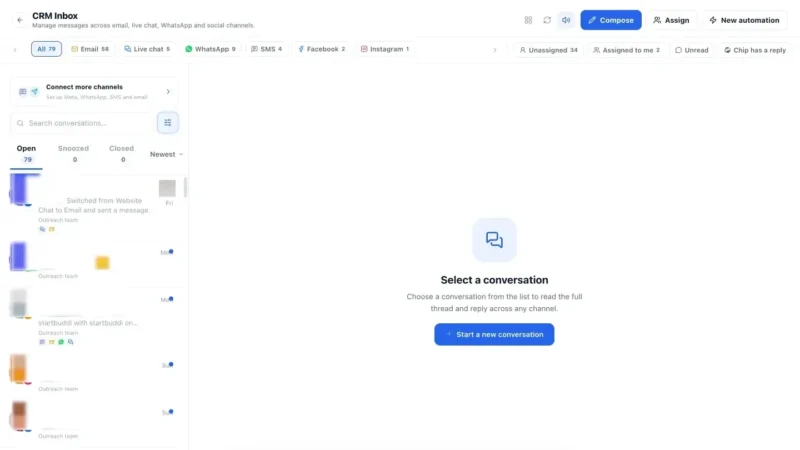
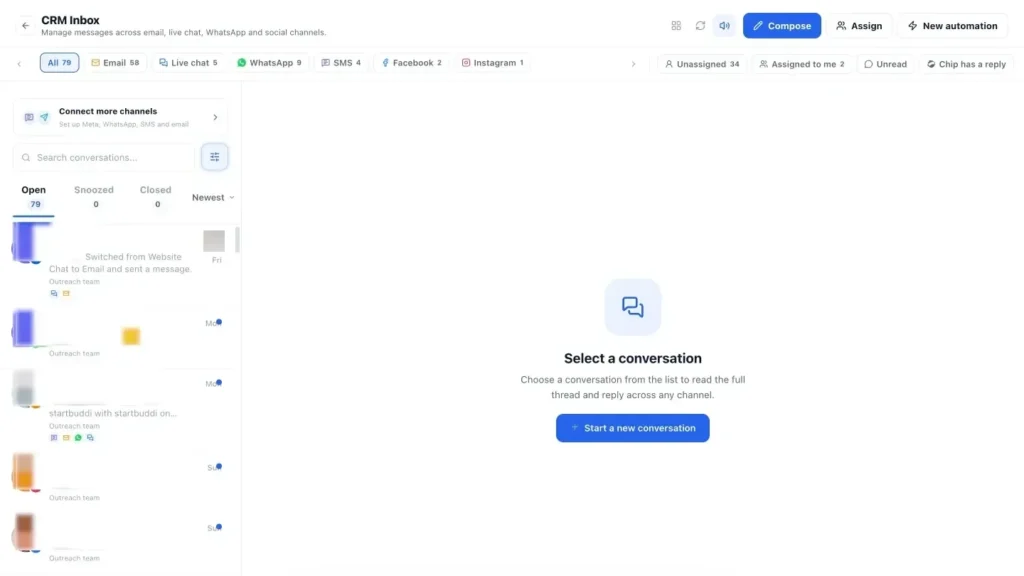
The biggest practical problem for small businesses is not rudeness. It is messages spread across too many places. In startbuddi, they come together in the Inbox inside Customers.
1. See every customer message in one place
The inbox collects WhatsApp, email, SMS, website chat, Instagram and Facebook messages in one list. Conversations are sorted into Open, Snoozed and Closed, and you can sort by newest, oldest or unread first. Next to each conversation is the customer's record: their details, notes, deals, bookings and form submissions, so you can see the whole relationship before you reply. WhatsApp and SMS need the Starter plan or above (see pricing). See the inbox page for details.

Filters help you keep your standards on a busy day: show unread conversations only, those assigned to you, or those nobody has picked up yet. Starting each morning with "unassigned and unread" is a simple way to make sure nobody is left waiting overnight.
2. Connect the channels you use
From the inbox, Connect more channels (or CRM Settings, then Channels) lets you add WhatsApp through Meta's sign-up, connect Gmail or another mailbox, add an SMS provider, and connect Instagram and Facebook. Once connected, every new message lands in the same list. The inbox help article walks through the setup.
Keep notes where everyone can see them
Every contact has a Summary & notes area. Notes added there or from the inbox appear in both places, and they are visible to your team, never to the customer. Writing "prefers WhatsApp, mornings only" or "had a problem with the March delivery, handled with a credit" means the next person to reply already knows the story.
3. Keep promises with snooze and scheduled sends
When you promise to come back to someone on Thursday, use Send & snooze so the conversation reappears when you need it. You can also schedule a message to send later, and it will go even if you are offline. That makes a response time standard much easier to keep, because nothing depends on memory.
With your standards written and your messages in one place, the next step is to make replying faster and more consistent. Chapter 2 covers channels, saved replies and the policies that answer questions before they are asked.
Channels, saved replies and policies that save you hours
- Keep business and personal separate
- Price enquiry
- Reschedule request
- Where is my order or when will you arrive?
- Payment question
- Out of hours
- More saved replies worth having
- Match your tone to the channel
- Know the rules on refunds where you trade
- Write a short internal help sheet
- Keep FAQs up to date
- 1. Use quick replies in the inbox
- 2. Share the work with team inboxes
- Answer questions ahead with booking messages
- 3. Give website visitors answers with live chat
Most customer service messages are the same ten questions asked in slightly different ways. What are your prices? Are you open on Saturday? Can I reschedule? Where is my order? How do I pay? If you answer each one from scratch, you spend hours a week typing the same thing and you give slightly different answers each time. This chapter covers how to choose your channels, build a library of saved replies, write clear policies and set up a place where customers can find answers without asking.
Choose your customer service channels on purpose
You do not need to offer every channel. You need the ones your customers use, done well. Offering a channel you cannot keep up with is worse than not offering it at all, because an unanswered message feels like being ignored.
| Channel | Good for | Watch out for |
|---|---|---|
| Quick questions, bookings, updates. The default in much of Africa, Latin America and India. | Mixing personal and business chats on one phone. | |
| Anything that needs detail, attachments or a record. | Slow replies; messages buried in a busy inbox. | |
| Phone | Urgent problems, older customers, complex conversations. | No written record unless you take notes. |
| Website live chat | Questions from people deciding whether to buy. | Visitors expect a very fast reply. |
| Social media messages | Customers who found you on Instagram or Facebook. | Public comments that need a careful, calm reply. |
For most small businesses, two or three channels are plenty: usually WhatsApp or live chat for quick questions, email for detail, and phone for urgent issues. Tell customers which channel to use for what, on your website, invoices and booking confirmations.
Keep business and personal separate
Many owners start by answering customers on their personal WhatsApp. It works until it does not: customers message at midnight, staff cannot help when you are away, and conversations disappear if you change phones. Moving customer conversations to a business number or a shared inbox protects your time and gives customers a better experience. For the difference between WhatsApp's free app and its business platform, see our glossary entry on the WhatsApp Business API.
Build a library of saved replies
Saved replies, sometimes called canned responses or quick replies, are pre-written answers to common questions that you personalise before sending. They make you faster and more consistent without sounding robotic, as long as you edit them for each person.
Start by listing the ten questions you answer most often. Scroll back through a week of messages if you are not sure. Then write one clear answer to each. Here are some examples you can adapt.
Price enquiry
Hi [name], thanks for asking! Our [service] starts at [price] and most customers pay between [range], depending on [main factor]. If you tell me [one or two details], I can give you an exact price. You can also book a time straight away here: [link].
Reschedule request
Of course, [name], no problem at all. I have these times free: [option 1], [option 2] or [option 3]. Which suits you best? If none of them work, send me a couple of times and I'll do my best to fit you in.
Where is my order or when will you arrive?
Hi [name], thanks for checking. Your [order or visit] is on track for [date and time window]. I'll message you as soon as [it ships or we are on our way]. If anything changes, you'll hear from me first.
Payment question
Hi [name], you can pay by [methods]. Here's the secure payment link for invoice [number]: [link]. If you've already paid, thank you, please ignore this, and let me know if you need a receipt.
Out of hours
Thanks for your message! We're closed right now and back at [time]. We'll reply as soon as we're in. If it's about a booking, you can choose or change a time here: [link].
For more ready-made wording on WhatsApp, including message templates for confirmations and reminders, see our guide to WhatsApp message templates for business.
More saved replies worth having
Acknowledging a problem:
Hi [name], thank you for telling me, and I'm sorry about [problem]. I'm looking into it now and will come back to you by [time] with a solution.
Checking in after a job:
Hi [name], I hope you're enjoying [the result]. I just wanted to check everything is as you hoped. If anything isn't quite right, reply here and we'll sort it.
Saying no politely:
Thanks for asking, [name]. We don't offer [request], because [short honest reason]. What I can do is [alternative]. Would that help?
Give each saved reply a short, searchable name, such as "price: haircut" or "reschedule", so you can find it in seconds.
Match your tone to the channel
The same answer should read differently on different channels. On WhatsApp, keep it short, friendly and broken into small messages, and an emoji is fine if it suits your brand. By email, a little more structure helps: a greeting, a clear answer, the next step and a sign-off. On the phone, slow down, repeat back what you heard and confirm what happens next by message afterwards. In public comments on social media, stay brief and polite, and move anything personal to a private message.
Write clear policies that prevent questions and disputes
Many customer service problems start with a policy nobody explained: a cancellation fee the customer did not know about, a refund they thought they were owed, a delivery charge that appeared at checkout. Clear, short policies, shared before the customer buys, prevent most of these.
The policies most small businesses need are:
- Cancellation and rescheduling: how much notice, and whether there is a fee. The free cancellation policy template is a good starting point.
- Refunds and returns: what you refund, how, and how quickly.
- Payment terms: deposits, due dates and late payment.
- Response times and hours: when customers can expect a reply.
Write each one in plain language, a few sentences long, and show it where customers will see it: your booking page, quote, invoice and website footer.
Know the rules on refunds where you trade
This is general information, not legal advice. Consumer protection law sets minimum rights that your policies cannot take away, and the rules differ by country. A few examples:
- In the UK, GOV.UK guidance on returns and refunds explains that businesses must offer a full refund if an item is faulty, not as described or does not do what it should, and that most online, phone and mail-order sales carry a 14-day right to cancel. It also says it is illegal to mislead customers about their rights.
- In Australia, the ACCC's page on consumer guarantees explains the automatic rights that come with products and services, which a store policy cannot remove.
- In Nigeria, the Federal Competition and Consumer Protection Commission sets out consumer rights and handles complaints.
Check the rules for your country and industry, and ask a lawyer or your local business support service if you are unsure. A generous, clear policy that goes a little beyond the legal minimum is usually good for business anyway.
Write a short internal help sheet
Alongside your public policies, keep a private help sheet for anyone who answers customers. It lists the answers to tricky questions, the limits of what staff can agree to, who to ask about what, and the details people forget: bank details for transfers, the parking code, the name of the courier, how to issue a receipt. A shared document is enough. Update it every time a new question catches someone out, and your service gets a little better each week.
Answer questions before they are asked
The fastest reply is the one the customer never needs to send. A short FAQ section on your website or booking page can remove a large share of routine questions. Good FAQs:
- Use the customer's words, not your internal terms.
- Answer the question in the first sentence.
- Cover prices, hours, area, payment, cancellations and how long things take.
- Link to the next step, such as a booking or payment page.
Put the same answers in your booking confirmation and reminder emails. "Parking is available behind the building" in a reminder saves a phone call on the day.
Keep FAQs up to date
FAQs go stale quietly. Put a reminder in your calendar every three months to read them through, and update them straight away whenever a price, policy or opening time changes. A useful trick is to keep a running note of every question a customer asks that your FAQs did not answer. At each review, add the most common ones. Over a year, your FAQs will come to reflect exactly what your customers want to know, in the words they use to ask it.
Mistakes to avoid when setting up channels and replies
- Copy-paste without reading. A saved reply that ignores what the customer actually asked is worse than a slow one.
- Policies hidden in the small print. If a customer only learns about a fee after the fact, expect a dispute.
- Channels nobody checks. Remove your email address from Instagram if nobody reads that inbox.
- No owner. In a team, every conversation needs one person responsible for the reply.
How to set up channels, replies and answers in startbuddi
1. Use quick replies in the inbox
In the Customers Inbox, Quick replies are ready-made openers you edit before sending, and Insert variable adds details such as the customer's first name. You can also attach a file from your documents, send a form, or switch channel inside a thread, for example replying by email to a WhatsApp message when you need to send something longer. Rich text, emoji and attachments work as you would expect.
If a customer writes in another language, the inbox can show translated messages, which helps when you serve customers across borders. Read the translation carefully before replying on anything important, and keep your reply simple and clear.
2. Share the work with team inboxes
If more than one person answers customers, go to CRM Settings, then Channels, and create team inboxes. You choose who gets new conversations: one person, a round-robin rotation where members take turns and anyone online goes first, or whoever has the fewest open conversations. Chip can suggest routing rules if you are not sure where to start. You can also mask customer phone numbers for team members below manager level, which helps protect customer privacy.
Answer questions ahead with booking messages
If customers book with you, the confirmation and reminder emails are the perfect place for the answers people ask about most. In Bookings, the settings let you edit the booking page's welcome and thank-you messages, and each service can ask booking questions so you have what you need before the appointment. Reminder emails go out at the time you choose, from one to 48 hours before. Add practical details such as location, parking, what to bring and how to reschedule, and you will get fewer "where are you?" calls on the day.
3. Give website visitors answers with live chat
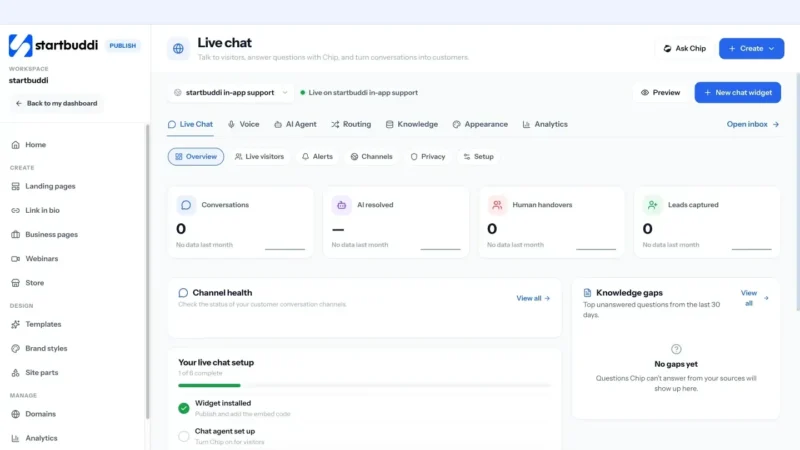
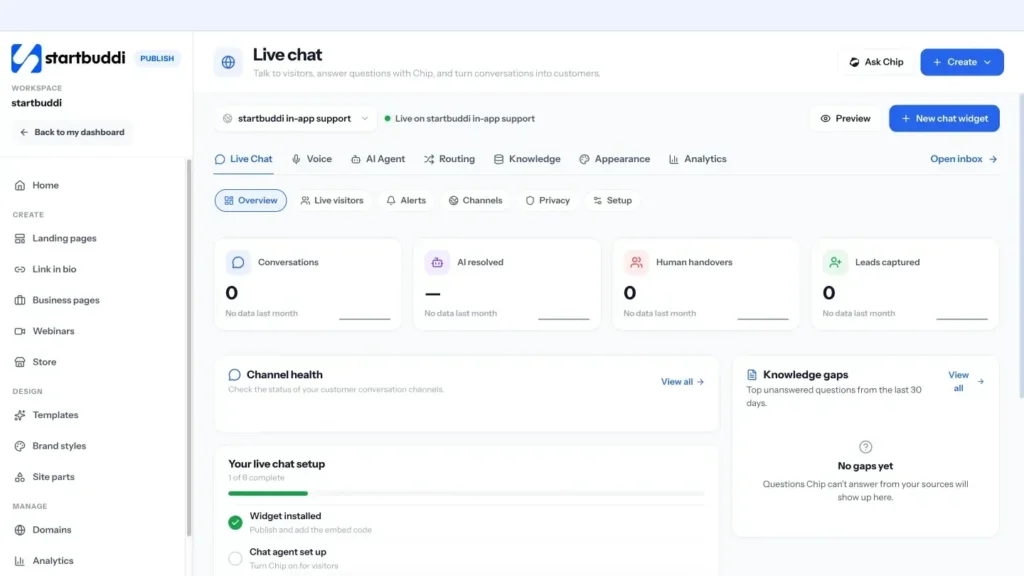
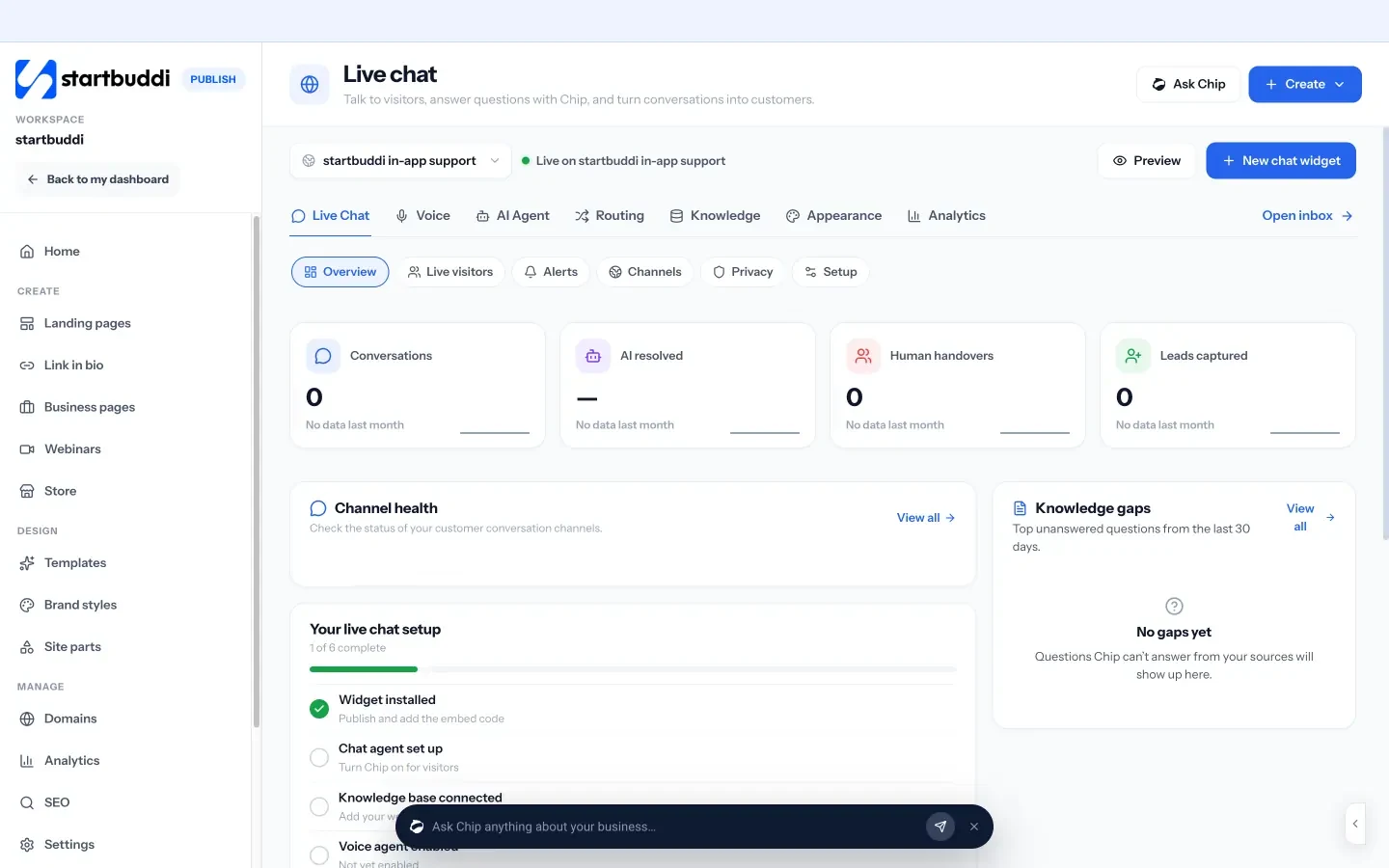
Under Publish, Live chat adds a chat bubble to your site with one line of embed code. You set welcome and away messages, business hours, colours and when to ask for a visitor's name and email. The Knowledge tab is where you add your FAQs, prices and policies as written answers, documents or pages from your website, so answers are accurate and in your words. Conversations arrive in the same inbox under Website chat. The live chat help article covers installation step by step.
Now that routine questions are handled quickly, you can give proper attention to the conversations that really test your service: complaints. That is chapter 3.
Handle complaints well and measure customer satisfaction
- Templates for difficult replies
- Handling complaints on the phone
- Know when to escalate, and when to part ways
- Turn a fixed problem into a good review
- How to work out CSAT
- How to work out NPS
- Share what you learn with your team
- 1. Assign, note and resolve conversations
- 2. Turn follow-ups into tasks
- 3. Ask for feedback with a form
Every business gets complaints. A missed appointment, a late delivery, a misunderstanding about price, a job that did not turn out as the customer imagined. How you handle those moments matters more than how often they happen. A complaint handled well can leave a customer more loyal than before. This chapter gives you a simple process for complaints, templates for difficult replies, guidance on refunds and goodwill, and the numbers that show whether your customer service is improving.
Why complaints are worth welcoming
An unhappy customer who complains is giving you a chance to fix things. The ones who do not complain simply leave, and often tell others why. So the goal is not zero complaints. It is making it easy to complain, and then handling each one well.
Make complaining easy by telling customers how: "If anything isn't right, reply to this message or call us on [number], and we'll sort it." Put that line in your confirmation emails, invoices and follow-ups. It sounds counterintuitive, but inviting feedback usually reduces public complaints, because unhappy customers have a private route first.
A five-step process for handling complaints
Use the same steps every time, whether the complaint is a WhatsApp message, an angry phone call or a one-star review.
- Listen. Read the whole message or let them finish. Do not interrupt or jump to explanations.
- Acknowledge. Show that you understand what happened and how it affected them. "You waited in all afternoon and nobody came. That's a wasted afternoon, and I'm sorry."
- Apologise for their experience. A sincere apology is not an admission of legal fault. It is recognition that things went wrong for them.
- Fix it and agree the next step. Offer a solution, or ask what would put it right. Give a specific time for anything you cannot do immediately.
- Follow up. Check afterwards that the fix worked, and tell them what you have changed so it does not happen again.
Templates for difficult replies
When you made a mistake:
Hi [name], you're right, and I'm sorry. We [what went wrong], and that's not the standard we set ourselves. To put it right, [solution]. I've also [change you have made] so it doesn't happen again. Thank you for telling us, and please let me know if there's anything else I can do.
When the customer is partly mistaken:
Hi [name], thank you for getting in touch, and I'm sorry this has been frustrating. I've checked, and [the fact, stated gently, for example the booking was for Tuesday]. I can see how the confirmation could have been clearer, so [what you will do to help anyway, such as offer the next free slot]. Would that work for you?
When you need time to investigate:
Hi [name], thank you for letting me know, and I'm sorry this happened. I want to get to the bottom of it properly, so I'm checking with [person or supplier] now. I'll come back to you by [specific time] with an answer and a solution.
A public reply to a negative review:
Thank you for your feedback, [name]. I'm sorry your experience fell short. This isn't what we aim for, and I'd like to make it right. I'll message you directly today so we can sort it out.
Keep public replies short, polite and free of private details, then move the conversation somewhere private.
Handling complaints on the phone
Phone complaints can feel harder because there is no time to think. A few habits help. Let the customer finish, even if they repeat themselves. Take notes as they talk. Repeat back what you heard: "So the cleaner arrived an hour late and missed the kitchen, is that right?" That alone often lowers the temperature. If you need time, say so and give a specific callback time. After the call, send a short message confirming what you agreed, so there is a written record for both of you.
Refunds, discounts and goodwill: deciding what to offer
Small businesses often worry that refunds and discounts will be abused. In practice, most customers only want what is fair. A simple rule helps: make the remedy match the problem, and where the law gives a customer a right, honour it without argument.
| Problem | Reasonable remedy |
|---|---|
| Small delay or inconvenience | A sincere apology and a clear new time |
| Service partly below standard | Redo the work free, or a partial refund |
| Service not delivered or faulty | Full refund or a complete redo, the customer's choice where possible |
| Repeated problems for a regular customer | Fix the cause, plus a goodwill gesture such as a free session or credit |
Think about the numbers. If a regular client worth $150 a month has a bad experience, a $30 goodwill credit that keeps them for another year is a very good trade. Refusing a $30 credit and losing $1,800 of future income is not.
Know when to escalate, and when to part ways
In a team, agree who handles complaints that involve money above a certain amount, safety, or a threat of legal action. Usually that is the owner. Very occasionally, a customer is abusive or impossible to satisfy. It is fine to politely end the relationship: honour anything you owe them, refund where fair, and say clearly that you are not the right business for them. Protecting your team matters too.
Learn from every complaint
A complaint handled well fixes one customer's problem. A complaint learned from fixes it for every future customer. Keep a simple complaint log, even a shared spreadsheet, with a line for each one.
| Date | Customer | What went wrong | Root cause | What we did | What we changed |
|---|---|---|---|---|---|
| 3 March | A. Mensah | Arrived 90 minutes late | Two jobs booked too close together | Apology and 20% off | Added 30 minutes' travel time between jobs |
| 11 March | R. Patel | Invoice showed wrong amount | Old price in the template | Corrected and apologised | Updated the price list and saved replies |
Once a month, read the log and look for patterns. Three complaints about lateness in a month is not bad luck; it is a scheduling problem. Fixing the cause is the cheapest customer service improvement there is.
Turn a fixed problem into a good review
Customers whose problems were solved well often become your strongest supporters, because they have seen how you behave when things go wrong. Once the issue is fixed and the customer has confirmed they are happy, it is fair to ask whether they would share their experience. Keep it light: "I'm really glad we could put it right. If you felt we handled it well, a short review would mean a lot to our small team." Never make a refund or goodwill gesture conditional on a positive review; that can break platform rules and, in some countries, consumer law.
How to measure customer service
You cannot improve what you do not measure, but you do not need a complicated dashboard. These measures cover the basics for a small business.
| Measure | What it is | How to get it |
|---|---|---|
| First response time | How long customers wait for your first reply | From your inbox, or by spot-checking a week of messages |
| Resolution time | How long it takes to fully solve an issue | Note when a conversation opens and when it is resolved |
| Customer satisfaction (CSAT) | How satisfied customers are with a recent interaction | One question after a job: "How happy were you, from 1 to 5?" |
| Net Promoter Score (NPS) | How likely customers are to recommend you | One question: "How likely are you to recommend us, 0 to 10?" |
| Reviews | Public ratings and comments | Google and other review sites you use |
If you measure nothing today, start with just two numbers: how long customers wait for your first reply, and one satisfaction question after each job. Add NPS, reviews and resolution time once those two are a habit. Measuring a little, consistently, is far more useful than an ambitious survey you run once and forget.
How to work out CSAT
Customer satisfaction, or CSAT, is simpler. After a job or conversation, ask "How satisfied were you with [the service], from 1 to 5?" Count the people who answered 4 or 5, divide by the total number of answers and multiply by 100. If 50 customers reply and 43 give 4 or 5, your CSAT is 86%. Track it monthly. A sudden drop usually points to one specific thing that changed, such as a new team member, a new supplier or a busy season.
How to work out NPS
NPS was developed by Fred Reichheld and Bain & Company. You ask customers how likely they are to recommend you on a scale from 0 to 10. People who answer 9 or 10 are promoters, 7 or 8 are passives, and 0 to 6 are detractors. Your score is the percentage of promoters minus the percentage of detractors (Bain & Company, measuring your Net Promoter Score).
Worked example: 40 customers answer. 24 give 9 or 10 (60% promoters), 10 give 7 or 8 (25% passives), and 6 give 0 to 6 (15% detractors). NPS = 60 minus 15 = 45. The number itself matters less than the trend over time and, above all, the reasons people give. Always add a second question: "What is the main reason for your score?"
Share what you learn with your team
Once a month, spend 15 minutes with anyone who talks to customers. Look at response times, satisfaction scores, the complaint log and a few customer comments, good and bad. Pick one thing to improve next month, such as faster email replies or a clearer booking confirmation. Celebrate the kind comments too; people who handle complaints all day need to hear when they get it right.
Finally, remember that numbers describe the average customer, and nobody is average. Alongside the scores, keep reading individual comments. One detailed comment often explains a trend better than a month of ratings.
Mistakes to avoid with complaints and measurement
- Explaining before apologising. Customers need to feel heard before they can hear your side.
- Promising what you cannot deliver. A broken second promise is worse than the original problem.
- Surveying too often. One short question after a job is enough. Long surveys get ignored.
- Collecting feedback and doing nothing. Share what you learn with your team and change something.
How to handle complaints and measure service in startbuddi
1. Assign, note and resolve conversations
In the Customers Inbox, assign a conversation to a person or a team, add tags, and use Internal notes to share context with colleagues. Notes are visible to your team only, never to the customer. You can loop in a teammate as a watcher, snooze a conversation until the follow-up date, and resolve it when the issue is fixed. Everything sits on the customer's record, so the next person to talk to them knows what happened.
2. Turn follow-ups into tasks
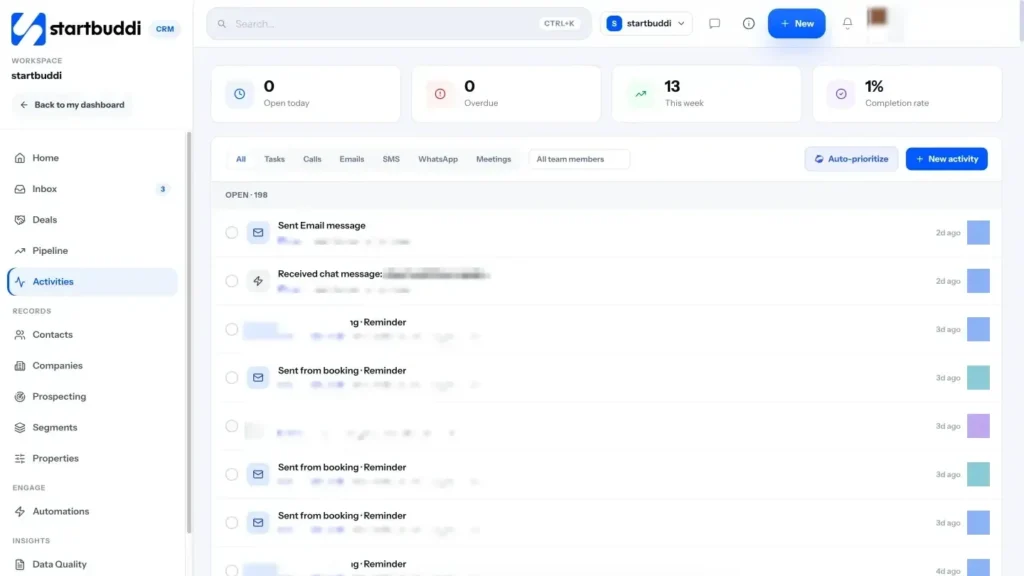
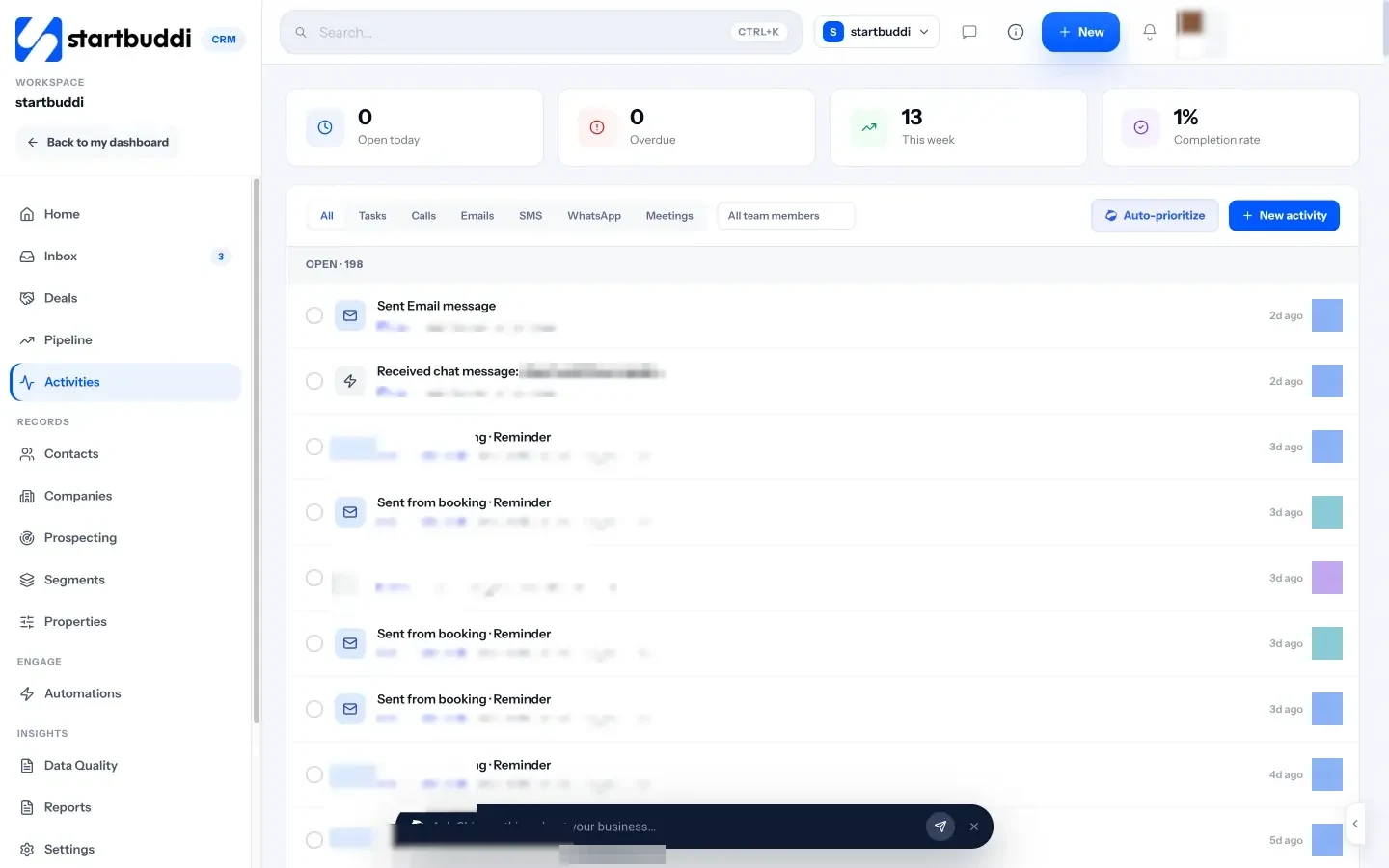
From a conversation, Add task creates a follow-up with a due date, such as "Call Mrs Adeyemi to confirm the redo went well". Activities in Customers shows what is due today and what is overdue, so step 5 of the complaint process never gets skipped.
3. Ask for feedback with a form
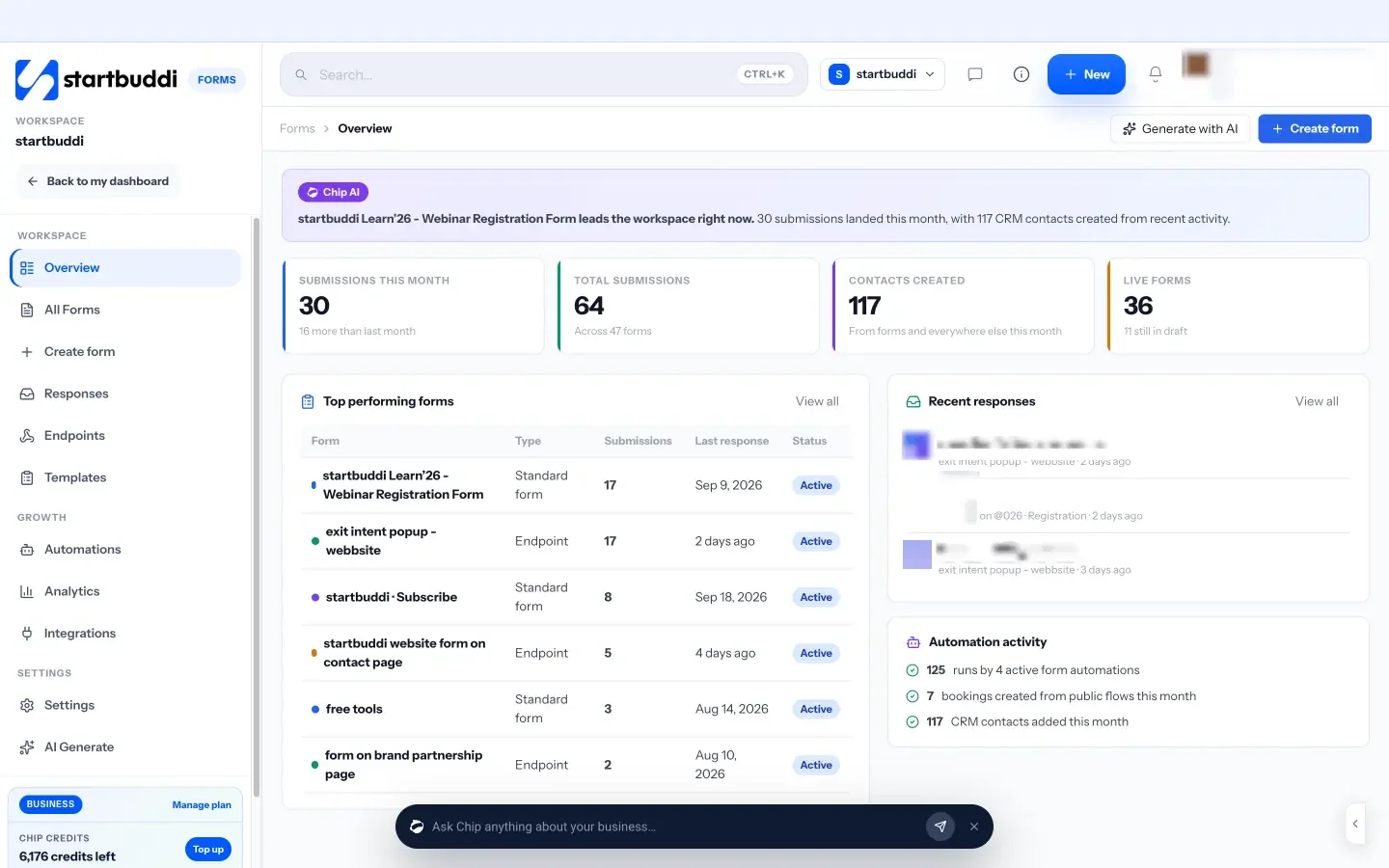
In Forms, the NPS and Feedback template gives you a ready-made feedback form to edit. Add a rating question and a comment box, share the link after a job or include it in a follow-up email, and each response can be linked to the customer's contact record. The form's Responses view shows every answer, and you can see where responses came from. For booking-based businesses, the Bookings settings include a follow-up message after a completed booking where you can add the link. See forms for what else forms can do.
Handling complaints well and measuring satisfaction are habits. The right tools make those habits easier, and AI can take a share of the routine work. Chapter 4 covers what to look for, and how to use AI without losing the personal touch.
Customer service tools for small business, and using AI safely
- What to look for when choosing
- Think about cost in hours, not just subscriptions
- Five questions to ask about any AI customer service tool
- What AI is good at, and what to keep human
- Roll out AI in stages
- Protect customer data
- 1. Start with Chip as your drafting assistant
- 2. Set up live chat with approved knowledge
- 3. Decide when Chip answers on its own
- 4. Review, improve and repeat
- Your next step
You can run good customer service with a phone, an email account and a notebook. Most small businesses start that way. As messages grow, the right tools save hours a week and stop things slipping through the cracks. This chapter explains which customer service tools a small business actually needs, how to think about AI tools for customer service, what to watch out for, and how to set up live chat and AI replies safely in startbuddi.
Customer service tools for small business: what you need
There are many categories of customer service software. For a small business, five matter most. You may not need all of them on day one.
| Tool | What it does | When you need it |
|---|---|---|
| Shared inbox | Brings email, WhatsApp, social and chat messages into one list your team can work from. | As soon as you use more than two channels, or more than one person replies. |
| Contact records (CRM) | Keeps each customer's history, notes, purchases and conversations together. | When you cannot remember every customer's story, usually past 50 active customers. |
| Live chat | Lets website visitors ask questions while they browse. | When people visit your site before buying and you can reply quickly, or have AI help. |
| Knowledge base or FAQ | A place with approved answers for customers and staff. | When the same questions keep coming, and before you use AI to answer. |
| Feedback and surveys | Collects satisfaction scores and comments. | From your first customers, to learn what to improve. |
The biggest time saver is usually having these in one system rather than five. When the inbox, the customer record, the bookings and the invoices sit together, you can answer "when is my appointment?" or "did my payment go through?" without switching apps. That is the idea behind an all-in-one tool. Our buyer's guide to all-in-one business software compares options.
What to look for when choosing
- The channels your customers use. If they are on WhatsApp, the tool must handle WhatsApp properly, including the business platform's rules.
- Customer context next to the conversation. Orders, bookings, invoices and past messages on screen when you reply.
- Team features. Assigning, internal notes and a way to see who is handling what.
- Simple automation. Out-of-hours replies, reminders and follow-ups.
- Clear pricing. Know what happens as you add team members, contacts and messages.
- Data protection. Where data is stored, who can see it, and how you can export or delete it.
Think about cost in hours, not just subscriptions
Customer service tools can look expensive until you count the time they replace. Say you and one team member each spend two hours a day answering messages across four apps, and your time is worth $25 an hour. That is $100 a day, or roughly $2,000 a month. If a shared inbox, saved replies and AI drafts cut that by a quarter, you save about $500 of time a month. Compare that with the price of the tool, and the decision becomes clearer. The same sum works in any currency: at ₦5,000 an hour, four hours a day is ₦400,000 a month of time.
Best AI tools for customer service: how to think about them
AI can now read a customer's question, look up the answer in your information and reply in seconds, at any hour. For a small business with no night shift, that is genuinely useful. It can also go wrong: an AI that invents a price, promises a refund you do not offer, or keeps a frustrated customer talking to a bot when they want a person. The best AI tools for customer service are not the cleverest ones. They are the ones that stay accurate and know their limits.
Five questions to ask about any AI customer service tool
- Where do its answers come from? Look for tools that answer only from information you approve, such as your FAQs, prices and policies, rather than the whole internet. This is often called grounding.
- Does it hand over to a person? A customer who asks for a human should get one, with the conversation so far, so they do not have to repeat themselves.
- Does it say it is AI? Customers should know when they are talking to a bot. In some places this is becoming a legal expectation, and it is always good practice.
- What can it do, not just say? Can it book appointments, create contacts or issue refunds? Each action should be something you have deliberately allowed.
- How do you check it? You should be able to read every conversation, see which sources were used, and spot questions it could not answer.
What AI is good at, and what to keep human
| Let AI help with | Keep a person involved in |
|---|---|
| Answering routine questions from approved information | Complaints and upset customers |
| Replying out of hours and collecting details | Refunds, discounts and exceptions to policy |
| Drafting replies for you to edit | Anything involving health, safety, legal or large sums of money |
| Sorting and routing messages to the right person | Long-standing customers who expect to hear from you |
| Summarising long conversations | Final decisions |
Live chat for small business: is it worth it?
Live chat puts a small chat window on your website. For many small businesses it is the channel that turns browsers into buyers, because people can ask the one question that is stopping them from booking. The catch is speed: visitors expect a reply in minutes. If you cannot provide that yourself, you have three options:
- Show chat only during your working hours, and offer a form or WhatsApp at other times.
- Use an away message that collects the visitor's details and promises a reply by a specific time.
- Let AI answer first from your approved information, and hand over to you when needed.
Whichever you choose, set expectations clearly in the chat window. For a deeper look at chatbots on small business websites, read our guide to the AI chatbot for your website.
Roll out AI in stages
You do not need to switch AI on for everything at once. A gradual rollout lets you build trust and catch mistakes early.
- Week 1: write your knowledge. Prices, services, hours, policies and your ten most common answers, in plain language.
- Week 2: use AI as a drafting assistant. Let it suggest replies that you read, edit and send. Note where its drafts are wrong, and fix the knowledge behind them.
- Week 3: let AI answer out of hours. On one channel only, with a clear handover to a person the next morning.
- Week 4 onwards: widen carefully. Let AI answer routine questions during the day if no one has replied within a few minutes, and keep reading a sample of conversations every week.
At every stage, customers should be able to reach a person, and you should be able to see exactly what the AI said.
Whichever tools you choose, start small. Pick the one problem that costs you the most time today, usually messages scattered across apps, fix that first, and add tools only when a new problem appears.
Protect customer data
Customer conversations often contain personal details: addresses, phone numbers, sometimes payment or health information. Whatever tools you use, give each person access only to what they need, never ask customers to send card numbers or passwords by chat or email, and delete what you no longer need. Check that any AI tool you use does not share your customers' messages more widely than it should, and read its privacy terms. Data protection rules differ by country, so check the guidance from your national regulator.
Mistakes to avoid with customer service tools and AI
- Switching on AI before writing your answers. AI is only as good as the information you give it. Write your FAQs and policies first.
- Hiding the human. Always give customers a clear way to reach a person.
- Buying tools for problems you do not have. Start with a shared inbox and customer records; add the rest when you need it.
- Never reading the AI's conversations. Check a sample every week, especially at the start.
How to use live chat and Chip safely in startbuddi
The AI assistant in startbuddi is called Chip. In customer service, Chip can draft replies for you to edit, suggest who should handle a conversation, and, if you switch it on, answer customers itself on the channels you choose.
1. Start with Chip as your drafting assistant
In any inbox conversation, Generate a reply with Chip writes a suggested reply using the conversation and the customer's record. You read it, edit it and send it. Chip assign reads a conversation and suggests which team should handle it. This is a safe way to save time without handing over control.
2. Set up live chat with approved knowledge
In Publish, open Live chat and follow the setup: basics, appearance, behaviour and install. Add your knowledge in the Knowledge tab: website pages, uploaded documents, pages from your startbuddi Documents, or answers you write yourself. Each source has a visibility level, and only public sources ever reach a website visitor. The Routing tab lets you send conversations to the right team based on the page the visitor is on, what they are asking about, or business hours, and set what happens if nobody is available. See the website chat page for the full picture.
The live chat Privacy settings cover AI disclosure, redaction of passwords, card numbers and one-time codes, what visitor data is collected, and how long conversation data is kept. Set these before you go live, in line with the data protection rules where you trade.
3. Decide when Chip answers on its own
In CRM Settings, under Automation & AI, Chip answers your messages lets you switch Chip on per channel and choose when it replies: straight away, when no one on the team has replied after a set number of minutes, or outside business hours. On website chat, Chip always says it is an AI, answers only from approved sources, and never invents prices or promises. When a customer asks for a person, Chip hands the thread to your team, and if you reply yourself, Chip steps back for a while. Chip auto-reply needs the Growth plan or above and uses Chip credits (see pricing). On lower plans, your team answers every message, and the human-only chat widget is still available.
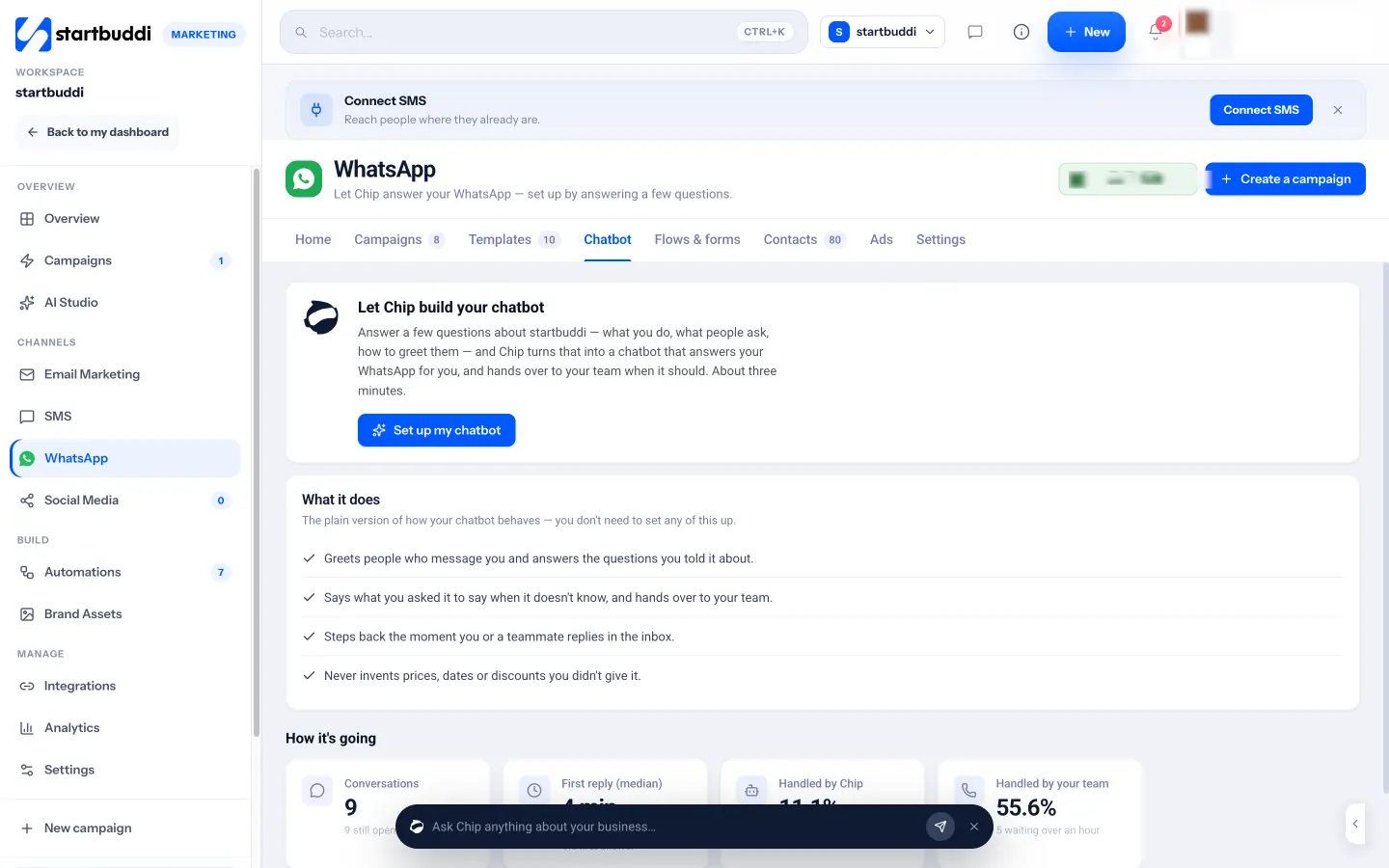
For WhatsApp, the Chatbot tab in WhatsApp Marketing offers a guided setup where Chip helps build the bot, then shows how it is going: conversations, median first reply, and how many were handled by Chip and how many by your team. Chip's replies appear in the same inbox thread, so anyone on your team can read them and take over.
4. Review, improve and repeat
Live chat's Overview and Analytics show conversations, how many Chip resolved, how many were handed to a person, and knowledge gaps: questions Chip could not answer. Each gap is a prompt to add a new written answer, which improves the next reply. Once a week, read a handful of conversations and check the answers are right. Treat Chip like a new team member: trust grows as you check its work.
Your next step
Write your service standards and your ten most common answers this week, then bring your messages into one inbox. You can start on the Free plan with 250 contacts; WhatsApp and SMS need Starter, and Chip auto-reply needs Growth. Every paid plan starts with a 30-day trial. Compare plans and choose the one that fits how your customers talk to you.
Tiwalade Joanna Okedara-Kalu is the founder, CEO and CTO of startbuddi, the business system that brings clients, bookings, invoices, projects, marketing and the Chip AI assistant into one place. Tiwalade builds software around how service businesses really work day to day, and writes about client management, getting paid on time and why small businesses outgrow the tools they start with.
Founded startbuddi and leads its product and engineering