How to plan a month of social media content in an afternoon
A four-hour plan to fill a social media content calendar for the whole month: pillars, posting rhythm, ideas, batch writing and scheduling.



- Plan social media once a month instead of every morning. Pick three or four content pillars and a rhythm you can keep, fill a calendar with one-line ideas, write captions in a batch, then schedule the lot and review results at month end.
You can plan a month of social media content in one afternoon by working in batches: choose three or four content pillars, set a realistic posting rhythm, fill a social media content calendar with post ideas, then write and schedule them all in one sitting. The trick is to decide what to post once a month, not every morning. That one change turns social media from a daily worry into a monthly task.
Below is a four-hour plan you can follow step by step, with a content mix, a calendar template and ideas for the weeks when you’re stuck.
Why plan a month at once?
Most small business owners post when they remember, which usually means in a rush, late at night, with no plan. Then a busy week comes and nothing goes out for a fortnight. Planning a month in one go fixes that in three ways:
- Consistency. Posting regularly matters more than posting a lot. Buffer’s posting frequency guide points to consistency as the thing that most reliably lifts engagement.
- Better posts. When you’re not rushing, you write clearer captions, pick better photos and connect posts to what you’re actually selling that month.
- Less daily decision-making. You make fifty small choices once, instead of one stressful choice every day.
If the terms are new, our glossary explains social media management and what a social media scheduler does.
Before you start: what you need
Set aside four hours and gather these first. Having them to hand is what makes an afternoon enough.
- Your month’s business calendar: launches, offers, events, holidays, busy and quiet weeks.
- A folder of photos and videos: products, your workspace, finished jobs, your team, happy customers (with permission).
- Customer questions: scroll your WhatsApp, DMs and emails for the questions people ask again and again.
- Your best posts from last month: the ones people liked, saved, shared or commented on.
- A calendar: a spreadsheet, our free content calendar template or a scheduling tool.
Hour 1: set your pillars and your rhythm
Pick three or four content pillars
Content pillars are the few themes you post about again and again. They stop you staring at a blank page, because every post fits one of them. For most small businesses, these four work:
| Pillar | What it does | Examples |
|---|---|---|
| Teach | Shows you know your stuff and gives people a reason to follow | Tips, how-tos, myths busted, answers to common questions |
| Show | Builds trust by showing the real business | Behind the scenes, before and after, a day in the workshop, your team |
| Prove | Reassures people you deliver | Reviews, client results, case studies, customer photos |
| Sell | Asks for the booking or the sale | Offers, new products, available slots, events |
A useful starting mix is roughly three teach, show or prove posts for every one selling post. People follow accounts that help or interest them, and they buy from accounts they trust.
Choose a rhythm you can keep
Buffer’s research suggests these ranges as a guide: about three to five posts a week on Instagram, two to five on LinkedIn and one to two a day on Facebook. Treat those as ceilings, not targets. For a small business, three good posts a week on one or two platforms beats a daily scramble across five.
Pick your main platform first: the one where your customers already spend time. Post there consistently, and share lighter versions elsewhere if you have time.
| Posts a week | Posts a month | Good for |
|---|---|---|
| 3 | 12 to 13 | Solo founders starting out |
| 5 | 20 to 22 | Businesses with a steady stream of photos and news |
| 7 | 28 to 31 | Shops, restaurants and teams with someone owning social |
Hour 2: fill your social media content calendar
Now you know how many slots you have. Fill them with one-line ideas, not finished posts. Write fast and don’t edit yet.
Start with the fixed dates
First, add anything tied to a date: a launch, a sale, an event, a public holiday, pay day, a season. These are your anchors. Plan two or three posts leading up to each one: a teaser, the announcement and a last-chance reminder.
Then fill the gaps pillar by pillar
Go through your pillars and brainstorm ideas for each. If you’re stuck, use these prompts:
- Teach: What do customers ask before they buy? What mistake do you see people make? What would you tell a friend starting out?
- Show: What does a normal day look like? What goes into making your product? What’s changed in the business this year?
- Prove: Which client result are you proudest of? Which review made your week? What does a finished job look like?
- Sell: What do you want more of this month? Which service has open slots? What’s new?
Turn one idea into several posts
You don’t need thirty completely different ideas. One good idea can become several posts in different formats. A single client project can be a before-and-after photo, a short video of the process, a carousel of three lessons you learned and a quote from the happy client. That’s four posts from one job.
A sample month for a small bakery
| Week | Mon (teach) | Wed (show or prove) | Fri (sell) |
|---|---|---|---|
| 1 | How to store bread so it lasts | 4am in the bakery: short video | New sourdough loaf, order for Saturday |
| 2 | Three cake flavours that travel well | Customer photo of a birthday cake | Birthday cake slots for next month |
| 3 | Why we use local flour | Meet our new baker | Weekend special: meat pie bundle |
| 4 | How to order for events | Review of the month | Last chance: holiday pre-orders close Sunday |
Hour 3: write the posts in batches
Writing in batches is faster because your brain stays in one mode. Write all the captions first, then gather all the images, rather than switching back and forth.
A simple caption formula
- Hook: one short line that makes people stop scrolling. A question, a number or a surprising fact.
- Value: two to four lines that deliver the tip, story or offer.
- Action: one clear next step: save this, comment, book, tap the link in bio, send us a message.
Adapt for each platform
- Instagram: strong visuals, a hook in the first line and a handful of specific hashtags.
- Facebook: a slightly more conversational tone and questions that invite comments.
- LinkedIn: lessons and results, written for other business owners.
- X: short, direct and timely.
Instagram’s own explanation of how its ranking works is worth reading once. It says interactions such as likes, comments, saves and shares shape what people see, and that original content does better than reposted, watermarked videos. So make your own content, and give people something worth saving or sending to a friend.
Leave room for the unplanned
Plan around 80% of your slots and leave the rest open for real-time moments: a new review, a trending topic, a surprise delivery of stock. A plan should make posting easier, not stop you reacting to what’s happening.
Hour 4: schedule, check and relax
With everything written, schedule the whole month. A scheduler posts at the right time without you remembering, which is the whole point.
- Pick consistent times. Start with times your audience is likely online (commutes, lunch, evenings), then adjust based on your own results.
- Check each post on a phone preview. Crops, line breaks and hashtags look different on a small screen.
- Get sign-off if you need it. If a partner or client has to approve posts, send the whole month for review at once, not post by post.
- Set a weekly ten-minute check-in. Reply to comments, glance at what worked and swap in any timely posts.
Review at the end of the month
Before you plan next month, spend 20 minutes looking back. Which three posts did best? Which pillar got the most saves and shares? Which posts led to a message, booking or sale? Do more of that next month. Over time your calendar becomes a record of what your audience actually wants.
24 post ideas for the weeks you’re stuck
Keep this list next to your calendar. When a slot is empty, pick one and adapt it to your business.
Teach
- The question every new customer asks, answered in one post.
- A common mistake people make before they come to you.
- A quick checklist: “Before you book a photographer, check these five things.”
- A myth in your industry, and the truth.
- A tool, material or ingredient you use, and why.
- How to choose between two of your services or products.
Show
- Your workspace first thing in the morning.
- A time-lapse or photo series of something being made.
- Meet the team: one person, one fun fact, one thing they’re great at.
- Your setup for a busy day or a big order.
- Something that went wrong and how you fixed it.
- Why you started the business.
Prove
- A customer review, shown as a simple quote graphic.
- A before and after.
- A client result with numbers, shared with their permission.
- A photo customers sent you of your product in use.
- A milestone: first year, hundredth order, a new location.
- A short “how we did it” story from a recent job.
Sell
- Open slots for next week.
- A new product or service, with the price and how to get it.
- A bundle or package for a season or occasion.
- An offer with a real deadline.
- A reminder of your bestseller, told through a customer’s words.
- An invitation to message you: “Not sure what you need? Send us a message and we’ll help you choose.”
Common planning mistakes
- Planning more than you can make. A plan for 30 posts you can’t produce is worse than a plan for 12 you can.
- Only selling. If every post is an offer, people stop paying attention.
- Posting the same thing everywhere unchanged. A LinkedIn post and an Instagram post can share an idea, but not the exact wording.
- Scheduling and disappearing. Scheduling saves time on posting, not on conversations. Reply to comments and messages.
- Ignoring the results. The end-of-month review is where the plan gets better.
Social posts work best alongside your other channels. If a post announces an offer, send the same message to your email list; our guide to email subject lines that get opened helps with that side.
How startbuddi helps
The Social Media Manager in startbuddi is built for exactly this monthly routine: plan with Chip, approve, schedule and review in one place. You can post to Facebook, Instagram, LinkedIn, X, YouTube and Pinterest.
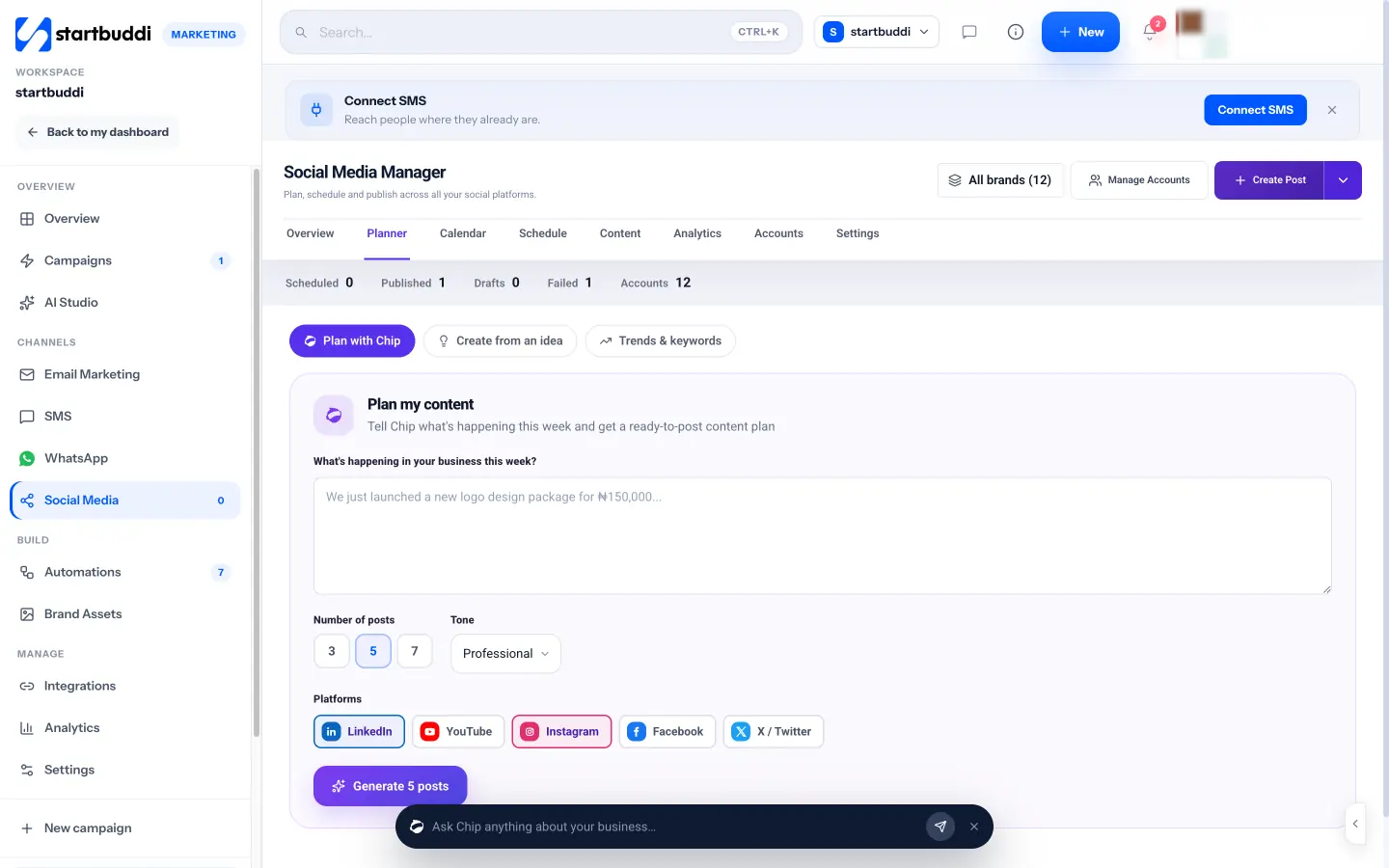
- Plan with Chip. Tell Chip what’s happening in your business, choose 3, 5 or 7 posts, a tone and your platforms, and get a set of drafts tagged as a tip, story, promo or question. Edit them, click Approve on the ones you like, then schedule them all at once. Run it once a week and your month fills itself.
- Trends and ideas. Research trends reads what’s moving in your niche, your own best posts and questions in your comments, then suggests topics, words and hashtags with sources. An idea bank keeps post ideas from your team until you’re ready to use them.
- Write captions and images with Chip. In the composer, Chip can write a caption, suggest hashtags or create an image. Your logos and photos live in the brand kit, ready to drop into posts.
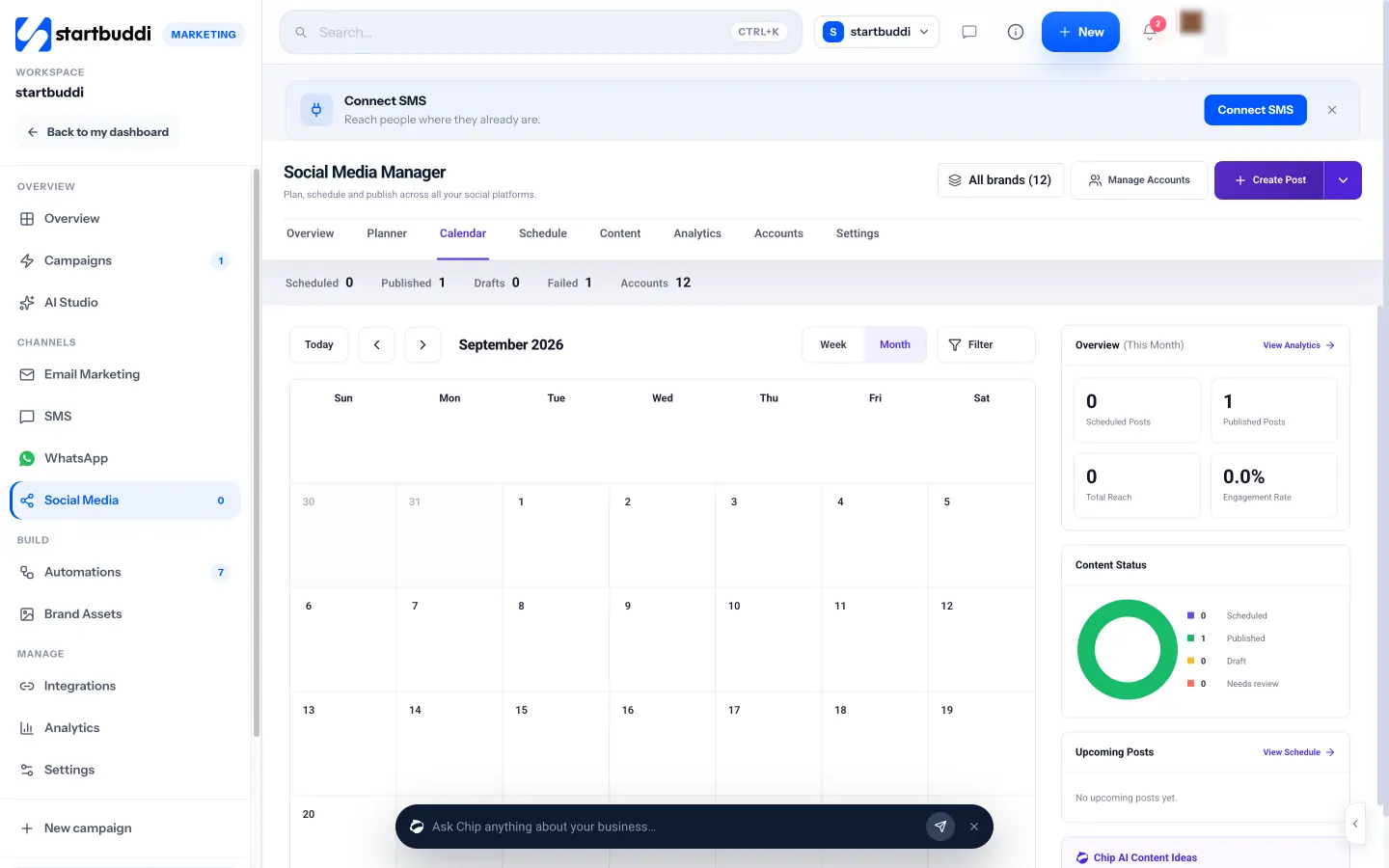
- Calendar and approvals. See the month on a calendar. Send posts for approval, or share a client review link so someone outside your team can approve.
- Scheduling that runs itself. Scheduled posts publish on their own. If one fails, it’s retried once, then shown under Content so you can fix it.
- Analytics. See reach, engagement and your top posts to guide next month’s plan.
Chip features use Chip credits, which every plan includes. Social media is part of the Marketing module, available on the Starter plan and above. Starter includes 5 connected accounts and 100 posts a month.
Your next step
Block four hours in your diary this week and follow the plan above: pillars and rhythm, ideas, writing, scheduling. Start with 12 posts on one platform if that’s what you can manage. If you’d like Chip to draft the posts and a calendar to schedule them, see the plans and start a 30-day trial.
Sources
Frequently asked questions
How many posts should a small business plan per month?
Start with what you can keep up: around 12 posts (three a week) on your main platform is a solid start. Add more once that feels easy.
Should I post the same content on every platform?
Share the same idea, but adapt the wording and format to each platform. What works on LinkedIn usually needs rewriting for Instagram.
What if something happens that isn't in my plan?
Leave around a fifth of your slots open for timely posts, and move or swap scheduled posts when news comes up.
Is a spreadsheet good enough for a content calendar?
Yes, to start. A scheduling tool saves time once you're posting several times a week, because it publishes for you.
Olabimpe Salami is the email and outreach specialist at startbuddi. Olabimpe writes about the messages that bring customers in and back: email, WhatsApp and SMS campaigns, follow-ups, and turning enquiries into paying clients.
Runs email and outreach at startbuddi