What is social media management?
Also called: Social media marketing management, SMM, social media administration, community management
Social media management is the ongoing work of running a business's social media accounts: planning content, creating and publishing posts, responding to comments and messages, and measuring what works so you can do more of it.
Social media management is the ongoing work of running your business’s social accounts. It covers five jobs: planning what to post, creating the posts, publishing them, talking to the people who respond, and measuring what works. It applies whether you post on Instagram, Facebook, LinkedIn, X or YouTube.
Some businesses hire a social media manager or agency. Many small businesses do it themselves, a few hours a week, with the help of tools.
Why social media management matters for a small business
For many small businesses, social media is where customers first meet them. People check your page to see if you are active, what your work looks like and whether others trust you. An account with no posts since last year can raise doubts, even if your business is busy.
Managed well, social media helps you stay visible to past customers, reach new ones through shares and recommendations, and show proof of your work. Managed badly, or not at all, it becomes one more thing you feel guilty about. Good management is less about posting more and more about having a simple, repeatable routine.
How social media management works: the five parts
| Part | What it involves |
|---|---|
| Planning | Deciding topics, themes and which platforms to focus on |
| Creating | Writing captions, taking photos, making short videos |
| Publishing | Posting at the right times, often with a scheduler |
| Engaging | Replying to comments and messages, thanking people |
| Measuring | Checking reach, engagement and which posts worked |
A simple weekly routine
- Monday, 30 minutes: look at last week’s results and note the best post.
- Monday, 45 minutes: plan and write this week’s posts, then schedule them.
- Every day, 10 minutes: reply to comments and messages.
- Once a month: review which topics and formats worked and adjust your plan.
Example: a small salon uses this routine. Monday’s review shows before-and-after photos get the most saves. So this week’s plan includes two of them, a styling tip, a staff introduction and a booking reminder. Daily replies turn two comments into bookings.
Doing it yourself, with a freelancer or with an agency
There is no single right set-up. Doing it yourself costs time but keeps your voice authentic, and it is where most small businesses start. A freelancer can take over creating and publishing while you handle replies, since you know your customers best. An agency suits businesses running paid ads or posting across many accounts. Whichever you choose, keep ownership of your accounts and logins, and agree who replies to comments and how fast.
Which numbers to watch
- Reach: how many people saw your posts.
- Engagement: likes, comments, shares and saves.
- Engagement rate: engagement divided by reach or followers, so you can compare posts fairly.
- Follower growth: useful over months, less so week to week.
- Actions: link clicks, messages and bookings. These matter most, because they are closest to sales.
Best practices and common mistakes
Pick two platforms, not six. Be where your customers are and do those well.
Keep your brand consistent. The same logo, colours and tone of voice everywhere helps people recognise you. A brand asset manager keeps these in one place.
Reply quickly. A question in a comment is often a customer asking to buy. Save short answers to common questions (prices, opening hours, delivery areas) so replying takes seconds.
Use a scheduler, but stay human. Automate publishing, not conversation.
The most common mistake is measuring likes instead of actions. A post with fewer likes that brings three enquiries did more for your business than a popular post nobody acted on.
Related terms
A social media scheduler handles the publishing part of the job. Marketing automation covers automated follow-up across email, SMS and WhatsApp. Digital asset management keeps your images and videos organised.
Social media management in startbuddi
In startbuddi, the Social Media Manager brings planning, publishing and measuring together. The Overview shows what is going out this week, what needs you, and your last 28 days of results, including your best platform and top post.
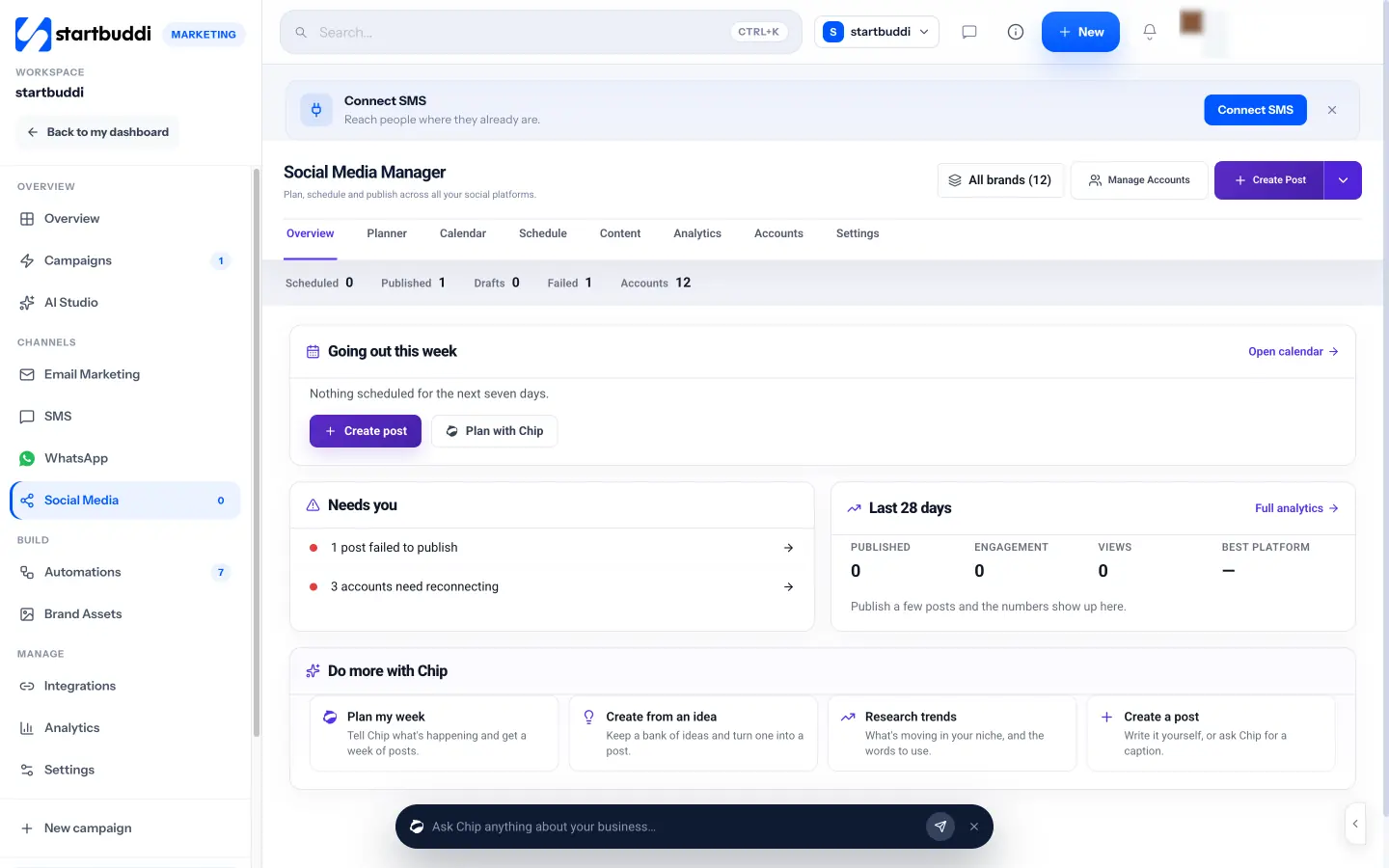
For planning, Chip can draft a week of posts from a short description of what is happening in your business, research trends and hashtags in your niche with sources, or suggest ideas based on your past results. You can keep an idea bank and turn any idea into a post. For publishing, you schedule to Facebook, Instagram, LinkedIn, X, YouTube and Pinterest, with media from your brand kit and media library. For measuring, Analytics shows followers, reach, views, engagement rate and top posts, with a report you can download or share.
Agencies can group accounts by client, set approval routes and share a review link for sign-off. Social Media is part of Marketing, available from the Starter plan with a 30-day trial. Compare options in our guide to the best social media management software, or see social media management for small businesses.
Your next step: choose your two main platforms, then set up your weekly routine in the startbuddi Social Media Manager.
Related terms
FAQ
How much time does social media management take?
For a small business, two to three hours a week is a realistic start: one planning session plus a few minutes a day for replies.
What is the difference between social media management and social media marketing?
Management is running your accounts day to day. Marketing is the wider strategy, including paid ads and campaigns. In small businesses the same person usually does both.
Should I hire a social media manager?
Consider it when you have a clear routine that works and not enough hours to keep it up. Hiring before you know what works is harder to manage.
Which platform should a small business start with?
The one your customers already use. For many consumer businesses that is Instagram or Facebook. For business services it is often LinkedIn.
Olabimpe Salami is the email and outreach specialist at startbuddi. Olabimpe writes about the messages that bring customers in and back: email, WhatsApp and SMS campaigns, follow-ups, and turning enquiries into paying clients.
Runs email and outreach at startbuddi