The best social media management tools for agencies in 2026: how to choose
What agencies need from a social media tool in 2026, how the main tools price their plans, and a simple way to work out which one fits your clients and team.


Photo: SERGEI BEZZUBOV / Unsplash
- Agencies need more than a scheduler: per-client brands, approvals, safe account access and client-ready reports. Compare pricing models (per channel, per seat, per plan) against your own client count, trial with real work, and check the gaps before you commit.
The best social media management tools for agencies are the ones that match how an agency actually works: many clients, many accounts, a small team, and clients who want to approve posts and see results. A tool that suits one brand posting to its own Instagram can fall apart when you run twelve brands, each with its own approver and its own monthly report.
This guide explains what agencies need from a social media tool in 2026, how the big names price their plans, how to work out what you’d really pay, and a simple way to choose. It won’t crown a winner, because the right answer depends on your client count, team size and where your clients are. It will help you pick with your eyes open.
Why agencies need different social media management tools
Social media isn’t getting smaller. According to DataReportal, there were 5.79 billion social media user identities worldwide at the start of April 2026, and the typical user visits an average of 6.5 platforms each month. For an agency, that means clients expect a presence on more than one network, and each network has its own formats, sizes and rules.
A solo business owner can get by with native apps and a notes file. An agency can’t, for four reasons:
- Volume. Ten clients posting four times a week on three networks is 120 posts a week. Copying and pasting into native apps doesn’t scale.
- Separation. Client A’s posts must never appear on client B’s page. You need clear groupings so the wrong account is hard to pick.
- Sign-off. Most clients want to see posts before they go live. Without an approval step, approvals happen in WhatsApp threads and email chains, and someone publishes the wrong version.
- Proof. Retainers get renewed when clients can see what you did and what it achieved. Reporting has to be quick to produce for each client.
So when you compare tools, don’t just ask “can it schedule posts?” Almost all of them can. Ask how well it handles many brands, many people and many approvals at once.
What to look for in a social media tool for an agency
Brands or workspaces per client
Look for a way to group each client’s accounts together, so you can filter the calendar, the queue and the reports to one client at a time. This is the single feature that most affects day-to-day sanity. Test it by setting up three dummy clients during a trial and switching between them.
Approval workflows
Check who can publish and who can only draft. A junior writer should be able to prepare posts without being able to push them live. Then check how clients approve: can they approve from a link without needing a paid seat, or must they log in? Per-seat pricing makes client logins expensive.
Platform coverage
List the networks your clients actually use, then check each tool’s support against your list. Coverage varies more than you’d expect, especially for TikTok, Threads, Pinterest, YouTube and Google Business Profile. Ask whether the tool can publish Stories, Reels and carousels directly, or only remind you to post them.
Scheduling and planning
You want a calendar view by week and month, a list of what’s scheduled, a clear view of drafts, and a visible record of failed posts with a way to retry. Failed posts matter: an expired connection can silently stop a client’s posts for days.
Reporting clients understand
Look for per-client reports you can download or share, with reach, engagement and top posts over a chosen date range. A good test: could you send this report to a client without rewriting it in a slide deck?
Safe account access
Never ask clients for their passwords. For Facebook and Instagram, Meta lets a business give a partner access to its business assets from its business portfolio, with either full control or partial access for tasks like creating content and responding to messages. Your tool should connect through official sign-in flows so a client can revoke access at any time.
AI help that saves real time
AI caption and idea tools are now common. The useful ones write from the client’s own context, suggest hashtags that fit the platform, and plan a week of posts you can edit and approve. Treat AI output as a first draft: your client’s voice still needs a human check.
How agency social media tools price their plans
Pricing models differ, and the model matters more than the headline number. There are three common ones:
- Per channel. You pay for each connected social account. Cheap for a few clients, but it grows with every account you add.
- Per user or seat. You pay for each team member. Good for a small team managing many accounts, expensive if you add freelancers or client logins.
- Per plan. A flat price that includes a set number of seats and accounts. Predictable, but check the limits.
Here are the published starting prices of some well-known tools, taken from each vendor’s own pricing page in September 2026. Prices change often, so check the linked page before you decide.
| Tool | Pricing model | Published starting price | Free plan |
|---|---|---|---|
| Buffer | Per channel | Essentials $5 a month per channel, billed yearly ($60 a year) | Yes, up to 3 channels |
| Hootsuite | Per user | Standard $99 per user a month, billed annually | No (14-day free trial) |
| Sprout Social | Per seat | Essentials $79 per seat a month billed annually, or $99 billed monthly | No (30-day free trial) |
| Agorapulse | Per user | Standard $79 per user a month billed annually, or $99 billed monthly | No (30-day free trial) |
| startbuddi | Per plan | Starter: 2 seats, 5 social accounts; Growth: 5 seats, 15 social accounts (see pricing) | Free plan exists, but social posting is locked on it |
For more detail on individual tools, see our researched list of social media management software, and the side-by-side pages for startbuddi vs Hootsuite, startbuddi vs Buffer and startbuddi vs Sprout Social.
Work out what you’d really pay
The table only tells you the entry price. To compare fairly, cost out your own agency. Take a small agency with two people managing eight clients, each with Facebook, Instagram and LinkedIn: that’s 24 accounts and 2 seats.
- On a per-channel model, multiply the per-channel price by 24. Every new client adds three more channels.
- On a per-seat model, multiply the per-seat price by 2, then check whether the plan’s account limit covers 24 accounts, or whether you’ll be pushed to a higher tier.
- On a per-plan model, find the cheapest plan whose seat and account limits cover you, then check what happens when you sign client number nine.
Then add the hidden costs: extra seats for freelancers, add-ons for reporting or approvals, and any separate tools you still need for the rest of the client relationship, such as a CRM, invoicing and project tracking. An agency paying for five separate tools often spends more than it thinks. We break that down in all-in-one workspace vs 5 separate tools.
Finally, think about currency. If your clients pay you in naira, rand or rupees and your tools bill in US dollars, exchange-rate moves can quietly eat your margin. A tool with local-currency pricing removes that risk.
A five-step way to choose a social media management tool
- Write your requirements on one page. Number of clients, accounts per client, networks, team size, who approves, and what your clients expect in a monthly report.
- Cut the list to three. Remove any tool that doesn’t publish to your clients’ main networks. Remove any whose pricing model breaks at your size.
- Trial with real work. Connect two real client accounts (with permission) and one test account. Schedule a week of posts. Send one post through approval. Pull one report.
- Involve one client. Ask a friendly client to approve a post from the tool. If it confuses them, it will confuse the rest.
- Check the exit. Can you export your post history and reports if you leave? Can clients revoke access easily? A good tool is easy to leave, which is part of why you’ll trust it enough to stay.
Questions to ask before you sign
- What happens to scheduled posts when a client’s connection expires, and how will we know?
- Can a client approve without a paid seat?
- Can we group accounts by client and report on each client separately?
- Which post types (Stories, Reels, carousels, pins, videos) publish directly on each network?
- What does it cost when we add our next five clients, or our next freelancer?
- Is pricing available in our local currency, and do you bill annually or monthly?
- Can we export our data and reports if we leave?
Write the answers into your one-page requirements. Comparing written answers side by side makes the decision much faster than comparing memories of three demos.
Common mistakes agencies make with social media tools
- Choosing on features you won’t use. Social listening and advanced analytics sound great, but if you don’t have time to act on them, they’re a cost, not a benefit.
- Sharing logins. One shared password for the whole team means no record of who posted what, and a security problem when someone leaves.
- Skipping approvals “just this once”. The post that skips sign-off is the one with the typo in the client’s price.
- Ignoring failed posts. Check the failed list daily. Connections expire when passwords change or permissions are revoked.
- Keeping social separate from the client record. Social work is part of a retainer. If it lives apart from the client’s contact details, projects and invoices, you’ll lose track of what you promised.
If you’re new to running social for several clients, our agency guide on how to schedule social media posts for multiple clients walks through the weekly routine.
How startbuddi helps agencies with social media
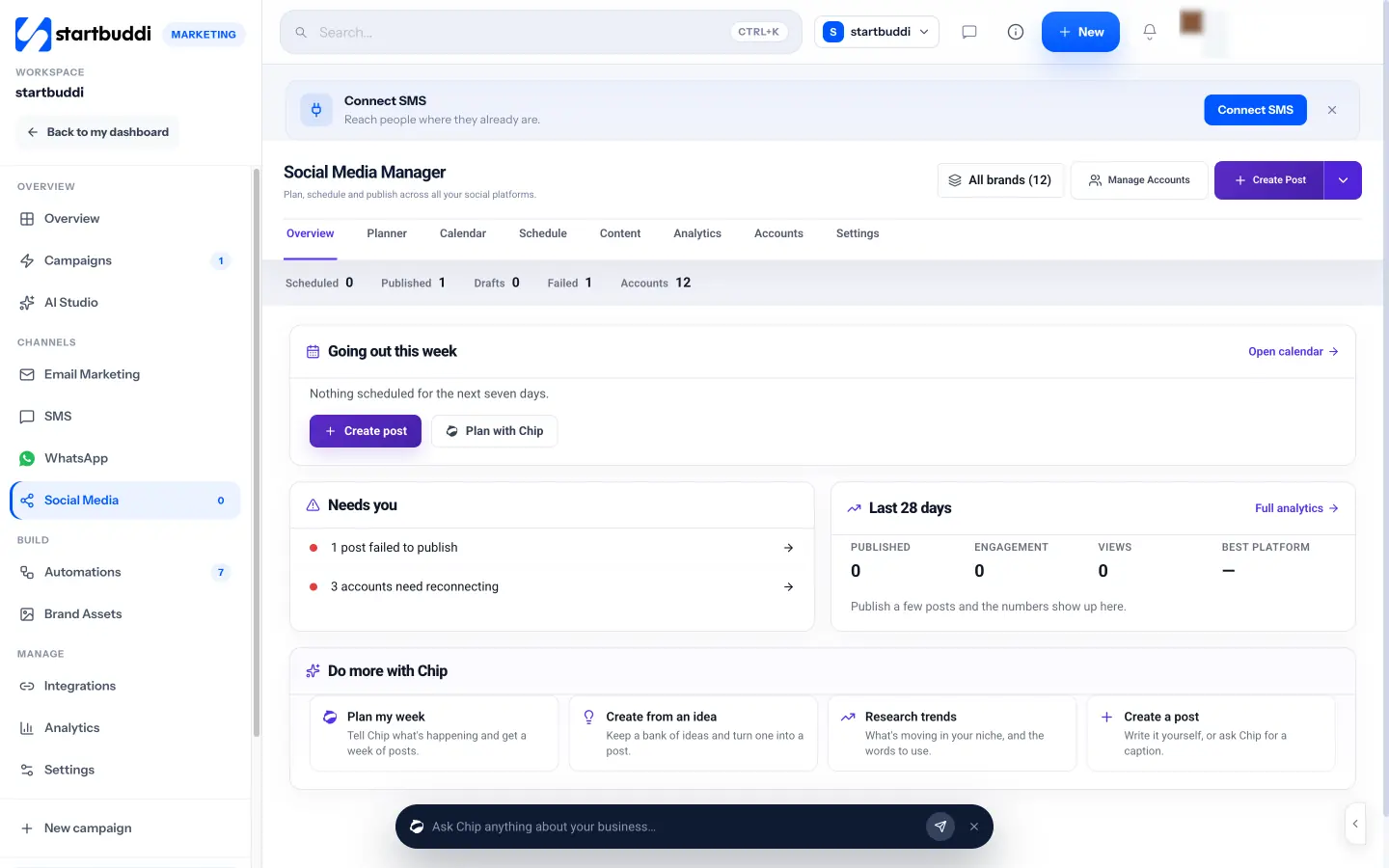
startbuddi is an all-in-one business workspace, so social media is one part of it rather than the whole product. Its Social Media Manager sits inside Marketing, next to email, WhatsApp and SMS, and shares the same contacts, projects and invoices as the rest of your agency.
Here’s what it does today:
- Publishing to Facebook Pages, Instagram business accounts (feed posts, Reels and Stories), LinkedIn profiles and company pages, X, YouTube and Pinterest, from one composer with a live preview per platform.
- Brands and folders. Group the accounts that belong to one client, then filter every view and report by that brand.
- Approvals. Team members are marked “Can publish” or “Draft only”, and each brand can have its own approval route: no approval, one approver, or several approvers in order or in any order.
- Client sign-off links. Generate a shareable link for a draft. Your client opens it and approves without a login. The link expires after 14 days.
- Planning with Chip. Chip, the built-in AI assistant, can plan three, five or seven posts from a short description of the client’s week, write captions, suggest hashtags and research trends in a niche with sources. These use Chip credits.
- Calendar, schedule and failed posts. Scheduled posts publish on their own. A failure is retried once, then shown under Content, Failed, so you can reconnect and retry.
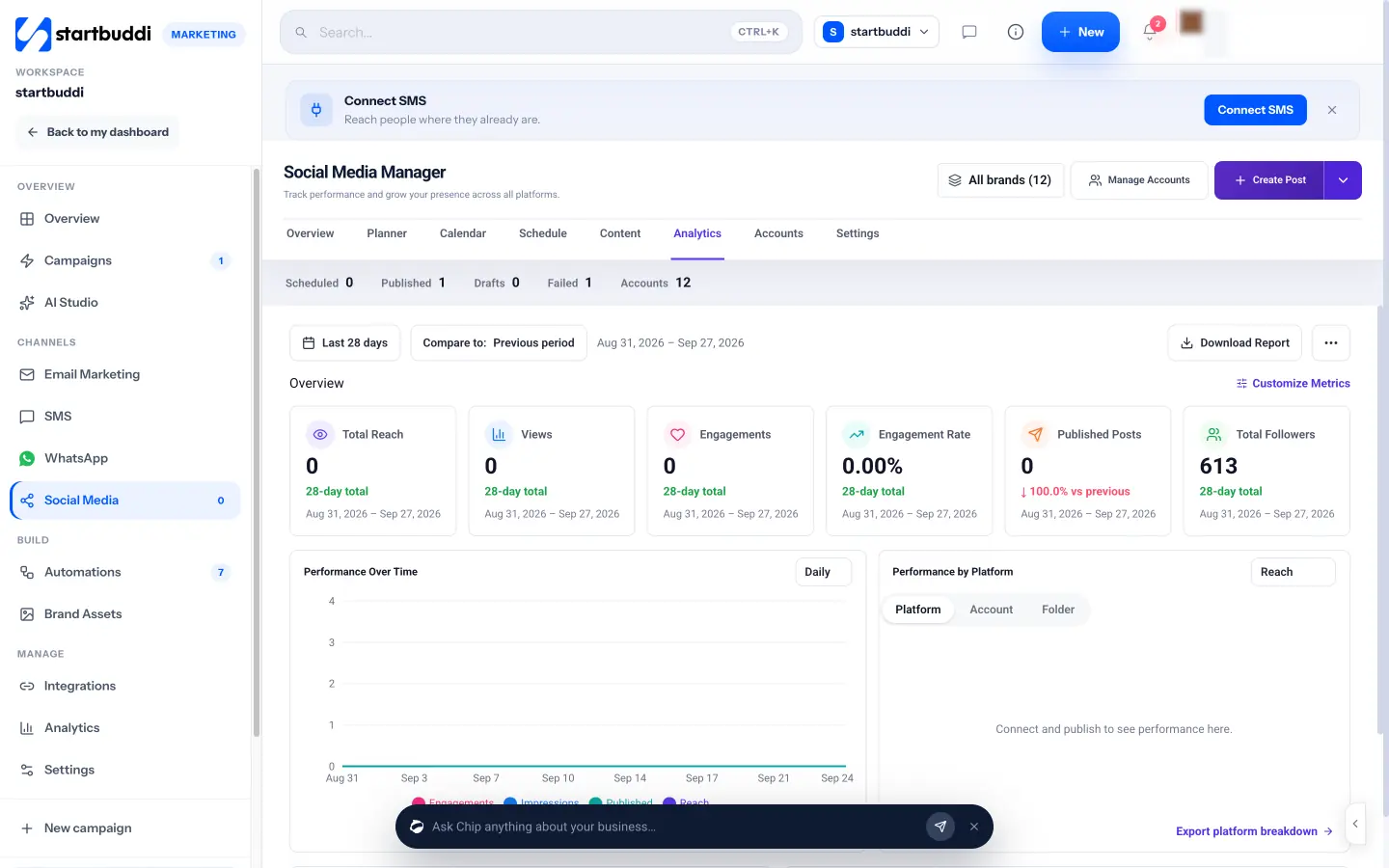
- Analytics. Reach, views, engagements and engagement rate over 7, 28 or 90 days, broken down by platform, account or brand folder, with a report you can download or share.
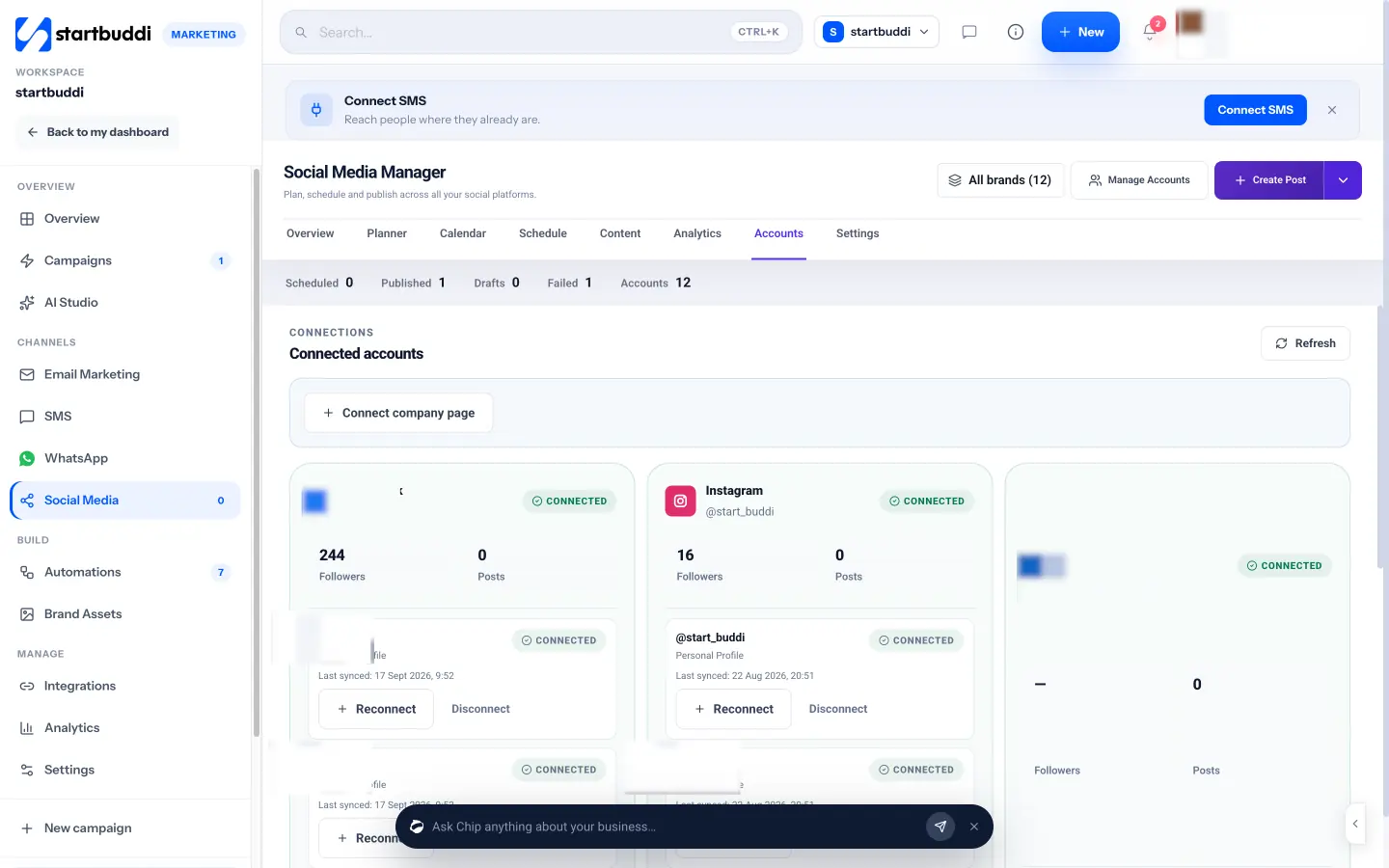
Plan limits matter for agencies. The whole Marketing module, including social, is locked on the Free plan. Starter connects 5 social accounts and 100 posts a month with 2 seats. Growth connects 15 accounts with unlimited posts and 5 seats. Scale has no account limit and 15 seats (see pricing). Every paid plan starts with a 30-day trial.
Where startbuddi isn’t the right fit (yet)
Be clear about the gaps before you move clients over. TikTok publishing isn’t available yet (it shows as “Soon”). Threads and Google Business Profile posting aren’t built. There’s no social listening, no recurring posts and no paid-post boosting. If a client relies on TikTok or needs listening across the web, pair startbuddi with a specialist tool, or choose a dedicated social suite for that client.
Where it tends to fit well is the small agency that wants social media, the client list, projects, campaigns and invoices in one place, instead of five logins. See the social media management for agencies page for how that works day to day.
Your next step
Write down your client count, accounts and team size, then cost out two or three tools using the method above. If an all-in-one setup appeals, start a 30-day trial on a paid plan from the pricing page, connect one client’s accounts, and schedule their next week of posts.
Sources
- DataReportal: Global social media statistics
- Meta Business Help Center: Give a partner access to business assets in your business portfolio
- Buffer pricing
- Hootsuite plans
- Sprout Social pricing
- Agorapulse pricing
Frequently asked questions
What is the best social media management tool for a small agency?
There isn't one answer. Pick the tool whose pricing model and approval workflow fit your client count and team size, and that publishes to your clients' main networks.
Should agencies pay per channel or per seat?
Per channel suits a few clients with a larger team. Per seat or per plan usually suits a small team managing many client accounts. Cost out both with your real numbers.
How do clients approve social media posts?
The easiest way is a review link they can open without a login. Otherwise, give them a limited seat in the tool. Avoid approving by WhatsApp screenshots.
Is it safe to ask clients for their social media passwords?
No. Use official connections, such as partner access in Meta's business portfolio, so clients can see and revoke access at any time.
Can I manage TikTok in startbuddi?
Not yet. TikTok publishing is marked as coming soon, so use TikTok's own tools or another scheduler for TikTok for now.
Olabimpe Salami is the email and outreach specialist at startbuddi. Olabimpe writes about the messages that bring customers in and back: email, WhatsApp and SMS campaigns, follow-ups, and turning enquiries into paying clients.
Runs email and outreach at startbuddi