All-in-one workspace vs 5 separate tools: which actually costs more?
We add up a typical five-tool stack with real published prices, show how per-seat costs grow, and count the hidden time costs. Then: when separate tools win.



Photo: AMIT RANJAN / Unsplash
- For teams of one to five, an all-in-one workspace usually costs less than a CRM, email, booking, project and invoicing tool bought separately, especially once per-seat pricing and time lost switching apps are counted. Separate tools still make sense when one job is your core business or you need specialist software like accounting or payroll.
For most teams of one to five people, an all-in-one workspace costs less than five separate tools, both in subscriptions and in the hours lost moving between them. Separate tools win when you need the deepest possible feature set in one area, or when every tool you use still fits inside a free plan. The only way to know for your business is to add up three numbers: what you pay per month, how that grows per person, and how much time your team spends copying information from one app to another.
This post does that sum with real published prices for a typical five-tool stack (a CRM, email marketing, booking, project management and invoicing), shows how the maths changes as you add people, and lists the hidden costs that rarely appear on a pricing page. It also covers when separate tools are genuinely the better choice.
What “all-in-one workspace” means here
An all-in-one workspace puts the tools a small business runs on day to day into one product with one login and one customer record: contacts and deals, email and messaging, bookings, projects and tasks, invoices and payments. Our glossary explains what an all-in-one business workspace is in more detail.
The alternative is a “best of breed” stack: a separate specialist app for each job, connected by integrations, automation tools or copy and paste. Both are reasonable. The question is which costs your business less for the value you actually use.
The typical five-tool stack and what it costs
Here is a common stack for a small service business, with the entry paid price each company publishes. We checked these pages in September 2026. Prices change and several vendors run introductory discounts, so follow the links for current figures in your currency.
| Job | Example tool | Published entry paid price | How it scales |
|---|---|---|---|
| CRM | HubSpot Starter Customer Platform | $20 per seat a month (regular price; new customers may see a lower first-year offer). Free tools for up to 2 users. | Per seat |
| Email marketing | Mailchimp | Free plan up to 250 contacts; paid plans are priced by list size | Per contact tier |
| Booking | Calendly Standard | $10 per seat a month, billed yearly. Free plan with one event type. | Per seat |
| Projects and tasks | Trello Standard | $5 per user a month billed annually, or $6 billed monthly. Free plan available. | Per user |
| Invoicing | FreshBooks Lite | $23 a month (regular price; promotional offers vary). No free plan; 30-day trial. | By plan; check each plan’s limits on clients and team members |
These are good products, and each does its own job in more depth than a general tool. The point of the table is not that any of them is overpriced. It is that five fair prices add up, and most of them multiply by the number of people on your team.
A worked example: a three-person agency
Take a three-person agency where everyone needs the CRM, booking and project tools, and one person handles invoicing. Using the published entry prices above, paid monthly where the vendor offers it:
- CRM: 3 seats × $20 = $60
- Booking: 3 seats × $10 (billed yearly) = $30
- Projects: 3 users × $6 = $18
- Invoicing: 1 plan = $23
- Email marketing: depends on list size. For a list of a few hundred to a couple of thousand contacts, check the vendor’s calculator and add it here.
Before email, that’s $131 a month, or roughly $1,570 a year. Add email marketing and an automation tool to connect everything, and the total climbs again. Now grow to five people: the per-seat lines rise to $100, $50 and $30, and the total before email passes $200 a month before you’ve added anything new.
Compare that with an all-in-one plan priced per workspace with seats included. On startbuddi, for example, the Growth plan includes five seats, so the same team of three, or a team of five, sits on one plan with one bill (see pricing for the price where you are). Every all-in-one product prices differently, so run the same sum for whichever you’re considering.
The hidden costs that don’t appear on pricing pages
1. Switching between apps
A 2022 study reported in Harvard Business Review followed 137 people across 20 teams at three large companies. They switched between apps and websites about 1,200 times a day, and the time spent getting back on track added up to just under four hours a week, around 9% of their working time. A small business won’t match those numbers exactly, but the pattern is familiar: check the booking tool, open the CRM, find the invoice, update the task.
2. Copying the same data into several places
When a new client books a call, their name and email often get typed (or pasted) into the calendar, the CRM, the invoicing tool and the project board. Each copy is a chance for a typo and a moment where records drift apart. Over a year, “which version is right?” becomes a real cost.
3. Paying to connect the tools
Many stacks rely on an automation service to pass data between apps. That’s another subscription, usually priced by the number of tasks it runs (see Zapier’s pricing for one example), plus the time to build and fix the connections when a tool changes.
4. Onboarding and offboarding people
Every new hire needs five logins, five sets of permissions and five sessions of “here’s how we use this”. Every leaver needs five accounts closed, or a former employee keeps access to client data.
5. Security surface
More accounts mean more passwords to protect. The UK’s National Cyber Security Centre recommends turning on two-step verification for every account that supports it. That’s easier to enforce on one system than on five.
6. Reporting across tools
Simple questions become projects when the answer lives in several apps. “Which marketing channel brought the clients who paid us most this quarter?” needs data from the email tool, the CRM and the invoicing tool, usually exported to a spreadsheet and matched by hand. Many small businesses never ask the question at all, which is its own cost: you keep spending on channels without knowing which ones pay back.
Put a number on your time
Subscriptions are easy to count; time is not. Try this rough estimate with your own figures:
- Estimate the minutes each person spends a day copying data, searching for information across tools, or fixing mismatched records. Be conservative.
- Multiply by working days in a month (about 21).
- Multiply by the hourly value of that person’s time. If you bill clients, use your billable rate; our hourly rate calculator can help.
As an illustration only: if three people each lose 20 minutes a day and their time is worth $30 an hour, that is 3 × 20 × 21 = 1,260 minutes, or 21 hours a month, worth $630. Even if the real figure is half that, it usually outweighs the difference in subscription prices. Swap in your own currency and rate; the arithmetic is the same whether you bill in pounds, naira, rand or rupees.
When separate tools are the better choice
An all-in-one workspace is not automatically the right answer. Separate tools usually make more sense when:
- One job is your core business. An email-first publisher or an e-commerce brand sending millions of emails needs a specialist email platform. A software team shipping code daily needs engineering tools.
- You need regulated or specialist software. Accounting and tax filing, payroll, point-of-sale hardware and field-service dispatch are specialist categories. Keep a dedicated tool there, such as an accountant-approved bookkeeping package.
- Everything still fits in free plans. A solo founder with one booking type, a few dozen contacts and a simple task list may pay nothing with free tiers. Just watch the limits, because the jump to paid often happens all at once.
- Your team already runs well on its stack. If data flows cleanly and nobody complains, a migration has its own cost. Revisit when you hire or when renewal prices rise.
When an all-in-one workspace wins
- You’re a team of one to 20 people and most of your work touches clients: enquiries, bookings, projects, invoices.
- You want one record per client, so anyone can see the whole relationship.
- You’re hiring and per-seat pricing is starting to hurt.
- You’ve tried connecting tools with automations and spend too long fixing them.
- You don’t have (or want) someone whose job is managing software.
Our post on replacing your CRM, project, email, invoicing and booking tools looks at the switch module by module, and our researched list of all-in-one business software compares the main options.
What switching really costs
Moving to one system is not free either, and a fair comparison counts it. Budget for three things.
Migration time
Exporting contacts, open deals, active projects and unpaid invoices, cleaning them and importing them takes most small teams a few days of part-time work. The cleaning is the slow part: duplicates, old leads and half-filled records. Treat it as a chance to delete what you no longer need rather than copying the mess across.
Overlap months
You’ll often pay for the old tools and the new one for a month or two while contracts run out. Check renewal dates before you start and time the move so the overlap is short. Annual plans on the old tools are the usual trap.
Learning curve
People need a week or two to trust a new system. Move one team or one client first, write down the three or four habits you want (where notes go, how deals move, who sends invoices) and only then move everyone else.
Questions to ask any vendor before you commit
- Is the price per workspace, per seat, per contact or per usage, and what happens when we cross a limit?
- Which features are metered each month (emails, SMS, AI credits, automation runs), and what does extra usage cost?
- What’s included in the trial, and does it need a card?
- Can we export all our data as CSV at any time?
- Which tools does it connect to, and which of those connections are live today rather than planned?
- Is pricing available in our currency?
Write the answers next to your cost comparison. The cheapest headline price is not always the cheapest bill once your team and contact list grow.
How to run your own comparison in an hour
- List every tool you pay for, including the ones on someone’s personal card. Note the plan, the price and whether it’s per seat.
- Mark what you actually use. Most teams use a fraction of each tool’s features.
- Project the next 12 months. Add the people you plan to hire and the contacts you expect to add. Per-seat and per-contact pricing is where costs jump.
- Estimate the time cost with the three-step sum above.
- Price the all-in-one option for the same team size and usage, including any metered limits such as email sends or SMS.
- Check the exit. Can you export contacts, invoices and projects as CSV if you leave? Ask this of every vendor, not only the all-in-one ones.
How startbuddi helps
startbuddi is an all-in-one workspace built for this kind of team. One login covers Customers (contacts, deals and a shared inbox), Marketing (email, SMS, WhatsApp and social), Bookings, Work (projects, tasks, time and client portals), Money Manager (invoices, payment links and expenses) and Automations, with Chip, the AI assistant, available on every screen. Bookings, forms, invoices and conversations all attach to the same contact.
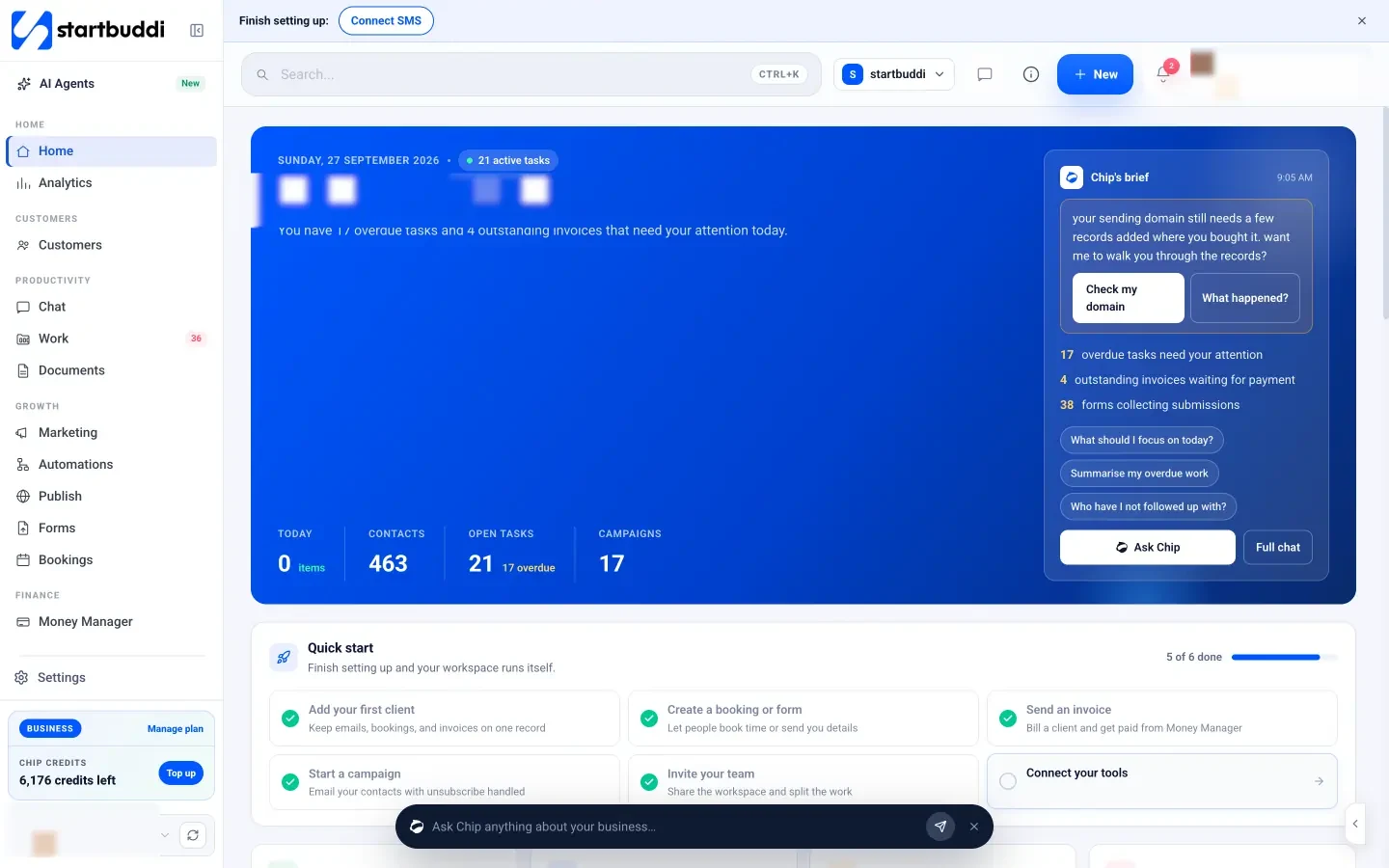
Plans are priced per workspace with seats included: Free (one seat), Starter (two seats), Growth (five seats) and Scale (15 seats) (see pricing). Annual billing costs ten times the monthly price, and every paid plan starts with a 30-day trial.
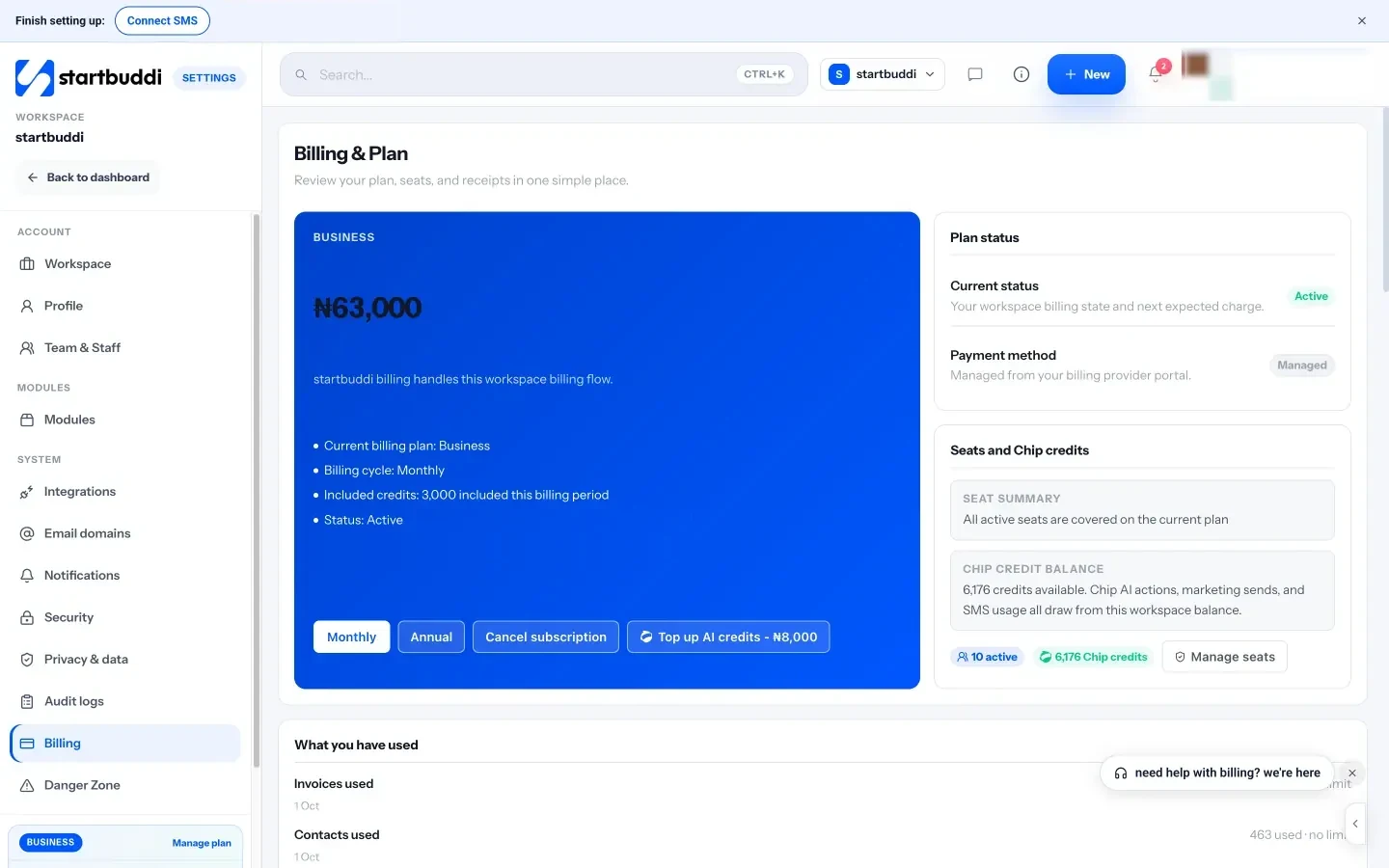
Be clear about what the plans don’t cover. The Marketing module, including email campaigns, is locked on Free. Email sends, SMS and Chip credits are metered per plan (for example, Growth includes 10,000 email sends a month). startbuddi isn’t accounting, payroll or point-of-sale software, and it has no bank feeds, so keep your accounting tool alongside it and export data as CSV when your bookkeeper needs it. You can import a CSV of your contacts from Mailchimp, HubSpot or another tool in Customers → Contacts, and send data out to other apps via Zapier.
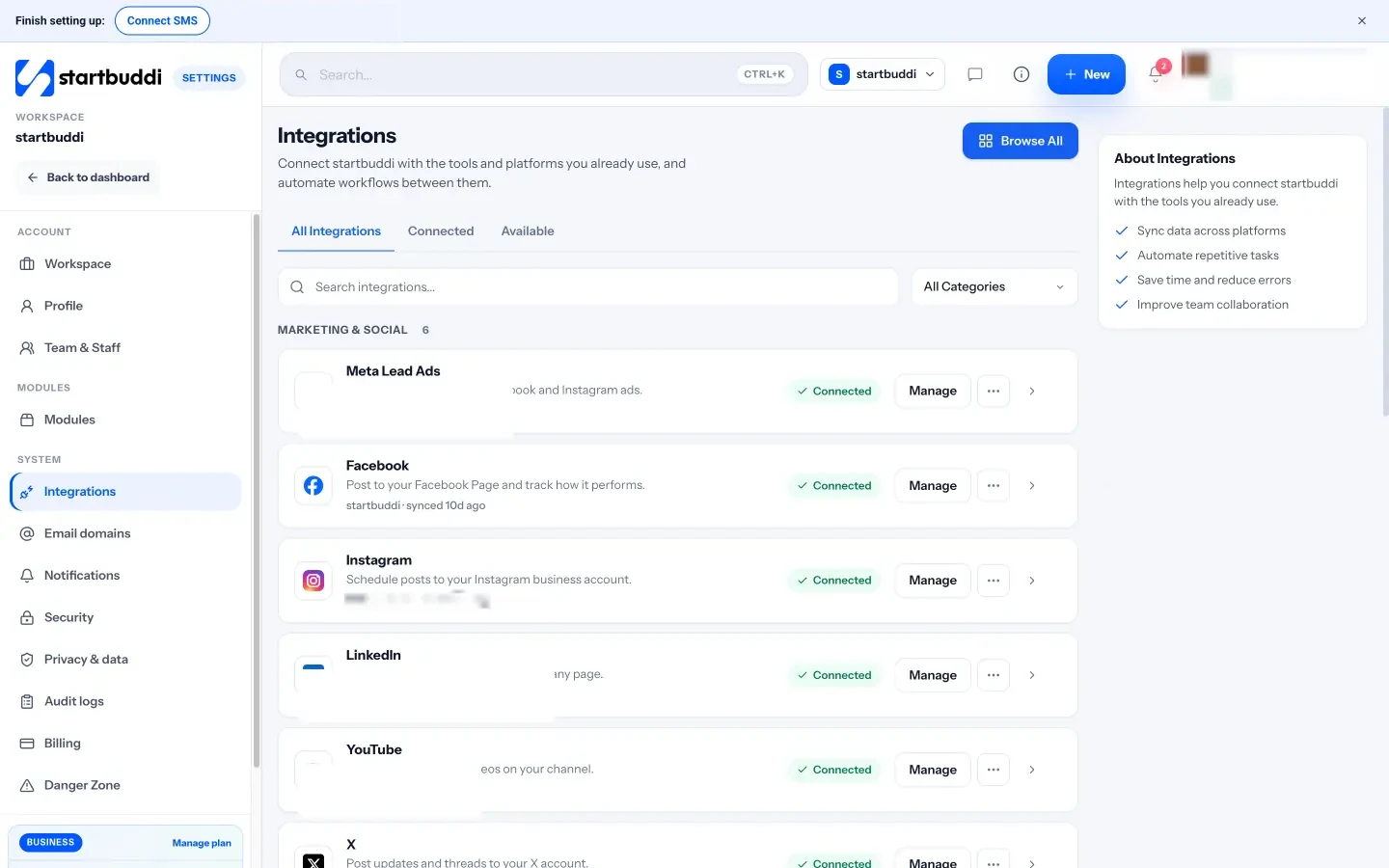
For side-by-side detail, see startbuddi vs HubSpot and startbuddi vs Calendly.
Your next step
Spend an hour on the six-step comparison with your real bills and team size. If the all-in-one total, time included, comes out lower, start a 30-day trial and move one team or one client across first. Compare plans on our pricing page.
Sources
- HubSpot CRM pricing
- Mailchimp marketing pricing
- Calendly pricing
- Trello pricing
- FreshBooks pricing
- Zapier pricing
- Harvard Business Review: How much time and energy do we waste toggling between applications? (2022)
- National Cyber Security Centre: setting up two-step verification
Frequently asked questions
Is an all-in-one workspace always cheaper?
No. If every tool you use fits inside a free plan, or one job needs a specialist platform, separate tools can cost less. The gap usually opens once you pay per seat for several tools.
What are the hidden costs of using many separate tools?
Time lost switching apps, copying the same data into several places, paying for an automation service to connect them, and onboarding and offboarding people on every tool.
Can I keep my accounting software with an all-in-one workspace?
Yes, and many small businesses should. Workspaces like startbuddi handle invoicing and payments but aren't bookkeeping or tax software. Keep your accountant's preferred tool alongside.
How do I avoid lock-in with an all-in-one tool?
Before you commit, check that you can export contacts, invoices and project data as CSV. Ask every vendor the same question, whether all-in-one or specialist.
Tiwalade Joanna Okedara-Kalu is the founder, CEO and CTO of startbuddi, the business system that brings clients, bookings, invoices, projects, marketing and the Chip AI assistant into one place. Tiwalade builds software around how service businesses really work day to day, and writes about client management, getting paid on time and why small businesses outgrow the tools they start with.
Founded startbuddi and leads its product and engineering