
startbuddi vs Sprout Social: an honest comparison
Sprout Social is a social media management platform for in-house marketing teams, with publishing, a consolidated inbox, review management, reporting and listening, priced per seat. startbuddi's Social Media Manager schedules to six networks with Chip planning your week, inside a workspace that also runs your contacts, inbox, email and invoices; pick Sprout for a dedicated social team with deep reporting, and startbuddi for a small business that wants social next to everything else.
startbuddi is best for
Small businesses that plan social posts next to their email, WhatsApp and customer list
 Sprout Social
Sprout Social is best for
In-house marketing teams that need publishing, an inbox and deep reporting
At a glance
Where each one is stronger
The short version. Sprout Social first, because it does some things better than we do.
Sprout Social is stronger at
startbuddi is stronger at
Feature by feature
| Feature | startbuddi | Sprout Social |
|---|---|---|
| Free planThe Marketing hub isn't on the Free plan | No | Free trial onlySource (opens in a new tab) |
| Facebook, Instagram, LinkedIn | Yes | YesSource (opens in a new tab) |
| TikTok | No | YesSource (opens in a new tab) |
| Threads | No | YesSource (opens in a new tab) |
| Google Business profiles | No | YesSource (opens in a new tab) |
| Consolidated inboxInstagram and Facebook DMs land in the Customers inbox | DMs only | Standard plan and upSource (opens in a new tab) |
| Approval workflowsPlus client review links | Yes | Professional plan and upSource (opens in a new tab) |
| Social listening | No | Paid add-onSource (opens in a new tab) |
| Profiles included5 on Starter, 15 on Growth, unlimited on Scale | 5 to unlimited by plan | 5, or unlimited from ProfessionalSource (opens in a new tab) |
| Mobile apps | Web only | IOS and AndroidSource (opens in a new tab) |
What each one looks like
Real screens, captured by us or taken from the official press kit, each dated.
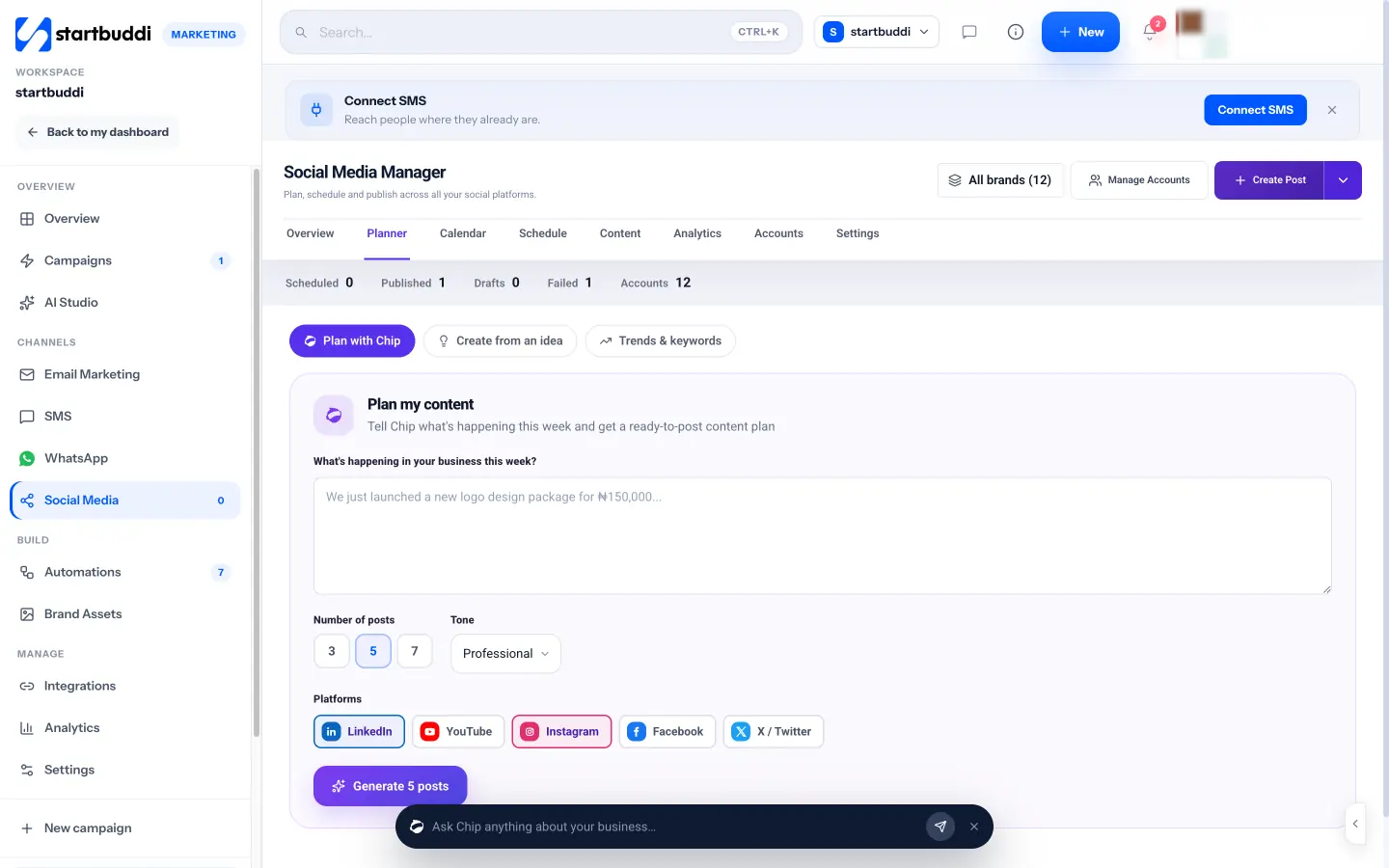
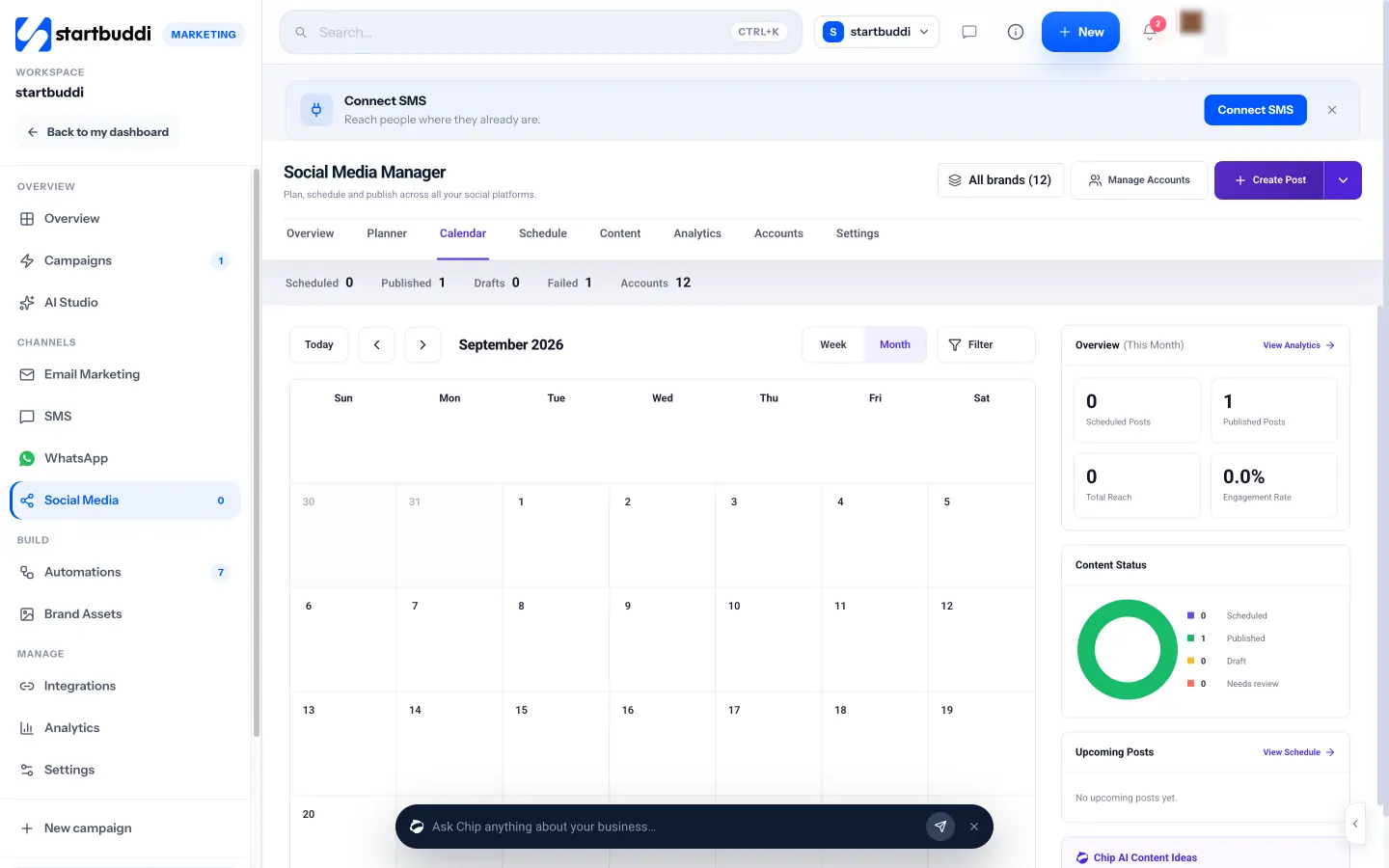
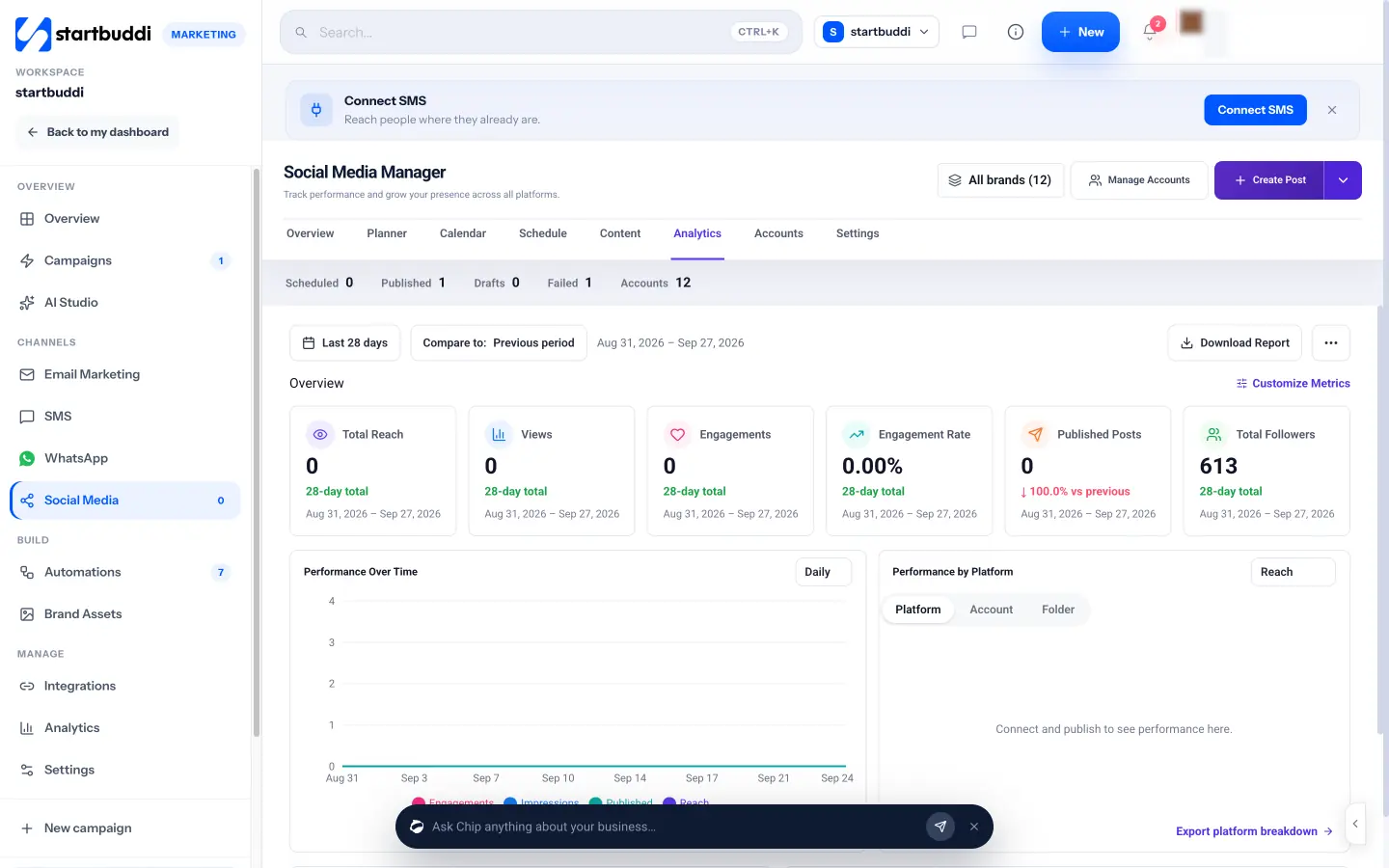
Pricing side by side
List prices as each company publishes them. We never convert currencies.
startbuddi
- FreeFree
- Starter$29 a month
- Growth$79 a month
- Scale$199 a month
Sprout Social
- Essentials$79 USD per seat per month, billed annuallySource (opens in a new tab)
- Essentials (monthly)$99 USD per seat per month, billed monthlySource (opens in a new tab)
- Standard$199 USD per seat per month, billed annuallySource (opens in a new tab)
- Standard (monthly)$249 USD per seat per month, billed monthlySource (opens in a new tab)
- Professional$299 USD per seat per month, billed annuallySource (opens in a new tab)
- Professional (monthly)$399 USD per seat per month, billed monthlySource (opens in a new tab)
- Advanced$399 USD per seat per month, billed annuallySource (opens in a new tab)
- Advanced (monthly)$499 USD per seat per month, billed monthlySource (opens in a new tab)
- EnterprisePricing on requestSource (opens in a new tab)
Switching from Sprout Social
What moving across involves.
- Connect your accounts in startbuddiGo to Marketing → Social Media → Accounts and connect Facebook, Instagram, LinkedIn, X, YouTube or Pinterest. Facebook and Instagram use Meta's login and a page picker.
- Set up brands and approvalsUnder Settings → Brands & folders, group accounts by brand or client and choose an approval route. Set your timezone under Scheduling.
- Move your scheduled posts by handstartbuddi has no CSV import for posts, so copy upcoming Sprout posts into the startbuddi composer, or ask Chip to plan the week afresh.
- Keep what startbuddi doesn't dostartbuddi has no listening, review management or TikTok posting. If you need those, keep a tool for them, then disconnect accounts in Sprout once its queue is empty.
Sources
- Sprout Social pricing (opens in a new tab)
- startbuddi social media (opens in a new tab)
- startbuddi Marketing hub (opens in a new tab)
- startbuddi customer inbox (opens in a new tab)
- startbuddi link in bio (opens in a new tab)
- startbuddi brand kit (opens in a new tab)
- startbuddi pricing (opens in a new tab)
Questions people ask
Can I use startbuddi's social media tools on the Free plan?
No. Social Media is part of the Marketing hub, which is not on the Free plan. Every paid plan has a 30-day trial.
Does startbuddi post to TikTok or Threads?
Not yet. startbuddi posts to Facebook, Instagram, LinkedIn, X, YouTube and Pinterest. TikTok, Threads and Google Business posting aren't available.
How is startbuddi priced compared with Sprout Social?
Sprout Social charges per seat. startbuddi plans include a set number of seats and connected social accounts, alongside the CRM, inbox and other modules; see the pricing page for current prices.
Does startbuddi have social listening?
No. startbuddi's trends research suggests what to post from the web, your posts and your comments, but it doesn't monitor mentions of your brand.
Other comparisons
All comparisons


Try startbuddi alongside Sprout Social.
Start on the free plan with a copy of your contacts and see how it fits before you decide.
Start with the one thing you need. The rest is there when you're ready.
Free plan available. Every paid plan starts with a 30-day trial.