
startbuddi vs Google Forms: an honest comparison
Google Forms builds forms, surveys and quizzes with automatic charts and a direct link to Google Sheets, and it is included in every Google Workspace plan. startbuddi Forms is part of a wider business workspace where answers become contacts, forms can take Paystack or Stripe payments and follow-ups run automatically; pick Google Forms for quick surveys and quizzes, and startbuddi if your forms should feed your CRM and get you paid.
startbuddi is best for
Small businesses that want form answers to become customers and payments
 Google Forms
Google Forms is best for
Quick surveys and quizzes for people already using Google Sheets
At a glance
Where each one is stronger
The short version. Google Forms first, because it does some things better than we do.
Google Forms is stronger at
startbuddi is stronger at
Feature by feature
| Feature | startbuddi | Google Forms |
|---|---|---|
| Quizzes | No | YesSource (opens in a new tab) |
| Conditional logic | Yes | YesSource (opens in a new tab) |
| Templates | 12 | YesSource (opens in a new tab) |
| File upload questions | Yes | Respondents must sign inSource (opens in a new tab) |
| Take payments in a form | Paystack or Stripe | Not statedSource (opens in a new tab) |
| Answers saved as contactsEvery submission can create or update a contact | Yes | Not statedSource (opens in a new tab) |
| Send answers to Google Sheets | Yes | YesSource (opens in a new tab) |
| Download responses as CSV | Yes | YesSource (opens in a new tab) |
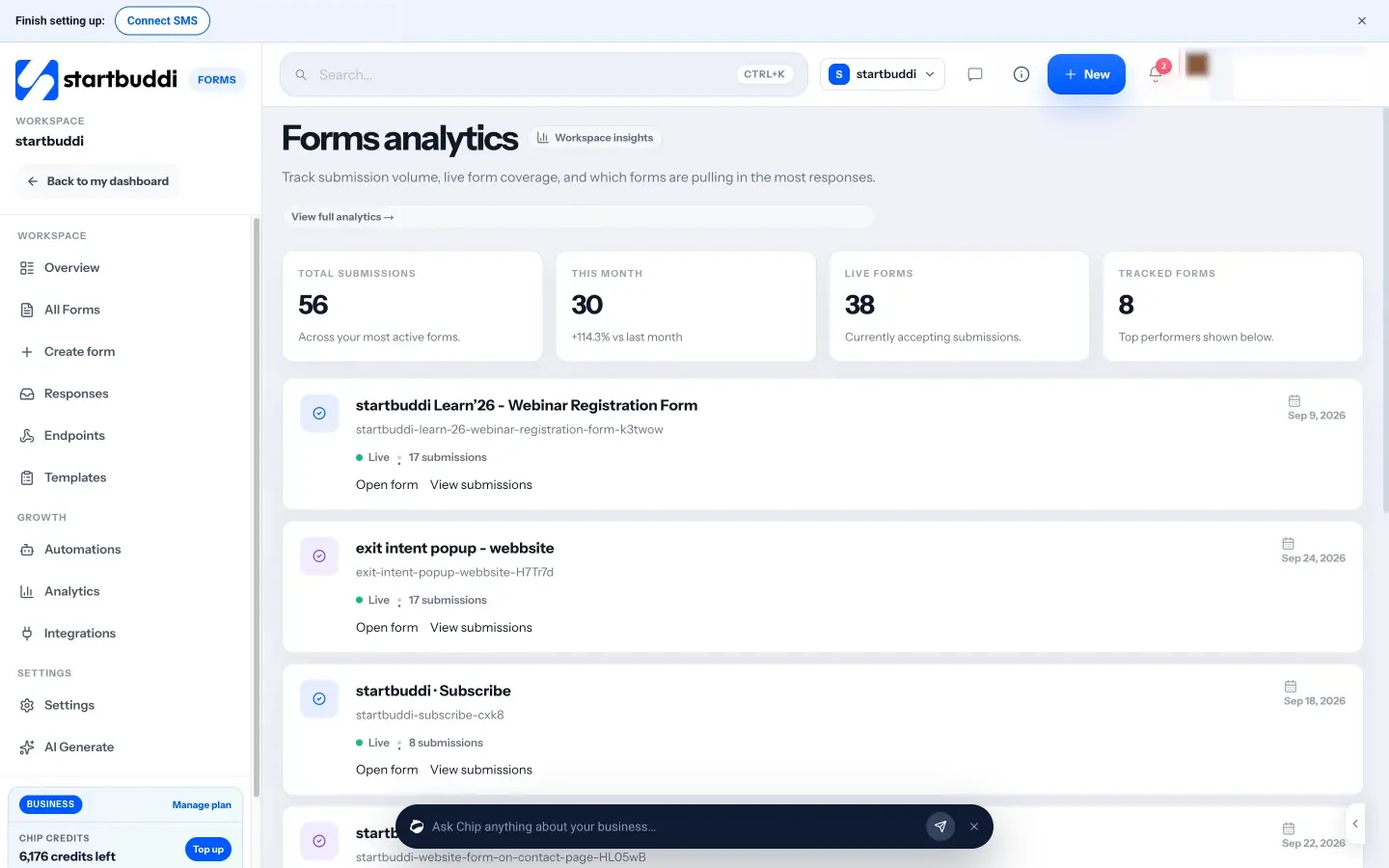
| Charts of answersViews, completion % and answers by question | Yes | YesSource (opens in a new tab) |
| AI builds the form for youChip drafts fields and logic from a description | Yes | Not statedSource (opens in a new tab) |
| Collaborate on forms | Yes | YesSource (opens in a new tab) |
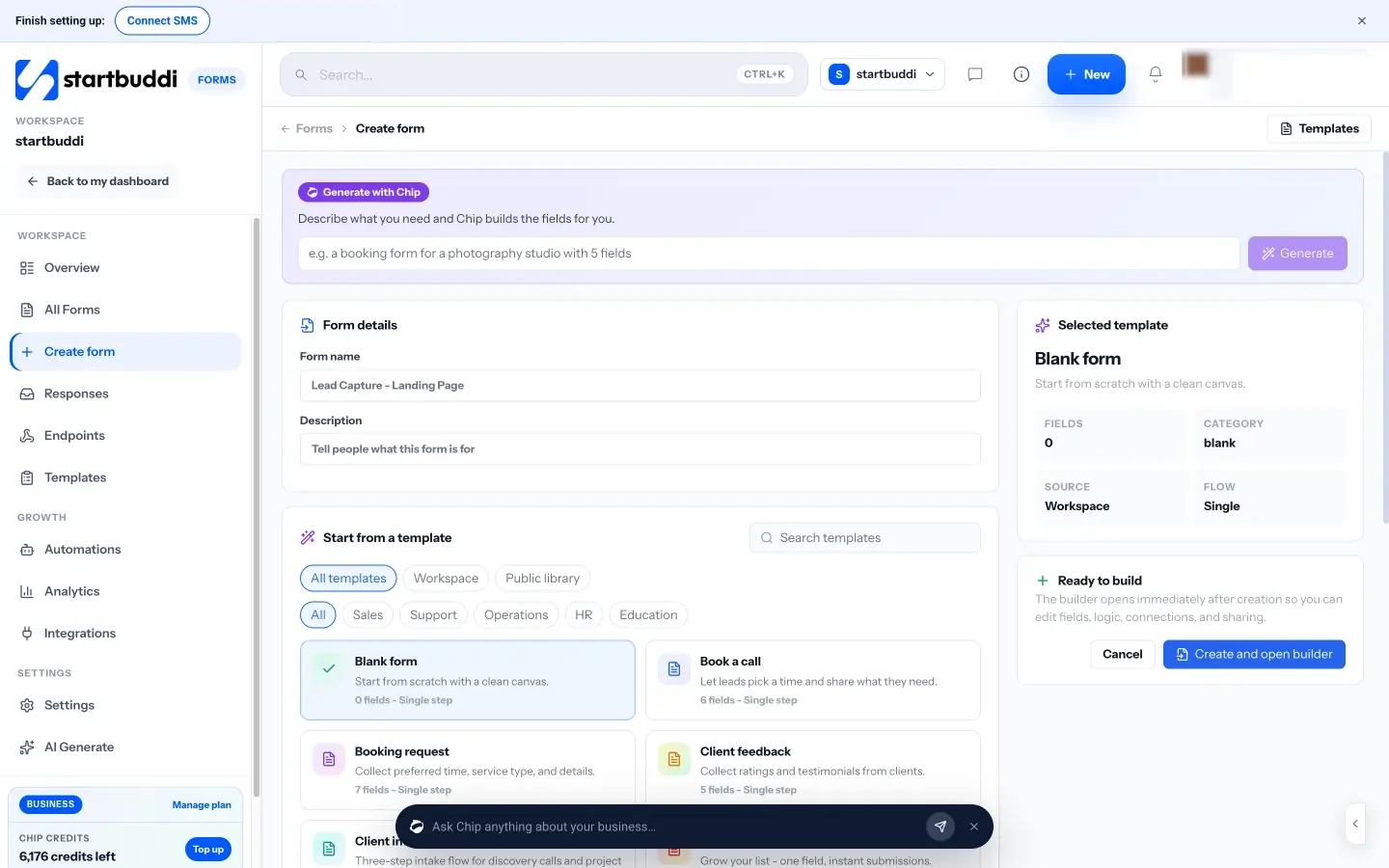
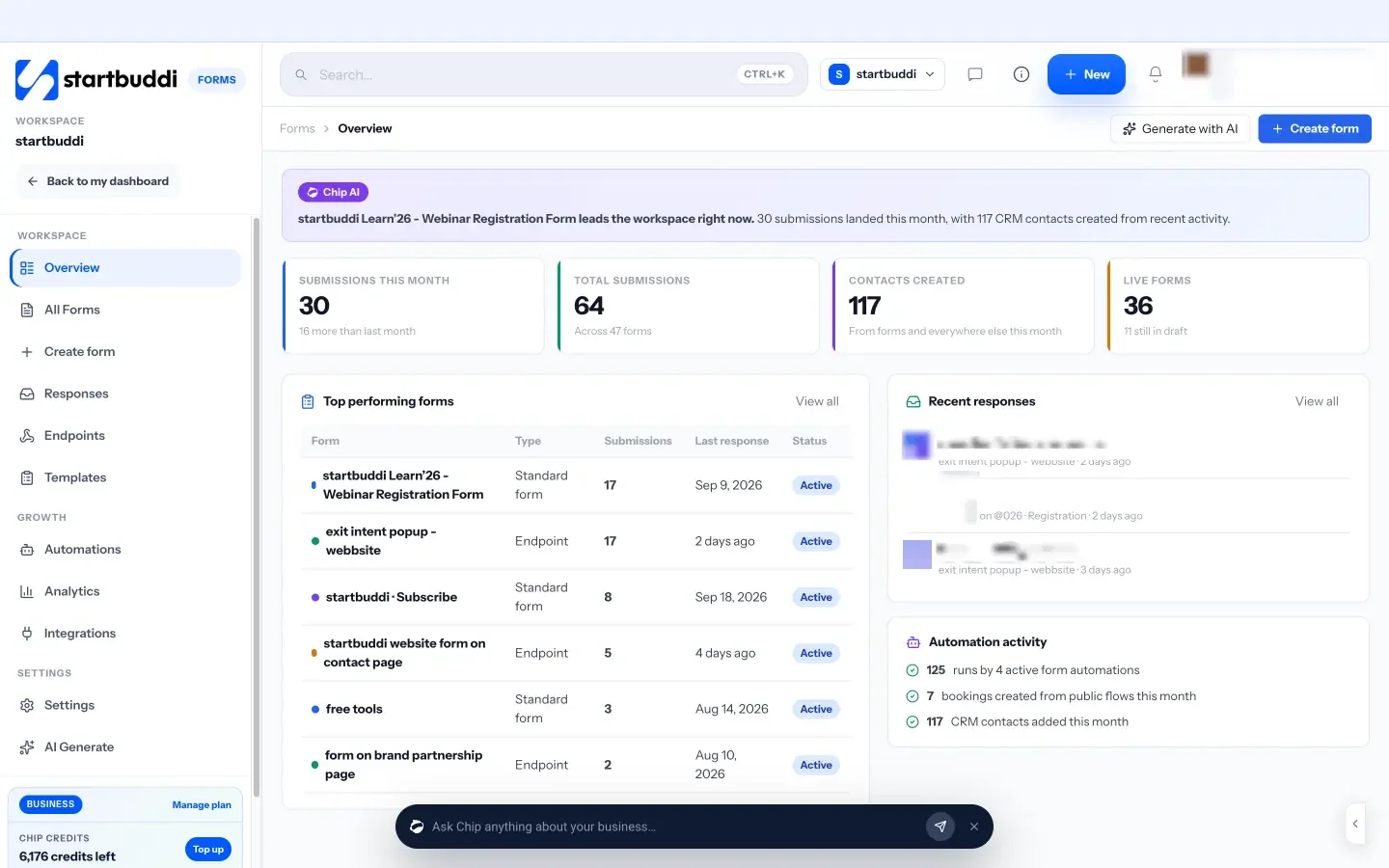
What each one looks like
Real screens, captured by us or taken from the official press kit, each dated.
Pricing side by side
List prices as each company publishes them. We never convert currencies.
startbuddi
- FreeFree
- Starter$29 a month
- Growth$79 a month
- Scale$199 a month
Google Forms
- Google Workspace Business Starter€6.80 EUR per user per month, billed monthly (10% off for the first 12 months for new customers, up to 20 users)Source (opens in a new tab)
- Google Workspace Business Standard€13.60 EUR per user per month, billed monthly (10% off for the first 12 months for new customers, up to 20 users)Source (opens in a new tab)
- Google Workspace Business Plus€21.10 EUR per user per month, billed monthlySource (opens in a new tab)
- Google Workspace EnterprisePricing on requestSource (opens in a new tab)
Switching from Google Forms
What moving across involves.
- Download your Google Forms responsesIn Google Forms, open Responses, click More and choose Download responses (.csv), or open the linked Google Sheet and download it as a CSV.
- Import the people into startbuddi ContactsIn Customers → Contacts, click Import and follow the three steps (file, map columns, review). You can bring in up to 10,000 contacts at a time and check the result later under past imports.
- Rebuild your formThere is no importer for Google Forms forms, so rebuild each one in Forms: start from one of the 12 templates, click to add fields, or describe the form and let Chip draft it. Add logic rules and a Paystack or Stripe payment field if you need them.
- Share it and set up follow-upsCopy the direct link, iframe embed, popup button or QR code from the Share tab and replace the old form on your site. On paid plans, add an automation that sends an email, SMS or WhatsApp message, or creates a task, after each submission.
Sources
- Google Forms product page (opens in a new tab)
- Google Workspace pricing (opens in a new tab)
- Google Forms help: view and manage responses (opens in a new tab)
- Google Forms help: question types (file upload) (opens in a new tab)
- Google Forms help: create a form (opens in a new tab)
- startbuddi Forms (opens in a new tab)
- startbuddi Contacts (opens in a new tab)
- startbuddi Automations (opens in a new tab)
- startbuddi Publish (opens in a new tab)
- startbuddi pricing (opens in a new tab)
Questions people ask
Can I move my Google Forms to startbuddi?
Not automatically. Download your responses as a CSV from Google Forms, import the people into startbuddi Contacts, then rebuild each form from a template, by hand or with Chip.
Can startbuddi send form answers to Google Sheets?
Yes. The Google Sheets connection in Forms appends every response to a spreadsheet, and each answer is also kept in startbuddi.
Does startbuddi have a free plan for forms?
Yes. The Free plan includes one live form, and submissions are not metered.
Can startbuddi make quizzes?
Not yet. Use Google Forms for quizzes and startbuddi for lead, booking-request and payment forms that should reach your contacts.
Other comparisons
All comparisons


Try startbuddi alongside Google Forms.
Start on the free plan with a copy of your contacts and see how it fits before you decide.
Start with the one thing you need. The rest is there when you're ready.
Free plan available. Every paid plan starts with a 30-day trial.